Native Instruments’ Komplete Kontrol 1.1 update introduced features intended to make music production more flexible. The keyboard could be used as a MIDI controller without a computer, and the update added arpeggiator Hold, a scale Key Mode, and modulation-strip modes. MIDI generated by the arpeggiator, chord, and scale features could also be sent to a DAW for recording, editing, and use with other instruments. This article describes the 1.1 release and its original workflow.
A Long-Awaited Update with New Features
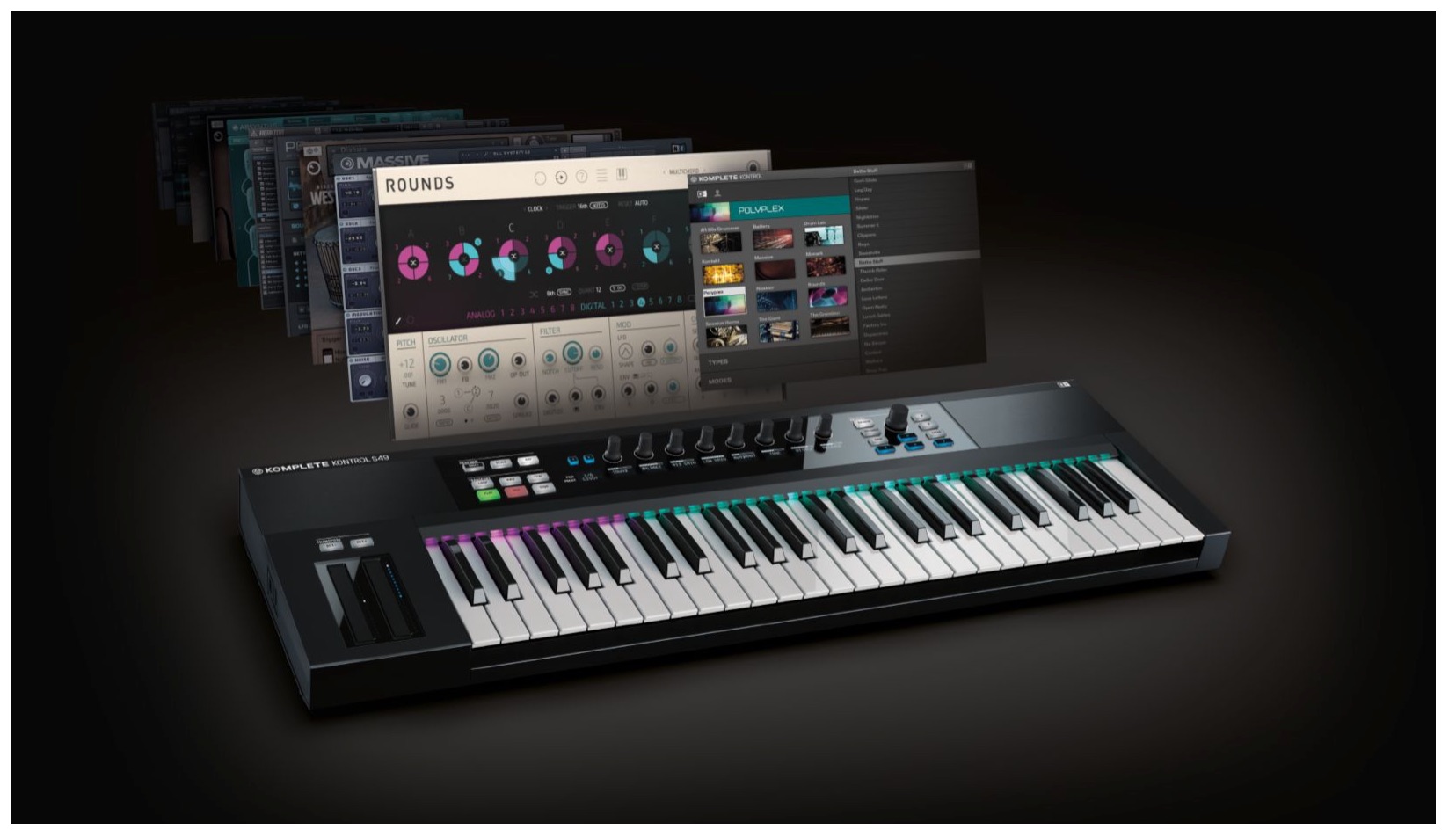
Komplete Kontrol 1.1 has been released.
This update adds features that make fuller use of the product
and make it more convenient to work with.

At the time, owners of Komplete 9 or 10 could use
the Komplete Kontrol software free of charge even without the keyboard.
You could use features such as arpeggios, chords, and scales
in your DAW, so give them a try.
Let’s look at the details.
Komplete Kontrol Video Guides
- 1Product Overview
- 2Browsing
- 3Light Guide and Clear View Display
- 4Scale Function
- 5Chord Function
- 6Arpeggiator
- 7Automation and MIDI Mode
- 8What’s New in Komplete Kontrol 1.1
- 9What’s New in KOMPLETE KONTROL 1.5
- 10What’s New in KOMPLETE KONTROL 1.6.2
- 11KOMPLETE KONTROL 1.9.3: DAW Control
- 12Komplete Kontrol 1.9.3: Host Integration with Cubase
- 13KOMPLETE KONTROL 2.0: NKS FX
- 14Maschine / Komplete Kontrol Favorites
When this article was written, purchasing KOMPLETE KONTROL included
a bundle of 10 products called KOMPLETE SELECT. Bundle contents and eligibility may have changed; check the official store for current details.
How to Update
The following describes the update procedure for this version. Service Center is a legacy utility, so check Native Instruments for current installation and update instructions.

First, launch Service Center.
- Mac: System drive → Applications → Native Instruments
- Windows: C drive → Program Files → Native Instruments
These are the locations described in the original guide.
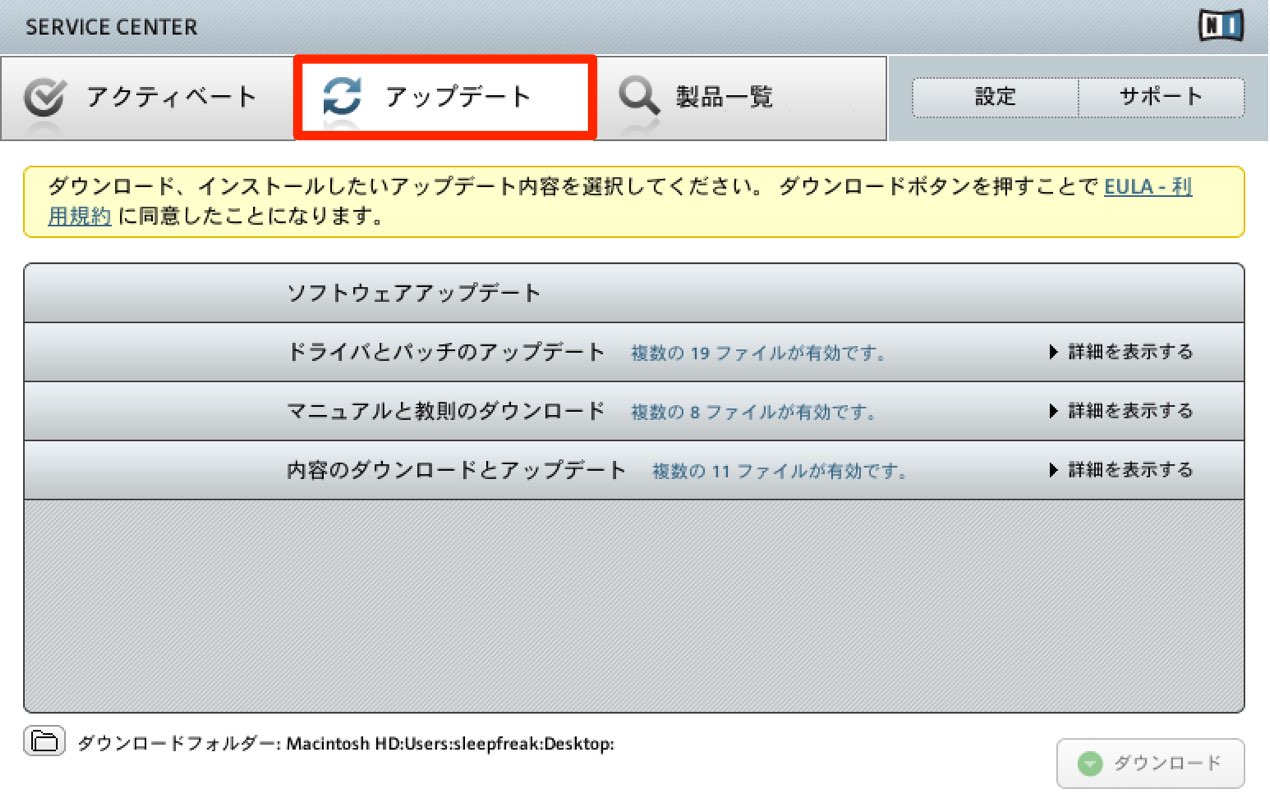
Find the update under Updates, then download and install it.
Next, update the firmware
to bring the keyboard up to date.
Visit the following URL:
http://www.native-instruments.com/en/support/downloads/drivers-other-files/

Under KOMPLETE KONTROL, select the download for your Mac or Windows environment,
then download and install it.
Using the Keyboard as a MIDI Controller Without a Computer
Previously, using Komplete Kontrol
required a computer.
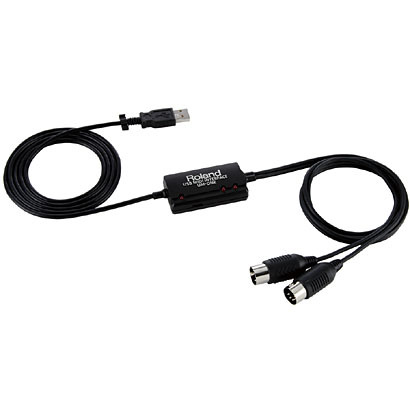
This update removed that limitation:
connect the keyboard directly to a sound module via MIDI to use it as a MIDI controller.
This makes it more convenient for live performance
and for playing a sound module without setting up a computer.
Arpeggiator Hold Mode

Hold mode has been added to the arpeggiator.
Turn on Hold to keep playing the pitches of the keys you played.
With both hands free, you can experiment with other parameters.
A New Key Mode for Scales
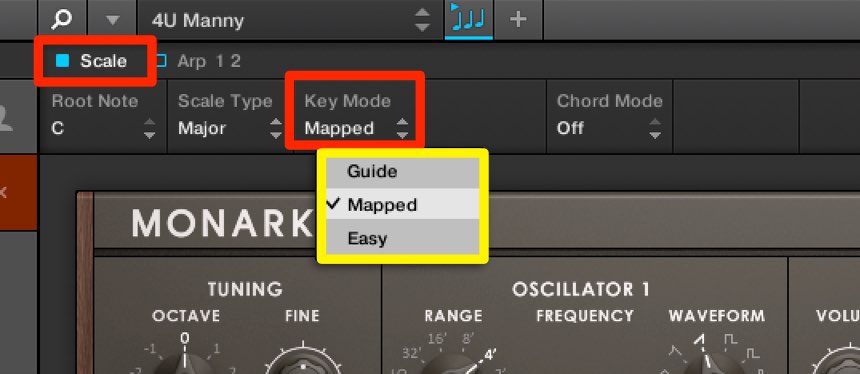
One more option has been added to Key Mode for displaying pitches with the Light Guide.
- Guide: The newly added mode.
It displays the notes in the selected scale but also lets you play notes outside it. - Mapped: Renamed from the previous version’s Standard mode.
It displays the scale notes and automatically maps out-of-scale notes to the selected scale. - Easy: As in the previous version.
All notes in the selected scale can be played on white keys; the black keys do not play notes.
MIDI Output
MIDI generated by the arpeggiator, chord, and scale functions
can now be output and recorded into a DAW.
You can assign the resulting performance to another instrument or fine-tune the MIDI data.
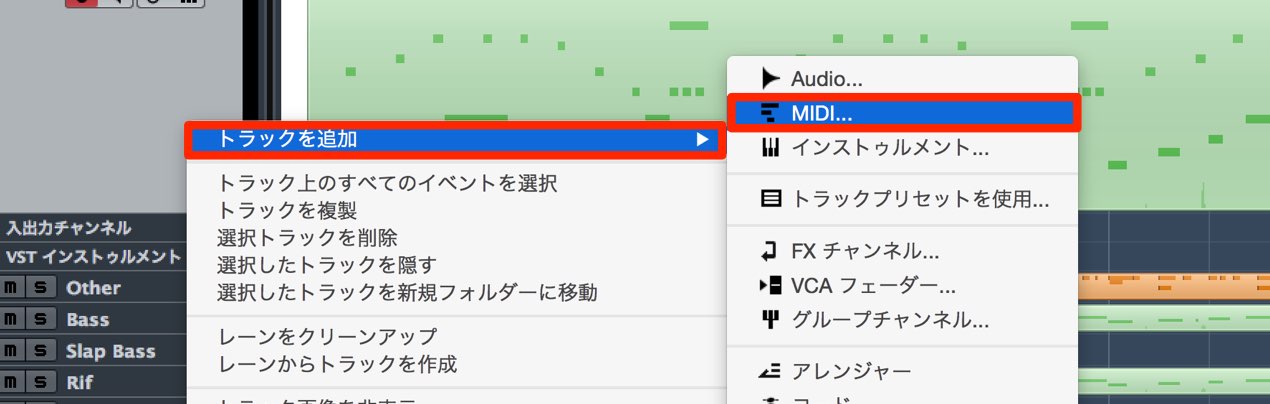
Create a MIDI track.
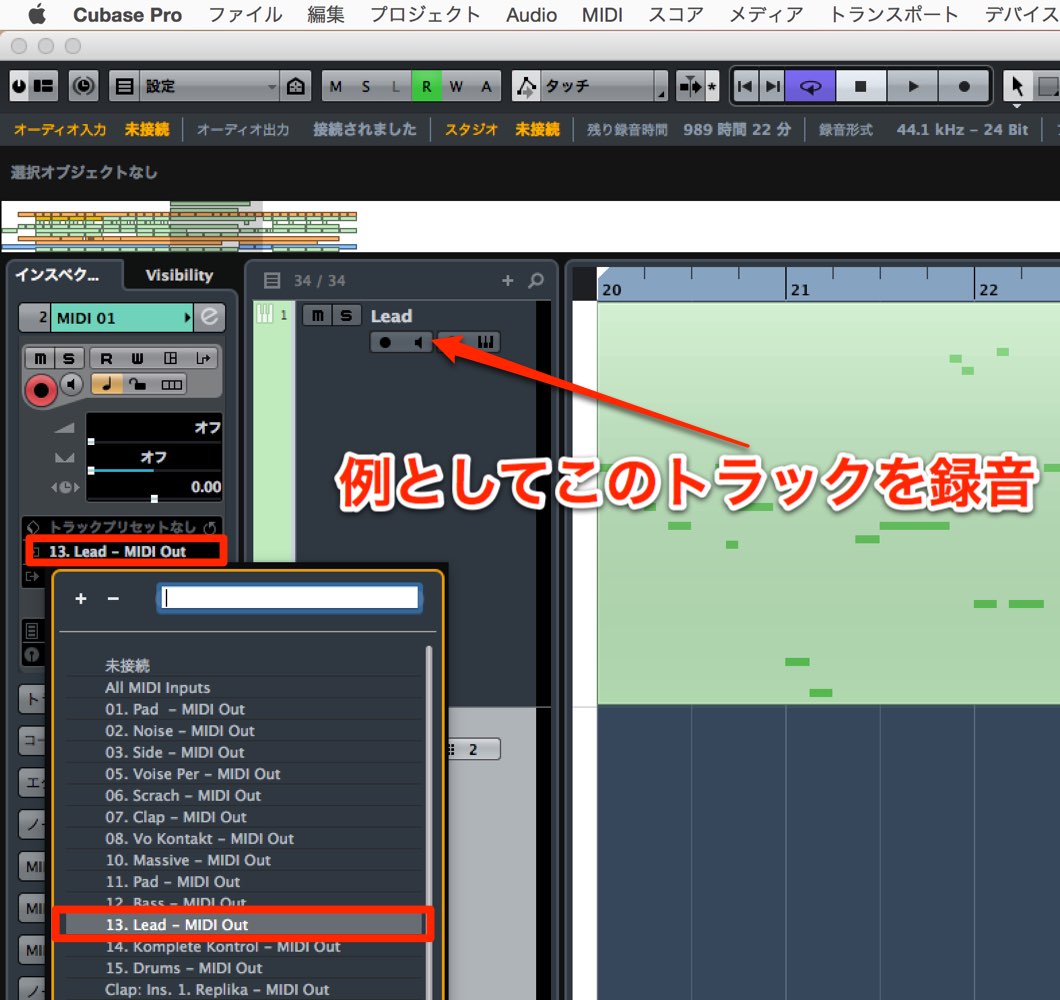
Set the MIDI track input to the MIDI Out of the Komplete Kontrol instance you want to record.
In this example, we record the Lead track.
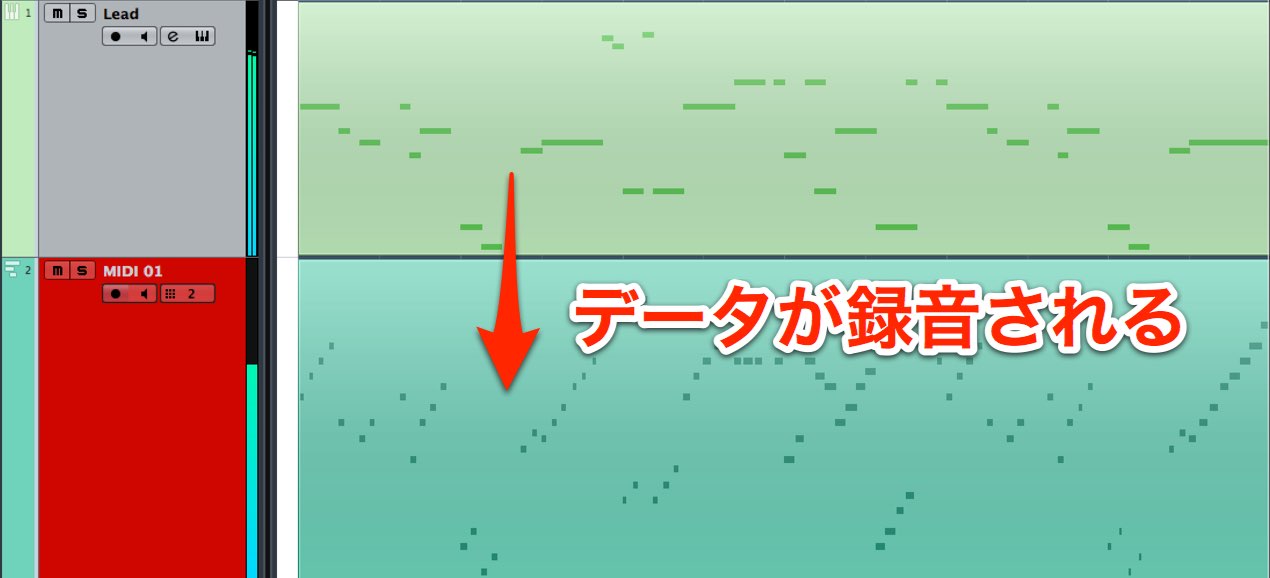
Record-enable the MIDI track and record.
The output of Komplete Kontrol’s internal processing is captured as MIDI data.
New Modulation Strip Modes
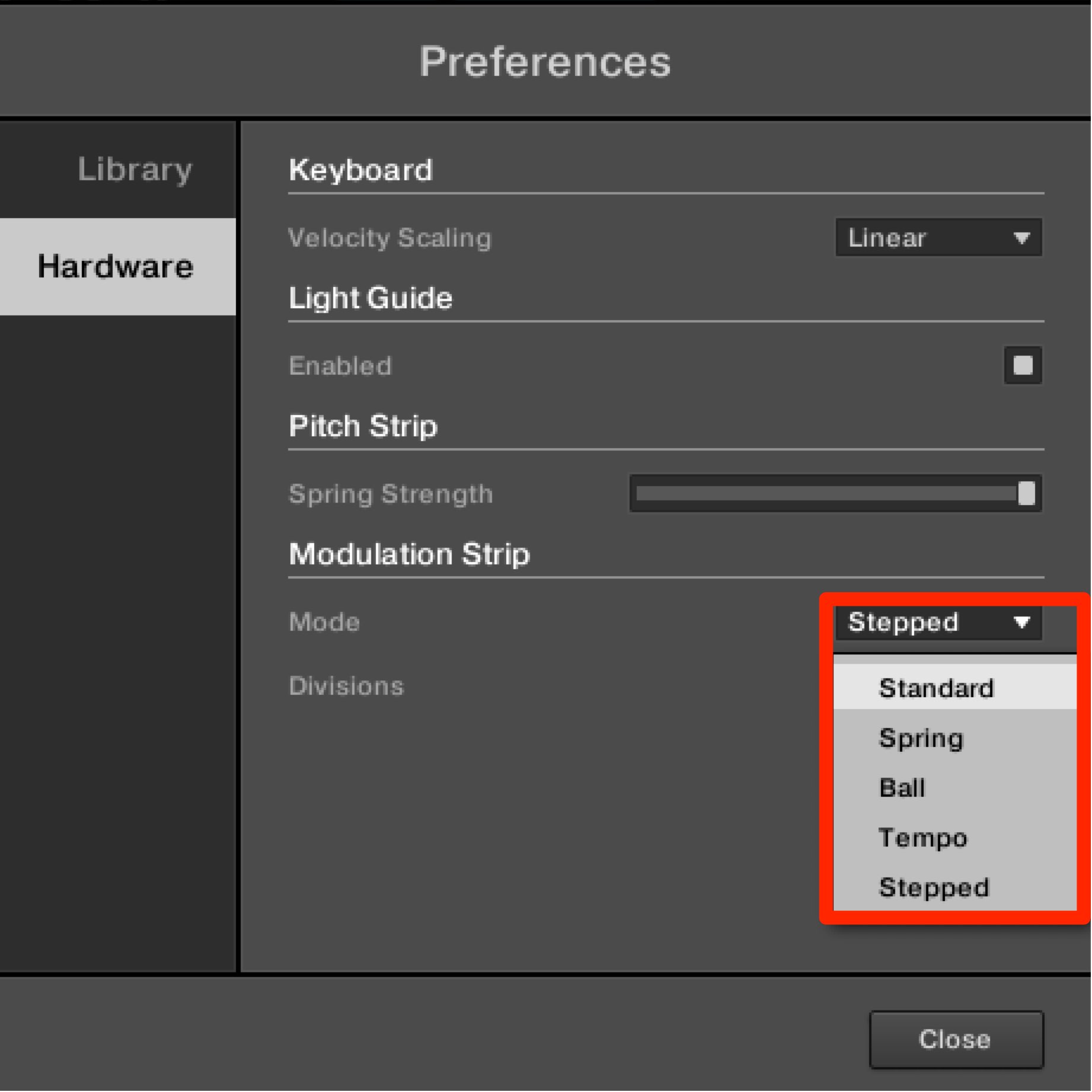
Three modes have been added to Modulation.
- Spring: The value returns to its original position, like pitch bend.
You can also set the return speed. - Tempo: The movement synchronizes to the song tempo.
You can set its movement and note value. - Stepped: Divides the modulation range into discrete sections for abrupt value changes.
You can choose two to five sections.
Saving Presets
You can now save your favorite sounds.
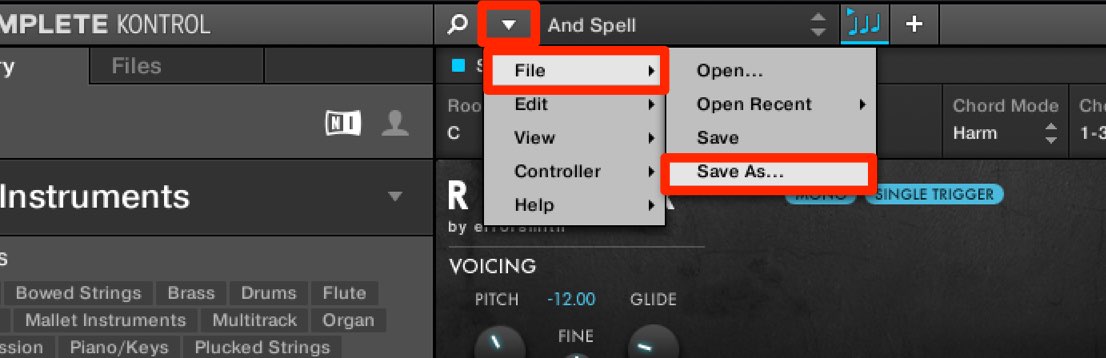
Choose File → Save As.
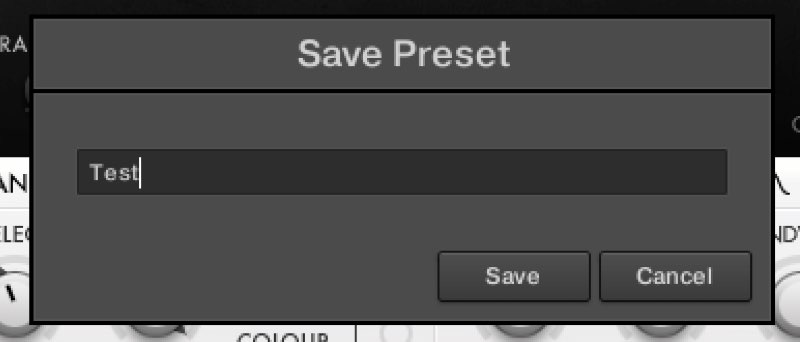
Name the preset.
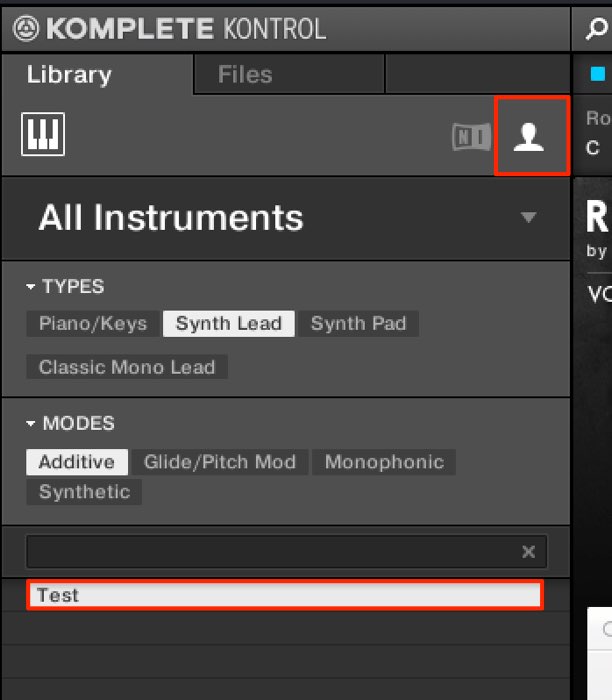
You can recall it from the User section.
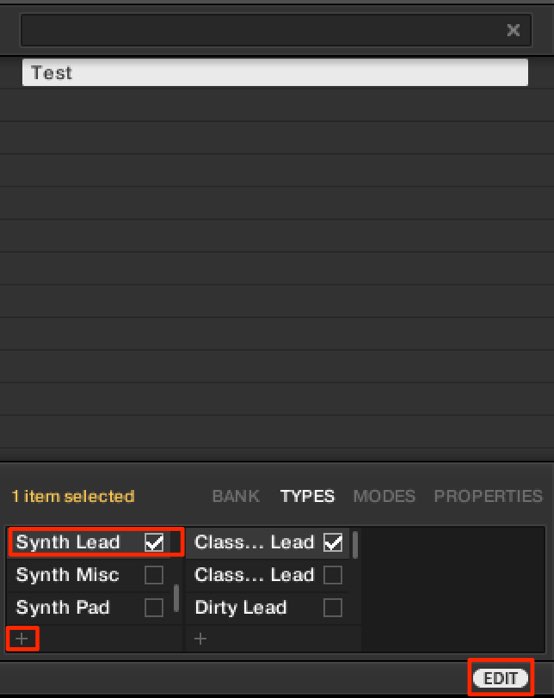
You can also use Edit at the bottom
to change sound-type tags, or use + to add tags.
Frequently Asked Questions
Q1. Was Komplete Kontrol 1.1 free for Komplete 9/10 owners?
The original article states that Komplete 9/10 owners could use the Komplete Kontrol software for free without the keyboard, and update it through Service Center. Licensing and installation methods may have changed; check current Native Instruments information.
Q2. Could Komplete Kontrol be used without a computer?
From version 1.1, the keyboard could work as a MIDI controller by connecting it directly to a sound module via MIDI, including for live performance.
Q3. Can I use both hands while the arpeggiator plays?
Yes. Enabling Hold keeps the played pitches running, leaving both hands free to adjust other parameters.
Q4. Can I record a Komplete Kontrol performance in a DAW?
Yes. MIDI generated by the arpeggiator, chord, and scale functions can be sent to a DAW MIDI track for recording, allowing further editing or assignment to another instrument.
Q5. How does the new Guide scale mode differ?
Guide displays notes in the selected scale while allowing out-of-scale notes. Mapped maps out-of-scale notes to the scale, while Easy lets you play the scale using white keys.
NEW ARTICLES
Latest English Articles