
Cubase Pro 8.5 added improvements to event editing and MIDI programming. Duplicating events and creating aliases makes repeated patterns easier to manage, while the enhanced Drum Editor can control note lengths for drum sounds. MIDI notes can also be added with a double-click and dragged to adjust their length, position or velocity. These features can streamline rhythm and melody production.
Cubase 8.5: More Convenient Event Editing and MIDI Programming

Continuing from the previous article, let’s explore new features in Cubase 8.5.
This time we will focus on event editing and MIDI note entry.
These are operations used frequently, so the improvements can make your workflow more efficient.
Try incorporating them into your production.
Cubase 8.5 New Features Videos
Cubase Pro 8.5 New Features, Part 1
Cubase Pro 8.5 New Features, Part 2 (this article)
Questions and Answers from the YouTube Video

May I ask a question here? The Key Editor in the video is large and displays chord-like information. That display is not shown by default for me, which makes programming difficult. Is there a way to enlarge it?

You can click the arrow shown in the image to open the editor in a separate window. https://app.box.com/s/8o5sftp7poo1e9bhxmqwxweewn4hkqg5 Give it a try!
Duplicating Events
You can duplicate events easily.
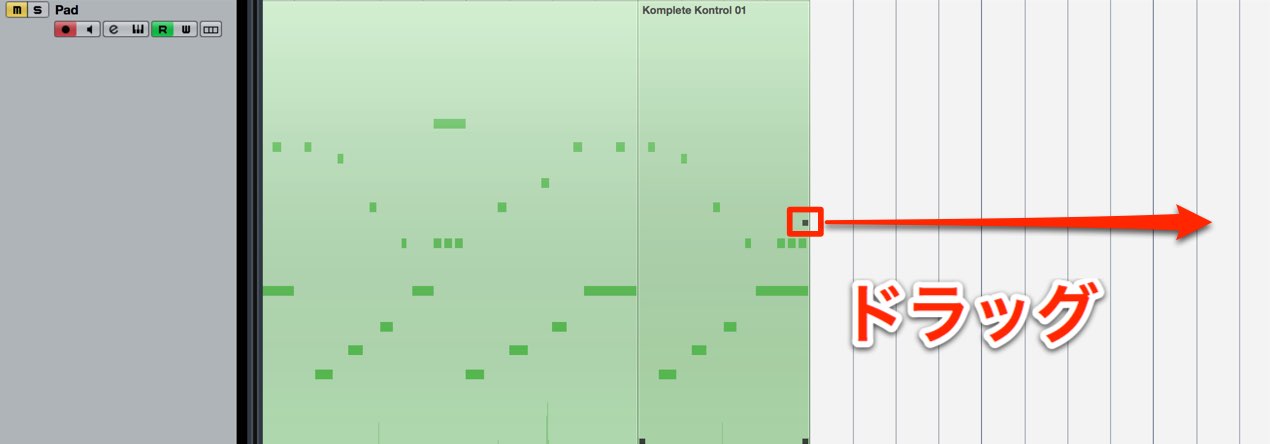
Drag the square handle in the middle of the event’s right edge.
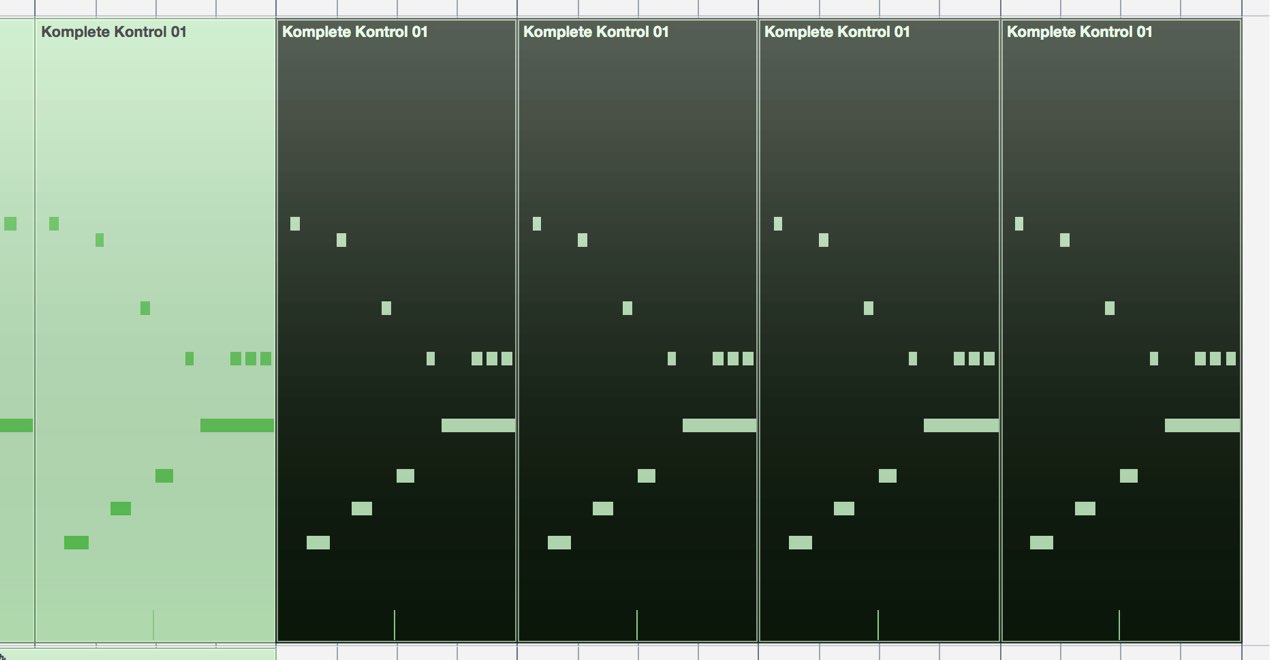
This lets you create duplicates quickly.
Perform the same action while holding the Shift key to create
an alias copy.
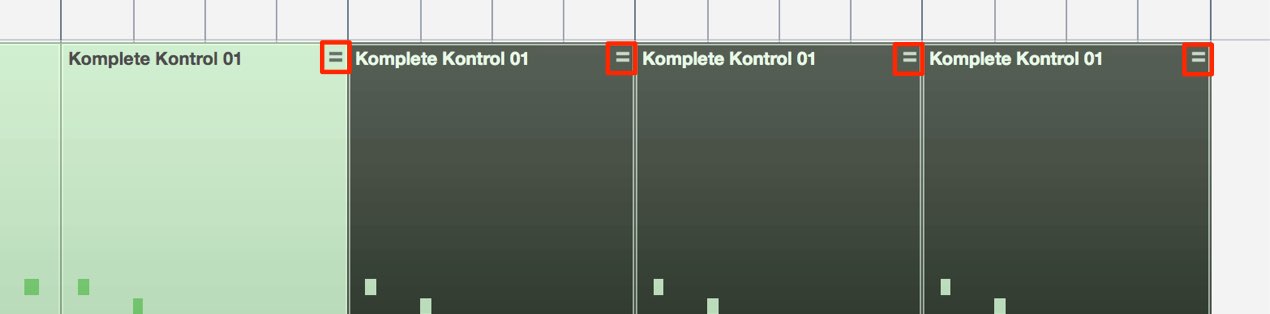
An equals sign appears on the event.
Changes made to one event are reflected in the others.
The Enhanced Drum Editor
The Drum Editor, which is designed for programming rhythms, has also been improved.
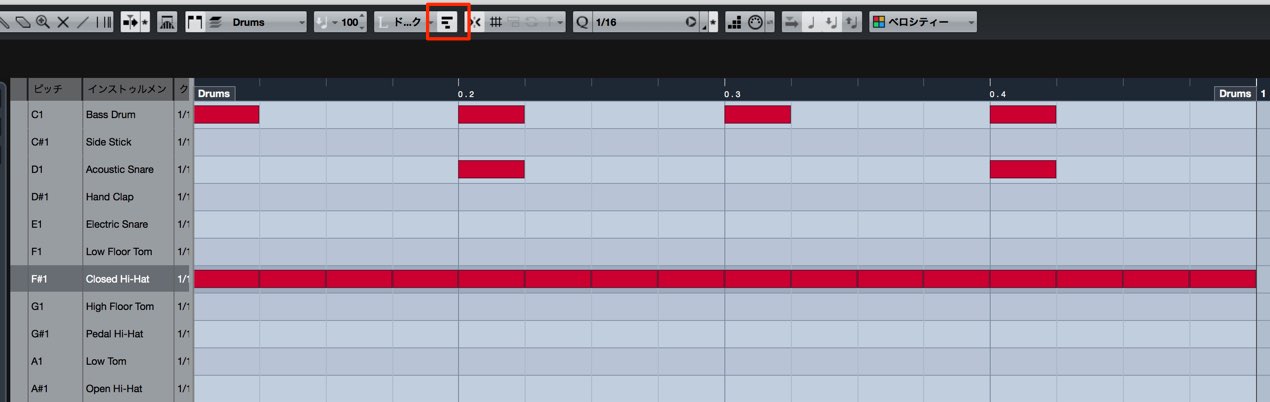
Enable the control outlined in red at the top
to control note length.
Drum programming usually does not depend on note length,
but the length can have a significant effect with certain software instruments or samplers.
Changing the length can have a major effect on the groove.

You can display only the drum sounds in use
to make the editor easier to navigate.
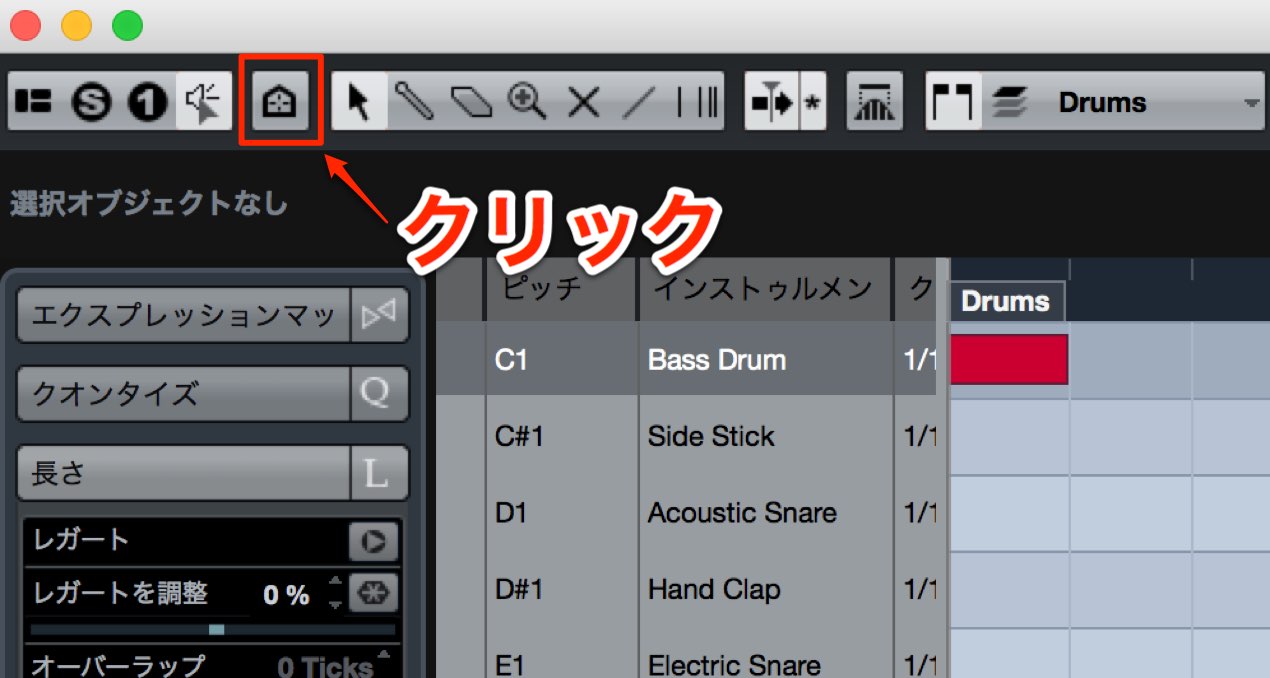
Click the area outlined in red,
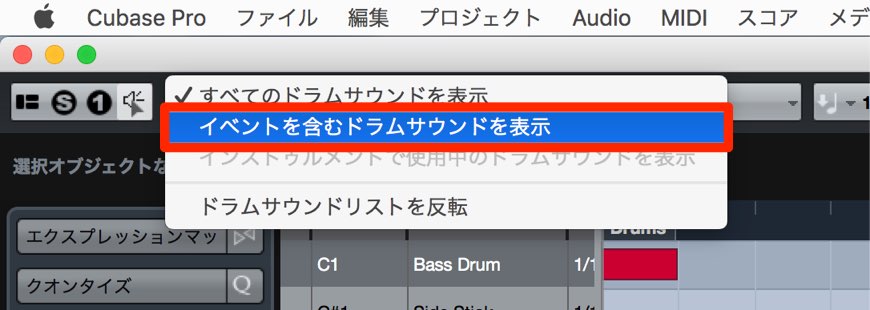
and select “Show Drum Sounds with Events.”

Only the sounds in use are displayed, as shown.
Improved MIDI Note Entry
The Key Editor has also been updated.
The following operation can also be used in the Drum Editor.
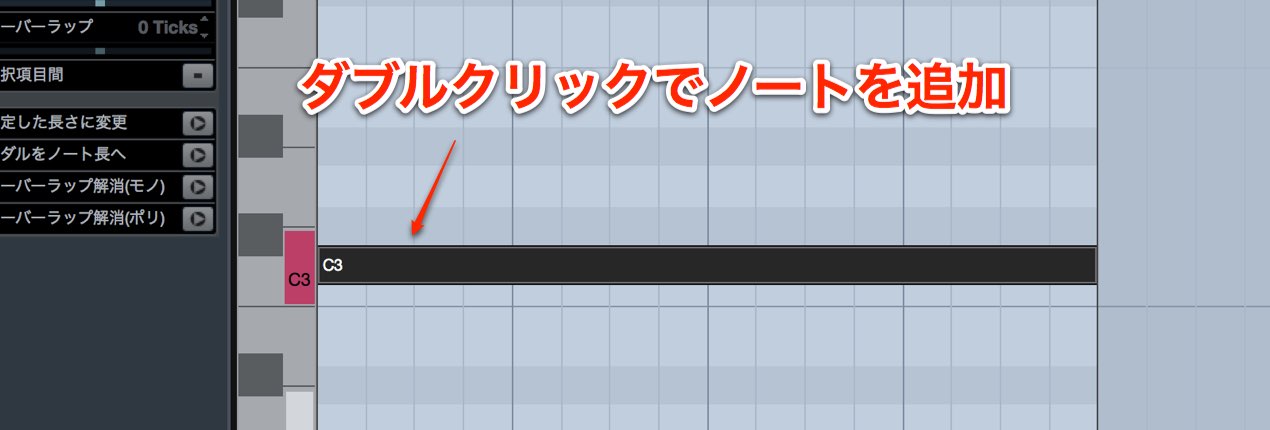
You can add a MIDI note by double-clicking.
After the double-click,
keep the mouse button held to perform the following actions:
- Drag right: Change the note length.
- Shift + drag left or right: Change the note position.
- Drag up or down: Change velocity.
- Mac: Command + drag / Windows: Control + drag:
Temporarily bypass snap to fine-tune the length.
Frequently Asked Questions
Q1. What is the difference between a duplicate and an alias in Cubase 8.5?
A duplicate is independent. An alias is linked to the original, so editing one updates the others. This is useful when using the same pattern in several places and keeping it consistent.
Q2. Why control note length in the Drum Editor?
With some drum instruments and samplers, note length affects the groove. Adjusting it can change the timing and character of a rhythm pattern.
Q3. What does dragging up or down do when entering MIDI notes?
It changes velocity, or note strength. You can adjust dynamics immediately after adding a note to create more expressive MIDI parts.
NEW ARTICLES
Latest English Articles














































































































































































































































































































































































































































































