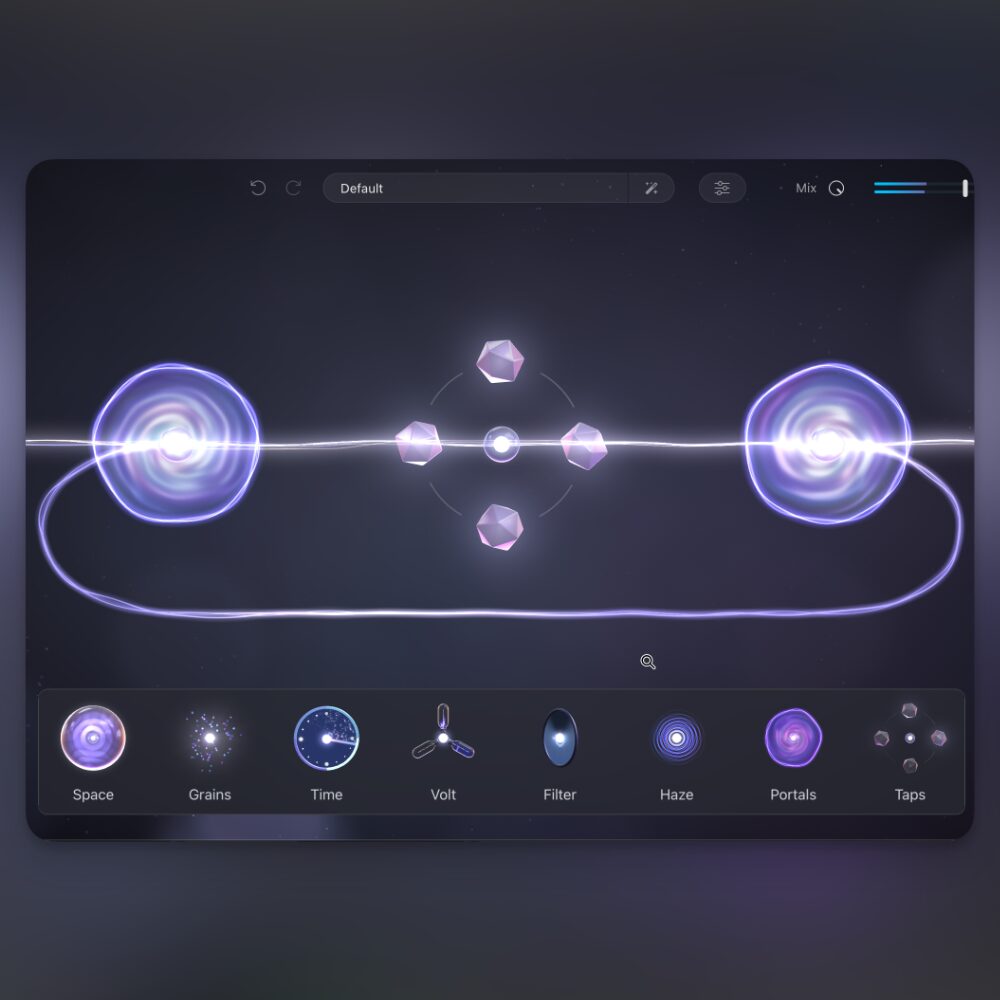
Developed by Lunacy in collaboration with producer Benn Jordan, Taps and Portals offer creative delay and feedback effects. Taps is a multi-tap delay with up to eight taps, capable of anything from simple echoes to complex patterns. Portals operates inside the BEAM multi-effects engine, routing effects through feedback loops. Together they offer pitch adjustment, spatial placement, vintage tape character and intricate feedback structures for sound design.
Two Creative Effects Developed with Benn Jordan

Have you ever wanted to create more complex delay patterns or control feedback more freely?
Taps and Portals are effects developed by Lunacy in collaboration with producer Benn Jordan.
Sound design possibilities beyond conventional delays are opened up by these two tools.
Their features include:
- Taps: a multi-tap delay engine with up to eight taps, from simple echoes to complex patterns.
- Portals: a feedback control tool inside BEAM that circulates signals through effects for new sounds.
See the following article for more about BEAM:

Sound Samples
First, listen to these examples.
Taps, Portals and other nodes
As these examples show, you can build varied delay patterns with Taps, complex sounds with Portals, and unpredictable changes by combining them with other nodes.
Taps: Creative Multi-Tap Delay
Taps is more than a simple delay effect; it is a creative sound design tool.

Use it as a standalone DAW plug-in or within BEAM alongside other effects.

The clock button switches between free-running mode when unlit and tempo sync when lit. This supports everything from rhythmic delays synced to the song to ambient sounds on a free time scale.

Use a few taps for classic echoes, or set up to eight taps to build a complex delay web.
The flexible settings suit different applications, and the visual editor in the center displays the state of each tap.

The Feedback knob controls the number of repeats, while Freeze locks the current feedback in place.
You can manipulate evolving sounds or specific delay patterns.
Interactive Tap Editor

A major feature of Taps is that you can adjust the pitch of each tap individually.

Five pitch modes are available, enabling everything from harmonic delays to melodic patterns and a range of musical expression.
Each tap can be adjusted from −24 to +24 semitones, with detailed control through Pitch Mode, Pitch, Mod and Intensity.
Spatial Placement and Analog Character

The Spacing section controls the spatial placement of delay taps.
Its six parameters—Fade, Ping Pong, Skew, Cluster, Swing and Stereo—let you shape their timing and spatial placement.
Cluster taps together, spread them out or place them dynamically across the stereo field for complex spatial designs.

The Tape section recreates the characteristics of vintage tape delay.
Its Wow, Flutter, Dropout and Dust controls add analog-style fluctuation and texture to digital sound.
The Mix knob balances the result, from clean digital delay to a warm analog-style sound.
Portals: Feedback Control
Portals is a creative feedback design tool that runs inside BEAM’s multi-effects engine.

When Portals is added to BEAM, the effects placed between its In and Out nodes form a feedback path.
This makes it possible to create complex, evolving textures beyond a conventional one-way effects chain.
Controlling Feedback
Portals has a simple interface with powerful controls.

The Gate, Delay and Feedback knobs provide detailed control of feedback behavior.
Settings can range from gentle ambience to intense, complex sounds.

One notable feature is its smart feedback compensation system.
According to the article, it maintains a stable level even with Feed at 100%.
This lets you focus on sound design with extreme feedback settings.

The Panic button cuts the signal instantly whenever needed.
This supports bold creative experimentation.
Multiple Feedback Structures
Portals excels at building complex feedback structures.

You can split feedback across multiple BEAM paths or place Portals inside Portals to build nested loops and intricate sound designs.
BEAM owners can use up to three Portals nodes in series or parallel for more advanced structures.
Combining Taps and Portals
Together, Taps and Portals make an even more powerful sound design tool.

Place Taps inside a Portals feedback path, or place Portals before or after Taps, to build evolving sound spaces from minimal input.
Combine them with BEAM’s effects to blend delay and feedback in new ways.
System Requirements

Mac
macOS 10.15 or later
Formats: AU, VST3, AAX
M1 / M2 or later recommended
Windows
Windows 10 or later
Formats: VST3, AAX
Both platforms
8 GB RAM required; 16 GB recommended
At least 250 MB free disk space
Compatible with major DAWs
Pricing

As of November 2025, Taps & Portals was offered at an introductory price of $29, with a regular price of $59.
The article describes these tools, developed with producer Benn Jordan, at that price.
They include 100 presets for exploring a range of sounds immediately after installation.
Try them to explore sounds beyond conventional delay.
Prices are from November 2025.
Check the retailer for current pricing.
Frequently Asked Questions
Q1. Can Taps and Portals be used independently?
Taps can be used on its own as a plug-in. Portals requires the BEAM multi-effects engine.
Q2. What pitch range does Taps support?
Each tap can be adjusted from −24 to +24 semitones. Five pitch modes support harmonic delays and melodic patterns.
Q3. Can feedback run out of control in Portals?
The smart feedback compensation system is intended to maintain a stable level even at 100% Feed. The Panic button can cut the signal immediately.
Q4. How many Portals nodes can be combined?
BEAM owners can use up to three Portals nodes in series or parallel to design more advanced feedback structures.
Q5. Are the supported formats different on Mac and Windows?
Yes. Mac supports AU, VST3 and AAX; Windows supports VST3 and AAX.
NEW ARTICLES
Latest English Articles