
tritik Krush is a free, feature-rich bitcrusher plug-in. It can create lo-fi sounds, and its LFO can modulate parameters such as Drive, Crush and dwsp for more complex sound design. The version described here supports Mac and Windows and VST, AAX and AU formats. Separate Dry and Wet controls let you balance the original and processed signals, making it useful from production through mixing.
An impressive free bitcrusher plug-in
Not so long ago, free plug-ins were sometimes avoided because they were not very useful
or became unstable after OS updates.
Recently, however, more excellent free plug-ins have appeared.
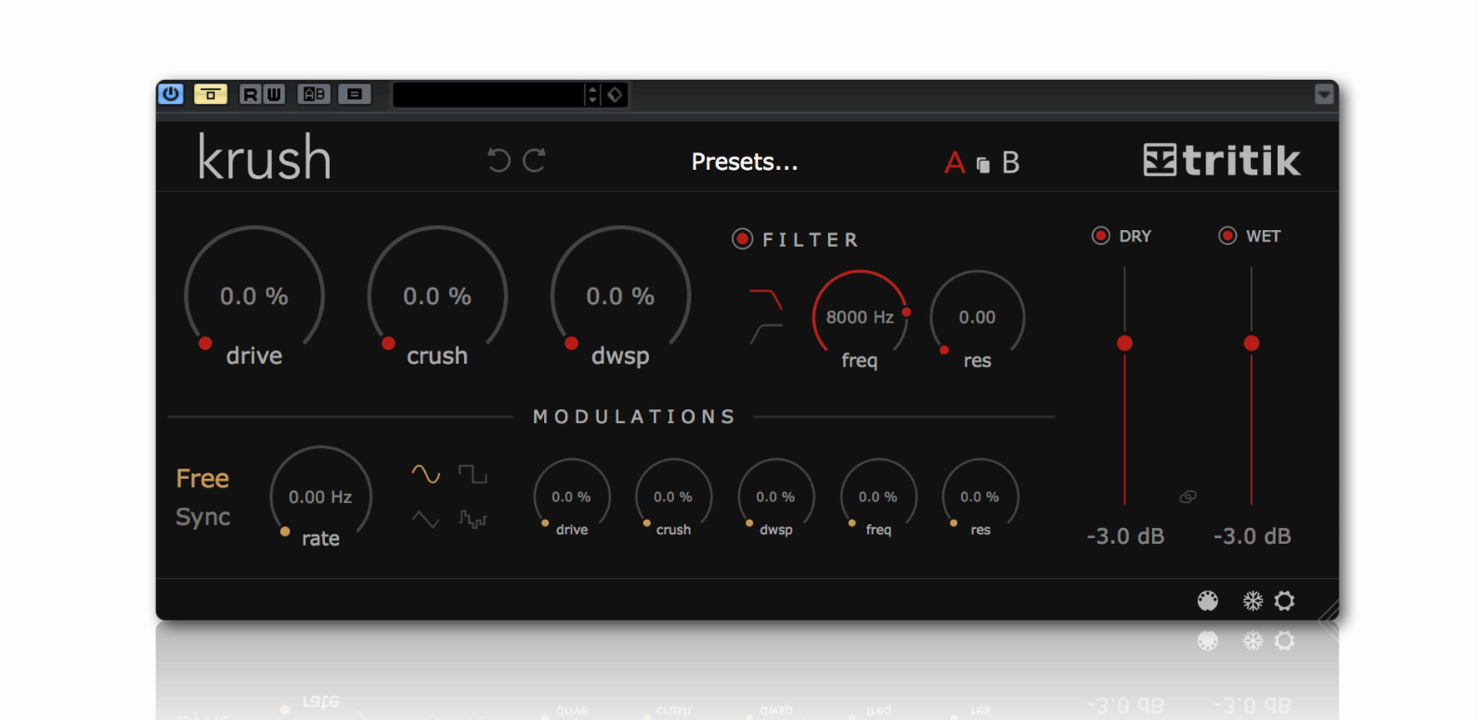
This time we introduce Krush, a free plug-in from French software developer tritik.
Krush easily creates lo-fi sounds, but it also includes an LFO that can modulate its parameters.
That makes it capable of sound design beyond simple lo-fi processing, while remaining easy to use.
The version covered here supports Mac and Windows, 32-bit and 64-bit, and VST, AAX and AU formats, making it usable with many DAWs.
See the link below for download instructions.
Now let’s explore how to use it.

How to use tritik Krush
Presets
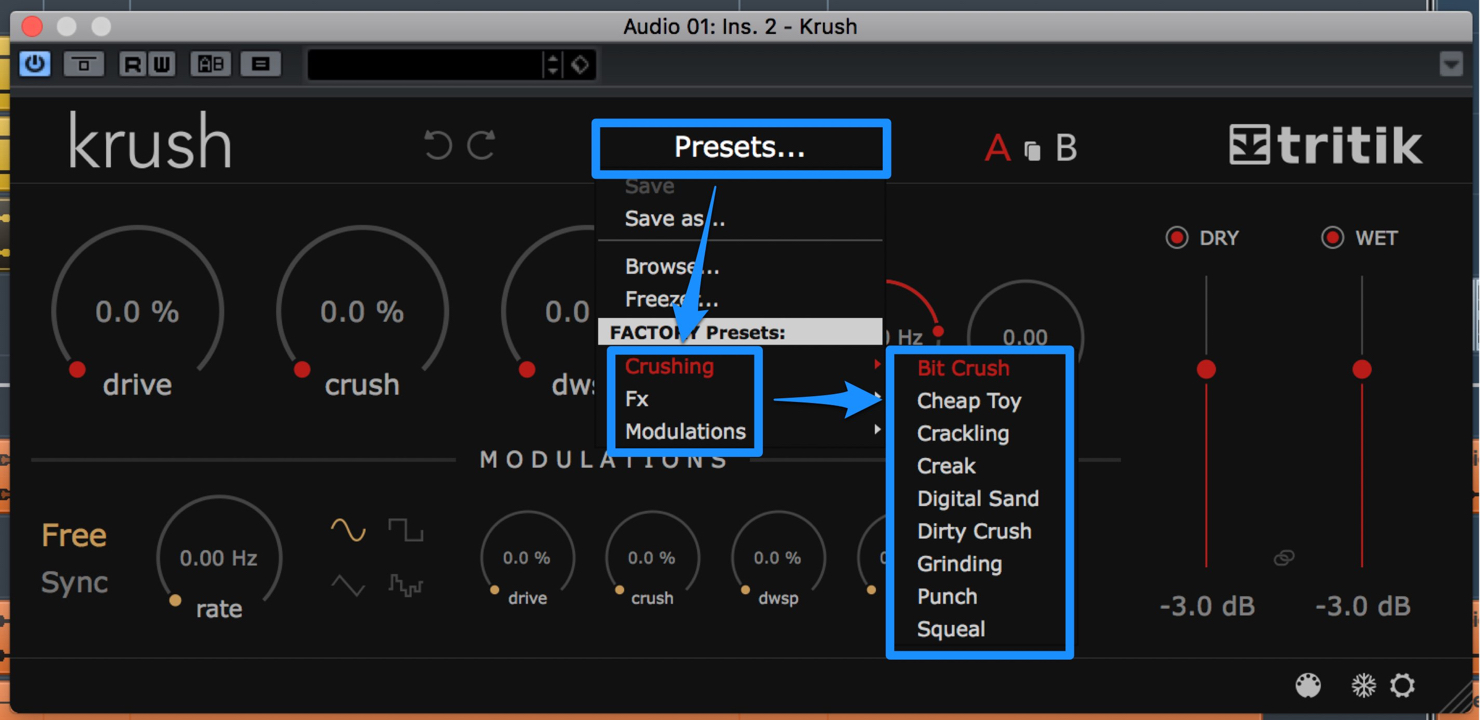
The interface is very clear.
Presets are included too.
Click Presets to find Factory Presets in three categories:
- Crushing
- Fx
- Modulations
Dry and Wet
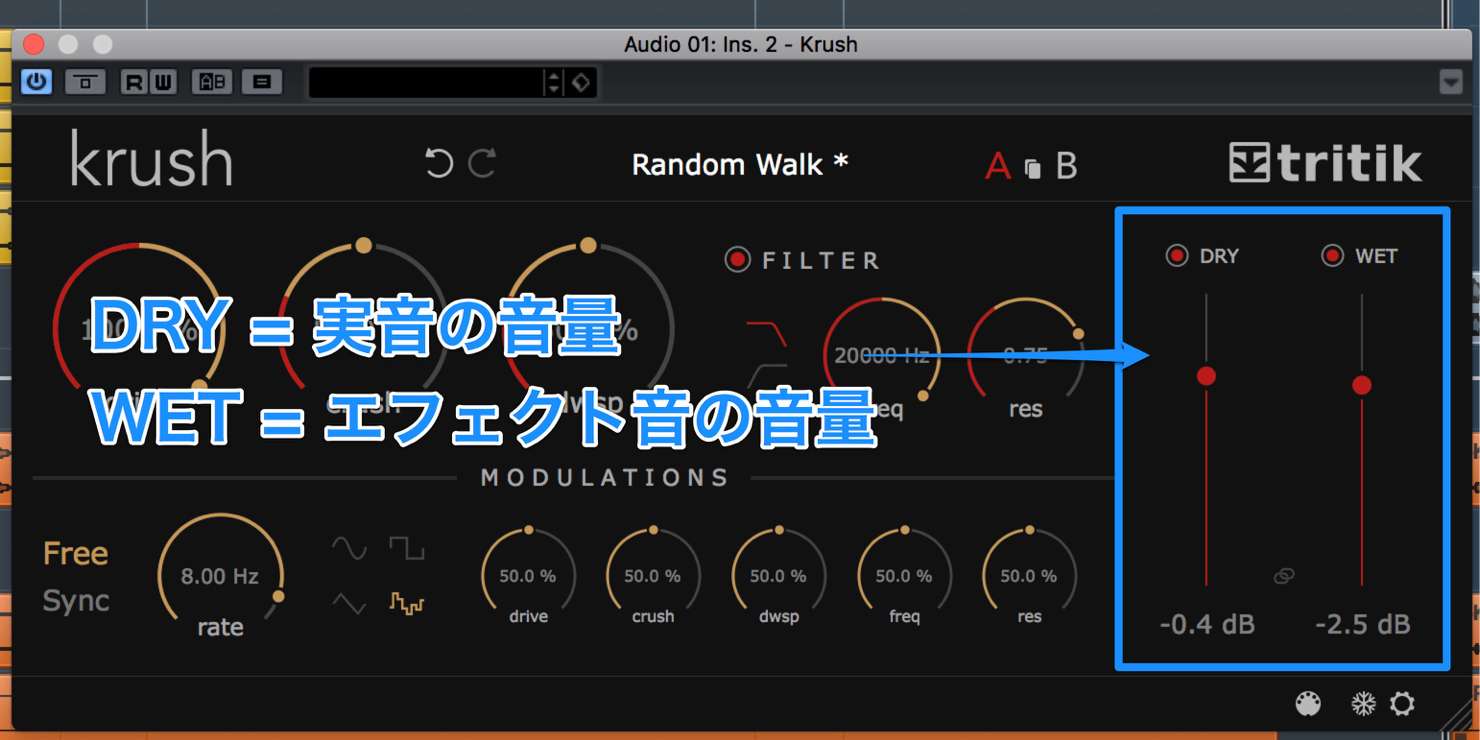
The separate DRY and WET controls on the right are useful.
- DRY adjusts the original signal level.
- WET adjusts the effect signal level.
Blending a little distortion into the original can add thickness.
You can also automate DRY and WET for interesting results.
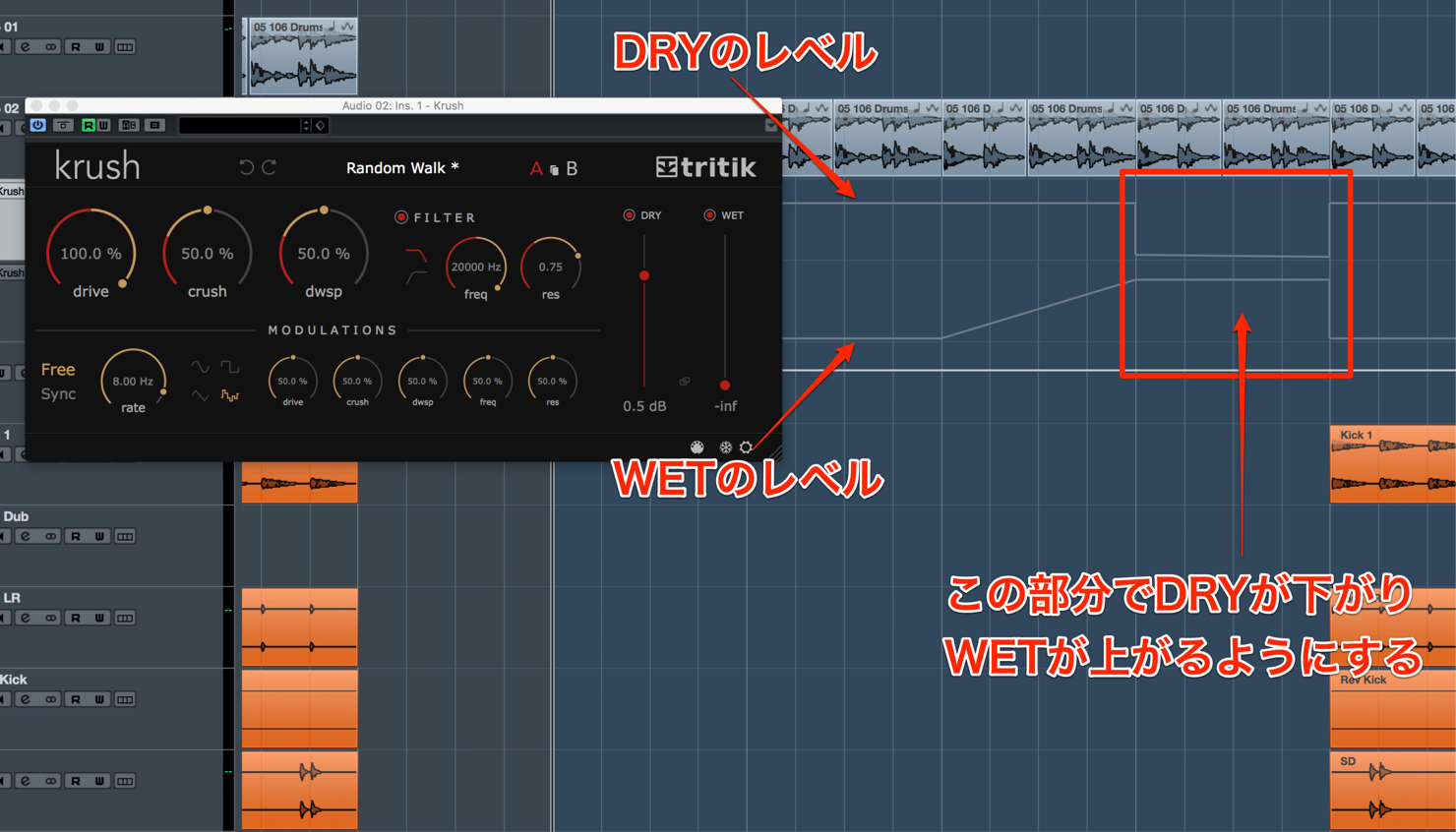
For example, begin with acoustic drums, then automate DRY downward and WET upward partway through.
As DRY rises and WET falls again, a programmed beat joins in.
The point where WET rises can provide a good transition into the programmed part.
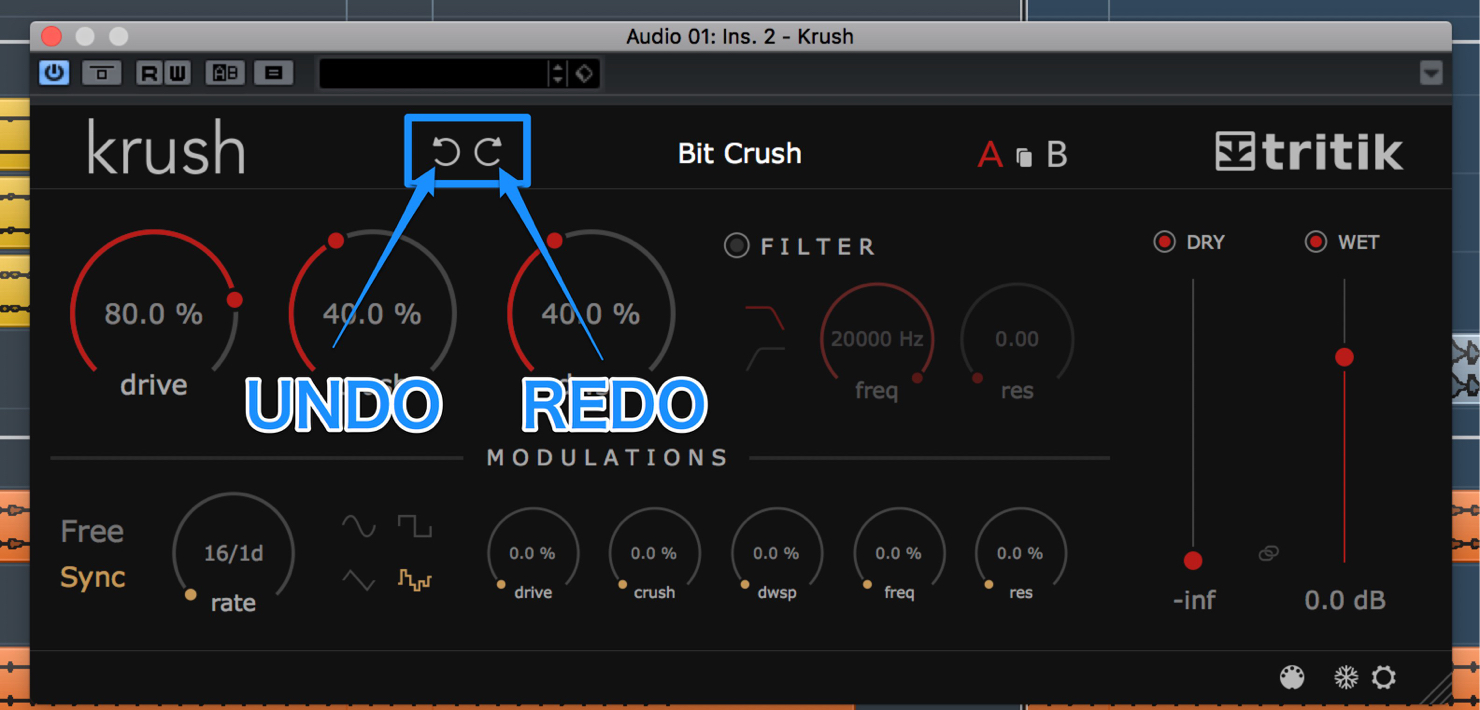
Undo and Redo at the upper left let you reverse and reapply changes.
Now let’s look at the main parameters.
Main parameters
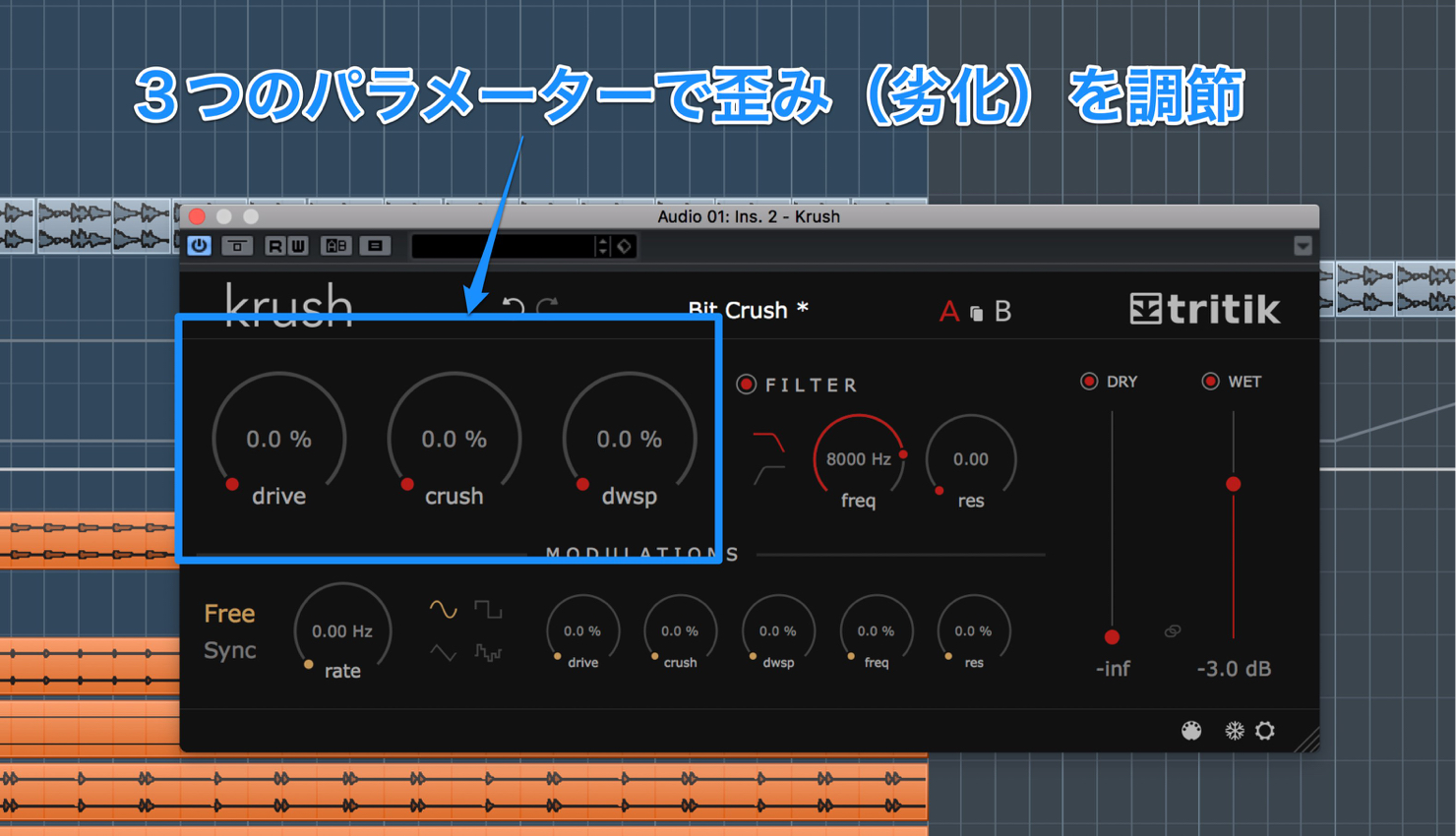
The three large controls adjust the amount of distortion and degradation.
Drive adds natural, tube-like distortion; a moderate increase adds thickness.
Crush adjusts the reduction in bit resolution. Turn it too far and the result becomes noise-like.
dwsp adjusts the reduction in sample rate.
It can add a digital-noise character.
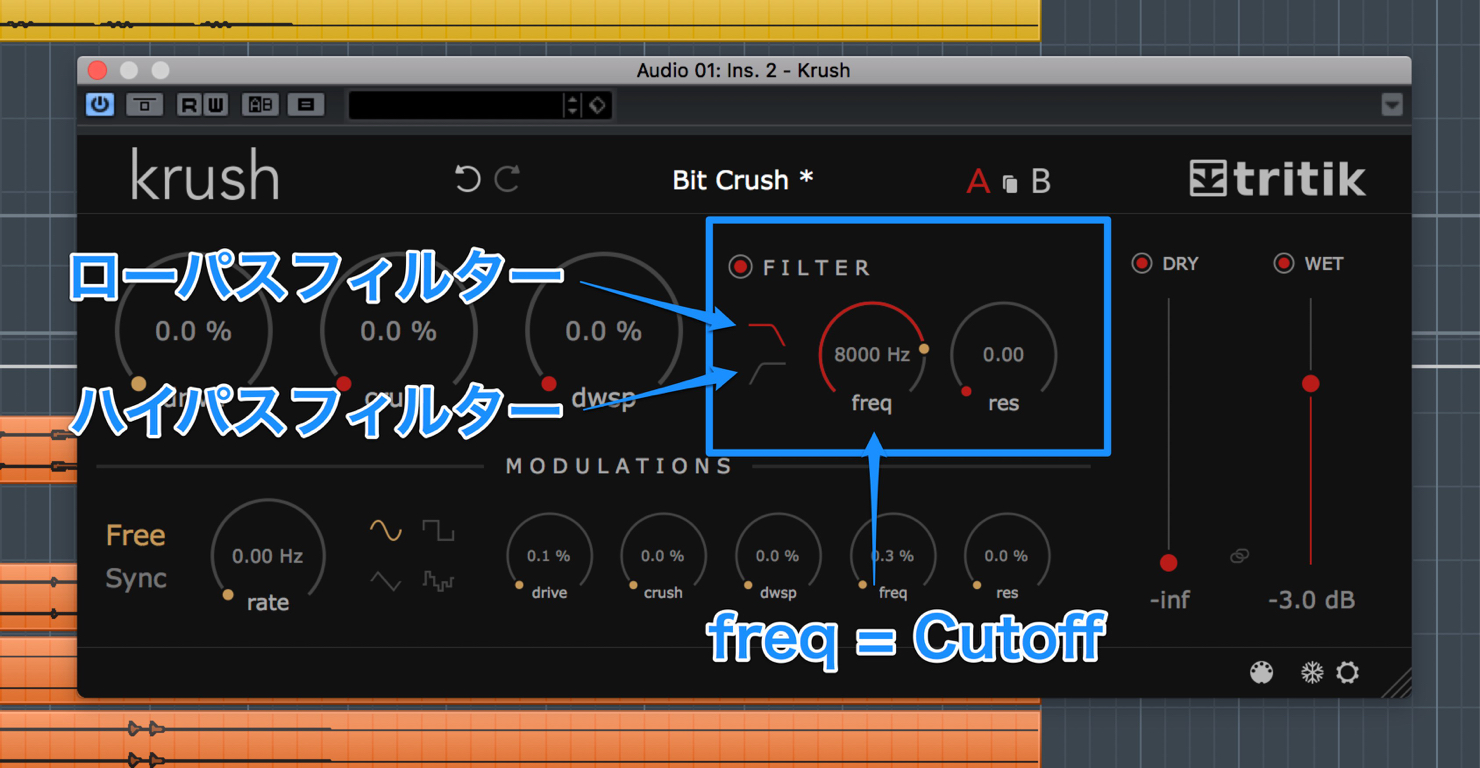
Beside these are two filters: low-pass and high-pass.
Their freq control sets the cutoff.
All five parameters can be moved by the LFO in the MODULATIONS section below.
Modulation section
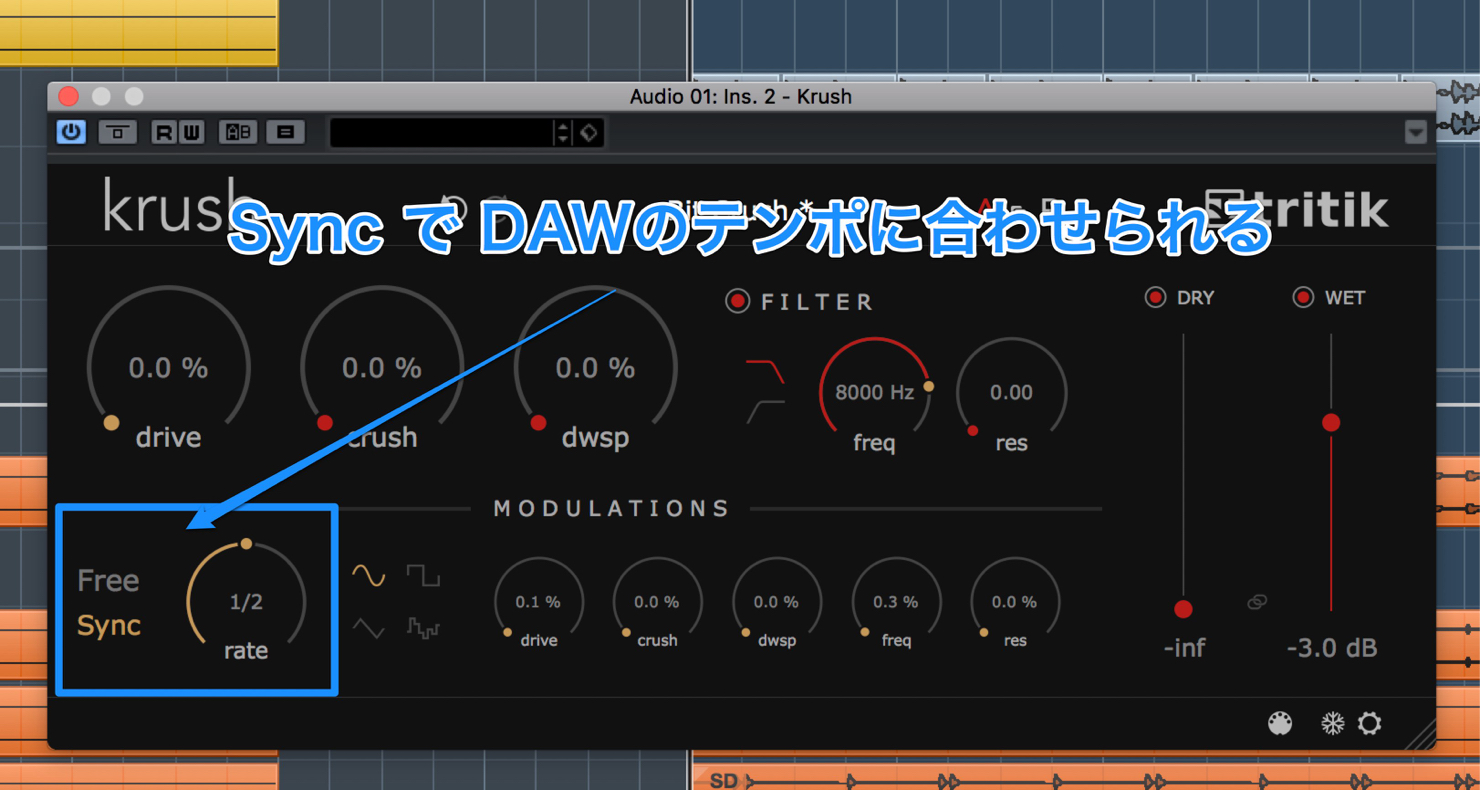
Rate sets the LFO speed, and Sync lets you match it to the DAW tempo.
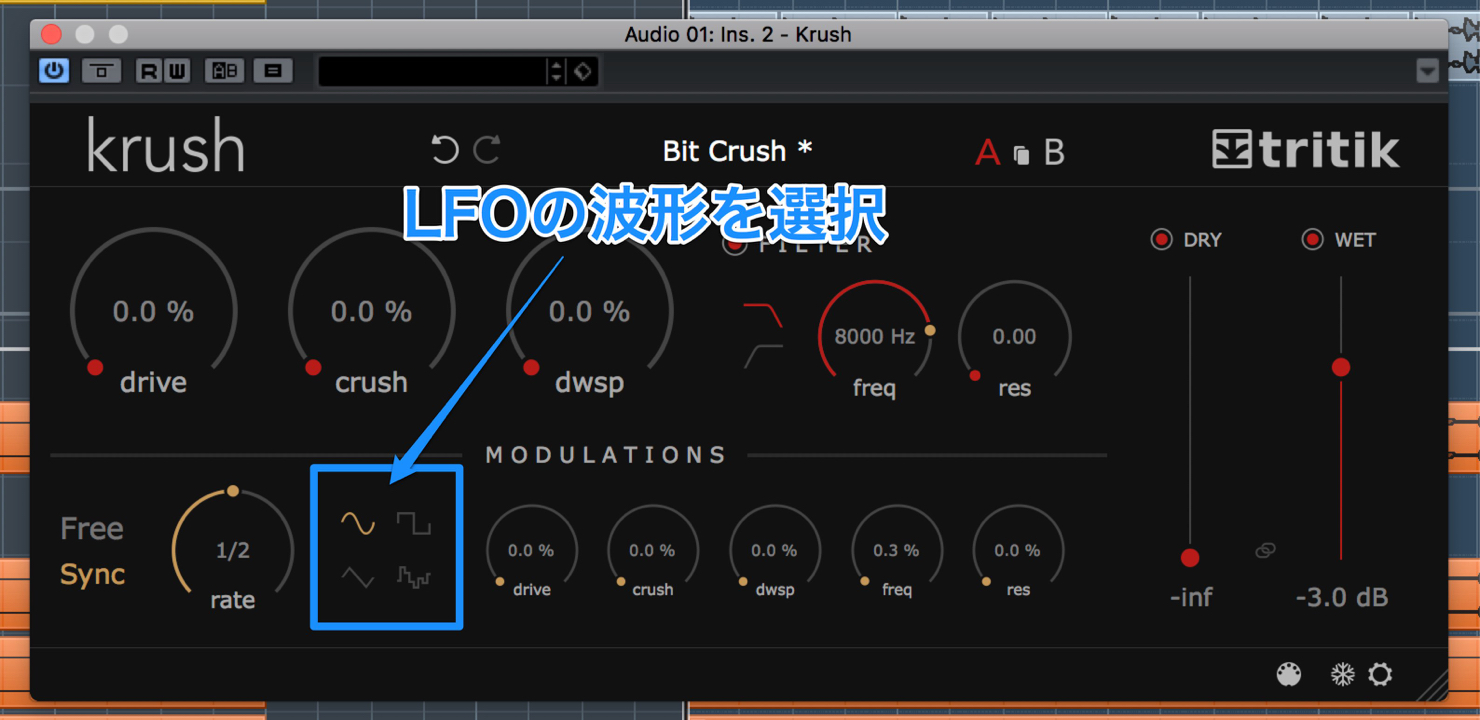
Beside it, choose an LFO waveform from Sine, Square, Triangle and Random.
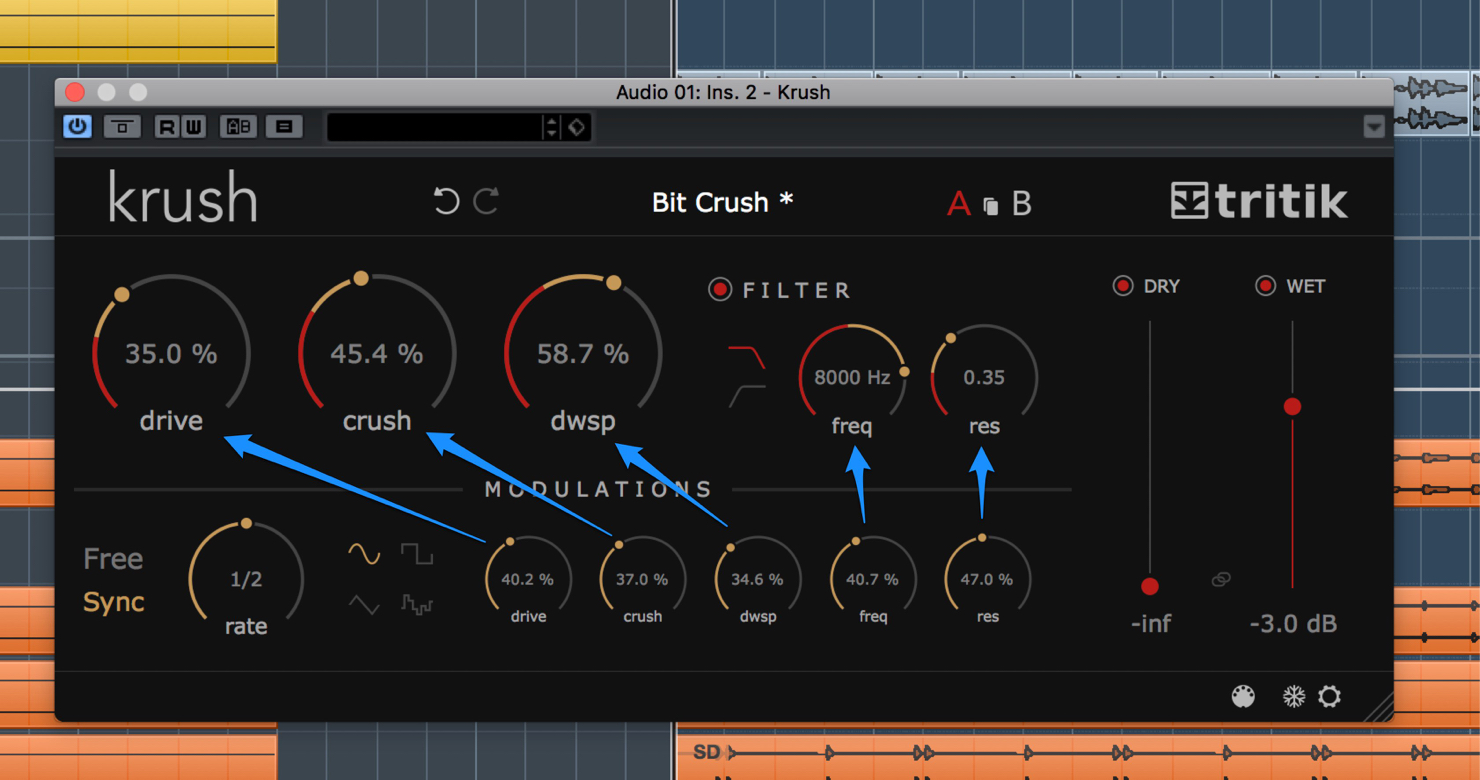
The five adjacent controls adjust how much LFO modulation is applied to each parameter.
The process is intuitive and simple.
The inclusion of FILTER and MODULATIONS is impressive for a free plug-in.
During production, you can use it to thicken a simple lead. It is also useful at the audio mixing stage
when a lead needs more body or the mix feels as if something is missing.
Krush enables varied sound design with simple controls.
It is remarkable that it is free.
The product download is linked in the video description, so check it out.
Thank you for reading.
Frequently asked questions
Q1. What is tritik Krush?
It is a bitcrusher that creates lo-fi sounds. Its LFO can also modulate parameters over time, enabling varied and complex sound design beyond static distortion.
Q2. Which DAWs can use it?
The version described supports Mac and Windows, 32-bit and 64-bit, and VST, AAX and AU formats. It can be used in major DAWs such as Logic Pro, Cubase and Ableton Live when the relevant format is supported.
Q3. What are Krush’s main parameters?
Drive adds distortion, Crush reduces bit resolution, and dwsp reduces sample rate. The low-pass and high-pass filter controls complete the five main parameters, all of which can be modulated by the LFO.
Q4. What are the Dry and Wet controls for?
Dry adjusts the original signal level and Wet adjusts the processed signal level. Changing their balance or automating them changes the effect over time.
Q5. Are presets included?
Yes. Factory presets are organized into Crushing, Fx and Modulations categories, making it easy for beginners to try different sounds.
NEW ARTICLES
Latest English Articles













































































































































































































































































































































