
This article describes the historical RealGuitar authorization workflow using a key file supplied with a purchase. It covers retrieving a lost key file from a MusicLab account and loading it through RealGuitar’s registration window. The steps reflect the version and service described in the original article; current products and account pages may differ.
Enabling Your Purchased RealGuitar Product
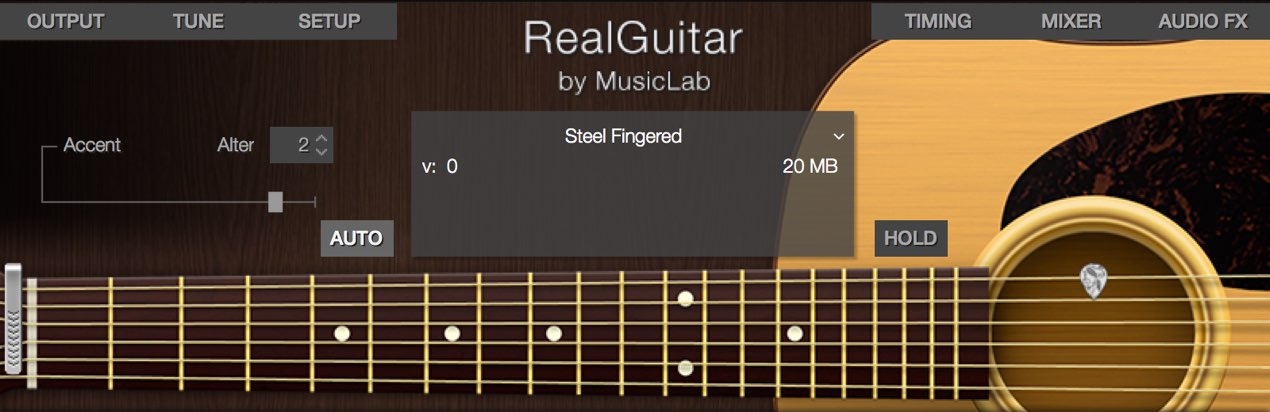
Authorization is required after purchasing the product,
and the RealGuitar series uses a somewhat distinctive process.
Here we explain how to register the license for your purchased product.
RealGuitar Tutorial Videos
- 1Authorization (this article)
- 2Basics and Patterns
- 3RealGuitar 3 in Practice: Chords and Articulations
- 4RealGuitar 3 in Practice: Expressive Arpeggios
- 5RealGuitar 4: How to Use SONG Mode
Product Purchase
Locate the Key File
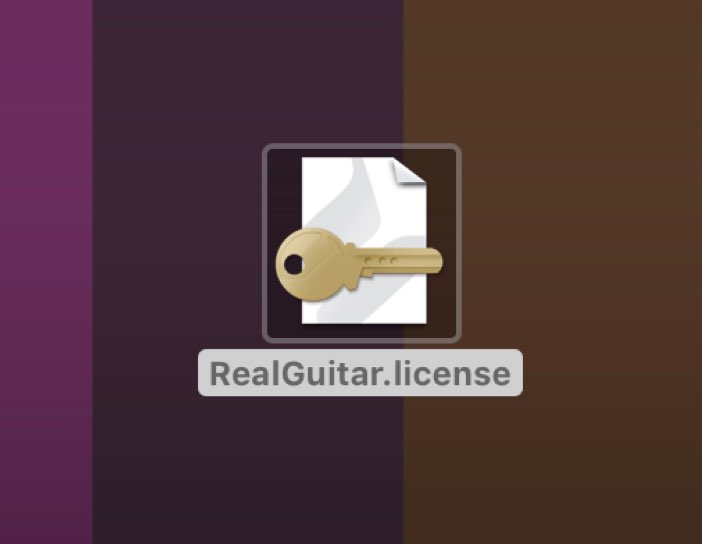
A key file is needed to authorize the product.
The file is attached to the email sent when you purchase the product.
If you have lost the email, the original article describes the following download method.
First, visit the MusicLab website and sign in to your account.
http://www.musiclab.com
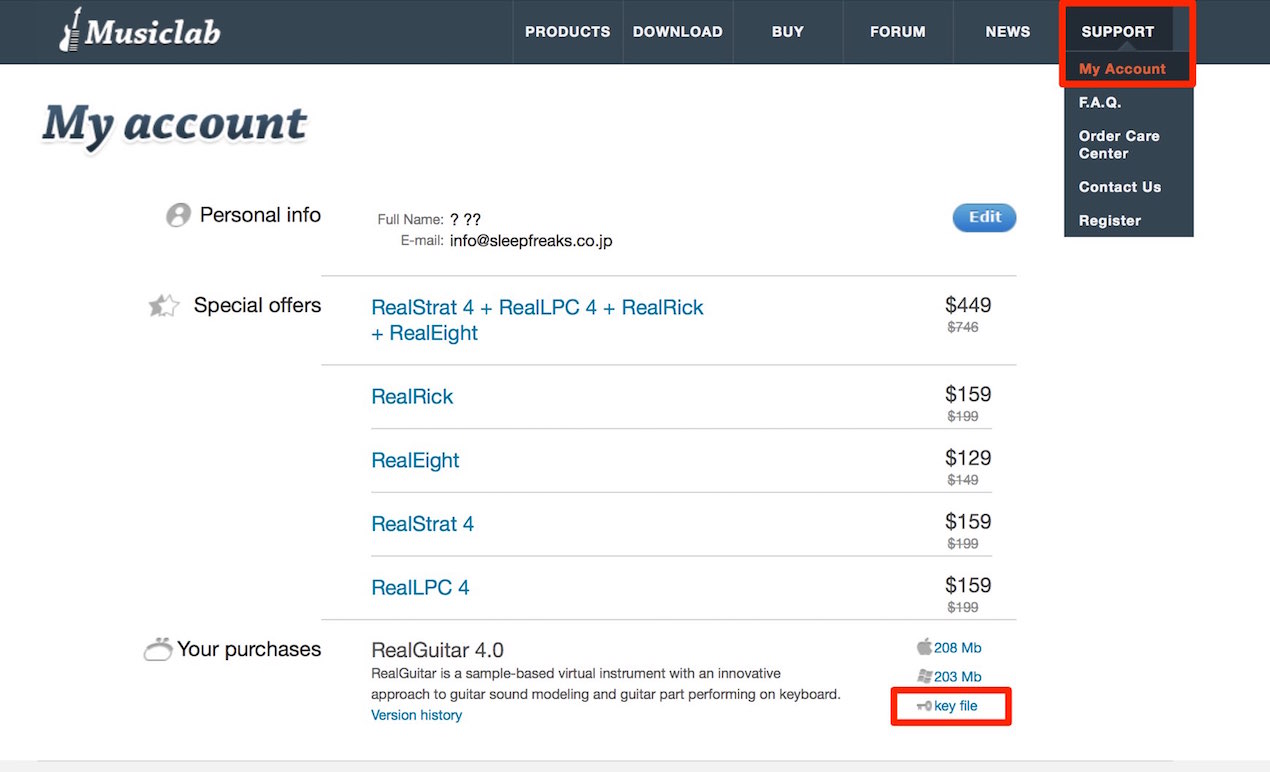
Open SUPPORT → My Account.
The purchased product’s Key File should be listed there; click it to download.
Load the Key File
Next, launch RealGuitar.
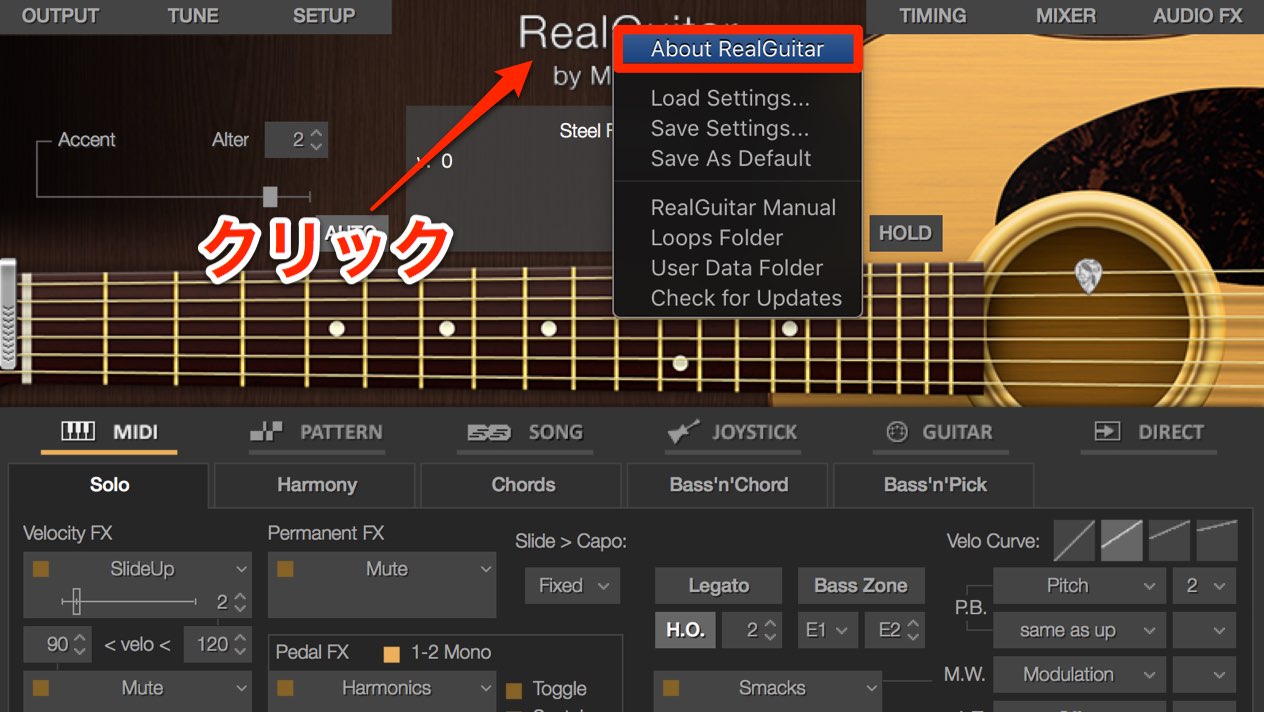
Click RealGuitar at the top of the software
and select About RealGuitar.
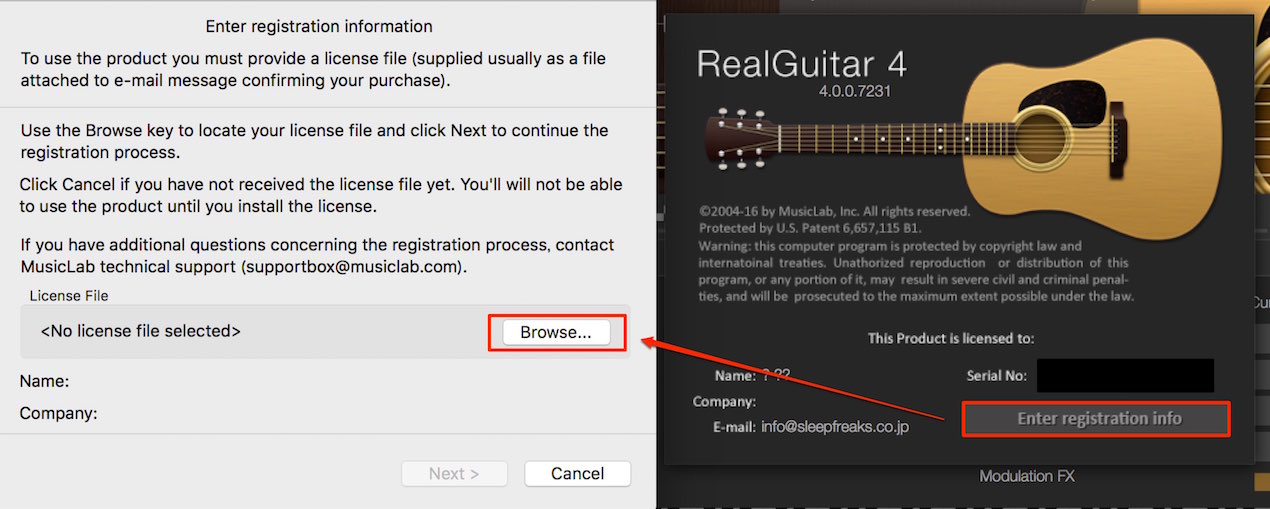
Click Enter registration info.
In the window that appears, select Browse and choose the key file obtained above.
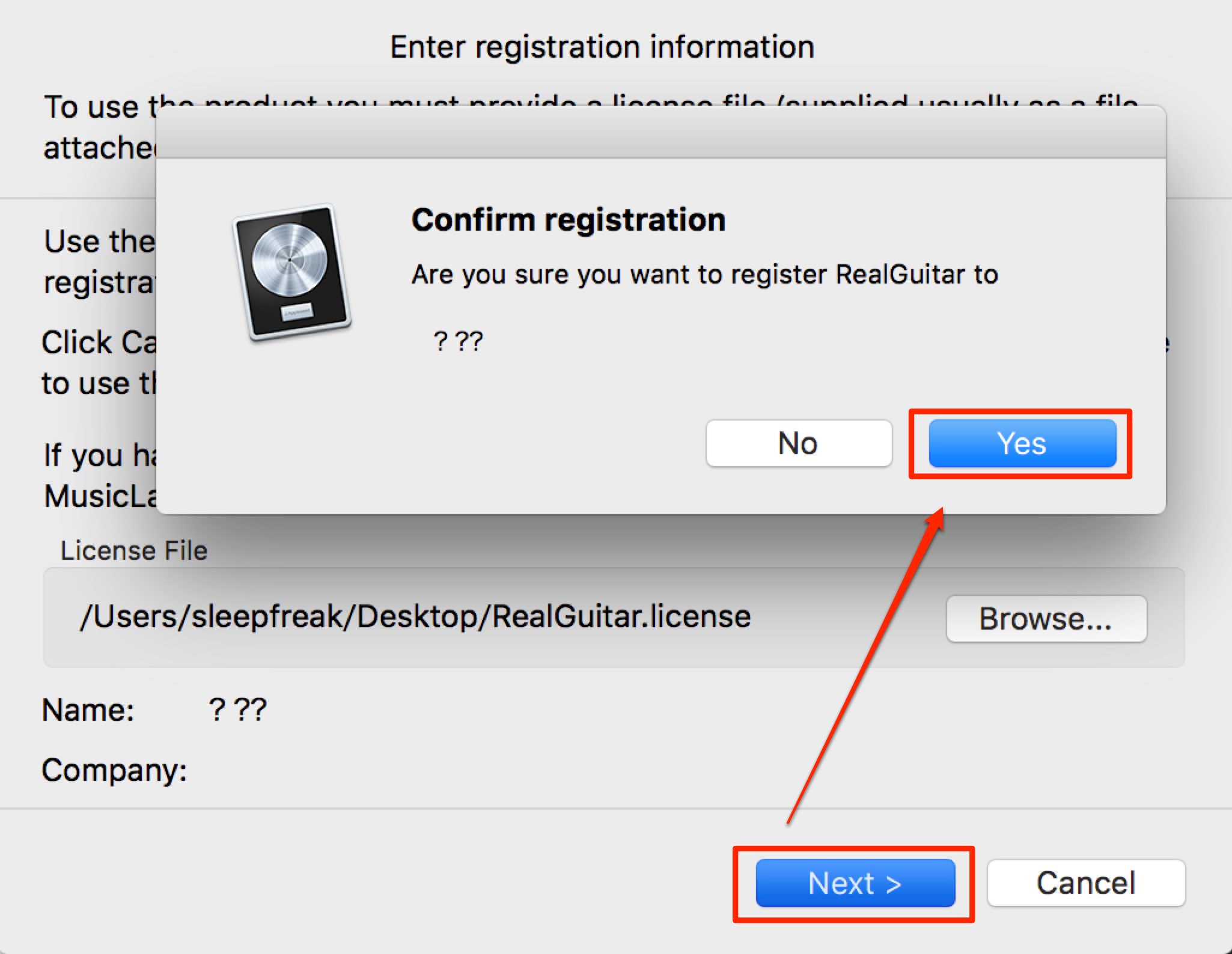
Select Next, then Yes in the window that appears to complete authorization.
Product Purchase
Frequently Asked Questions
Q1. How can I download a lost RealGuitar key file?
The original instructions say to sign in to the MusicLab account created at purchase, open SUPPORT → My Account and download the key file shown for the purchased product.
Q2. What should I do if authorization fails?
Check that the correct key file is loaded and is not damaged. If the problem persists, contact technical support through MusicLab’s support page.
Q3. What are the basic authorization steps?
Launch RealGuitar, select RealGuitar → About RealGuitar, click Enter registration info and choose the key file. Continue with Next and select Yes.
NEW ARTICLES
Latest English Articles









































































































































































































































































































































































































