
Animating parameters in I WISH can create striking sounds. Combine cyclic LFO movement, a per-note envelope and MIDI CC automation to create complex changes in pitch and formant. Adjust amp attack and release and blend the processed sound with the original for a more natural or distinctive result.
Animate parameters for striking sounds

In the previous article, we covered the basics of I WISH.
This time, we will change the sound by animating pitch and formant.
This is one of the plug-in’s most interesting features: by combining LFO, envelope and automation,
you can create unusual, stylish sounds.
I WISH tutorial video
Product information: I WISH product page
Applying the LFO
The LFO, familiar from synthesizers, gives a parameter repeated cyclic movement.
In I WISH, it can create a sweeping motion in pitch and formant.
LFO tutorial video
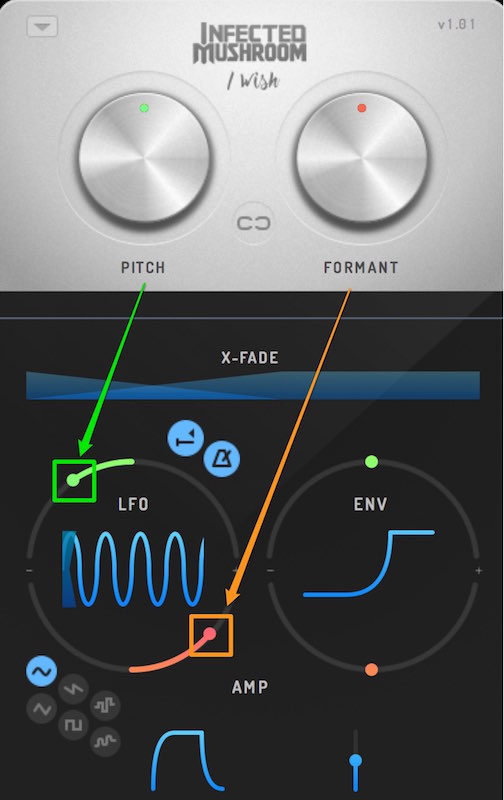
The green point controls pitch, and the orange point controls formant.
Drag to set the range of movement.
If the amount is 0, the LFO has no effect.
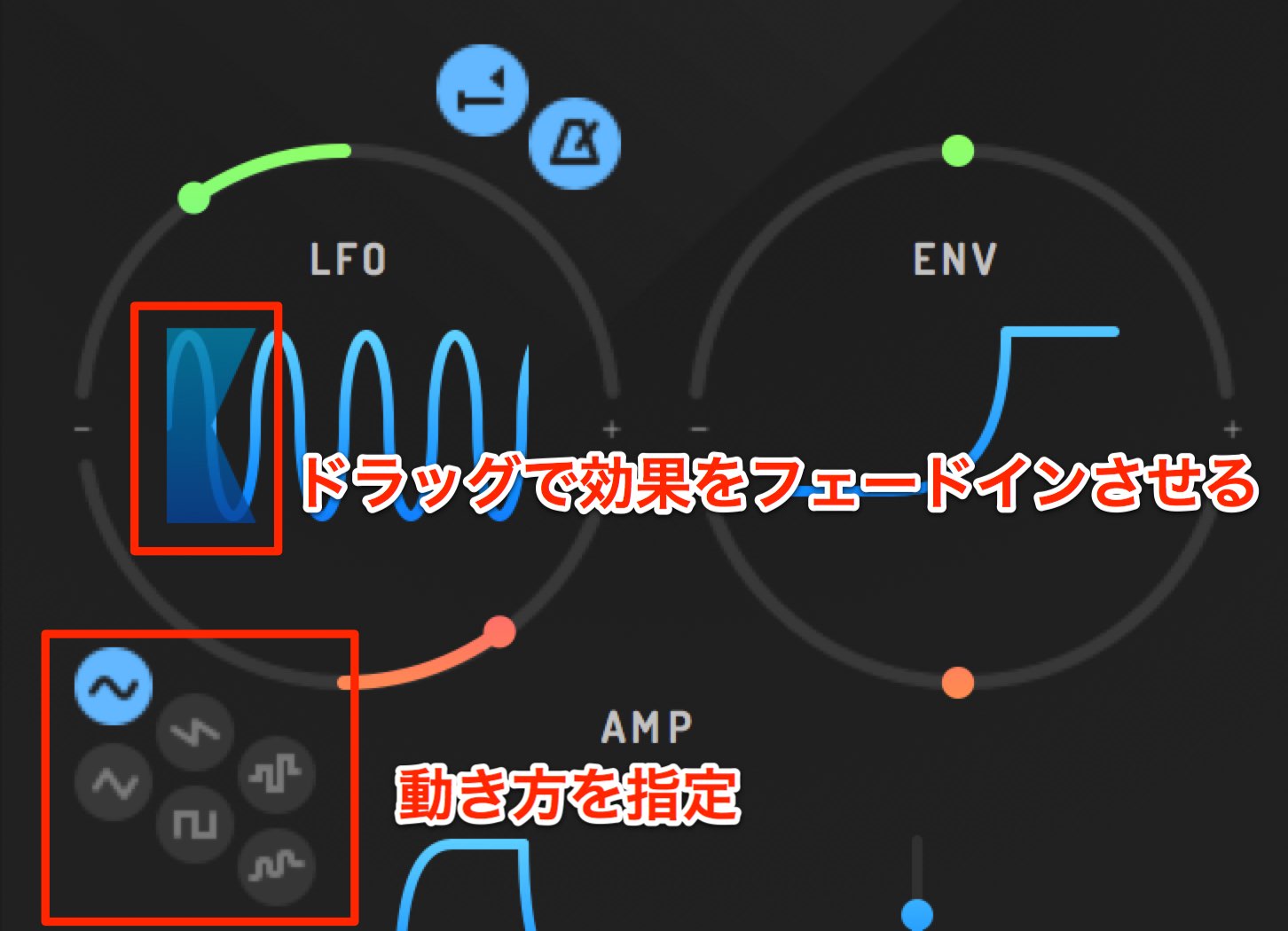
Drag the left side of the LFO to fade in its effect.
This lets the sound change gradually.
Choose the waveform for the LFO movement in the lower-left section.
The shape shows how it moves; choose one while listening to the sound.
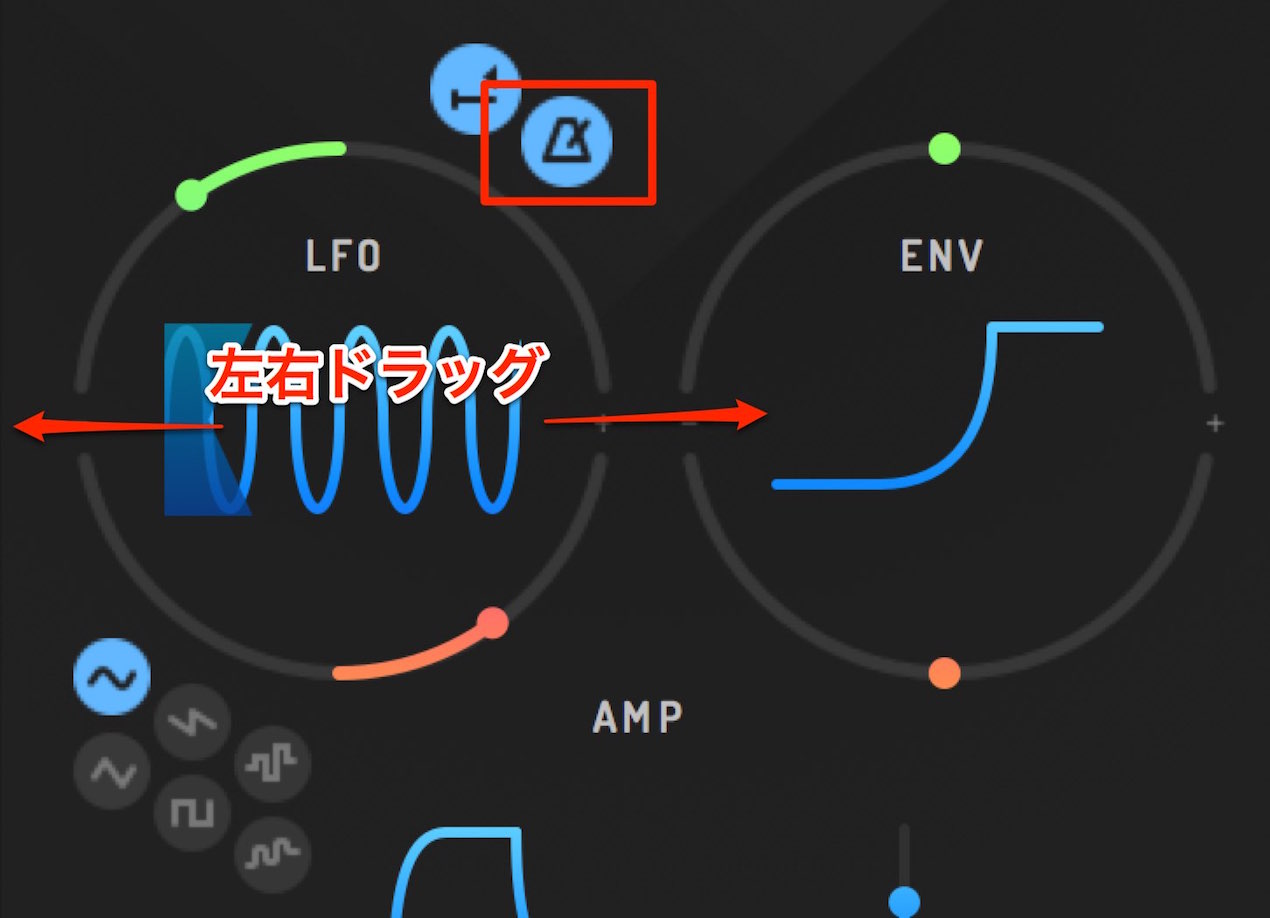
Drag horizontally near the center of the LFO waveform to set its rate.
When the metronome icon at the upper right is lit, the rate syncs to the song tempo;
when it is off, you can set the rate in hertz (Hz).
Applying an envelope
Unlike the repeating LFO, the envelope moves once per note.
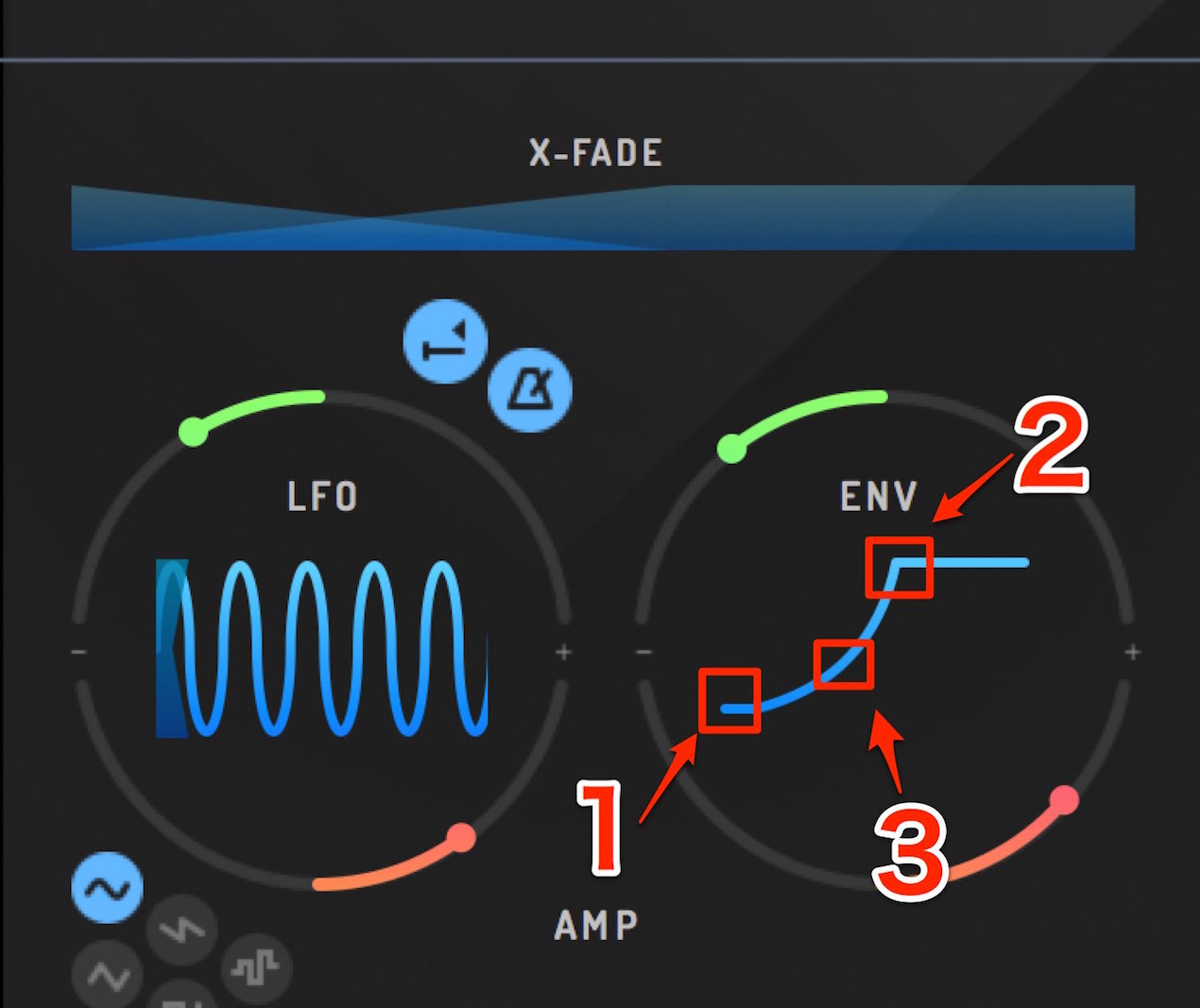
As with the LFO, set the maximum pitch and formant amounts.
The values change toward those amounts.
If the maximum amount is 0, the envelope has no effect.
Drag the three points as shown above to adjust the movement.
Time is measured in milliseconds, or thousandths of a second.
- 1. Set when the change begins. Use 0 for an immediate change.
- 2. Set how long pitch and formant take to reach the specified values.
- 3. Adjust the shape of the change curve.
Amp settings
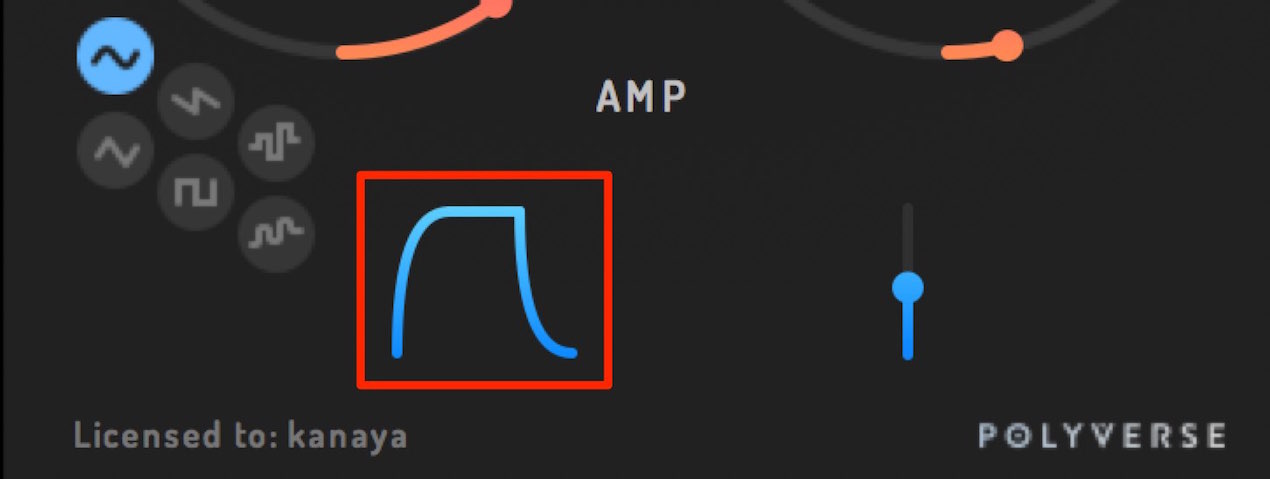
Use attack and release to set the volume envelope of the sound processed by I WISH.
As with the envelope, drag each point to change the volume movement.
Time is again measured in milliseconds.
- Attack: The time from the start of a note until the volume reaches its maximum.
Use a longer value for a fade-in, or 0 for an immediate onset. - Release: Sets how long the volume takes to decay after the MIDI note ends.
Use 0 to stop the sound immediately, or stop the effect immediately when blending.
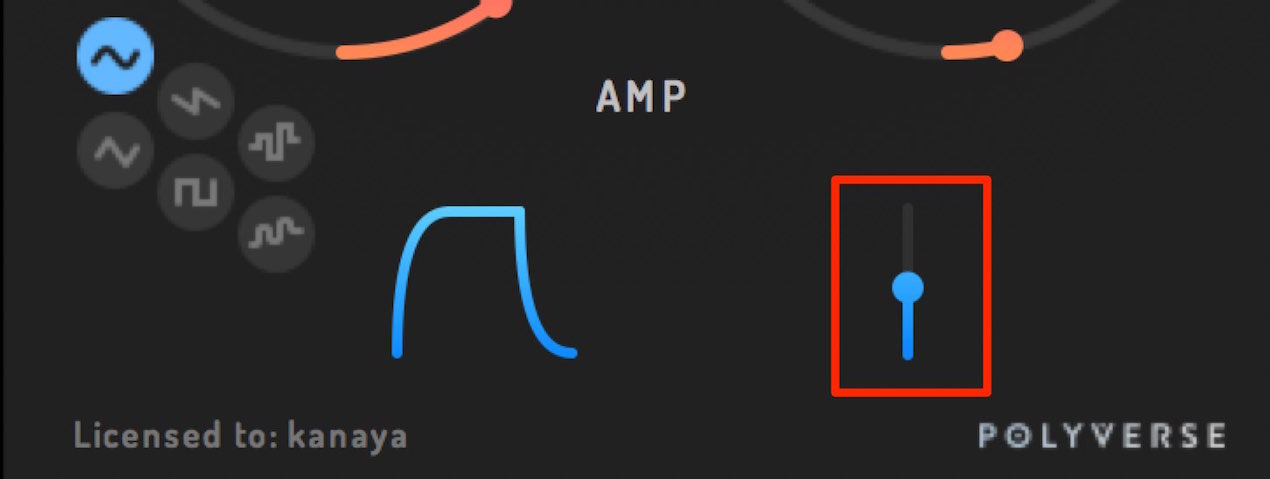
This control adjusts the balance between the original and I WISH sounds.
- 0% plays only the original sound.
- 100% plays only the sound generated by I WISH.
- Values from 1% to 99% blend the two.
When applying I WISH to part of the original sound,
a setting around 50% is recommended for a natural-sounding volume change.
Automation with MIDI CC
Each I WISH parameter can be assigned a MIDI CC.
This allows complex movement from a DAW or physical controller.
MIDI CC tutorial video
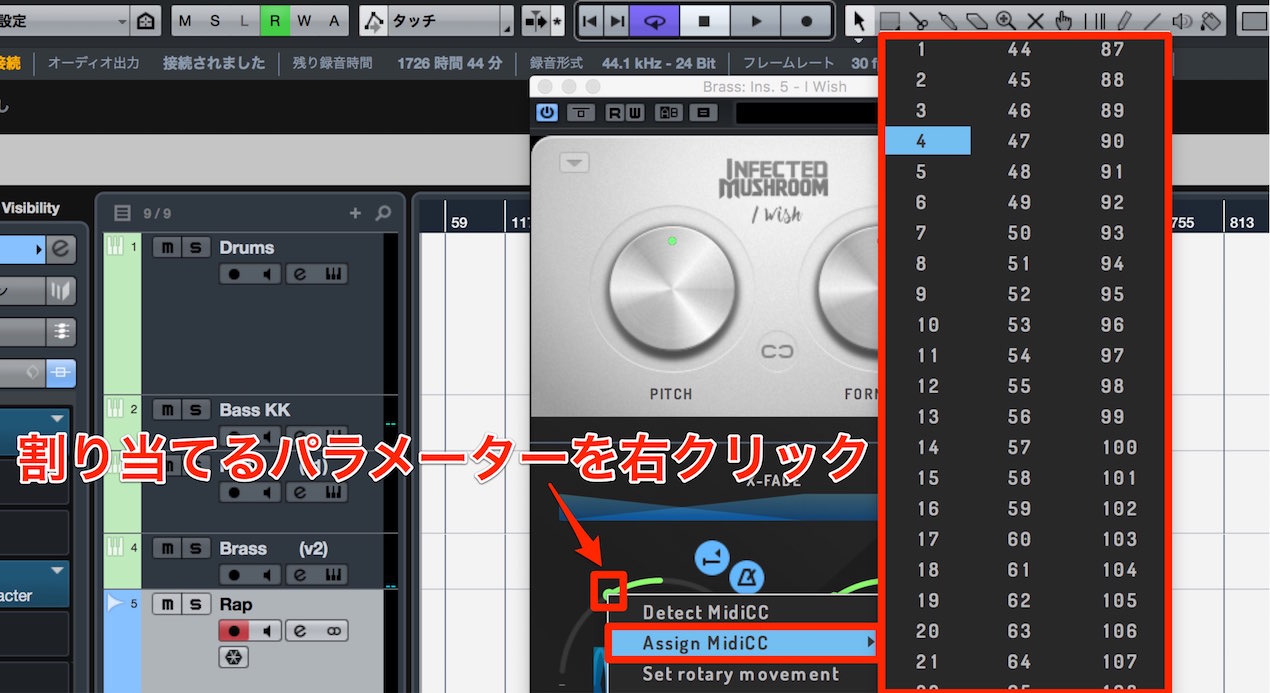
Right-click the parameter you want to control and select “Assign MidiCC.”
Select the CC number to assign.
(Numbers already assigned to other parameters are excluded.)
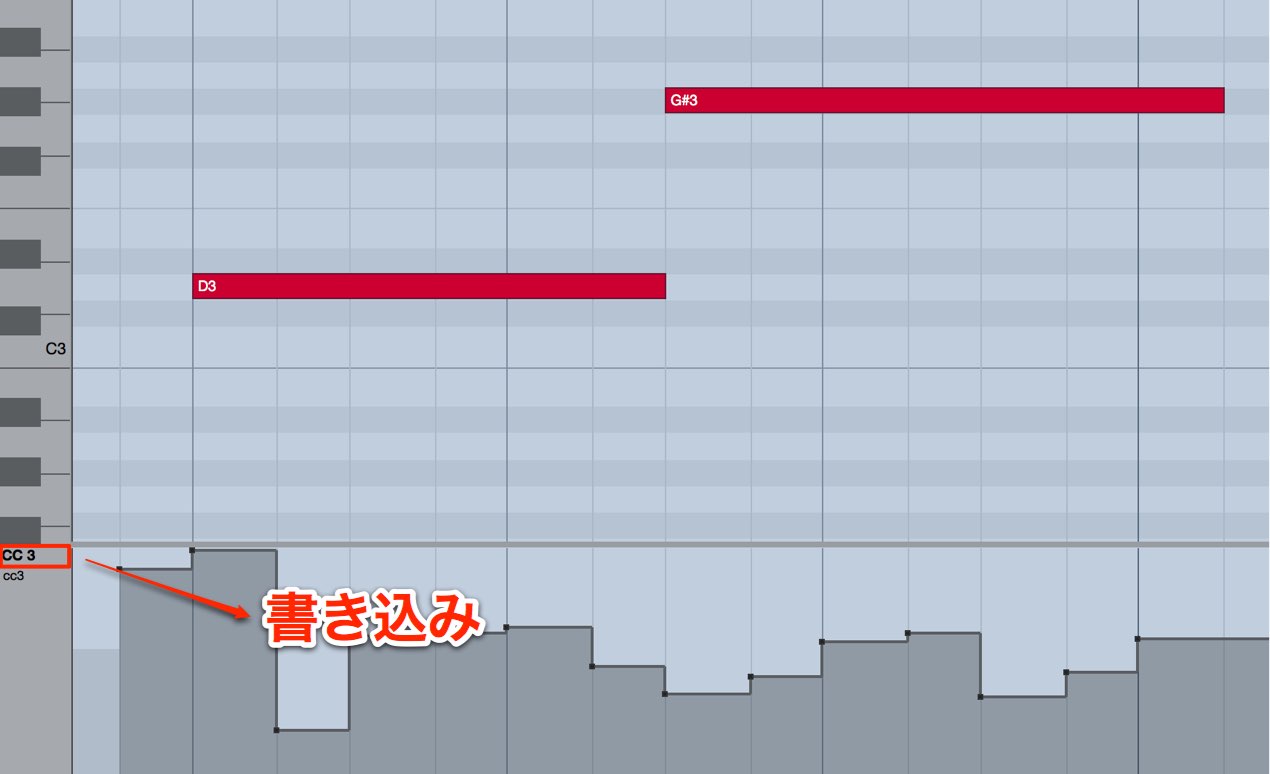
In the editor, select the assigned CC and draw the desired movement.
On playback, the written movement is applied to I WISH.
Frequently asked questions
Q1. How do the LFO and envelope differ in I WISH?
The LFO repeats according to its selected waveform, while the envelope changes once per MIDI note. The LFO can also sync to tempo; the envelope offers detailed timing control.
Q2. What happens when the modulation amount is 0?
If an LFO or envelope amount is 0, that modulation has no effect. To add movement, set an applicable amount to a nonzero value.
Q3. How can I adjust the strength of the effect?
Adjust the percentage balance between the original and I WISH sounds. At 0% you hear only the original; at 100% only I WISH. Around 50% is suggested as a balanced, natural-sounding starting point.
NEW ARTICLES
Latest English Articles




















































































































































































































































































































































































































