
Plugin Boutique is an overseas music-production store with an extensive selection of plug-ins, offering high-quality products that can be difficult to find in Japan at attractive prices. The process from creating an account to downloading a product is straightforward: register with an email address and password, search for products in English, and pay with PayPal or a credit card. After purchasing, you can download products immediately from MY ACCOUNT and look up their serial numbers at any time. It is a convenient platform for users who want to start using new music-production plug-ins quickly.
Plugin Boutique's Extensive Plug-in Selection
Many music-production applications and plug-ins are now available as downloads.
Some of you may even have switched to buying software exclusively from online stores.
The advantages of online stores include:
- Buying and using a product on the same day
- Saving yourself a trip to a physical store
- Trying a product before buying it when a demo version is available
These are just some of the benefits.
Online stores also frequently offer sales on music-production software and plug-ins, giving you plenty of opportunities to save.
Including overseas stores among your download-purchase options can help you find high-quality products that are not sold in Japan, sometimes at a better price.
There are many distinctive overseas stores with extensive product ranges. One we recommend is Plugin Boutique.
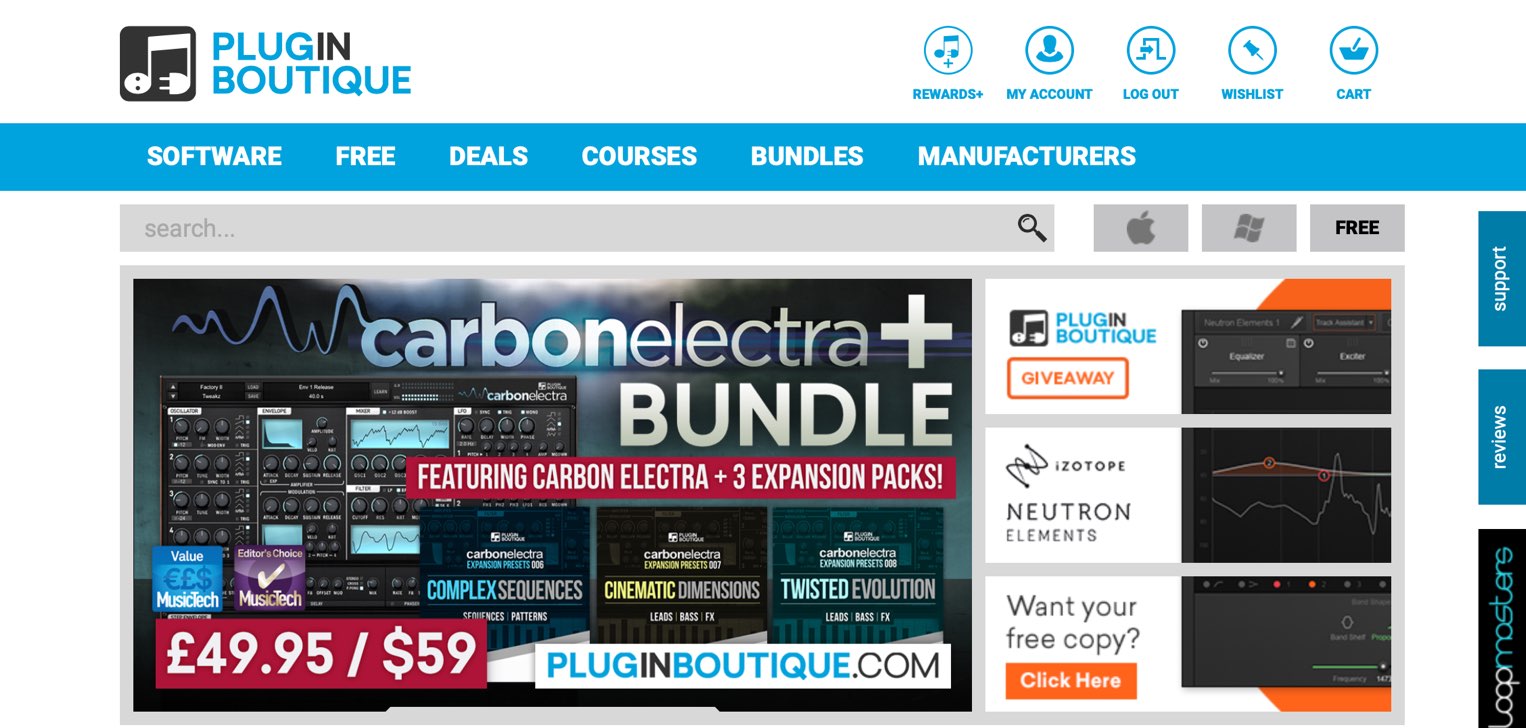
Its website is easy to browse and offers a broad selection of products.
It also regularly runs sales and special promotions.
Here, we will walk you through creating a Plugin Boutique account and purchasing a product.
Creating a Plugin Boutique Account and Buying a Product
Selected Questions and Answers from the YouTube Video

I just bought Vacuum Pro from Plugin Boutique at the sale price, but I received an email saying that my order had been flagged and needed checking. It asked me to email Plugin Boutique my order number and any possible reasons for the error. The product is not showing up in MY ACCOUNT, so I cannot download it. The only possible cause I can think of is that I entered my address in Japanese. If you know how to resolve this, I would appreciate your advice.

This is the first time I have heard of this situation. One possible solution would be to open Settings from My Account, change your address and other details to English, then use “Support” on the right to send your order number and explain that you have updated your profile to English. https://app.box.com/s/moq950y2oa01c1b9u2cnfvl2f0mc10rb Google Translate should be sufficient for writing your message to support in English. https://translate.google.com/?hl=ja&tab=TT&authuser=0
Can plug-ins downloaded from this site be used in any DAW?
DAW compatibility varies by product. Be sure to check the supported plug-in formats listed on the product page. We also have a video and article explaining plug-in formats that you may find helpful. https://sleepfreaks-dtm.com/elementary-knowledge/rtus-au-vst/
I was charged for my purchase, but the product is not showing up in My Account. Is there anything I can do?
Did you receive an email after purchasing? Try following the link in that email to your purchased-products list and checking the details there.
Step 1: Create an Account
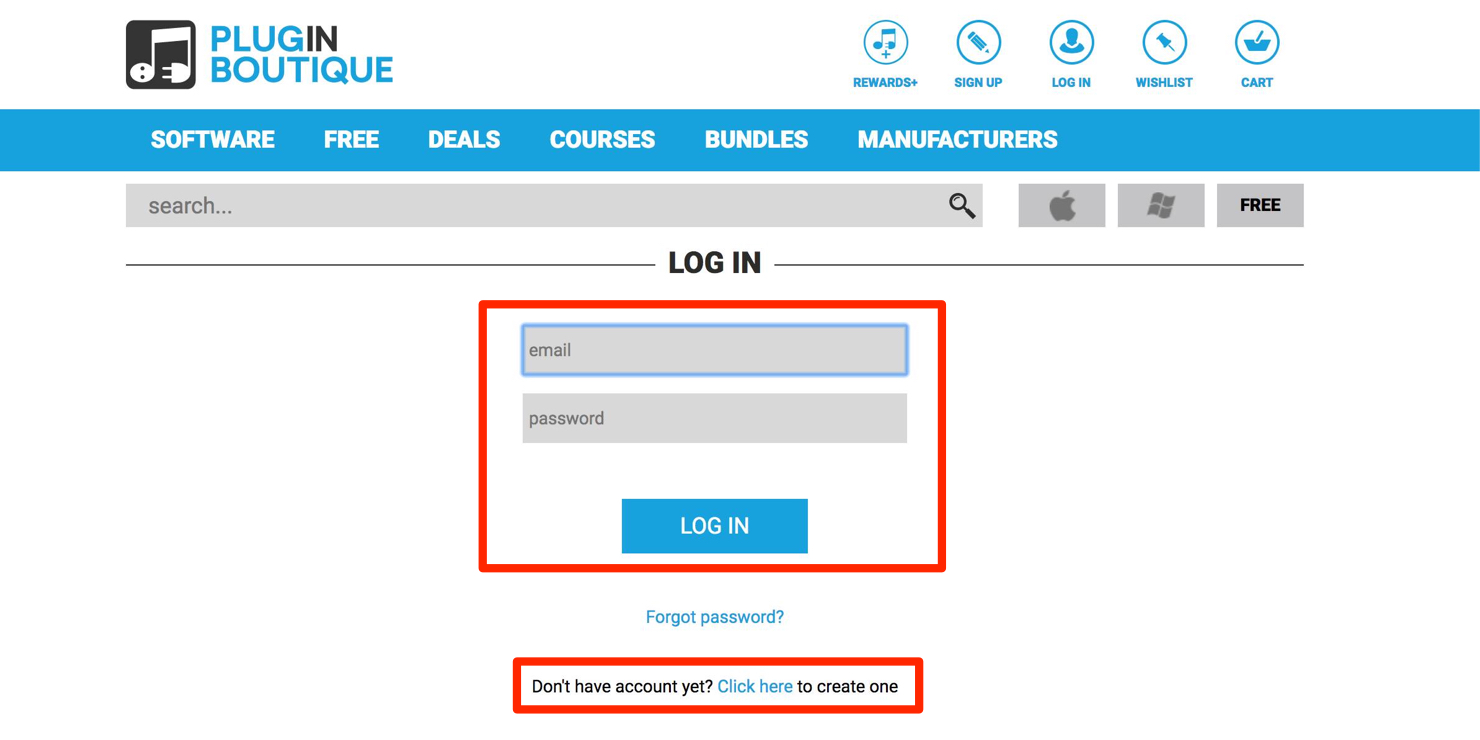
Go to the user login page to begin.
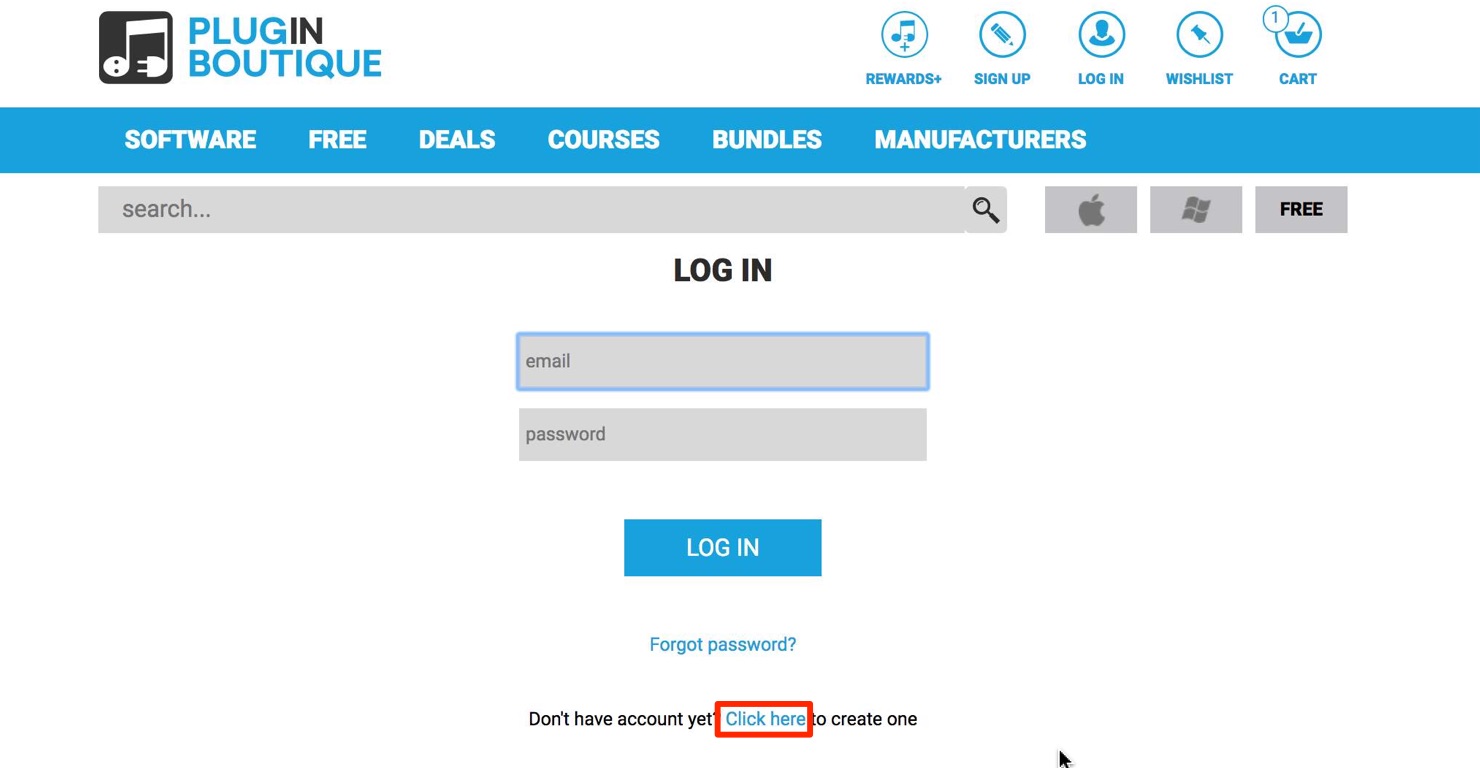
Select “Click here” to create a new account.
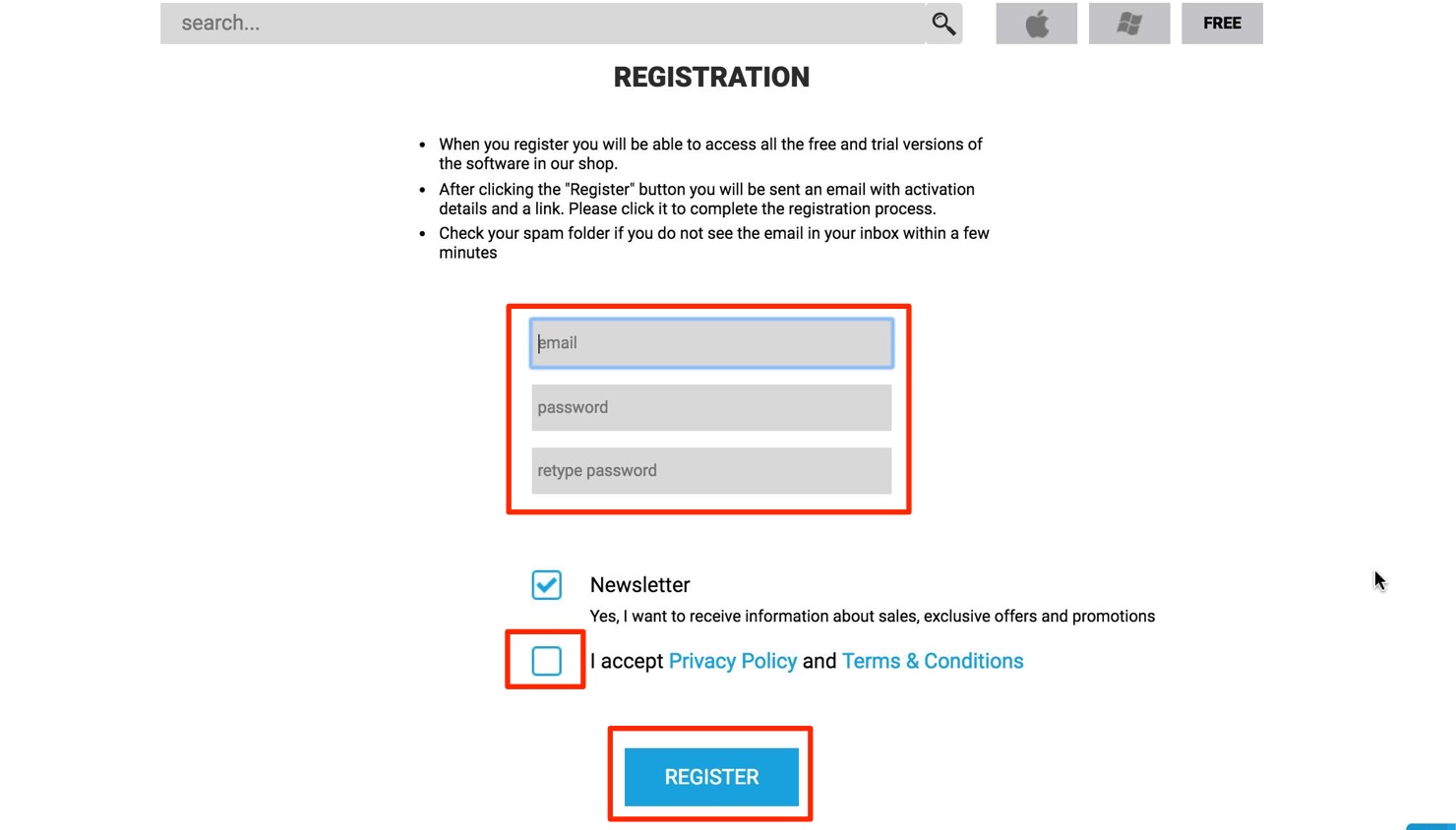
Enter your email address and password, including the password confirmation, check the box to agree to the terms, and click “REGISTER.”
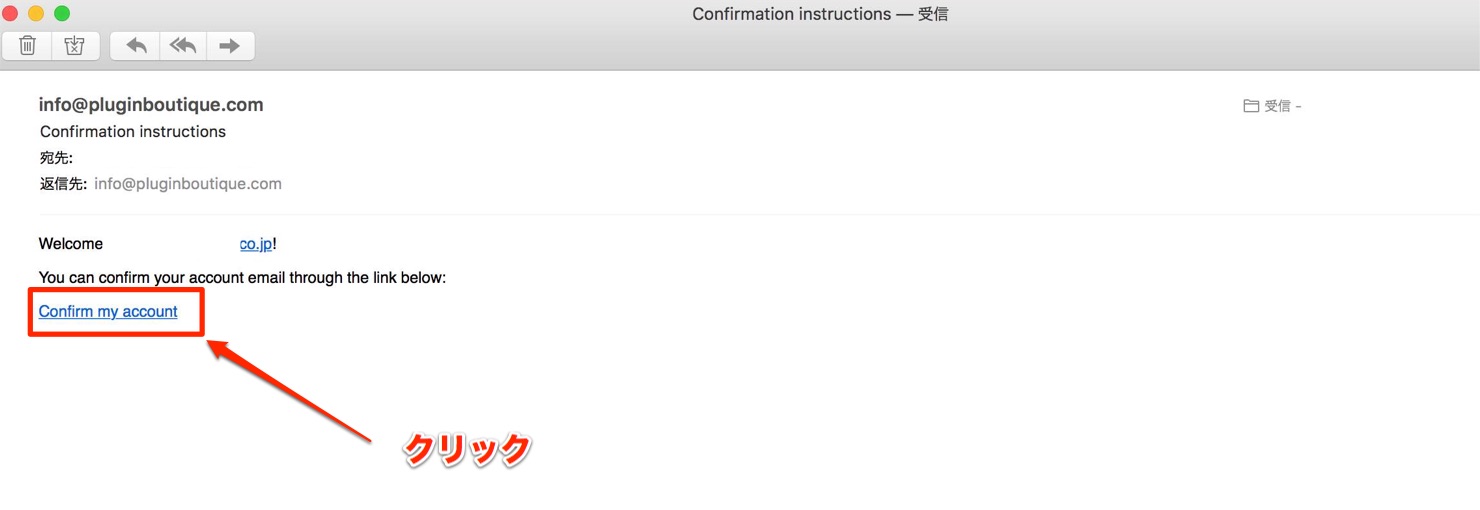
Click the link sent to your email address.
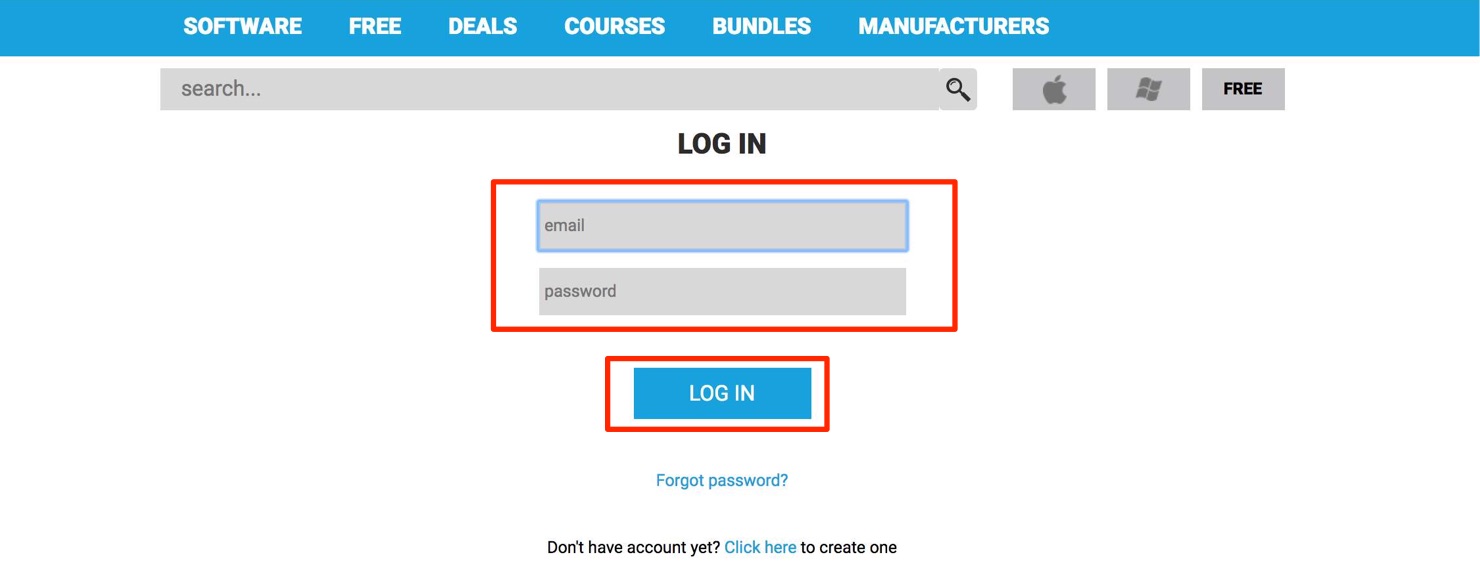
Log in to Plugin Boutique with the email address and password you just set.
Your account is now ready.
Step 2: Buy a Product
If you already know which product you want,
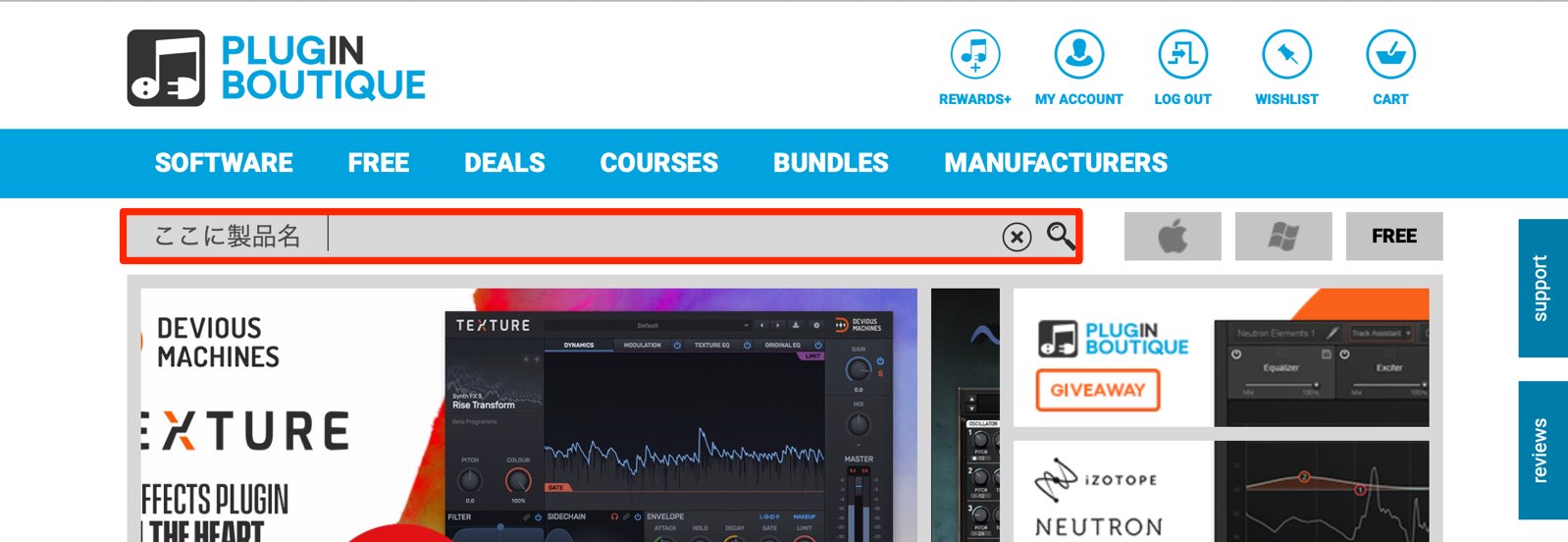
you can search here by product or manufacturer name. Enter your search in English.
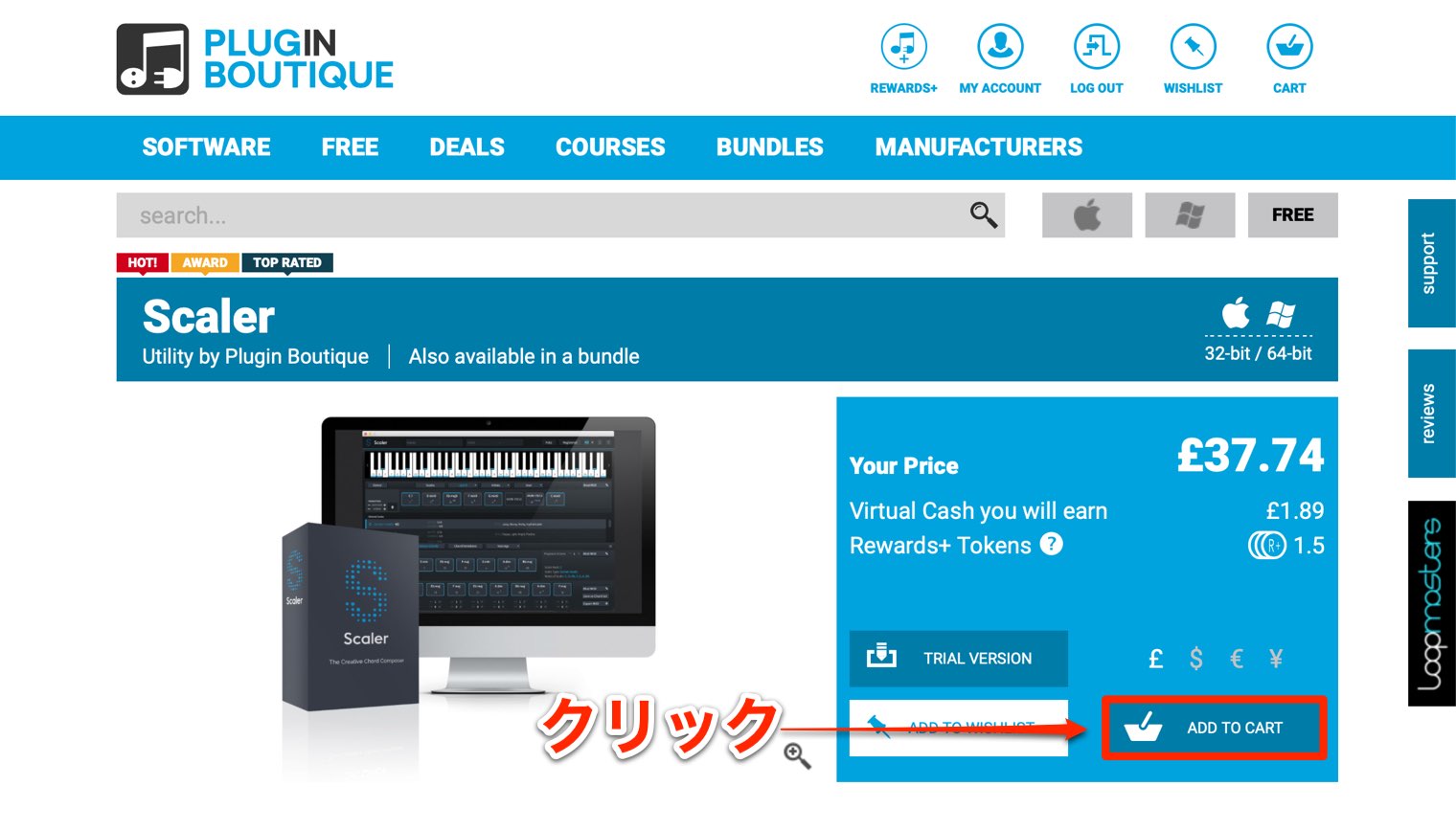
For this example, we decided to buy Scaler, a chord-assistance tool for composition.
How to Use Scaler — Video Tutorial
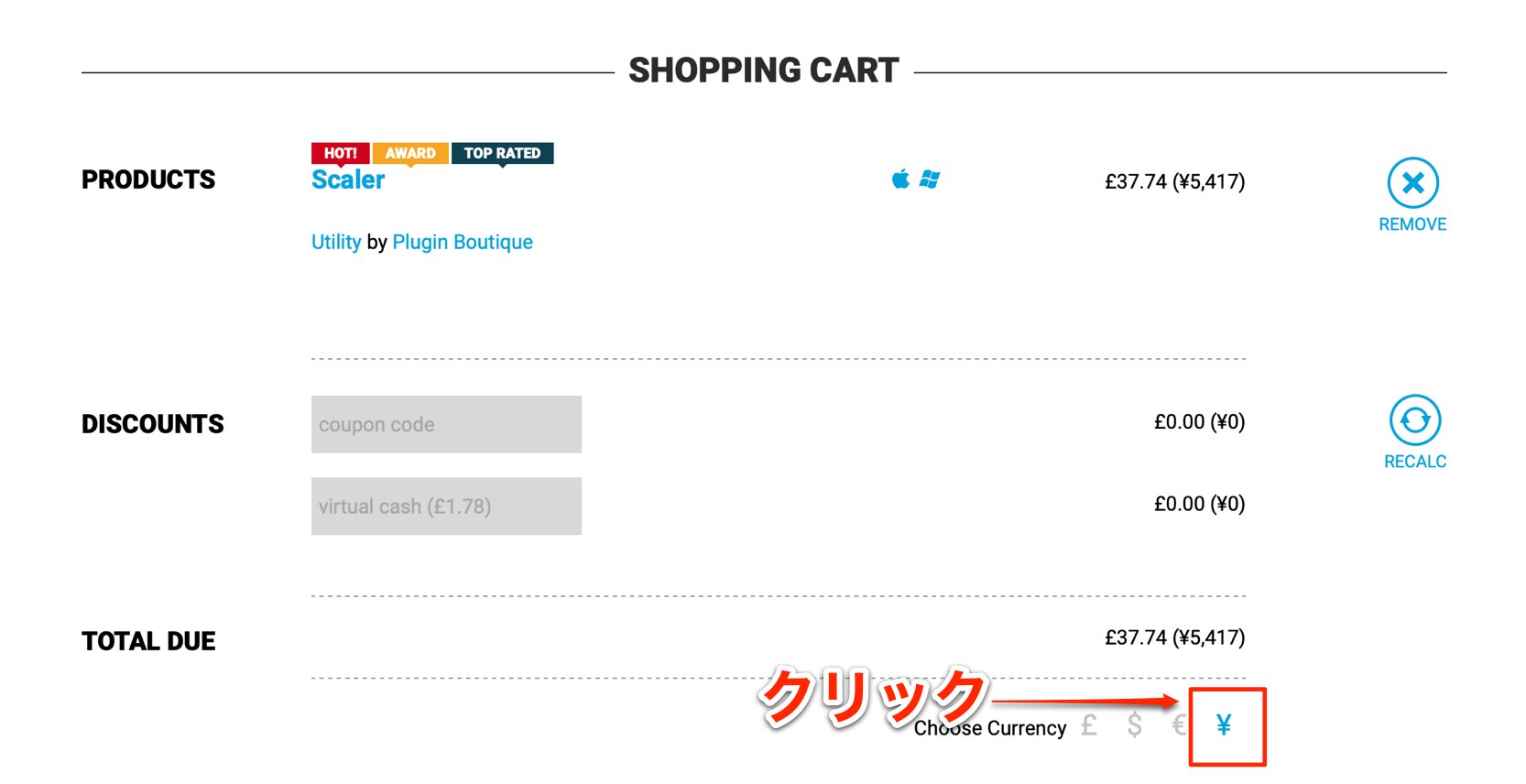
Select “¥.”
If you have a special discount code, such as one for a sale, enter it under “DISCOUNTS.”
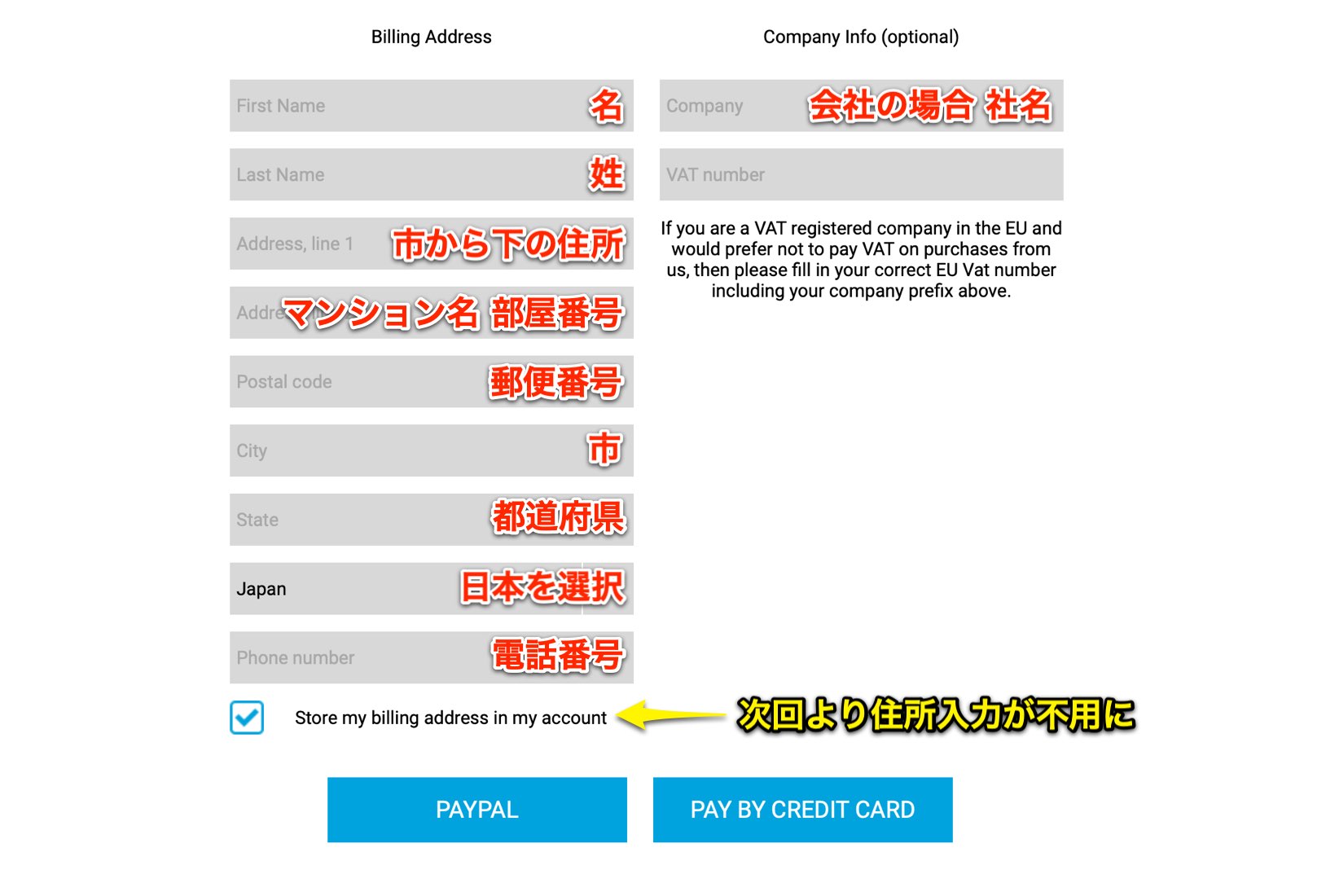
Enter the required details and choose either PayPal or a credit card as your payment method.
Enter all text using Latin characters.
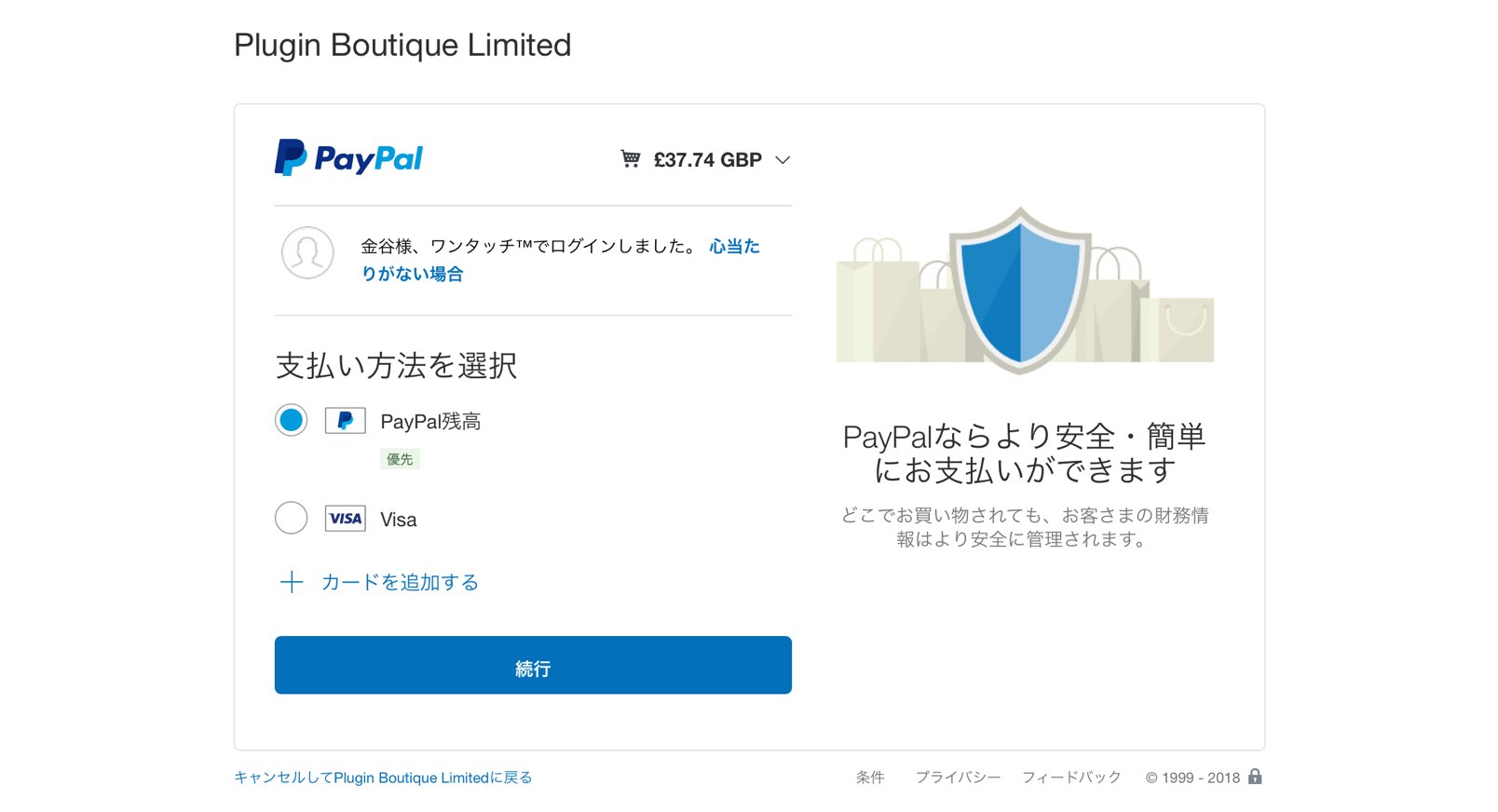
For PayPal, a separate window opens. Log in and complete the payment there.

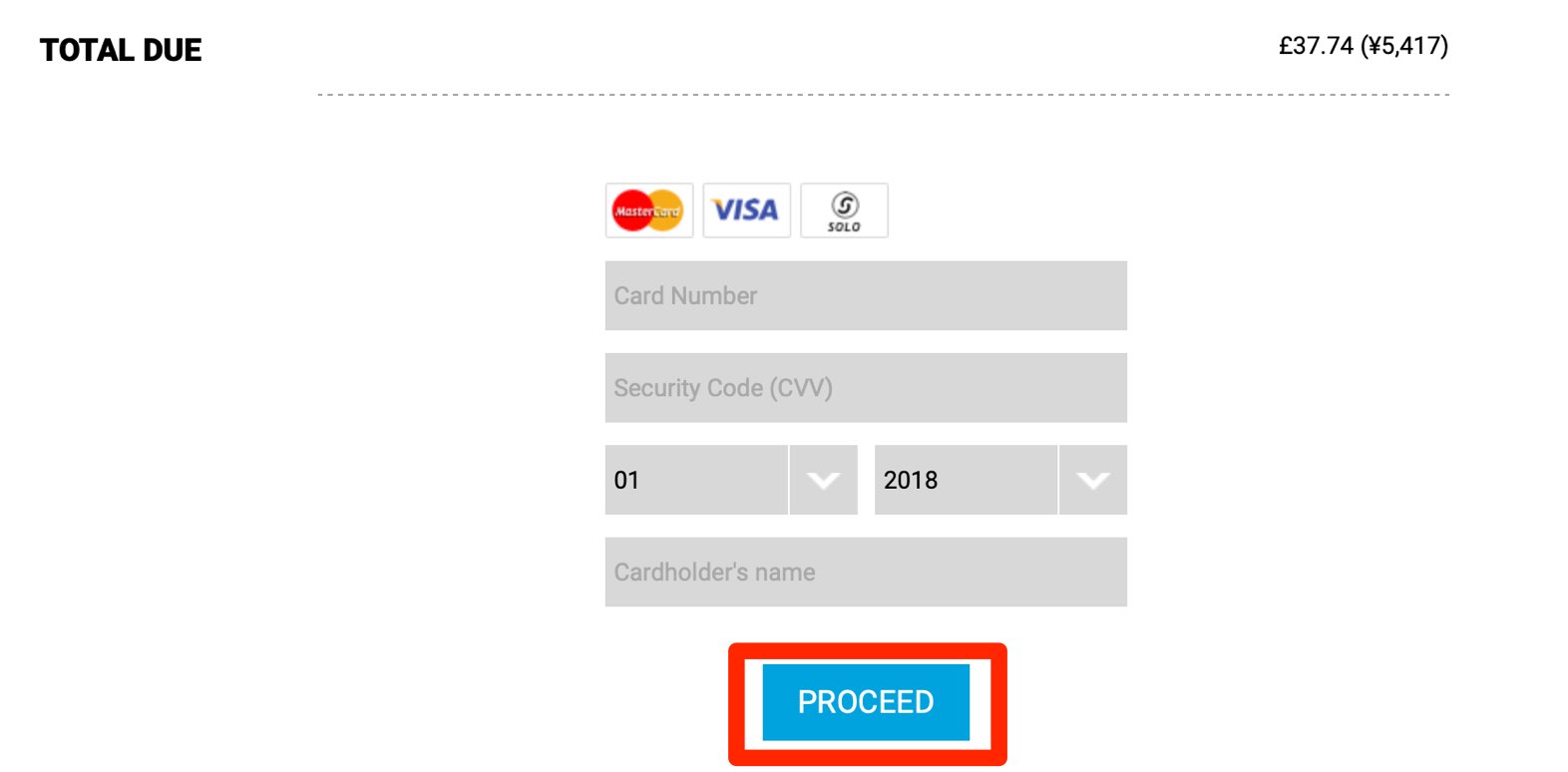
For a credit card, enter your card details and select “PROCEED.”
Once payment is complete, you can download and start using the product immediately.
Step 3: Download Your Product
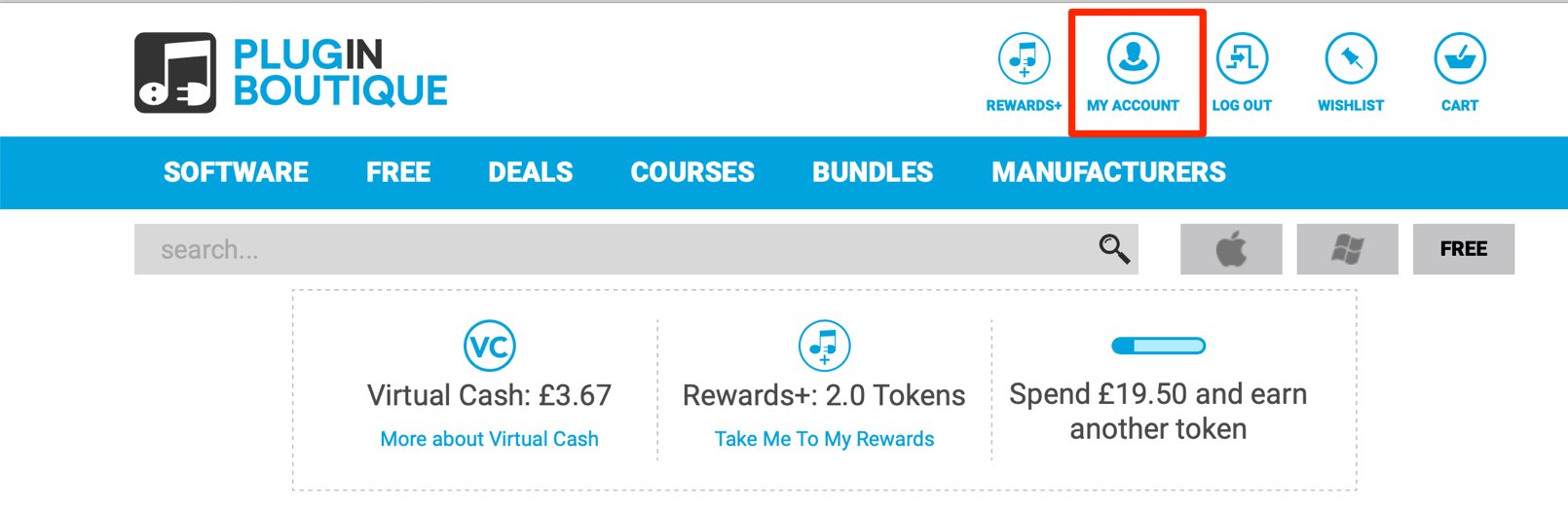
Make sure you are logged in to your account, then click “MY ACCOUNT.”
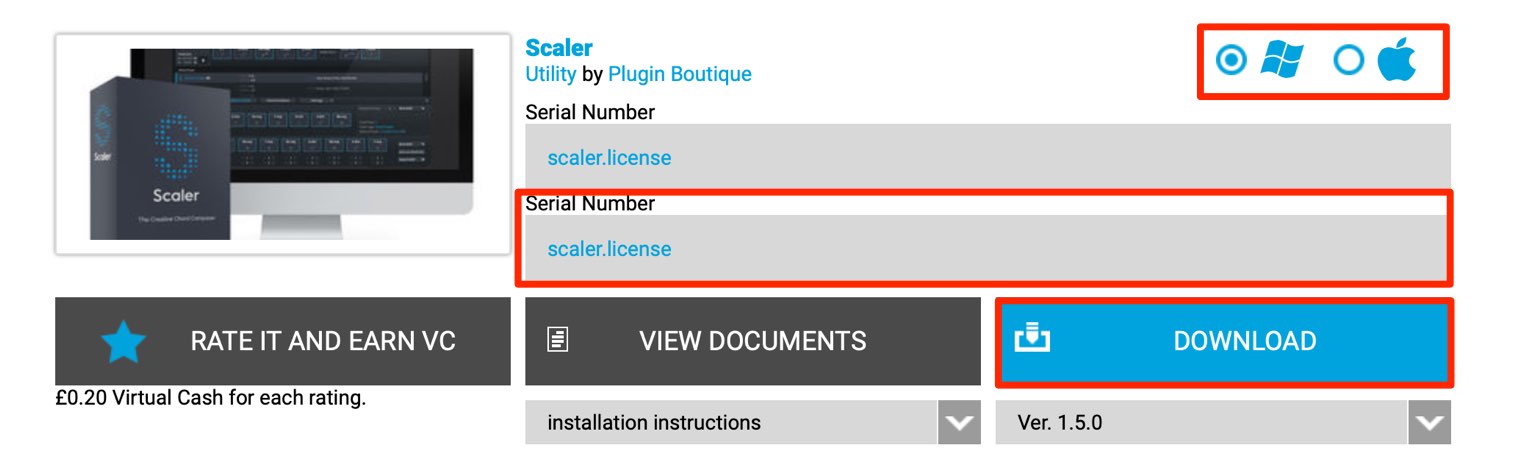
This page lists your purchased products and lets you download them at any time.
You can also view or download product serial numbers here.
Choose Mac or Windows, then download and install the product.
The process is very quick.
How did you find the process?
It is straightforward, so give it a try if there is a product you are interested in.
Understanding Plug-in Formats — Video

Frequently Asked Questions
Q1. What do I need to create a Plugin Boutique account?
You only need an email address and a password, including password confirmation. On the user login page, select “Click here,” enter the required details, agree to the terms, and click “REGISTER.” Click the link in the email you receive to finish creating your account.
Q2. What payment methods does Plugin Boutique accept?
The article covers two payment methods: PayPal and credit cards. For PayPal, log in through the separate window to complete payment. For a credit card, enter your card details and select “PROCEED.”
Q3. Can I use a purchased plug-in immediately?
Yes. You can download it as soon as payment is complete. Log in to MY ACCOUNT to see your purchased-products list, choose Mac or Windows, then download and install the product. The process is very quick.
Q4. How do I use a discount code during a sale?
After selecting “¥” as the currency on the purchase screen, enter your discount code in the “DISCOUNTS” field to apply the offer. Sales and promotions are held regularly.
NEW ARTICLES
Latest English Articles
























































































































































































































































































