
TransX can shape transients on bass, guitar, cymbals, kicks and other instruments as well as drums. This practical guide explores how Range and other controls affect a sound’s character and apparent distance. TransX Multi can also reshape transients by frequency band, helping a new track sit with a heavily limited stereo mix. Start with a preset and adjust the parameters by ear.
Emphasizing Bass Attack

TransX is often associated with drums and percussion,
but it is also useful for shaping transients on bass, guitar and other instruments.
Even selecting a preset and adjusting parameters such as Range
can yield results quickly.
TransX Tutorial Video
Purchase the product: https://bit.ly/34p7bbS
Adjusting Cymbal Sustain
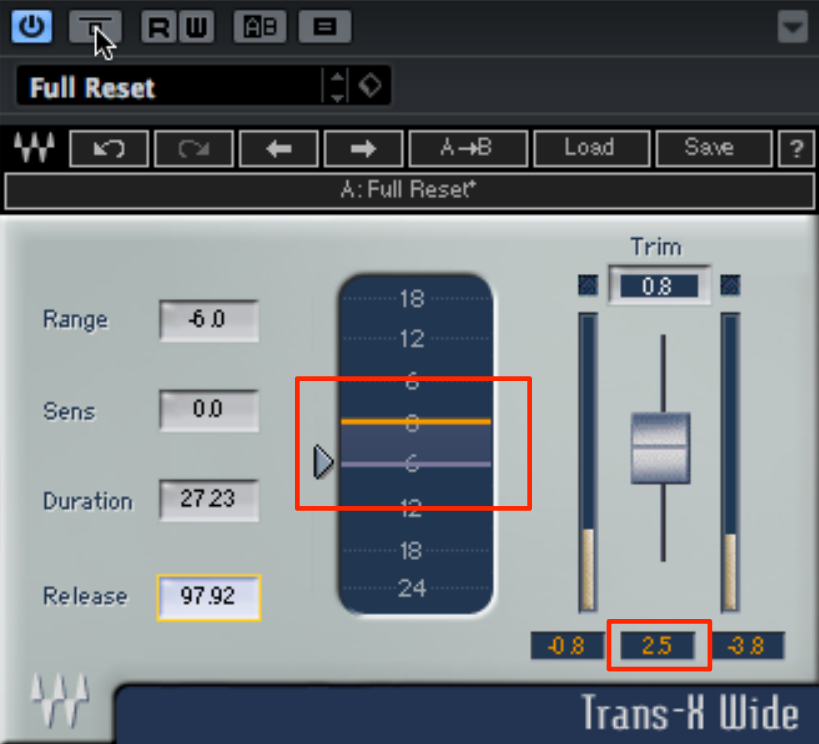
Set Range to zero or below to reduce the attack,
then raise the output to bring the sustain forward relative to the attack.
Adjust Duration and Release as well
to refine where the sustain becomes prominent.
Making a Tighter Kick with Multi
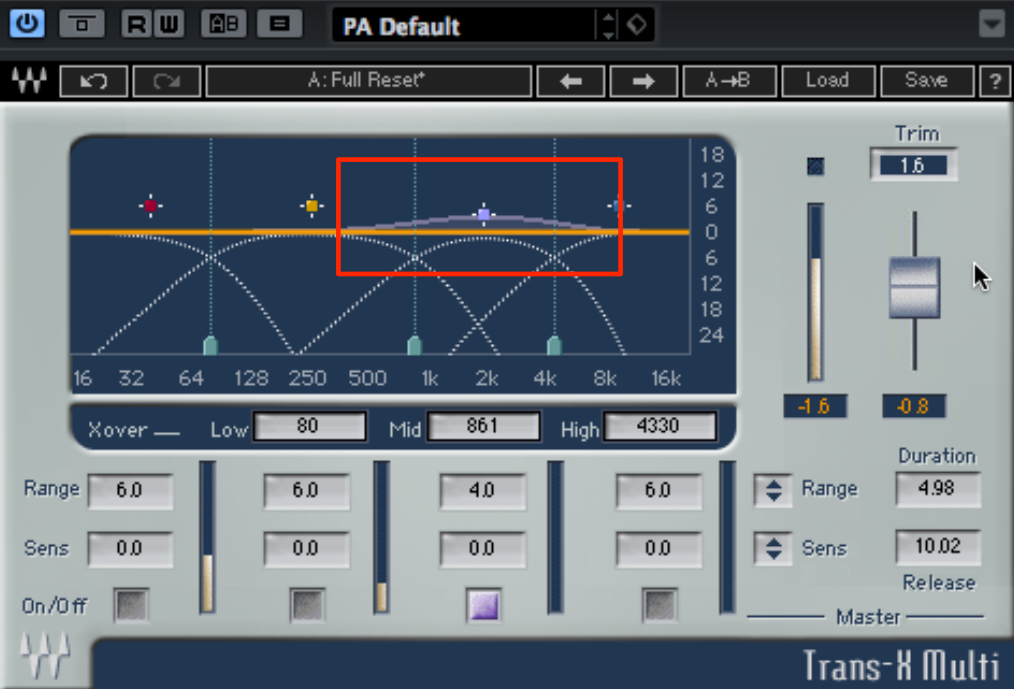
TransX Multi can target specific frequency bands.
If a kick’s low end rings out too long, emphasize the attack in the higher frequencies
to aim for a tighter, punchier sound.
This can be quicker and more intuitive than using a compressor.
Reducing High-Frequency Attack to Create Distance
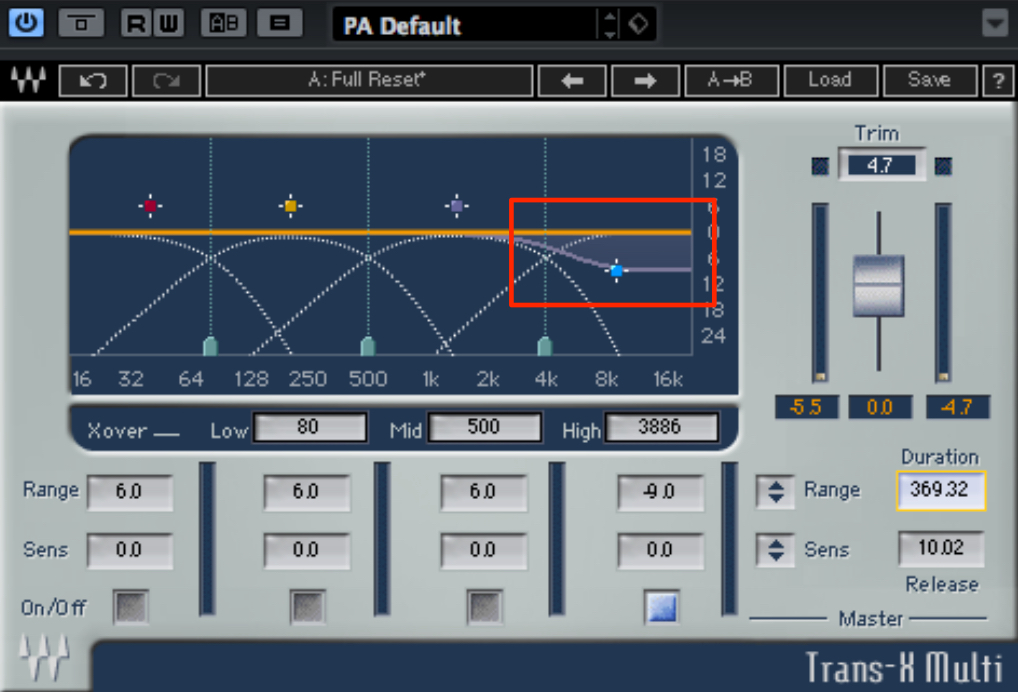
Transients are closely related to perceived distance.
A strong attack generally sounds closer, while a softer attack can seem farther away.
To control that impression, try adjusting the high frequencies with Multi.
This is particularly useful when you want a sound farther back without the change in character caused by adding reverb.
Reshaping Dynamics in a Maximized Stereo Mix
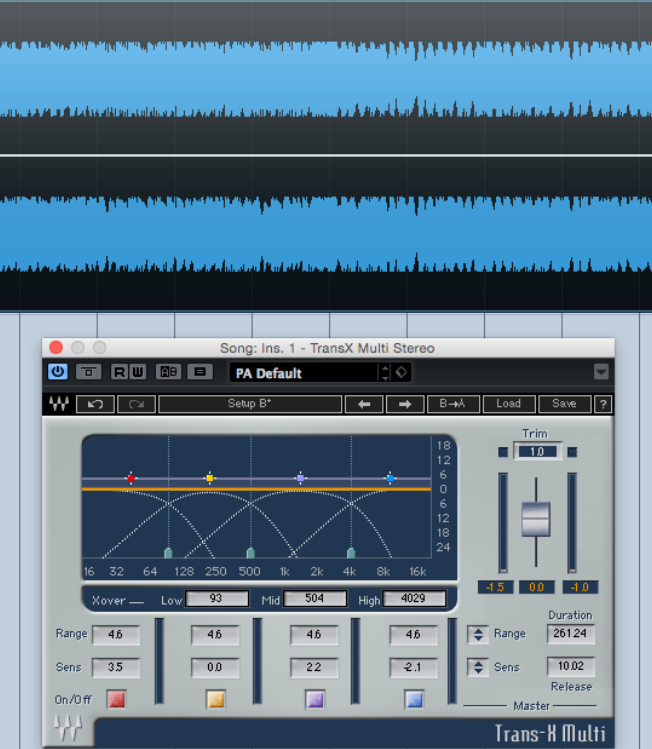
When adding a new track to a maximized stereo mix,
it can be difficult to make the parts sit together.
Applying excessive compression to the master can squash the whole mix.
In this situation, try using TransX Multi to bring back a sense of transient dynamics in the stereo mix
and make it easier to blend with the new track.
Adjust the parameters while paying particular attention to the kick and snare.
For example, try the following workflow:
- 1. Increase Duration enough for each band to respond.
- 2. Fine-tune each band’s width and Sens, then use Range to set the amount of processing.
Frequently Asked Questions
Q1. Is TransX only for drums?
No. It works well on drums and percussion, but can also shape transients on bass, guitar and other instruments. Adjust Range and the other controls to suit the source.
Q2. How can I emphasize sustain?
Set Range to zero or below to reduce the attack, then raise the output. Adjust Duration and Release to shape where the sustain is emphasized.
Q3. Can this help when adding a track to a maximized stereo mix?
TransX Multi can reshape the mix’s transients to create a greater sense of dynamics, which may help the new track blend. The result depends on the source and settings.
Q4. What does reducing high-frequency attack do?
It can make a sound seem farther away. This can be useful when you want a sense of distance without adding reverb, although transient processing itself changes the sound.
NEW ARTICLES
Latest English Articles



























































































































































































































































































































































































































































































