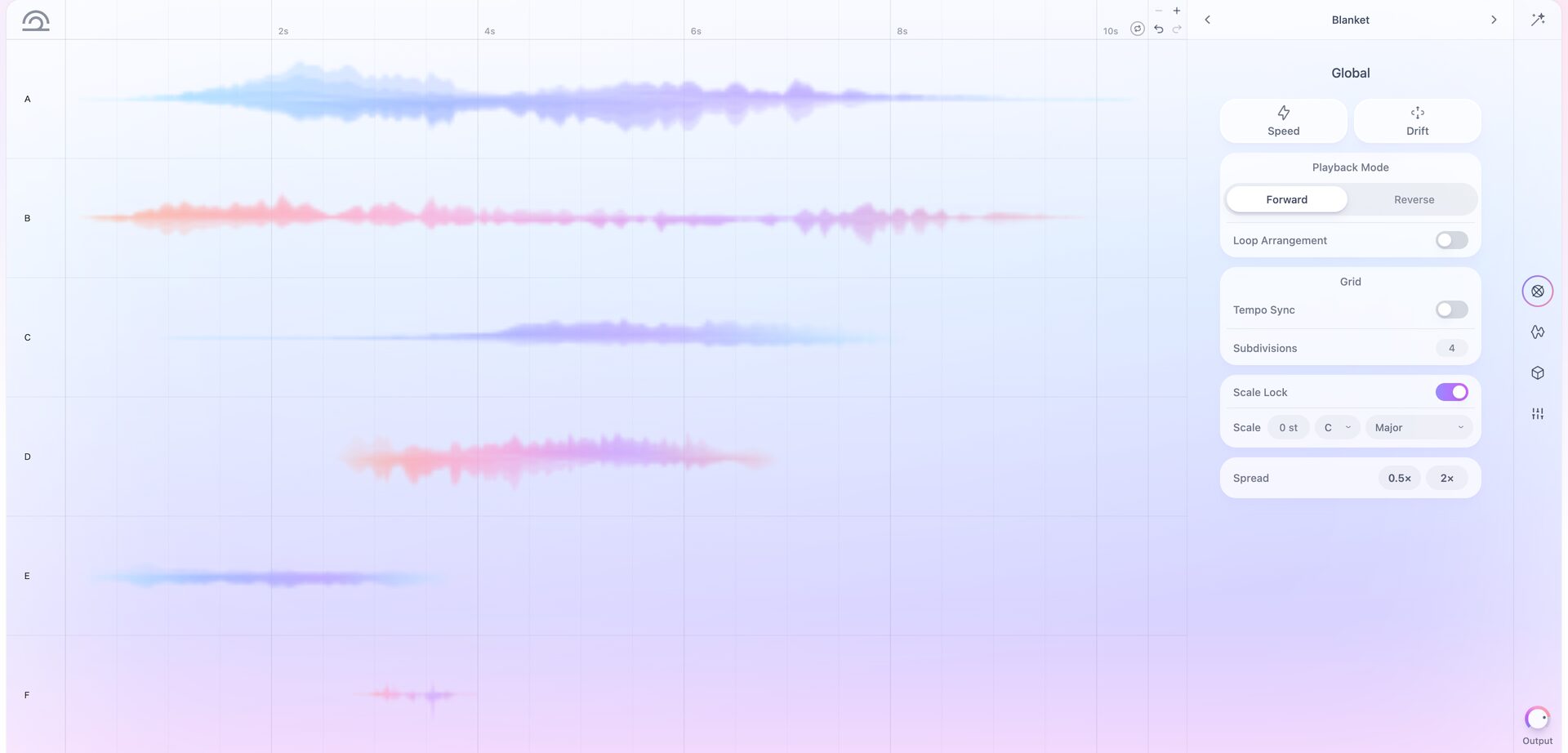
Arrange up to six sounds and play the entire sequence
Tides is a new instrument for NOVA, Lunacy's cloud-based instrument library.
Tides lets you layer organic sounds such as strings, woodwinds, guitar and vocals to create loops and impacts you can play from your keyboard.
You can create everything from ethereal organic textures to powerful impacts suited to movie trailers.
Tides has three key features:
- Build loops and sequences simply by layering up to six sounds and offsetting their timing
- Time-stretching that syncs to your DAW tempo keeps sound lengths aligned when you change the tempo
- A wide selection of sounds and presets, including strings, woodwinds, vocals and sound effects
NOVA is an instrument library you can use both in a browser and as a plug-in in your DAW.
Load the NOVA plug-in in your DAW to use Tides as a DAW instrument, with the same interface you see in the browser.
We explain how to use NOVA in detail in this article:
Sound sample
This sample strings together several Tides presets.
Tides sample
Alongside atmospheric loops, risers and impacts, you can also build beats with a little imagination, as you can hear at the end of the sample above.
The Tides interface and sounds
Let's start with the layout of the Tides interface.
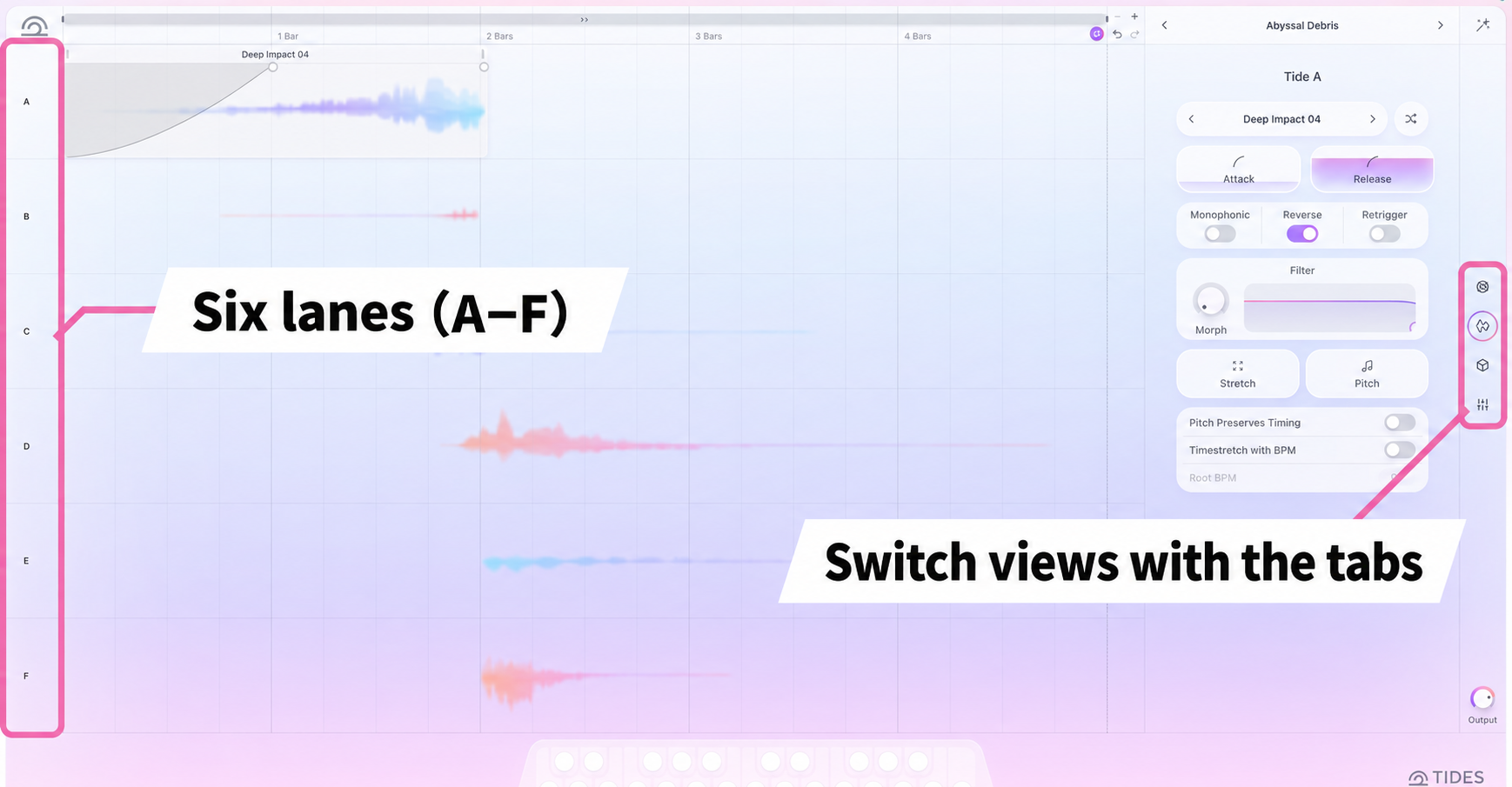
At the heart of Tides are the six lanes on the left.
Labeled A through F from top to bottom, each lane can hold one sample, sound effect or multisampled instrument.
Use the tabs on the far right to switch between settings.
- Global: Settings for all six lanes together
- Tides: Settings for the selected lane
- Effects: Effects processing
- Mix: Volume, pan and sidechain settings for each lane
Choose sounds in the Sound Browser
Choose each lane's sound from the Tides tab.
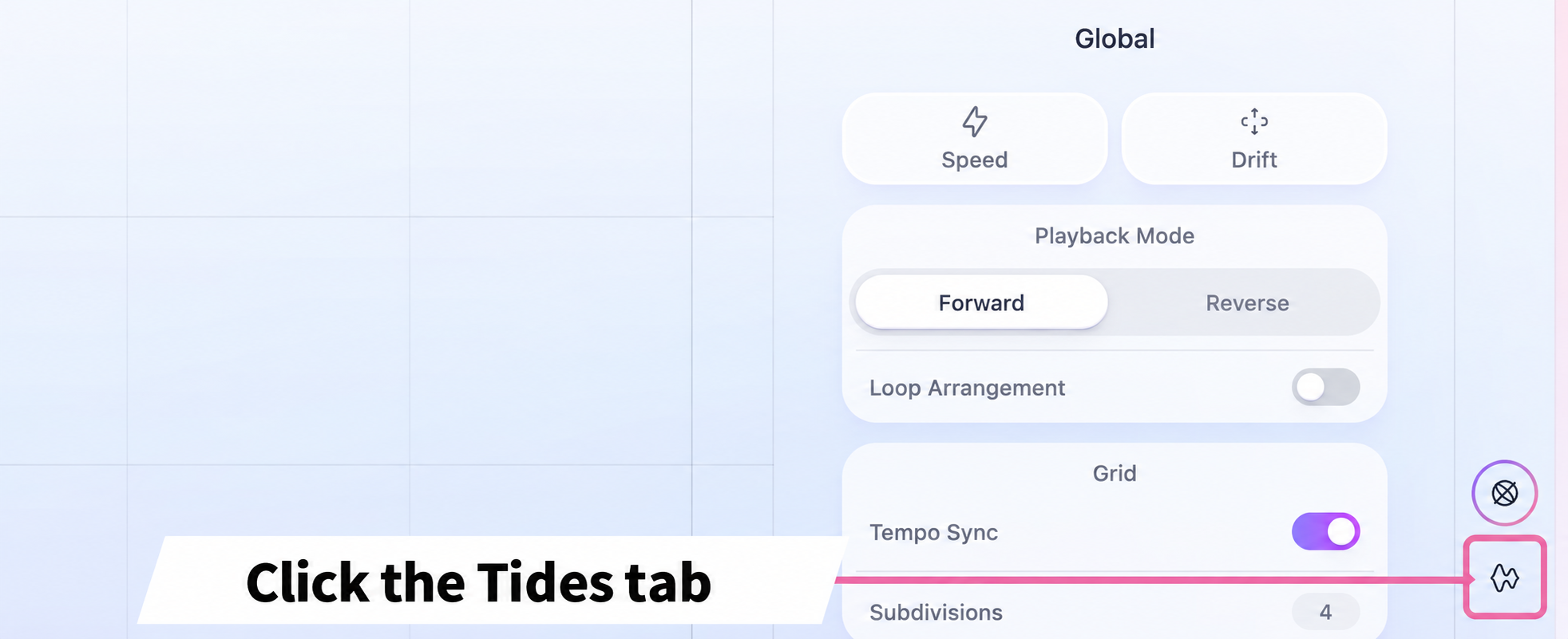
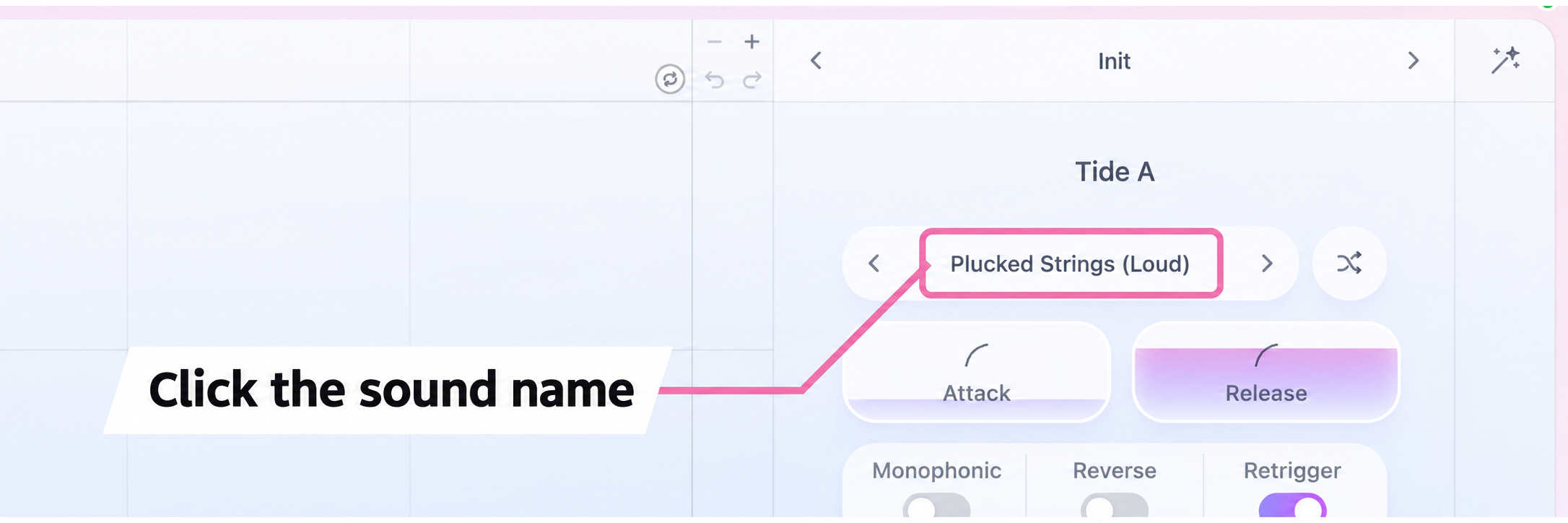
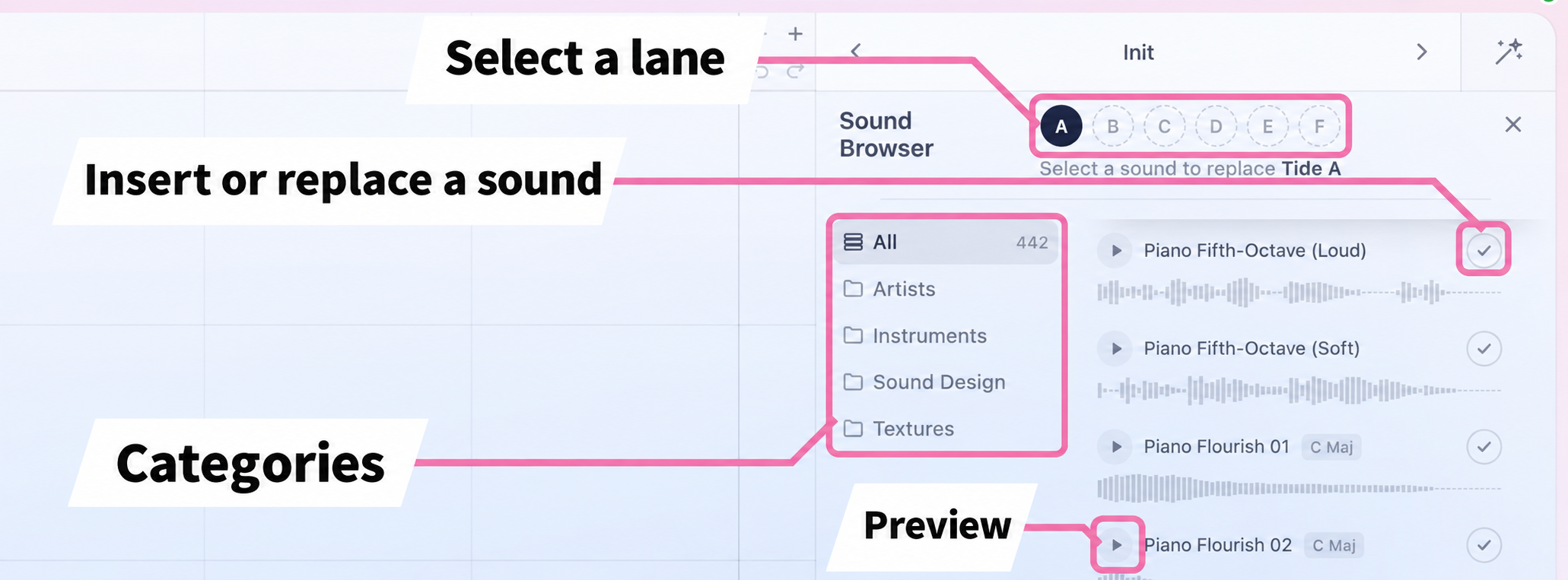
You can also insert or replace sounds by dragging them directly from the Sound Browser onto a lane.
Alternatively, hover over an empty lane and click the + that appears. This opens the Sound Browser for that lane without having to select the lane first.
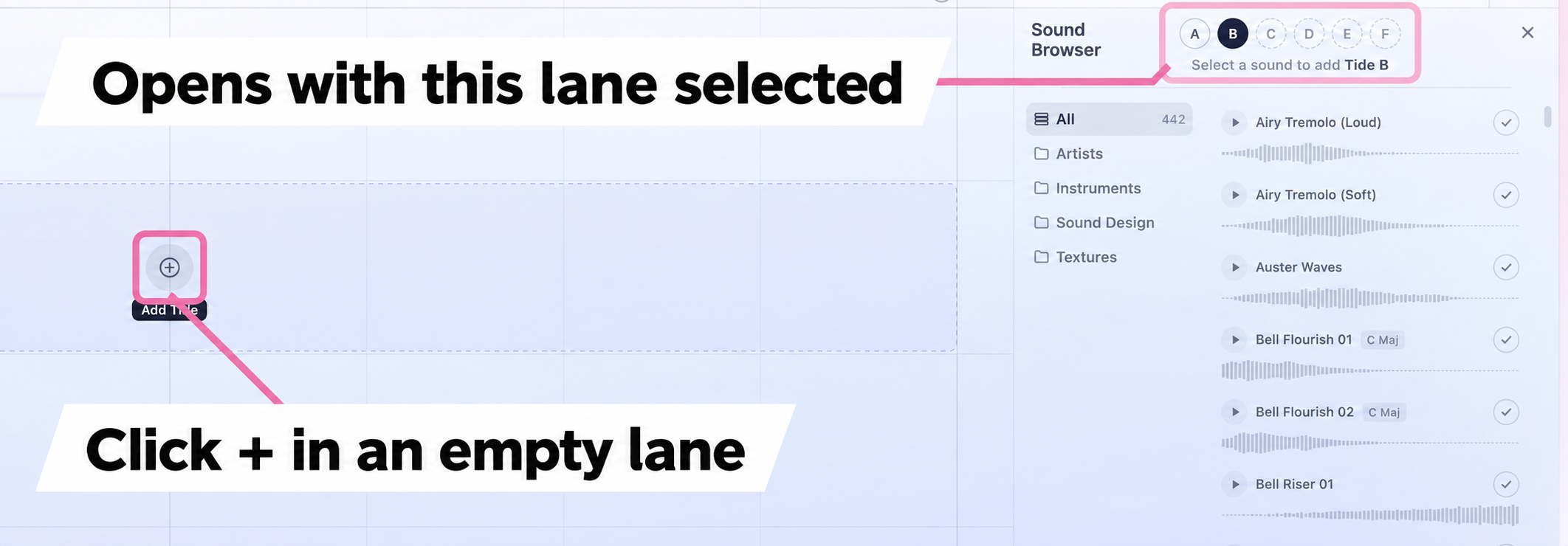
The library covers a wide range of material: multisampled strings, woodwinds and vocals; sound-design elements such as swells (sounds that gradually build), impacts, risers and downlifters; and foley, including environmental sounds and other noises.
You can filter by category and preview sounds as you browse, making it easy to find something that fits your idea.
Arrange sounds to create a loop
Tides' standout feature is that you can arrange sounds as you would in a DAW or sequencer, then play them with a single key.
The basic process is simple: load sounds into the lanes, then offset their timing.
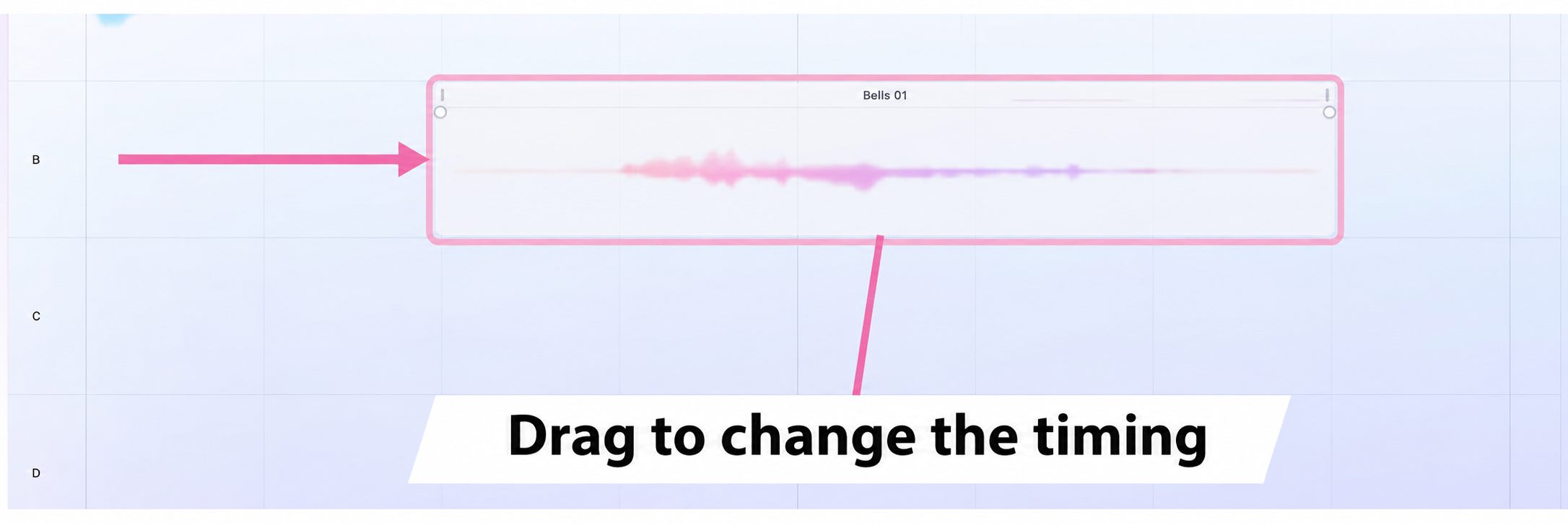
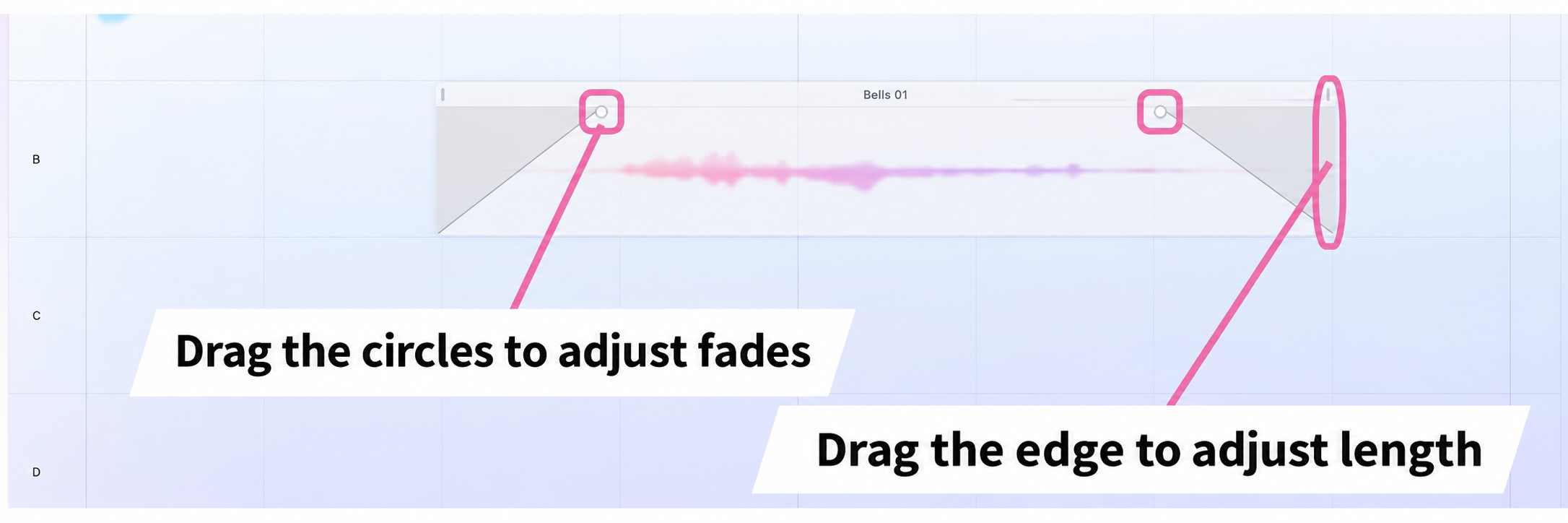
Press a key and each lane plays at that key's pitch, following the timing you have arranged.
Play a chord and the sounds in each lane play that chord too.
For example, offsetting layers of strings, harp and guitar plucks—short, plucked-string sounds—can produce a complex phrase from a single key.
Enable looping
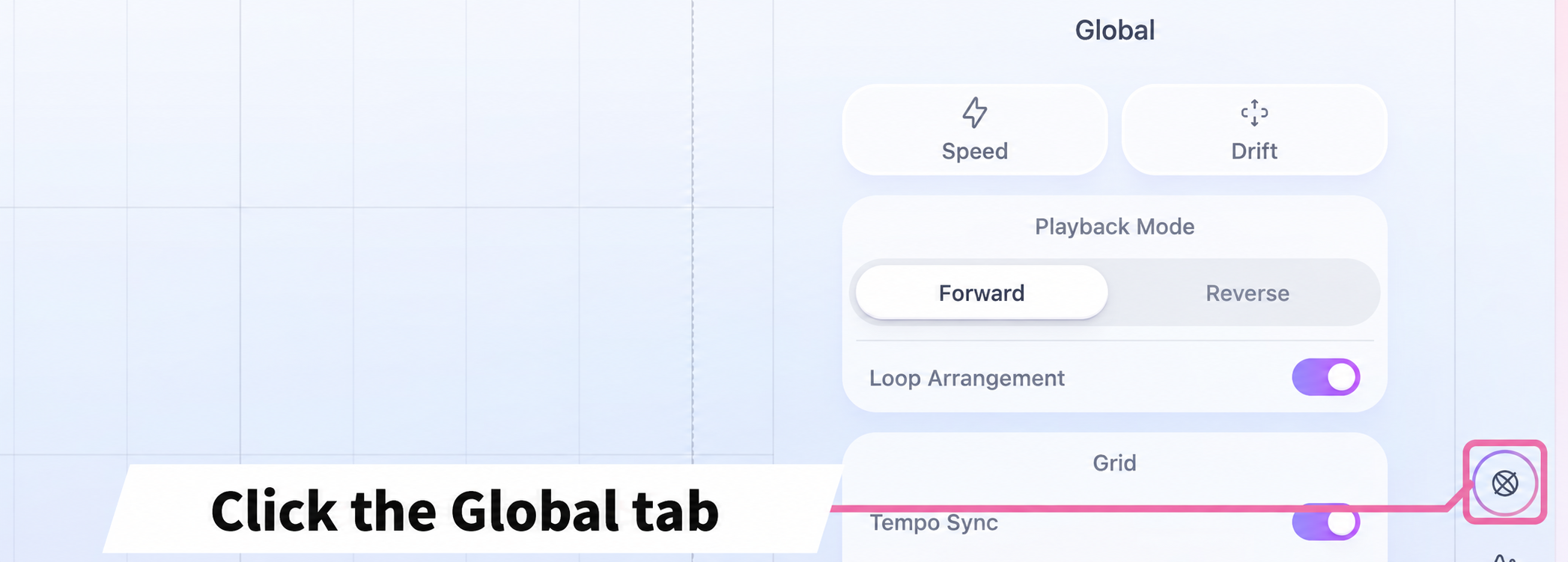
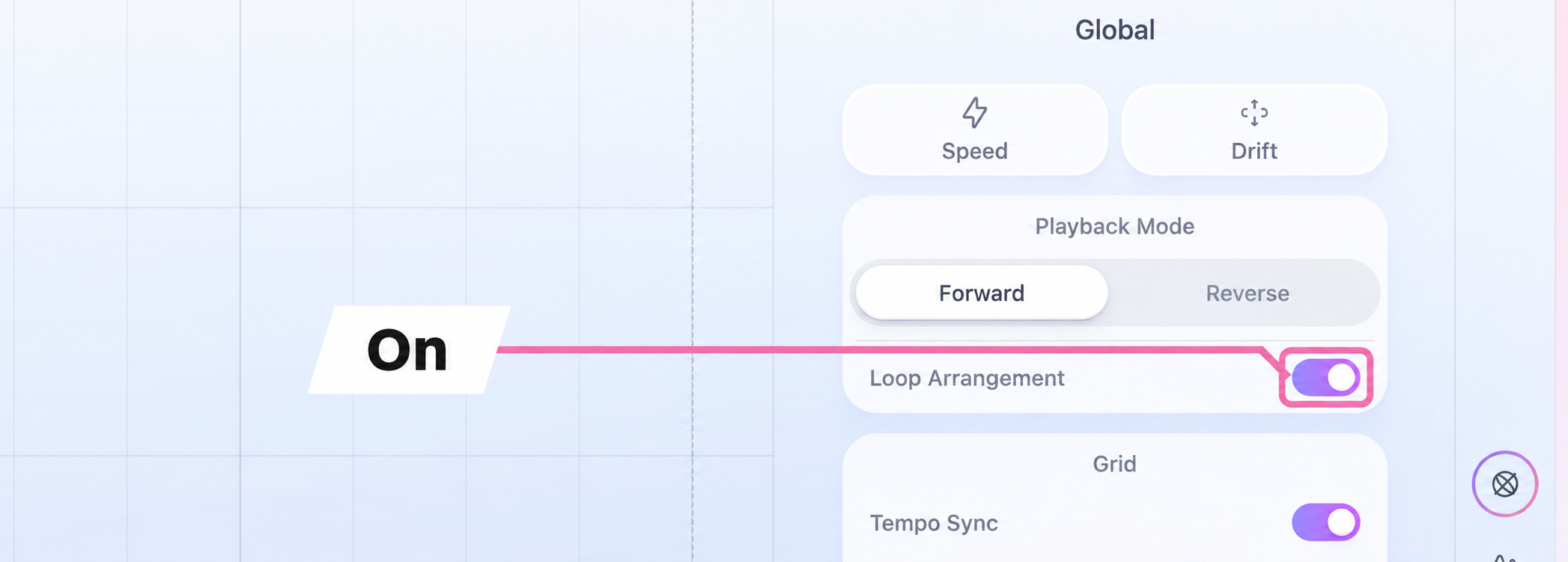
Turn on Loop Arrangement to make the arranged sounds loop repeatedly within a specified range.
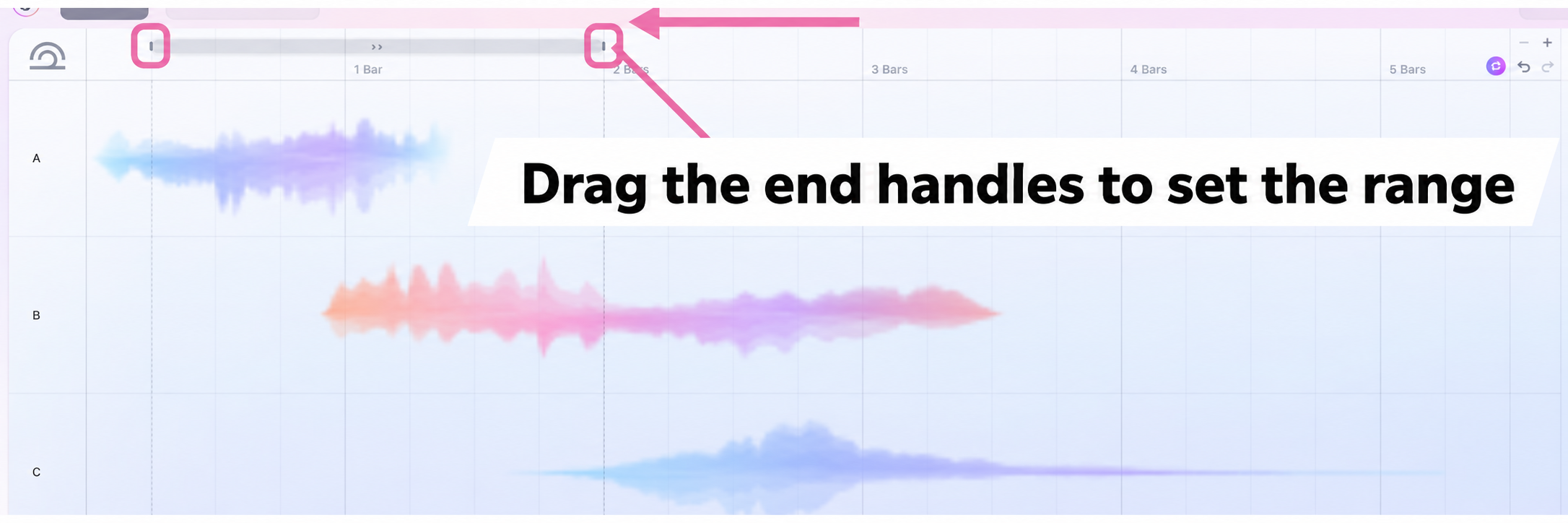
Building these complex layers and evolving sounds from scratch in a DAW can take time. In Tides, you can create them simply by arranging sounds freely in the lanes.
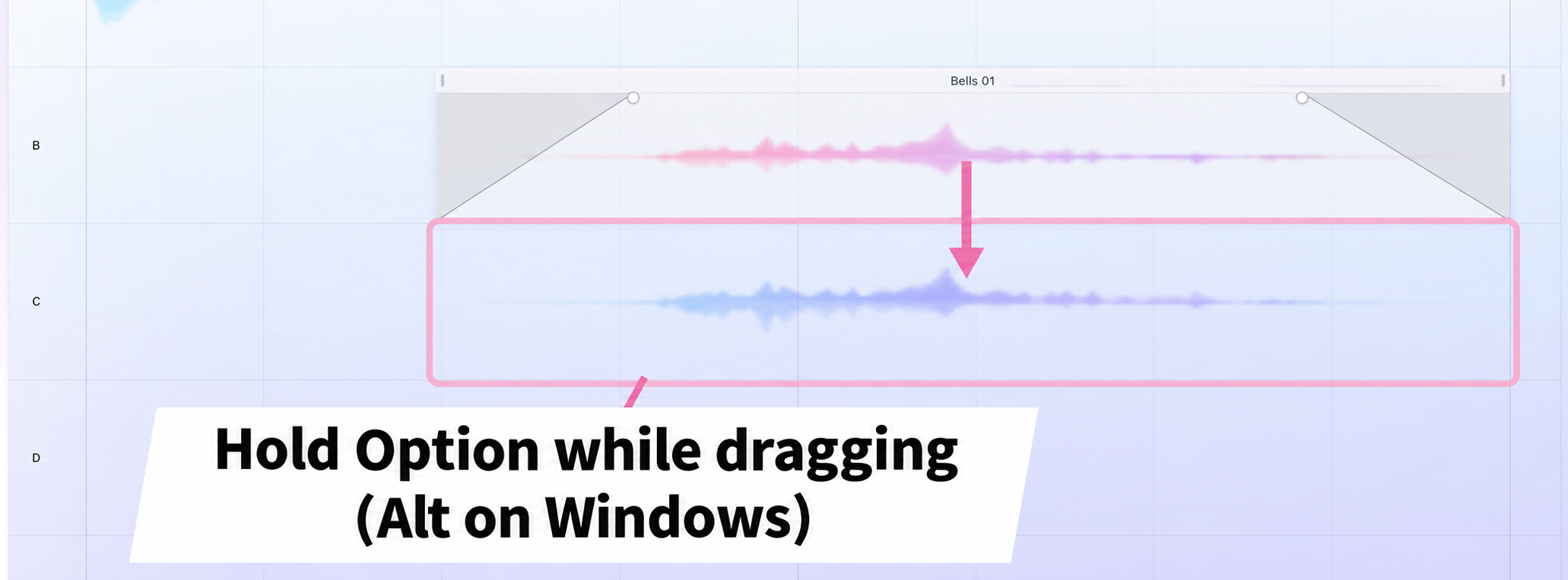
Duplicate a lane
Duplication is useful when you want to place the same material in another lane.
Shape the sound of each lane
Use the Tides tab to adjust individual lanes.
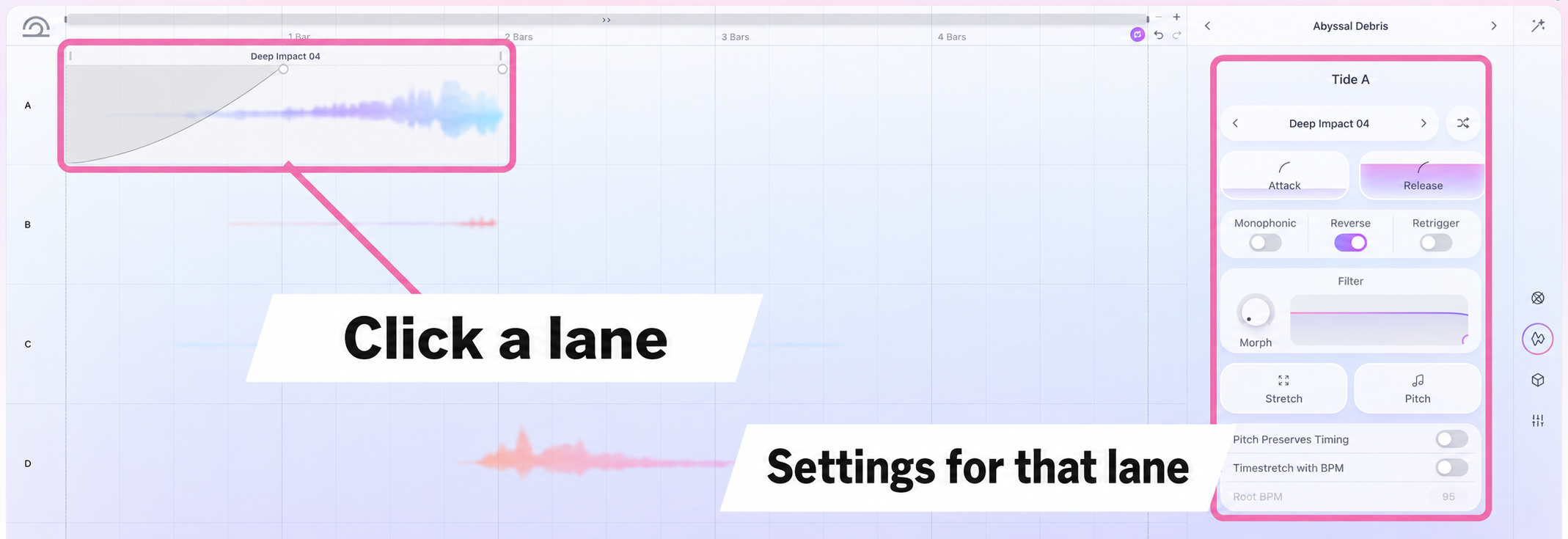
The Tides tab shows the settings for the selected lane, Tide A through Tide F.
Attack and Release shape the start and tail of the sound, and a filter is also available.
Monophonic and Retrigger change how sounds respond when you play chords.
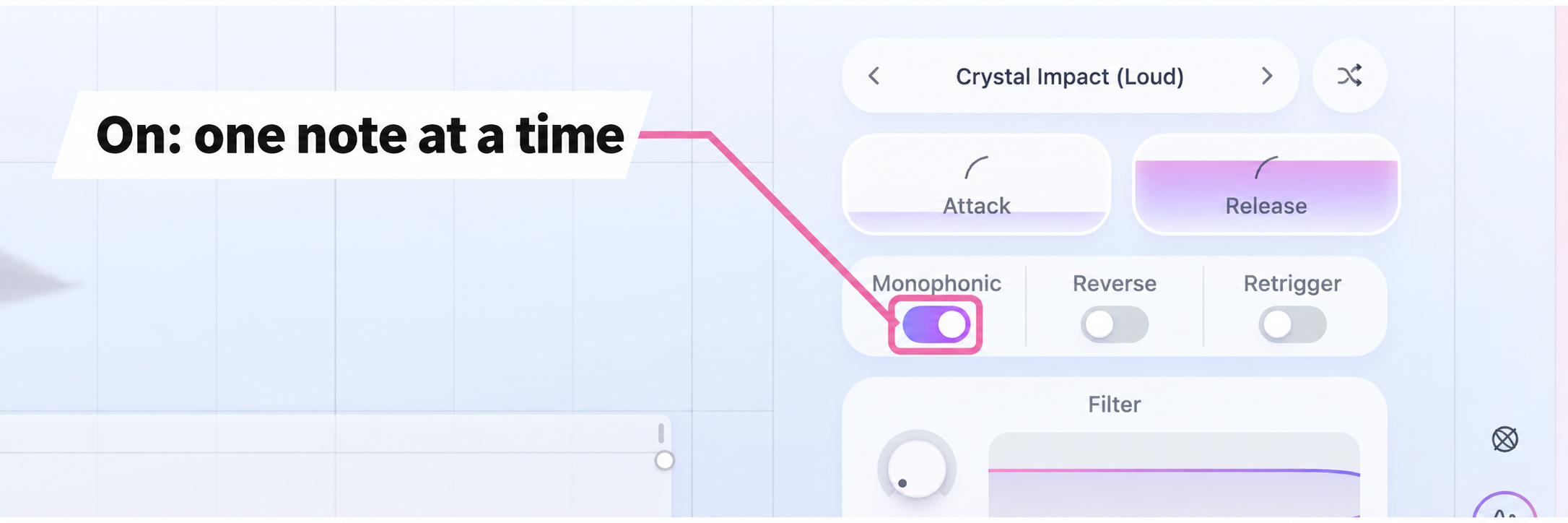
With it off, the sound layers for each note in the chord, producing a fuller texture.
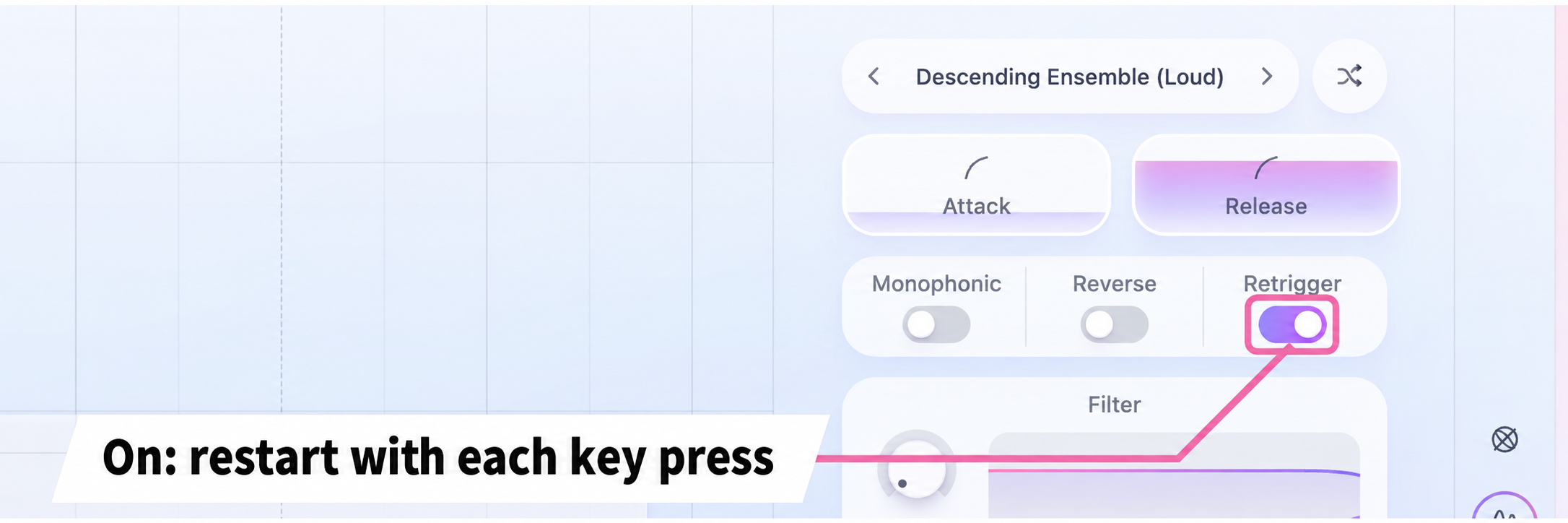
With it off, playing a chord does not trigger the sample again.
This is useful when you want an impact to sound just once.
Reverse playback
You can reverse individual lanes or the entire sequence.
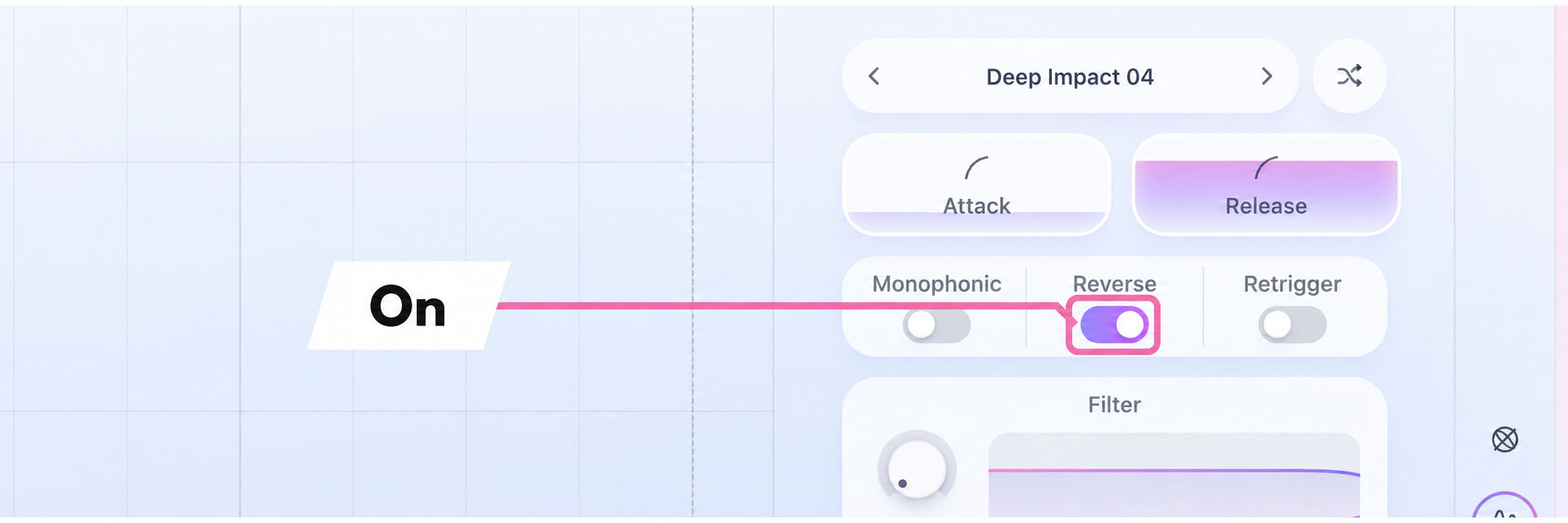
For example, duplicating a sound and reversing the copy can create a reversed layer that leads into the start of your loop.
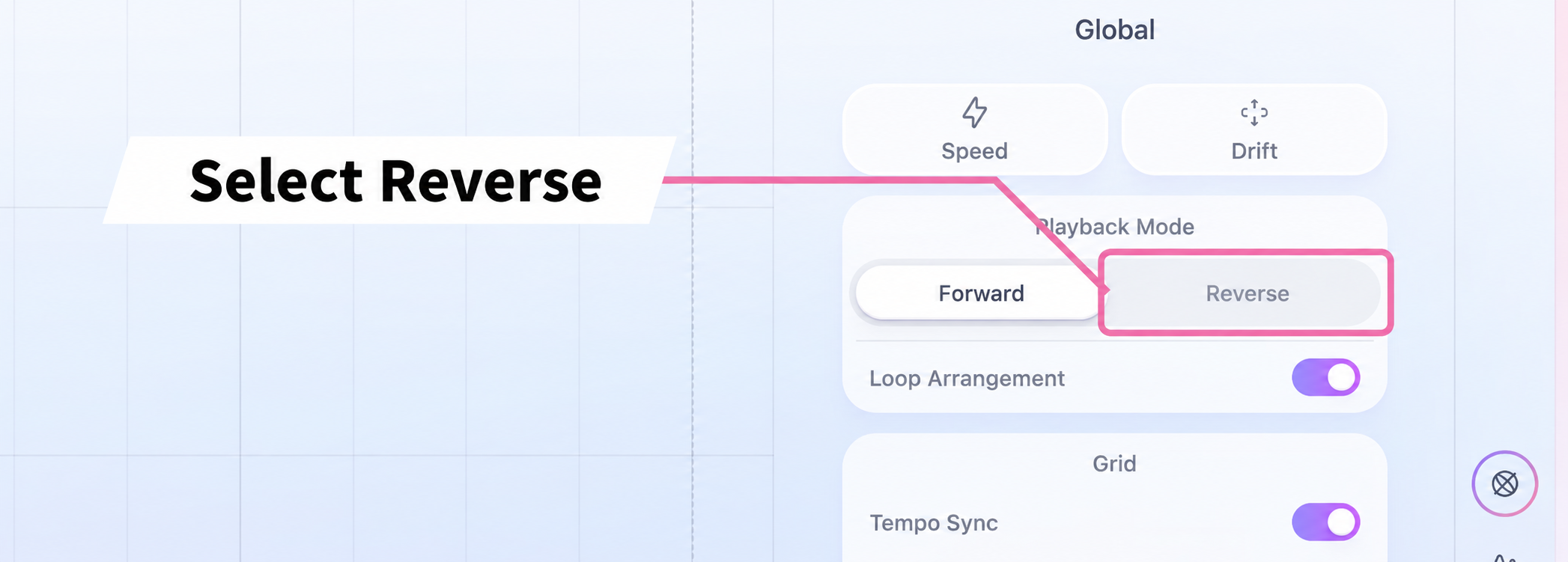
Tempo and timing variation
Tides' time-stretching—which changes a sound's length without changing its pitch—syncs to your DAW tempo.
This is particularly useful for risers, downlifters (descending effects) and impacts.
Time-stretching that follows the tempo
To stretch a sound in a lane, hold Shift while dragging it.
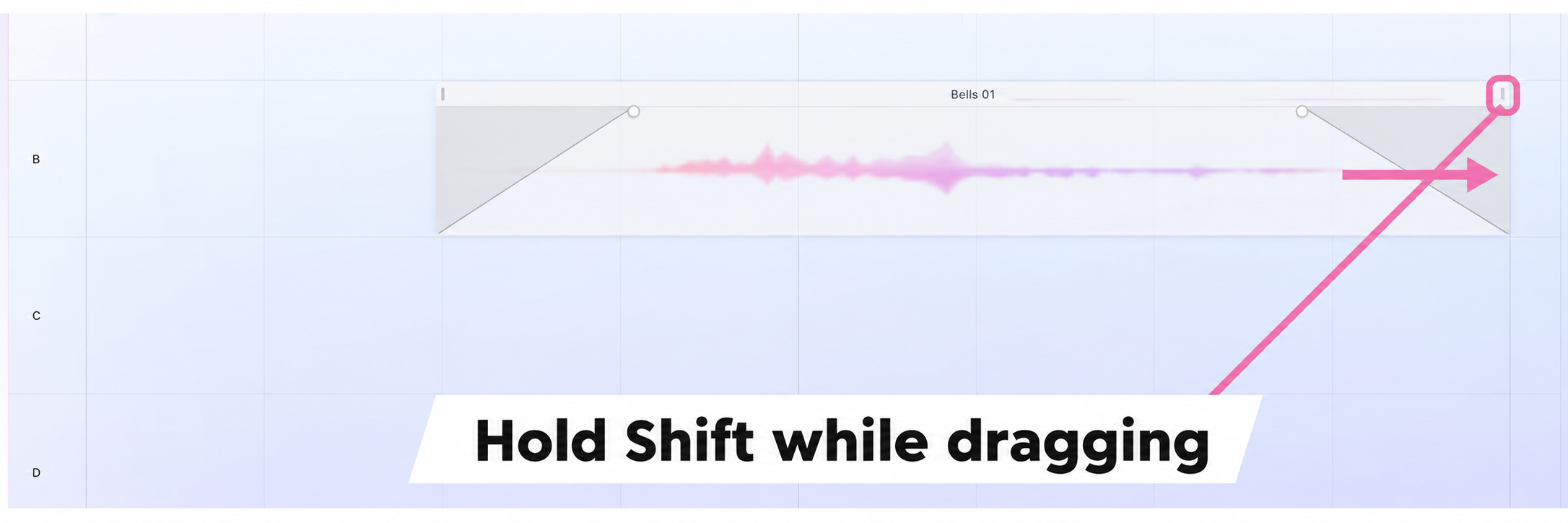
When you use Tides in your DAW, the stretched length is maintained in relation to the DAW tempo.
For example, an impact set up to play over one bar still fits into one bar when you change the tempo.
Play without tempo sync
You can also play sounds without syncing to the tempo.
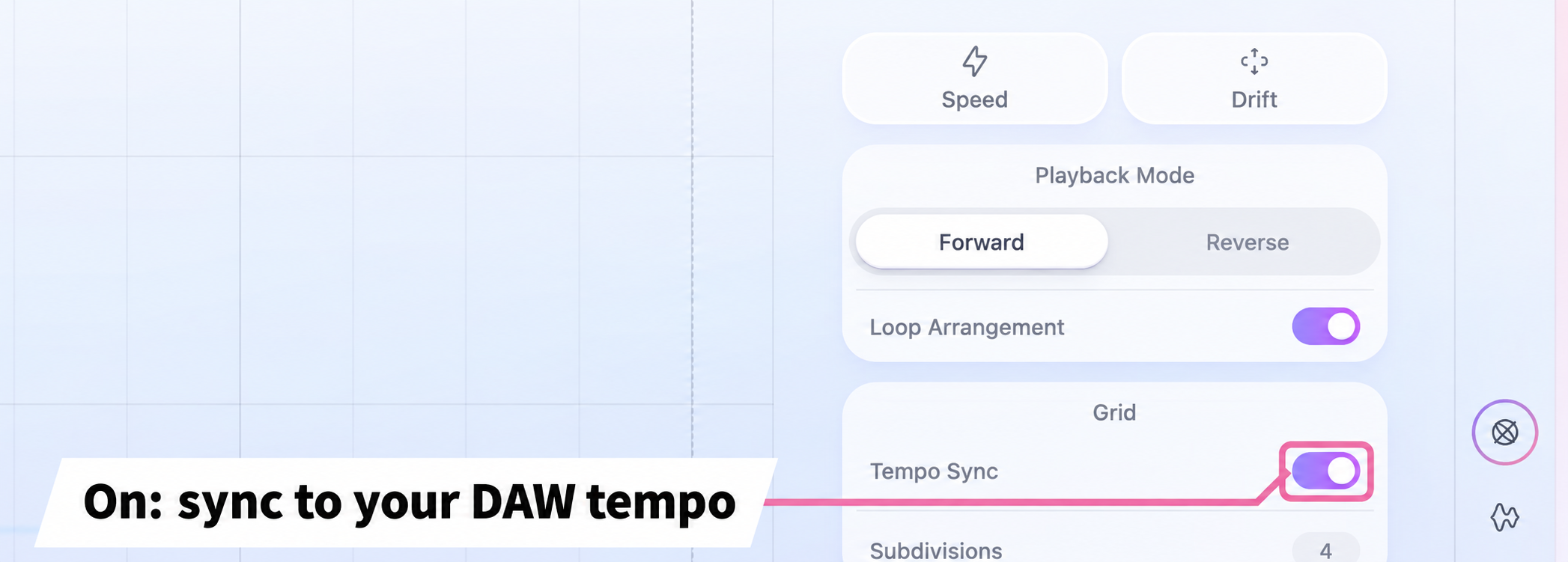
With it off, playback is measured in seconds rather than following the DAW tempo.
Speed and Drift
The Global tab also lets you adjust the speed and timing variation of the entire sequence.
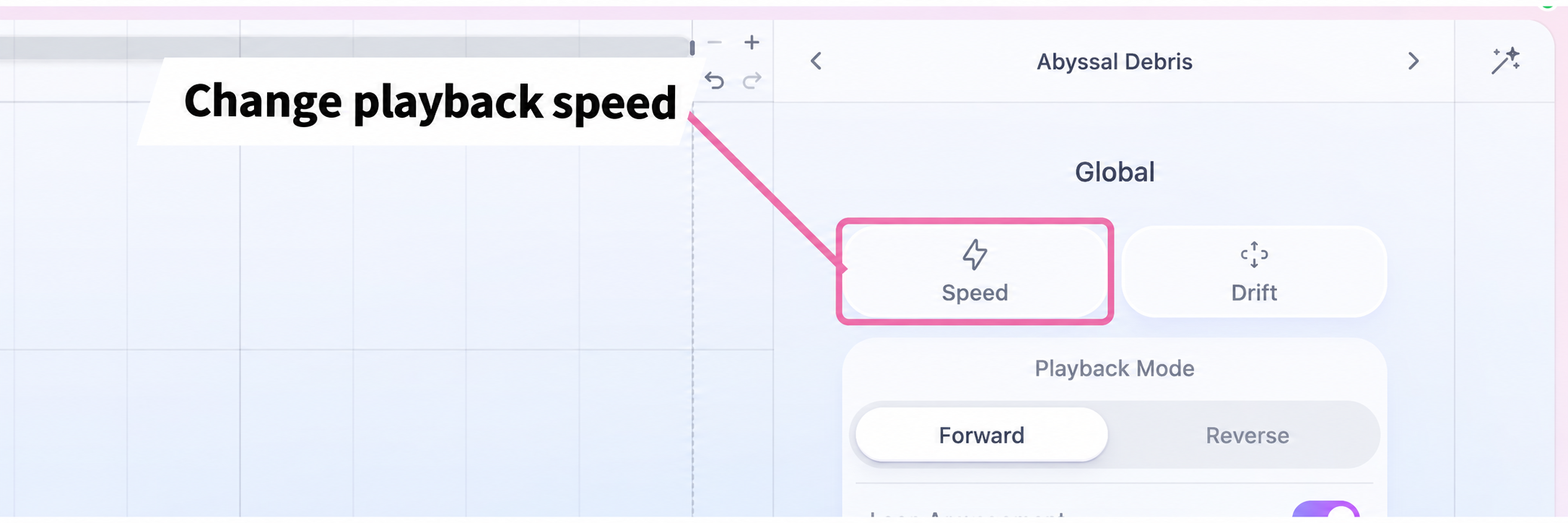
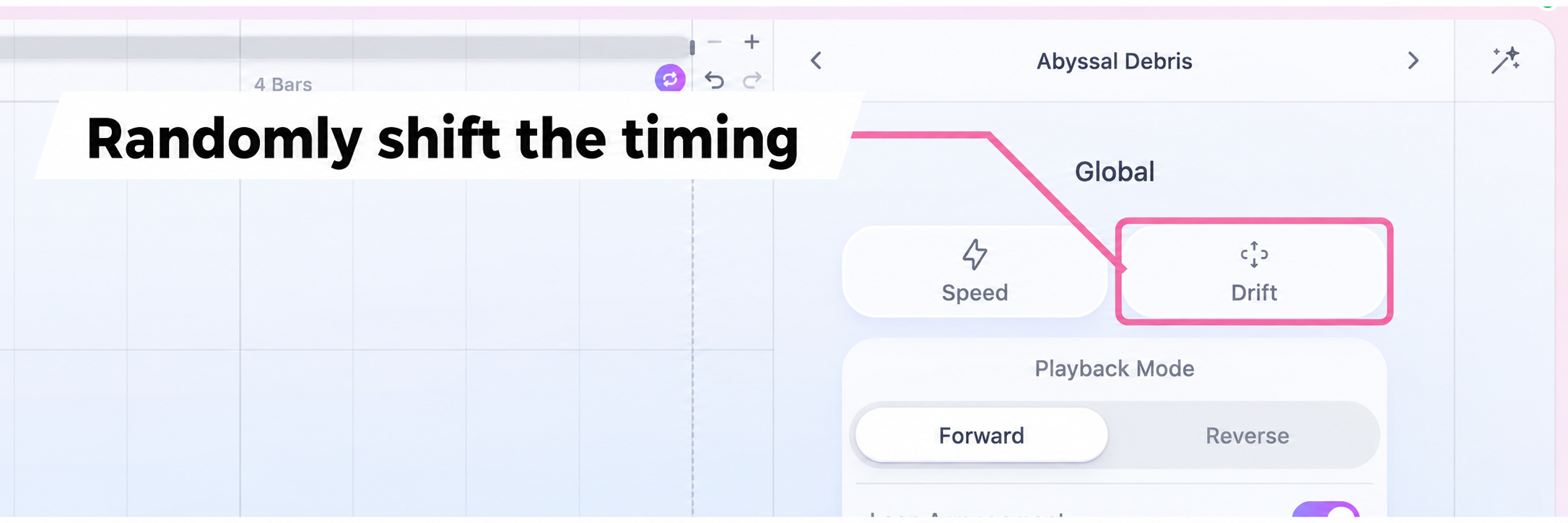
This loosens up rigidly aligned timing and adds natural variation.
Scale, effects and mixing
Tides also provides the finishing tools you need, including scale locking, effects and mixing.
Lock to a scale
Scale Lock in the Global tab locks the entire sequence to a scale.
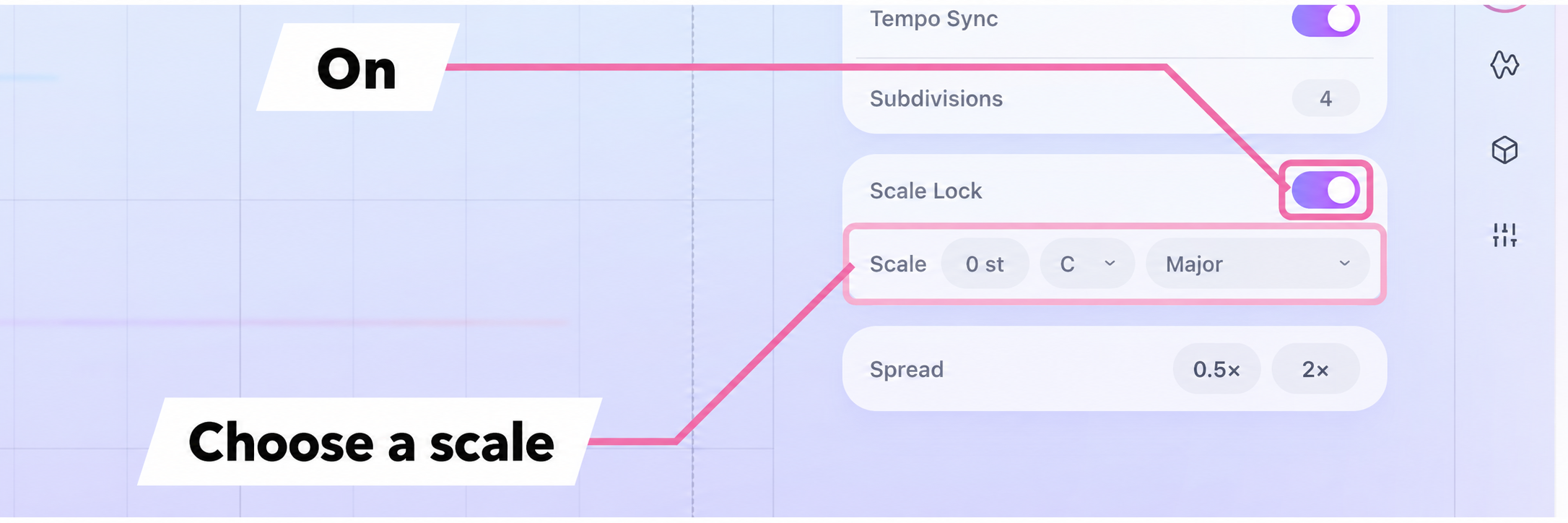
Even when layering pitched material, you can play without straying outside the scale.
Set it to match your song's key and the layered material stays in key as you play.
Effects
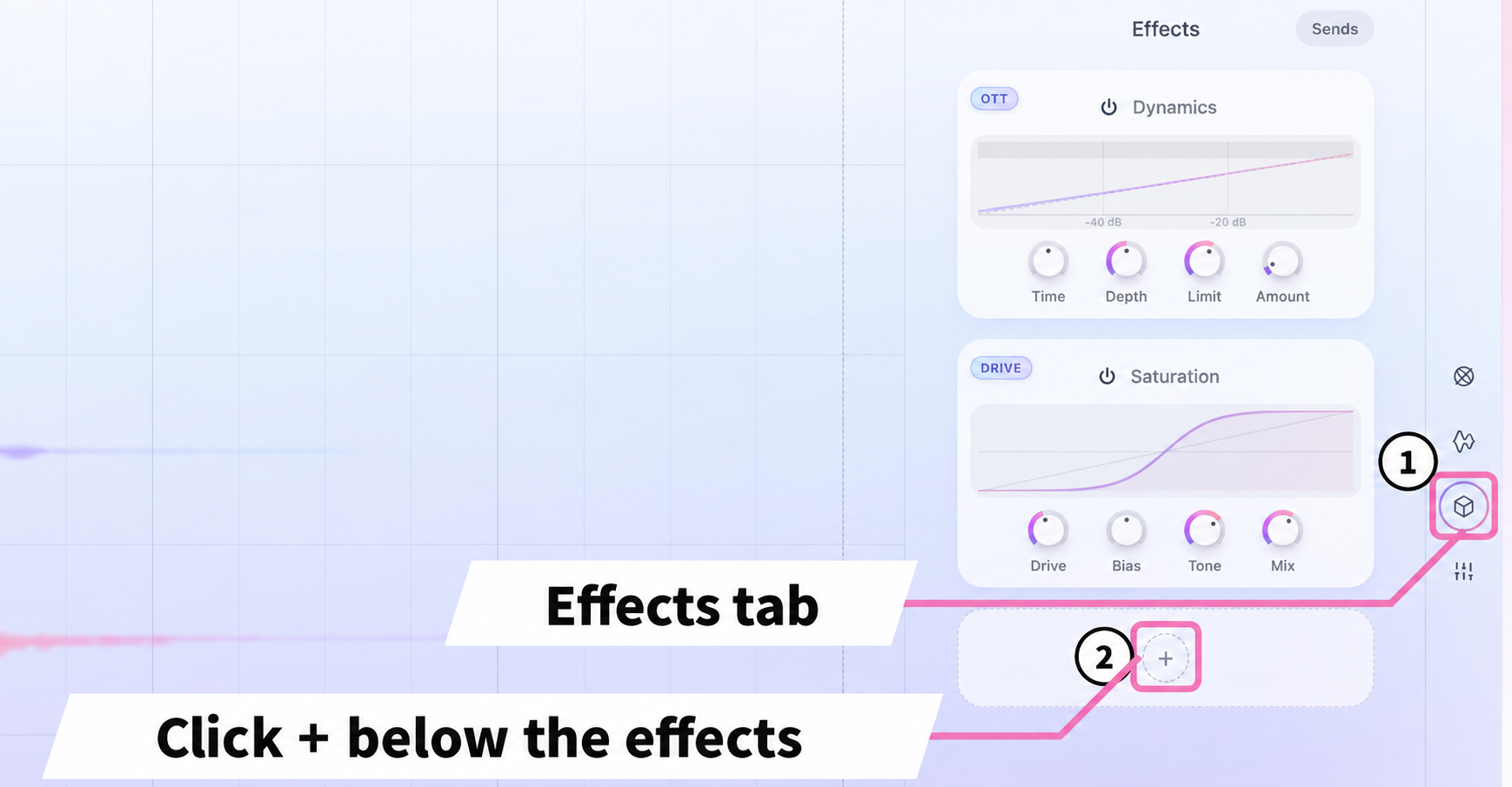
The Effects tab offers six effects: Reverb, Delay, Dynamics, Chorus, Saturation and EQ.
Some presets already include effects.
To add one, click + below the effects.
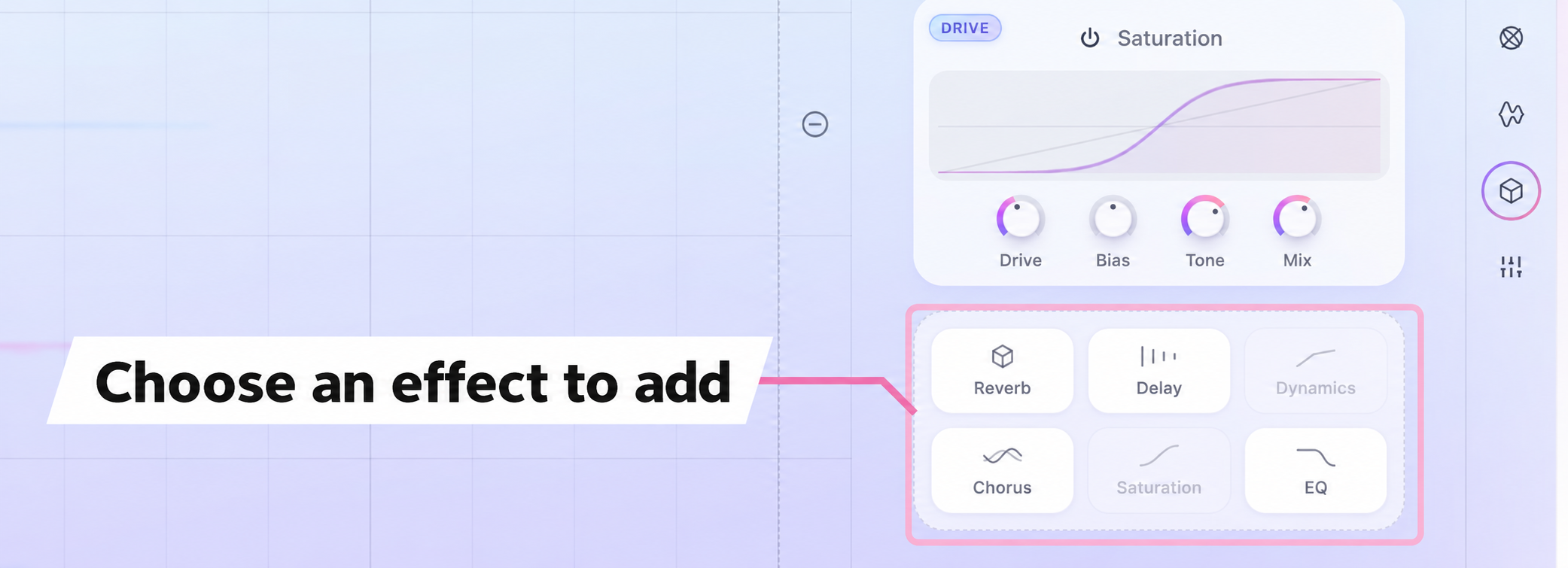
Effects already in use are grayed out in the list and cannot be selected.
You can adjust the type and send levels of the effects you add.
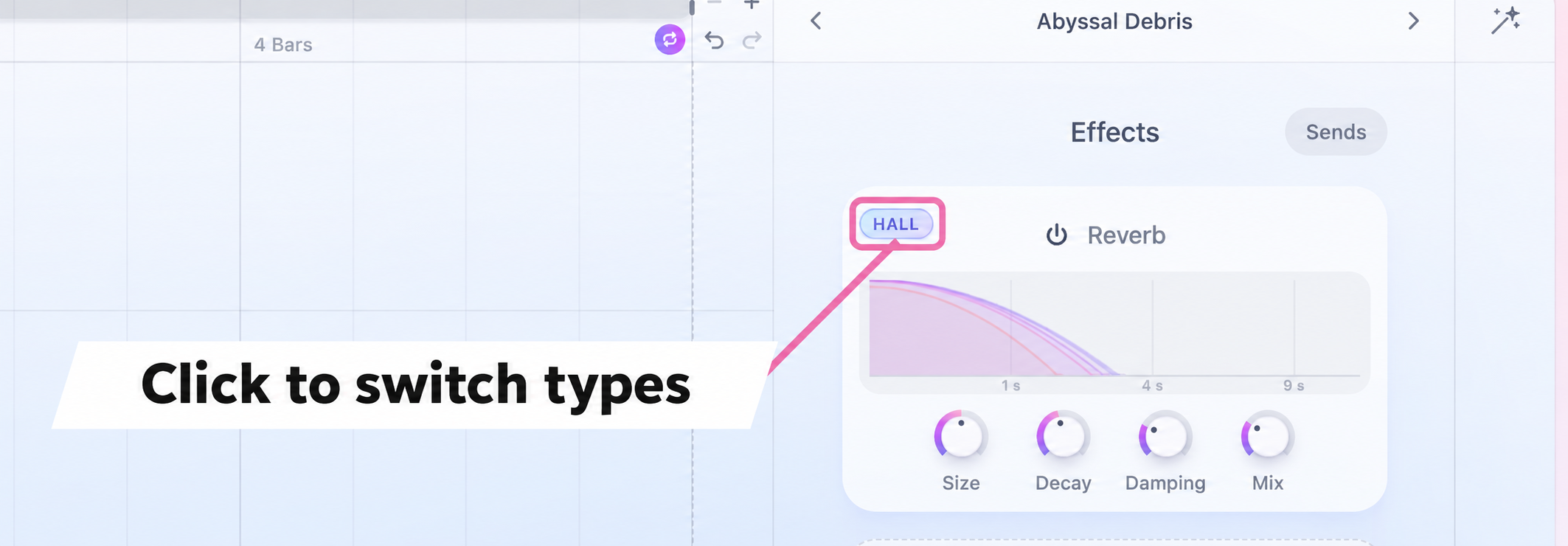
The reverb types are HALL, PLATE, SHIMMER and CONVOLVE. The latter provides convolution reverb, which uses the captured reverberation of a real space.
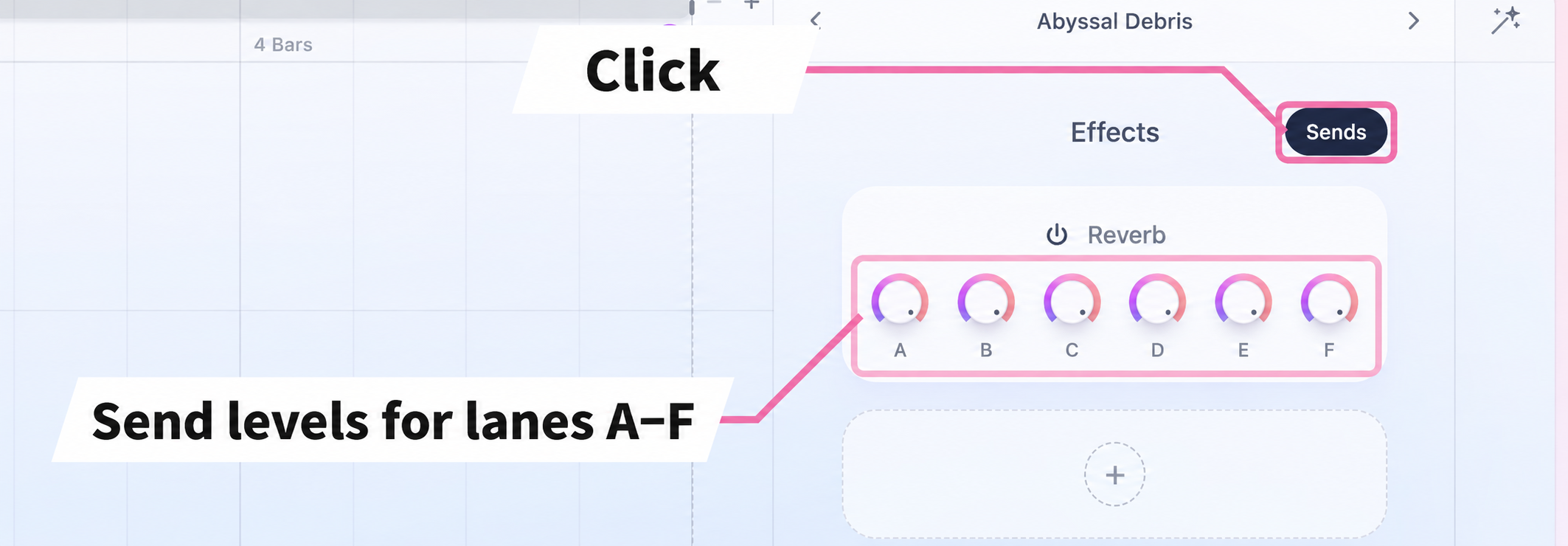
For example, you can apply plenty of reverb to a swell while keeping an impact dry.
Mixing and sidechain
The Mix tab provides volume, pan and sidechain settings for each lane.
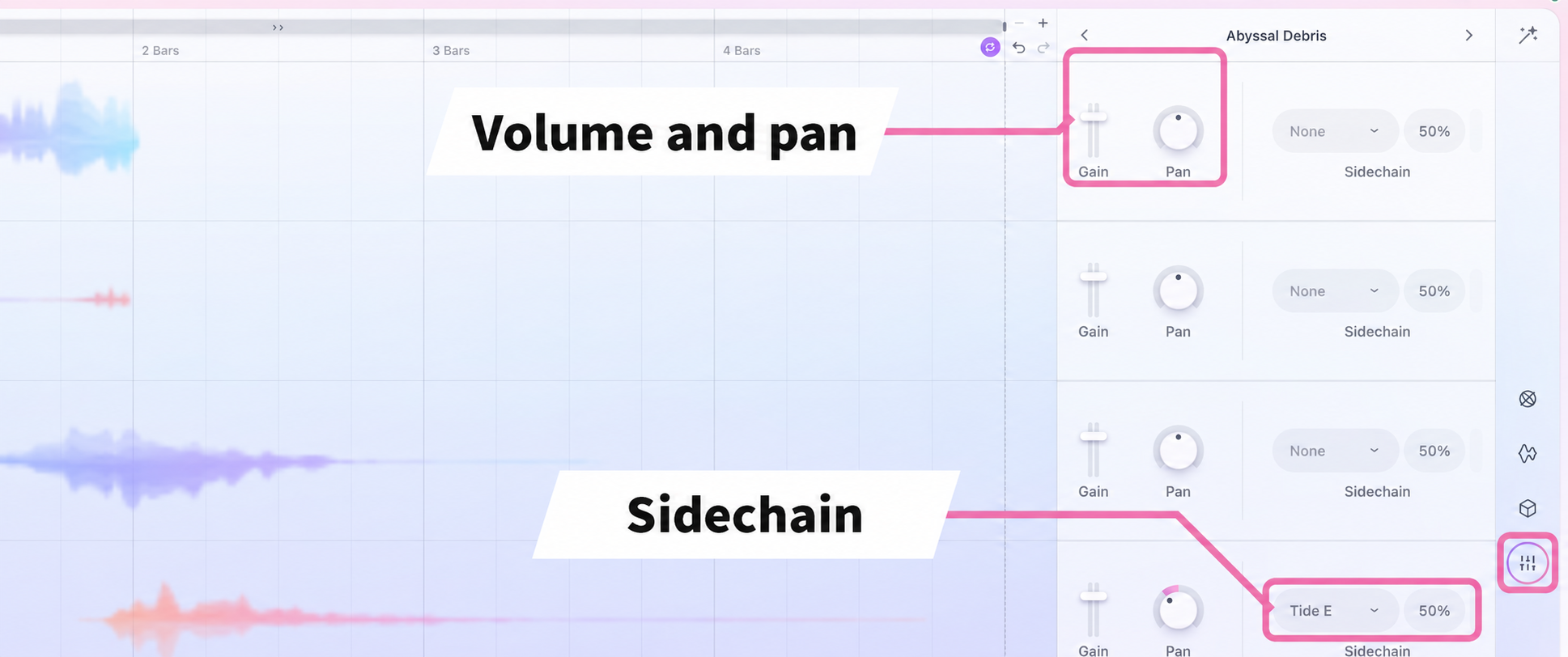
Sidechaining between lanes lets you do things like duck a swell in one lane when an impact plays in another, all within Tides.
Use and save presets
You can load the supplied presets or save your own sounds as presets.
A wide selection of presets
Tides comes with a wide selection of presets created by sound designers.
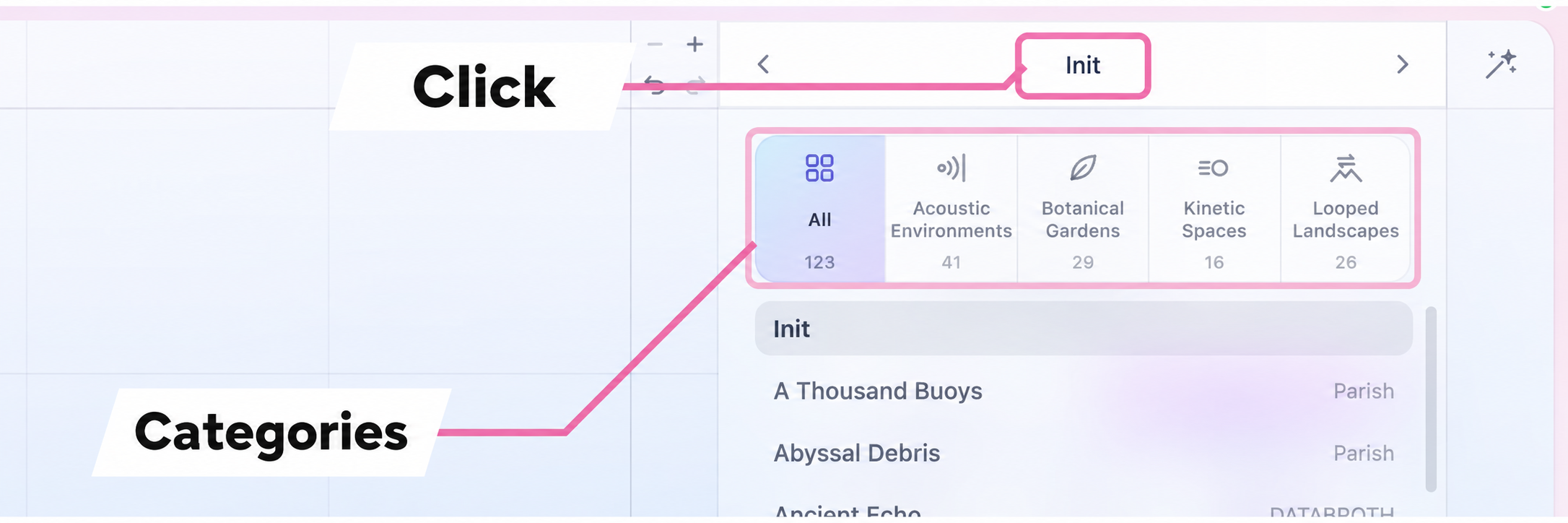
Presets go well beyond loops: there are rich pads, impacts that play when you press a key, and short plucked sequences that do not loop. How you use Tides can vary considerably from one preset to another.
You can also switch presets without opening the list.
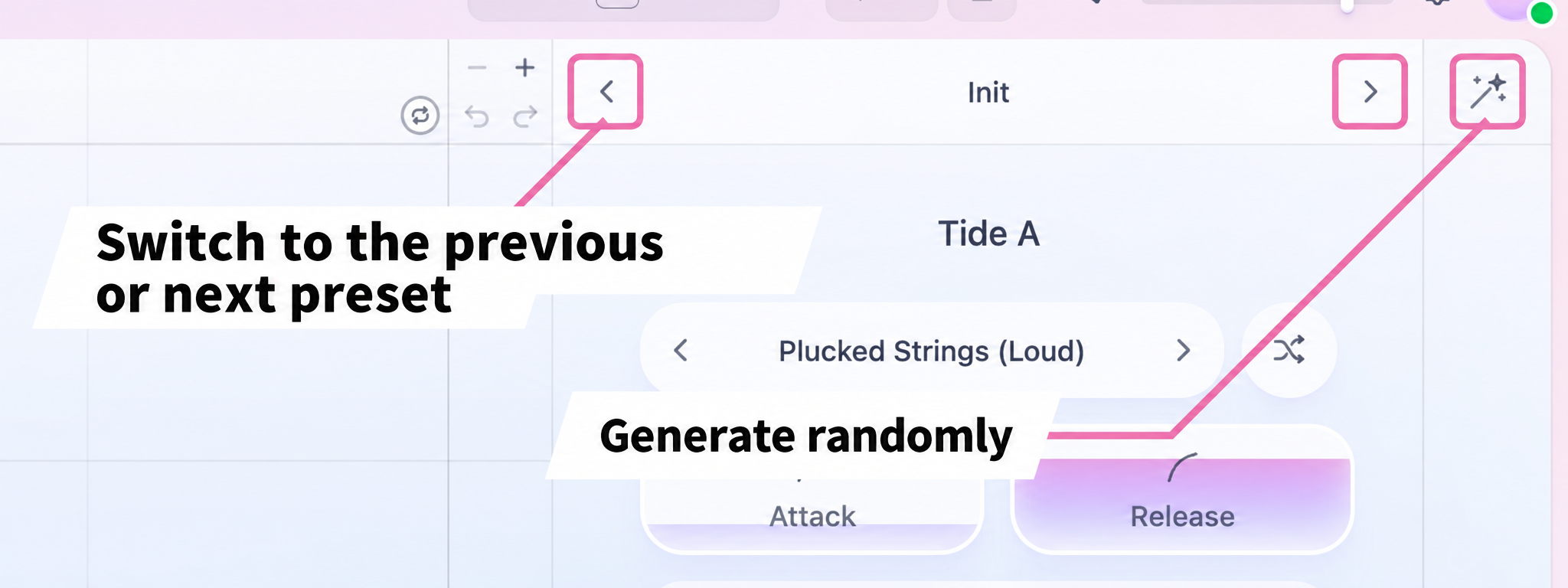
The arrows on either side of the preset name let you step through presets and compare them.
Click the Generate Preset wand icon at the top right to create a new preset from a random combination.
Save your sounds
You can export the sounds you create as presets.
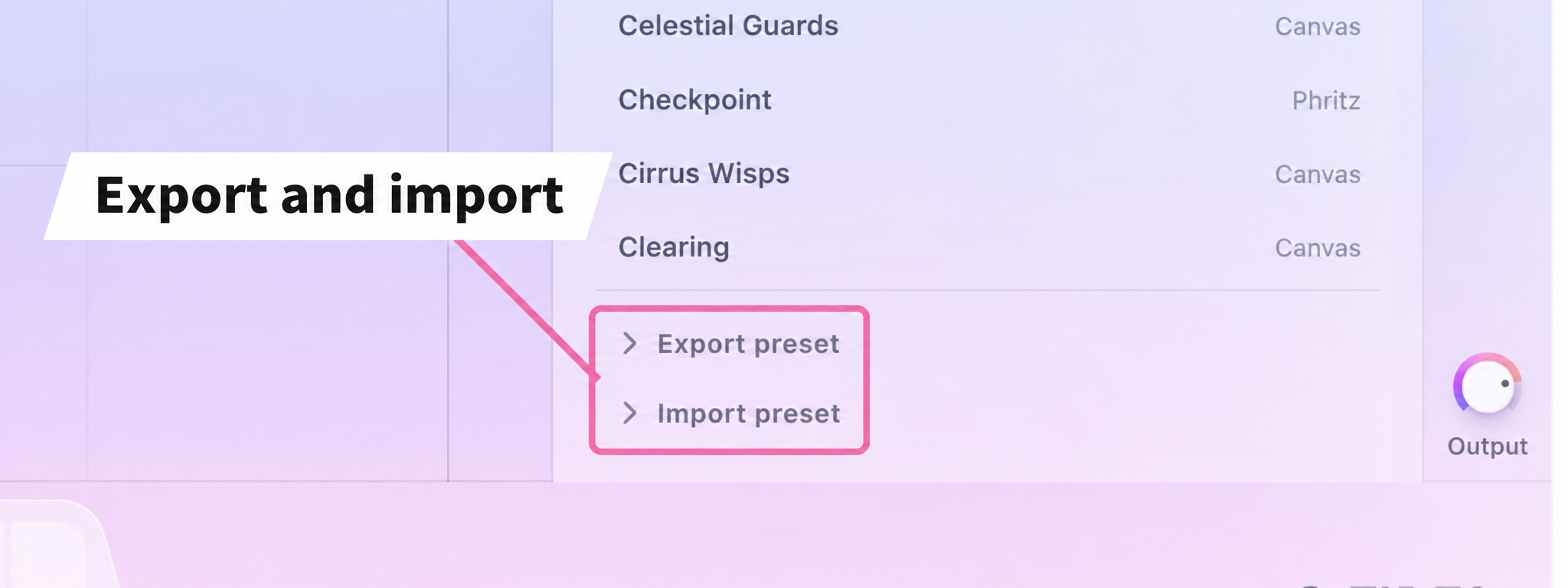
Export a preset and you can load it later to recall the same sound immediately.
Pricing
Tides normally costs $99, but during the October 16–November 1 sale, you can buy it for $49.
After using Tides, what appealed to me was how intuitively I could arrange sounds across six lanes to create distinctive loops and impacts.
Your arrangement becomes an instrument you can play from a keyboard. Being able to approach sound both vertically, by layering, and horizontally, by shaping it over time, feels refreshing.
You can try it in your browser too, so give it a listen.
Prices are as of October 2026.
Check the retailer's website for the latest pricing.
NEW ARTICLES
Latest English Articles