
In this article, guitarist Kenji Suzuki explains the basics of amp simulators and practical ways to shape guitar tones for music production. These plug-ins model real guitar amplifiers and let you adjust the sound freely after recording. Using AmpliTube 4, he demonstrates two tones commonly used across genres: a clean tone, with low Gain and higher Volume, and a crunch tone, with Gain raised moderately to find a setting that keeps chords from becoming muddy. The techniques can help both DAW beginners and experienced users develop their tone-shaping skills.
Hello, I'm Kenji Suzuki, a guitarist and guitar sound designer.
This is the first of three articles on shaping guitar amp tones.
I hope this series will be useful whether you have never used a real guitar amplifier or are struggling to get the sound you want from an amp simulator.
This time, we'll look at clean and crunch tones—two sounds used frequently across many genres.
What Is an Amp Simulator?
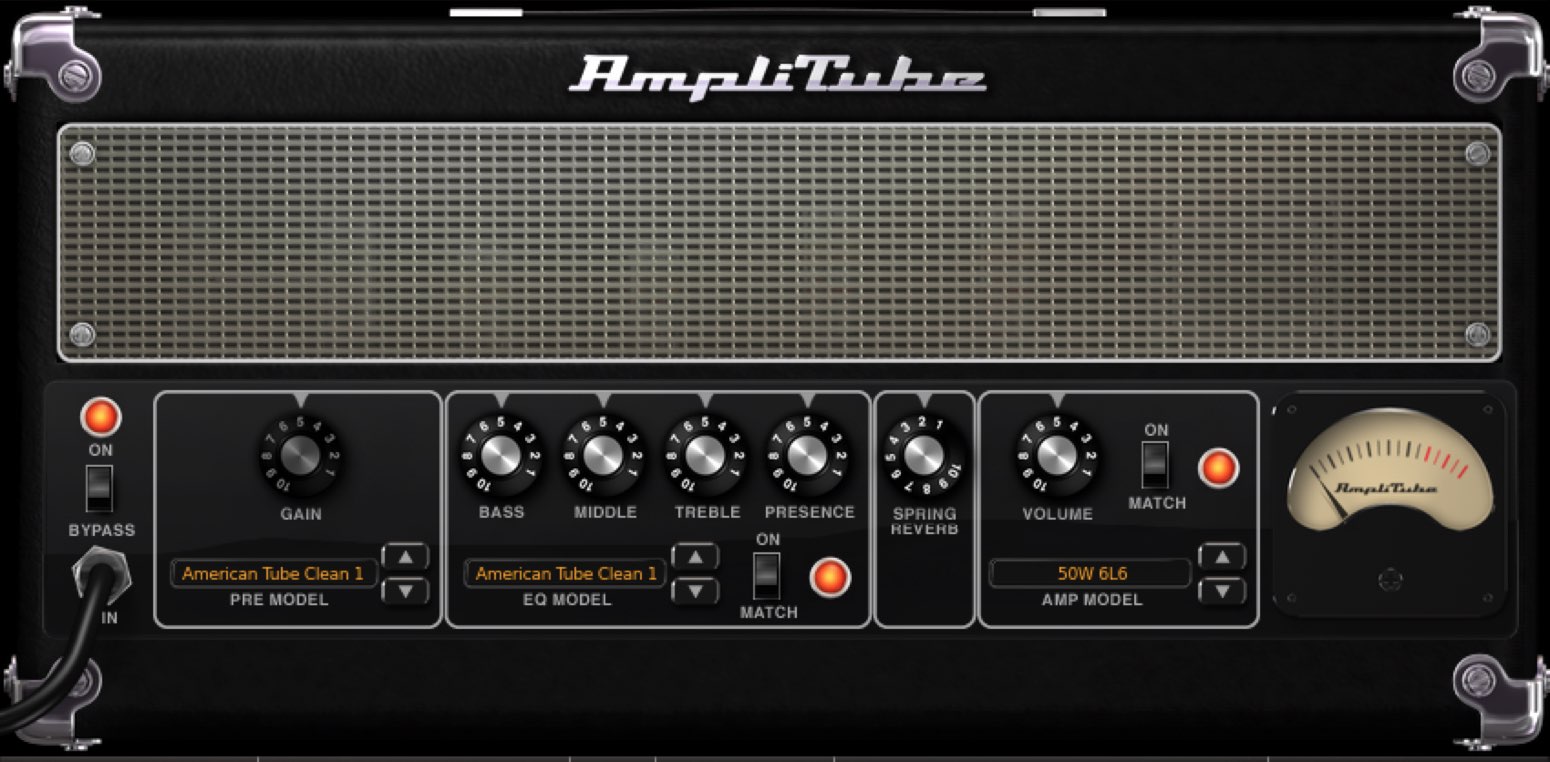
Let's start by understanding what an amp simulator does.
It is a plug-in that analyzes and models real guitar amplifiers to produce a sound like playing through an actual amp.
I recommend trying one not only if you play guitar, but also if you use software instruments without playing guitar yourself, as it can add realism to your sound.
An amp simulator lets you change the amp settings freely even after recording.
This flexibility is a major advantage: you can fine-tune the sound to fit the other tracks or adapt the tone to substantial changes in the arrangement.
For this tutorial, I'll use AmpliTube 4 from IK Multimedia.
You can apply the same approach to the amp simulators included with your DAW, too.
Shaping Guitar Tones with AmpliTube 4
- 1Guitar Amp Tone with Kenji Suzuki, Part 1: What Is an Amp Simulator?
- 2Guitar Amp Tone with Kenji Suzuki, Part 2: Creating Distortion Tones
- 3Guitar Amp Tone with Kenji Suzuki, Part 3: Creating Guitar Solo Tones
Creating a Clean Tone
As the name suggests, a clean tone is clear and free of distortion.
The first important step is to choose an amp suited to clean sounds.
Well-known examples include the Fender Twin Reverb and the Roland JC-120.
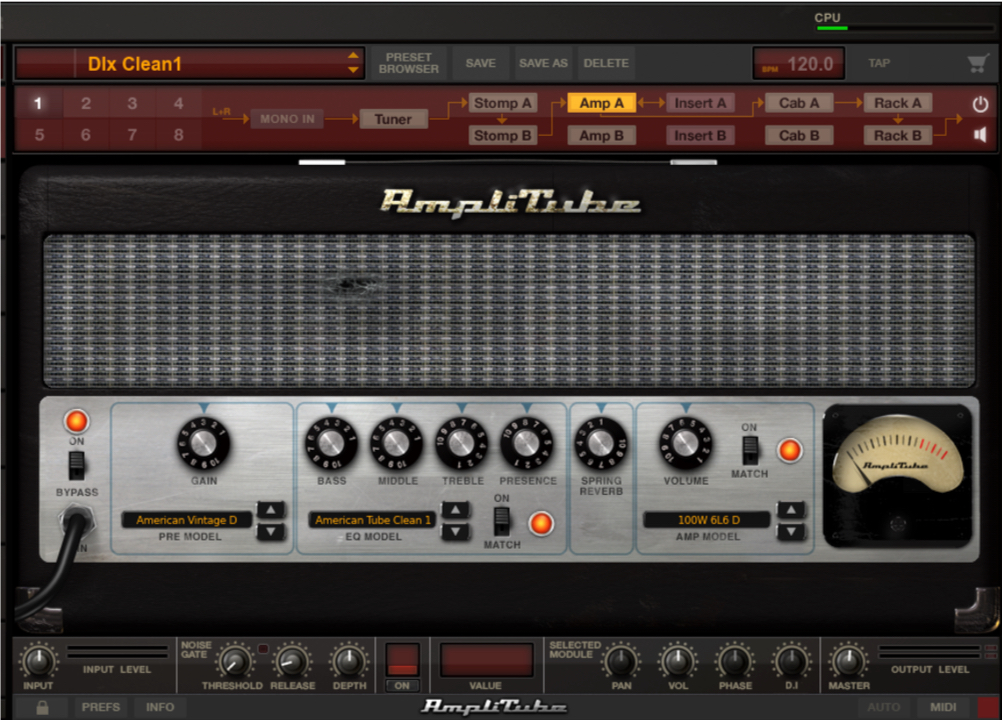
Here, I've chosen a model included in AmpliTube 4.
This type has two knobs that affect volume, labeled Gain and Volume.
We'll call this a two-volume-control design.
For this design, the basic approach to a clean tone is to set Gain low and Volume, which controls the overall level, higher.
*The Volume control may also be labeled Master.
Raising Gain increases distortion, but setting it too high can squash the sound.
Be especially careful not to overdo it when you want a clean tone.
The following controls are also common on many guitar amplifiers:
- BASS = low frequencies
- MIDDLE = midrange frequencies
- TREBLE = high frequencies
- PRESENCE = upper-frequency presence
Normally, you'll adjust these while listening to the sound. A useful starting point is to keep the settings around the midpoint, approximately 5, and in many cases it is best to avoid extreme settings.
Creating a Crunch Tone
Crunch is a distorted sound, but it is not the heavy distortion associated with high-gain guitar solos or metal power chords. Instead, it is a lighter overdrive suited to chordal backing and slightly bluesy lead playing.
Marshall and VOX are well-known examples of amps used for crunch tones.
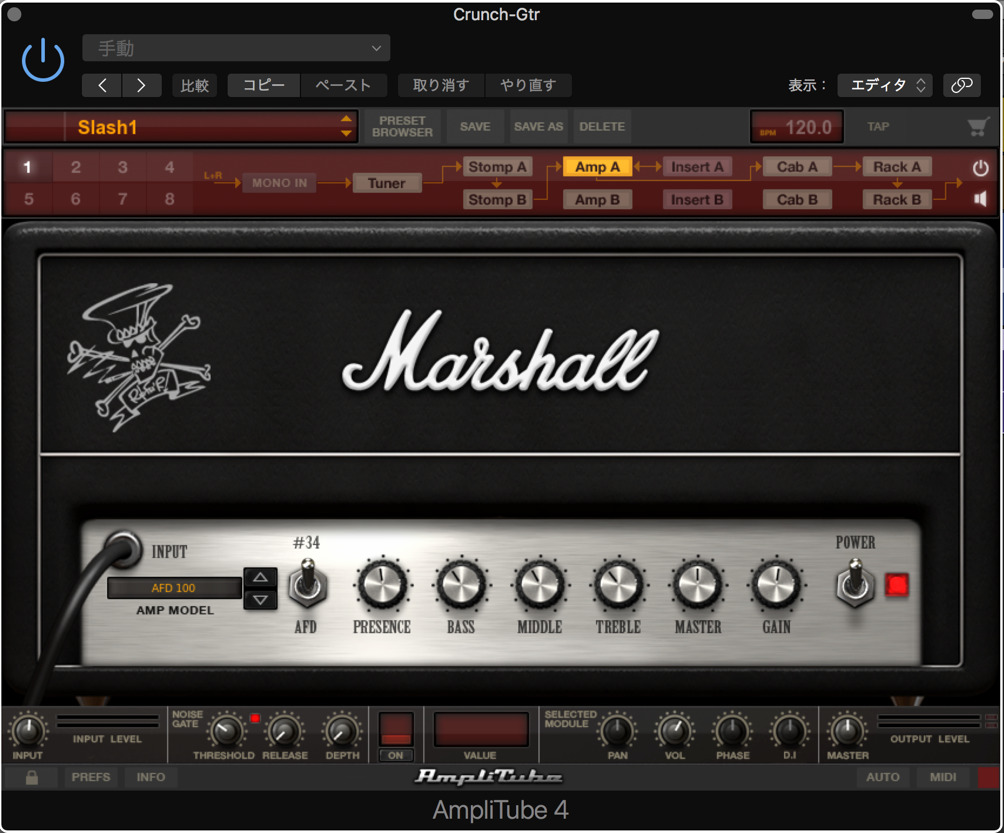
For this example, I've chosen a Marshall model that excels at a relatively rock-oriented crunch sound.
This amp is well suited to overdriven sounds, so even a small increase in Gain naturally adds distortion.
As demonstrated in the video, turn the knob while playing until you find the right amount of drive.
A useful guide is to keep the chords from sounding too muddy.
The MASTER knob lets you change the overall volume while retaining the character of the distortion in this setup.
Increasing BASS can make the sound more powerful, but too much may reduce its ability to cut through the mix, so take care not to overdo it.
In this article, we've used an amp simulator to create clean and crunch tones and explored some useful tips for shaping them.
Next time, we'll look at creating distortion tones.
Frequently Asked Questions
Q1. What are the advantages of using an amp simulator?
You can recreate the sound of a real amp with a digital plug-in without buying and setting up a physical guitar amplifier. Another major advantage is being able to change the amp settings after recording and adjust the tone flexibly to suit the other tracks.
Q2. What are some tips for creating a clean tone?
The basic approach in this example is to set Gain low and Volume higher. Start tone controls such as BASS, MIDDLE, TREBLE, and PRESENCE around their midpoint of 5, and avoid extreme settings as you work toward a natural, pleasing clean sound.
Q3. How does crunch differ from distortion?
Crunch is lighter overdrive, well suited to chordal backing and bluesy leads. The heavier distortion discussed here suits guitar solos and metal power chords. Choose the amp and amount of drive to fit the part you are playing.
Q4. How should I use Gain and Volume (Master) differently?
In the examples here, Gain controls the amount of distortion, while Volume adjusts the overall output level. For a clean tone, keep distortion to a minimum with Gain. For crunch, use Gain to get the desired amount of drive, then balance the volume with Master.
Q5. Can I apply this to the amp simulator included with my DAW?
Yes. These ideas are not limited to AmpliTube 4: the same basic principles can be applied to amp simulators in major DAWs such as Logic Pro, Cubase, and Studio One. The basic approach to their controls is similar.
NEW ARTICLES
Latest English Articles




















































































































































































































































































































