
KOMPLETE KONTROL version 1.6.2 introduced integration with Apple’s GarageBand and Logic, including transport controls for playback, stop, loop and recording. It also improved preset browsing on the Clear View displays and added arpeggiator parameters including Retrigger, Repeat and Offset. A RANGE feature lets players specify which notes use the arpeggiator. This article describes the 2016 update and its workflow.
Improved Logic Integration and Arpeggiator Features
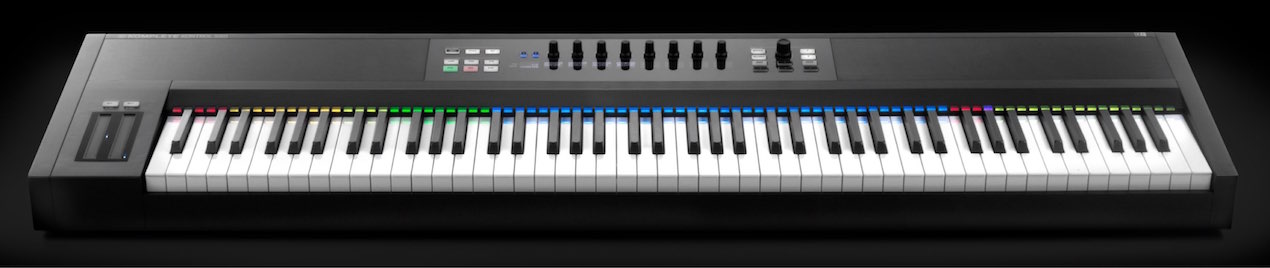
KOMPLETE KONTROL version 1.6.2 improved integration with Apple’s GarageBand and Logic
as well as preset browsing.
The arpeggiator gained several parameters
for more complex control.
- 1Product Overview
- 2Browsing
- 3Light Guide and Clear View Displays
- 4Scale Features
- 5Chord Features
- 6Arpeggiator Features
- 7Automation and MIDI Mode
- 8Komplete Kontrol 1.1: New Features
- 9KOMPLETE KONTROL 1.5: New Features
- 10KOMPLETE KONTROL 1.6.2: New Features
- 11KOMPLETE KONTROL 1.9.3: A More Comfortable Workflow with DAW Control
- 12Komplete Kontrol 1.9.3: Host Integration in Cubase
- 13KOMPLETE KONTROL 2.0: NKS FX
- 14MASCHINE / KOMPLETE KONTROL Favorites
How to Update to KOMPLETE KONTROL 1.6.2
At the time, the update was available to the entire Komplete Kontrol series.

First, launch Service Center.
- Mac: System drive → Applications → Native Instruments
- Windows: C drive → Program Files → Native Instruments
Service Center was located in these folders.
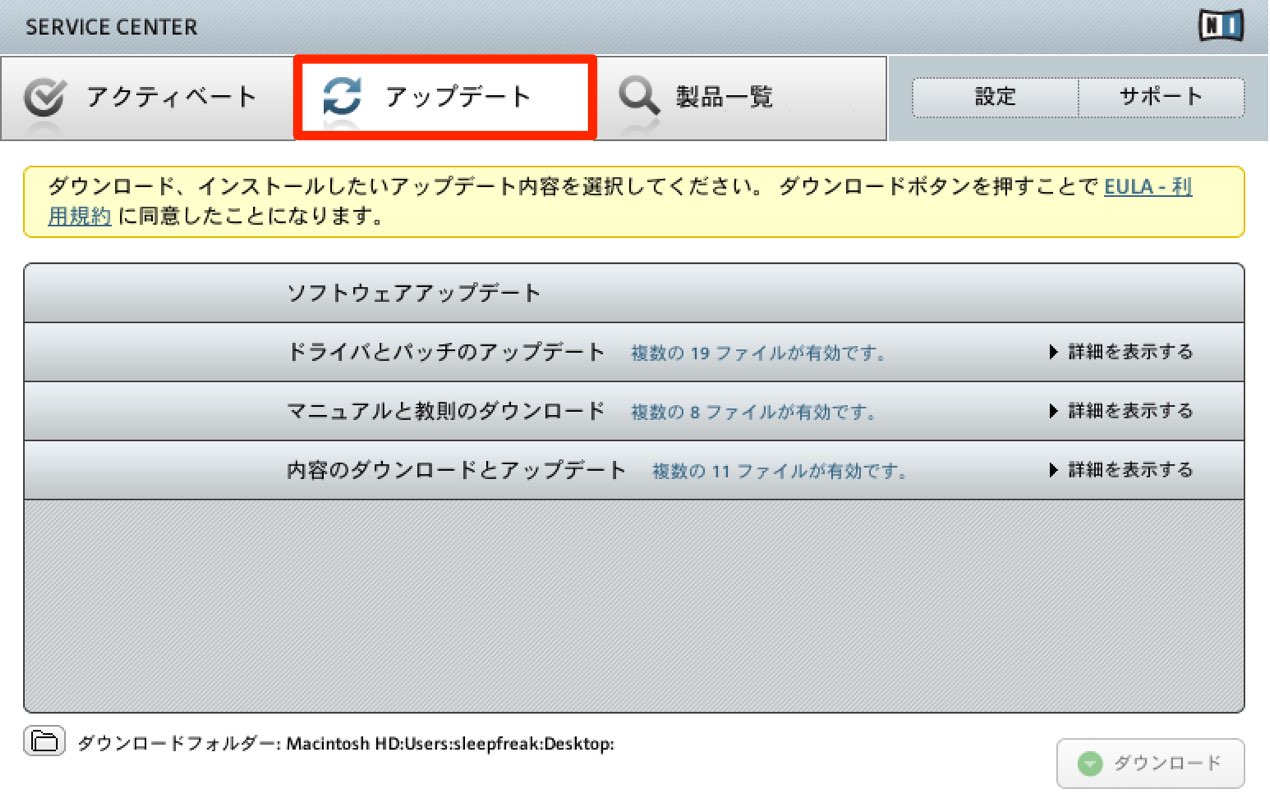
It appeared under Updates; download and install it to complete the update. These instructions describe the historical Service Center workflow.
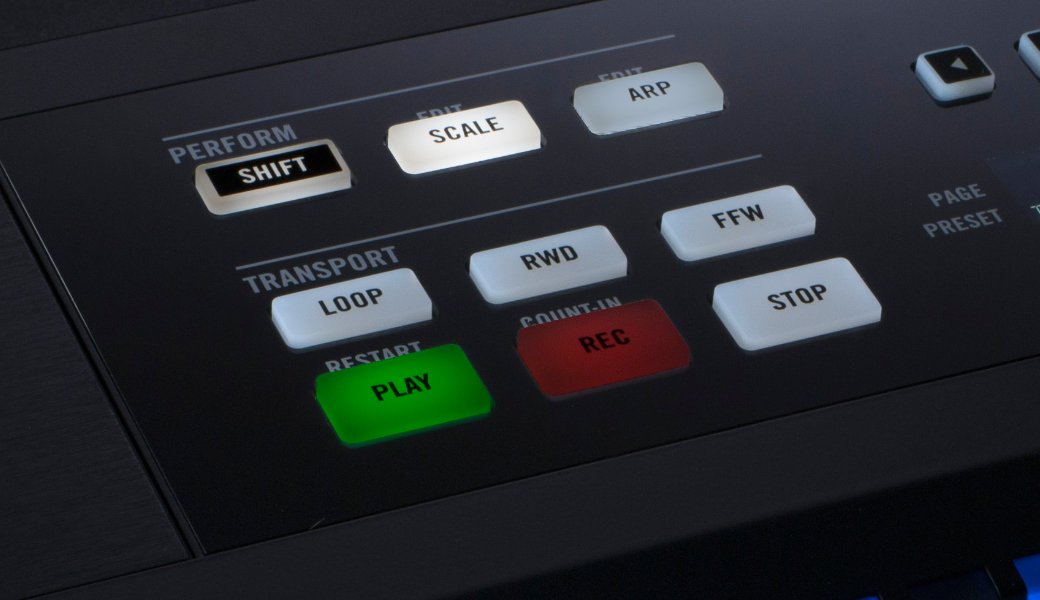
The transport section, including playback, stop, loop and recording,
was integrated with GarageBand and Logic.
Transport controls could be used without special setup.
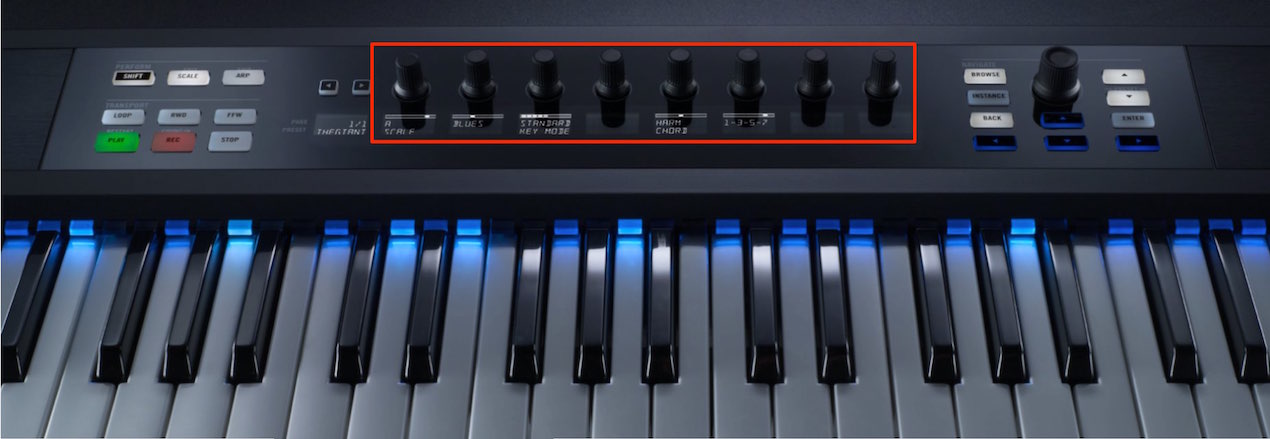
You can view Komplete and other sound presets on the Clear View displays
and load them from there.
This feature requires configuration.
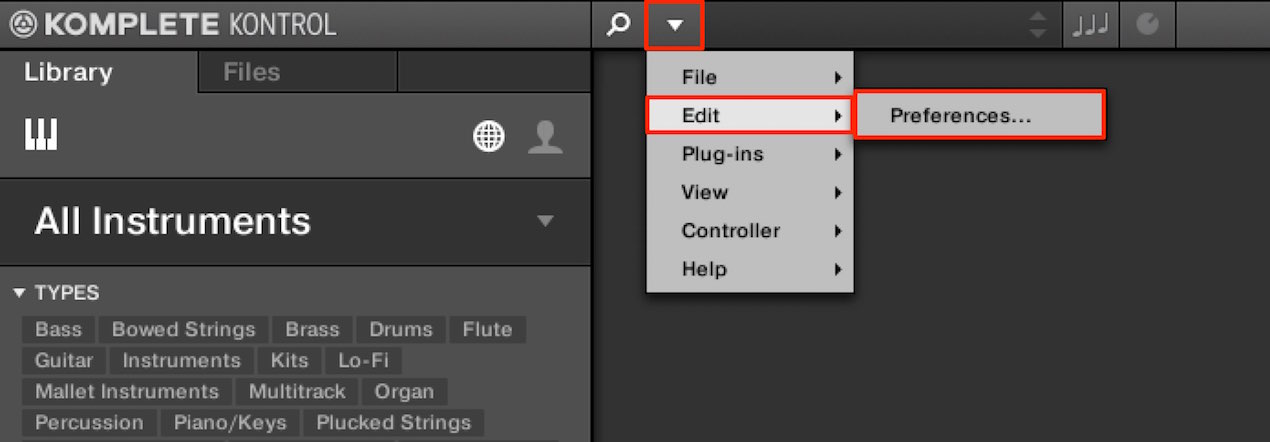
Select Edit → Preferences.
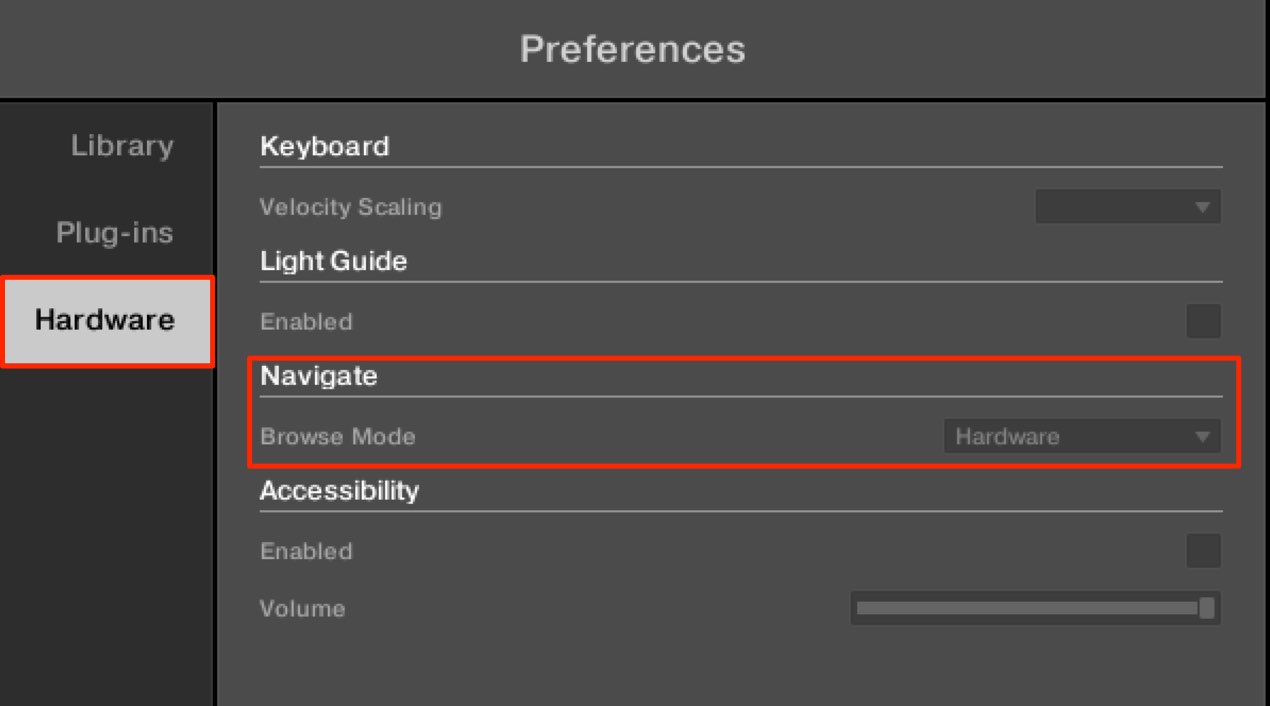
Under Navigate → Browse Mode, select Hardware.
Setup is complete.
Presets will appear on the Clear View displays the next time you browse.
New arpeggiator parameters
provide a greater variety of patterns.
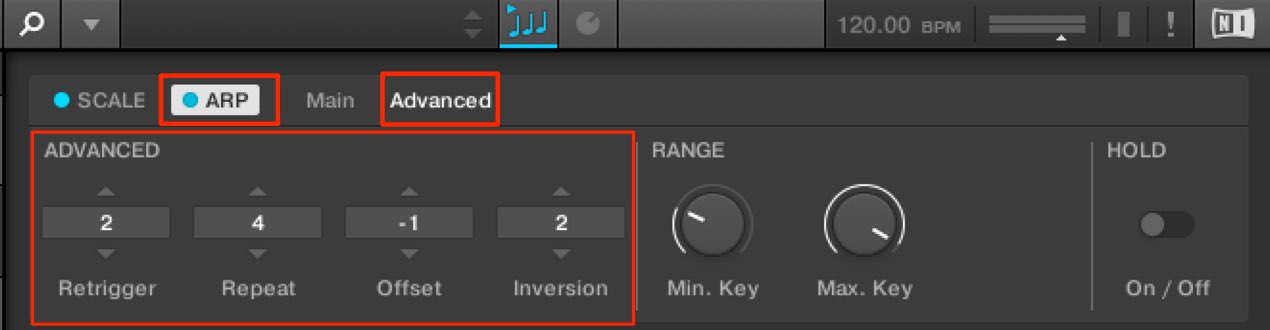
- Retrigger: Return to the start of the phrase after the specified number of notes.
For example, with a C–E–G triad, a value of 2
repeats C (1), E (2). - Repeat: Play each note the specified number of times before moving to the next.
For example, with a C–E–G triad and a value of 2,
each note plays twice: C (1), C (1), E (2), E (2), G (3), G (3). - Offset: Change the starting note of the arpeggio.
For a C–E–G triad,
+1 gives E (2), G (3), C (1);
−1 gives G (3), C (1), E (2).
These are the resulting playback orders.
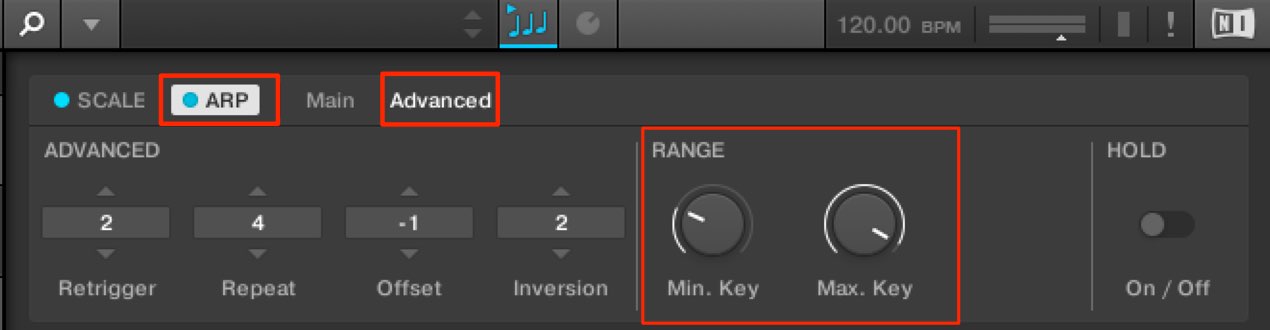
Specify the range in which the arpeggiator applies, while playing normally outside it.
This is particularly useful for live performance.
- Min. key: Set the lowest note to which the arpeggiator applies.
Notes below this pitch play normally. - Max. key: Set the highest note to which the arpeggiator applies.
Notes above this pitch play normally.
Frequently Asked Questions
Q1. Was the KOMPLETE KONTROL 1.6.2 update free?
The original article stated that existing KOMPLETE KONTROL series users could update for free by downloading and installing it through Service Center. This describes the workflow at the time.
Q2. Was special setup required for GarageBand or Logic integration?
The original article stated that no special setup was required for the transport controls in version 1.6.2: playback, stop, loop and recording were integrated after installation.
Q3. What is the difference between Retrigger and Repeat?
Retrigger returns the phrase to its beginning after the specified number of notes; Repeat plays each note the specified number of times before moving on. Each creates a different pattern.
Q4. How do I enable browsing?
Select Edit → Preferences → Navigate → Browse Mode → Hardware. Presets appear on the Clear View displays the next time you browse.
NEW ARTICLES
Latest English Articles







































































































































































































































































































































































































