
Ableton Live’s Impulse can help solve problems with rapid drum repeats often heard in EDM and dance music. Drum Rack’s 1-Shot settings can cause overlapping sounds or clicks, while combining Impulse’s Gate mode with its Decay parameter helps produce clean, sharply defined hits at high speeds. Impulse also offers saturation, filtering and random panning for more varied drum sound design.
Control the Tail for Rapid Repeats
When programming repeated snare or kick hits for EDM or dance music,
“Fast hits overlap and obscure the attack” or “1-Shot produces clicks”
are problems you may have encountered.
Ableton Live’s Impulse lets you control the tail
and design drum sounds suited to rapid repeats.
Let’s see how.
View product details

First, suppose you program a series of repeated hits.
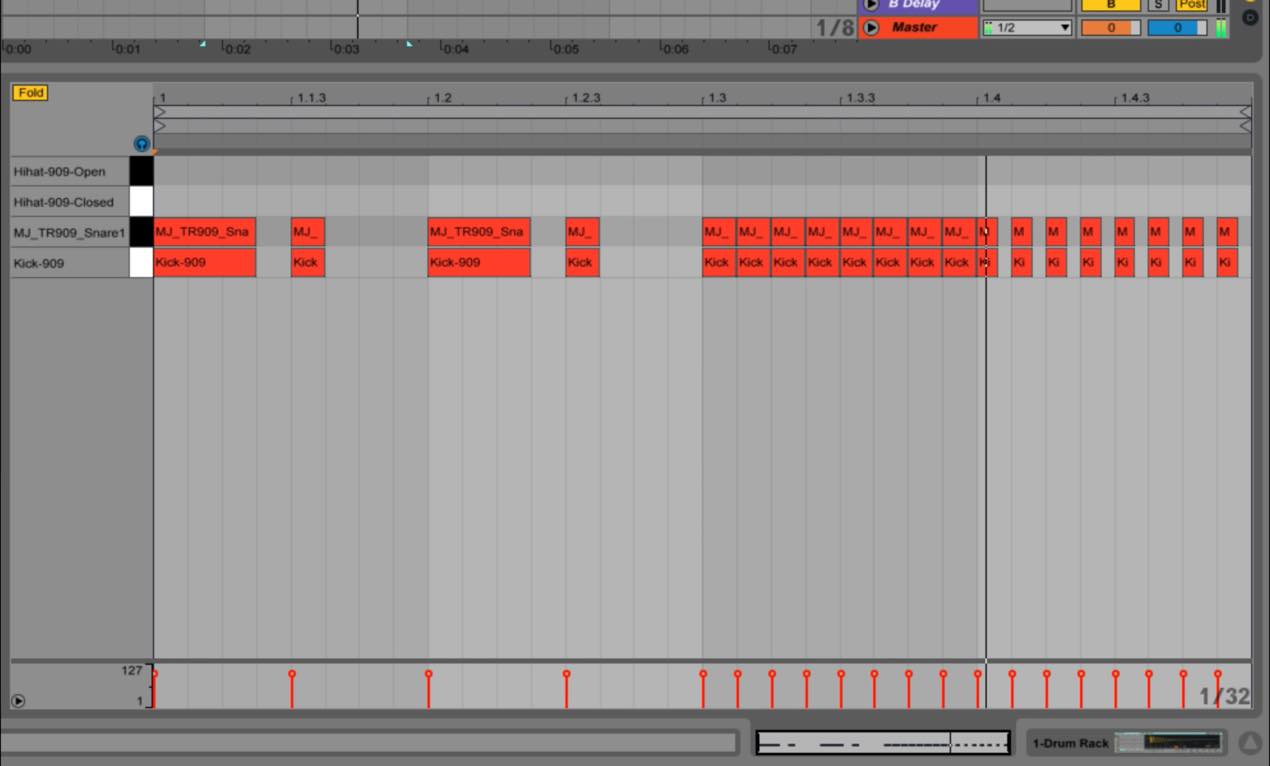
With Drum Rack’s default settings, regardless of note length,
the full tail plays to the end.
That can work well, but with very fast repeats such as 32nd notes, the tail can overlap the next hit
and make the sound less defined.
The first setting to try is 1-Shot.

Select the kick or snare pad and, in the Simpler displayed on the right,
change Classic to 1-Shot.
Also change TRIGGER to GATE.
The tail is then cut according to note length, preventing overlap even at fast repeat rates.
However, some samples are cut off too abruptly, causing
clicking or popping noises during rapid repeats.
This is where the instrument we introduced in an earlier tip, Impulse , can help.
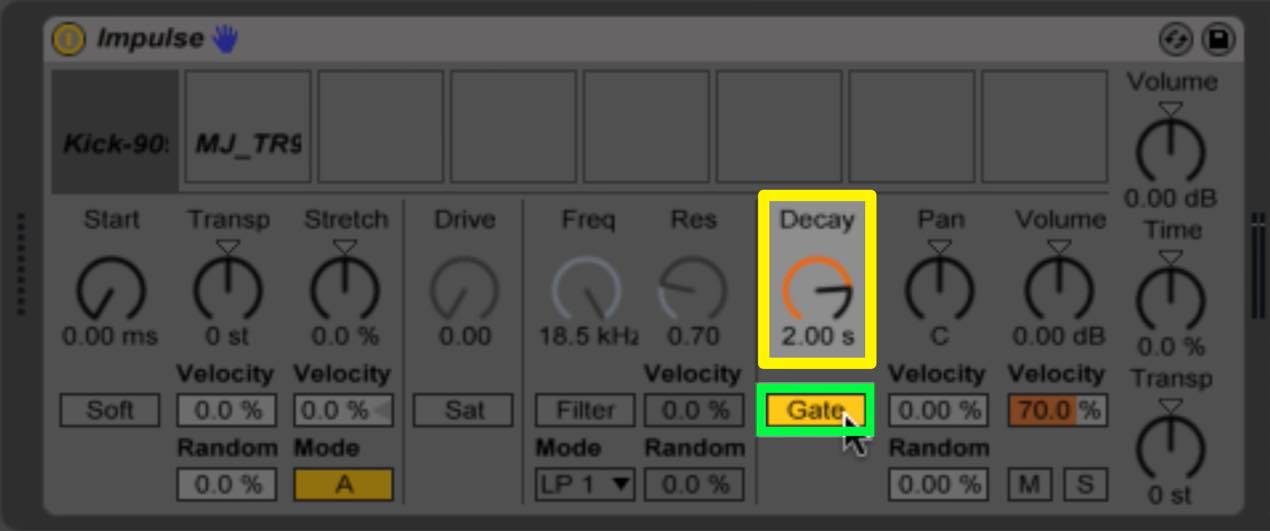
Impulse has a switch for TRIGGER and GATE modes,
with a Decay knob above it.
Here is how each mode uses Decay:
- TRIGGER
- GATE
The sound always plays for the duration set by Decay, regardless of the programmed note length.
Playback follows the programmed note length, with a tail lasting for the time set by Decay.
By setting an appropriate Decay in GATE mode,
you can avoid the clicks that may occur with Drum Rack’s gate.
Impulse also includes a saturator and filter,
making it a versatile drum sampler.
One particularly interesting feature is the Random control at the lower right,
which can distribute hits randomly across the stereo field.

Try combining it with rapid repeats for an interesting effect.
Experiment with the different ways you can use it.
View product details
Frequently Asked Questions
Q1. What is the difference between Impulse’s GATE and TRIGGER modes?
TRIGGER plays for the Decay duration regardless of note length. GATE follows the note length and retains a tail set by Decay; it is useful for rapid repeats.
Q2. What causes clicks during rapid drum repeats?
Cutting a sample’s tail too abruptly with Drum Rack’s gate can cause clicks. Setting an appropriate Decay in Impulse’s GATE mode can help avoid them.
Q3. When can I use Impulse’s random pan?
Use the lower-right Random control during rapid repeats to distribute the hits across the stereo field for a more natural, dynamic drum sound.
NEW ARTICLES
Latest English Articles






































































































































































































































































































































































































