
Orb Producer Suite uses AI to generate phrases that follow a chord progression. It runs inside a DAW and comprises four plug-ins for chord backing, bass lines, melodies, and arpeggios. Global settings such as key, time signature, and chord progression work together with individual controls including DENSITY, COMPLEXITY, BAR LENGTH, POLYPHONY, and OCTAVE to shape the generated music. Randomization also makes it useful for finding inspiration and assisting production. This tutorial describes the original version demonstrated in April 2020; compatibility and product plans below refer to that period.
Automatically Generate Phrases That Follow Your Chord Progression
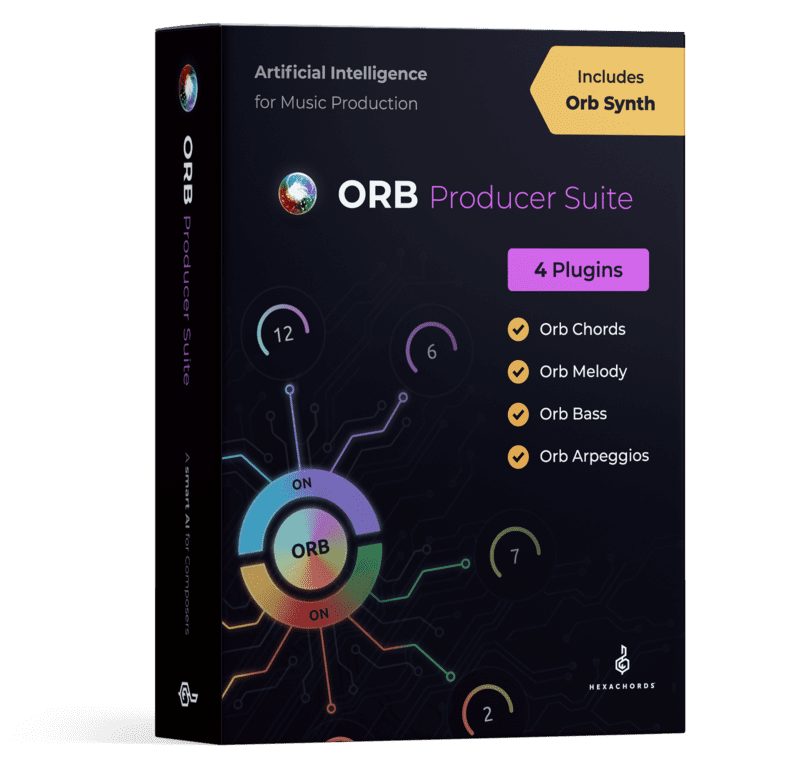
In this tutorial, we explain how to use Orb Producer Suite, a plug-in suite that helps you create chord progressions and musical phrases.
The earlier product, Orb Composer, was released as a standalone application. We have also covered how to use it.
The version covered here brought this approach into a plug-in that runs inside your DAW, making it easier to incorporate into production.
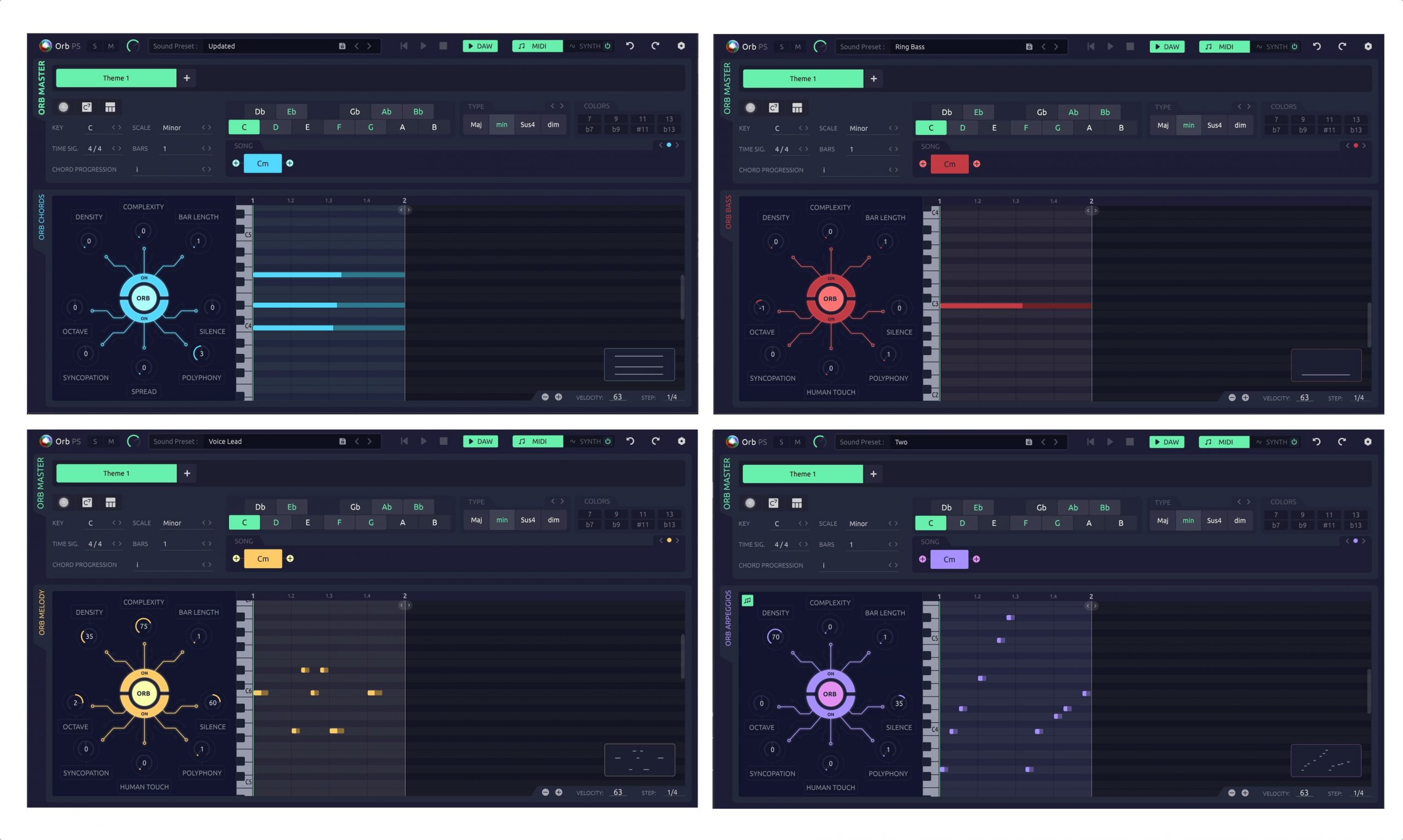
- Orb Chords: Chord backing
- Orb Bass: Bass lines
- Orb Melody: Melodies
- Orb Arpeggios: Arpeggio phrases
Choose among these four plug-ins according to the musical role of the track you want to generate.
We created a demo track using Orb Producer Suite.
All parts except the drums use phrases generated by Orb Producer Suite, played through separate instruments.
To generate phrases that match your intentions, it helps to understand each parameter and its role.
Let's go through them in order.
Orb Producer Suite Video Tutorial
ORB COMPOSER website: https://www.orb-composer.com
Selected Questions and Answers from the YouTube Video

Can I use it in Pro Tools on a MacBook Pro?

The version covered here supports AU and VST only, so it cannot run as a plug-in in Pro Tools.
I think Orb Composer was updated to version 1.5 late last year. Will this become the main product?
Yes. At the time of the original 2020 video, the developer told us that this would become its main product.
Can I use it in Cubase AI?
Yes, it can be used in Cubase AI.
Does it work in Logic Pro?
Yes. It supports Audio Units, and we confirmed that it launched in Logic Pro for this demonstration.
Can I use a sound from Serum?
Yes. The generated phrases can be exported as MIDI files, so you can use them with Serum.
Understanding the Global Musical Settings
We will start with the parameters shared by all four plug-ins.
When using these plug-ins, always load Orb Chords as the master plug-in.
Transport Section
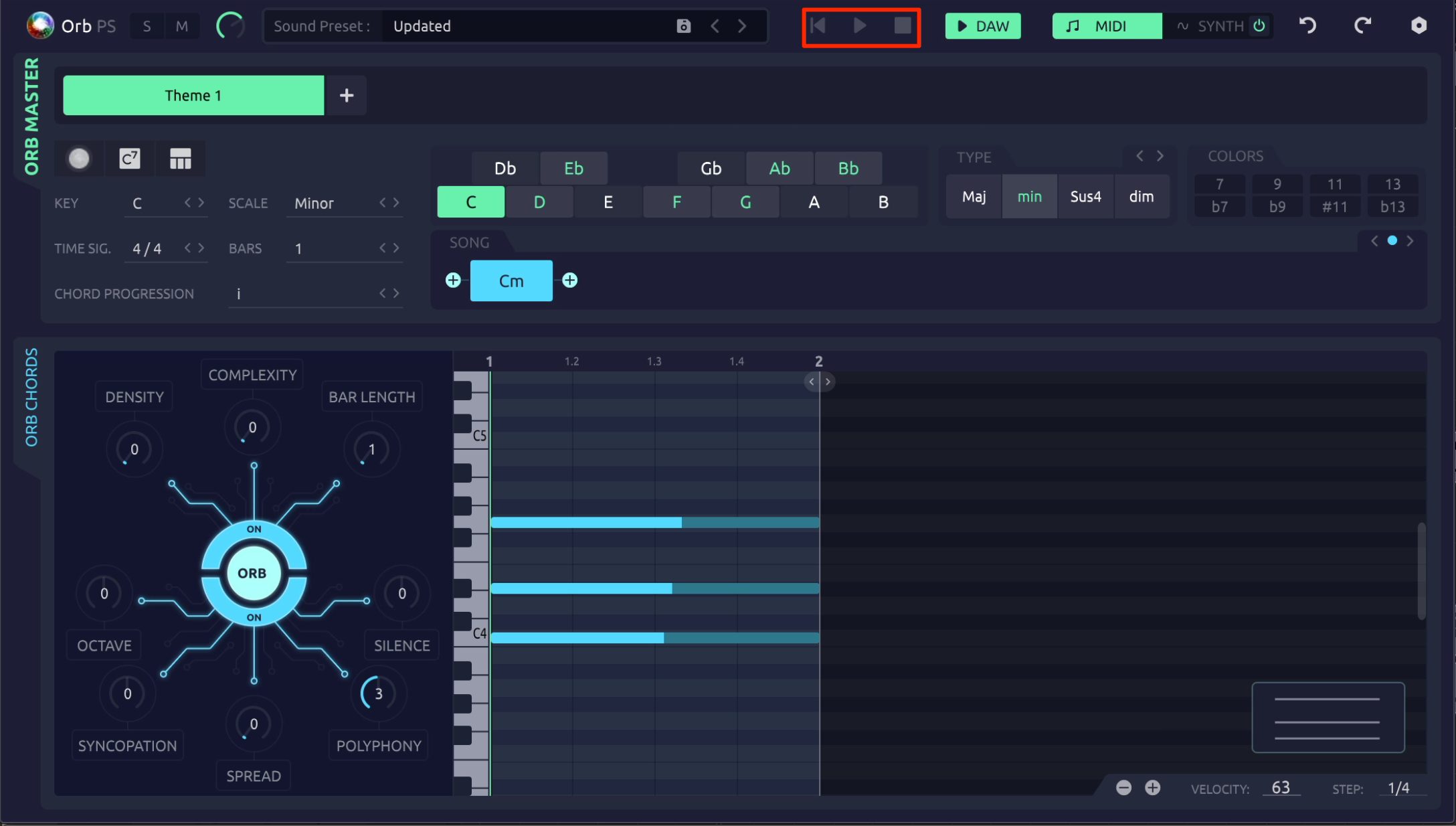
The transport section at the top of the window provides play, stop, and return-to-start controls.
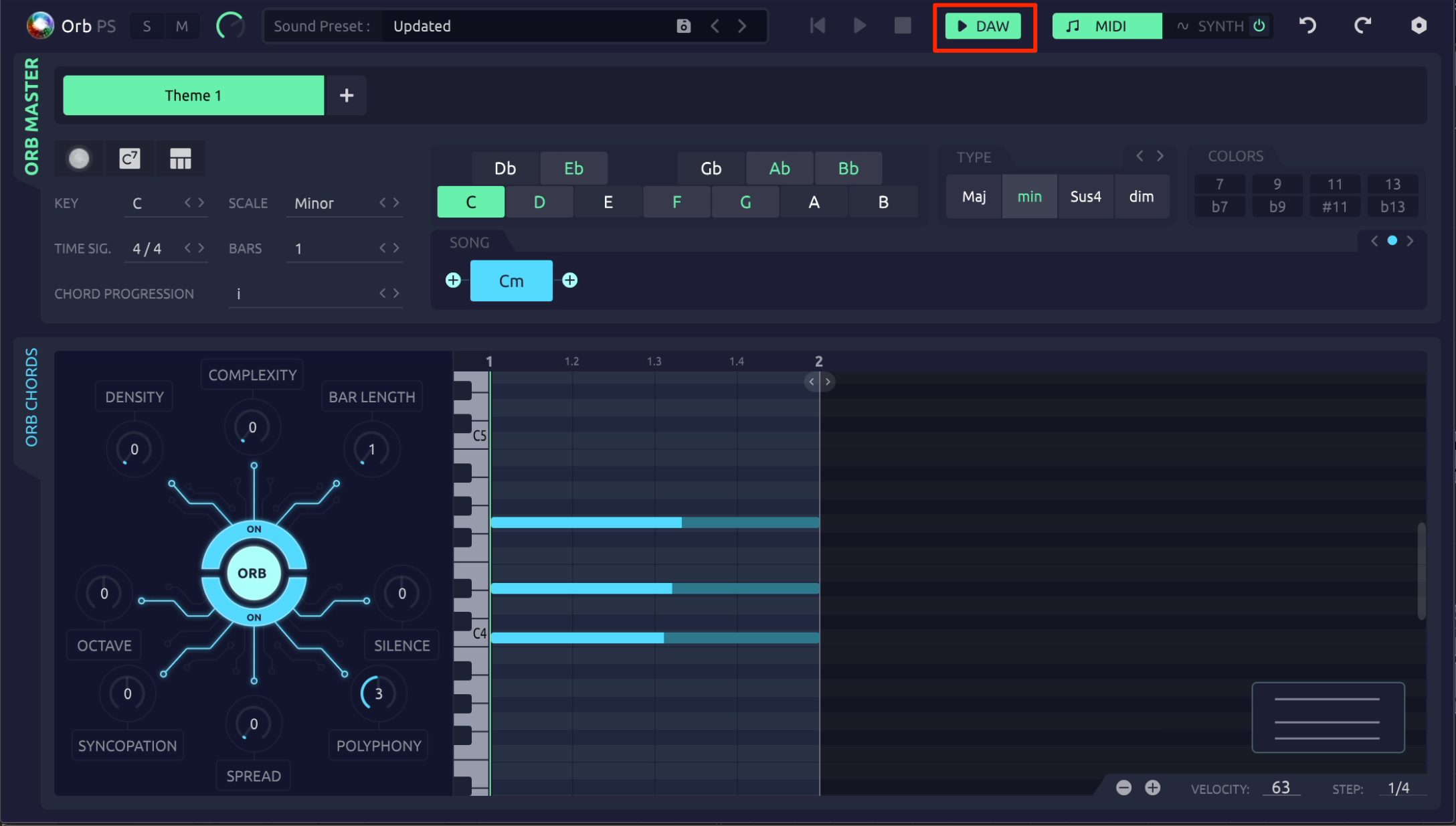
These buttons are available only when the DAW Sync button to their right is disabled.
With DAW Sync enabled, the plug-in follows playback and stop operations in your DAW.
Undo/Redo
Use Undo and Redo to return a generated phrase to its previous state or reapply a change you undid.
The generation parameters have a characteristic worth remembering: changing a value generates a new randomized phrase, so you will often find Undo and Redo useful.
Theme
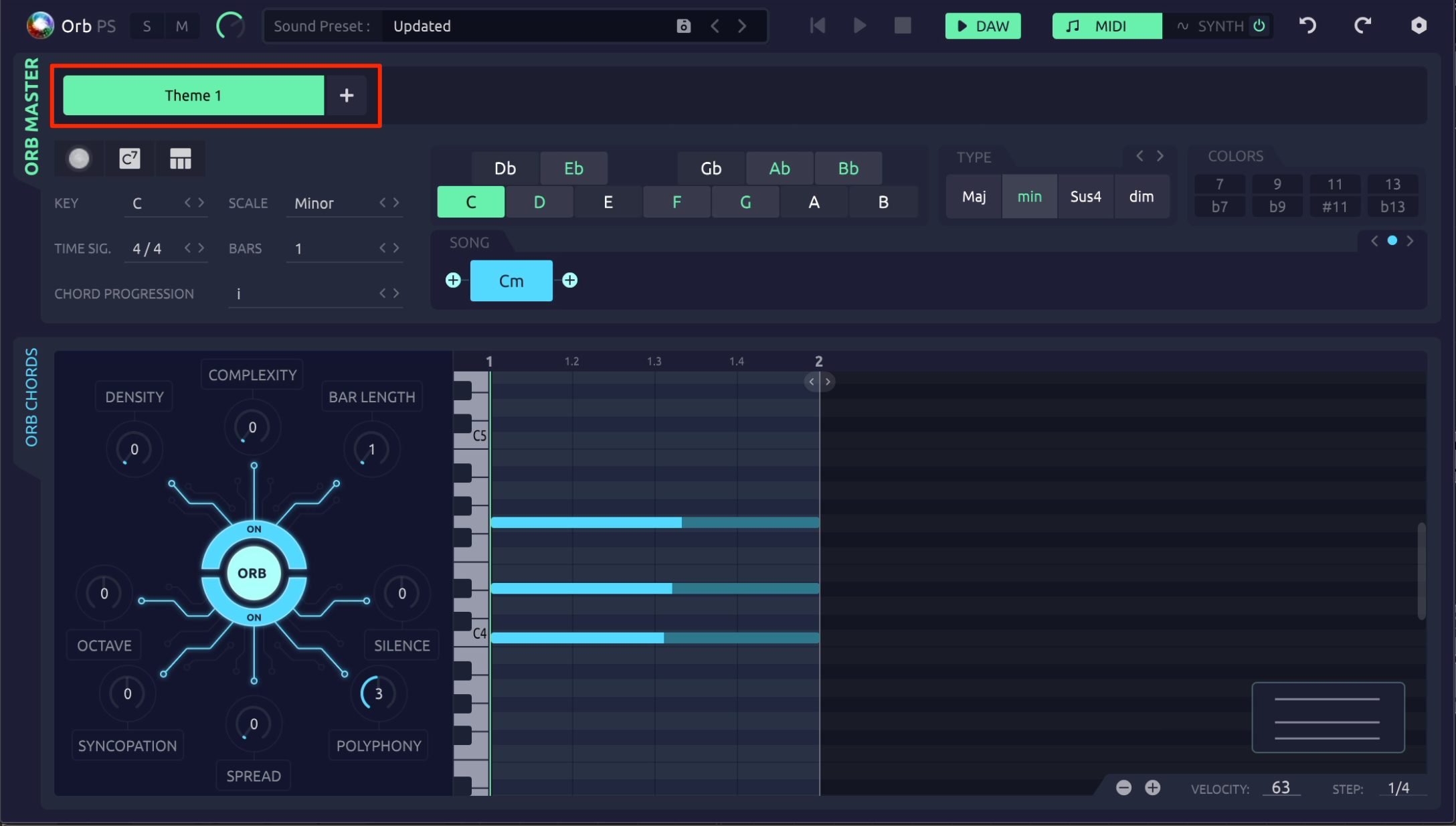
A Theme corresponds to a song section, such as a verse or pre-chorus.
Use the + button to add Themes, each with a different chord progression and set of phrases.
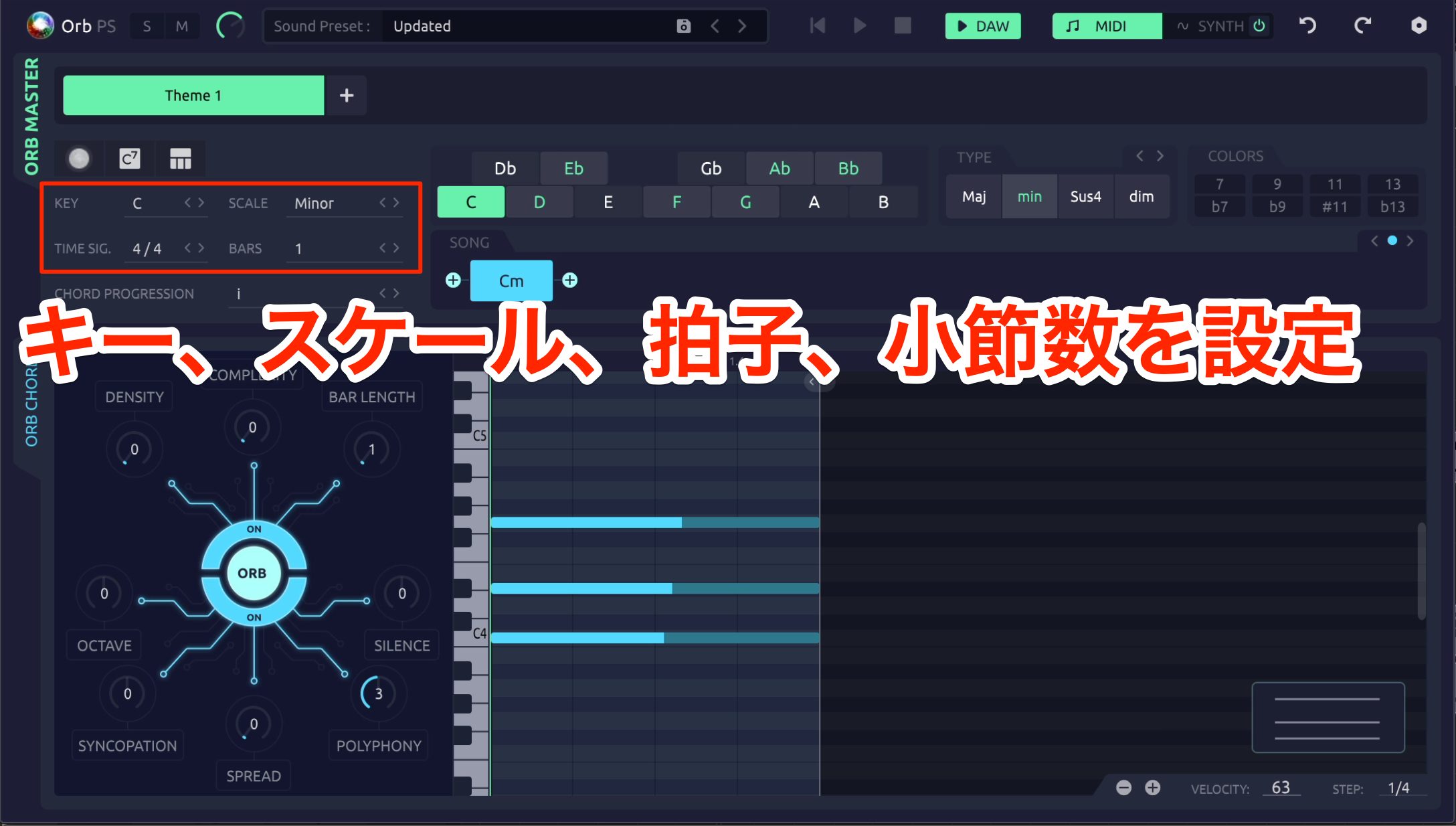
The block at the upper left sets the key, time signature, and number of bars for the selected Theme.
Chord Progression
Chords Progression lets you recall chord progressions organized by musical genre.
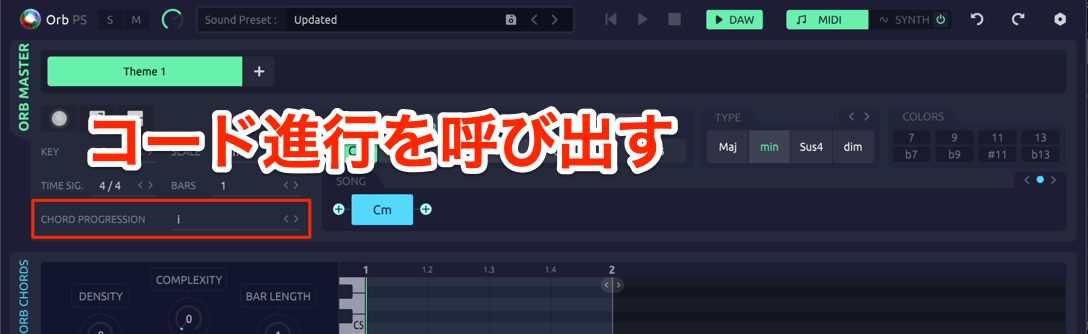
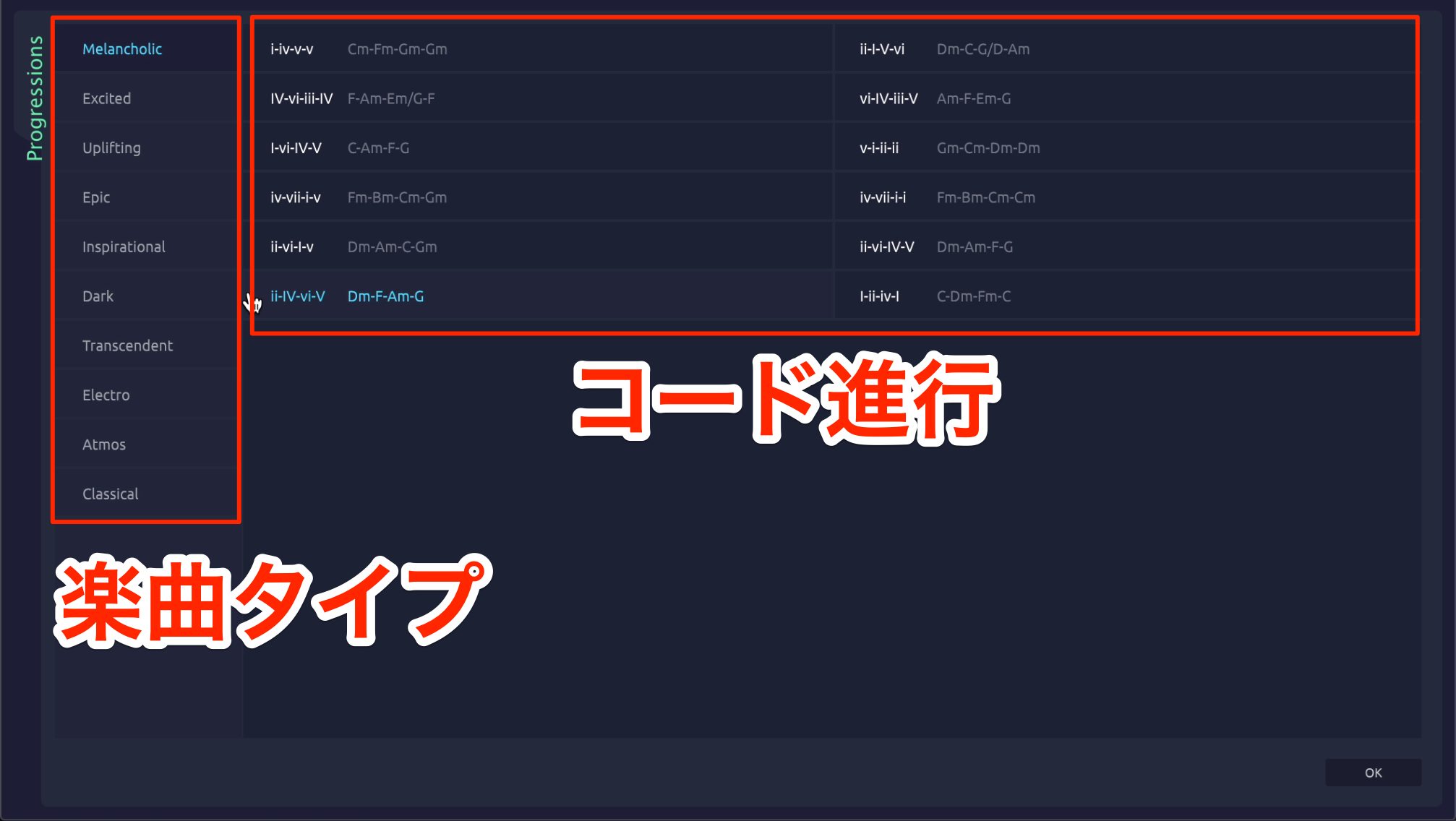
Select a chord progression as shown here.
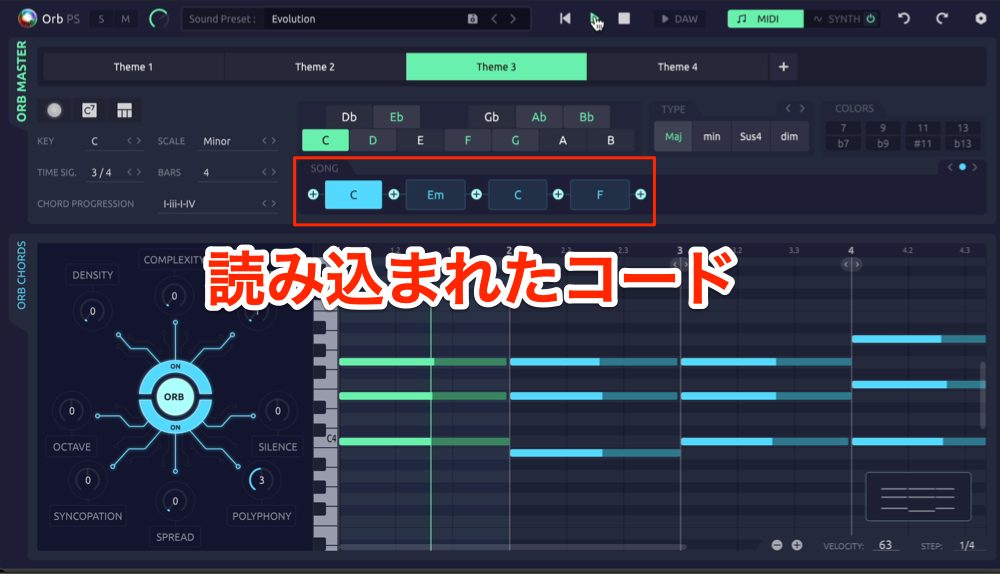
The selected progression loads into the chord section on the right.
Setting Chords Manually
You can edit the contents of the chord section manually.
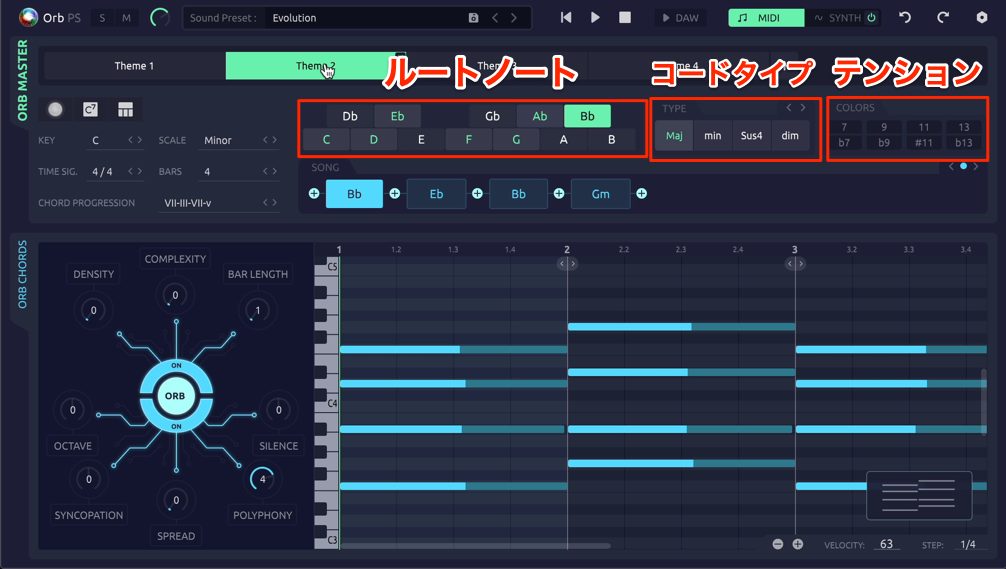
Select a chord, then use its root and Type controls to choose a chord type such as major or minor.
Colors offers further options, including sevenths and extended chords.
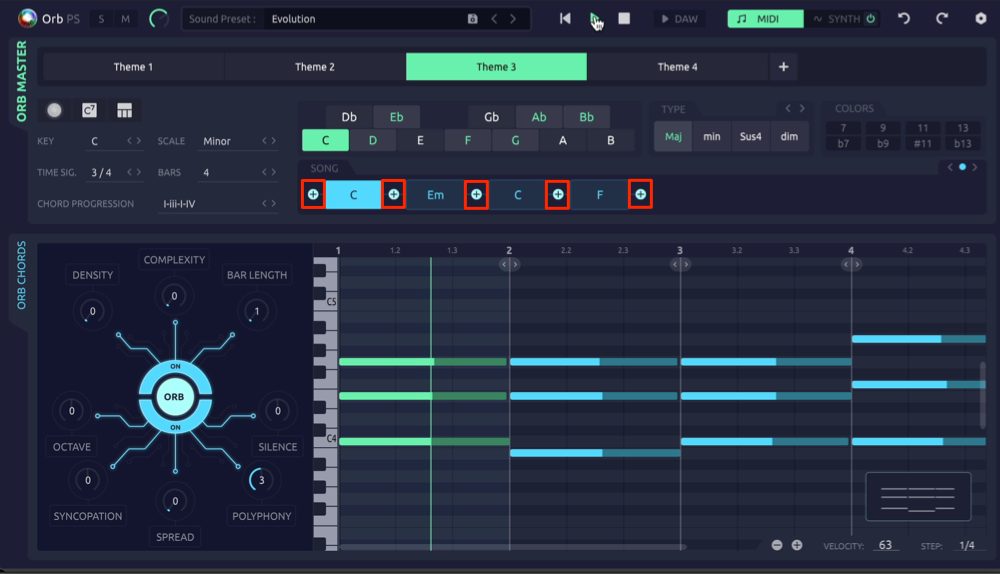
You can add chords using the + buttons before and after each chord.
A newly added chord is placed at the beginning of a bar.
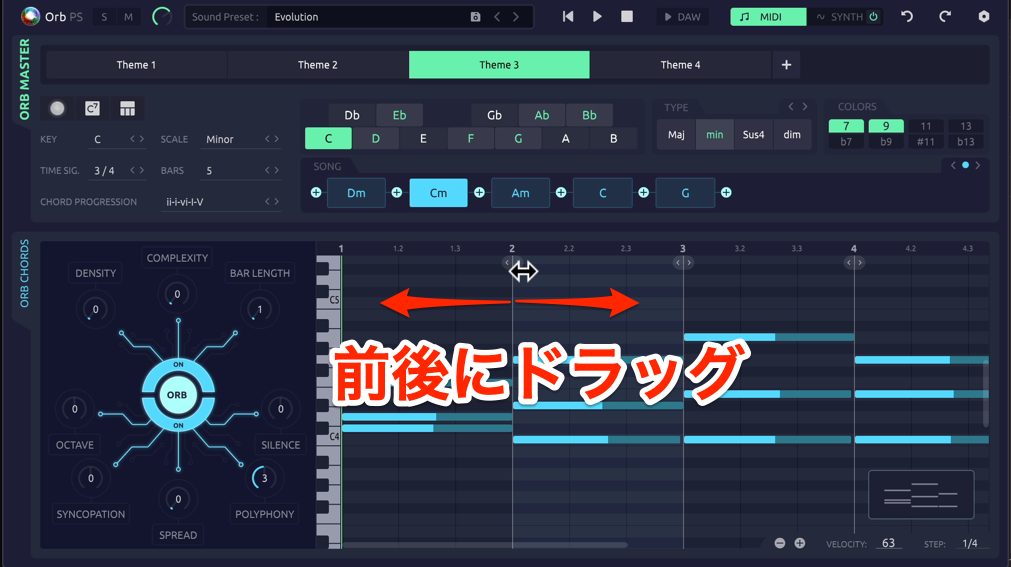
To move a chord to a different position, drag its arrow above the piano roll toward the desired earlier position.
This also changes the positions of subsequent chords, so adjust the timing of all chords as needed.
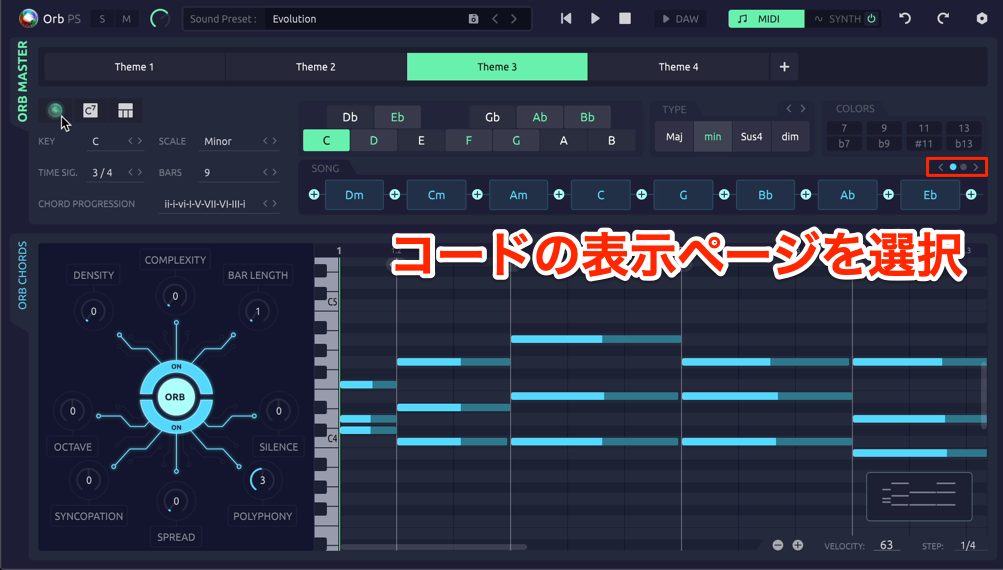
If the progression contains too many chords to fit on one page, use the dot buttons to switch pages.
Randomization
Randomization can help you find inspiration when you have not yet settled on a musical direction.
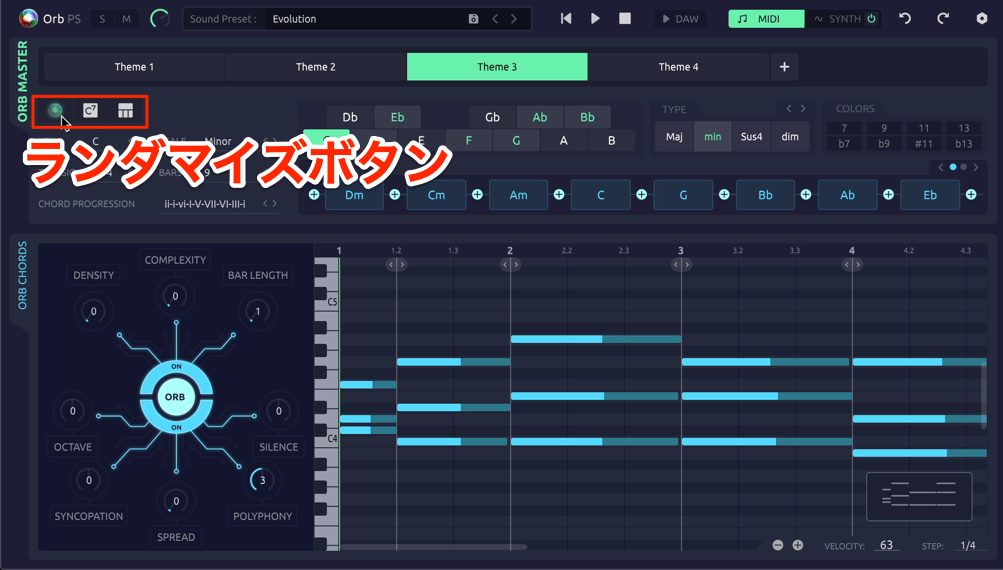
All three buttons shown here perform randomization, with the following roles.
- Left: Randomize all global parameters together.
- Center: Randomize only the chord progression.
- Right: Randomize chord placement instead of placing each chord at the start of a bar.
Try randomizing repeatedly until you find a result you like.
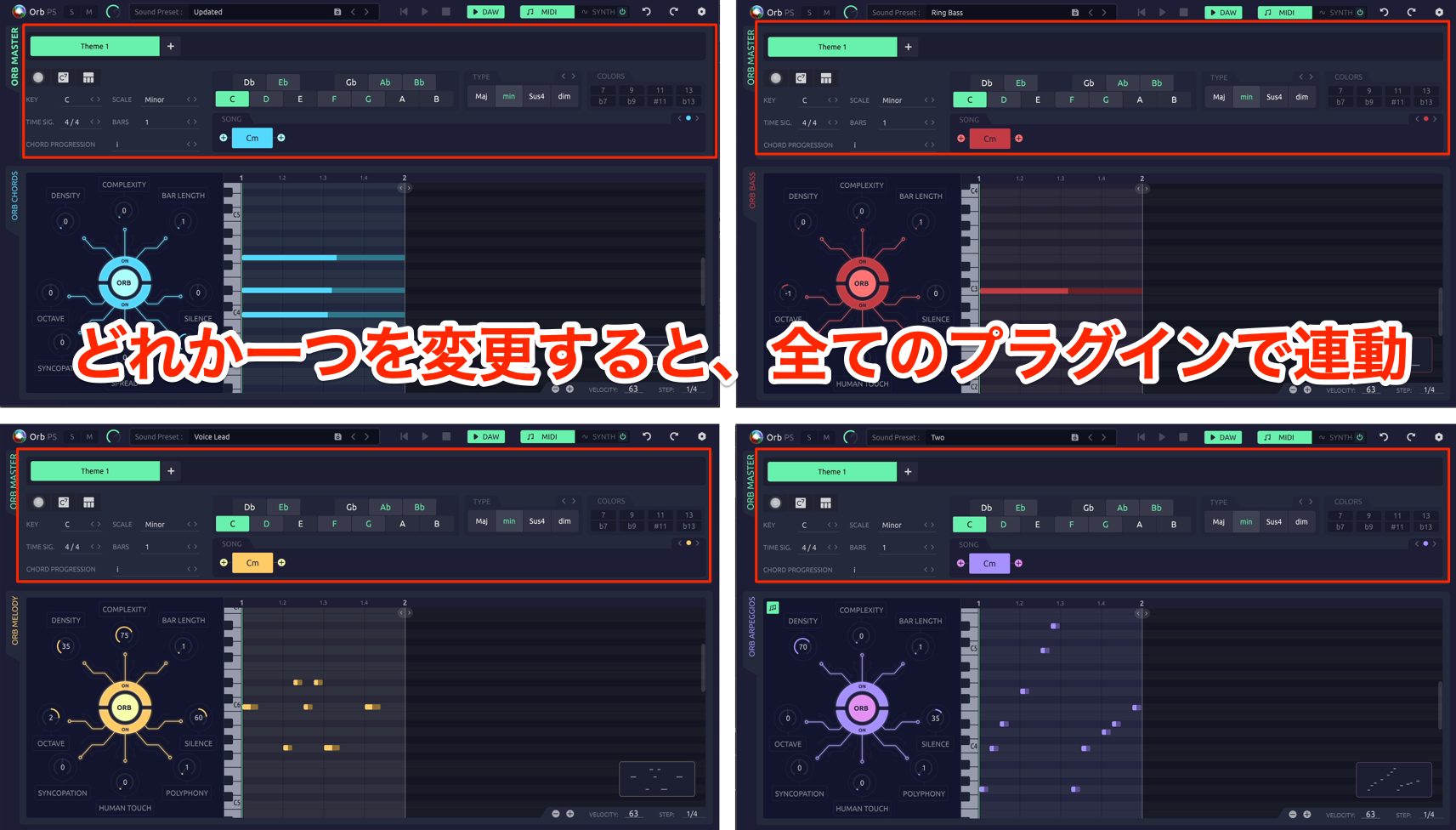
The settings covered so far are linked across all Orb Producer Suite plug-ins: changing a global value in one plug-in makes the others follow that value.
Parameters That Shape the Generated Phrases
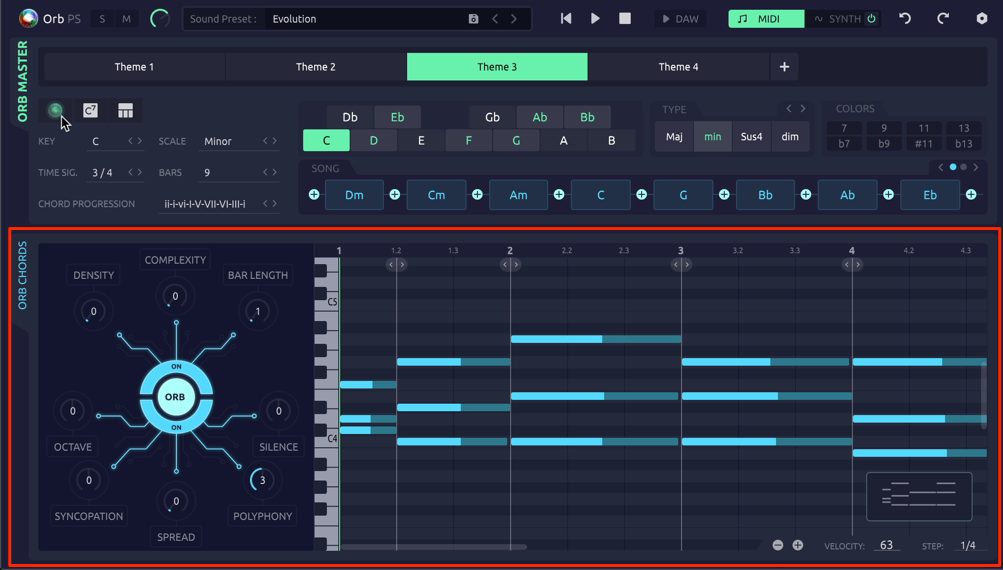
Next, let's look at the controls in the lower part of the window, which you can set independently for each Orb Producer Suite plug-in.
DENSITY
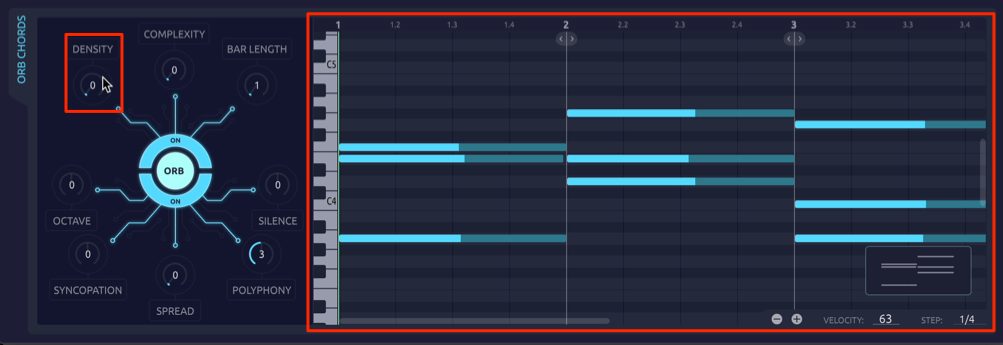
DENSITY controls the rhythmic note value. At zero, the demonstrated setup plays whole notes.
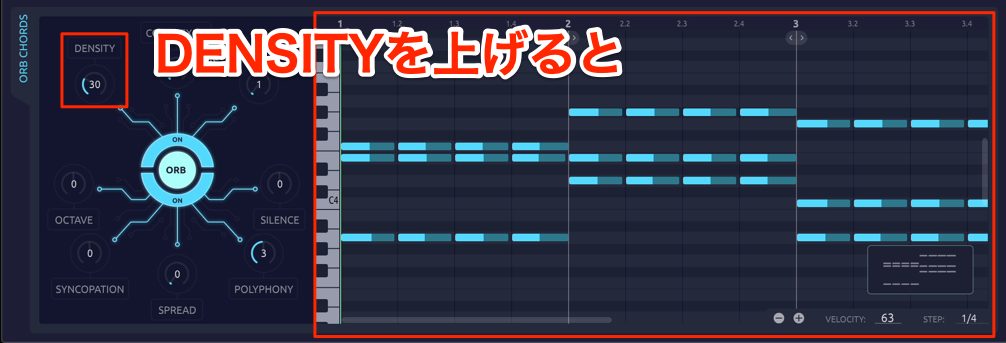
Increasing it creates phrases with shorter note values.
COMPLEXITY
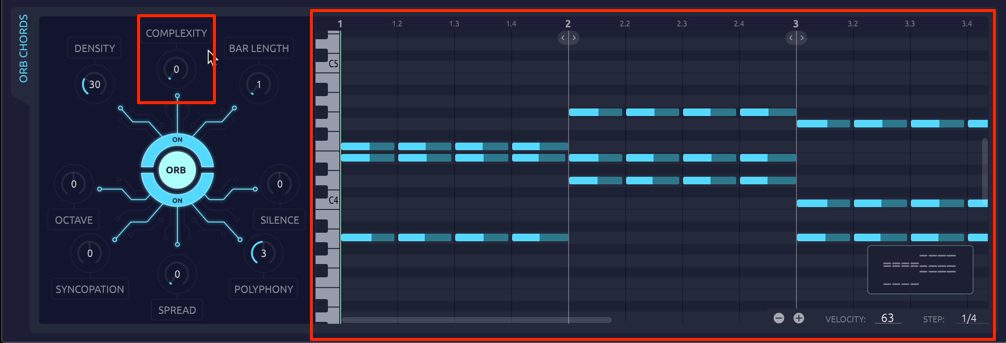
COMPLEXITY controls the rhythmic complexity of a phrase.
Low values produce a regular rhythm.
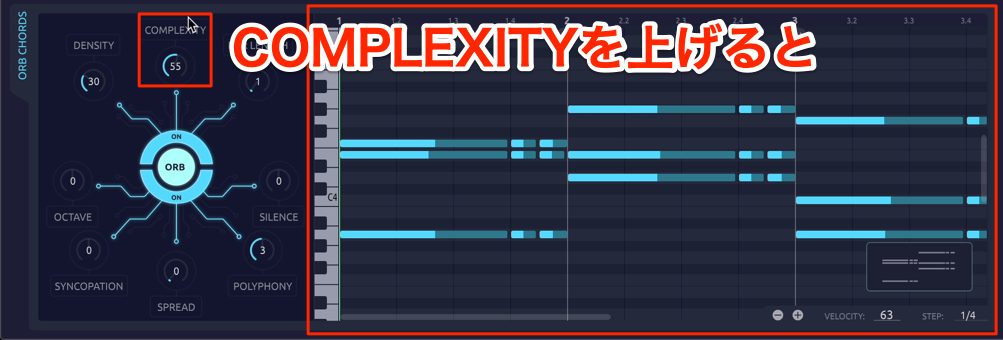
Higher values generate phrases with more complex rhythms.
BAR LENGTH
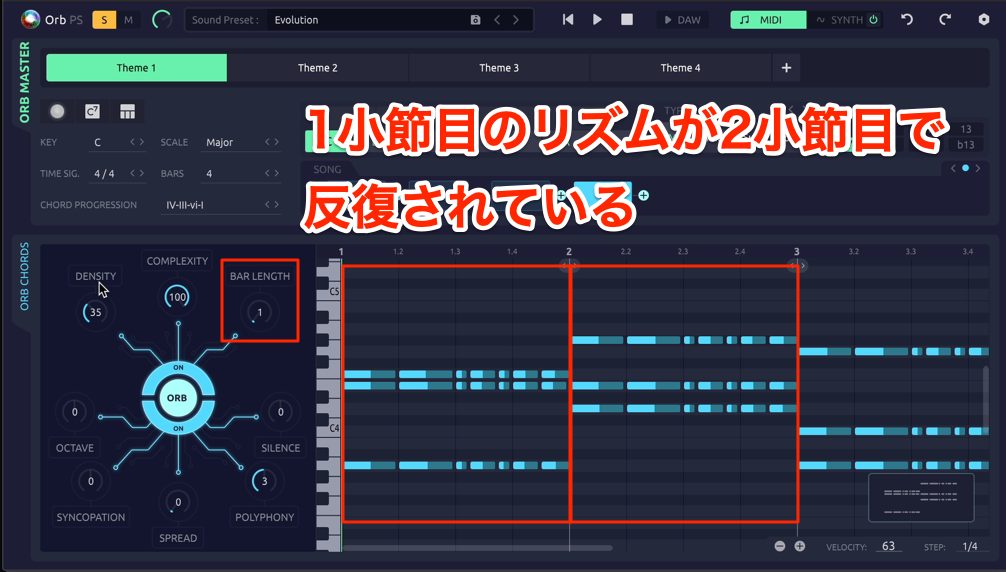
BAR LENGTH sets the length of one repeating pattern cycle.
For example, setting it to one bar makes the generated rhythmic pattern repeat the first bar in the following bars.
SILENCE
SILENCE adjusts the length of the notes.
Moving it in the positive direction shortens the ends of the notes.
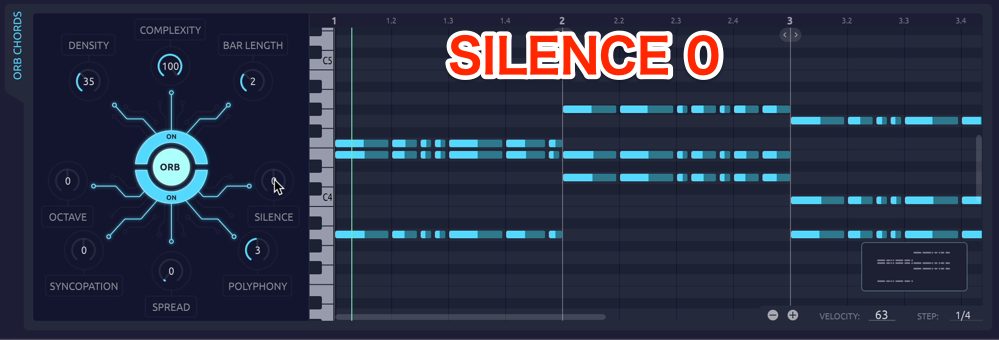
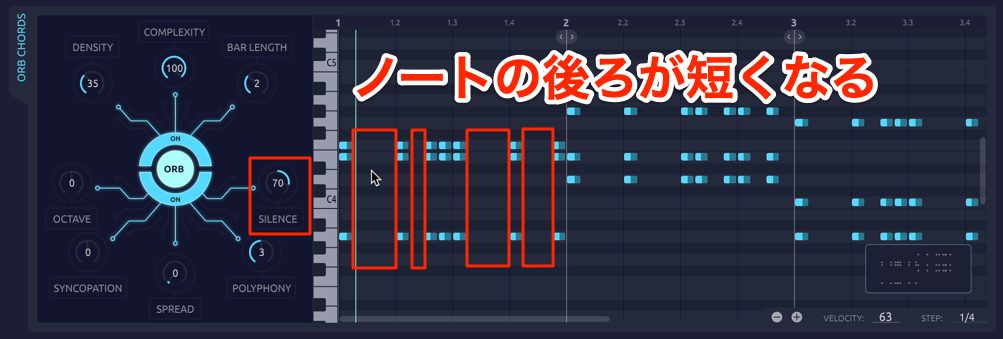
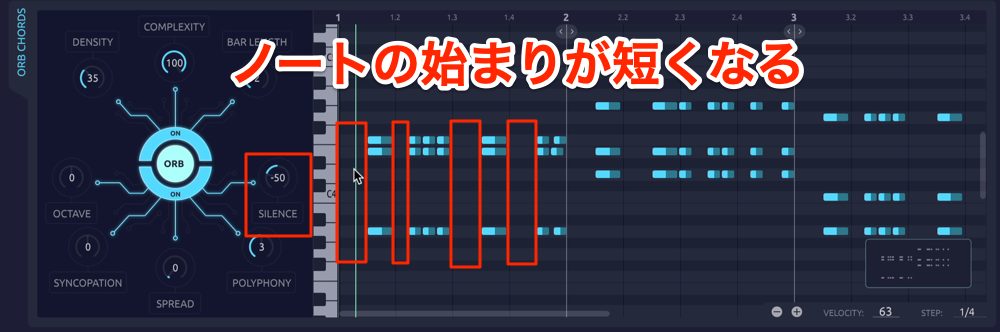
Moving it in the negative direction delays the note starts, shortening the notes from the beginning.
POLYPHONY
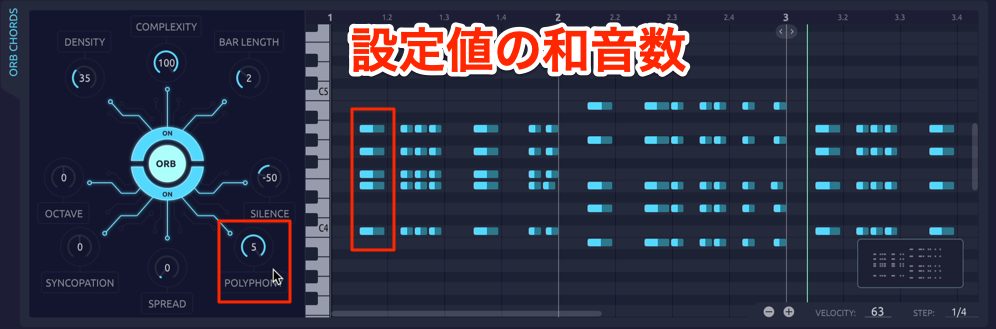
POLYPHONY sets the number of simultaneous notes.
A value of 1 generates single-note phrases; a value of 3 generates phrases with three-note chords.
SYNCOPATION
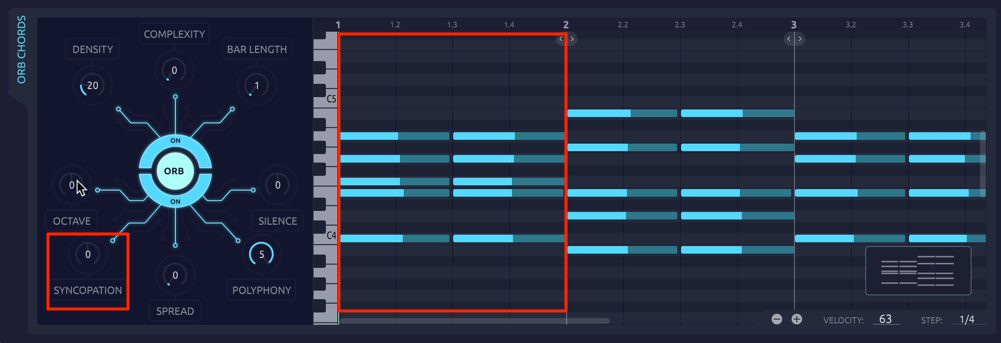
As its name suggests, SYNCOPATION adjusts syncopation.
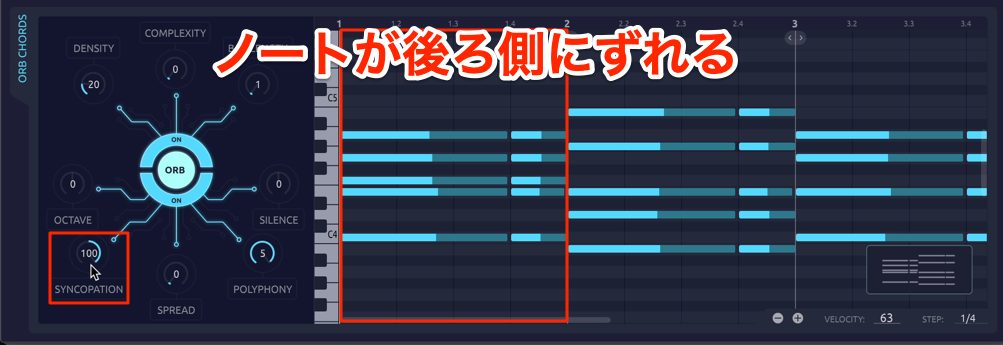
Increasing it in the positive direction shifts note timing later.
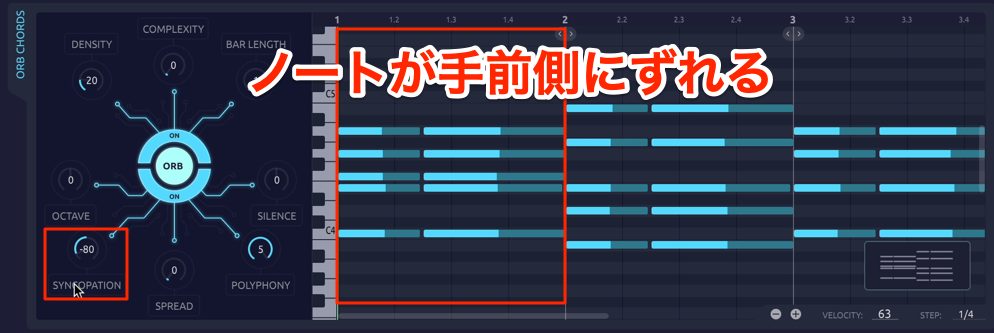
Decreasing it in the negative direction shifts notes earlier.
OCTAVE
OCTAVE shifts the pitch of the generated phrase in octaves.
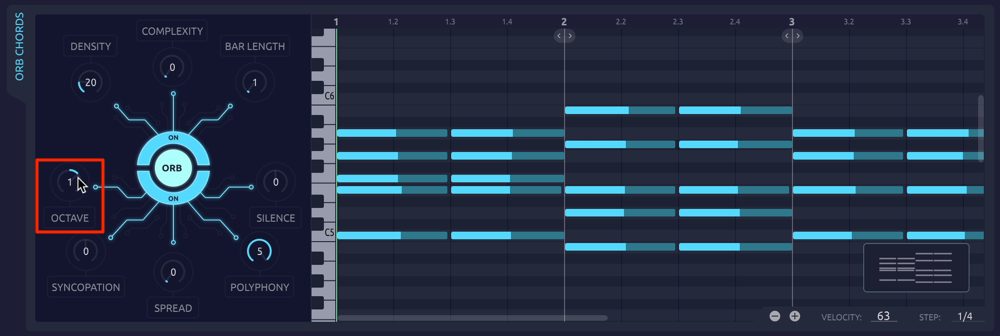
Adjust it to suit the instrument sound and the track's musical role.
The controls covered in this section are available across the Orb Producer Suite plug-ins and can be set independently in each one.
Other Parameters
Some controls differ between plug-ins.
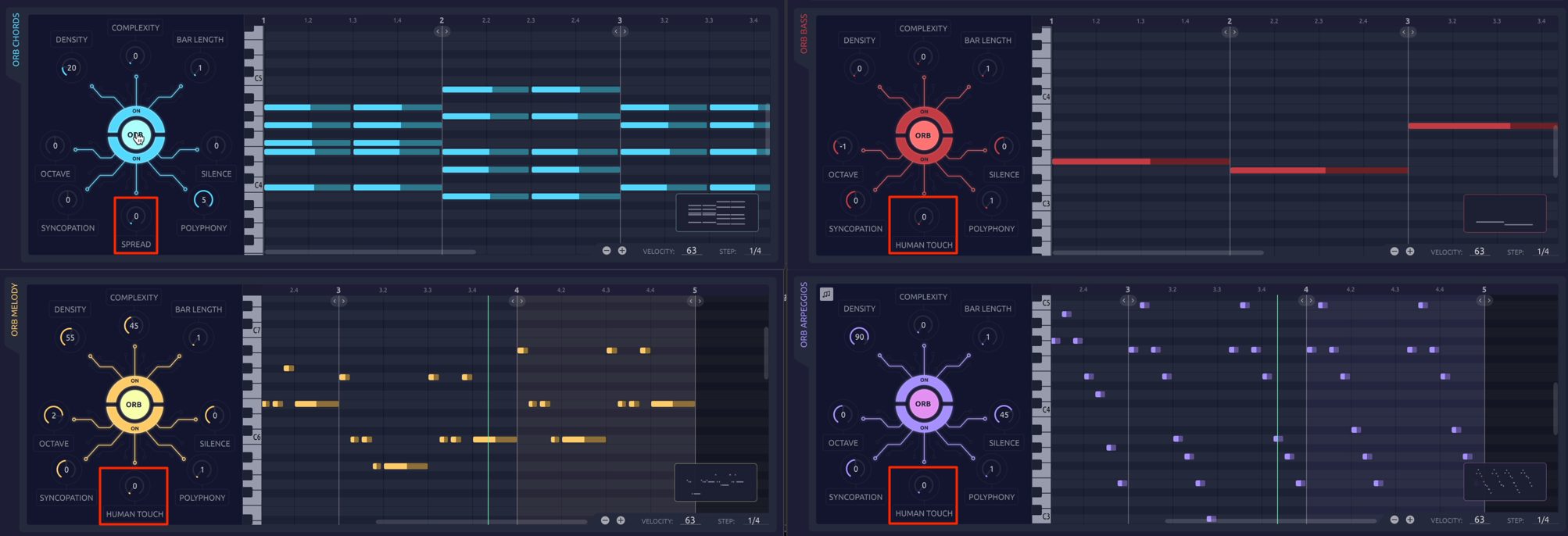
The control at the bottom center is SPREAD in Orb Chords and HUMAN TOUCH in the other three plug-ins. These have different roles.
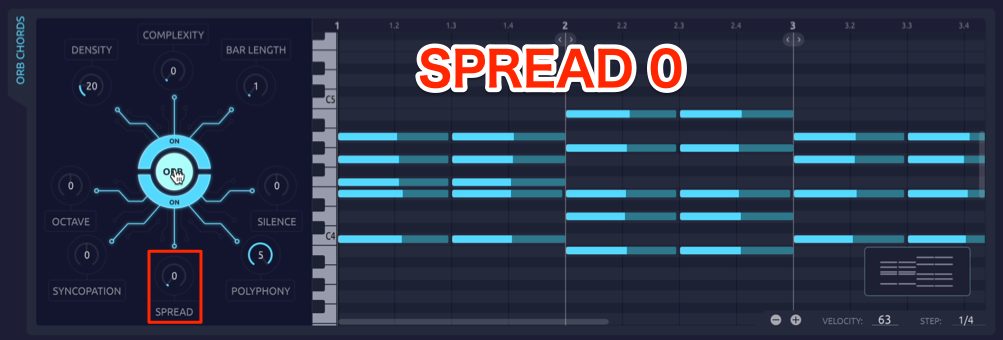
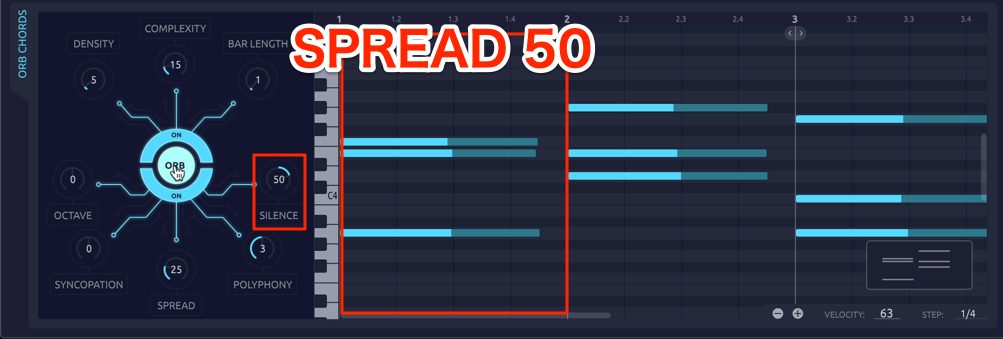
SPREAD in Orb Chords determines how widely or closely the notes of a chord are spaced.
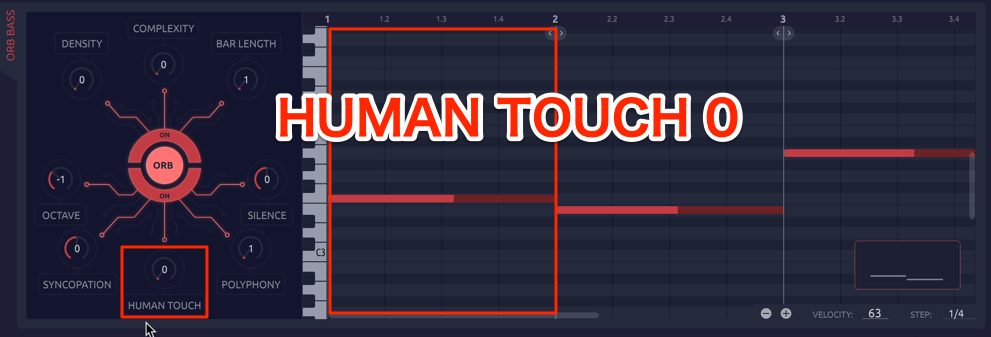
HUMAN TOUCH introduces random variation in note onset timing, note length, and velocity.
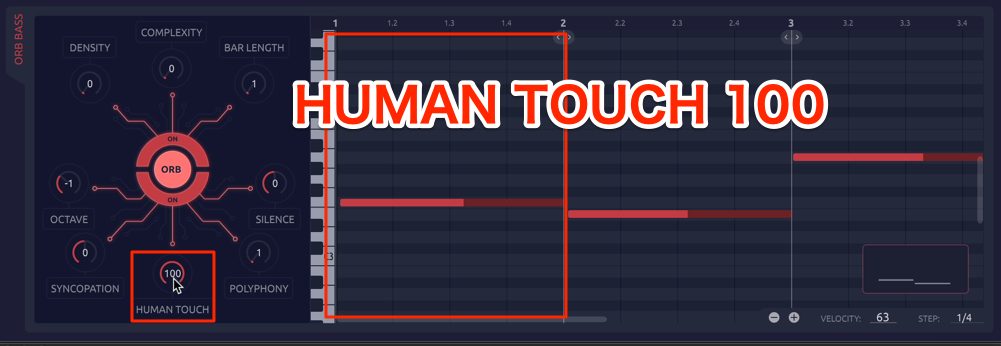
Use it to give a phrase a more human feel.
The ORB Button: Randomize Your Phrase
The ORB button sits in the center of the eight surrounding parameter controls.
Each click randomizes the values of those eight controls.
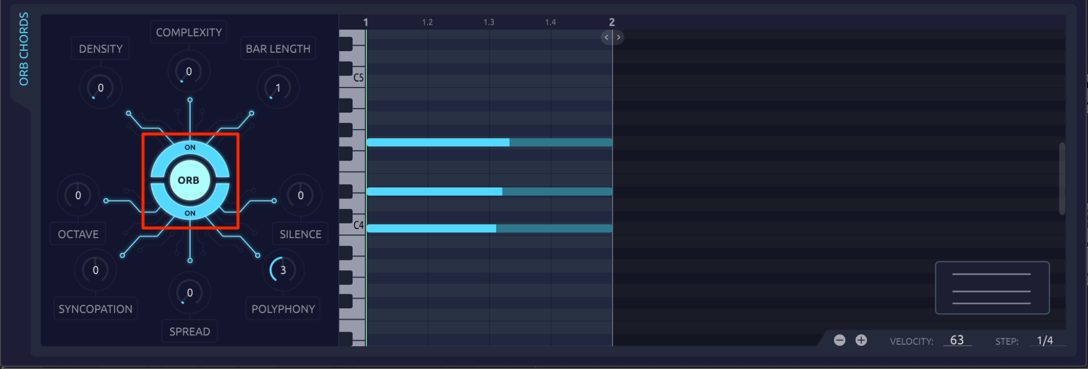
The ORB button can change the phrase substantially. If you have no specific phrase in mind, try clicking it repeatedly until it generates something you like.
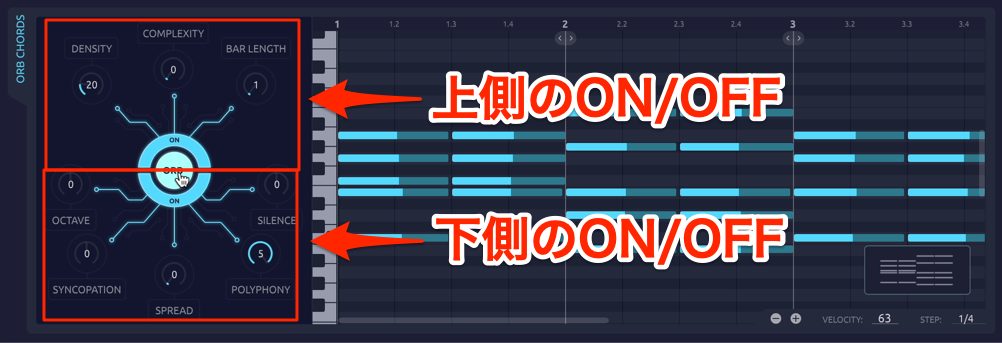
The outer ring of the ORB button also has two on/off switches, one for each half.
Turning a switch off excludes its group of parameters from randomization.
Use the earlier global randomization buttons for broad changes such as chord progression and key, and the ORB button to vary the details of the generated phrase.
The Added Wavetable Synthesizer
Another development in the version covered here was an editable wavetable synthesizer.
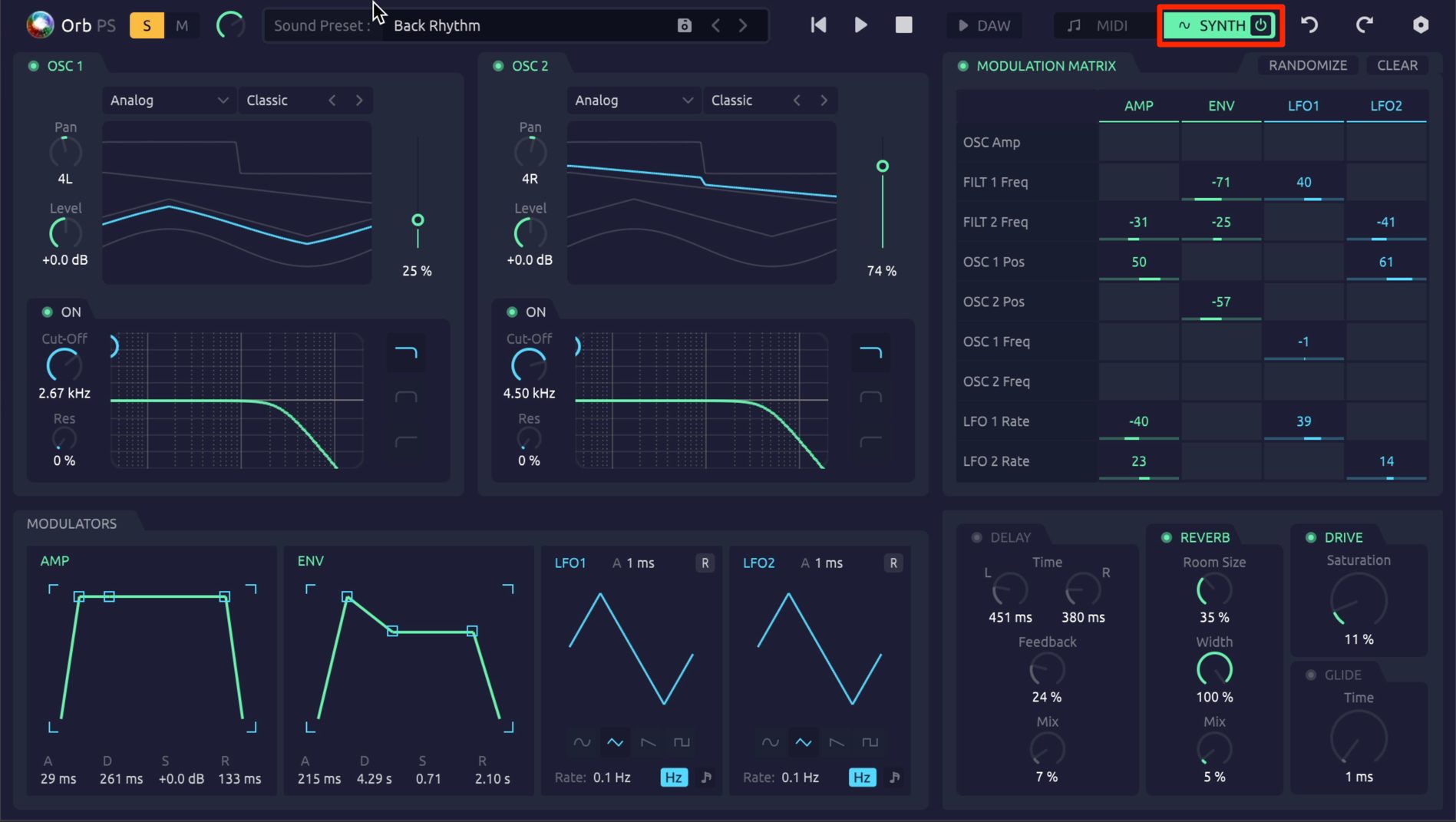
Click SYNTH at the top of the window to open the synth's sound-editing view.
The synth includes:
- Two wavetable oscillators
- Two filters
- Two envelopes and two LFOs
It also includes a modulation matrix and effects, providing a feature set comparable to a dedicated synthesizer plug-in.
The synth also comes with many presets.
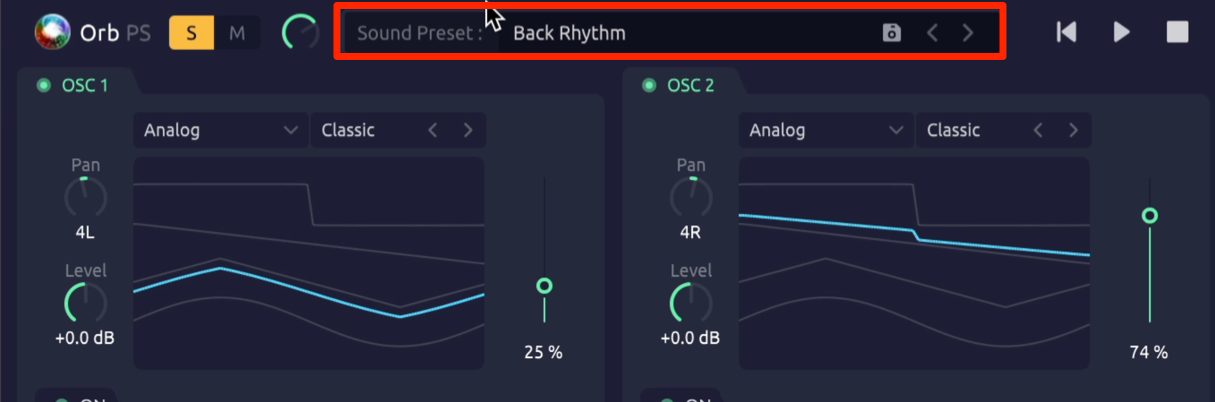
Click Sound Presets to access them.
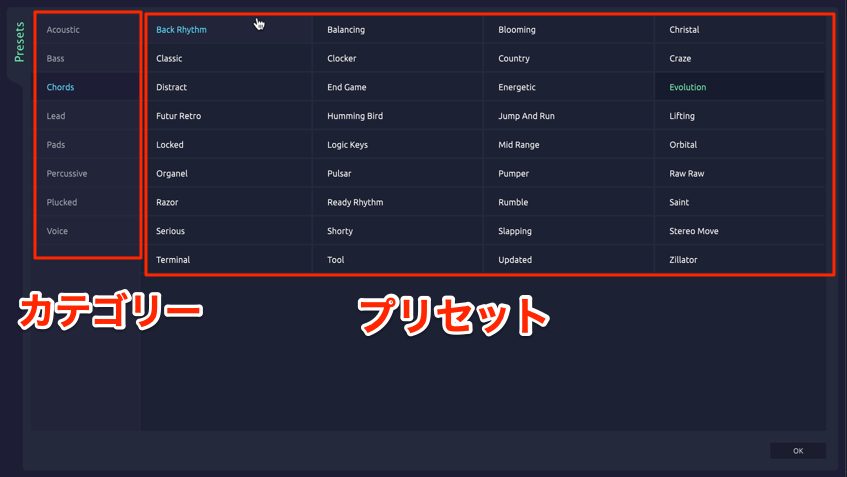
Presets are organized by sound type, making them easy to browse.
They range from unusual, experimental sounds to more conventional synth tones.
Explore the different presets to find sounds that suit your music.
Exporting Generated Phrases
You can use the built-in synth sounds in your song, but you may also want to play the generated phrases through instruments you already own.
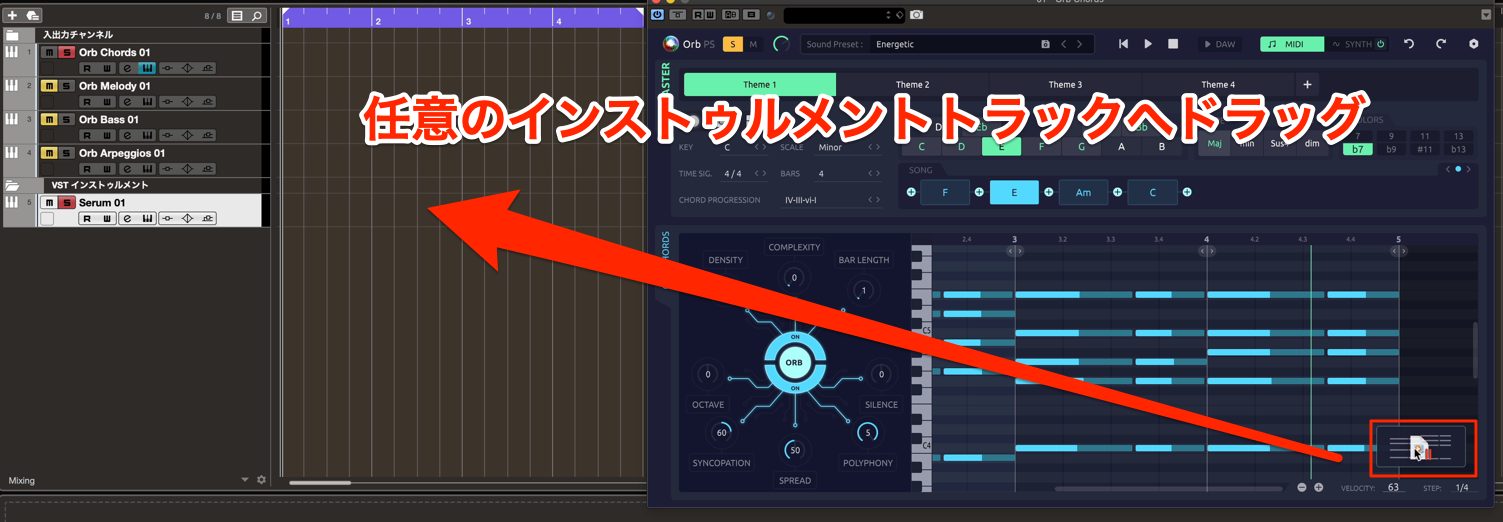
To play a generated MIDI phrase through another instrument, drag the box at the bottom right of the window onto the desired track.
This makes it easy to switch the instrument playing the phrase.
Orb Producer Suite's Evolution
What did you think?
Orb Producer Suite can provide a starting point when your song has no clear direction, or help you create parts you find difficult. Try using the AI-assisted plug-in suite as part of your production workflow.
ORB COMPOSER website: https://www.orb-composer.com
Frequently Asked Questions
Q1. Can Orb Producer Suite run in every DAW?
The version covered here runs as a plug-in in DAWs that support its AU or VST formats, such as Logic Pro, Cubase, and Studio One. It does not support Pro Tools' AAX format. Always load Orb Chords as the master plug-in when using the suite.
Q2. Can I change a generated phrase if I do not like it?
Yes. Undo and Redo let you return to a previous state. Changing generation parameters also produces new randomized phrases, so you can keep adjusting them until you find a result you like.
Q3. Can Orb Producer Suite generate drum tracks?
The suite described here specializes in chord backing, bass lines, melodies, and arpeggios. It does not generate drum tracks, so you need to supply the drums separately.
Q4. What does DAW Sync do?
With DAW Sync enabled, the plug-in's own transport buttons are disabled and playback follows your DAW's play and stop controls. This synchronizes playback between the DAW and the plug-in.
Q5. What should I consider when using POLYPHONY?
Increasing POLYPHONY increases the number of simultaneous notes, producing denser phrases. Start with 1 for single-note parts and choose an appropriate value for the track's role and the instrument you are using.
NEW ARTICLES
Latest English Articles













































































































































































































