
Eiosis E2 Deesser is a versatile plug-in for more than vocal de-essing: it can also reduce guitar finger squeaks and shape high frequencies in mastering. Guitar Squeaks mode can naturally reduce squeaks during chord changes, while Mid Mastering mode detects and processes sibilance in the center of a stereo mix. Voiced EQ can also help lift the high end while avoiding harsh sounds, making the plug-in useful from mixing through mastering.
E2 Deesser: Uses Beyond Vocals
In the previous article we covered its basic operation and use on vocals.
In this advanced tutorial, we look at using it on guitar and the master track.
Last time we said E2 Deesser is more than just a de-esser. These applications show just how versatile it can be.
Product website: http://miyaji.co.jp/MID/product.php?item=E2%20Deesser
E2 Deesser Video Tutorial
Purchase the Product
- 1Basic Operation and Vocal De-essing
- 2Advanced Applications: Guitar and Mastering — This Article
Applying It to Guitar
Selecting a Preset and Target Sound
De-essers have long been used as a workaround on guitars, but E2 Deesser offers a dedicated mode that makes this application more accessible.
The target is the squeaky finger noise often heard during chord changes.
This can be part of the character of a live guitar performance, but it may become distracting when too loud.
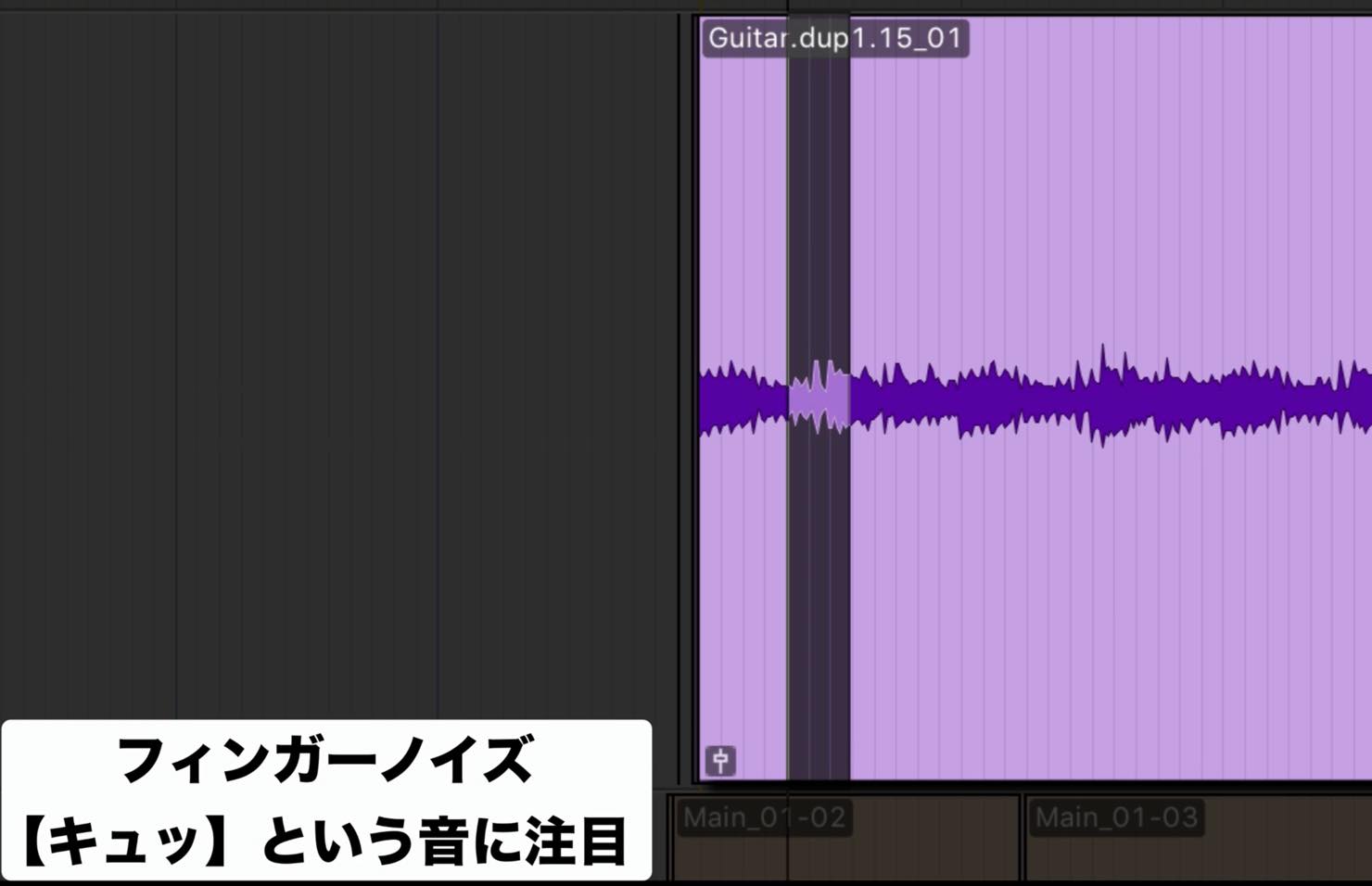
A quick way to detect this noise is to start by choosing a preset.
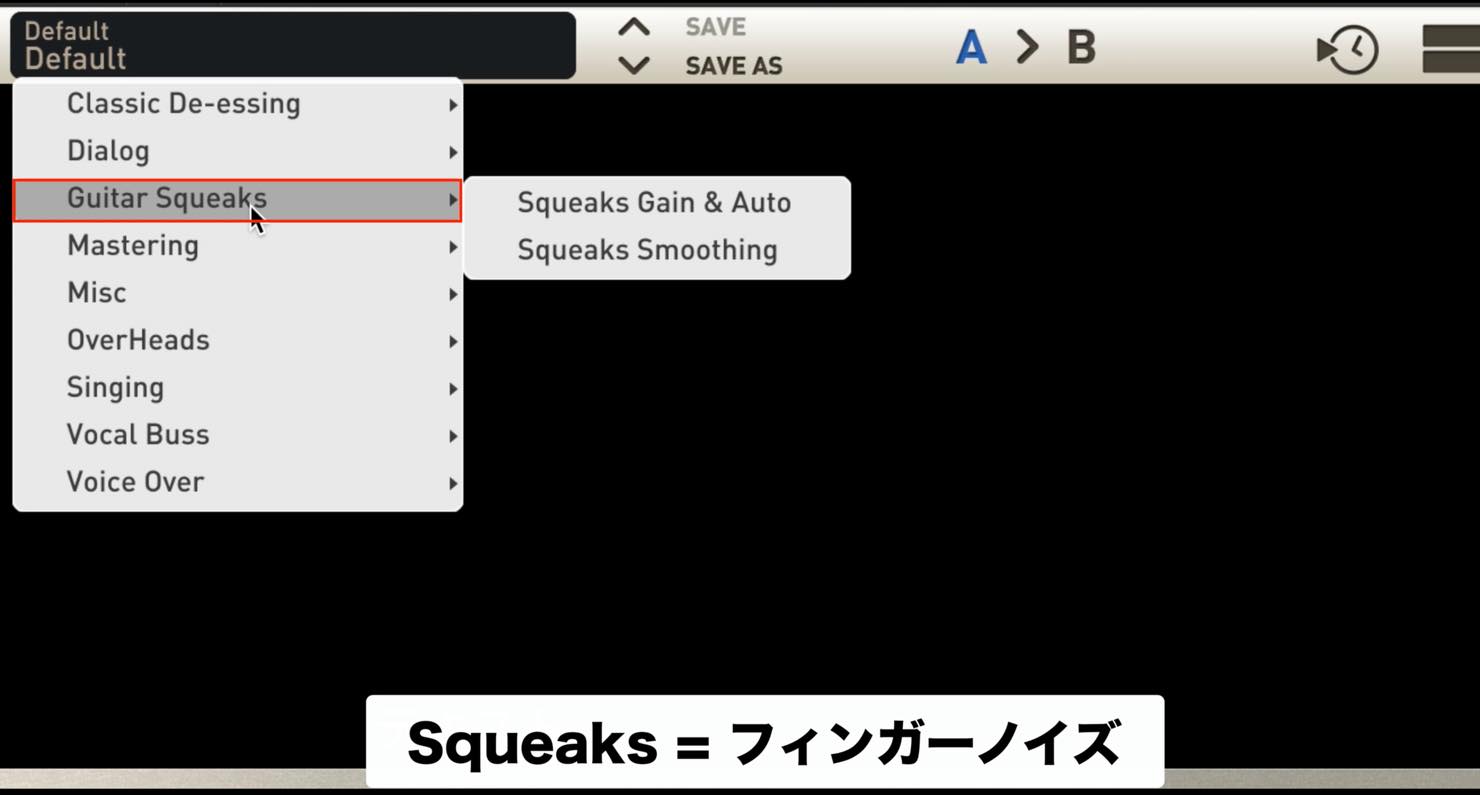
Here we selected the “Squeaks Gain & Auto” preset in the “Guitar Squeaks” category. First, check the mode setting.
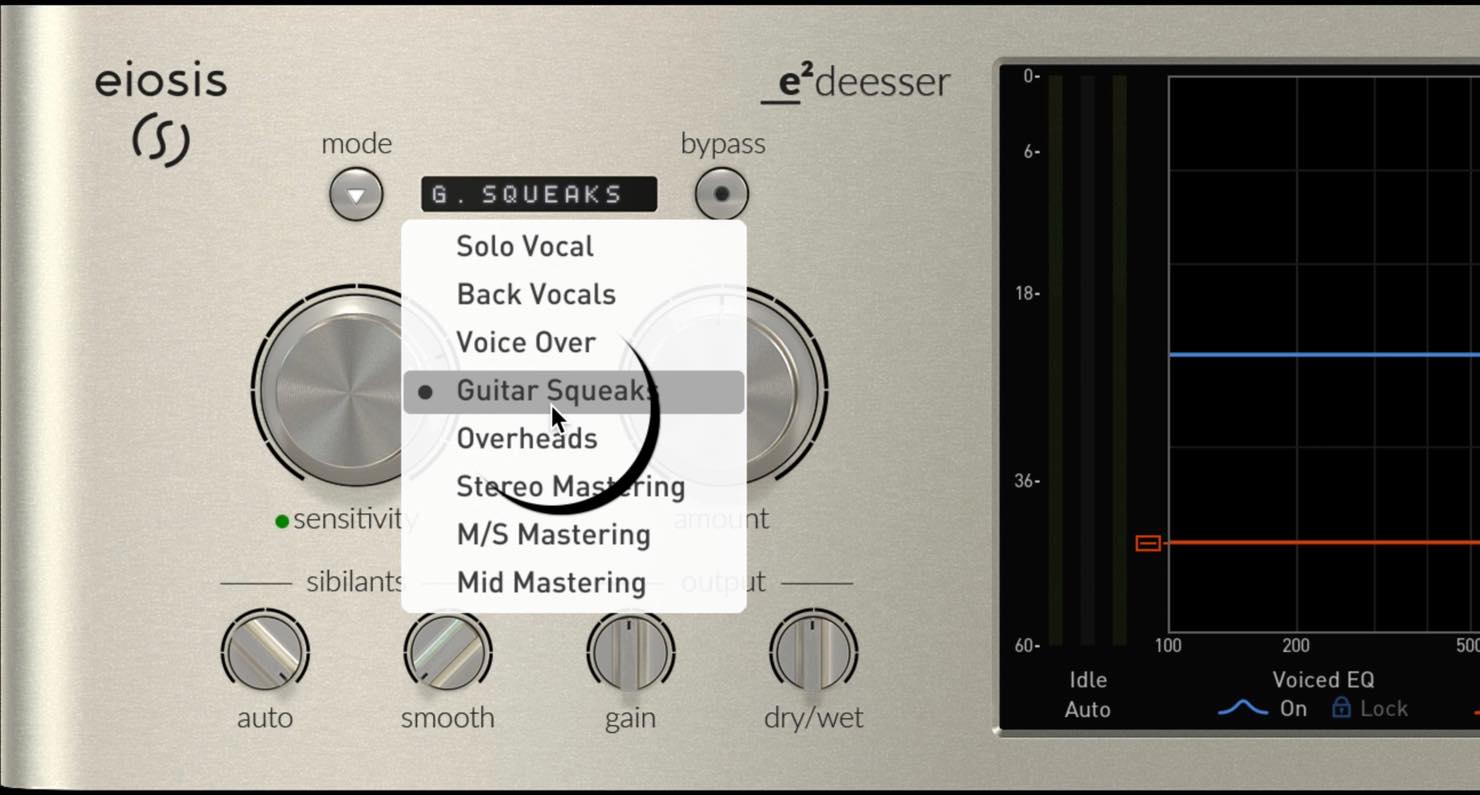
The Guitar Squeaks mode should already be selected.
We did not cover this last time: mode is the parameter that selects the type of sound to target.
A preset chooses an appropriate mode, but you can change it yourself.
For this example, leave it as it is.
Adjusting the Parameters
As with vocals, first adjust sensitivity so the target sound is detected properly. With this preset, however, the effect may not be very obvious.
Look at the dry/wet knob in the lower right.
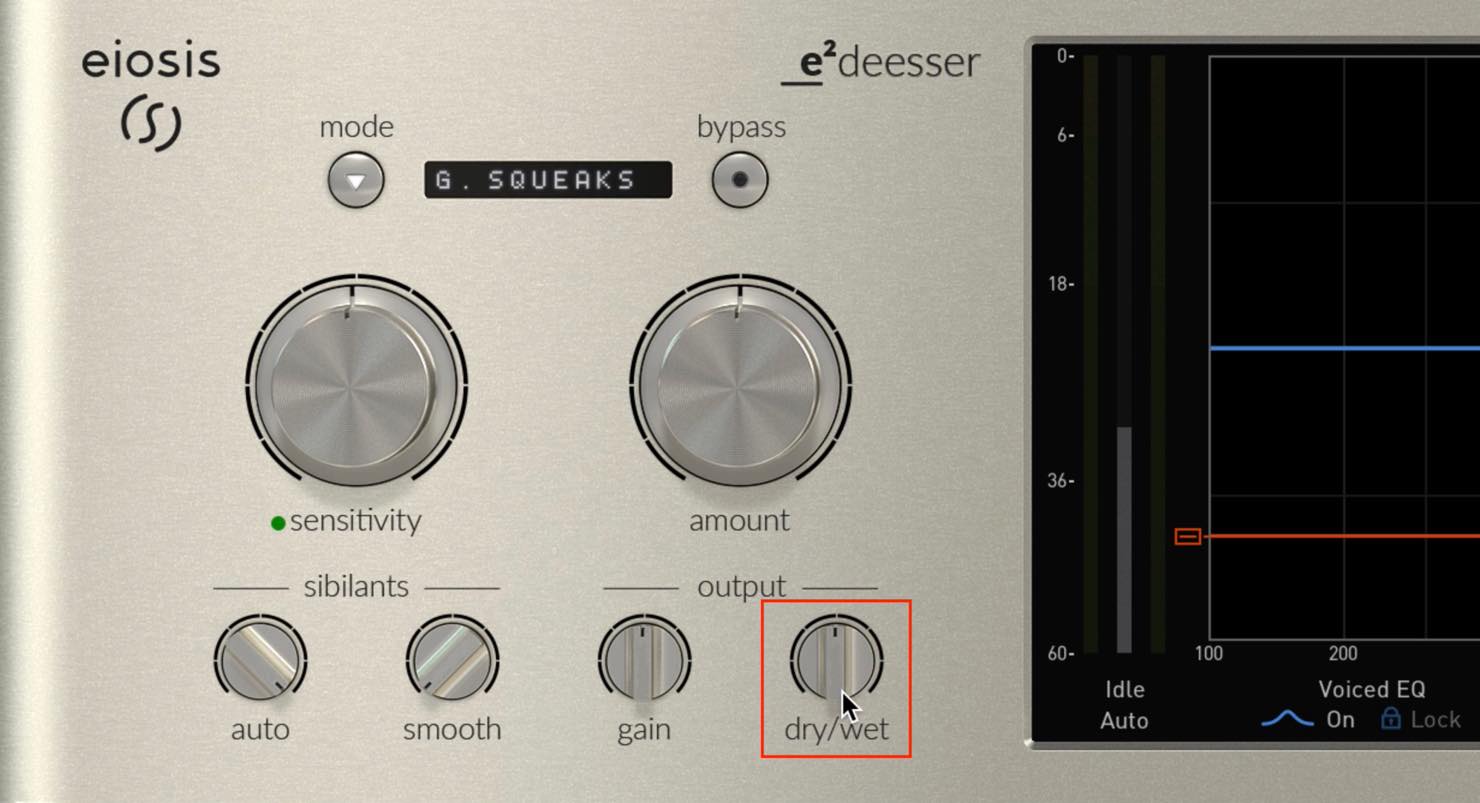
The “Squeaks Gain & Auto” preset starts at 50:50: equal parts de-essed and original signal. You may ultimately choose a similar blend, but for now turn it all the way to Wet so the effect is easier to hear.
Next, increase amount and EQ to make the difference more obvious, then try Sibilants Listen below the EQ.
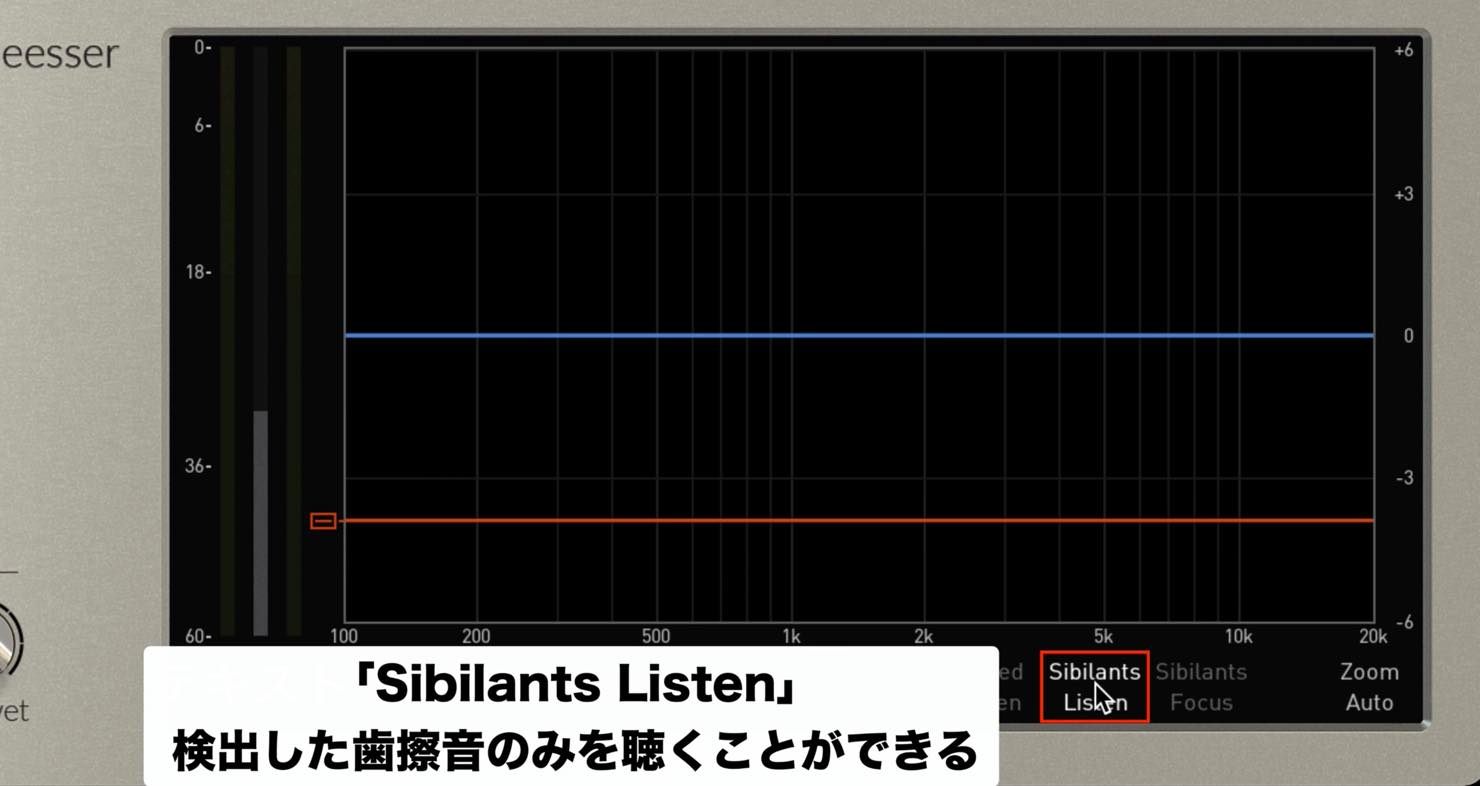
This mode lets you monitor only the detected sibilant component, making it easier to hear what the de-esser is doing.
While listening, turn dry/wet to compare the processed and bypassed sibilant component.
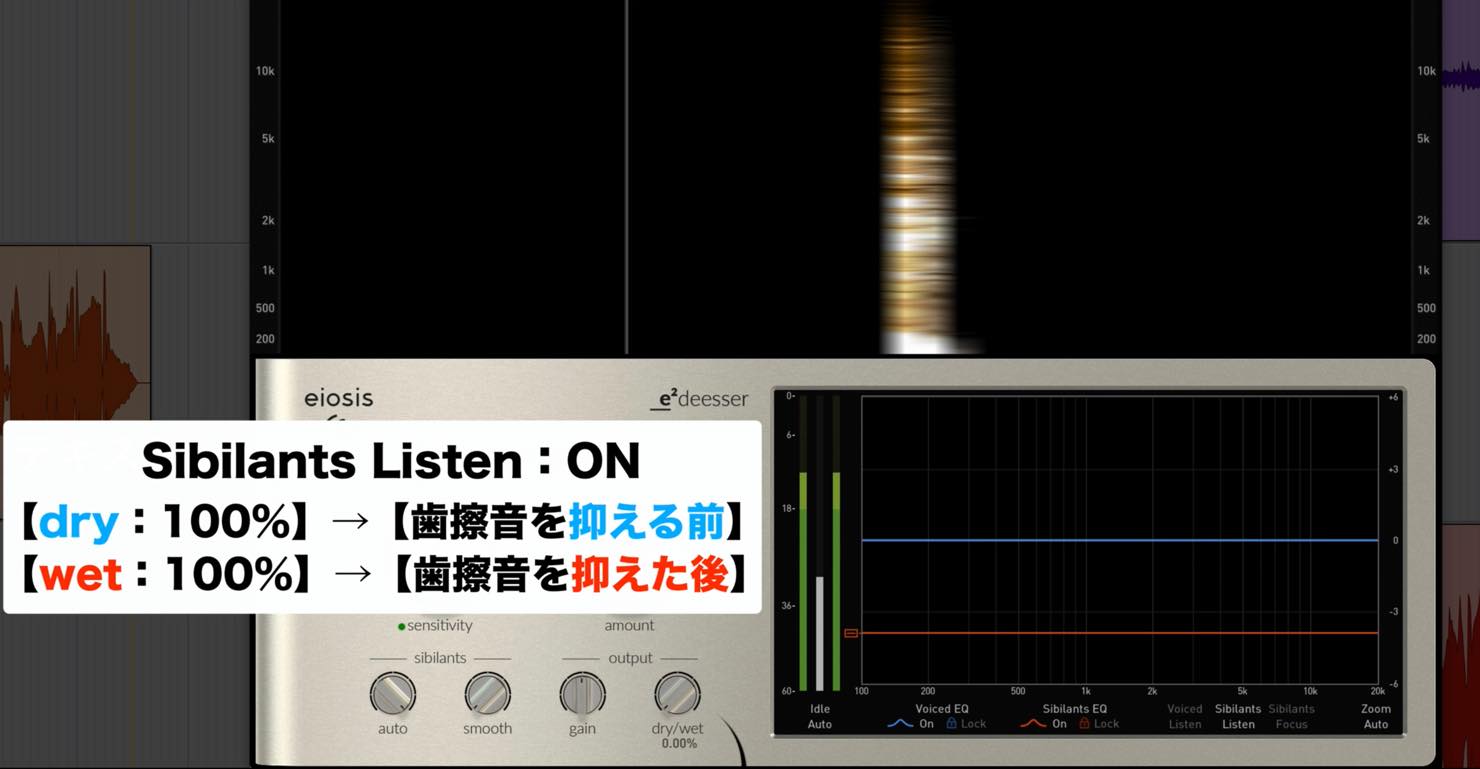
Once you have checked and adjusted the effect, turn Sibilants Listen off and listen in the context of the full song.
With the stronger settings left in place, the finger noise may disappear entirely.
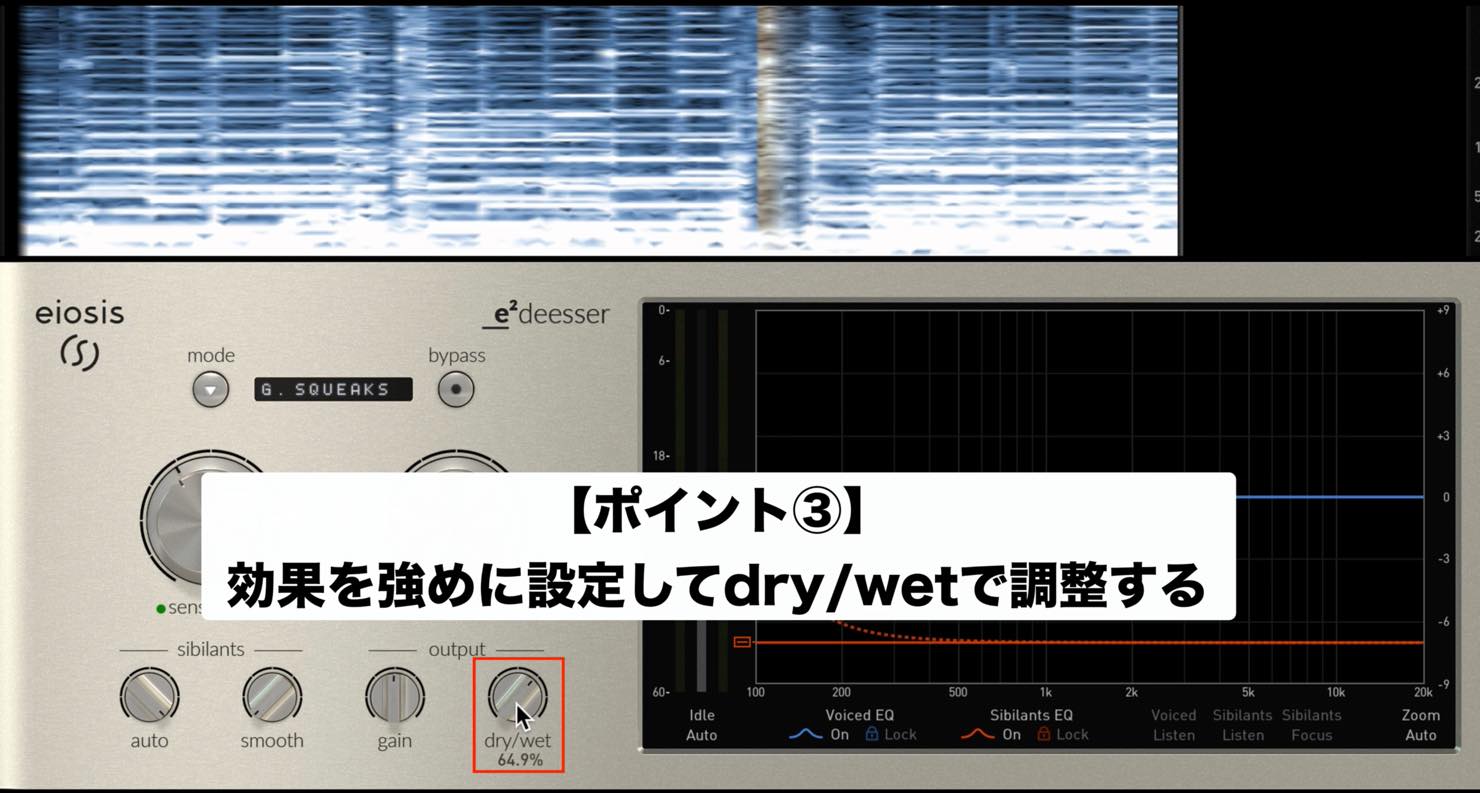
We recommend adjusting dry/wet at the end to blend an appropriate amount of the original signal back in.
In our experience, this is a quick way to achieve a natural result.
For an electric guitar track using an amp simulator, try inserting E2 Deesser before the amp simulator.
Applying It to the Master
Next, let’s look at E2 Deesser in mastering.
This is not a typical use for a de-esser, but E2 Deesser includes presets and modes for it.
De-essing Vocals in a Stereo Mix
You may want to apply further vocal de-essing when mastering an already mixed stereo track. In that case, insert E2 Deesser on the stereo mix and try the following preset.
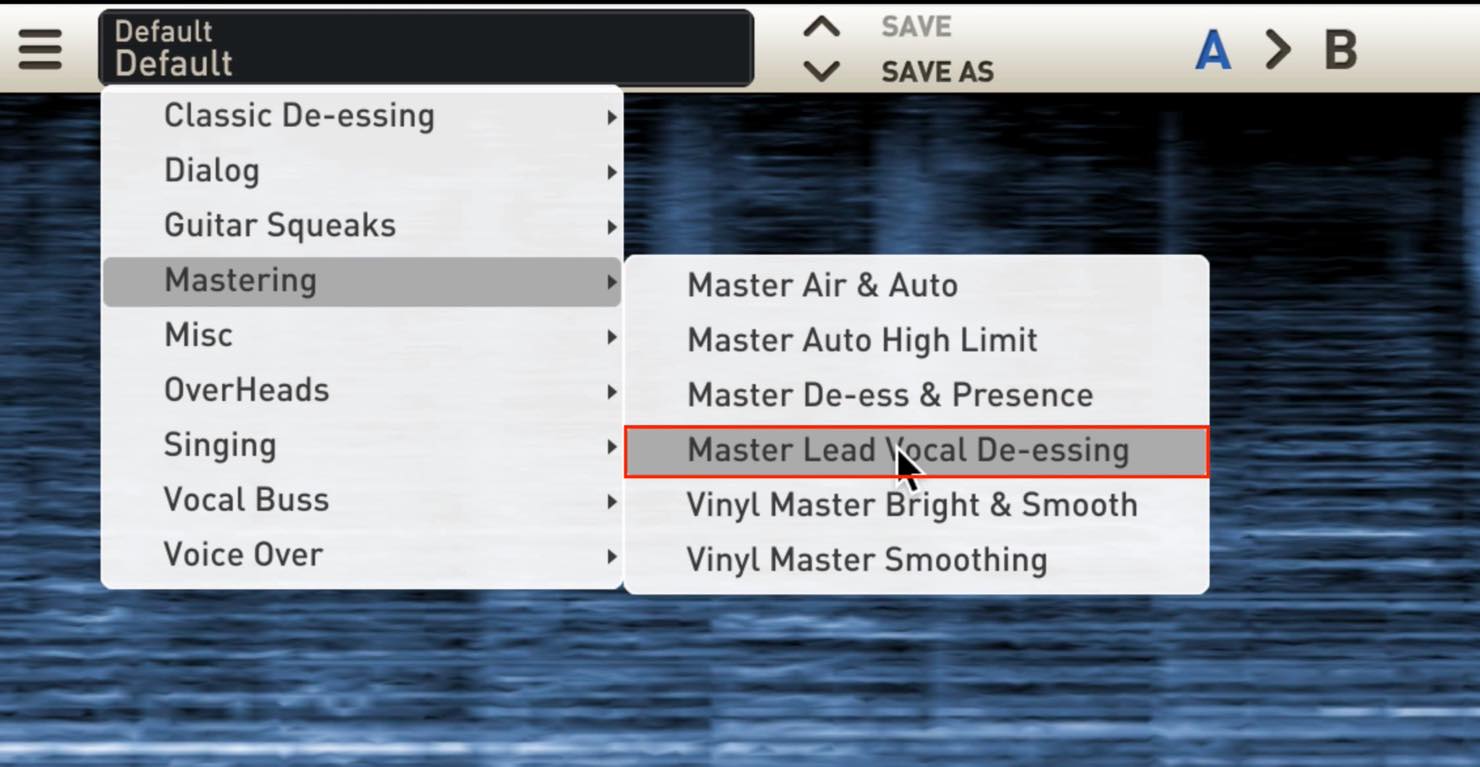
The preset is aptly named “Master Lead Vocal De-essing.”
Select it, adjust sensitivity and listen: it can detect vocal sibilance and apply natural-sounding de-essing.
How does it work?
Again, the mode is key: this time it is “Mid Mastering.”
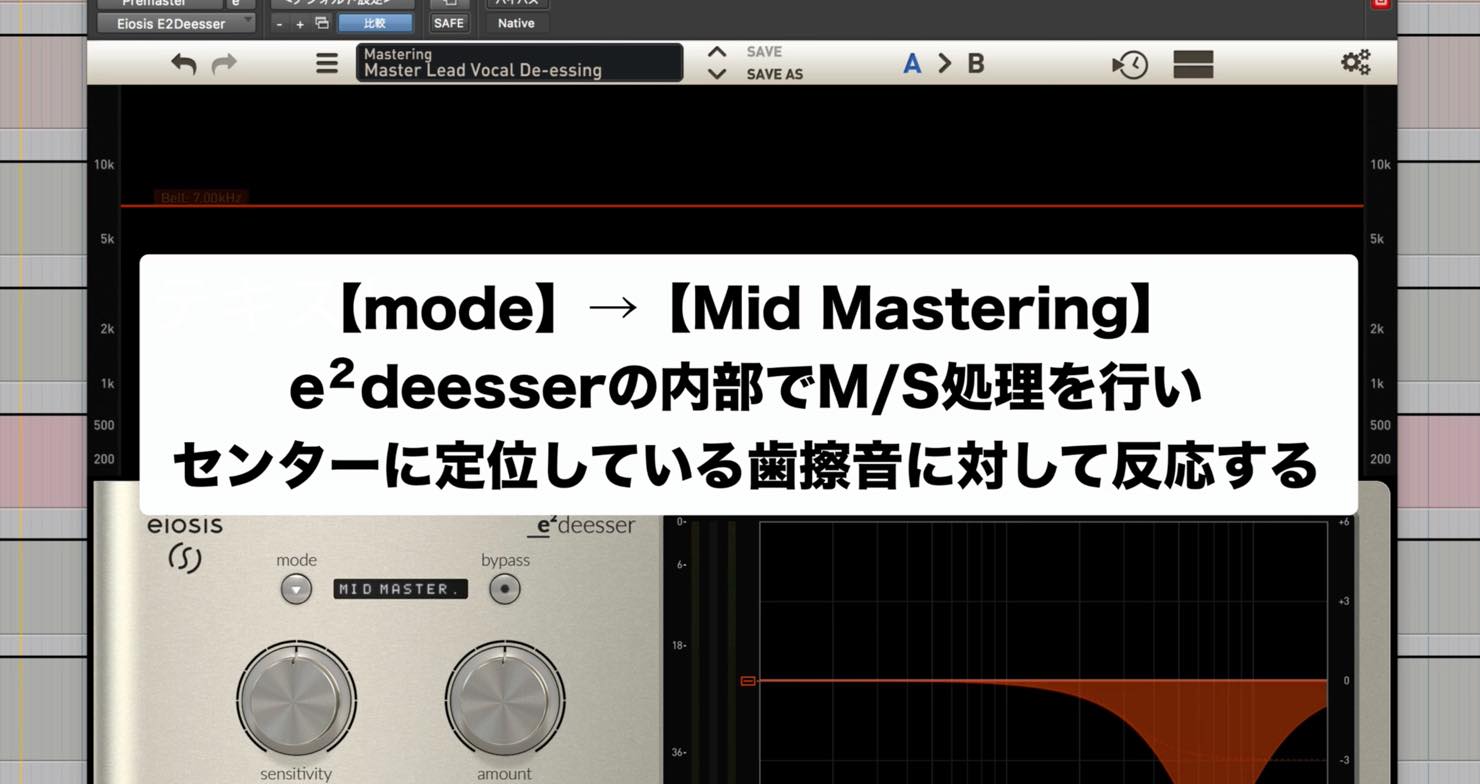
E2 Deesser uses internal mid/side processing to detect and process sibilance in center-positioned sounds.
You can further target the frequency range with EQ to achieve a natural de-essing effect on the stereo mix.
Master EQ Using Voiced EQ
Finally, let’s use the plug-in as an EQ rather than a de-esser.
When mastering, you might want to lift the high end slightly but find that unpleasant sounds emerge in certain places, making EQ difficult.
In that case, try using E2 Deesser as an EQ with the following preset.
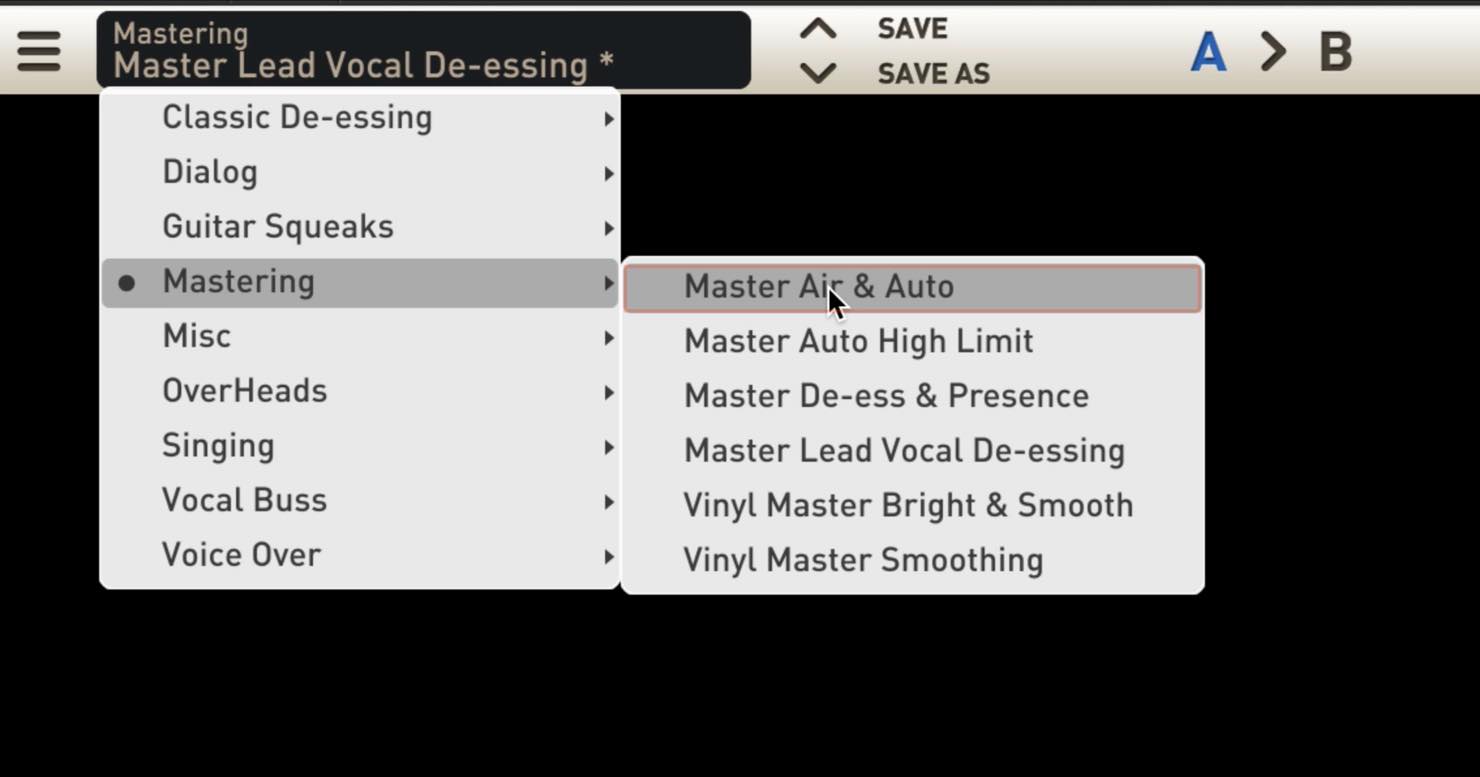
It is “Master Air & Auto” in the “Mastering” category.
The initial setting boosts the high frequencies considerably. Start by listening to it as it is.
Compared with a conventional EQ, you may notice less unpleasant high-frequency sound emerging.
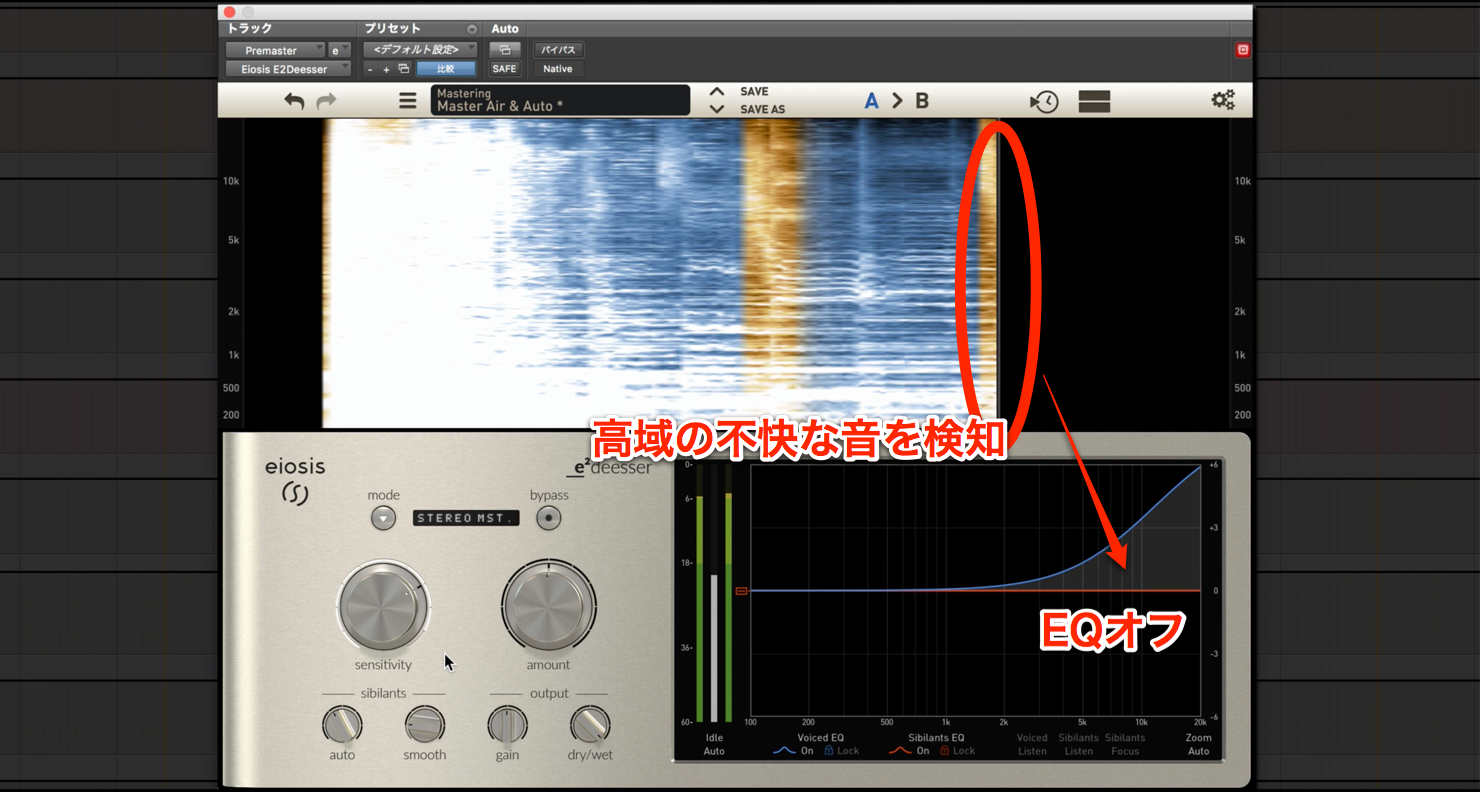
This makes use of Voiced EQ’s ability to work selectively on non-sibilant material, introduced last time, for mastering.
Adjust the amount of boost and the frequency range to suit the track.
Note that this preset uses the “STEREO MST.” mode.
That concludes our two-part look at eiosis E2 Deesser.
It is relatively expensive for a de-esser, but its versatility makes it useful in many mixing and mastering situations.
(Other presets include options for overheads.)
If you are interested, try the demo.
Purchase the Product
Frequently Asked Questions
Q1. Can E2 Deesser be used on guitar?
Yes. Its dedicated Guitar Squeaks mode can reduce finger noise during chord changes. Select the “Squeaks Gain & Auto” preset and adjust sensitivity and dry/wet to achieve a natural result.
Q2. Can I de-ess vocals in a master?
Yes. The “Master Lead Vocal De-essing” preset uses Mid Mastering mode and mid/side processing to detect and process sibilance in center-positioned sounds, which can include the vocal.
Q3. Can E2 Deesser be used instead of a conventional EQ?
Yes. The “Master Air & Auto” preset uses Voiced EQ to lift high frequencies in mastering while reducing the likelihood of unpleasant sounds, potentially yielding a more natural result.
NEW ARTICLES
Latest English Articles































































































































































































































































































































































































