
This article explores practical sound-editing techniques for DX7 V in V Collection 6. Learn to control unison, detune, filters, envelopes and individual operators to customize presets efficiently. With classic synthesizer techniques and attention to the balance between sound and CPU load, you can quickly create original tones suited to your music.
Editing the sound of each operator
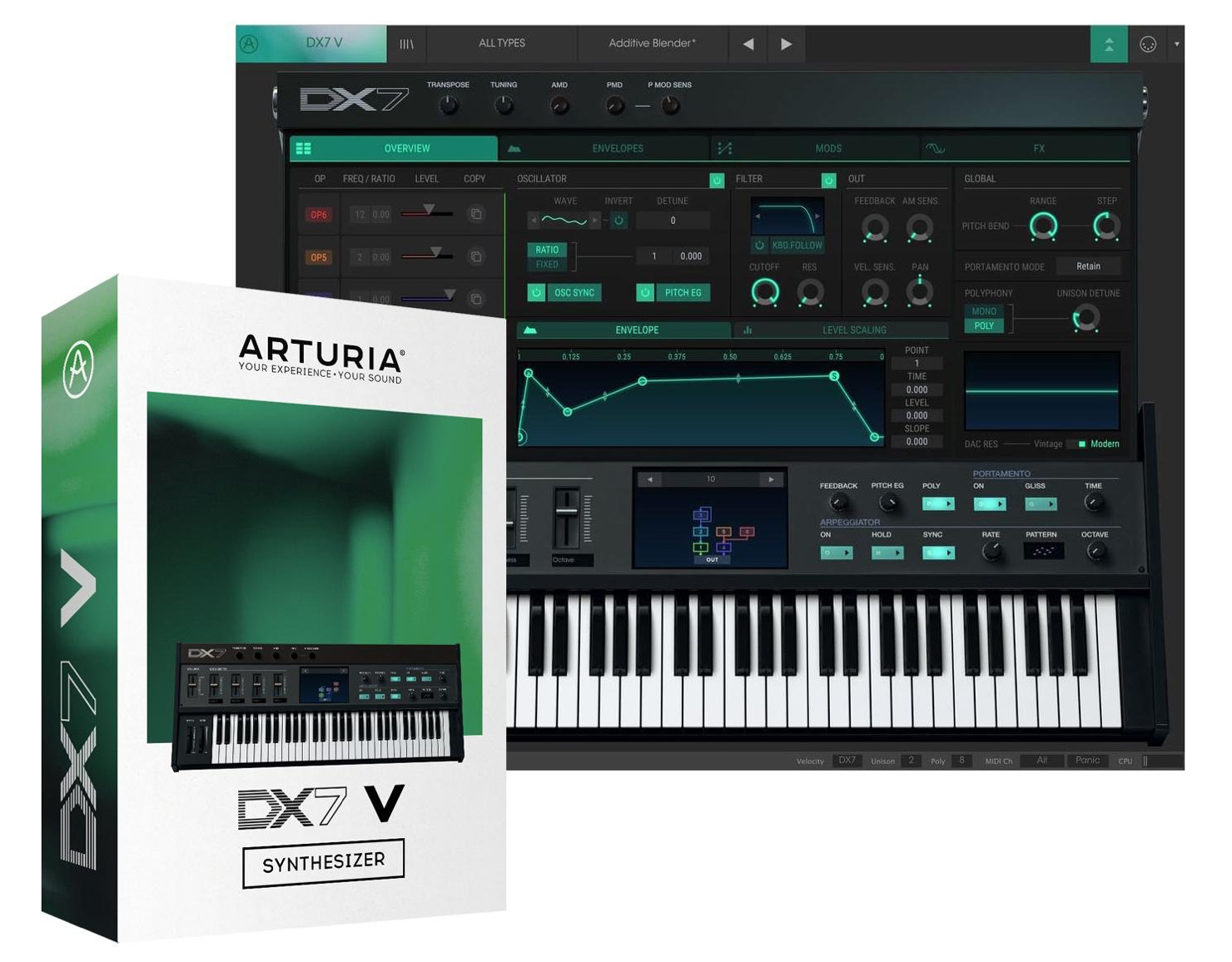
The previous article explained the basics of DX7 V operators and FM synthesis.
This time, we will edit the sound of these operators.
Unison, detune and filters are essential controls for DX7 V, so let’s take a closer look.
DX7 V Controls: Video Tutorial
- 1V Collection 6: Analog Lab 3
- 2V Collection 6: DX7 V Overview and Operators
- 3V Collection 6: Controlling DX7 V Parameters
- 4V Collection 6: DX7 V Modulation and Effects
- 5V Collection 7: Overview of Mellotron V and CZ V
- 6V Collection 7: Synthi V, B-3 V2 and Analog Lab 4
- 7V Collection 8: New Instruments and Vocoder V
Product URL: https://bit.ly/2J7BPjU
Purchase the product here
Contact: Korg / KID Customer Support Tel: 0570-666-569 (Japan)
Unison and Portamento
“Unison” layers the output sound to add thickness and width.
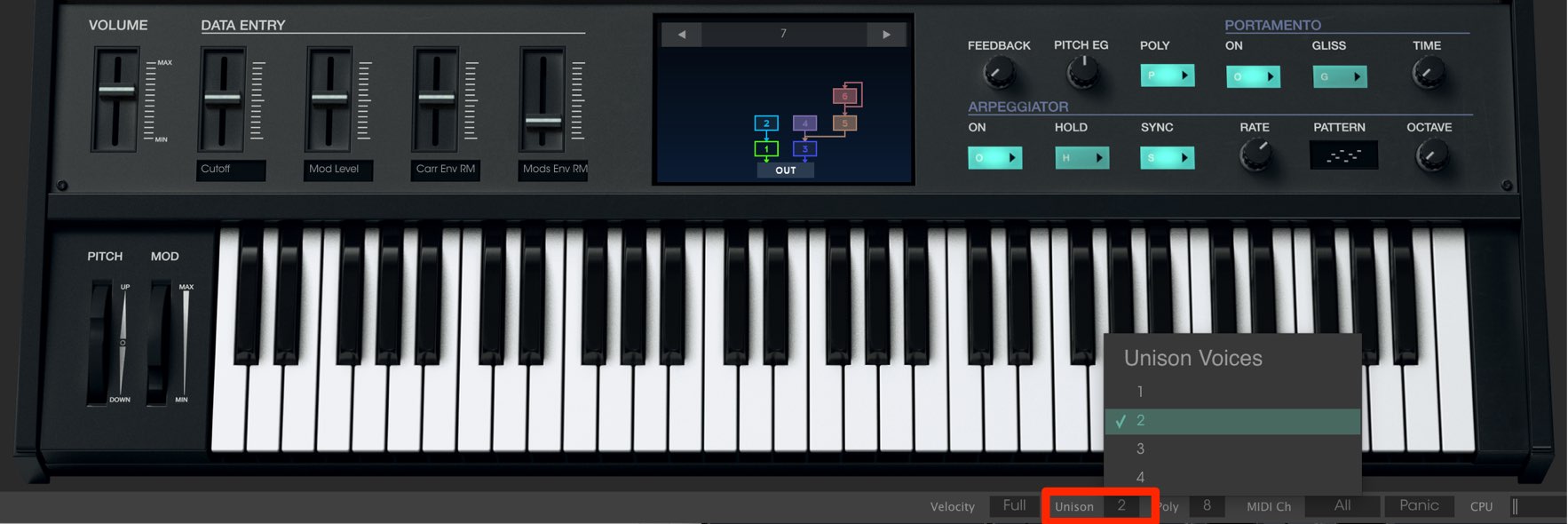
Use “Unison” to specify how many sounds are layered.
Higher values make the sound thicker but also increase CPU load.
Even setting it to “2” can change the character of the sound considerably.
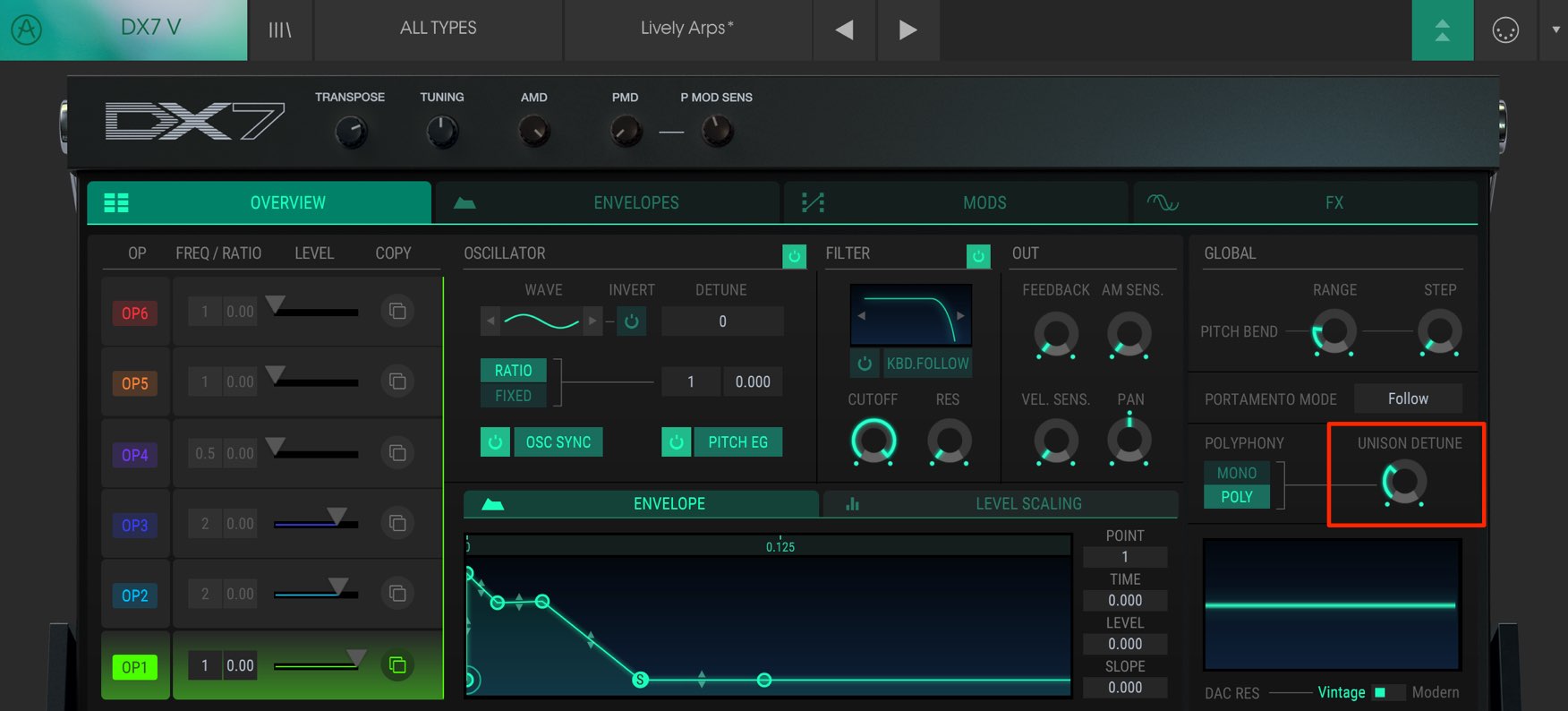
You can slightly offset the pitch of the layered sounds in cents (hundredths of a semitone) to create a chorus-like spread.
The higher you turn the “UNISON DETUNE” knob, the greater the pitch difference.
This is a classic synthesizer technique, so you may have heard it before.
You can also detune an individual operator.
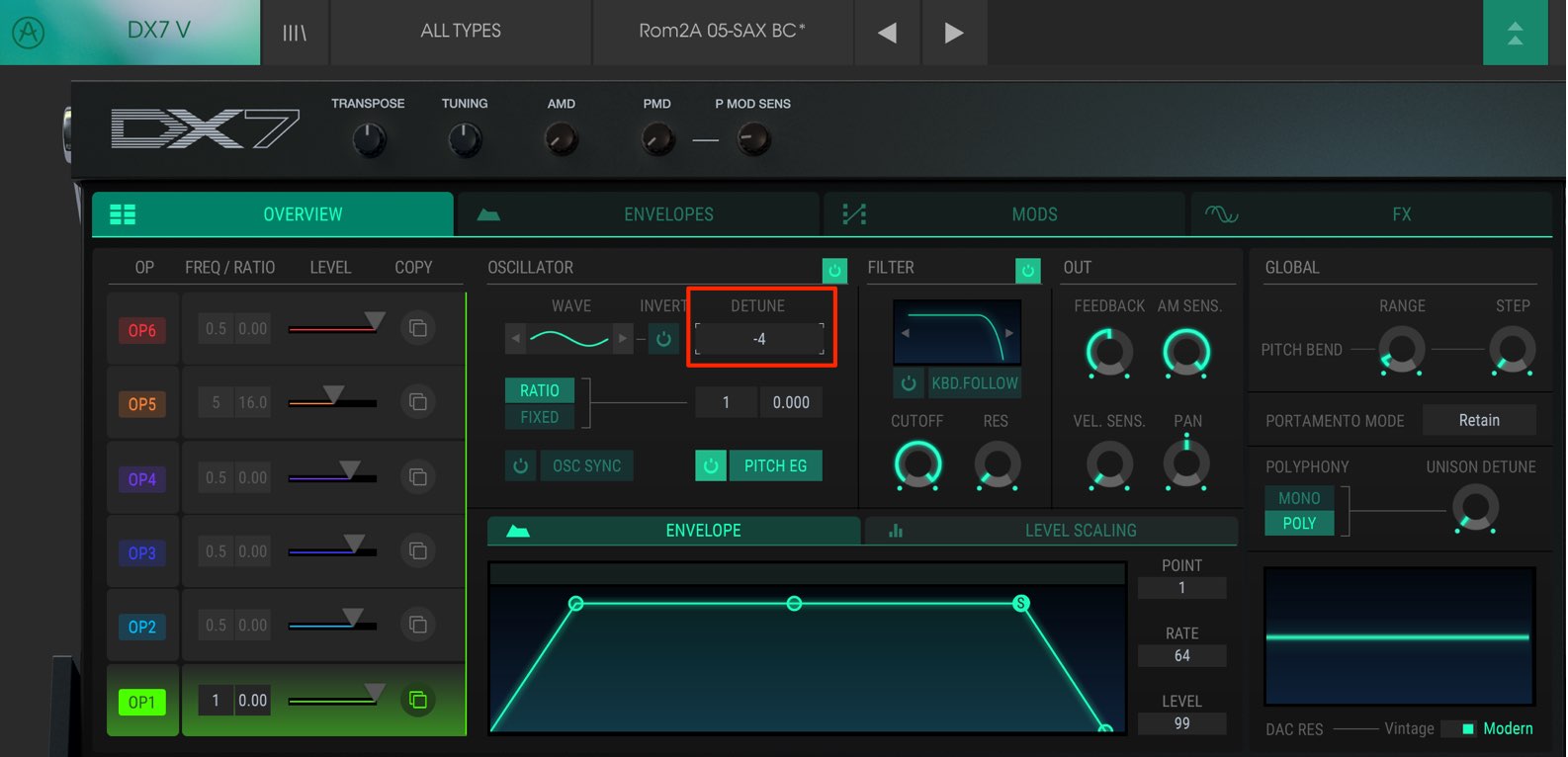
Select the operator you want and adjust its “DETUNE” knob.
You can set it between -15 and +15 cents, a total range of 30 cents.
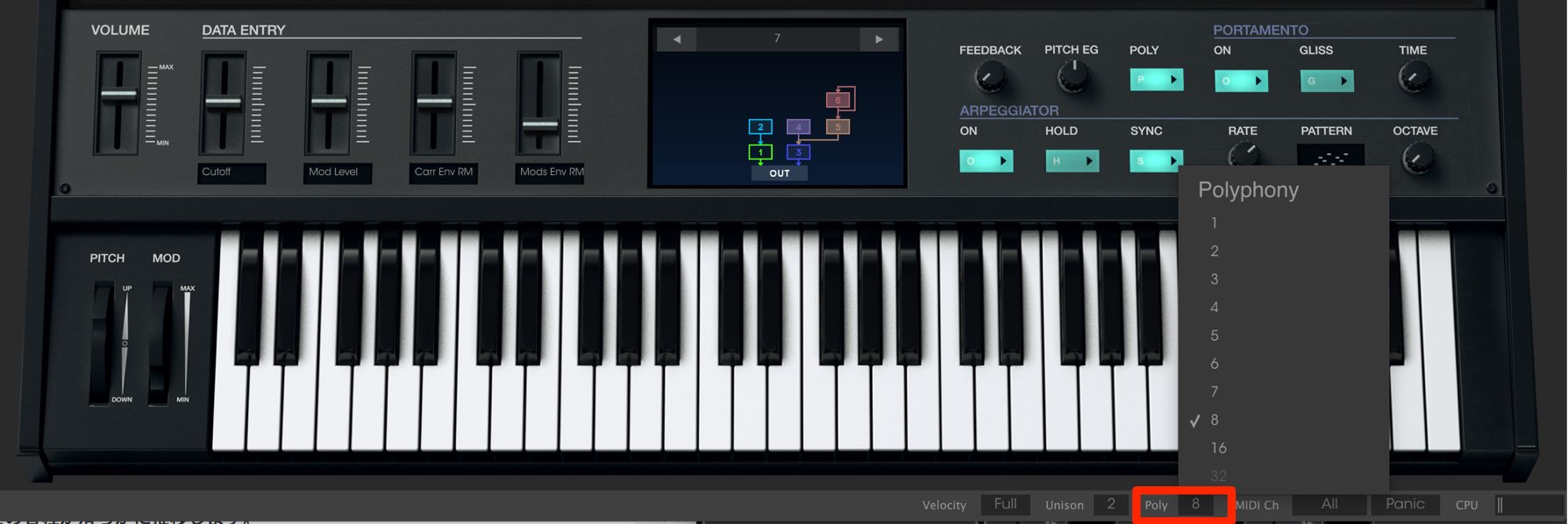
Use “Poly” to set the number of notes that can sound simultaneously when playing chords.
If you exceed the specified number, newly played notes will not sound.
Note that the sounds layered with “Unison” above count as one note.
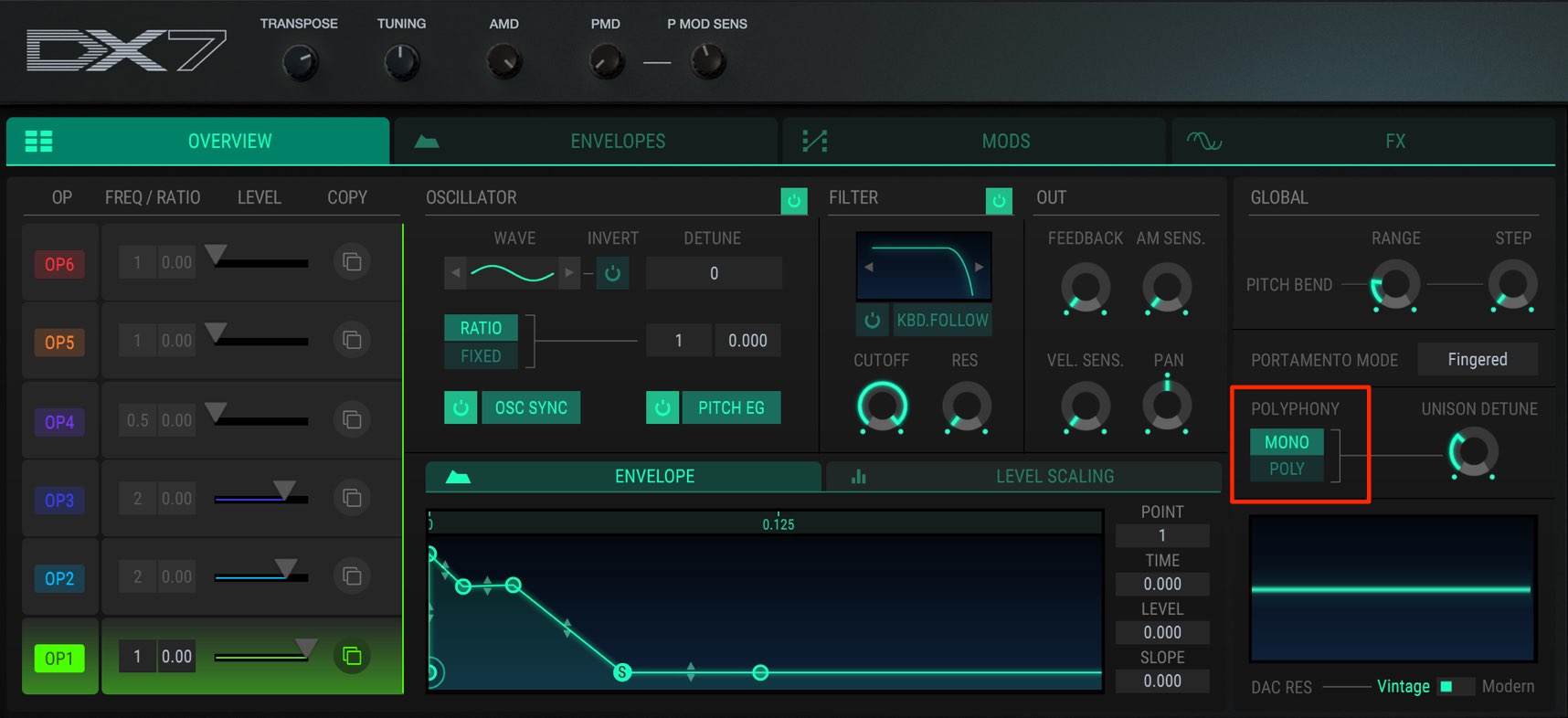
Switching the mode to “MONO” restricts playback to one note at a time.
This is commonly used for bass and lead synths.
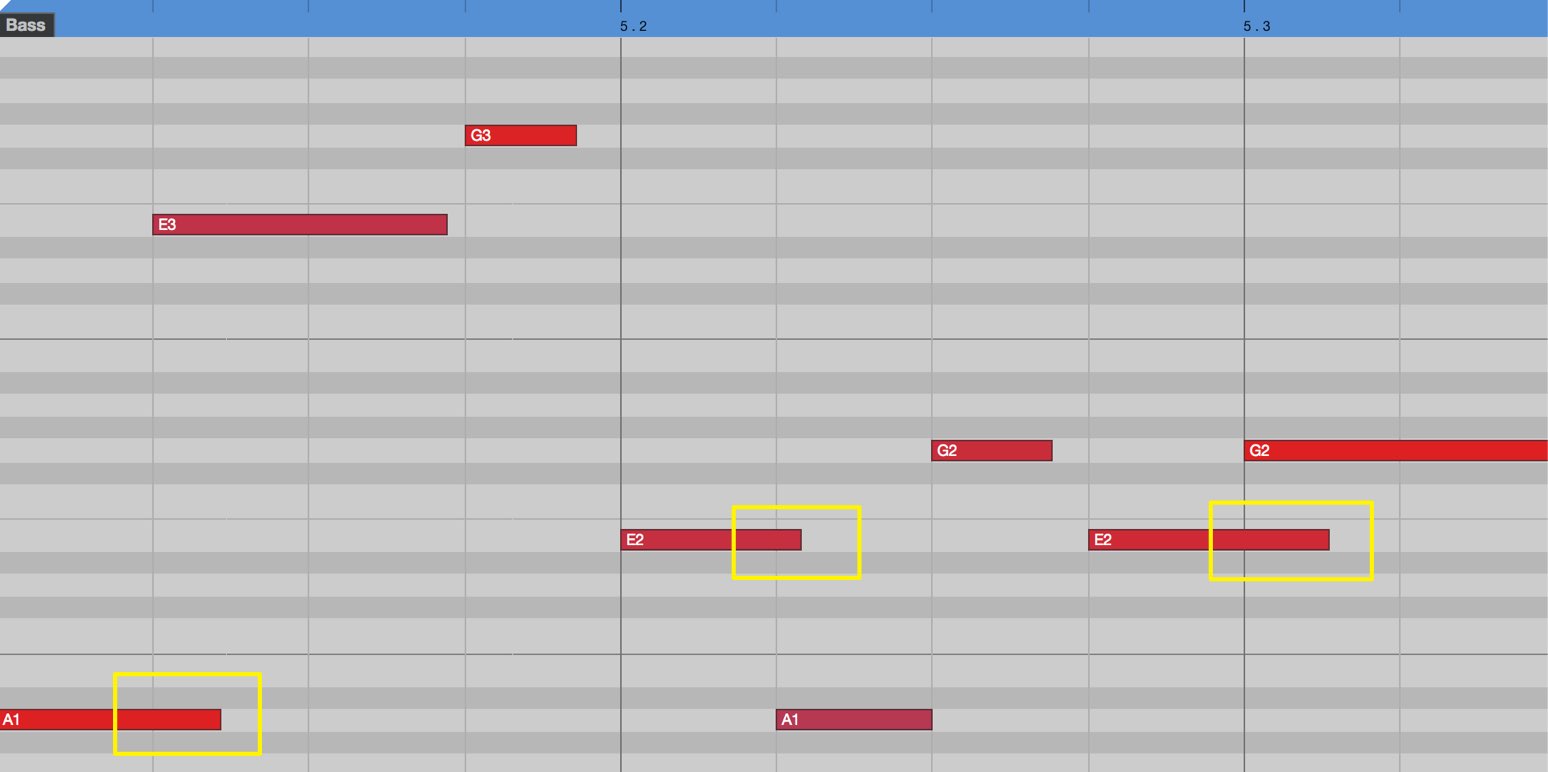
When notes overlap as in this programmed example, the previous note stops and the new note takes priority.
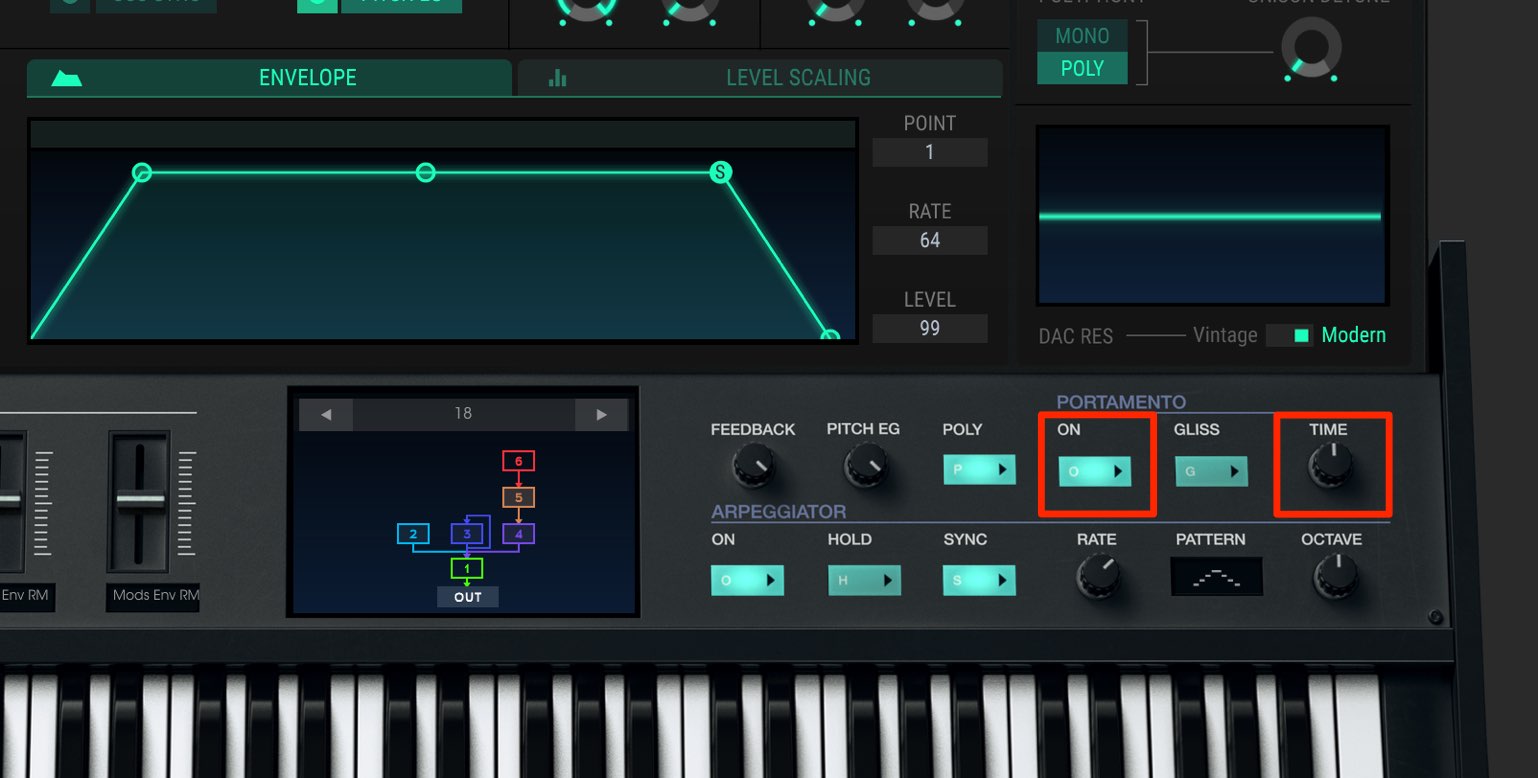
Enabling “PORTAMENTO” makes the pitch move smoothly between overlapping notes.
On some synthesizers this is also called “glide.”
Use the “TIME” knob to set the transition time.
The appropriate feel depends on the tempo and phrase, so play the phrase while finding a suitable setting.
Operator Feedback
In the previous article, we explained that operators can act as carriers (operators sent directly to the output) or modulators (operators that modulate carriers).
Each operator can also modulate itself.
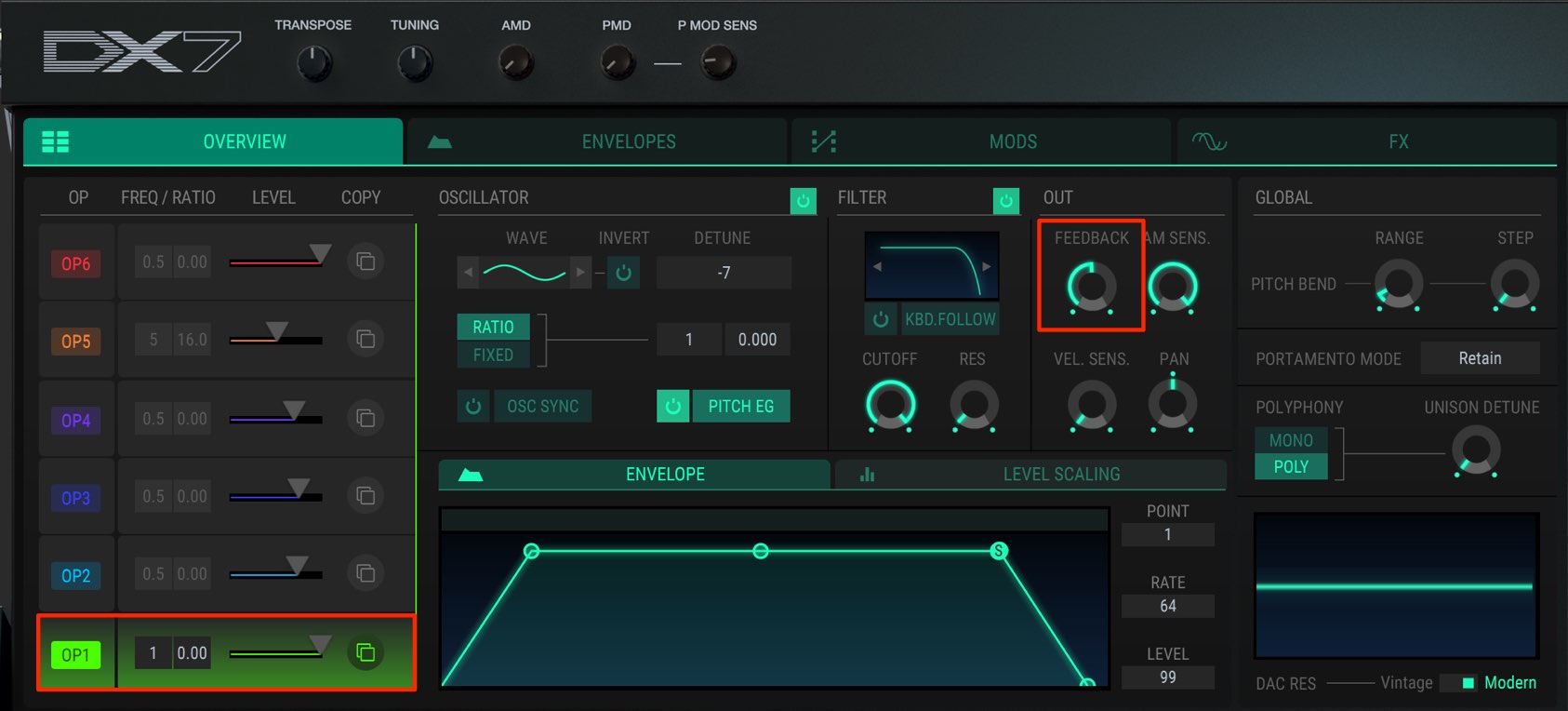
Select the operator and turn up its “FEEDBACK” knob to set the amount of modulation.
If the value is too high, the excess harmonics can make the sound noise-like.
It can add an expressive edge when you want a more striking sound.
Applying Filters
The filter is an essential section of synthesizer sound design.
It shapes the sound by cutting frequencies above or below a specified point.
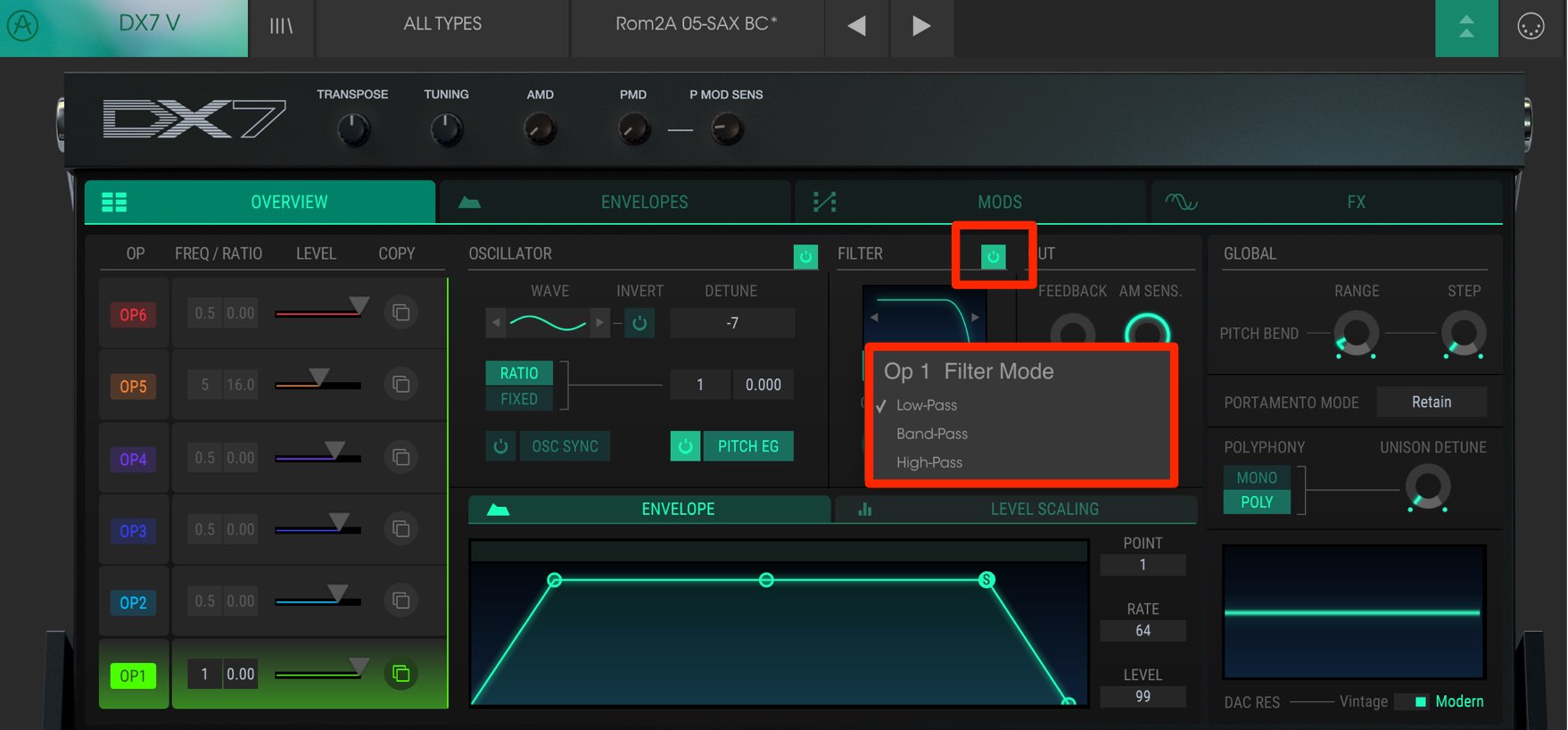
You can set the filter independently for each operator.
Select the operator and turn its “FILTER” on.
There are three filter types:
- Low-pass: Cuts high frequencies to make the sound warmer or rounder.
- High-pass: Cuts low frequencies to make the sound lighter.
- Band-pass: Cuts both high and low frequencies to create a distinctive sound.
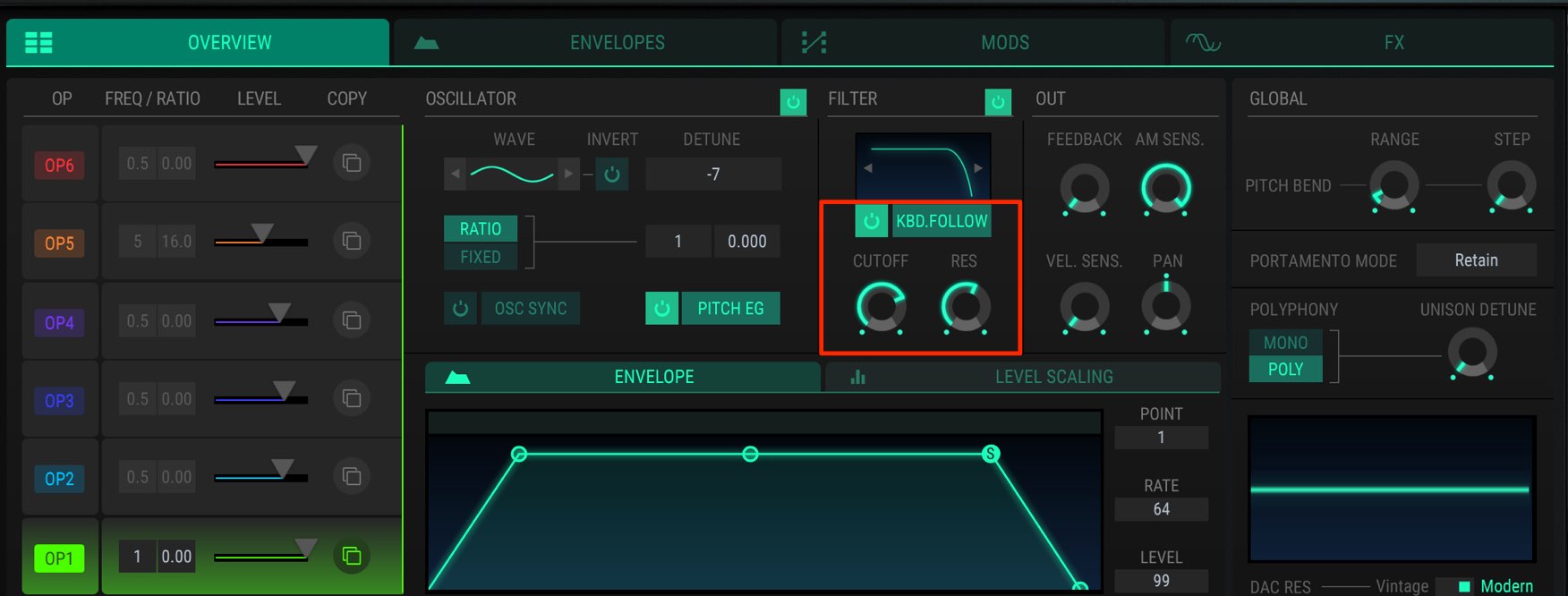
Use “CUTOFF” to set where the frequencies are cut and “RES” (resonance) to emphasize frequencies around that point and add character.
“KBD.FOLLOW” adjusts the cutoff position according to the pitch of the note played.
Listen with it on and off and choose the setting you prefer.
Controlling the Volume Envelope
An envelope controls the volume curve of each operator.
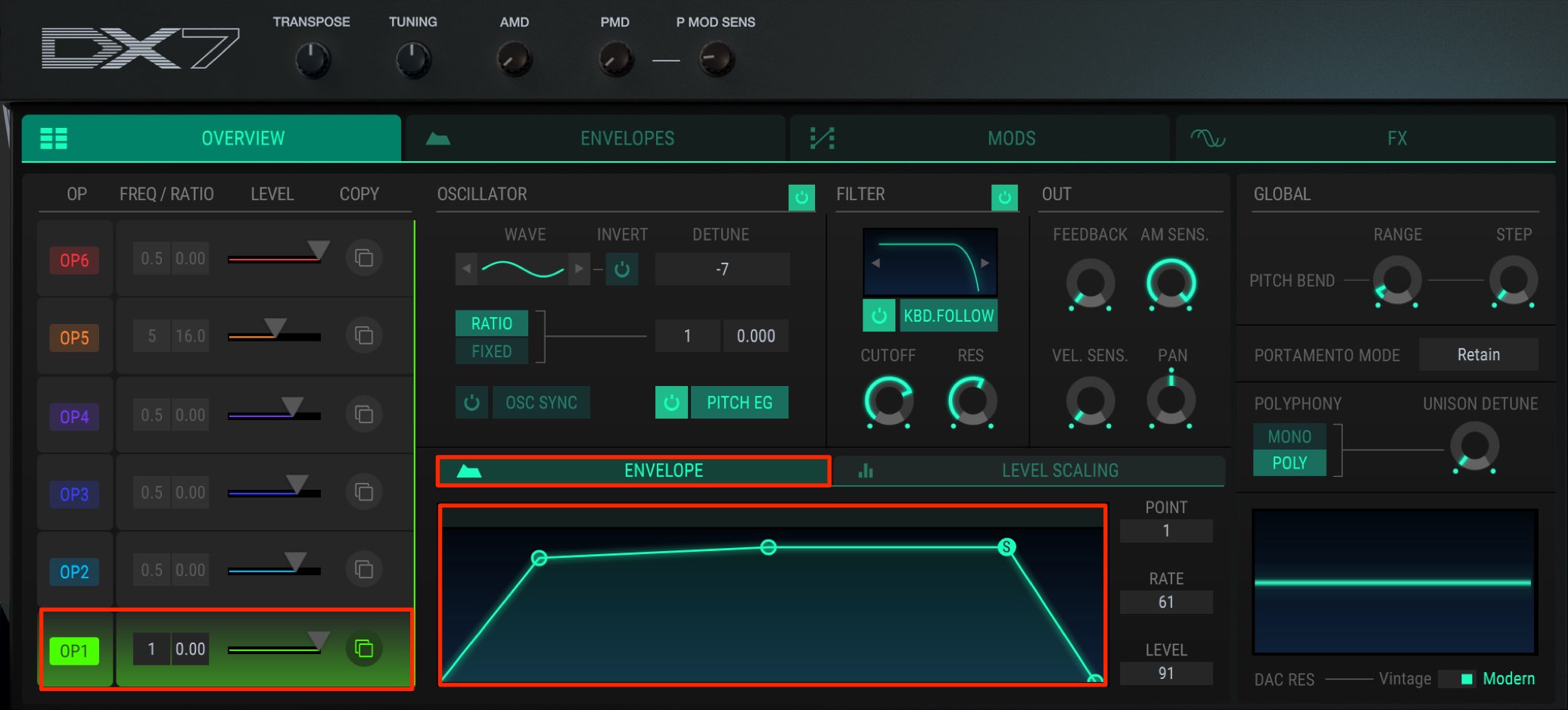
Drag the points to change how the volume moves over time.
The volume curve plays a major role in shaping the character of a sound.
For example, you might like the tone of a preset but find its attack too slow.
Changing this curve makes it easy to adapt the sound to your song.
These simple steps let you quickly customize the sound for your music.
Even small changes to a selected preset can produce many variations, so give them a try.
In the final installment, we will explore sound editing with modulation and effects to add movement.
- 1V Collection 6: Analog Lab 3
- 2V Collection 6: DX7 V Overview and Operators
- 3V Collection 6: Controlling DX7 V Parameters
- 4V Collection 6: DX7 V Modulation and Effects
- 5V Collection 7: Overview of Mellotron V and CZ V
- 6V Collection 7: Synthi V, B-3 V2 and Analog Lab 4
- 7V Collection 8: New Instruments and Vocoder V
Product URL: https://bit.ly/2J7BPjU
Purchase the product here
Contact: Korg / KID Customer Support Tel: 0570-666-569 (Japan)
Frequently Asked Questions
Q1. How are unison and detune used in DX7 V?
Unison layers sounds at the same pitch to add thickness; detune offsets their pitches by cents for a chorus-like spread. Increasing the detune amount increases that spread.
Q2. What is portamento (glide) used for?
In MONO mode, it smoothly transitions between the pitches of different notes. It is useful for bass and lead synths; adjust the TIME knob to shape the transition for your phrase.
Q3. How do the low-pass, high-pass and band-pass filters differ?
A low-pass filter cuts highs for a warmer sound; a high-pass filter cuts lows for a lighter sound; and a band-pass filter cuts both ends for a distinctive tone. Choose according to the music and the effect you want.
Q4. What should I consider when adjusting an envelope?
The volume curve strongly affects the character of a sound. After choosing a preset, adjust the attack and other points to fit your song; drag the points to change the curve.
NEW ARTICLES
Latest English Articles


























































































































































































































































































































