
InstaChord is an innovative instrument-style device that lets beginners play chord accompaniments without prior instrumental experience. Its simple arrangement of nine buttons draws on diatonic harmony, making it possible to play songs without first learning chord theory or instrument fingerings. For DAW users, it also provides MIDI integration. The InstaChordizer browser extension converts chords on chord-chart websites into numbers, making the system useful for developing composition and arrangement skills. This article describes the product, software support, and availability at the time of our original May 2022 review.
An innovative instrument that won support through crowdfunding
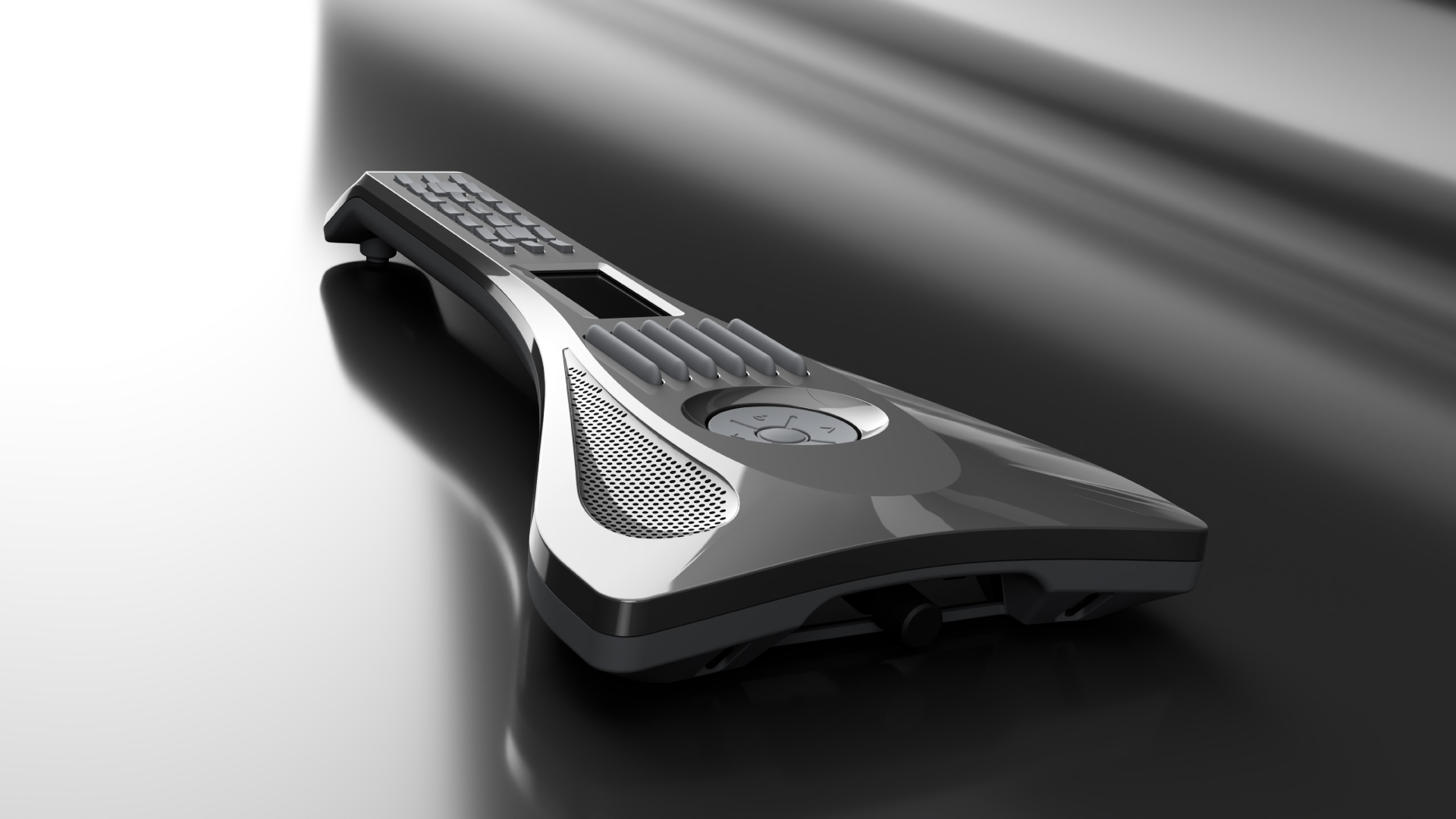
In this feature, we introduce InstaChord, a groundbreaking instrument-style device that deserves more attention.
With the aim of making the joy of playing music accessible to everyone, InstaChord launched a crowdfunding campaign in 2020, raising ¥80 million from 2,354 supporters—far above its target. It was officially released in 2021.
Its origins are thoroughly modern. Yet, at the time of this May 2022 article, its developer, Yuichi, was still handling most of the grassroots promotion himself. We felt it was surprisingly little known given its capabilities.
The video is the quickest way to understand its appeal, but we will also outline the key points here.
Video: The innovative InstaChord instrument
Featured in the video
• Yuichi, the developer of InstaChord
• Sayaka Kurishima, trying singing with her own accompaniment for the first time
What makes it different from conventional instrument-style devices?
Rather than being designed primarily as a solo instrument, InstaChord focuses on chord accompaniment.
That makes it particularly suitable for people who:
- Cannot play an instrument but want to try singing with their own accompaniment or composing songs.
- Started producing music in a DAW without playing an instrument, but want to compose more like someone who plays.
- Want to analyze and collect chord progressions from existing songs with ease.
The secret to playing chord accompaniments straight away, even without instrumental experience, lies in the layout of the chord buttons.
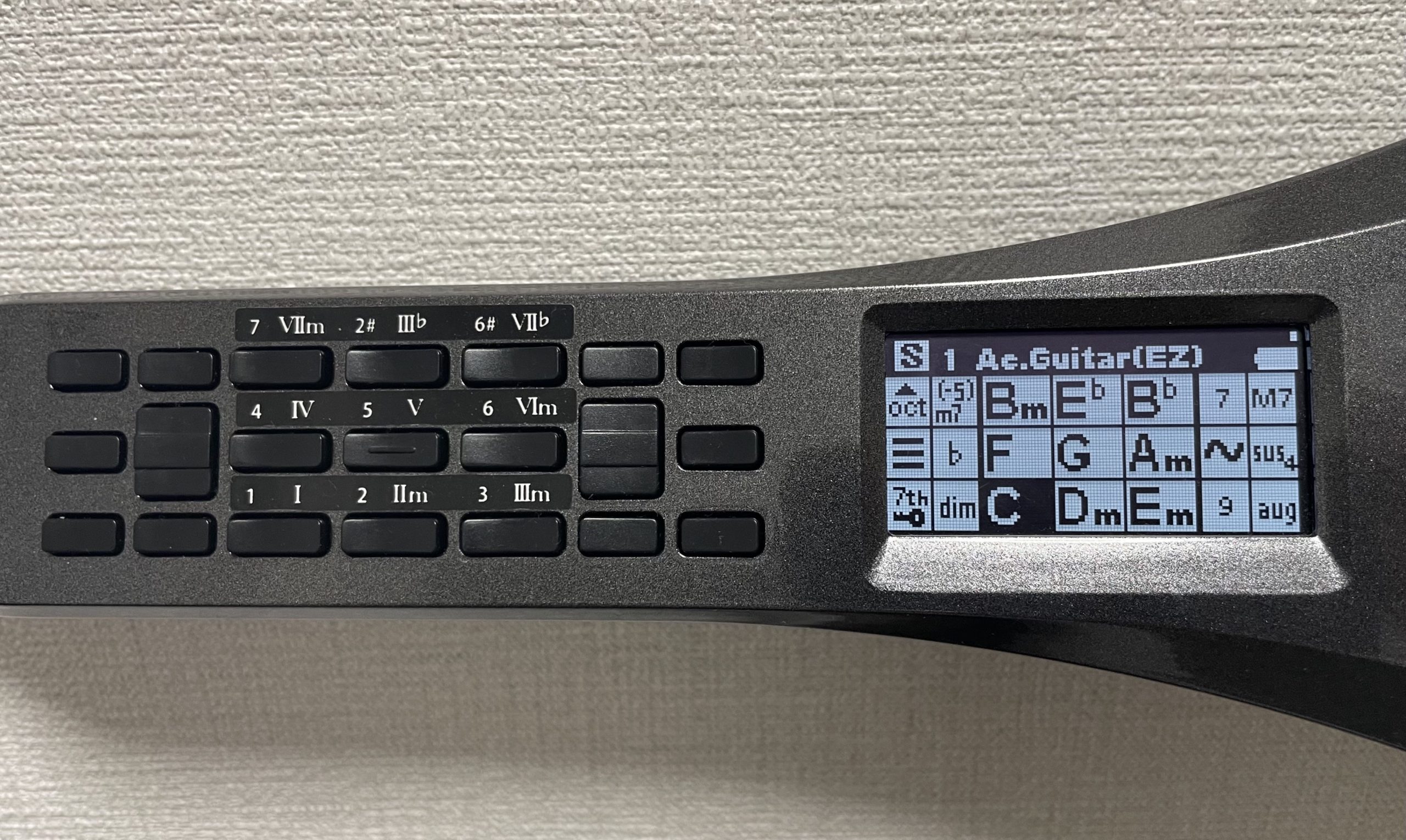
The buttons on the left correspond to the display on the right. You generally use the nine numbered buttons to select the chords shown on the display. The key question is why these particular chords were chosen from all the chords available.
This arrangement means beginners can play a complete song without first learning chord theory, chord tones, or instrument-specific fingerings.
You may already have guessed that these chord sets are based on diatonic chords. Setting the song’s key changes, or transposes, the corresponding set of chords.
A song is generally built primarily around the diatonic chords of its key.
This may be familiar if you have studied a little music theory. InstaChord makes full use of that principle to simplify its button layout, making it dramatically easier to play.
Playing a seventh chord requires pressing an additional button, for a total of two. You can initially omit the seventh and still play the song. Special chords and major/minor swaps also use two buttons, but should become manageable with a little practice.
It is, of course, much easier than playing chords on a guitar or piano.
As we will explain later, there are also services that replace chord names on sites such as U-FRET with numbers, further lowering the barrier to playing.
We will also cover its MIDI integration with a DAW, which works well.
InstaChord features at a glance
- The basic playing technique is to hold one or two buttons while strumming or tapping the pads.
- The design takes advantage of a familiar principle in composition and theory: a song is usually built from a relatively small set of diatonic chords.
- You can therefore play chord progressions without learning the component notes of keyboard chords or memorizing guitar chord shapes.
- By removing the technical barrier to playing an instrument, it enables anyone to sing a melody over chords or compose songs by combining them.
- Performances can be sent to a DAW as MIDI, allowing you to play software instruments and record instrument-like voicings directly. This is useful for programming parts and learning about chords.
Basic InstaChord operation
We covered the basic playing method in the previous section, so this section focuses on additional controls.
Playing styles
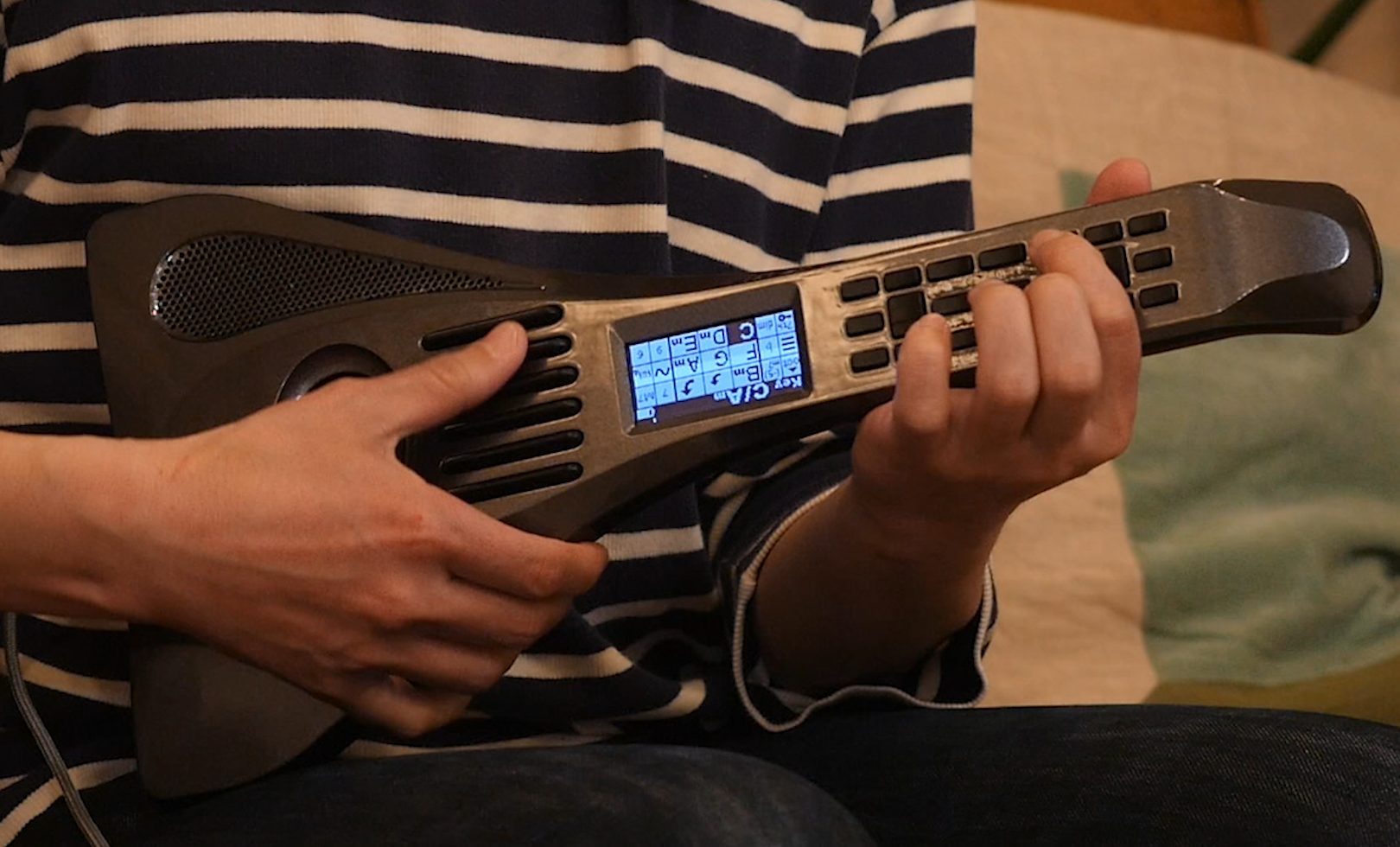
The most common approach is to hold one or two chord buttons with your left hand and strum the pads with your right. The display and button functions can also be flipped for left-handed players.
The design also allows you to lay it on a table and play.
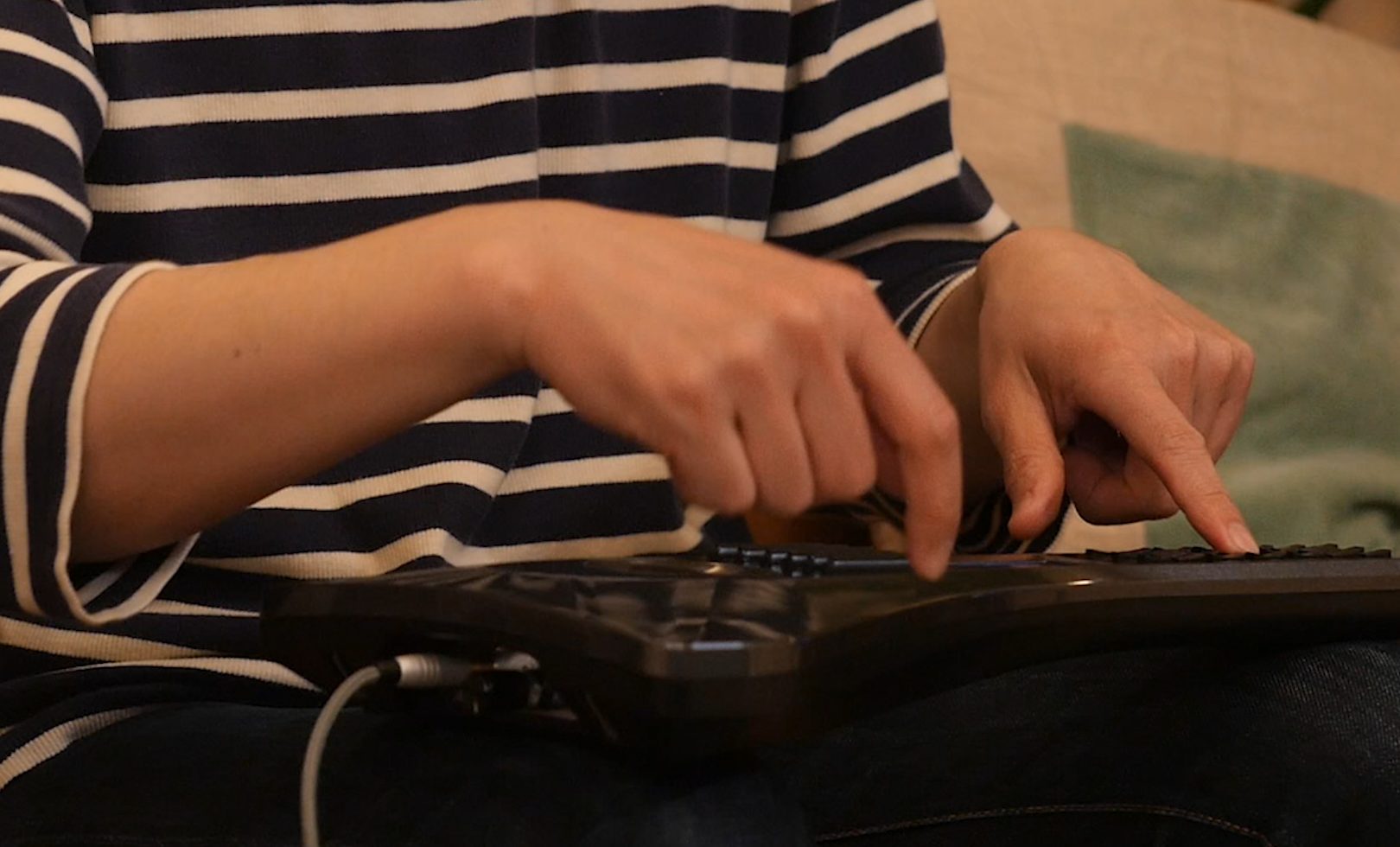
Selecting a sound and key
Use the up, down, left, and right buttons beyond the pads to select sounds and keys.
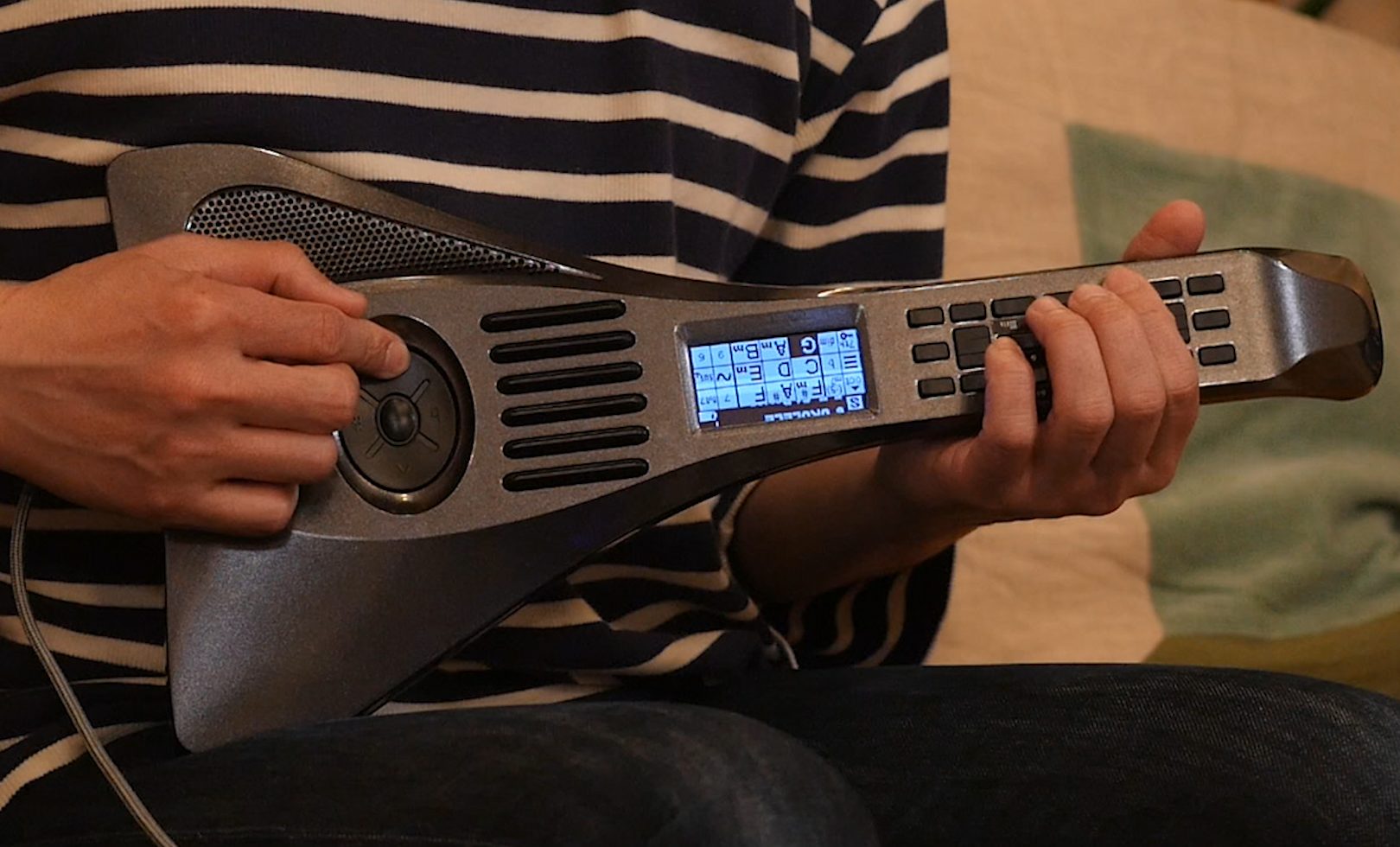
There are 128 sounds, including guitars, keyboards, strings, and drums.
External connections
Turn the power on and raise the volume to hear sound from the built-in speaker. A headphone output also lets you connect headphones or external speakers.
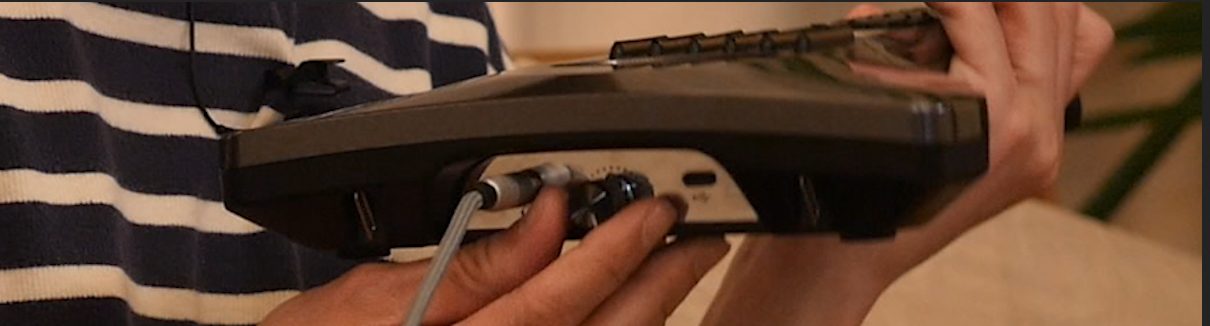
You can connect it to a computer via USB-C to transmit MIDI.
Bluetooth MIDI also supports connections to tablets and smartphones.
InstaChordizer: Turning online chord charts into numbers
As mentioned earlier, a browser extension called InstaChordizer makes playing InstaChord even easier for beginners.
If you search for the chord progression of an existing song, you will often find chord-chart sites such as U-FRET, Gakki.me, J-Total Music, and ULTIMATE GUITAR TABS.
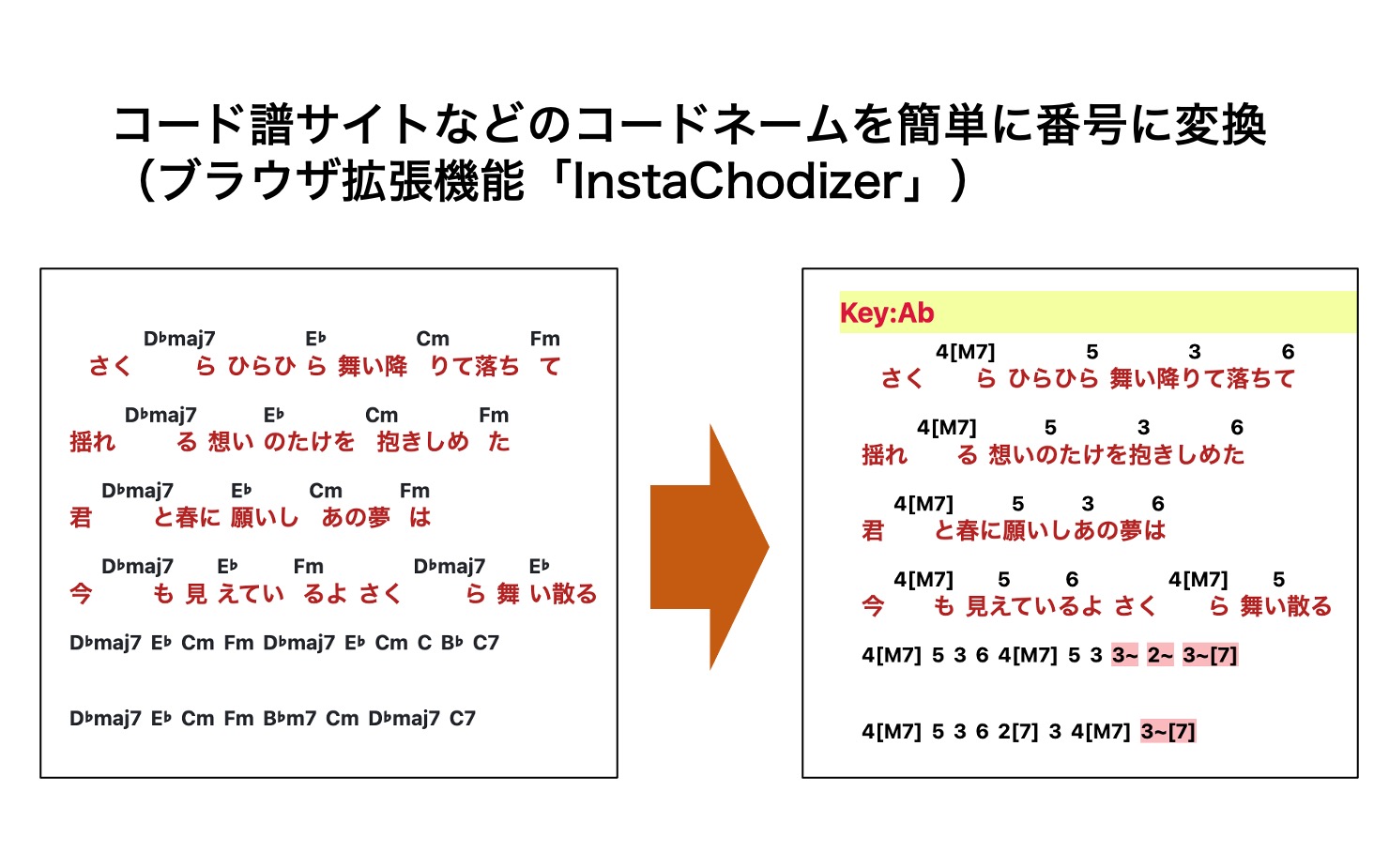
These sites normally display chord names above the lyrics. InstaChordizer converts them into the numbers used by InstaChord.
At the time of this May 2022 article, InstaChordizer supported Safari on Mac, iPad, and iPhone; Chrome and Firefox on Mac and Windows; and Kiwi Browser on Android.
Download links for each version were provided here.
Our video demonstrates the Chrome version.
After installing InstaChordizer, an “IC” icon appears in the toolbar. Click it to check the original key and select another key.
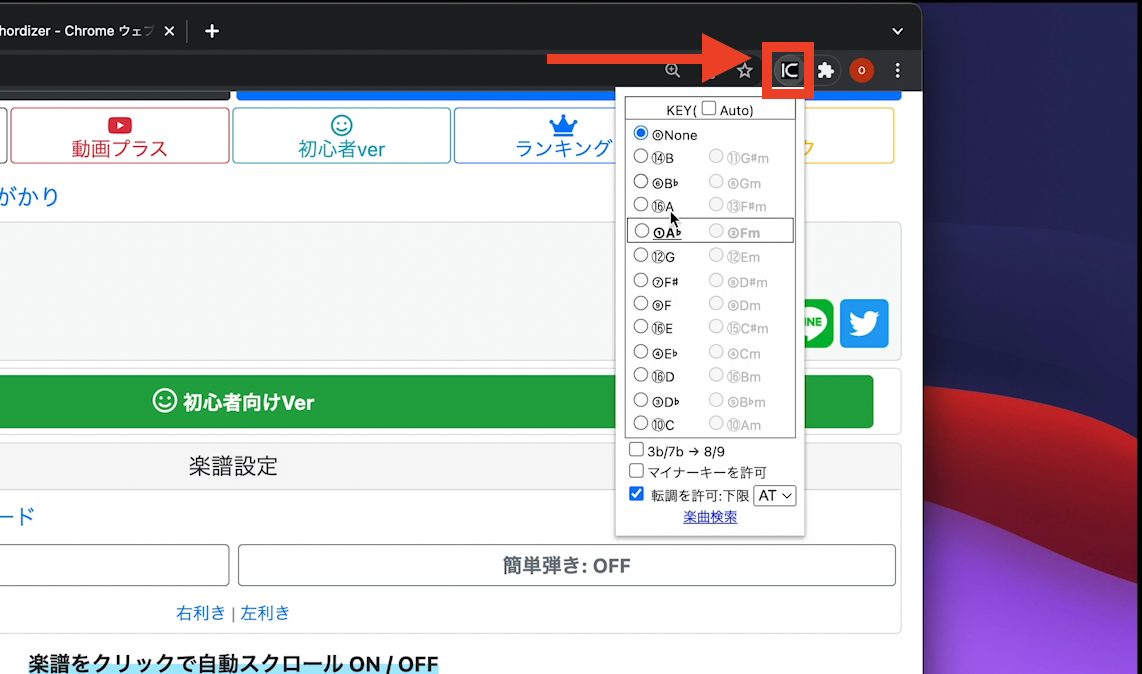
The selected key is displayed and chord names are converted into numbers. Minor-subdominant chords are indicated by a colored “~” symbol.
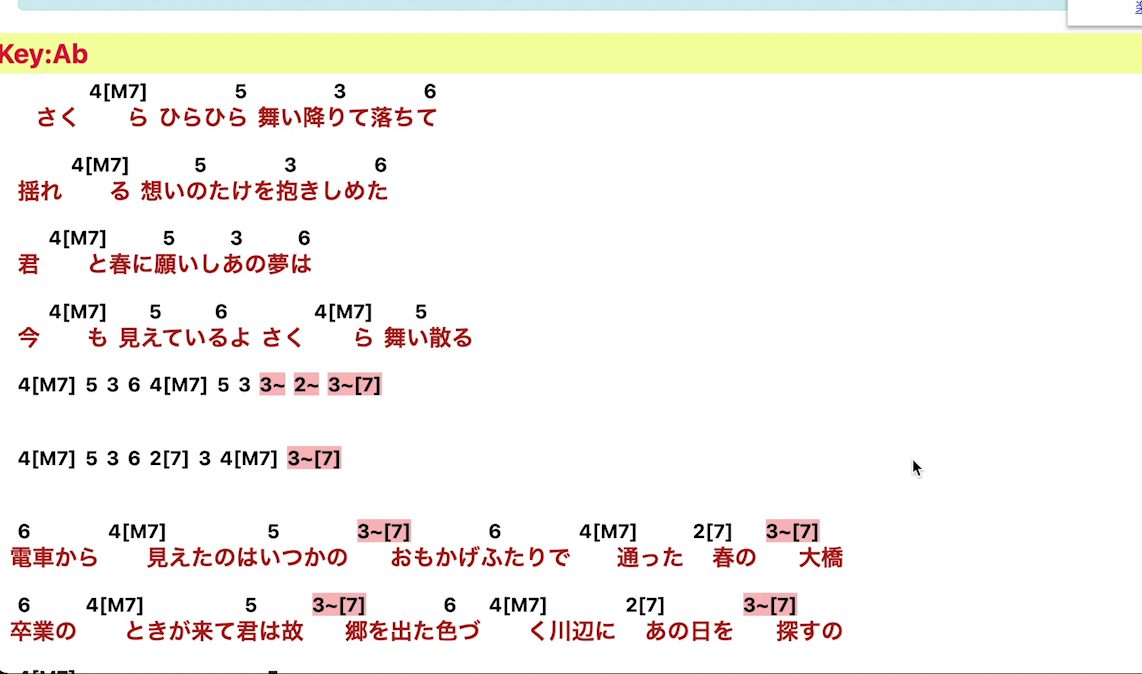
Connecting to a DAW as a MIDI controller
For DAW users, the main questions are how it connects and how useful it is as a MIDI controller.
Connecting is straightforward: it is recognized automatically through plug-and-play using the included USB Type-C-to-Type-A cable.
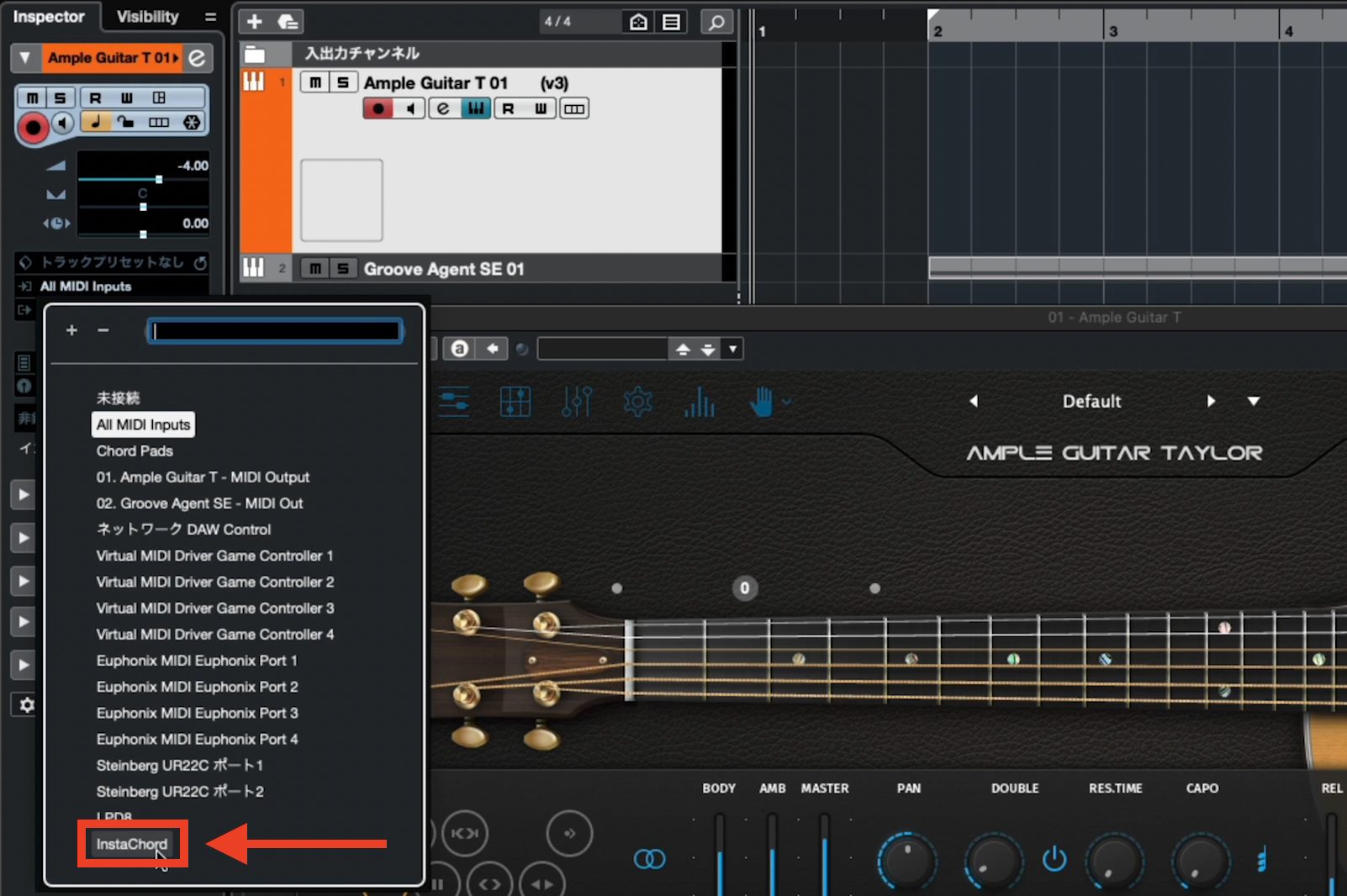
If InstaChord appears in your DAW’s MIDI input list, you are ready to go.
When we tried playing Ample Guitar, there was some latency depending on the buffer size and other settings. As with a keyboard controller, we felt it worked well for MIDI input once those settings were adjusted.
When recording, the MIDI data comes through cleanly once you are comfortable playing InstaChord.
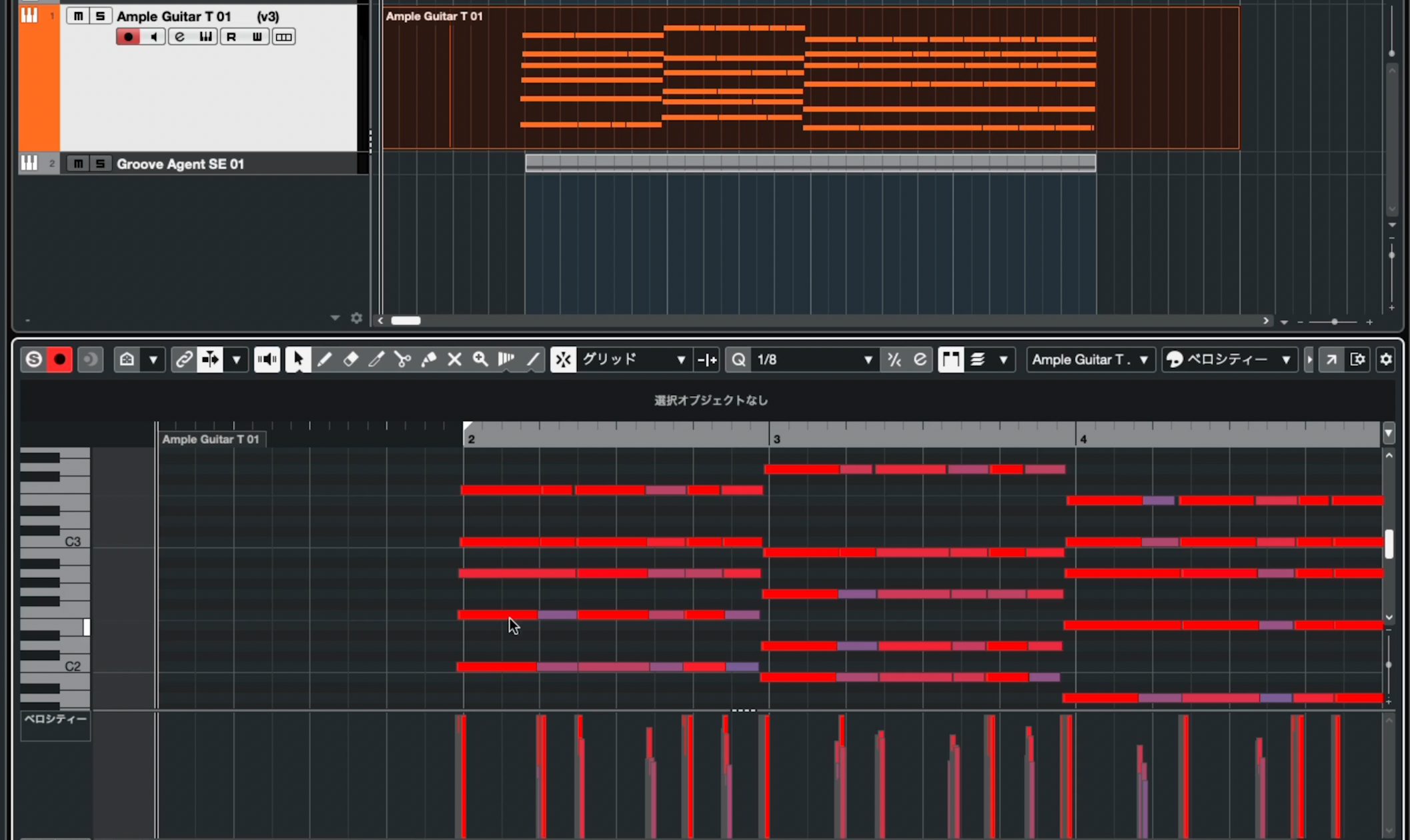
Guitar voicings, the timing offsets between notes in upstrokes and downstrokes, and velocity are all captured. This makes input considerably easier and more realistic than programming each note manually.
Many guitar instruments include preset playing patterns, but they rarely fit a song exactly. Finding, combining, and customizing patterns takes time.
InstaChord brings you close to the instrumentalist’s way of composing: immediately recording a chord progression or rhythm as soon as it comes to mind.
Many software instruments allow you to adjust velocity dynamics and layers for controller input. Tuning those settings to suit InstaChord is another useful step.
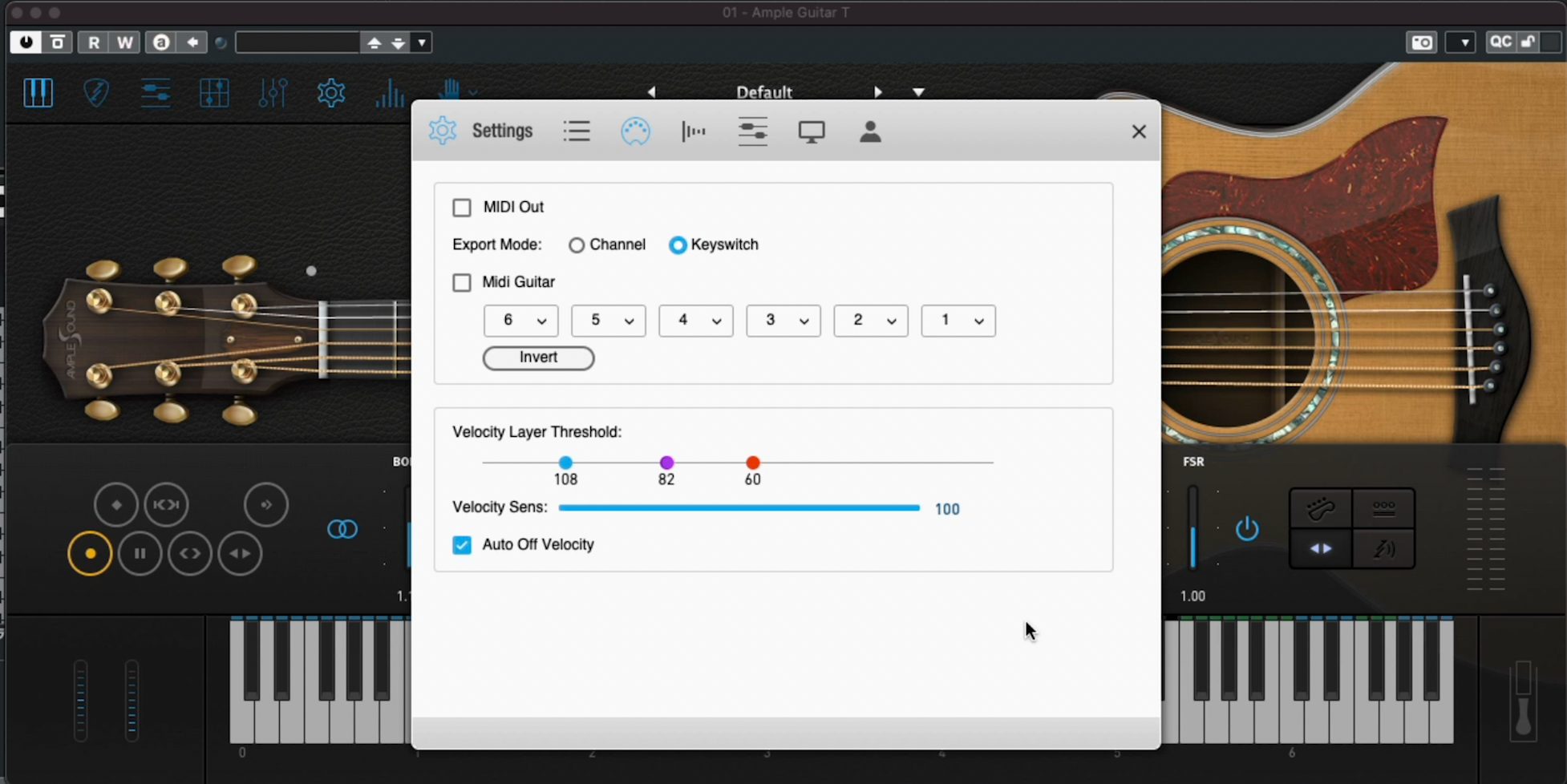
As of May 9, 2022, the developer said a forthcoming firmware update would allow adjustment of InstaChord’s maximum velocity, promising further improvements in usability.
It is also encouraging that the instrument can continue to evolve after purchase.
A free iOS app for trying the InstaChord concept
At the time of this May 2022 review, InstaChord was not sold in physical stores, making it difficult to try the hardware.
To give people a sense of how it works, a free iOS app was available.
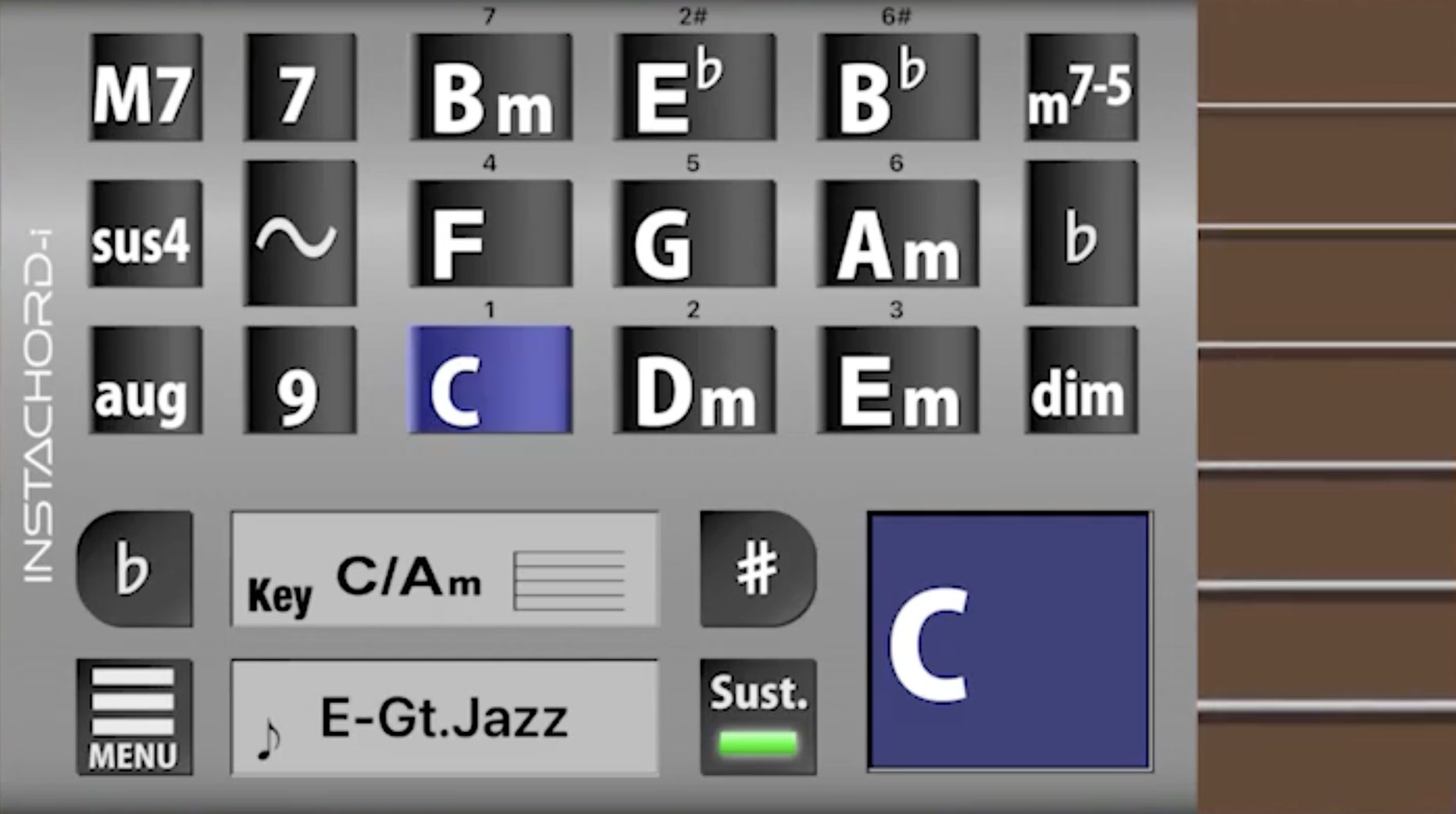

It supported iPhone and iPad and Bluetooth MIDI output, so it could also be used to enter parts into a DAW.
It could not transmit velocity, but offered a taste of how easy it is to play chord progressions.
The hardware is easier to operate, allows more expressive playing, and provides a much greater sense of satisfaction from playing an instrument.
That concludes our introduction to the innovative InstaChord instrument.
If you have ever wanted to sing with your own accompaniment or compose using an instrument, we think it is highly likely to appeal to you.
Opinions will differ on its ¥34,980 price at the time of the original 2022 review. However, the reported 90% satisfaction rate suggests that it is a well-developed device for people whose needs it meets.
If you are interested, follow the link below for more details.
Play without prior instrumental experience: InstaChord, an instrument-style device for DAW users
InstaChord’s 2020 crowdfunding campaign raised ¥80 million from 2,354 supporters, leading to its release as a product. Follow the link below for details.
Details: https://t.co/9aeCmjCqJC#DTM #Guitar pic.twitter.com/ueUUDp659U
— SLEEP FREAKS (@SLEEPFREAKS_DTM) May 10, 2022
Frequently asked questions
Q1. Can I play songs on InstaChord if I cannot play any instruments?
Yes. InstaChord is designed so you can perform by holding one or two buttons and tapping the pads, without previous guitar or piano experience. Its diatonic-chord layout lets you play song progressions without first learning music theory.
Q2. How is InstaChord useful in DAW-based music production?
It functions as a MIDI controller over USB-C, sending performance data directly to your DAW. You can use it to compose and program parts, record instrument-like voicings, and learn chord progressions.
Q3. What does InstaChordizer do?
InstaChordizer is a browser extension that automatically converts chord names on sites such as U-FRET into the numbers used by InstaChord. This makes online chord charts much easier to follow when playing existing songs.
Q4. How many sounds does InstaChord have?
The version covered in this review has 128 sounds, including guitars, keyboards, strings, and drums. You can switch sounds to suit the style of your performance.
NEW ARTICLES
Latest English Articles



















































































































