
Plugin Boutique Scaler can greatly streamline music production with its Detect feature, which automatically identifies keys and scales from melodies and chord progressions. It displays diatonic chords for the detected scale, while style options such as seventh chords and added tensions, along with chord variations, make it easy to build a wide range of progressions. Scale Lock restricts the notes you play to the selected scale, helping you create melodies that fit. These features offer practical ways to build chord progressions for beginners and experienced producers alike.
Get More Out of Scaler
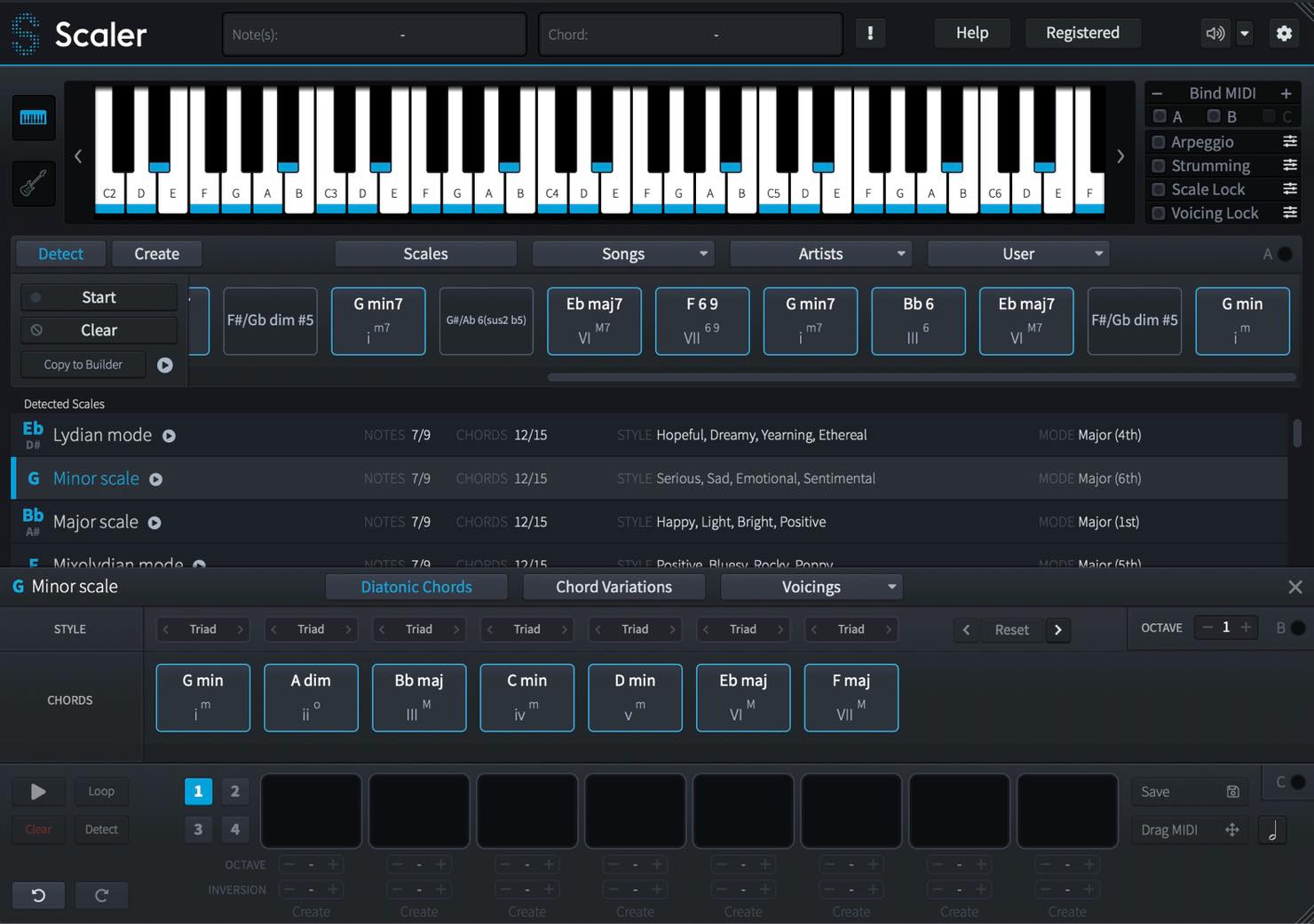
In this second Scaler tutorial, we will explore practical ways to use the plug-in, including several features added in updates.
Some of the material builds on our previous article, so please read it first if you have not already.
Plugin Boutique Scaler Tutorial, Part 2: Practical Techniques for Chord Progressions
- 1Scaler Tutorial: The Basics
- 2Scaler Tutorial: Practical Techniques
- 3Scaler 2: New Features Explained
- 4Scaler 3: A Roundup of Key New Features
Selected Questions and Answers from the YouTube Video

Could you explain how to have the chords play along automatically, as shown from 03:42?

Enable the button at the bottom right to play chords from your keyboard. https://app.box.com/s/ojnwg4lfe8zdlbpxl6g37c6yftx90ph6
I always enjoy your plug-in tutorials. I have a question about the procedure at 11:41, where you change the MIDI Input to Scaler. Is it possible to make the same setting in Logic Pro X? With C major selected and Bind MIDI enabled, pressing C2 plays a C major chord. However, I cannot work out how to record those chords directly as MIDI in real time, rather than dragging and dropping them. I know you are busy, but I would really appreciate your advice.
We receive similar questions, but Logic handles MIDI routing somewhat differently, and MIDI output from the plug-in is not available in this setup. The same applies to MIDI from NI MASCHINE, which we are also often asked about. Our understanding is that you therefore need to drag and drop chords from the pads onto the timeline.
When I drag and drop chords from Scaler into a Logic project as a region, they are imported at a fixed tempo of 120 BPM. Is there a way to set Scaler's BPM to match the project tempo from the outset—for example, to add the chords to a song at 70 BPM?
We posted a video on our secondary channel to answer this question. https://youtu.be/p8pNPM71UM8 Please subscribe to our secondary channel as well as our main channel!
How to Install and Activate Scaler
Points to Note When Importing MIDI into Logic Pro X
Frequently Asked Questions
Q1. Can Scaler automatically identify the key of a melody I have written?
Yes. Use the Detect feature: move the melody's MIDI onto the Scaler track, switch to Detect mode, press Start, and play the melody. Scaler will identify possible keys and scales, allowing you to choose from several candidates.
Q2. What if I want to use a chord that is not diatonic?
You can build a custom chord with the Create feature. Click it to open the chord-note input screen, then click notes on the keyboard to construct any chord you like.
Q3. What happens when I enable Scale Lock?
With Scale Lock enabled, any key you press produces a note from the selected scale. You can focus on creating a melody without worrying about playing notes outside the scale.
NEW ARTICLES
Latest English Articles





















































































































































































































