
Ableton Live’s Impulse instrument can greatly improve hi-hat expression when programming drums. In a basic Drum Rack setup, open and closed hi-hats can sound at the same time, making the rhythm less crisp. By combining Impulse’s slots with its LINK button, the closed sound can automatically stop the open sound. This technique helps tighten drum patterns and improve the groove of a track.
Impulse: useful for programming drums

When programming drums in Ableton Live, have you found that the rhythm lacks definition
or that the groove doesn’t feel quite right?
One possible cause is that the open and closed hi-hats are sounding at the same time.
In this article, we’ll use Impulse to show you
a technique for controlling hi-hats efficiently.
Ableton Live Tips: Make Hi-Hats Tighter with Impulse
Go to the product details page

The problem with Drum Rack
You will often encounter patterns like the one below, where open and closed hi-hats alternate.
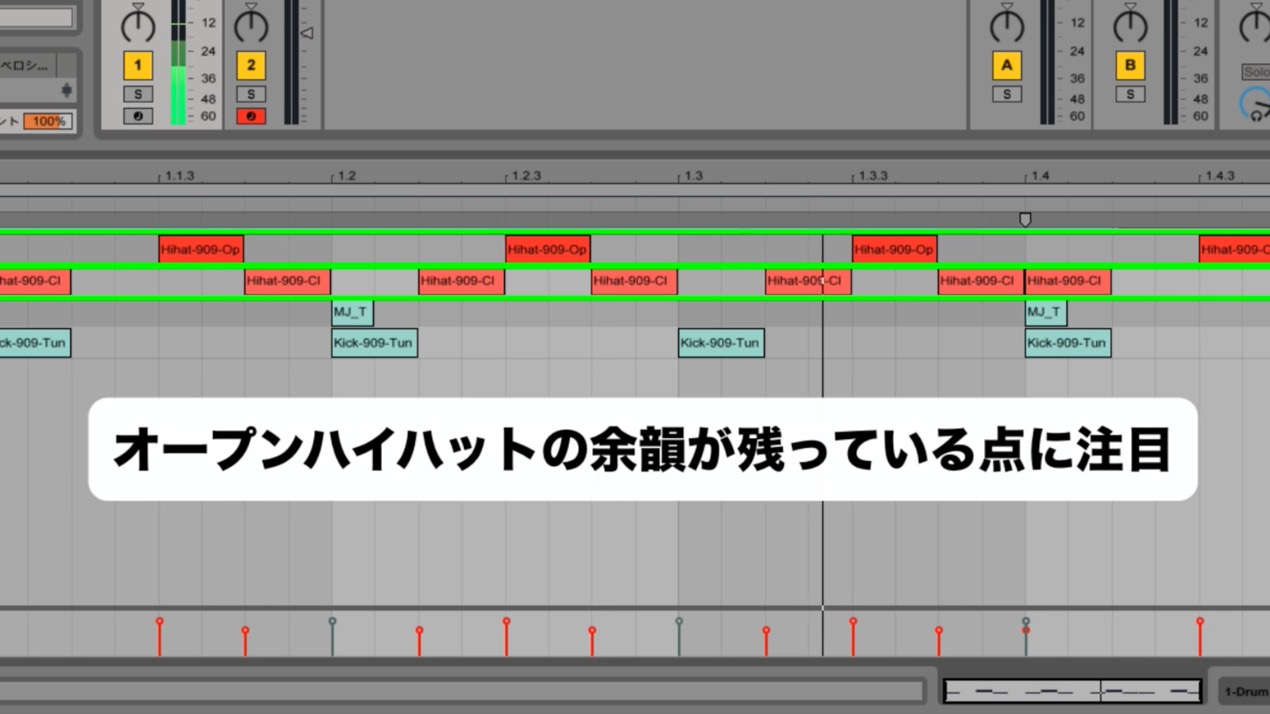
But if you program a pattern like this in a basic Drum Rack setup,
the open hi-hat does not stop when the closed hi-hat plays.
This can make the rhythm feel less crisp.
Using Impulse’s LINK function
That’s where Impulse comes in.
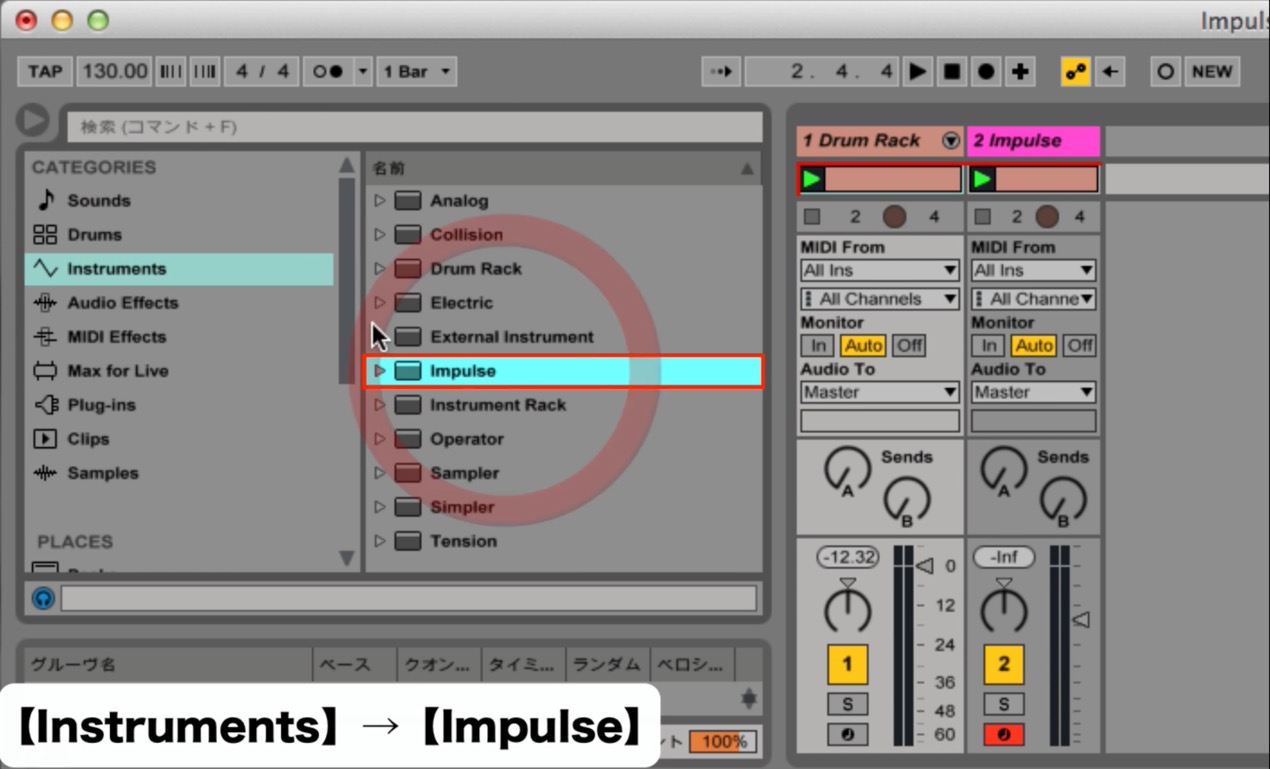
Choose Instruments → Impulse to open it.
It may be unfamiliar to many users, but it is a very useful sampler.
For this example, put an open hi-hat in slot 7 and a closed hi-hat in slot 8.
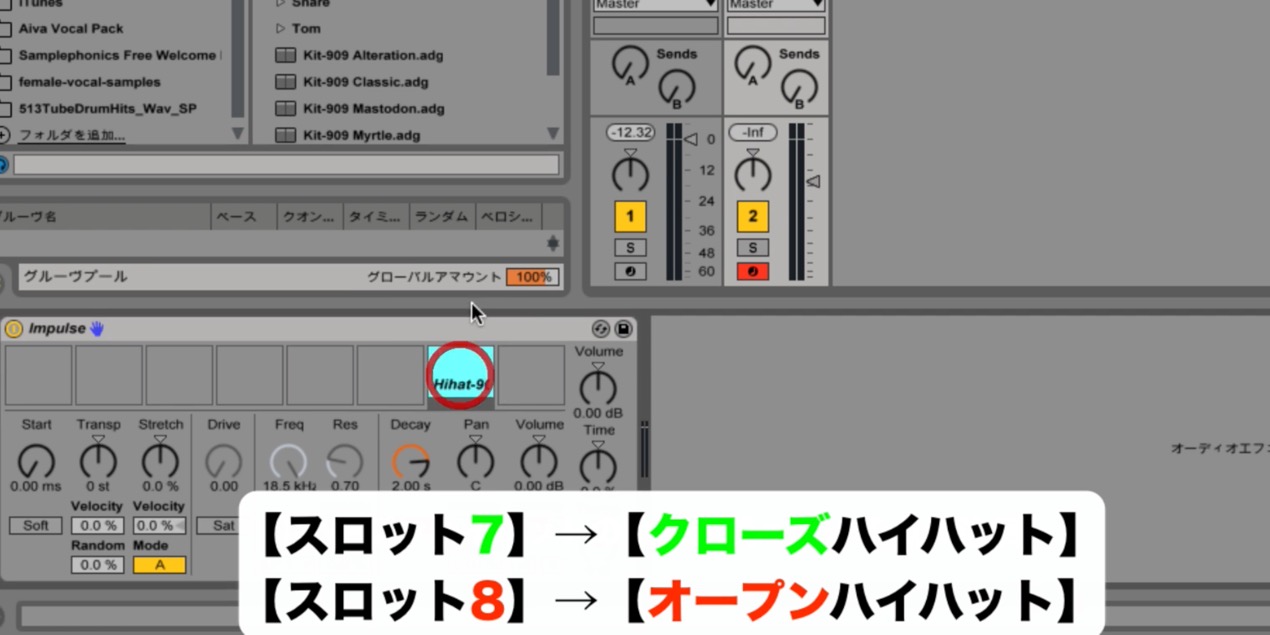
Then select slot 8 and turn on the LINK button at the bottom left…
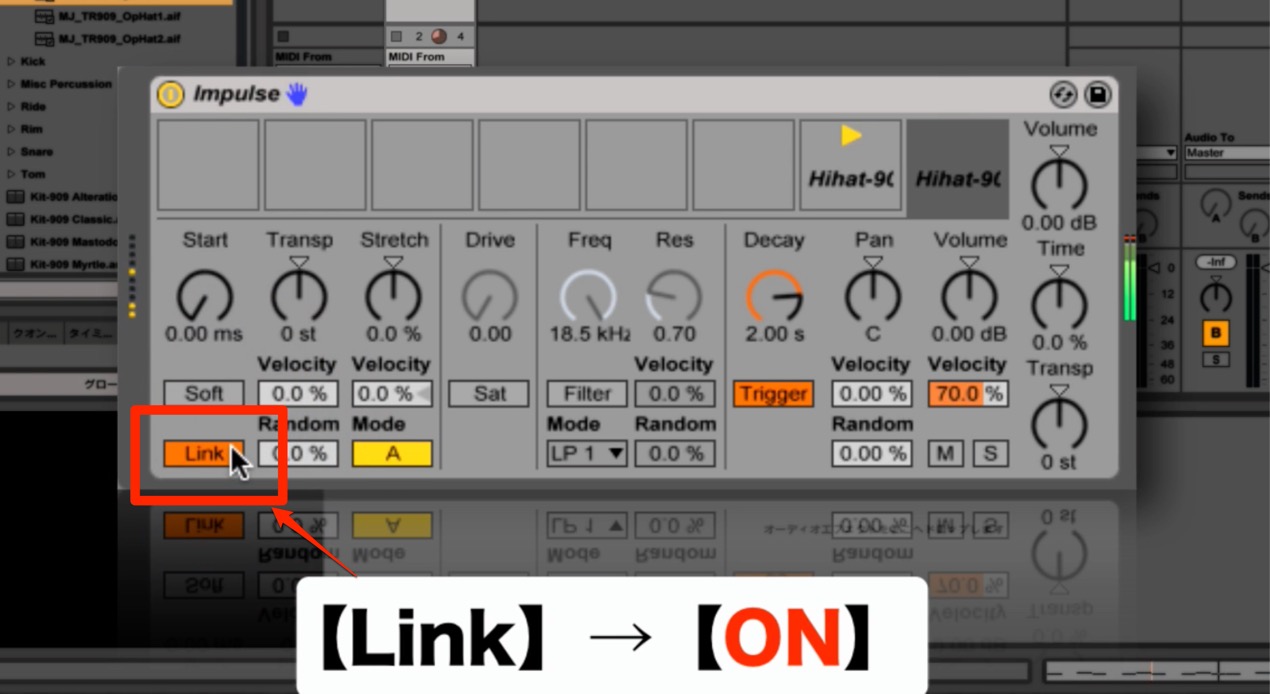
When the closed hi-hat plays after the open hi-hat, the open sound will stop.
This gives the rhythm a tighter sound.
Impulse has other interesting features, which we plan to introduce next time.
Go to the product details page
Frequently Asked Questions
Q1. How does Impulse differ from Drum Rack?
Impulse is a sampler, while Drum Rack is used to build drum kits. One advantage of Impulse is its LINK function: one sample, such as a closed hi-hat, can automatically stop another, such as an open hi-hat, for more natural and precise control.
Q2. Will simply turning on LINK improve the hi-hats?
Yes. With LINK enabled and the samples set up as shown, playing the configured slot—in this example, the closed hi-hat in slot 8—automatically stops the linked slot’s sound. This makes it easier to create a crisp rhythm while reducing programming work.
Q3. What skill level is needed to use Impulse?
Basic knowledge of the controls is enough. Select Impulse from the Instruments menu, place samples in the slots, and toggle LINK. Beginners can use this practical technique too.
NEW ARTICLES
Latest English Articles
























































































































































































































































































































































































































