
Waves H-Reverb combines professional quality with ease of use. This article covers the basic setup workflow and features such as Build Up, Pre Delay, and Tail envelope shaping. Learn to adjust reverb time, select an ER type, and set the size, then create effects such as reverse and gated reverb to enrich the sense of space in your productions.
Waves H-Reverb: a powerful reverb with innovative features
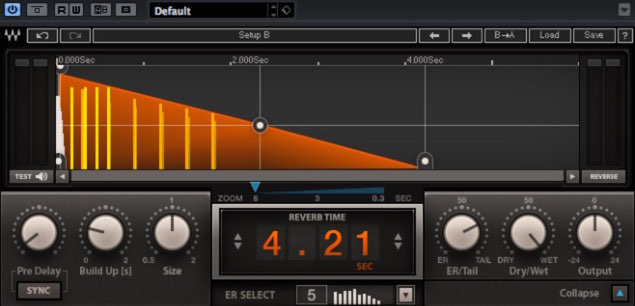
Waves’ much-anticipated reverb plug-in, H-Reverb, is here.
Its high sound quality and ease of use are especially noteworthy.
It also enables creative approaches that were previously unavailable, making it
a “hybrid” reverb in more ways than one.
In this introductory installment, we will cover its main features.
Purchase the product: https://bit.ly/2y2ssvI
Choosing a plug-in
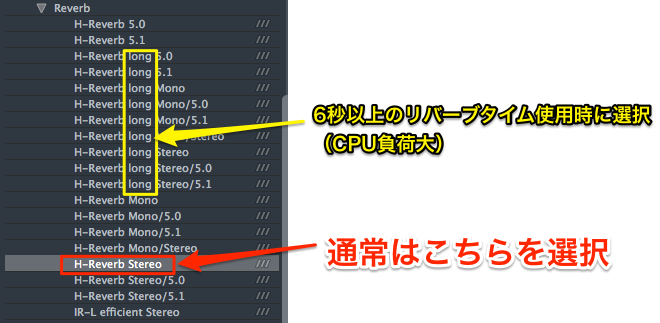
Depending on your DAW, H-Reverb may appear in several plug-in variants.
For regular music production, you will often choose “H-Reverb Stereo.”
Choose a variant labeled “long” when using reverb times of six seconds or more.
Basic setup workflow

H-Reverb’s basic controls are also easy to use.
You can quickly adjust commonly used parameters while monitoring them visually.
- 1. Adjust the reverb time.
- 2. Select the ER type.
- 3. Adjust the size.
- 4. Adjust the balance between ER and Tail.
As needed, monitor with the balance turned fully toward ER or Tail, or with the mix set to 100% wet.
Build Up, Pre Delay, and special effects
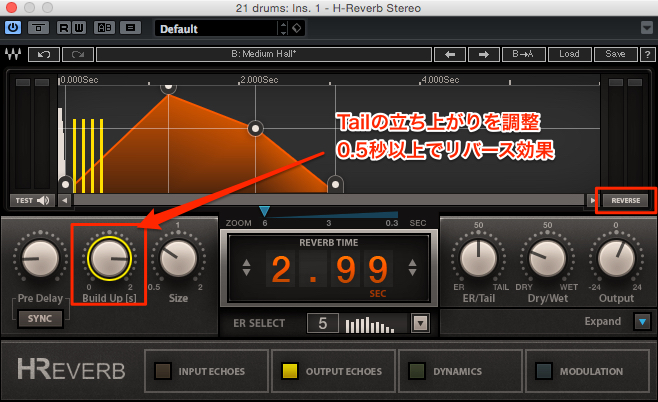
Build Up adjusts how the Tail rises.
Longer settings such as 0.5 to 2 seconds can create an effect resembling reverse reverb.
You can also easily reverse the Tail using the REVERSE button on the right.
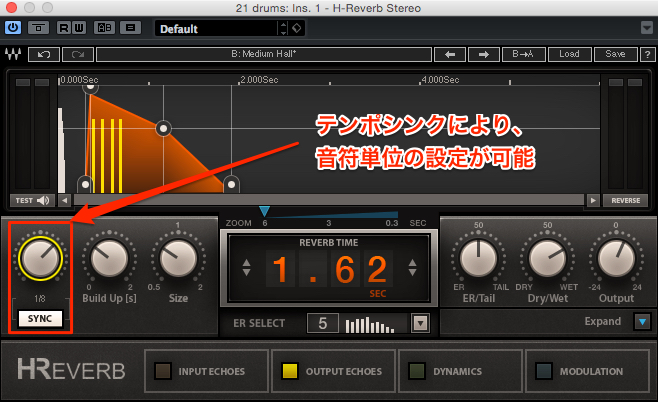
H-Reverb’s Pre Delay can be adjusted in milliseconds,
or synchronized to the tempo using the SYNC button.
Setting it in note values can also create a distinctive groove with the reverb.
Shaping the Tail envelope
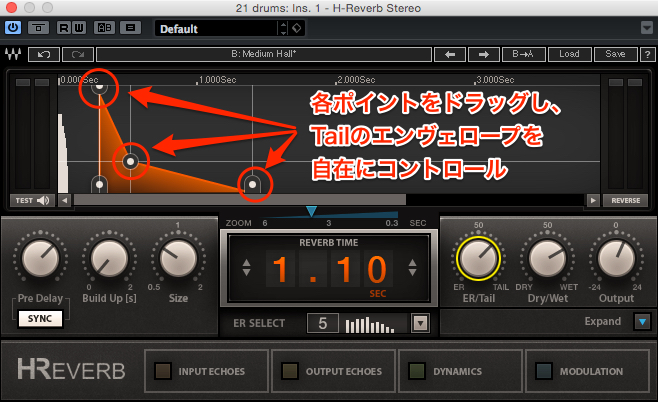
Drag the points on the Tail display
to shape its envelope freely.
As shown above, you can even create a tight Tail with an exaggerated attack that would not normally occur.
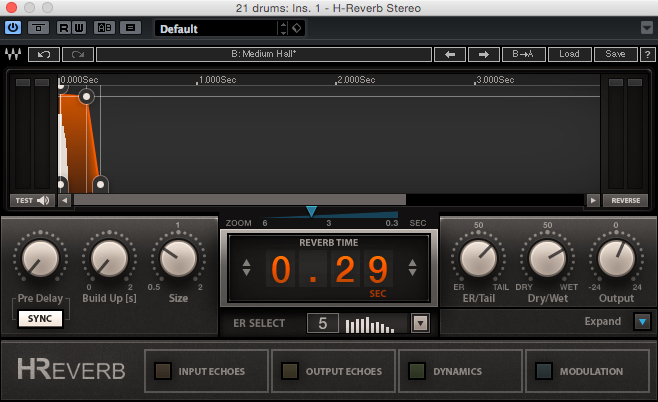
Make the Tail envelope short and flat to quickly create a gated reverb effect.
Frequently Asked Questions
Q1. What is the difference between “Stereo” and “long” when choosing H-Reverb?
H-Reverb Stereo is the standard choice. Select a variant labeled “long” when you need a reverb time of six seconds or more. The original article says that choosing the dedicated variant for long reverb effects ensures stable operation.
Q2. How do I create a reverse reverb effect in H-Reverb?
Set Build Up to a longer value, such as 0.5 to 2 seconds, or reverse the Tail with the REVERSE button on the right. The visual display makes it easy to create the effect while monitoring the settings.
Q3. How do I create a gated reverb effect?
Make the Tail envelope short and flat. In H-Reverb, you can easily shape the envelope by dragging the points in the visual display.
Q4. What is the benefit of tempo-syncing Pre Delay?
Using SYNC to set Pre Delay in note values lets you create reverb effects that follow the song’s tempo and produce a more refined groove.
NEW ARTICLES
Latest English Articles





































































































































































































































































































































































































































































































