
This is an archive of our September 2023 review of the GOYO Voice Separator beta, an AI-assisted tool for adjusting voice, background noise and voice reverb with three main controls. The reviewed plug-in supported AAX, AU and VST3. Its free-beta offer and the historical discount mentioned below are no longer current offers. Update checked on October 20, 2026: the official GOYO notice says the beta ended on December 2, 2023 and is no longer supported or distributed. It identifies Supertone Clear as its successor and states that the product was transferred to Antinode Audio and renamed Antinode Clear on September 14, 2026. Use the linked official notice for current product and support information.
GOYO Beta: Simple Controls for Noise Reduction
If you work with recorded audio, including music production, you have probably encountered unwanted noise.
You may also have found recordings that remained difficult to repair even with paid software.
The tool we introduced in this review was GOYO, a then-free beta for separating voice and background sound.
The reviewer found its AI-assisted processing capable of producing impressively clean results in the demonstrated examples. Results vary with the recording; this is not a claim that it replaces every paid restoration tool.
The reviewed version supported AAX, AU and VST3, allowing use in compatible DAWs. Check the particular host and version rather than assuming universal compatibility.
Historical update: September 1, 2023, 11:50 p.m. (JST)
At that time, the developer announced that the free beta was scheduled to run until October 31, 2023.
Paid sales were expected afterward, with release and pricing details to follow.
The original article encouraged readers to try the beta before that deadline. That invitation is historical; the beta is no longer distributed.
Historical update: September 21, 2023, 1:50 a.m. (JST)
The announcement then described a planned early-October price of US$99, with a US$29 offer for registered beta users. These are historical announced prices, not a current offer. The current official notice states that the beta ultimately ended on December 2, 2023.
How the GOYO Beta Was Downloaded
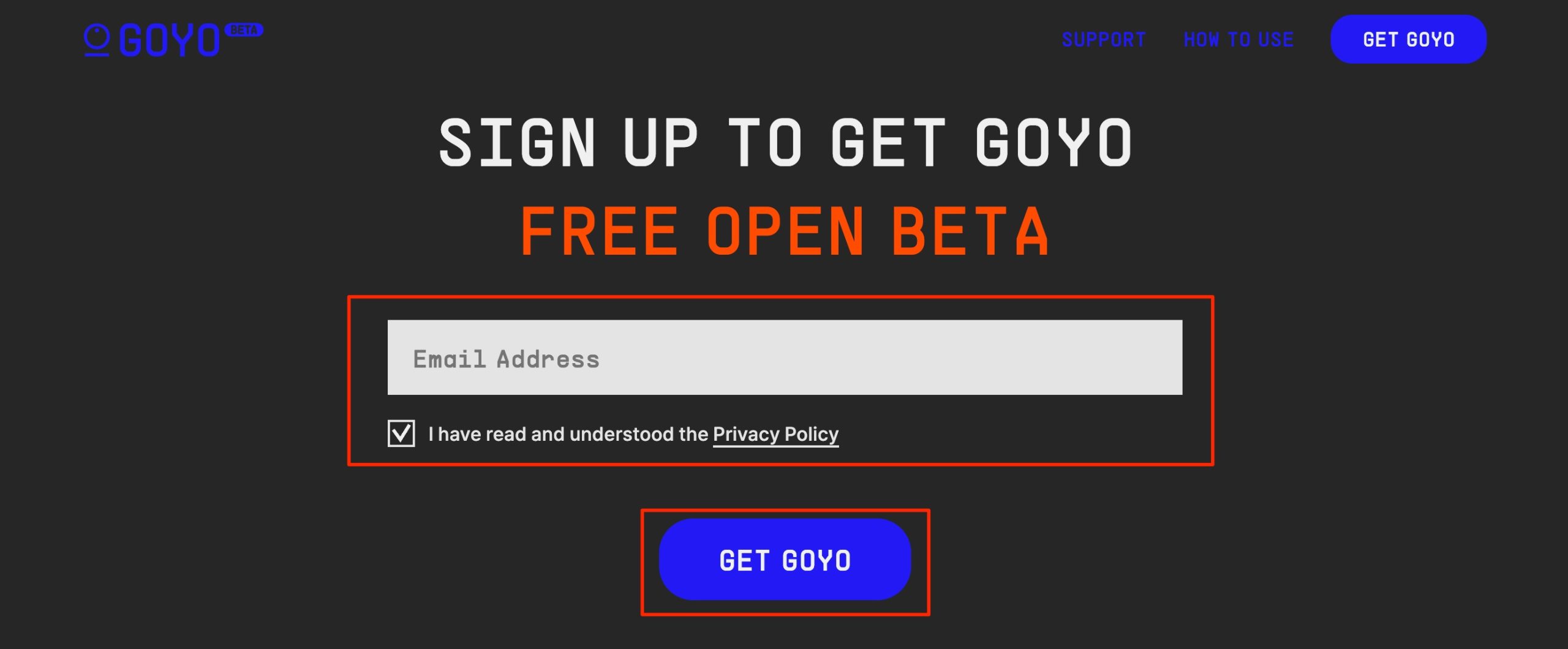
The original process began by visiting the beta website and entering an email address.
Users then checked the terms box and clicked GET GOYO. This describes the former beta-registration workflow; it is no longer an available download route.
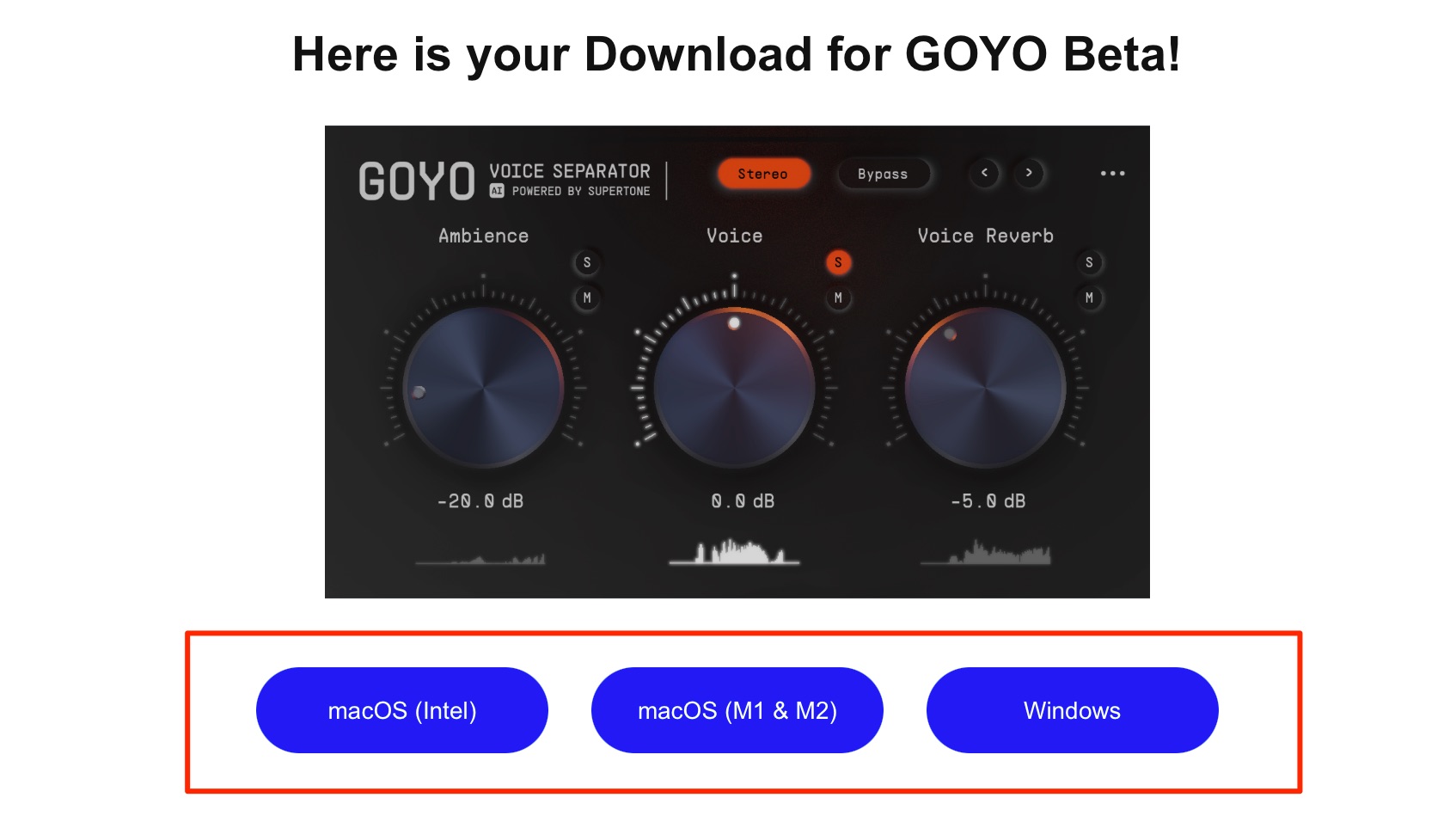
An email containing the software's download links was then sent to the registered address.
Users selected the file for their operating system.

They opened the downloaded installer and followed the installation process.
The plug-in could then be opened in a compatible DAW. For current downloads or support, consult the official service-transfer notice linked in this article.
Using the Reviewed GOYO Beta
The main operation was simple: adjust the three knobs.
The original review stated that an internet connection was required. This is a description of that beta's reported requirements, not a statement of requirements for the current successor product.
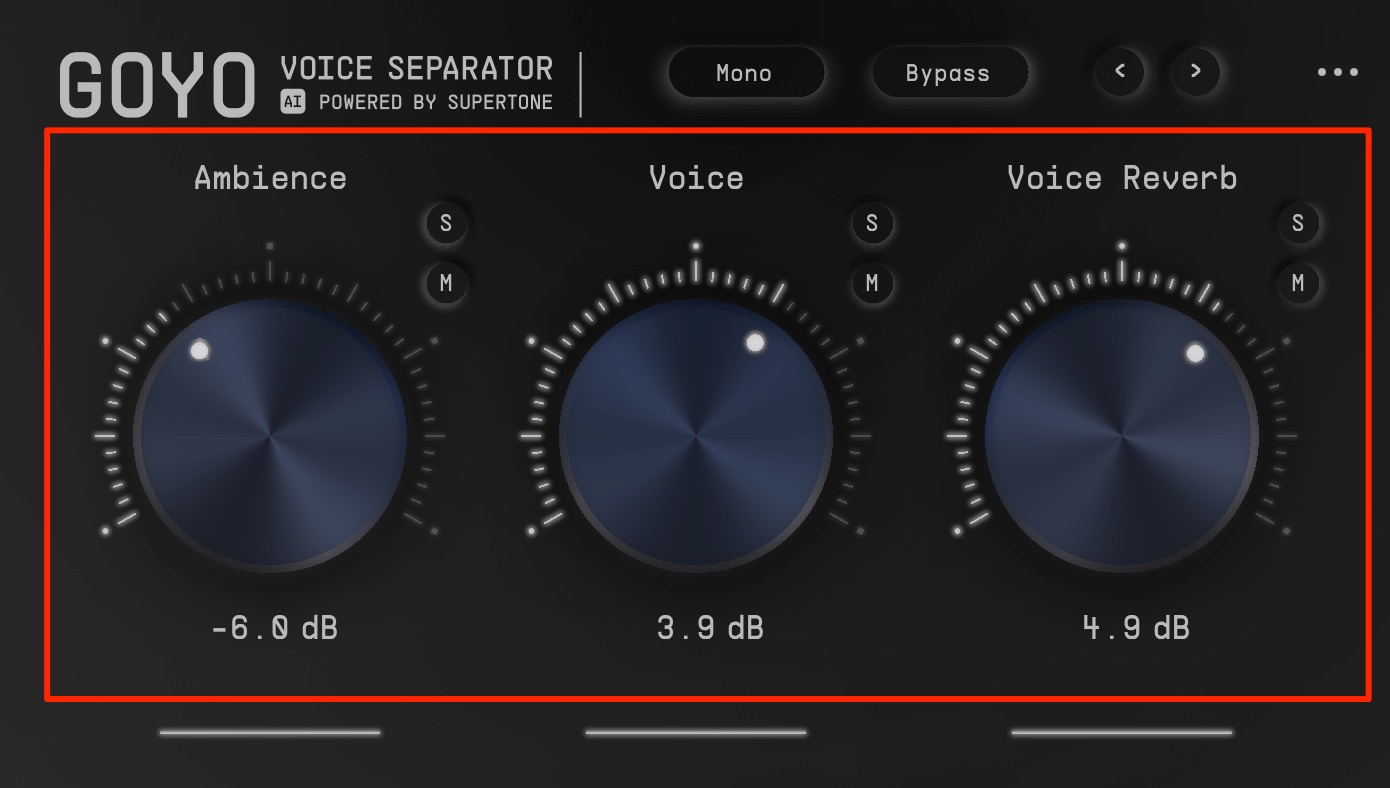
- Ambience: adjusts the level of background sound other than the voice. Lower it when you want to isolate the voice.
- Voice: adjusts the level of the voice.
- Voice Reverb: adjusts reverberation associated with the voice. Lowering it can reduce room sound and make the voice sound drier and clearer, depending on the recording.
The reviewer was impressed by the results from the then-free beta.
The examples illustrate how this type of separation can help when reducing unwanted background sound in a recording. The old beta offer is closed; see the official notice for its successor.
Frequently Asked Questions
Q1. Is GOYO still available for free?
The original review described a free beta and a US$29 beta-user discount. Those were historical offers. The current official GOYO notice says the beta ended on December 2, 2023 and is no longer supported or distributed. It directs users to Antinode Clear for the current product; this article does not confirm a current free offer or price.
Q2. Which DAWs could use the reviewed GOYO beta?
The reviewed beta supported AAX, AU and VST3, formats used by compatible versions of DAWs such as Logic Pro, Pro Tools, Ableton Live and Studio One. Actual compatibility depends on the host, operating system and plug-in version. Check the current successor's requirements separately.
Q3. What environment did the GOYO beta require?
The original review described Windows and Mac versions, email registration for the download and a required internet connection. That registration and distribution process has ended. Consult the current vendor for Antinode Clear's installation, licensing and system requirements.
Q4. What kinds of recordings could it process?
The review presents GOYO as a tool for recordings containing a human voice, such as vocals, podcasts or meeting audio. Voice, Ambience and Voice Reverb provide separate adjustments. The result depends on the recording and the overlap between wanted and unwanted sound; successful cleanup is not guaranteed for every file.
NEW ARTICLES
Latest English Articles






























































































