
Ableton Live’s Track Delay lets you adjust timing caused by software or hardware synth latency without editing MIDI data. Set the offset in milliseconds or samples: negative values move playback earlier and positive values move it later. This can help you refine the timing and groove of programmed phrases without moving individual MIDI notes.
Useful for tracks that play late

When programming music, you may notice timing delays in a software synth
or latency when playing a hardware synth.
Even placing MIDI notes exactly on the bar or beat does not necessarily eliminate this delay.
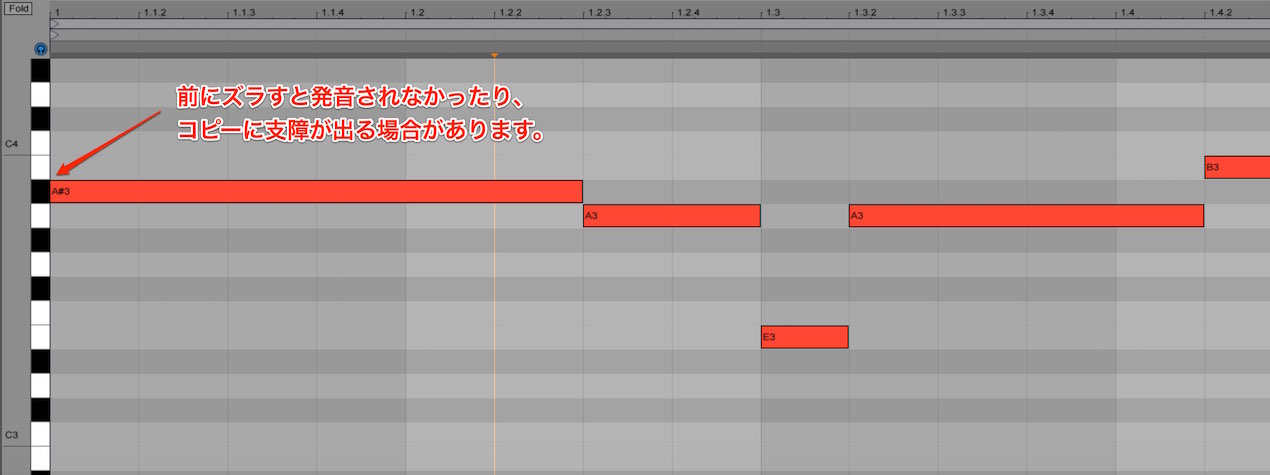
Moving the entire performance earlier by hand can be tedious,
and copying the file may also become problematic.
A useful feature for addressing this is Track Delay.
It shifts playback by a specified amount without moving the MIDI notes.
Ableton Live Tips: Optimize Timing with Track Delay
Go to the product details page

How to Use Track Delay
Applying Track Delay is straightforward.
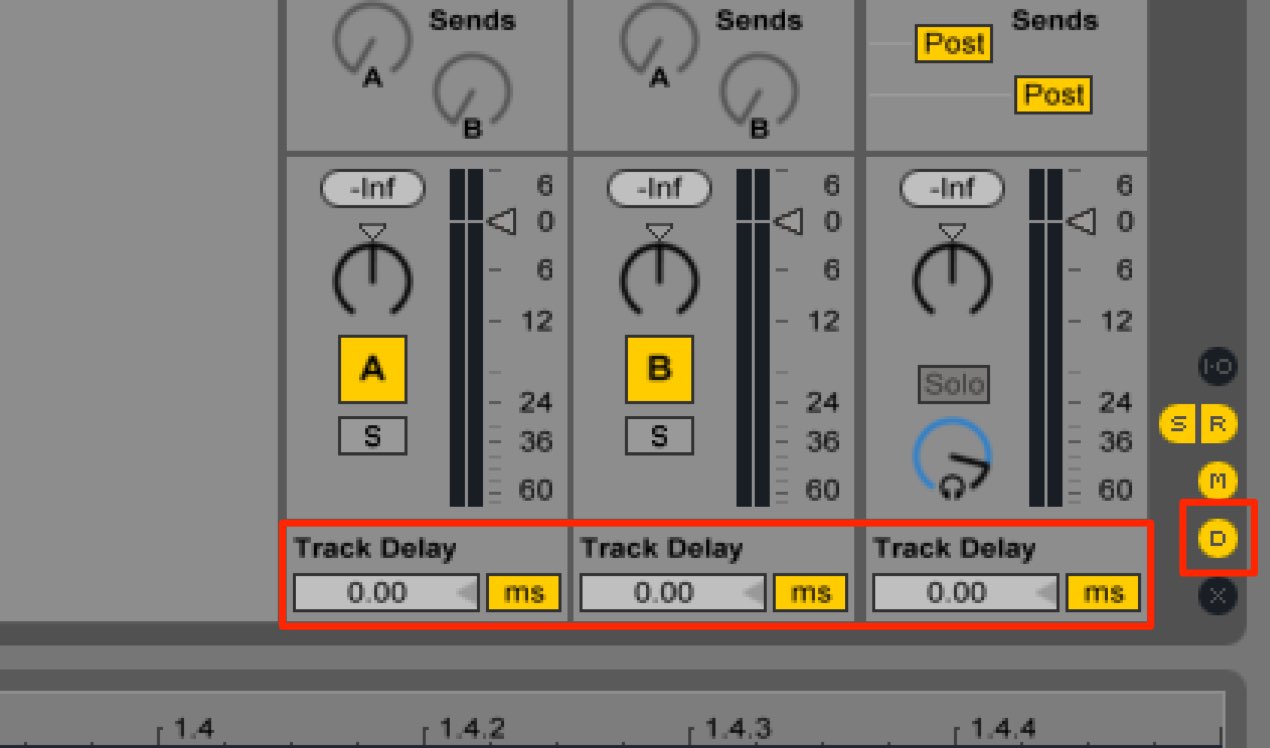
In Session View, use this “D” button.
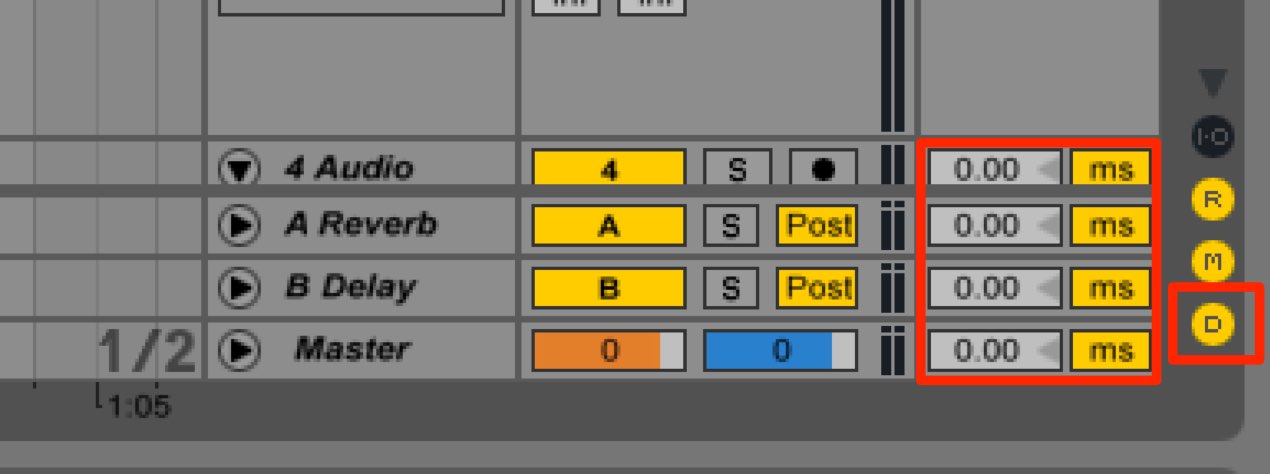
In Arrangement View, click the “D” button to light it up.
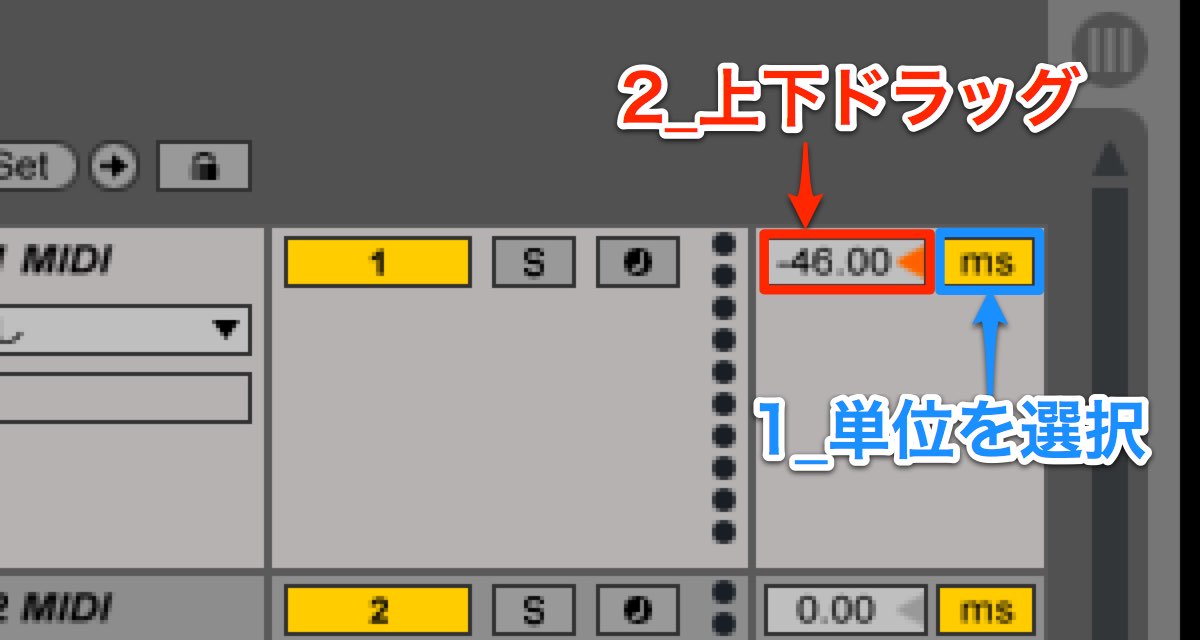
- 1. Choose the adjustment unit: milliseconds or samples.
- 2. Drag up or down to set the offset.
A negative value makes playback earlier; a positive value makes it later.
This lets you adjust the timing of the MIDI performance.
Play the passage and experiment with the value to find the right timing.
What Is a Millisecond?

Understanding Samples
Go to the product details page
Frequently Asked Questions
Q1. Where can I set Track Delay in Ableton Live?
Click the “D” button in Session View or Arrangement View to display the controls, then drag up or down to set the offset.
Q2. Should I choose milliseconds or samples?
Milliseconds are intuitive and easy to adjust; samples are useful when finer precision is needed. Starting with milliseconds is a practical choice.
Q3. What is the difference between negative and positive Track Delay values?
Negative values move playback earlier, while positive values delay it. To compensate for a late sound, start with an earlier offset and listen while adjusting.
Q4. What should I keep in mind when using Track Delay?
Each track can have its own setting. The source notes that settings are retained when copying the file, reducing the need to move every note manually.
NEW ARTICLES
Latest English Articles


























































































































































































































































































































































































































