
Ableton Live 11 introduced new features across MIDI, audio, effects, and recording. Comping for managing takes, more detailed CPU metering, and real-time tempo following were joined by MIDI tools including velocity randomization, note probability, scales, and MPE support. These additions help beginners and experienced producers work more efficiently. This November 2020 preview also covered the promotion offered at the time: qualifying Live 10 purchases included a free upgrade to Live 11 when it launched in early 2021.
New features across MIDI, effects, recording, and more
Ableton announced Live 11, the next version of its popular DAW for electronic music, in November 2020.
It introduced a broad range of new MIDI, audio, effects, and recording features.
At the time of this preview, the release was planned for early 2021, and we had the opportunity to try a beta version ahead of launch.
Here, we focus on the features we found especially useful.
At the time of the original article, a promotion offered Live 10 at 20% off.
Qualifying purchases during that promotion included a free upgrade to Live 11 from its release date. This was the November 2020 offer, rather than a current promotion.
Video: Ableton Live 11 new features
Note: The screenshots show the beta version and may differ from the final release.
Manufacturer’s website: https://www.ableton.com/ja/live/
New editing, recording, and audio features
Several useful tools have been added to support the production process.
Comping
Comping lets you record multiple performances and keep each take separately.
You can then combine the best parts of different takes into a single composite performance.
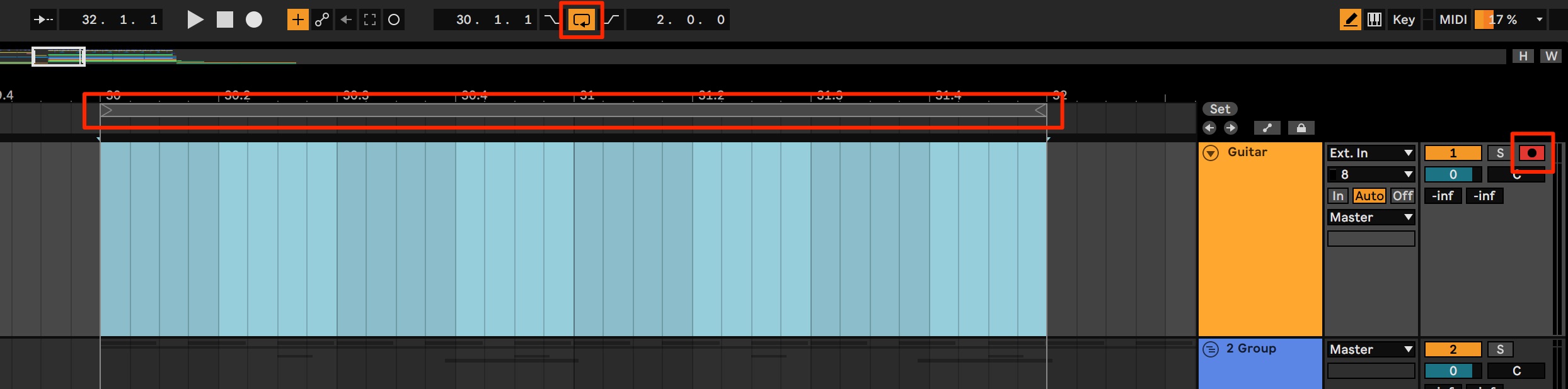
In this example, we use the feature while loop-recording a selected set of bars.
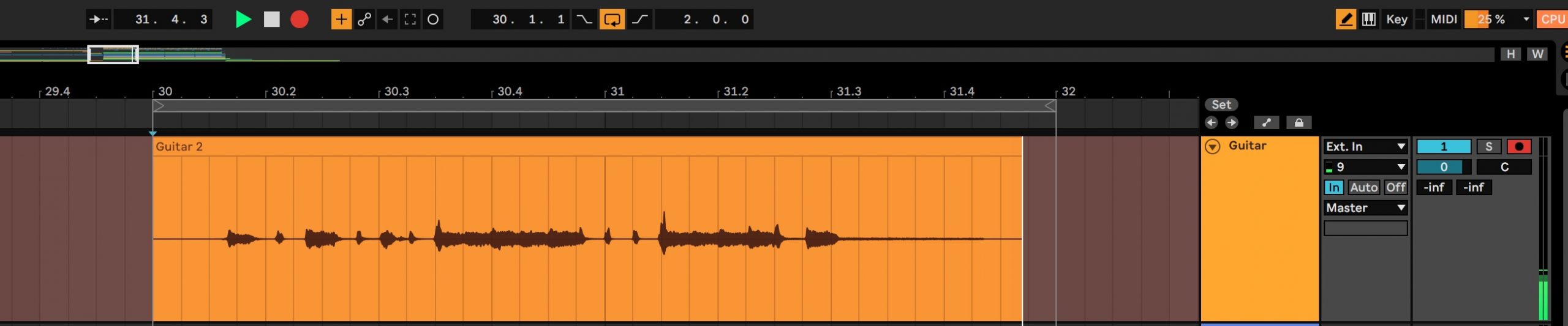
Set the loop range as shown and start recording audio.
Keep recording repeated passes without stopping playback until you have performances you are happy with.
When you have finished playing, stop recording.
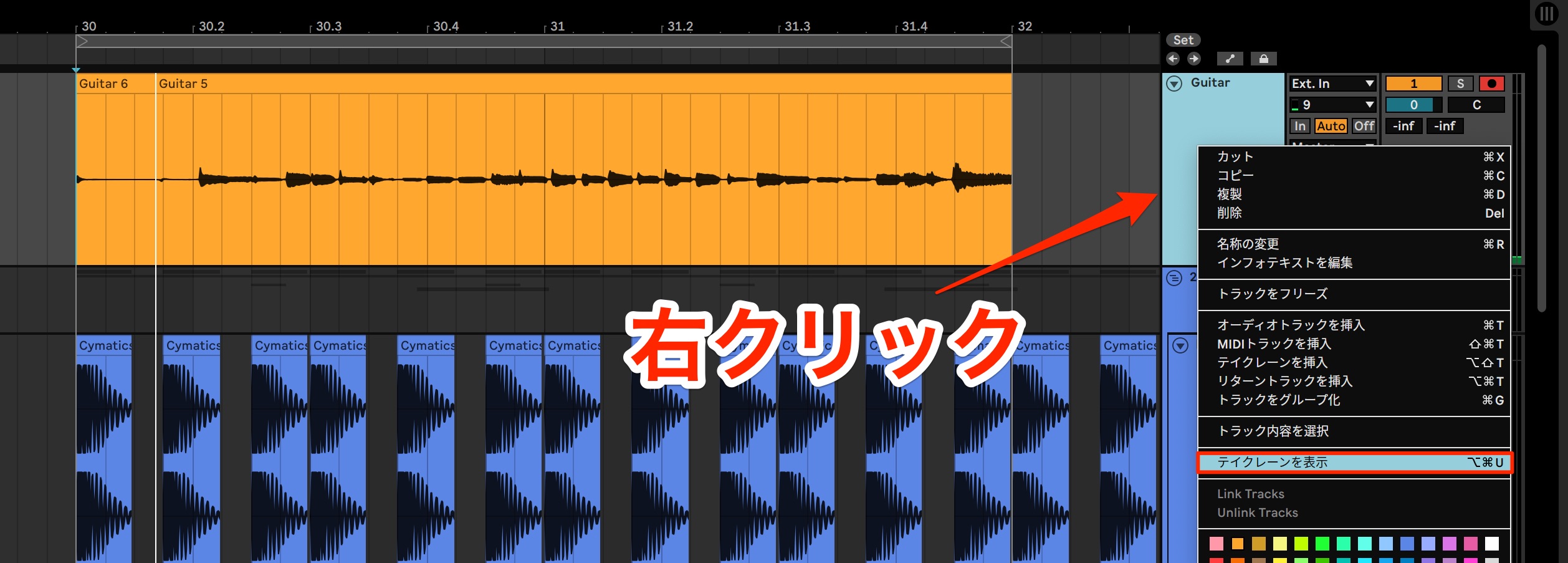
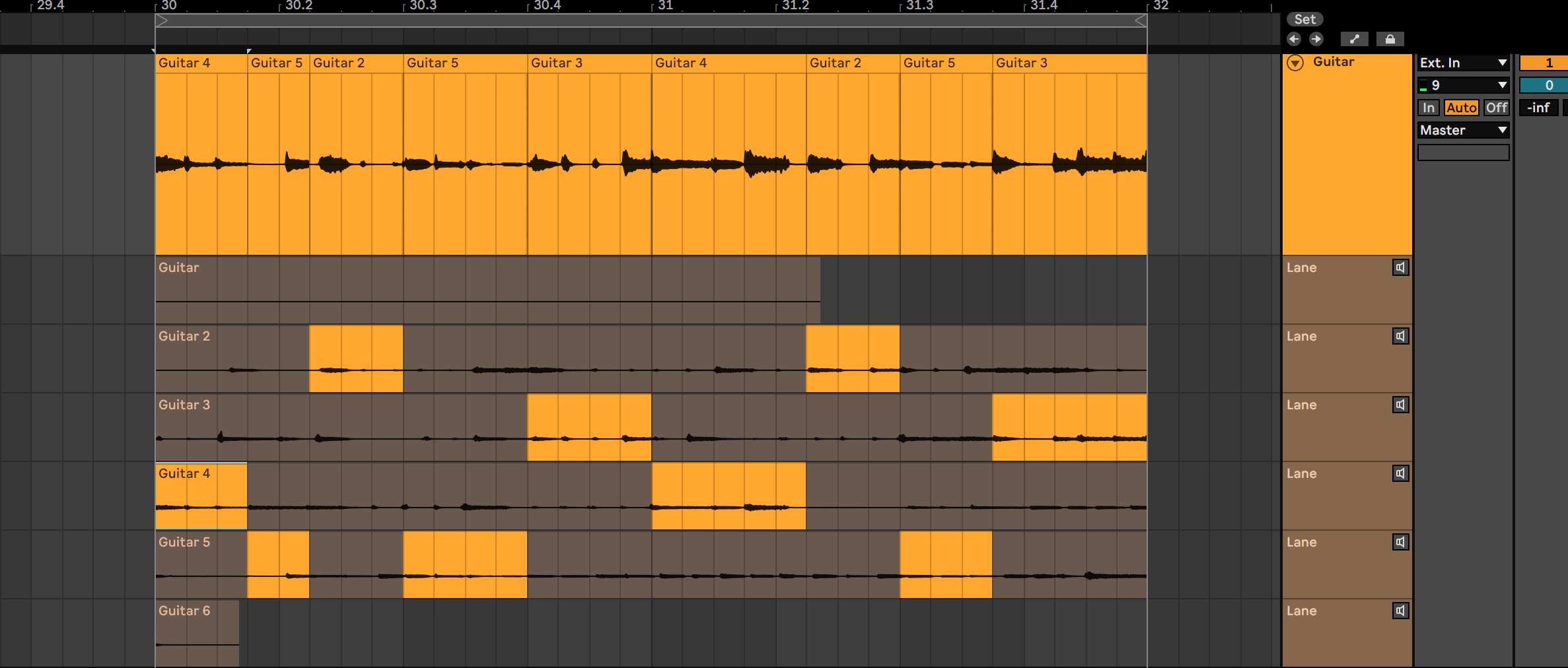
Right-click the recording track and choose Show Take Lanes.
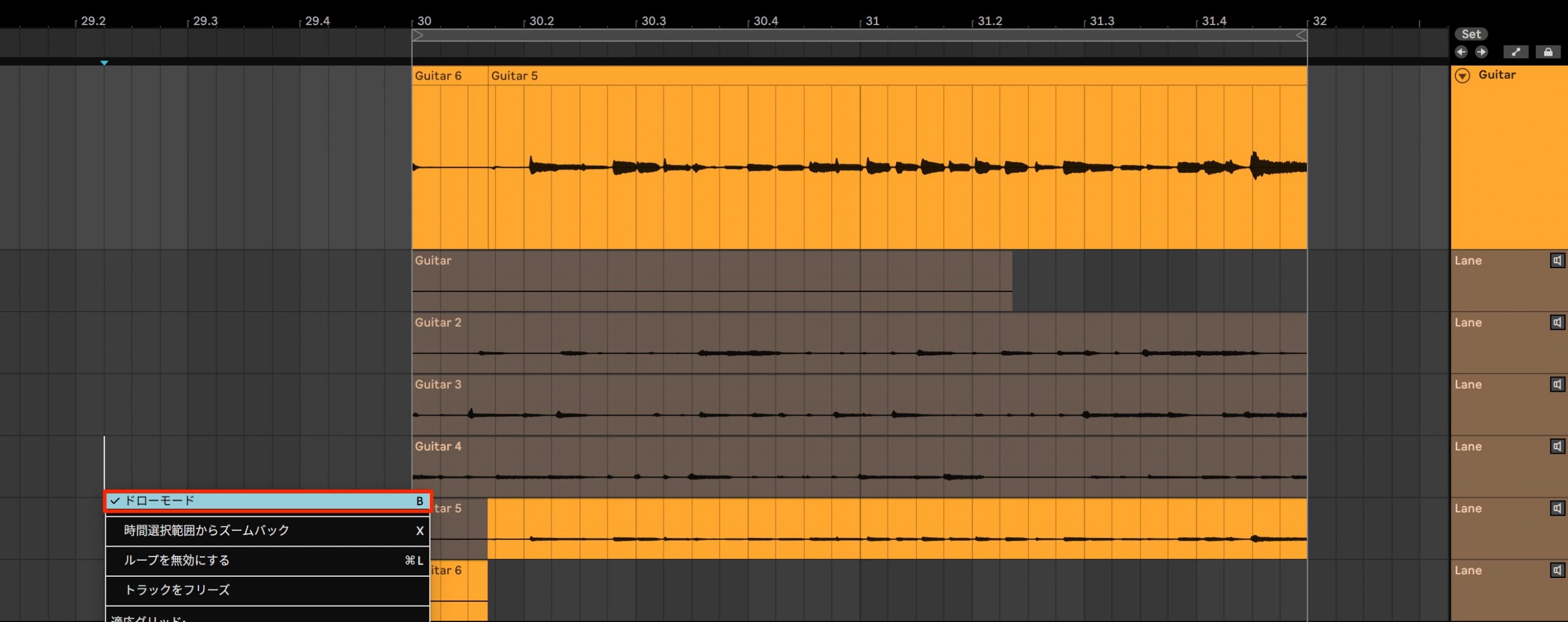
All the takes recorded during the loop-recording passes appear, as shown here.
The top lane contains the material that will play back.
You can also audition a take using the speaker icon on the right of its lane.
Choose your favorite sections from these takes to build the final performance.
Select Draw Mode from the right-click menu.
Drag over part of a take to choose the section you want to use.
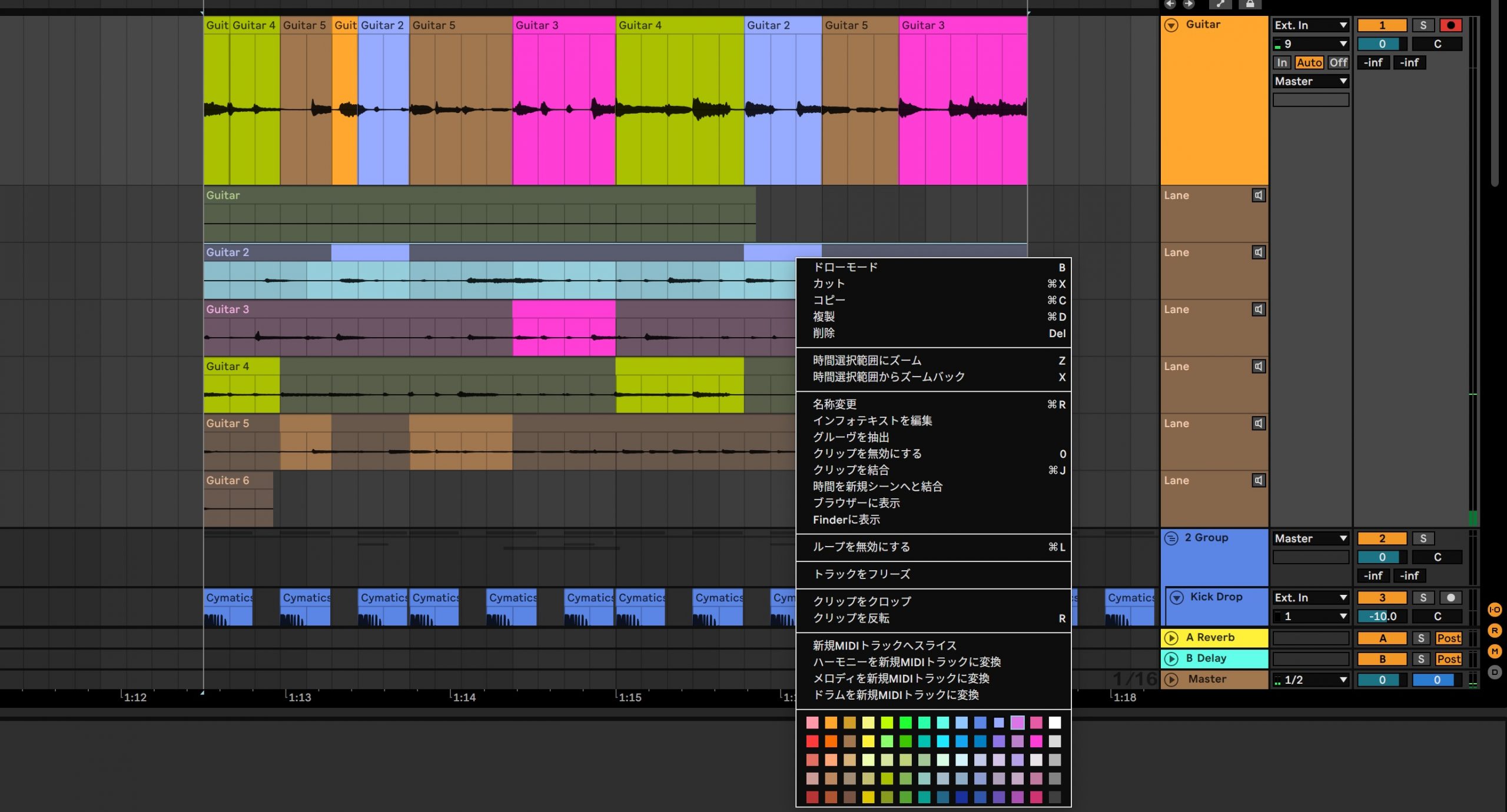
Assigning colors to the takes makes it easy to see which sections of each take are being used.
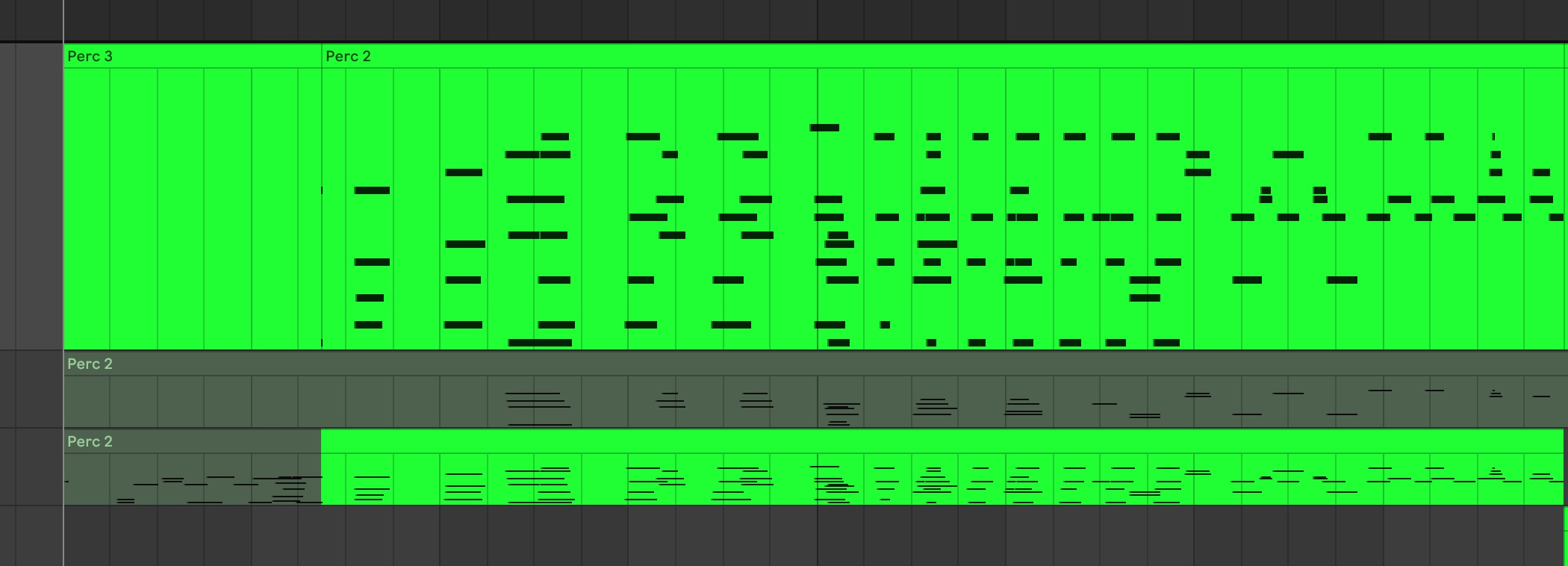
Comping also works with MIDI performances.
More detailed CPU metering
The meter for monitoring your computer’s CPU usage has also been improved.
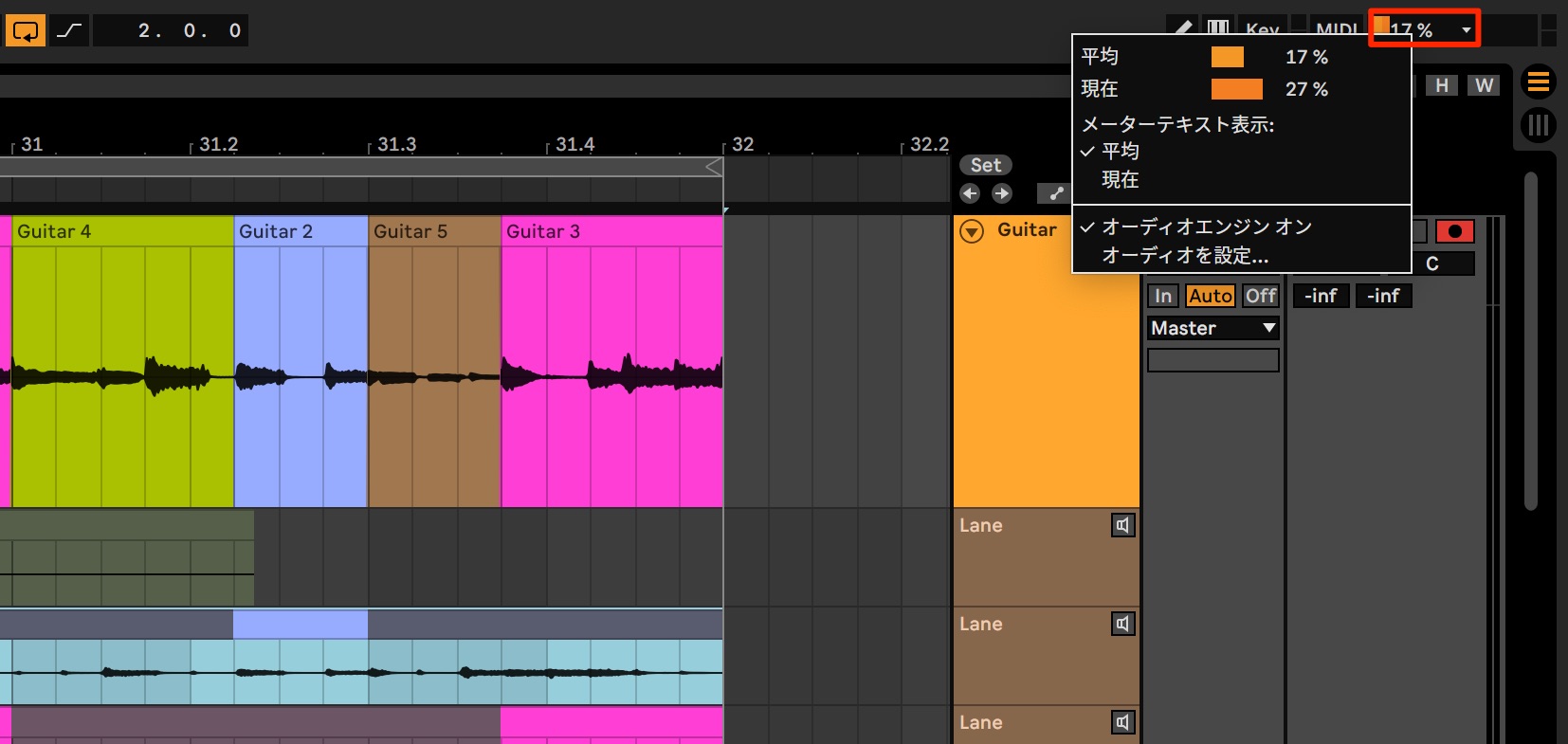
Click the CPU meter at the upper right to check average and current usage. You can also choose which of these values remains visible in the meter.
CPU usage can also be viewed for individual tracks.
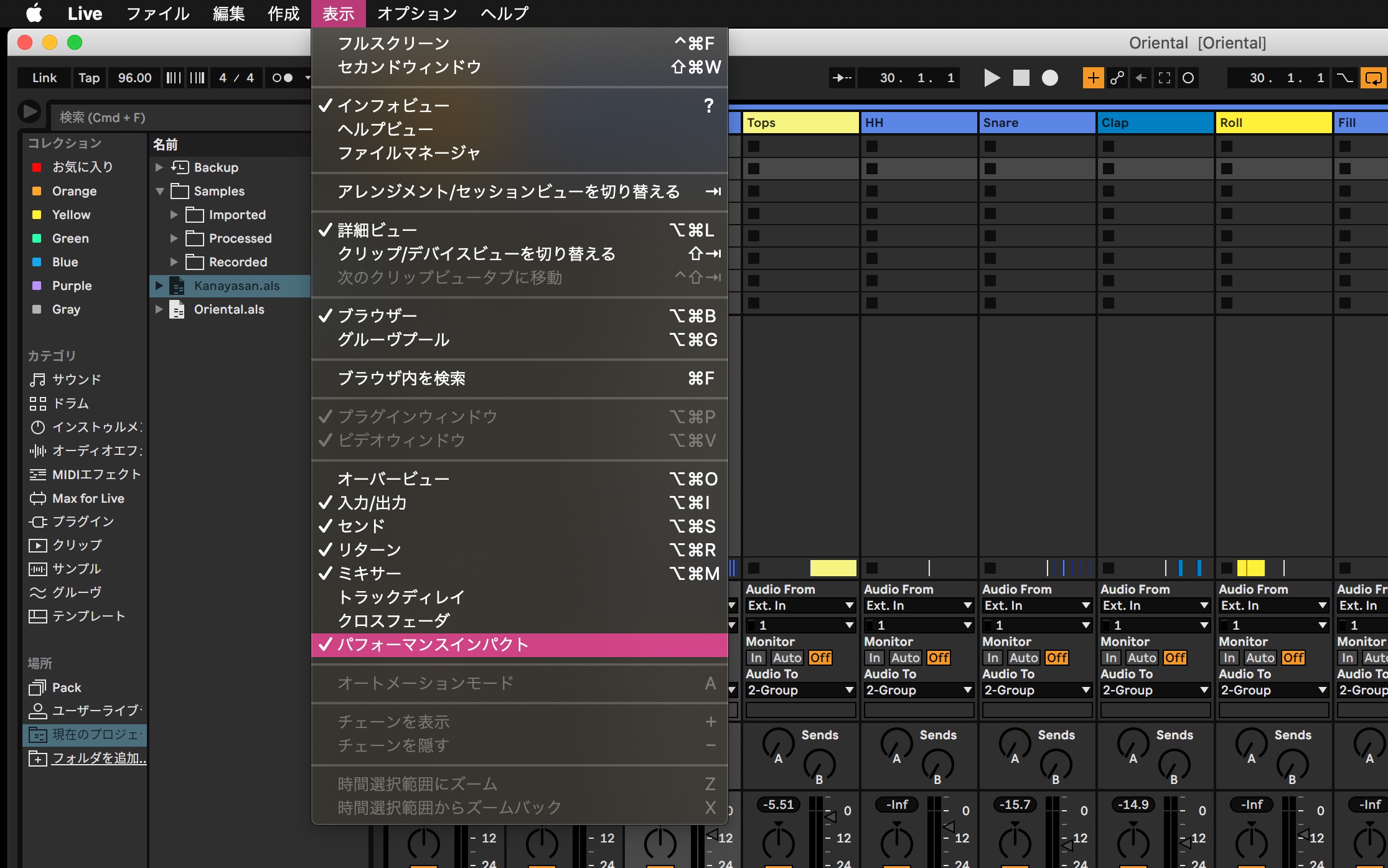
From the top menu, choose View > Performance Impact.
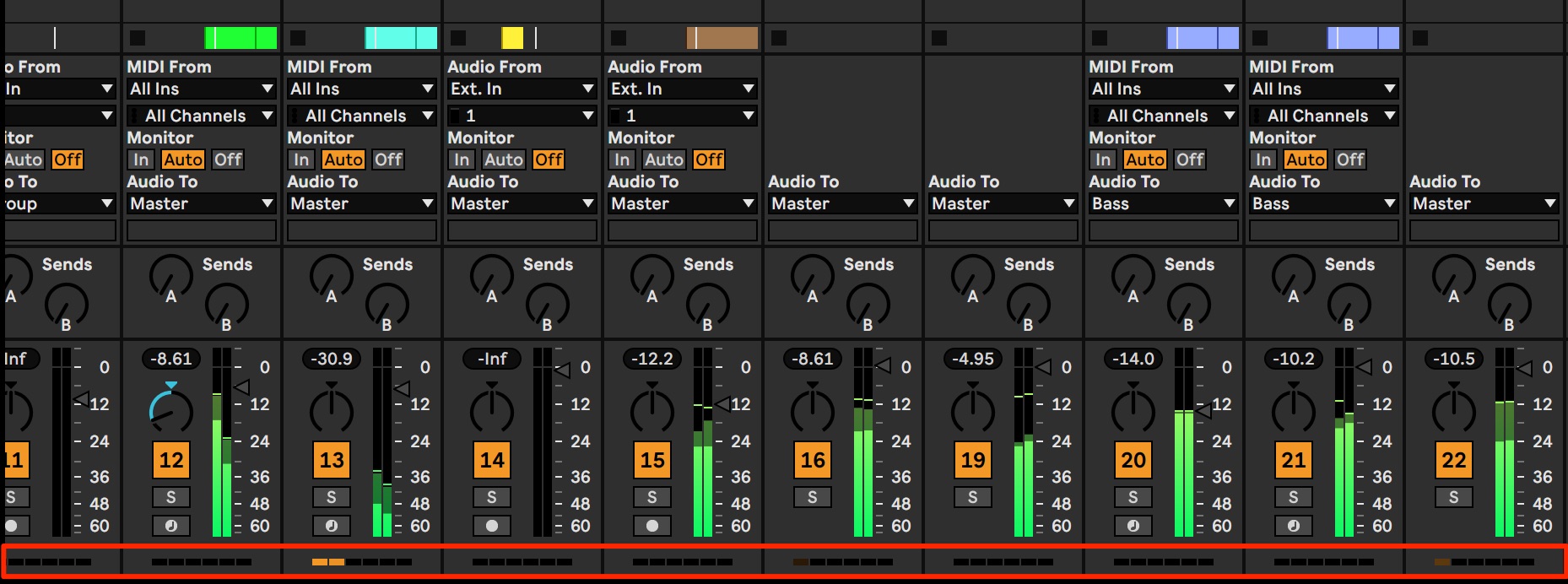
CPU meters appear below the tracks, helping you quickly identify tracks that place a heavy load on the system.
Project tempo follows a live performance
This distinctive feature lets Live’s project playback automatically follow the tempo of an incoming live audio signal.
For example, during a live performance you can have project playback follow the drummer’s timing.
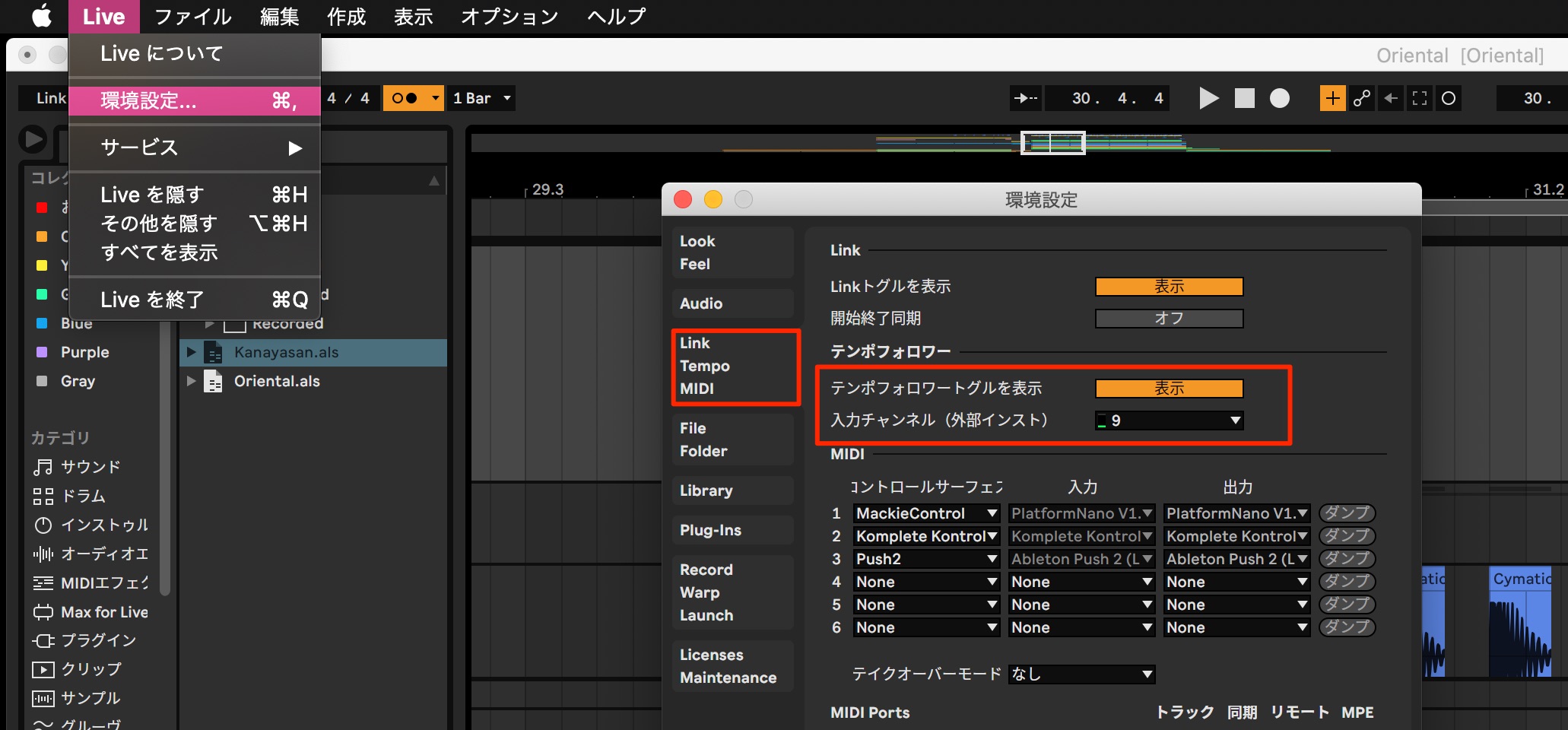
Open the Link Tempo MIDI tab in Preferences.
- Set Show Tempo Follower Toggle to Show.
- Choose the audio interface input channel receiving the live performance.
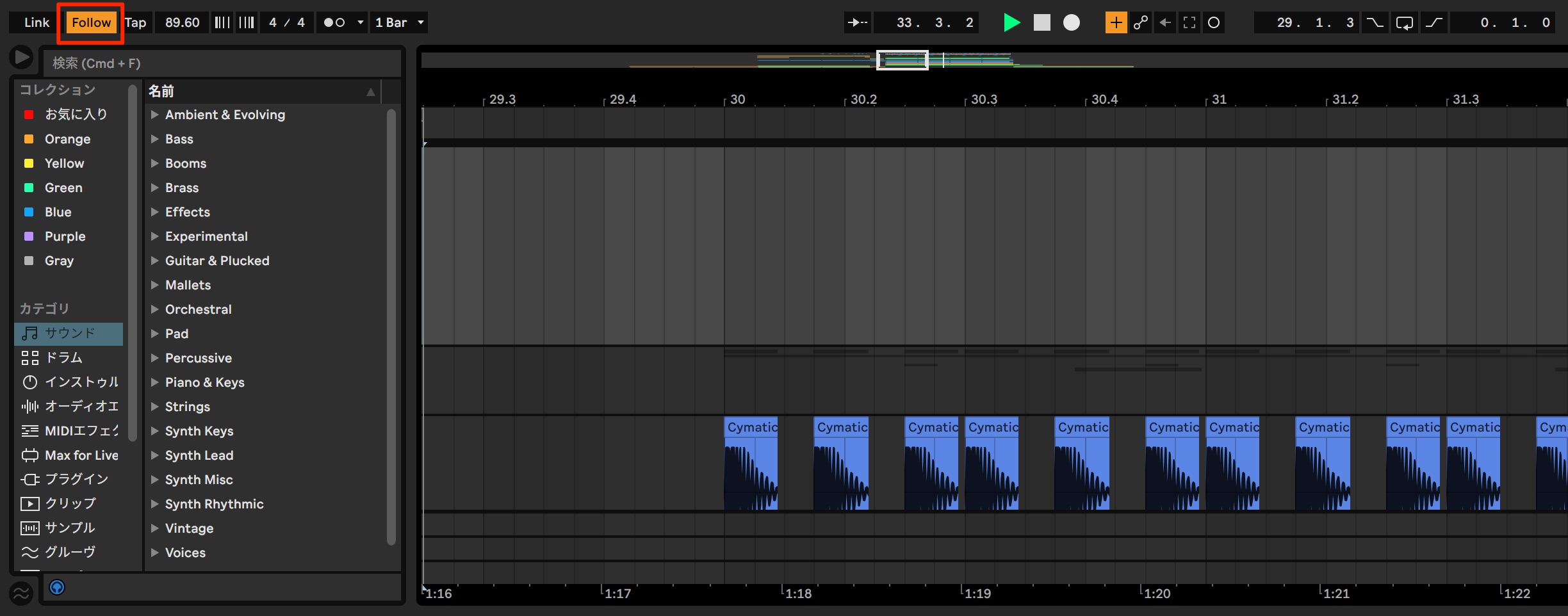
Then enable Follow and start playback.
The project tempo changes in real time to follow the performance arriving at the selected input channel.
New MIDI features
The MIDI tools also gain a range of practical features.
Clearer velocity display and randomization
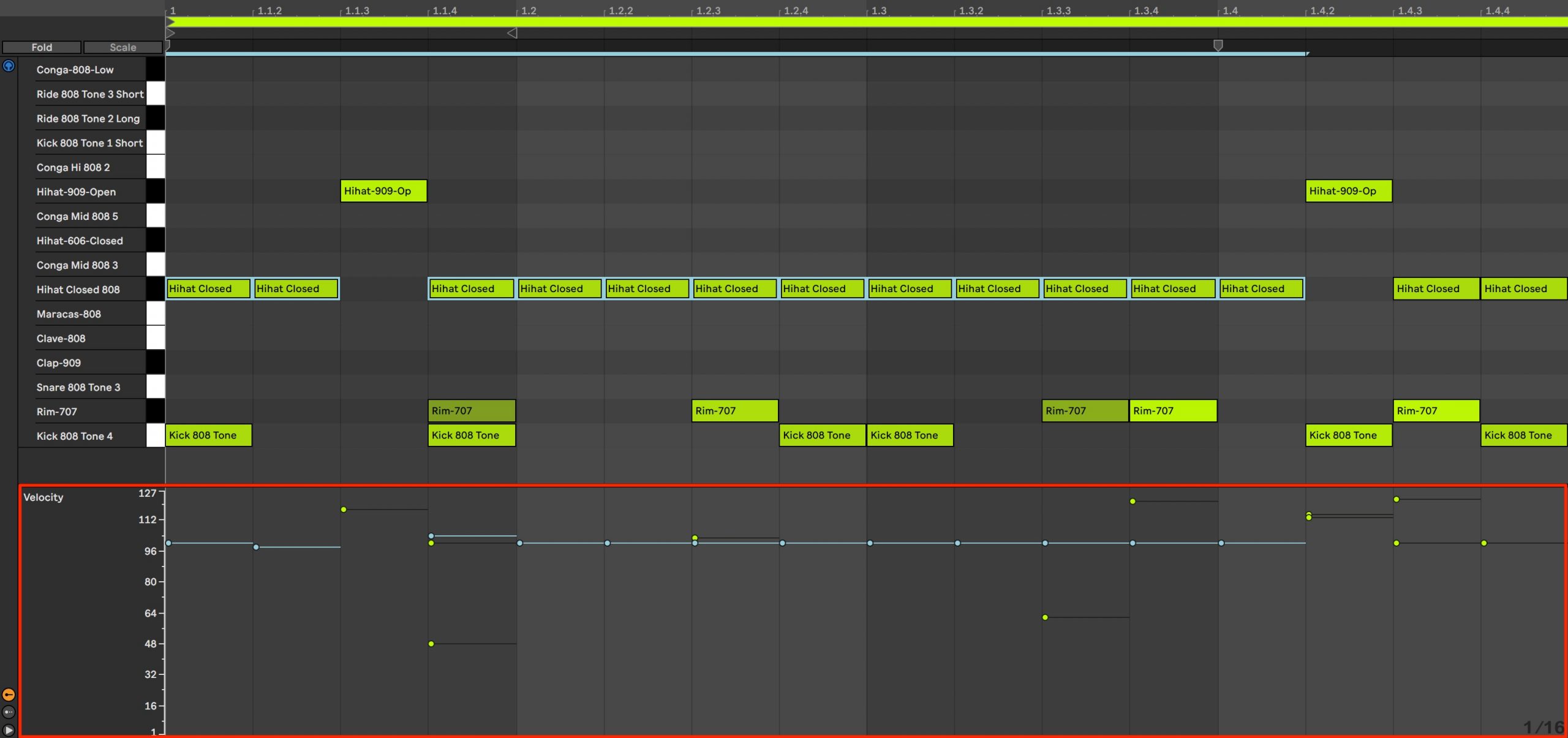
The velocity display has been improved, making it easier to see the velocity of each note.
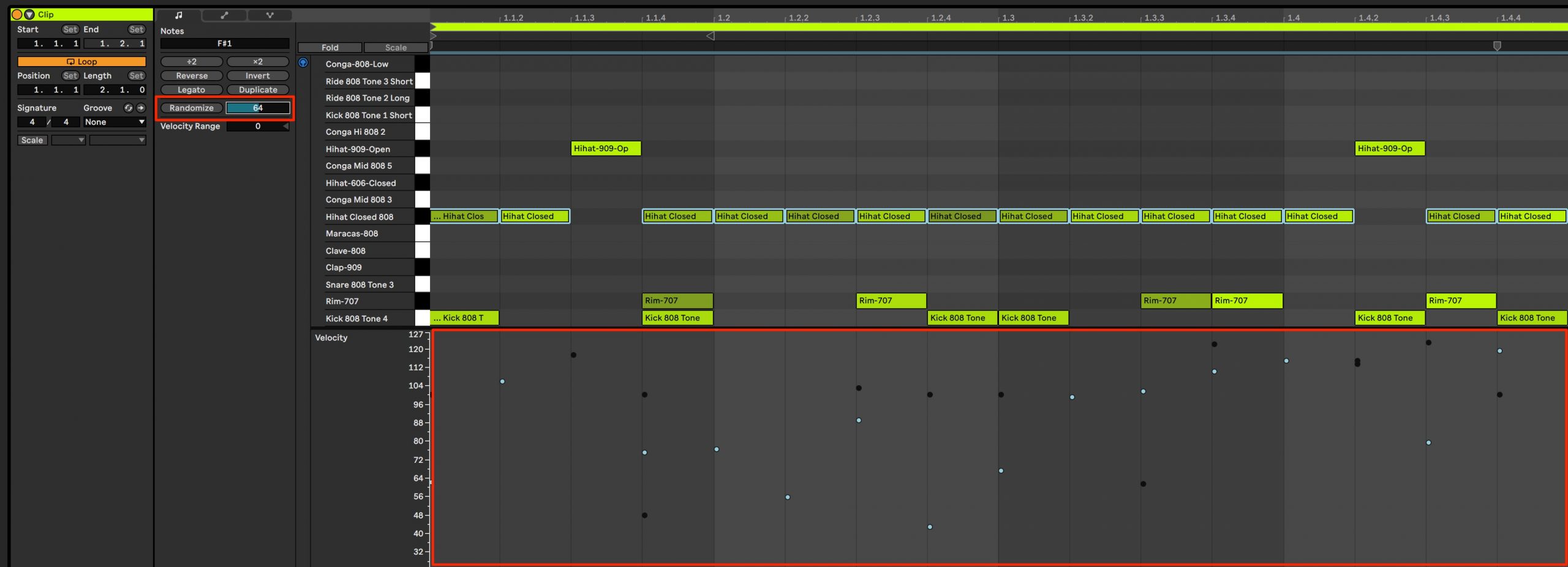
A Randomize Velocity function also lets you change selected note velocities at random.
Select the notes you want to affect and specify the randomization amount. Higher values produce more variation.
Each time you click Randomize, the note velocity values change.
This can add a human feel and natural variation to a performance.
Probability: control whether a note plays
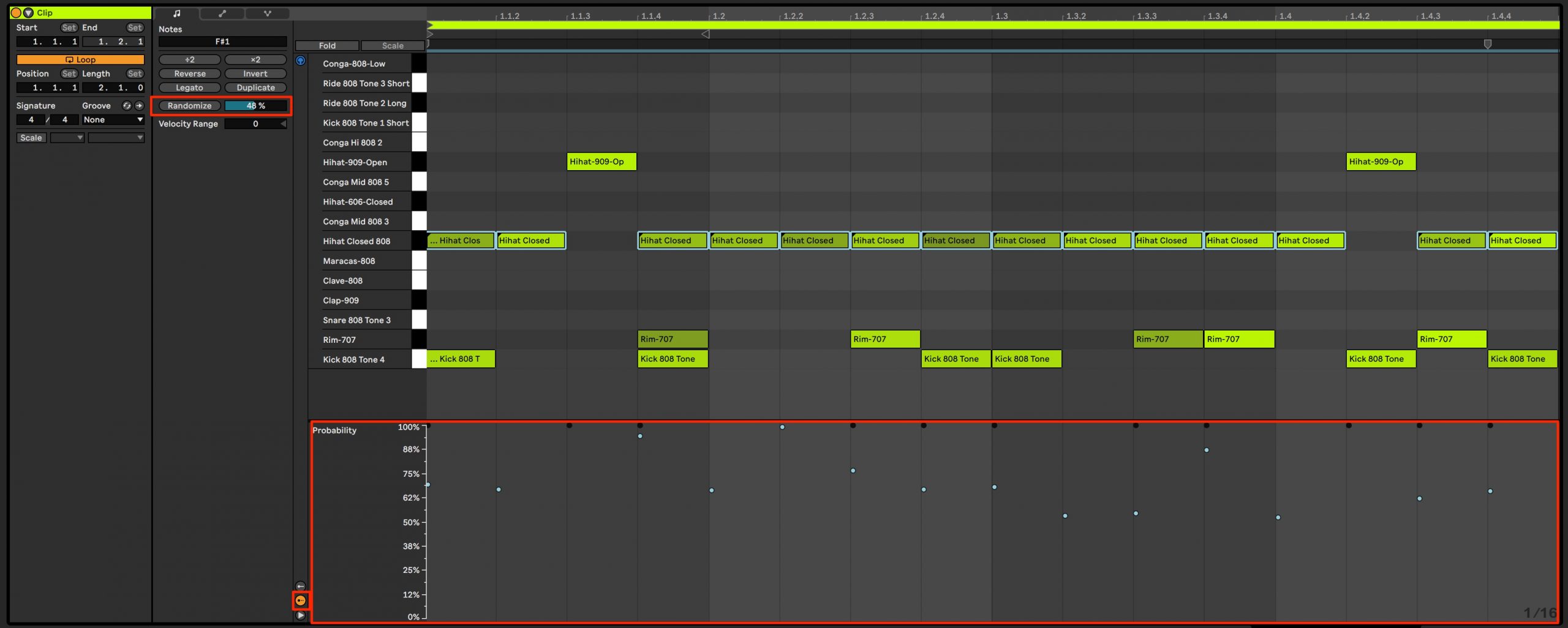
Probability lets you set how likely a recorded note is to play.
Lower values reduce the chance that the note will sound.
Even when the same bars loop repeatedly, the result can vary, letting you use chance to create changing phrases.
As with velocity, probability values can also be randomized.
Scale tools to assist MIDI editing
A scale feature has been added to the note editor, helping you work with your song’s key and scale.
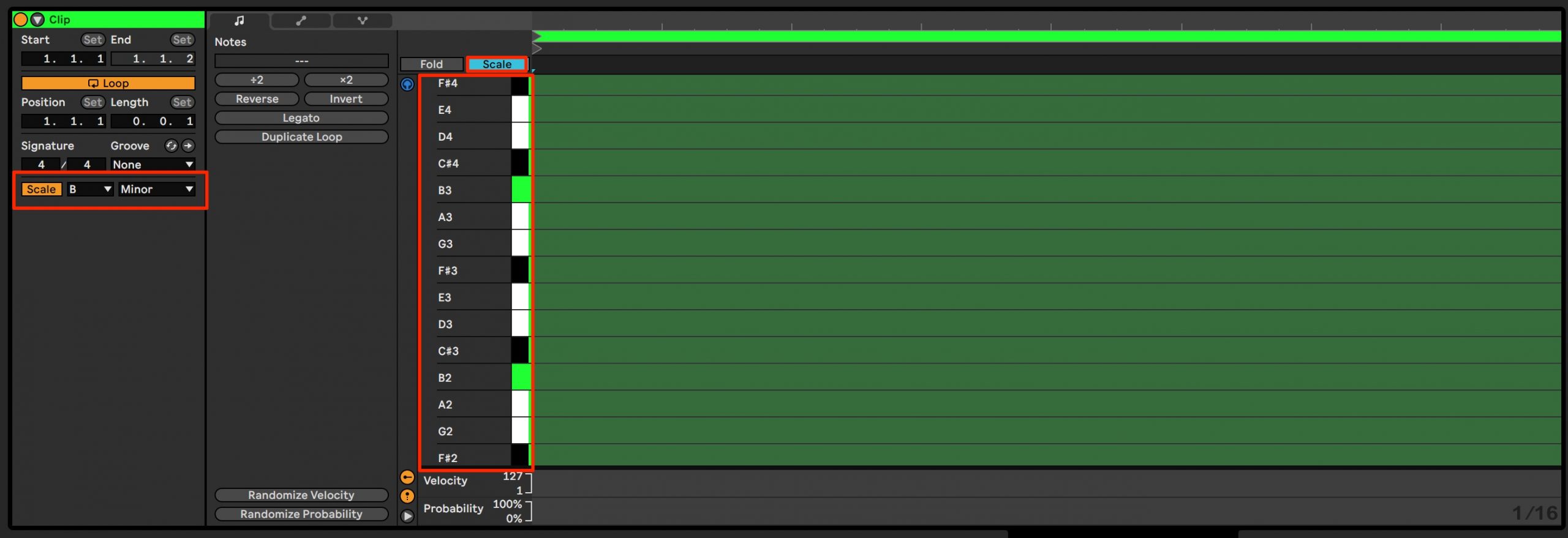
Set the key and scale in the Clip section on the left, then enable Scale.
Next, enable the Scale button above the piano keyboard to narrow the displayed pitch rows to the scale notes.
This can make programming notes more approachable even if you are not confident with music theory.
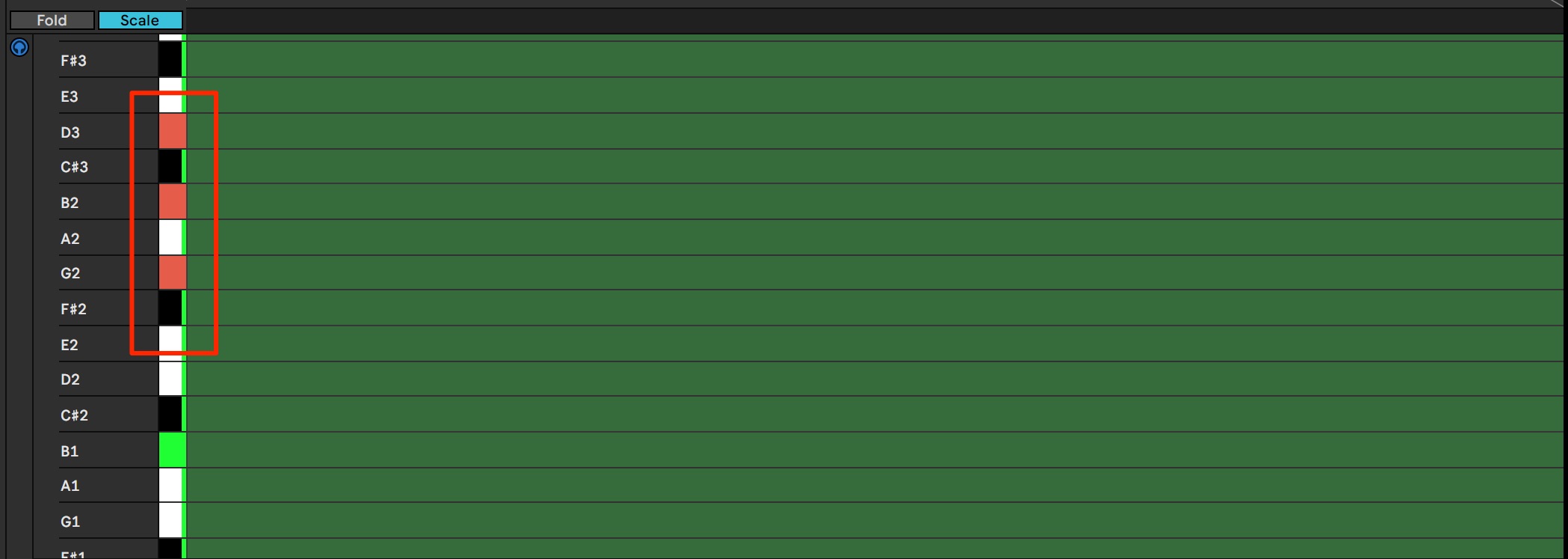
When you play a scale note on your MIDI keyboard, the corresponding key in the editor is highlighted in red.
If you play a note outside the scale, the keyboard display does not respond in the same way, although the note still sounds.
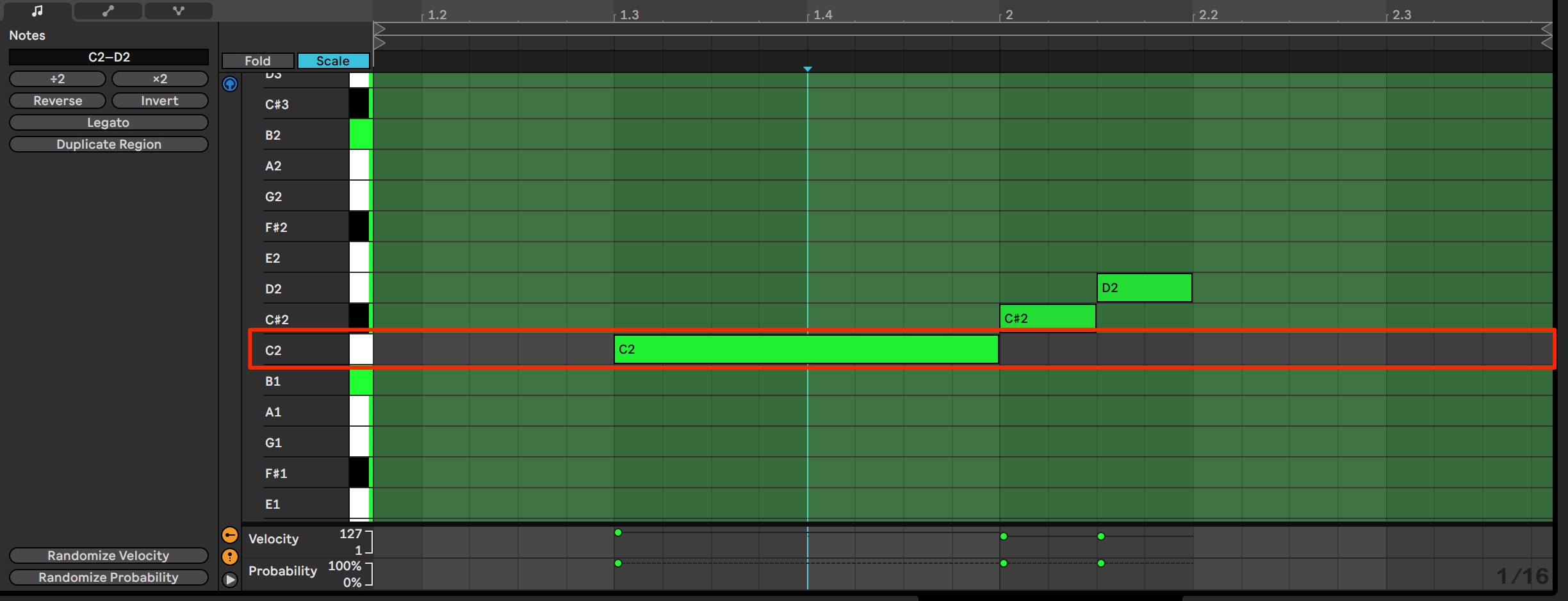
If you record notes outside the scale in real time, their backgrounds remain uncolored, as shown here.
These visual cues make the notes easy to distinguish.
Polyphonic expression: MPE support
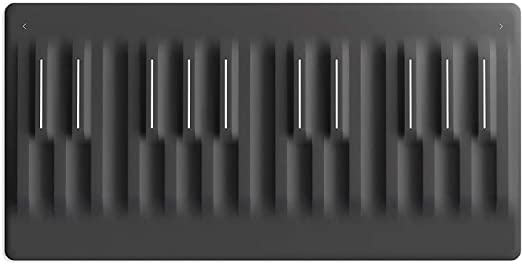
Live now supports MPE, allowing expressive MIDI data to be controlled and recorded independently for each note.
The native devices supporting MPE in this preview are Wavetable, Sampler, and Arpeggiator.
Third-party plug-ins that support MPE can be used as well.
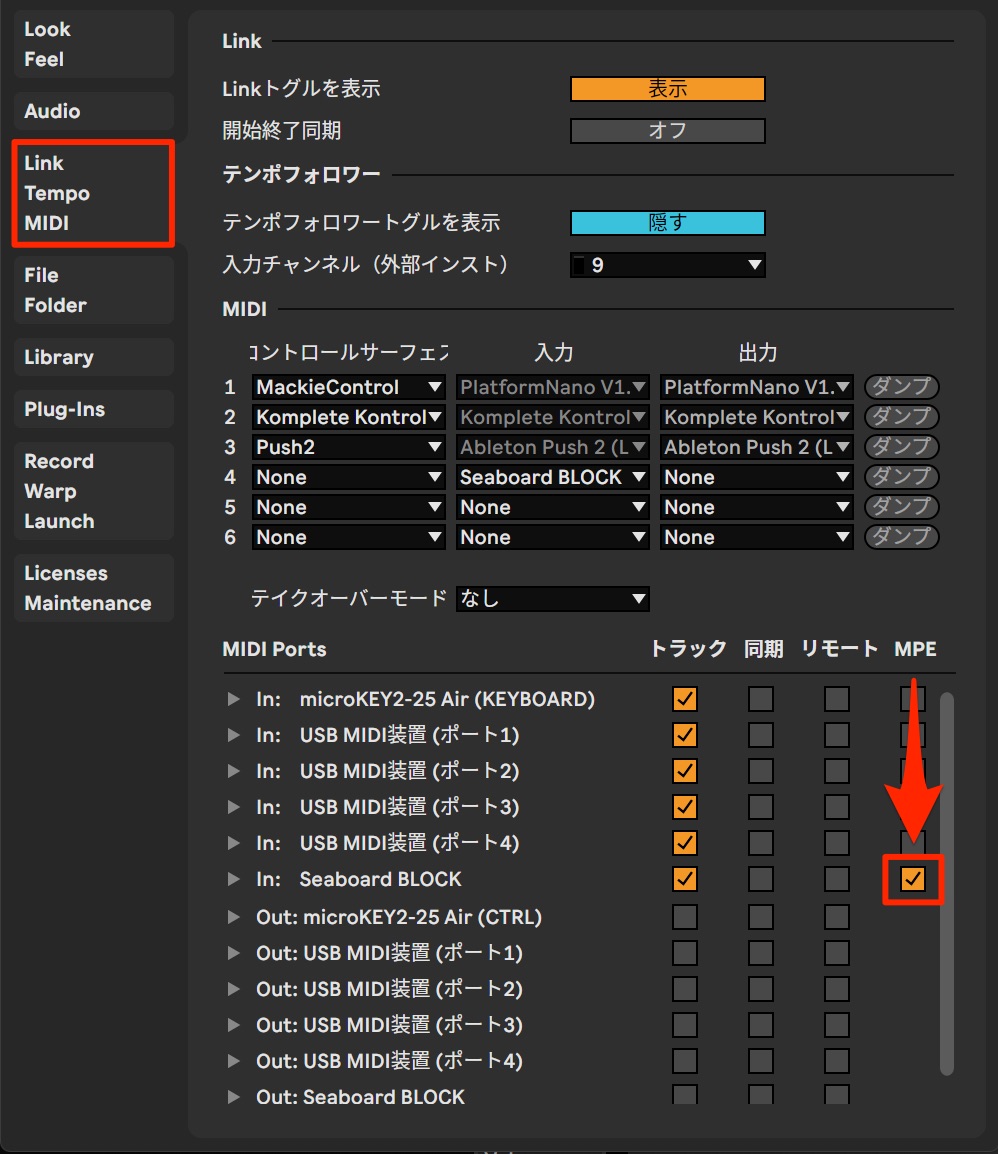
To use MPE, enable it for the compatible MIDI device in the MIDI section of Preferences.
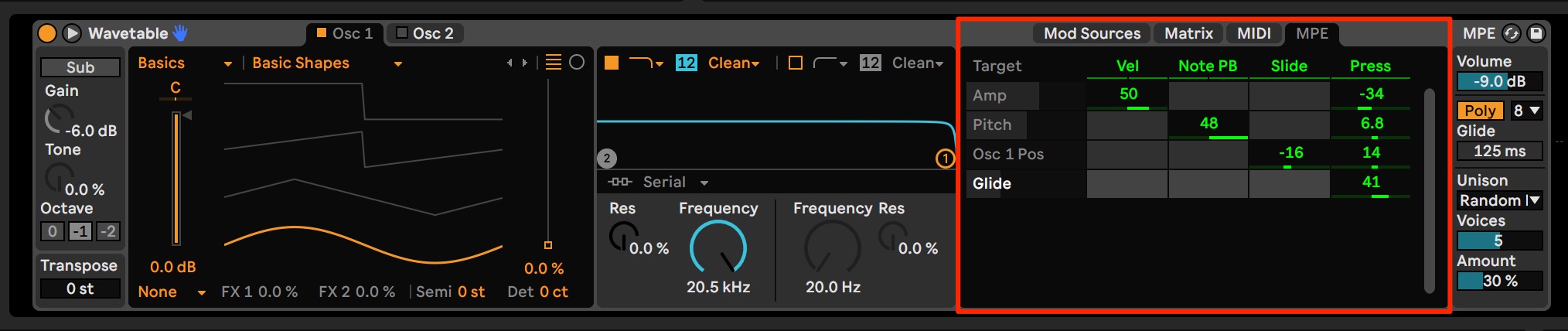
Use the MPE tab shown here to configure the expressive response.
Max for Live also includes MPE controllers, allowing you to create more detailed custom responses.
You can also control third-party synthesizers.
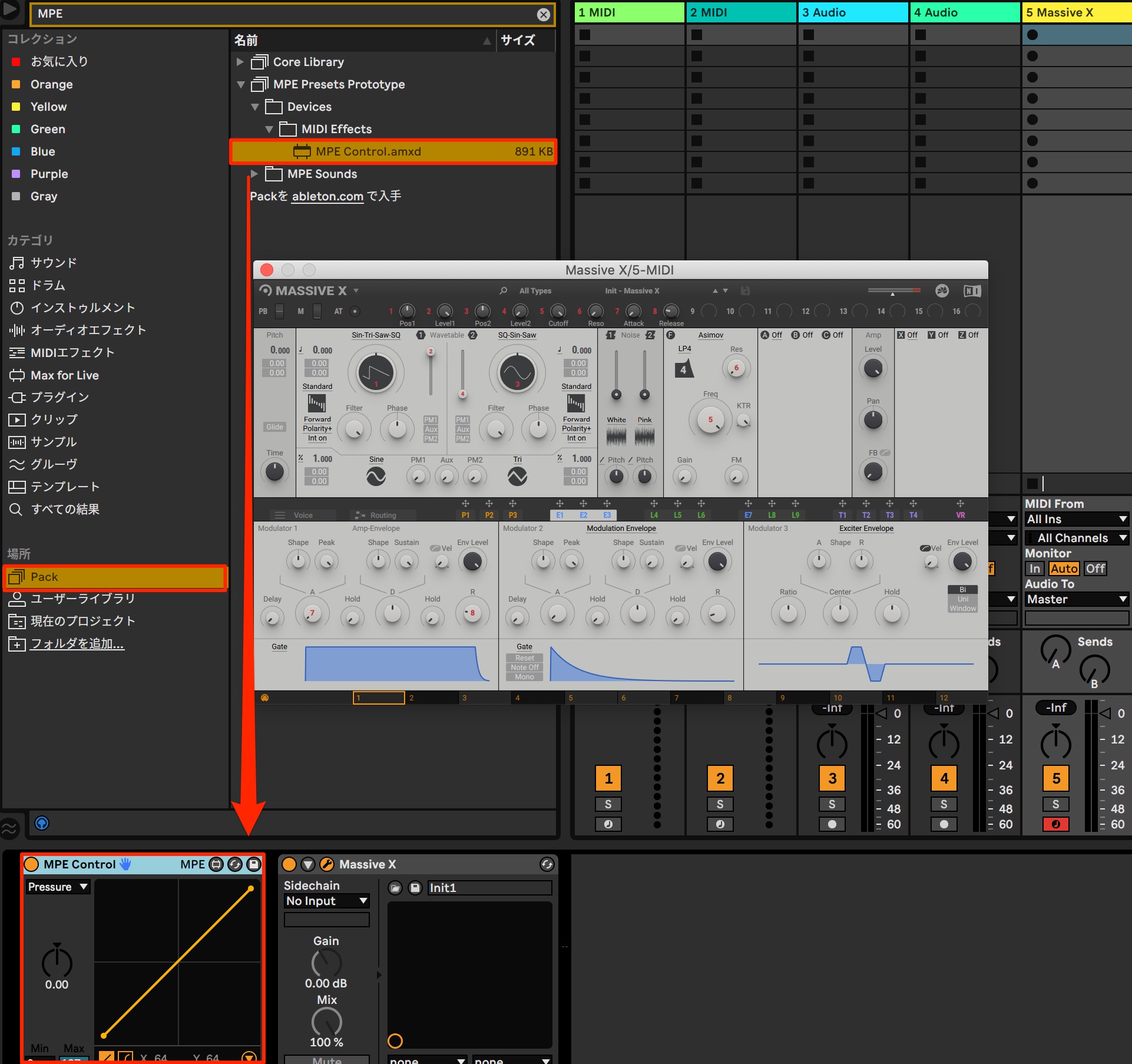
Load Pack > MPE Presets Prototype > Devices > MIDI Effects > MPE Control.amxd.
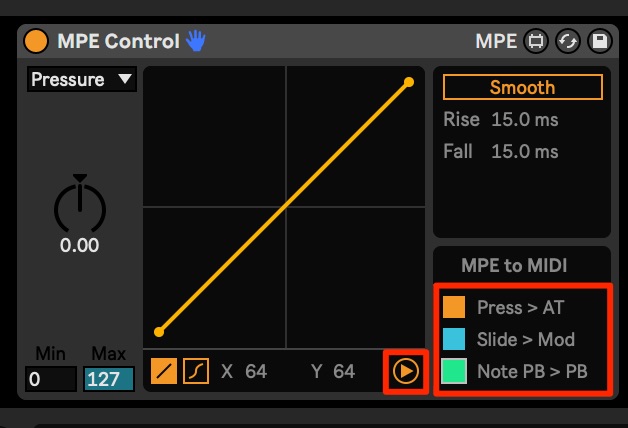
Click the arrow below the device to enable the individual controls.
- Press: AT (aftertouch)
- Slide: Mod (modulation)
- Note PB: PB (pitch bend)
These are the control mappings shown here.
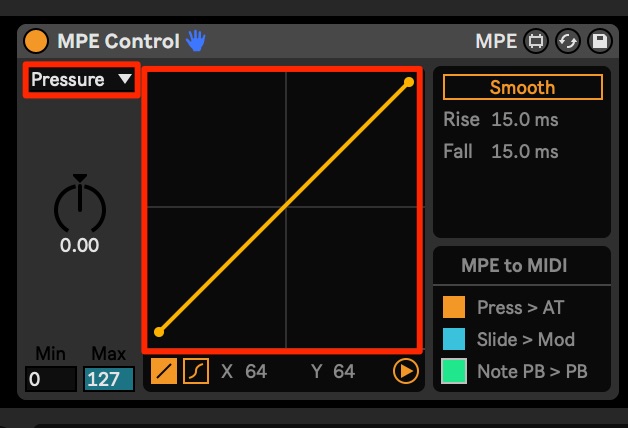
Select an item to adjust its response curve.
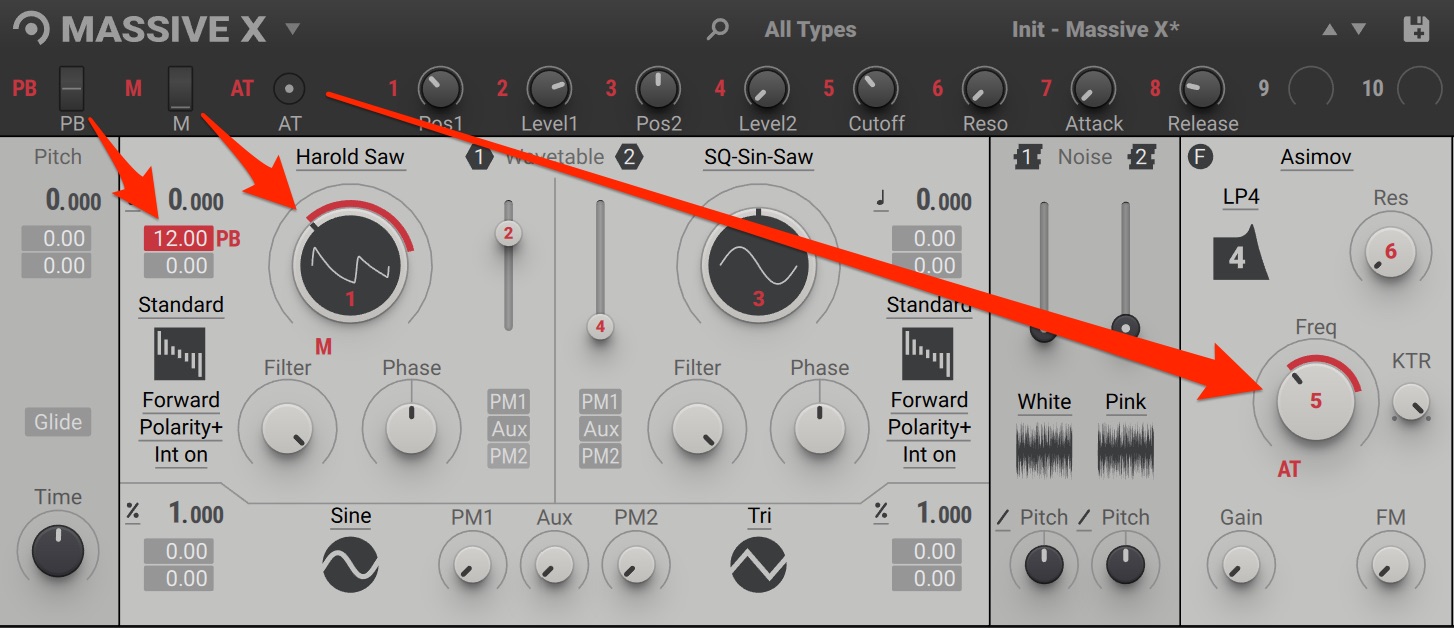
The exact setup depends on the synthesizer. Assign each item to the parameters you want to control so they respond to your performance on the MPE device.
New effects features
New instruments and effects have been added, along with useful controls.
Audio effects organized by category
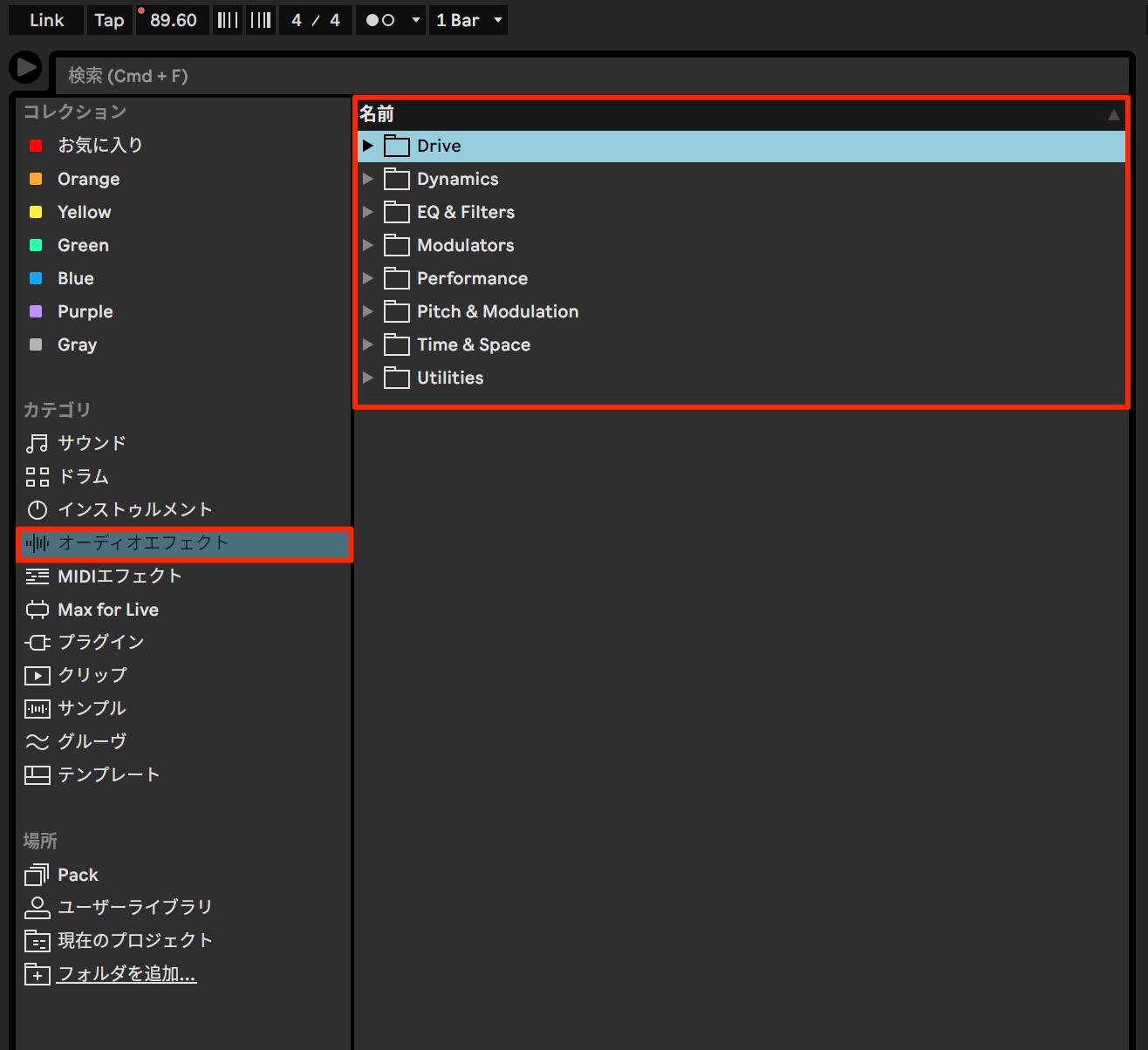
Audio effects are now sorted into categories by type.
This makes it much easier to find the effect you need.
Macro Variations: save and recall parameter settings
Macro Variations let you store a rack’s macro settings and recall them instantly.
They are useful when creating and comparing sounds with different settings.
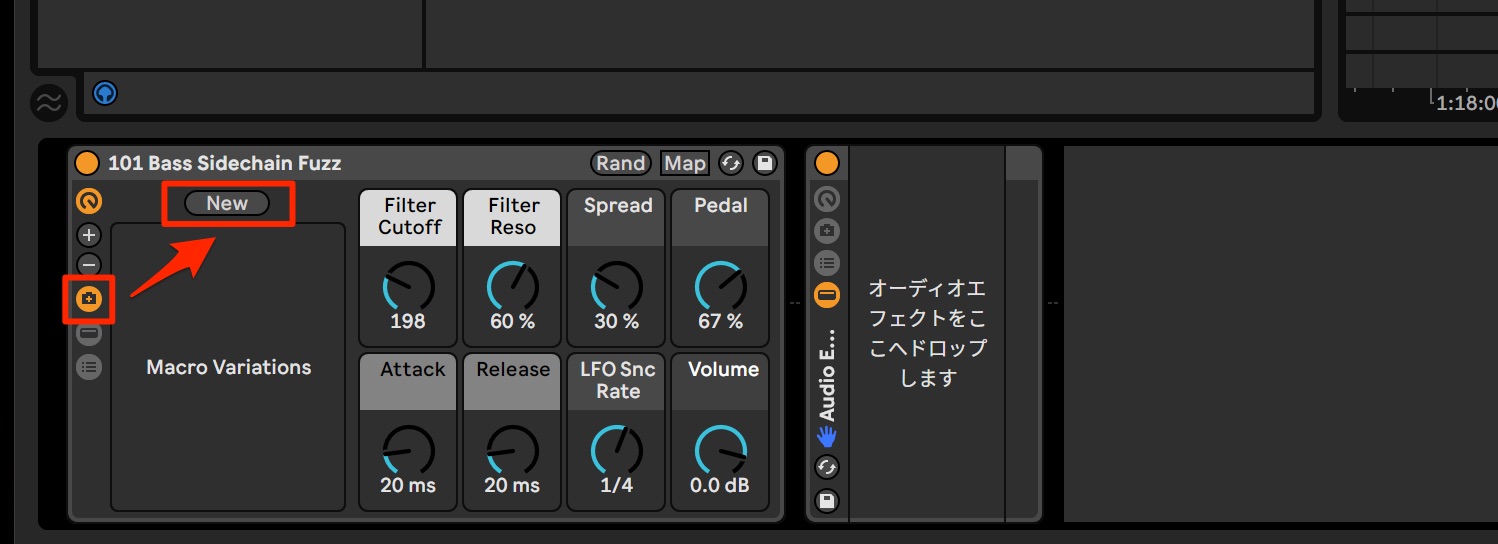
Once you have a set of settings you want to save, click the Macro Variations button.
Click New in the panel that appears.
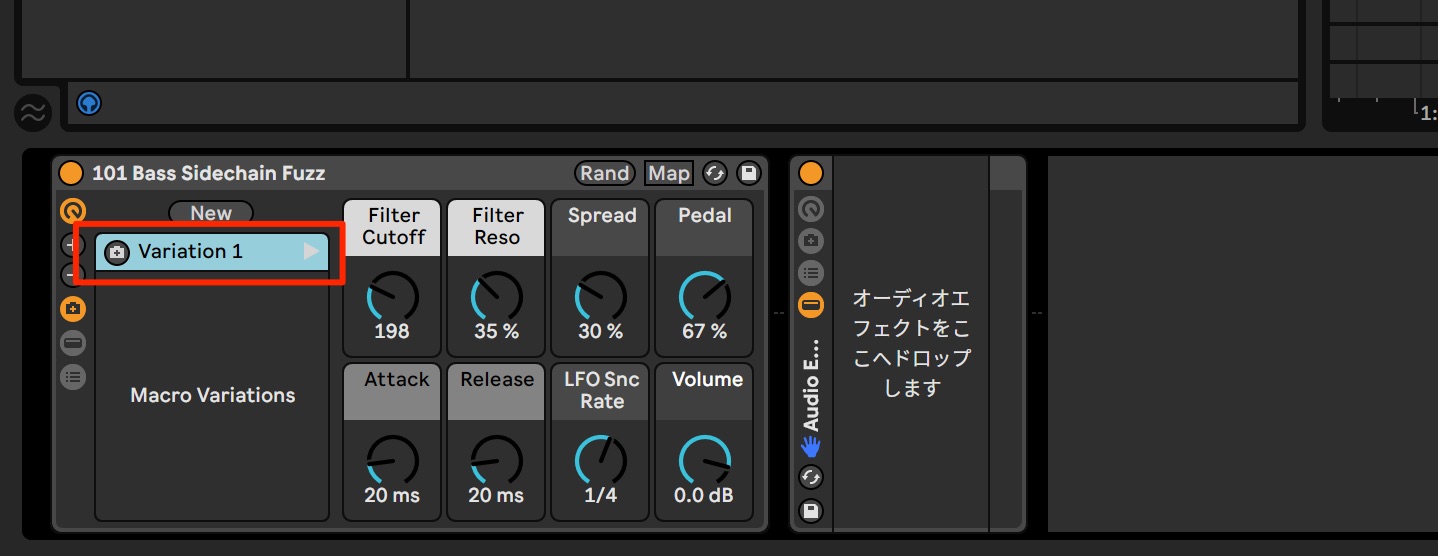
The current settings are stored as a variation, as shown here.
Click the triangle to the right of a variation to restore its saved settings.
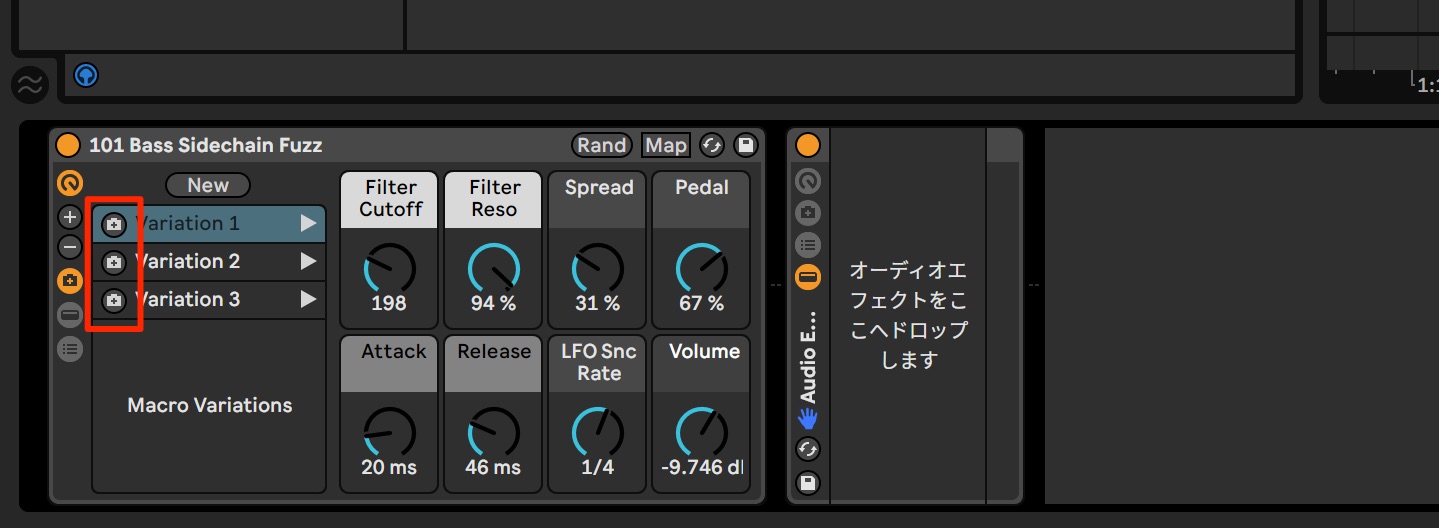
You can create multiple variations this way. The Overwrite Macro Variation control on the left lets you replace a variation with the current macro settings.
Updated Core Library
The included Core Library was also set to be updated with sounds for contemporary electronic music.
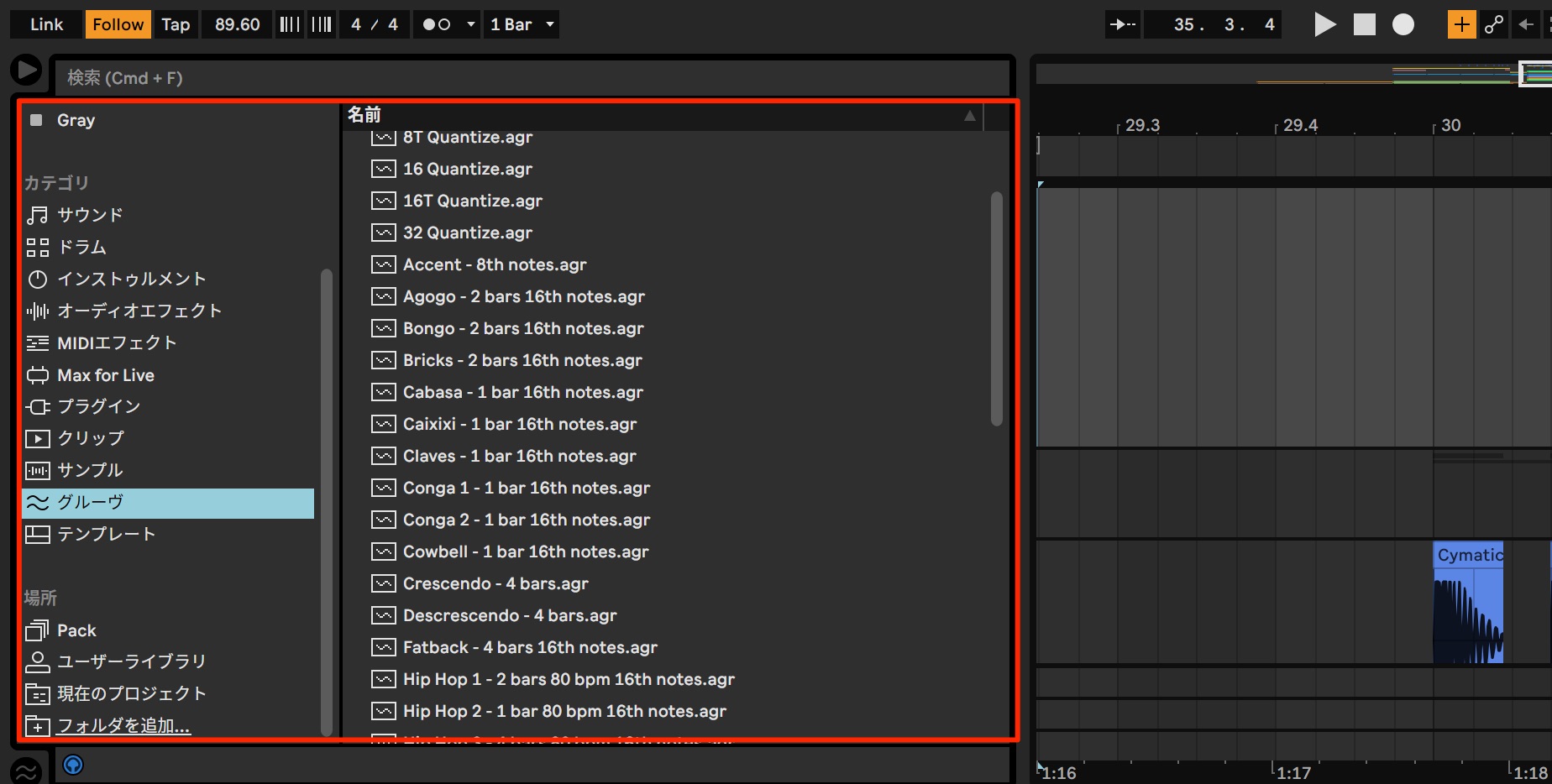
Additions include drum kits, Instrument Racks, Audio Effect Racks, grooves, presets, and loops.
New instruments and presets were also planned for the sound Packs.
New effects and instruments
Here are the new effects planned at the time of this preview.
Hybrid Reverb
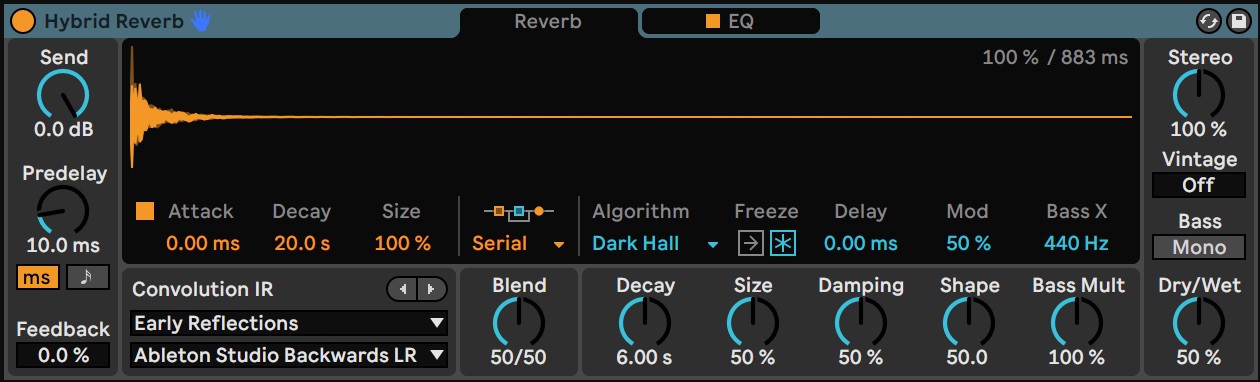
Hybrid Reverb combines convolution and algorithmic reverb to create a wide variety of spaces.
It also includes the controls you would expect for shaping a reverb, including EQ and stereo placement.
Spectral Time
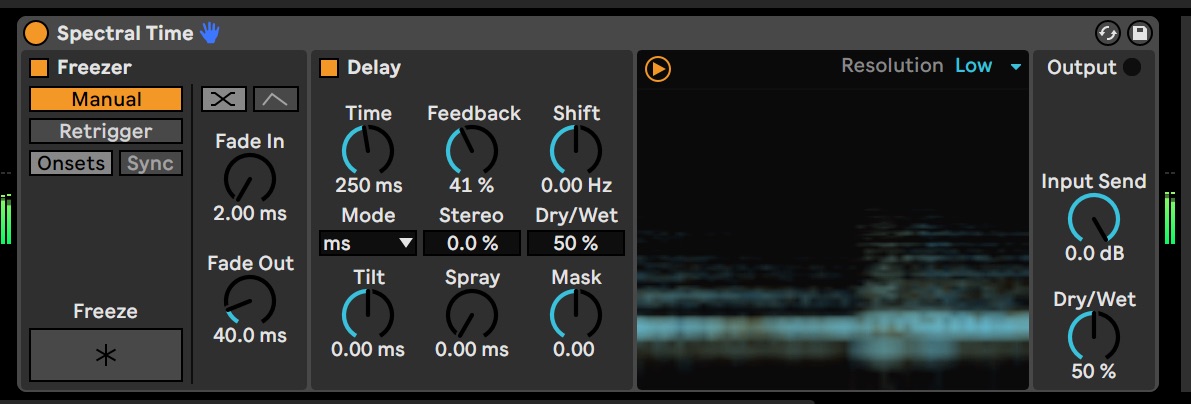
Spectral Time produces metallic echoes and effects resembling frequency-modulated reverb.
Tempo synchronization and additional processing options provide further control for detailed sound design.
The following effects and instruments were also announced.
- Spectral Resonator: generates sounds by rearranging the spectral components of the incoming audio.
- Inspired by Nature: devices developed from ideas found in natural physical phenomena.
- Voice Box: a contemporary collection of vocal samples and instruments played using the voice.
- Mood Reel: instruments that layer natural and synthetic sounds to create evocative textures.
- Drone Lab: a collection of sustained sounds, generated noise, multisampled instruments, and devices and Effect Racks for experimental sound design.
- Upright Piano features a piano recorded in an intimate setting.
It offers a familiar, close-up character suited to many musical styles. - Brass Quartet captures a brass ensemble with natural breath and a wide expressive range.
- String Quartet features recordings of two violins, a viola, and a cello.
It also offers flexible ways to modify and shape the sound.
What do you think of these additions?
The new tools in Live 11 promised to make the composition workflow more refined.
At the time of this November 2020 preview, the release was scheduled for early 2021, and there was plenty to look forward to.
Manufacturer’s website: https://www.ableton.com/ja/live/
You may also like

Why I Choose Ableton Live Suite, Part 1: Comparing the Instruments
Ableton Live Suite is the top edition of this DAW, popular for EDM production. This article explores the sound quality of the 15 instruments included with Suite…

Ableton Live for Guitarists #1: A Workflow for Creating Drum Tracks
This article explains an Ableton Live drum-production workflow from a guitarist’s perspective, from choosing sounds in Packs to customizing them in Drum Rack…

What Makes Ableton Live 10 Appealing? A Production Workflow Using Practical Features
Ableton Live 10 is a DAW particularly suited to loop-based music, with tools that streamline everything from finding samples to arranging and effects processing. This article starts with kick drums and…
November 2020 announcement: Ableton Live 11 unveiled!
New features cover MIDI, audio, effects, recording, and more.
With the release planned for early 2021 at the time, we previewed a selection of the new features.Read more: https://t.co/FKe1AokKEq#DTM #DAW@Ableton @AbletonJP pic.twitter.com/yXqN0tLcdQ
— SLEEP FREAKS (@SLEEPFREAKS_DTM) November 10, 2020
Frequently asked questions
Q1. What is comping in Ableton Live 11?
Comping displays multiple recorded takes in parallel and lets you combine their best sections into a final performance. Record several passes in a loop, then join the sections you like most to create a polished result.
Q2. How has CPU monitoring changed?
In Live 11, the CPU meter at the upper right can switch between average and current usage. Performance Impact also shows the CPU load for each track, making demanding tracks easier to identify.
Q3. When is Tempo Following useful?
It automatically adjusts the project tempo to an incoming live performance. It can be useful for following a drummer on stage or synchronizing playback with an acoustic instrument, offering flexibility across musical styles.
Q4. What does Probability do?
Setting a note’s playback probability allows a phrase to produce different results on successive passes. This use of chance can introduce natural, human-feeling variations.
Q5. Can the scale feature help if I am not confident with music theory?
Yes. Set the song’s key and scale, then enable the scale display options to show only scale-note rows in the editor. Notes played from a MIDI keyboard are highlighted differently according to whether they belong to the scale. These cues can make programming notes easier even with limited theory knowledge.
Q6. What was the benefit of buying Live 10 during the promotion described here?
During the promotion covered in this November 2020 article, qualifying Live 10 purchases at 20% off included a free upgrade to Live 11 from its release date. It was an opportunity to save on the upgrade cost at that time, not an offer presented as currently available.
NEW ARTICLES
Latest English Articles











































































































































































