
The Cubase 10.0.30 and Nuendo 10.1 updates introduced support for ARA 2 (Audio Random Access), enabling seamless integration with Celemony's Melodyne pitch-correction software. Unlike the conventional insert plug-in workflow, edits such as moving, copying and muting audio events in the DAW are reflected immediately, greatly improving workflow efficiency. This long-awaited feature was available through a free update for Cubase Pro 10 users.
Seamless Integration with Melodyne Pitch Correction
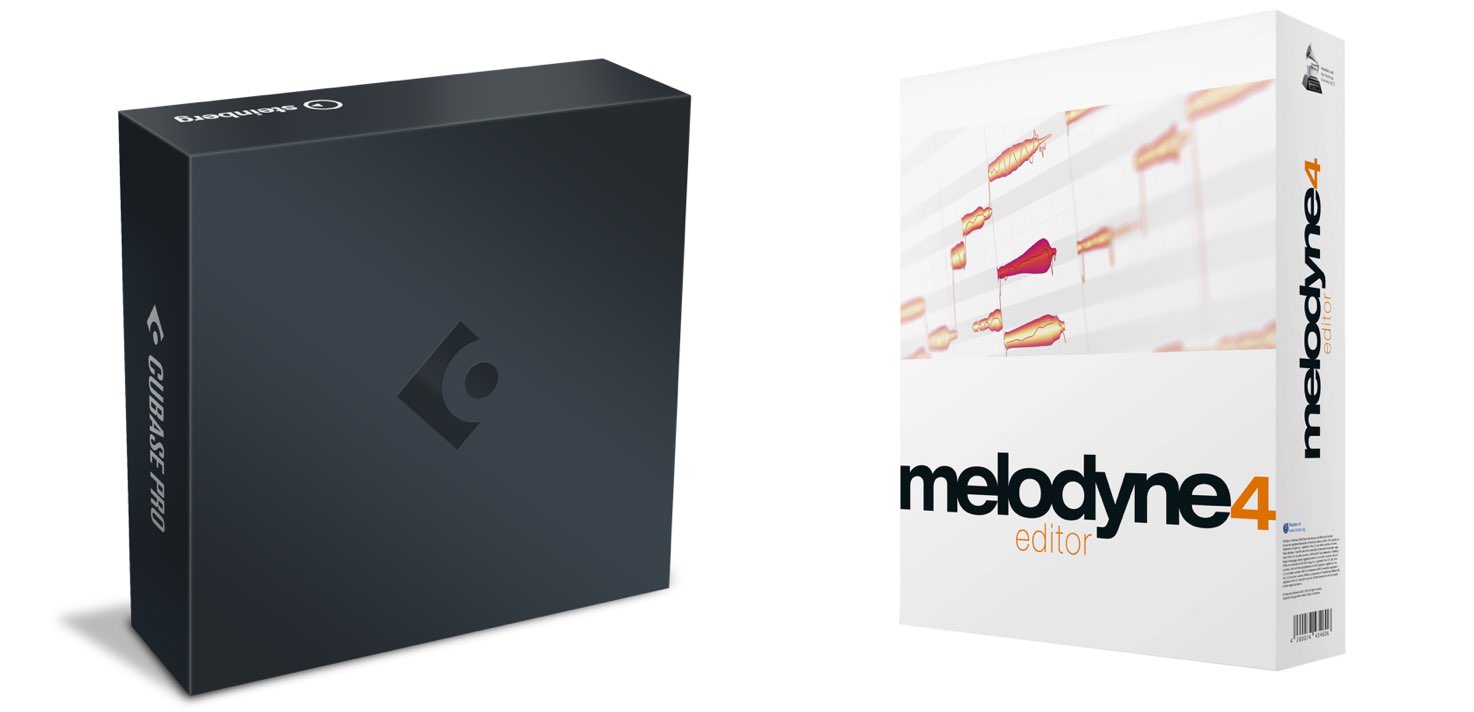
Nuendo 10.1 and Cubase 10.0.30 have been released.
As these are minor updates, Cubase 10 users can update free of charge.
The highlight of this update is ARA 2 support.
ARA stands for “Audio Random Access.” This useful standard allows Celemony's Melodyne pitch-correction software to integrate seamlessly with your DAW.
Many Cubase users had been asking for ARA support for some time.
For those users, this is likely to be a long-awaited update.
Here, we explain the benefits of ARA and how to use it in Cubase.
Find the Cubase 10.0.30 / Nuendo 10.1 update here.
Note: Among the Cubase 10 editions, this feature is available only in Cubase Pro 10.
Video: ARA in Cubase 10.0.30
Selected Questions and Answers from the YouTube Video (at the Time of Release)

I can't get any sound from Melodyne after enabling ARA integration...

At the time of this reply, there appeared to be a bug that prevented Melodyne from producing sound when Processing Precision in Studio Setup was set to “64 bit float.” Changing it to “32 bit float” resolved the issue. We had already reported the bug to Steinberg and expected it to be addressed in a future update.
Sorry, this is unrelated to the video, but could you share any tips for getting better at copying and pasting a chorus?
Using Snap while copying and performing other edits helps you work quickly and accurately.
Your videos are always easy to understand and very helpful. I was excited to install the update, but why does the audio become muted only in the sections where I apply Melodyne as an extension? It plays normally if I insert Melodyne as a plug-in as before. Please let me know if you have any ideas.
At the time of this reply, there appeared to be a bug that caused audio to stop playing with 64 bit float processing. We had informed the manufacturer and advised installing the update once a fix became available.
I'd love to see a tutorial on digital choir sounds. I think artists such as The Chainsmokers and Kenshi Yonezu have been using this technique recently. As far as I know, there aren't any dedicated digital choir plug-ins available yet, so I wonder whether amateur producers can create similar sounds. Please consider it!
How about trying this approach? https://sleepfreaks-dtm.com/produce-recipe/electro-music-create-4/
Does this also support ARA in Auto-Tune Pro? Or does Auto-Tune need to add support for Cubase's ARA implementation? And while you're at it, please make an Auto-Tune Pro tutorial too! I've been waiting for ages, haha.
We tested Auto-Tune Pro 9.0.1, but it did not appear in Cubase's ARA extension list.
Editing Audio with ARA
Using ARA is very straightforward.
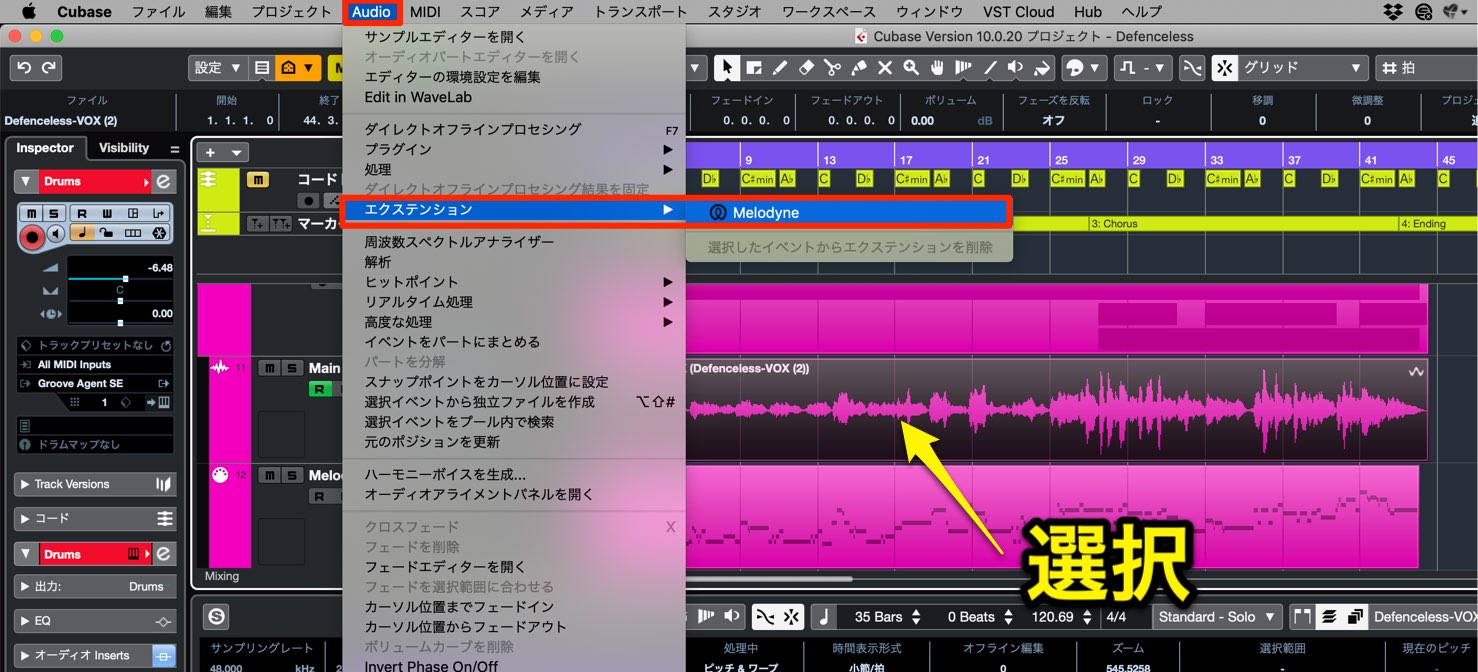
Select the audio event you want to edit, then choose “Extension” → “Melodyne” from the menu at the top.
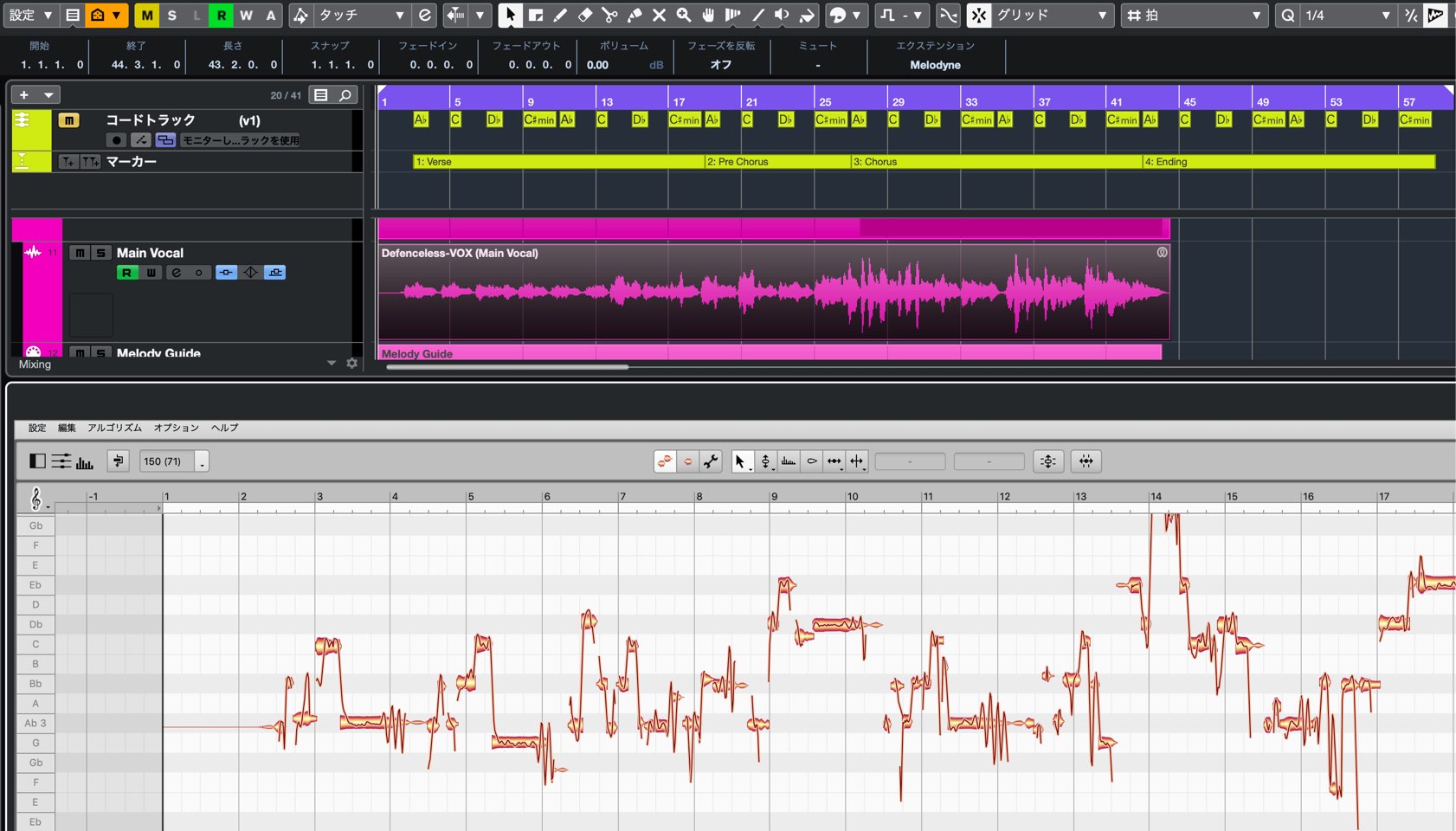
The audio event is analyzed, and Melodyne is applied immediately.
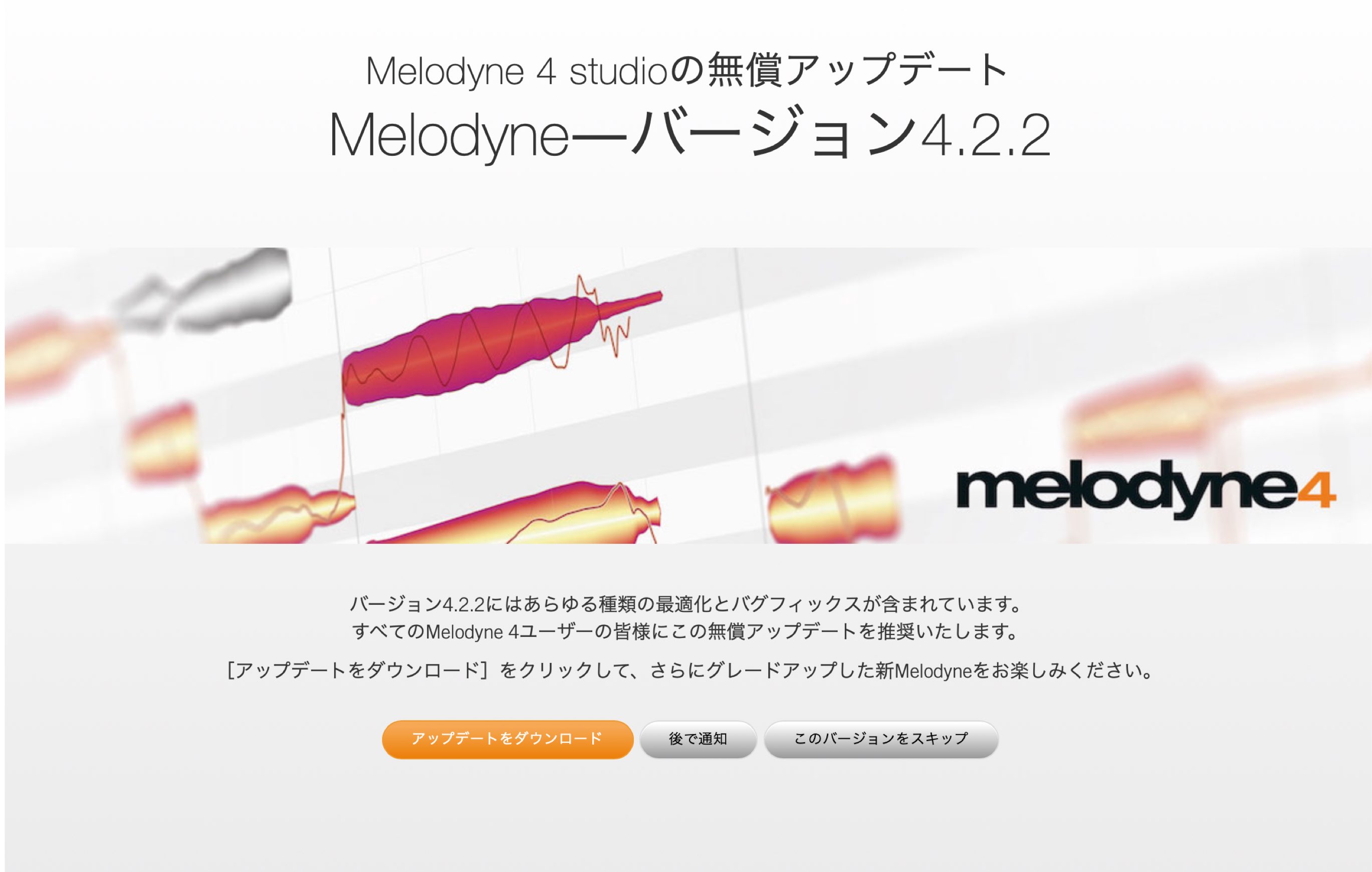
For this integration, updating Melodyne to the latest version is recommended.
If Melodyne is not up to date, applying ARA opens an update page.
Download and install the latest Melodyne version from that page.
What Makes ARA Useful?
ARA's biggest advantage is its integration with the DAW.
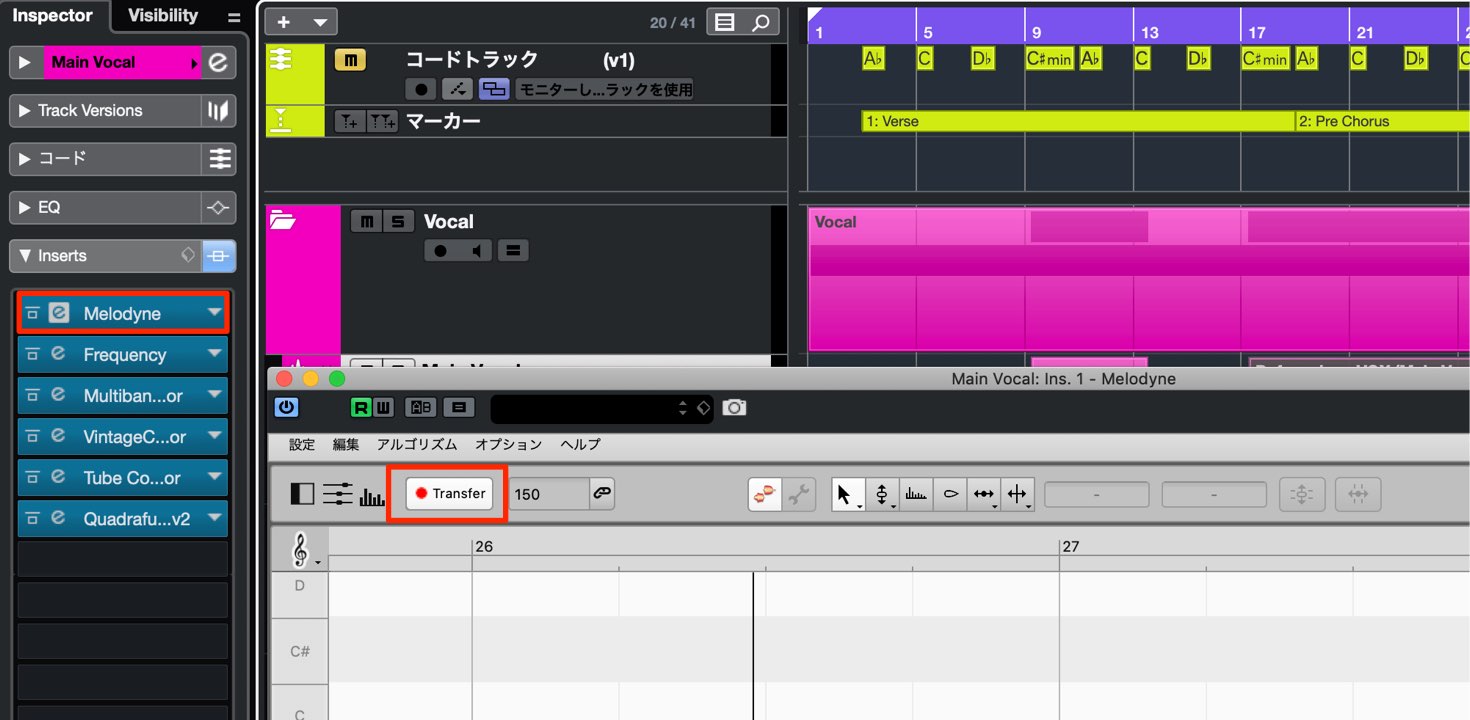
Previously, Melodyne was applied to a track as an insert plug-in.
With that workflow, edits to events in the arrangement were not automatically reflected in Melodyne.
You had to transfer the audio event into Melodyne again for analysis.
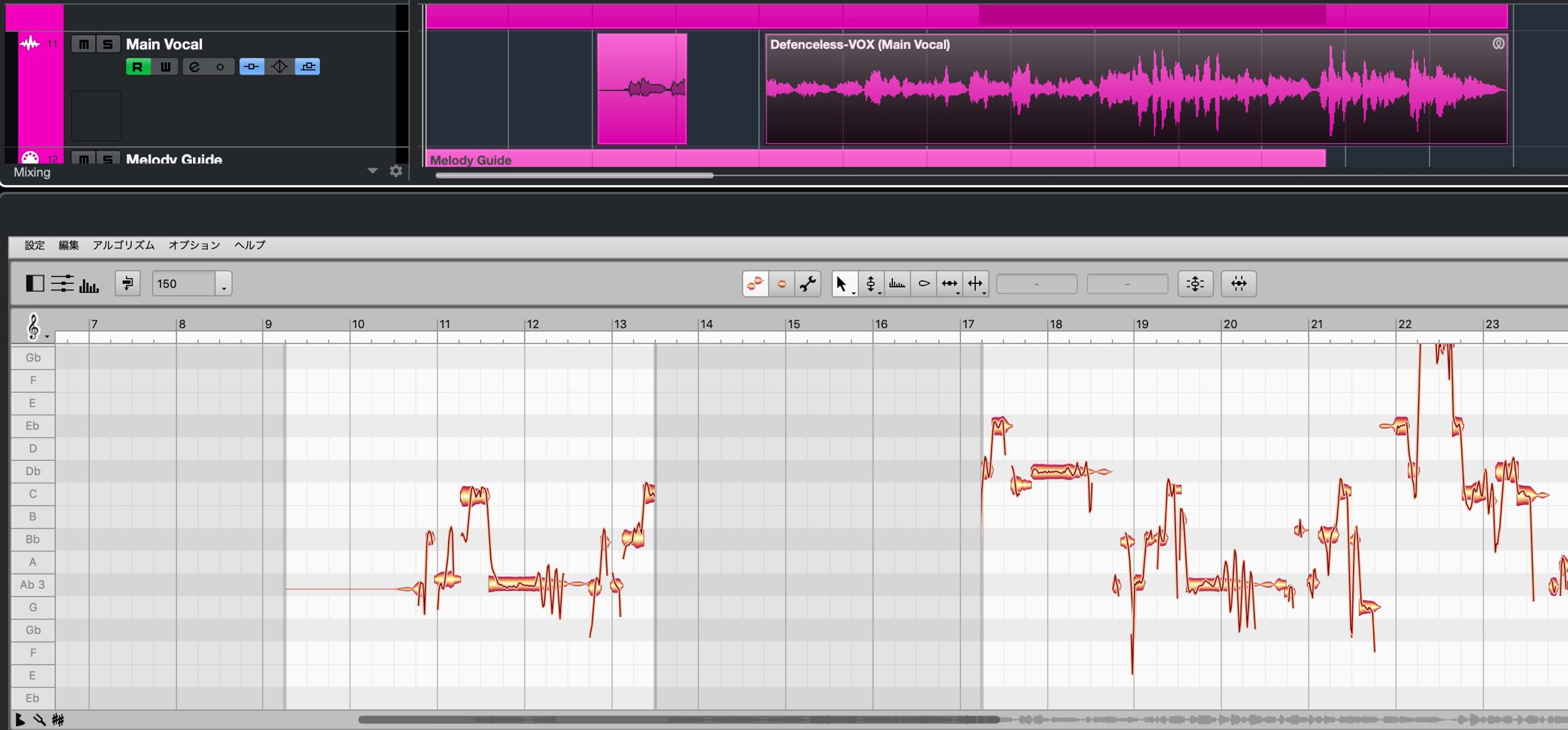
With ARA, however, edits such as moving, copying, muting and deleting events are reflected immediately.
This greatly improves workflow efficiency.
File Management When Using ARA
In the workflow described here, the ARA and conventional plug-in versions store audio data used by Melodyne in different locations.
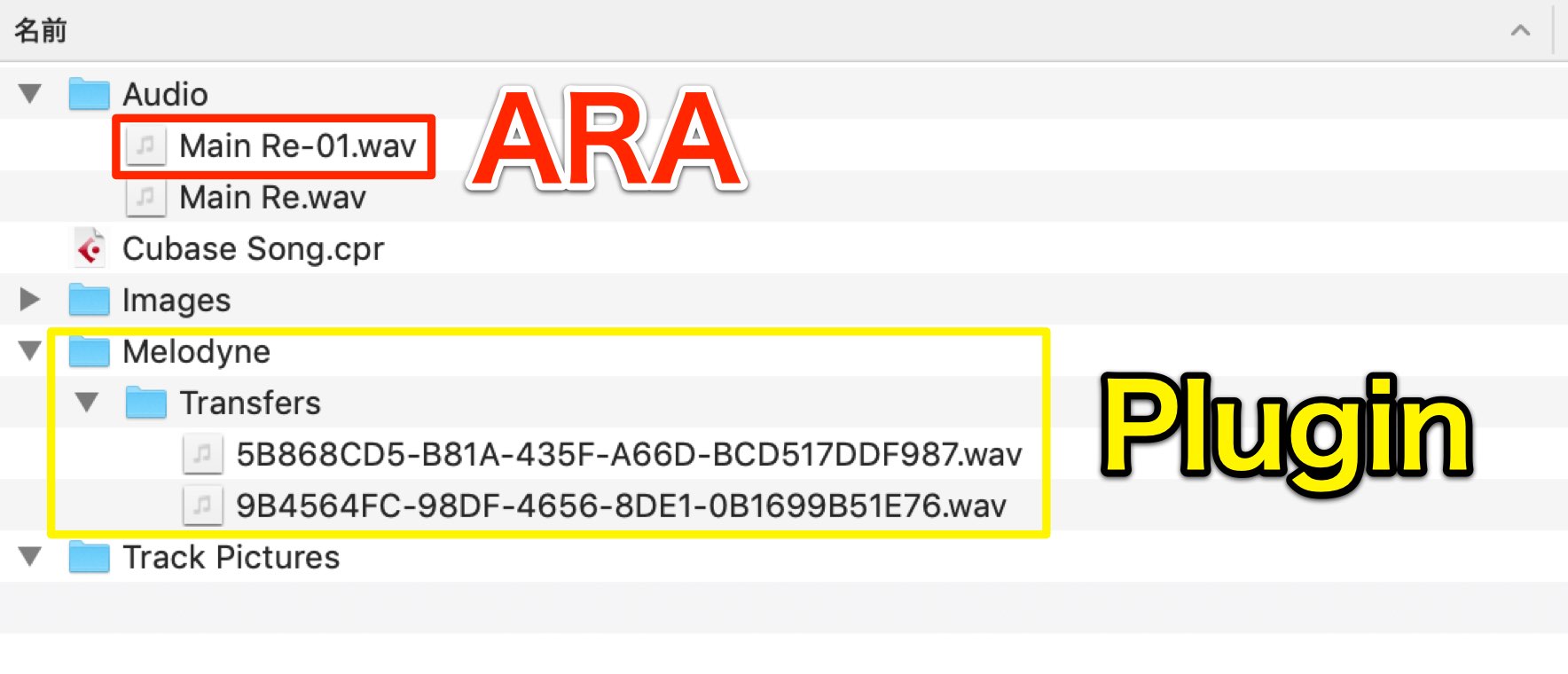
- ARA: Audio files are stored in the “Audio” folder inside the project folder.
- Conventional plug-in: Melodyne transfer files are stored in the “Melodyne” → “Transfers” folder inside the project folder.
When exchanging a project with someone else, remember to include this data along with the project file.
What to Check Before Sharing a Music Session
When sharing a music production session, it is important to check software version compatibility and the instruments used, and to include the audio files so the recipient can play the session…

26. Organizing and Backing Up Project Data Efficiently in Cubase
After completing a project in Cubase, a backup is essential to protect against data loss and other problems. This article explains how to use Cubase's project backup feature to deal with unnecessary takes…
Celemony Melodyne 4 Tutorials and a Melodyne 5 Video
Our articles and videos also explain how to use Melodyne.
If you have the software, be sure to make use of these resources.
- 1Melodyne 4 essential: Overview and Tutorial
- 2Melodyne 4 assistant: Overview and Tutorial
- 3Melodyne 4 editor/studio: Overview and Tutorial
- 4What's New in Melodyne 5 Pitch Editing Software
- ◆ Manufacturer's Website: http://urx.space/Rgab
- ◆ Buy Here (Affiliate Link): http://urx.space/Rgab
[Release Announcement] Cubase 10.0.30 / Nuendo 10.1 Updates Add ARA 2 Support!
Seamlessly integrate Melodyne pitch correction with your DAW and make your workflow much more efficient!
🎥 YouTube: https://t.co/PiNep9JXjw📝 Article: https://t.co/f08NWyJlRD @SteinbergJP @SteinbergMedia @Celemony pic.twitter.com/16lIQL4xu5
— SLEEP FREAKS (@SLEEPFREAKS_DTM) June 27, 2019
Frequently Asked Questions
Q1. What is ARA 2, and how does it differ from using Melodyne as an insert plug-in?
ARA 2 is an Audio Random Access standard that integrates Melodyne seamlessly into your DAW. Unlike the conventional insert plug-in workflow, edits such as moving and copying events are reflected immediately, without having to transfer the audio again for analysis.
Q2. I use Cubase 10. Does the update that adds ARA 2 cost extra?
No. Cubase 10 users could update to version 10.0.30 free of charge. However, ARA 2 was available only in the Cubase Pro 10 edition.
Q3. Is there anything to prepare before using Melodyne with ARA?
Updating Melodyne to the latest version is recommended. In the setup described here, an older version opens an update page when ARA is applied; download and install the latest version from there.
Q4. Where are files used with ARA stored?
In this ARA workflow, audio files are stored in the “Audio” folder inside the project folder. When sharing the project with someone else, include that folder's data along with the project file.
NEW ARTICLES
Latest English Articles

























































































































































































































































