
LALAL.AI is a web service that uses AI to separate vocals and instruments from a stereo mix. This article documents our test and the service's features and plans as described in September 2021: a preview without registration, a free account with 10 minutes of processing, and separation options for vocals, drums, bass, guitar, and piano. These functions can be useful for music production, covers, and remixes. Paid packs offered additional processing time and larger files. The examples below demonstrate the separation quality; the historical allowances and prices should not be read as current offers.

This time, we will introduce LALAL.AI, a service that separates a stereo mix into vocals and accompaniment, or into stems such as drums and bass.
Many applications and services offer similar features, but LALAL.AI delivers impressive results too. Being a web service that you could try for free made it easy to explore in our original test.
Let's take a closer look. The interface, allowances, and prices below describe the service at the time of this September 2021 article.
LALAL.AI Stereo-Mix Stem Separation: Video
A Quick Preview Without Registration
When you visit the LALAL.AI website, a homepage like this appears. The version we tested supported Japanese.
Some of its Japanese wording was a little awkward, but understandable. The button at the top right lets you switch languages.
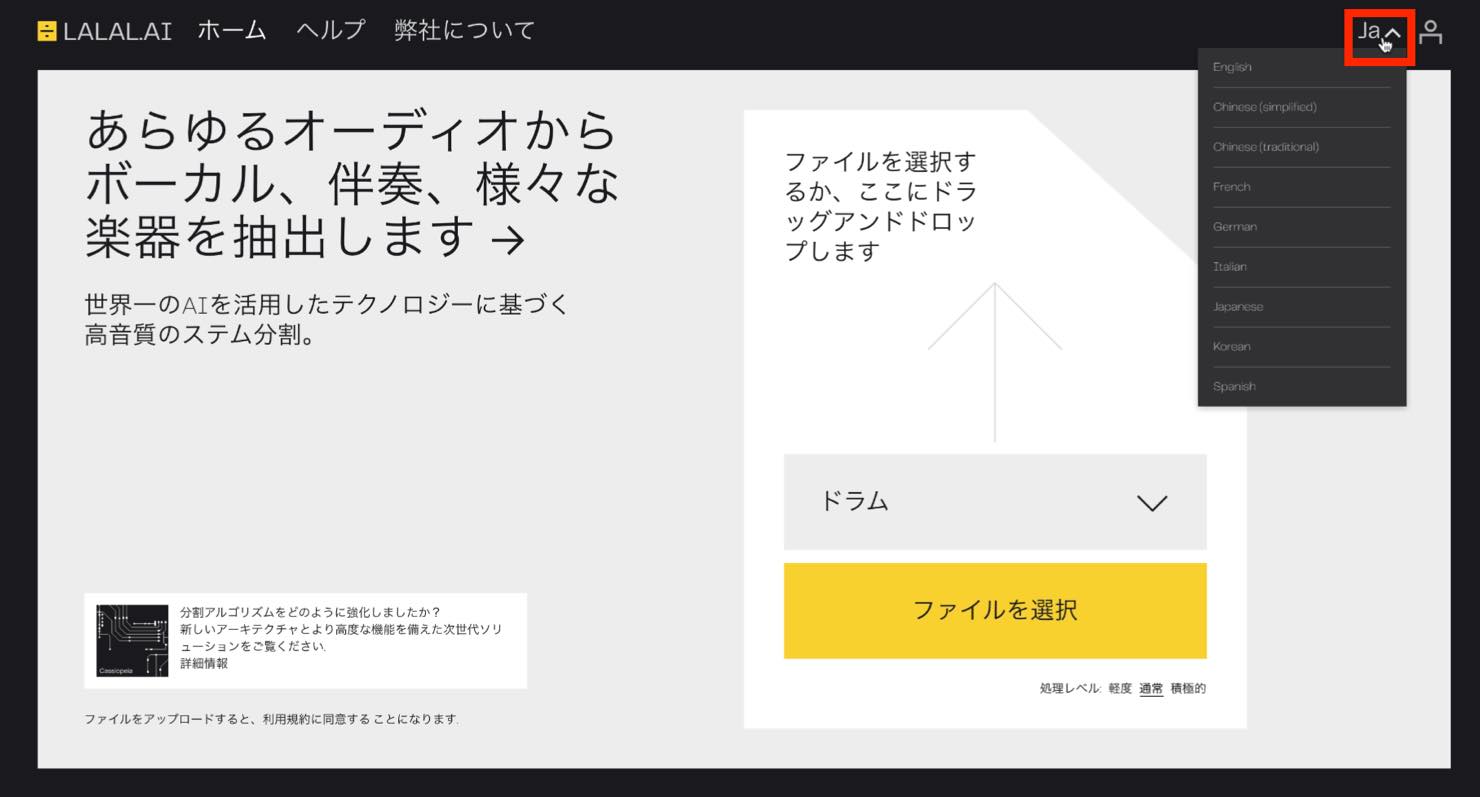
You can start by previewing the results without creating an account.
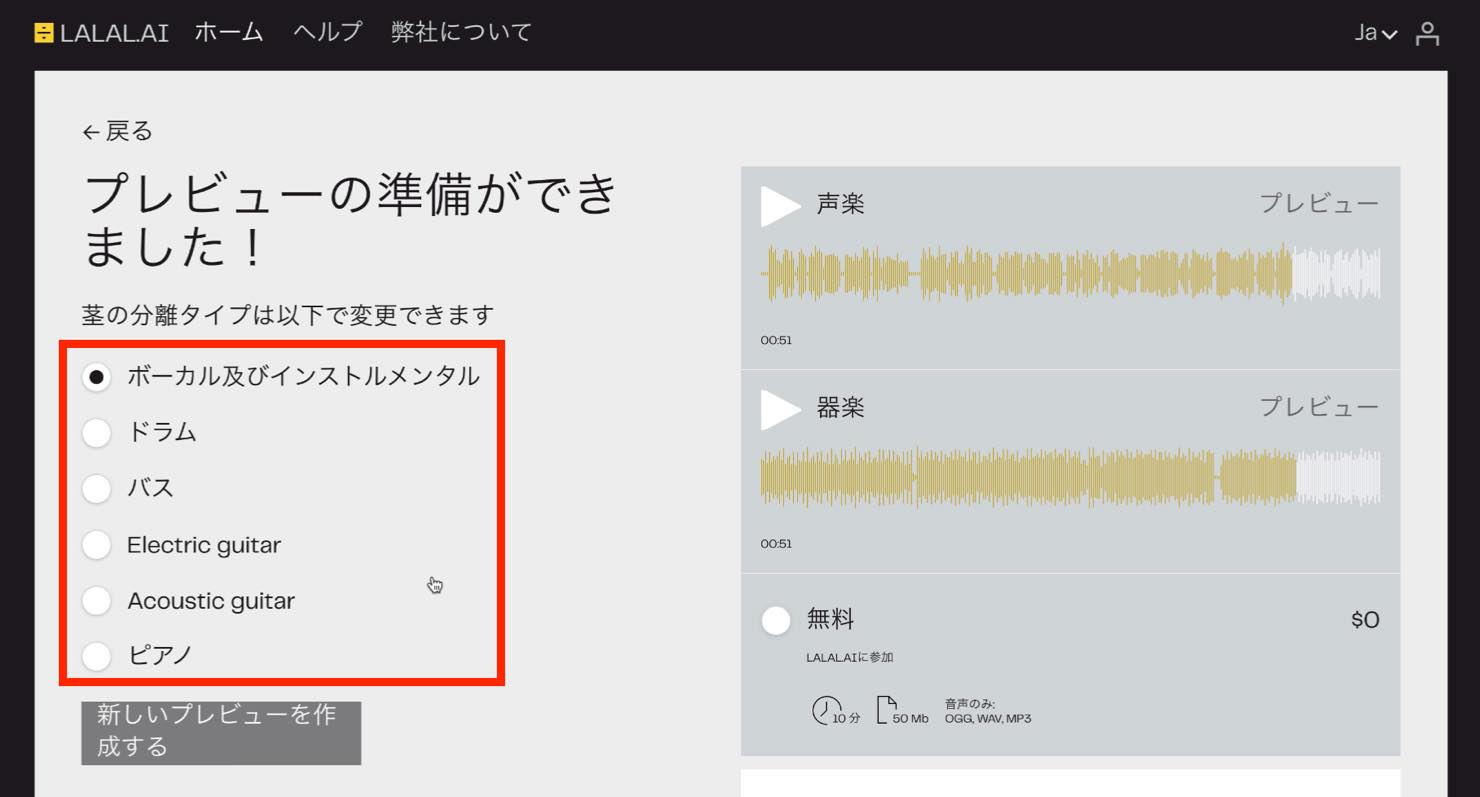
Simply drag and drop a file onto the page, but first choose what you want to separate from the stereo mix. The options shown here are vocal and instrumental, drums, bass, electric guitar, acoustic guitar, and piano. The Japanese label translated as “bus” refers to bass. We will try separating vocals from the accompaniment.
Here is the original stereo mix we will use.
Original stereo mix
Drag and drop it onto the page and wait for processing.
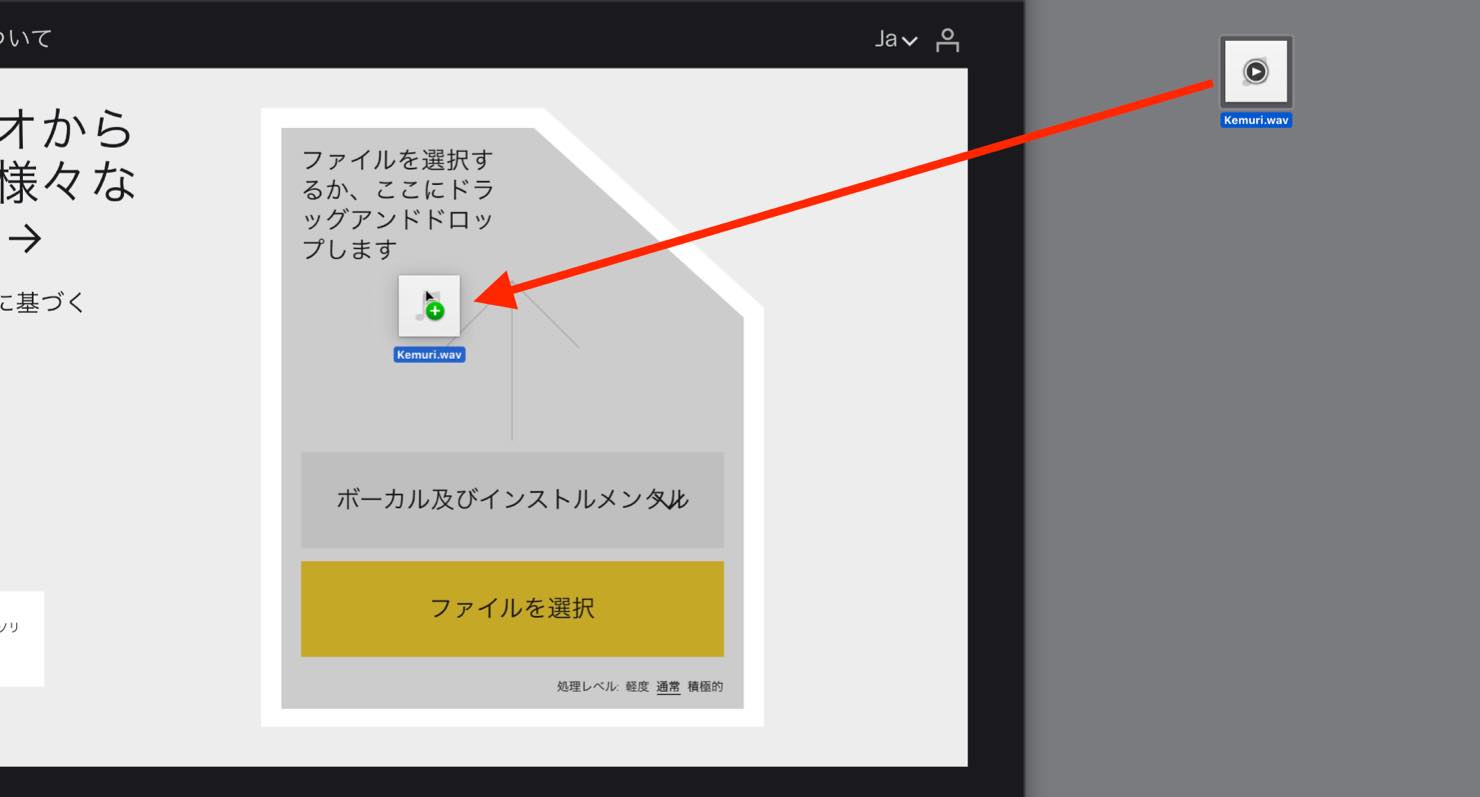
Once upload and analysis finish, the screen looks like this. You can preview the results on the right.
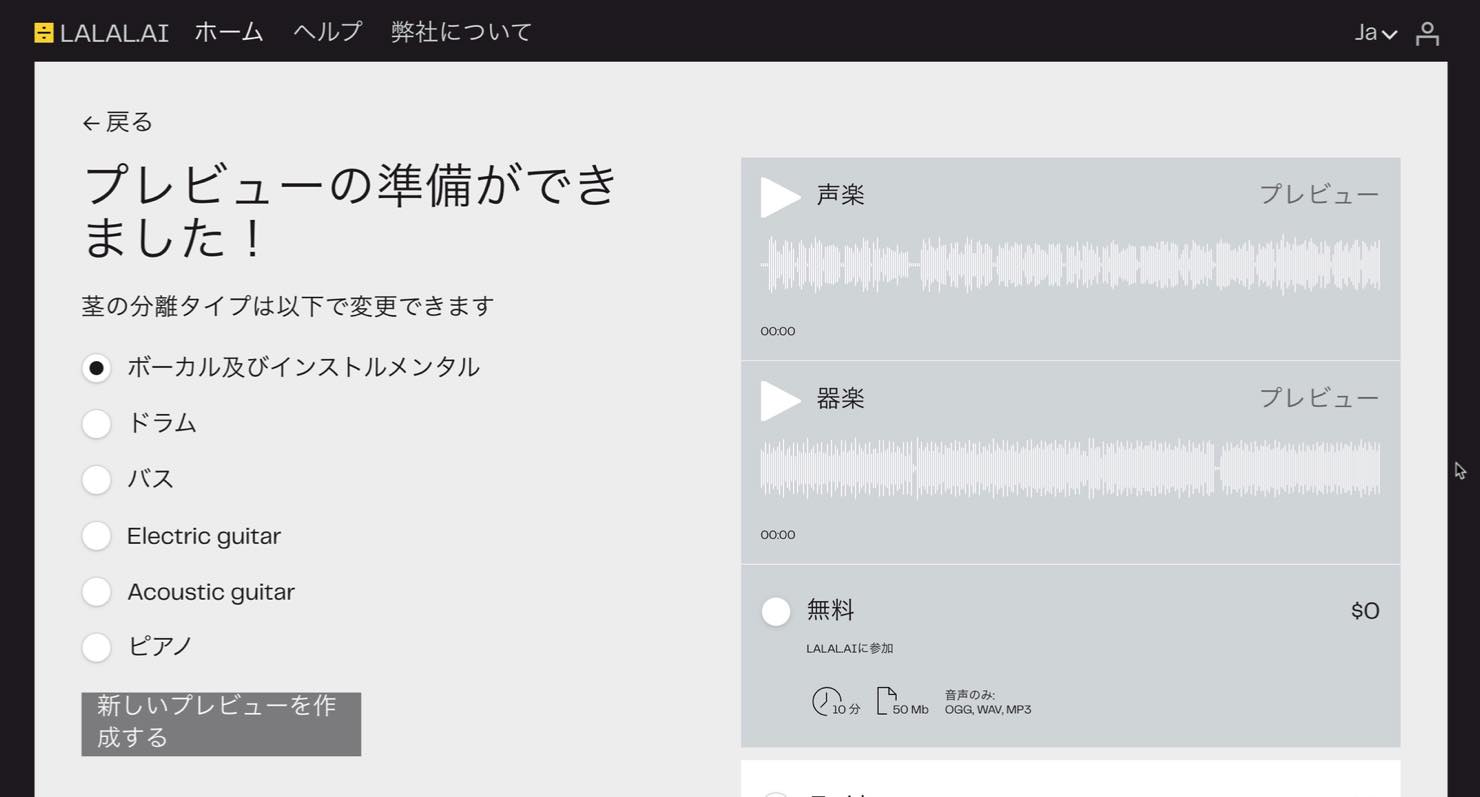
Let's listen. The example here is the full version downloaded after processing; the service's preview in this test was limited to one minute.
Separated vocals
The vocals are extracted very cleanly. The reverb on the right is a little prominent, but it is impressive that this too was separated from the accompaniment. In the chorus, the harmonies are clearly extracted as well.
Separated instrumental
The accompaniment is also separated very well. A faint trace of the vocals remains, but in the author's assessment it would be hard to notice with a new vocal recorded over it.
You can also preview separation of other parts, such as drums and bass.
Creating an Account and Downloading
If you are happy with the result, the workflow shown here lets you create an account, process the whole song, and download it.
Select the free option, click Process the Entire File, and enter your email address.
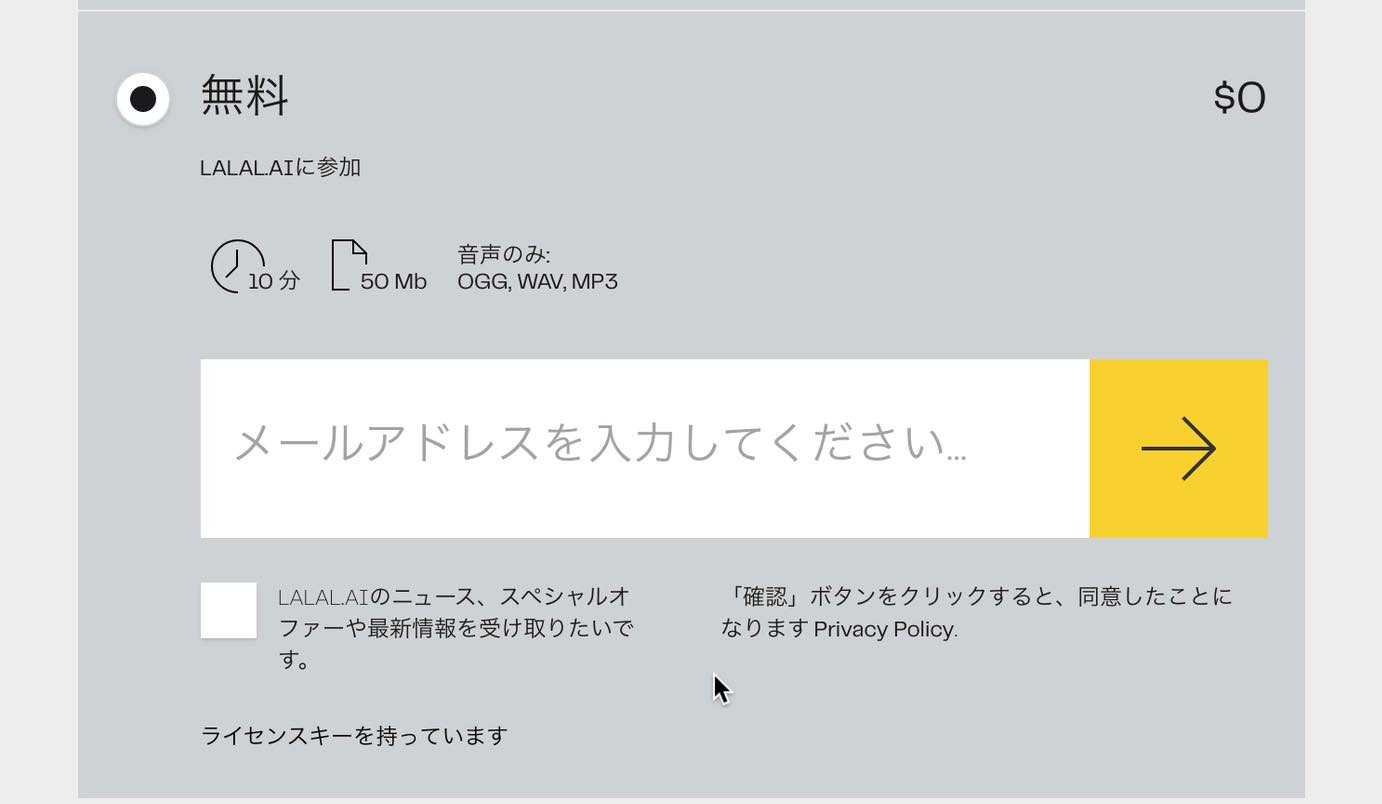
An email with a link arrives. Click that link to sign in to the free account.
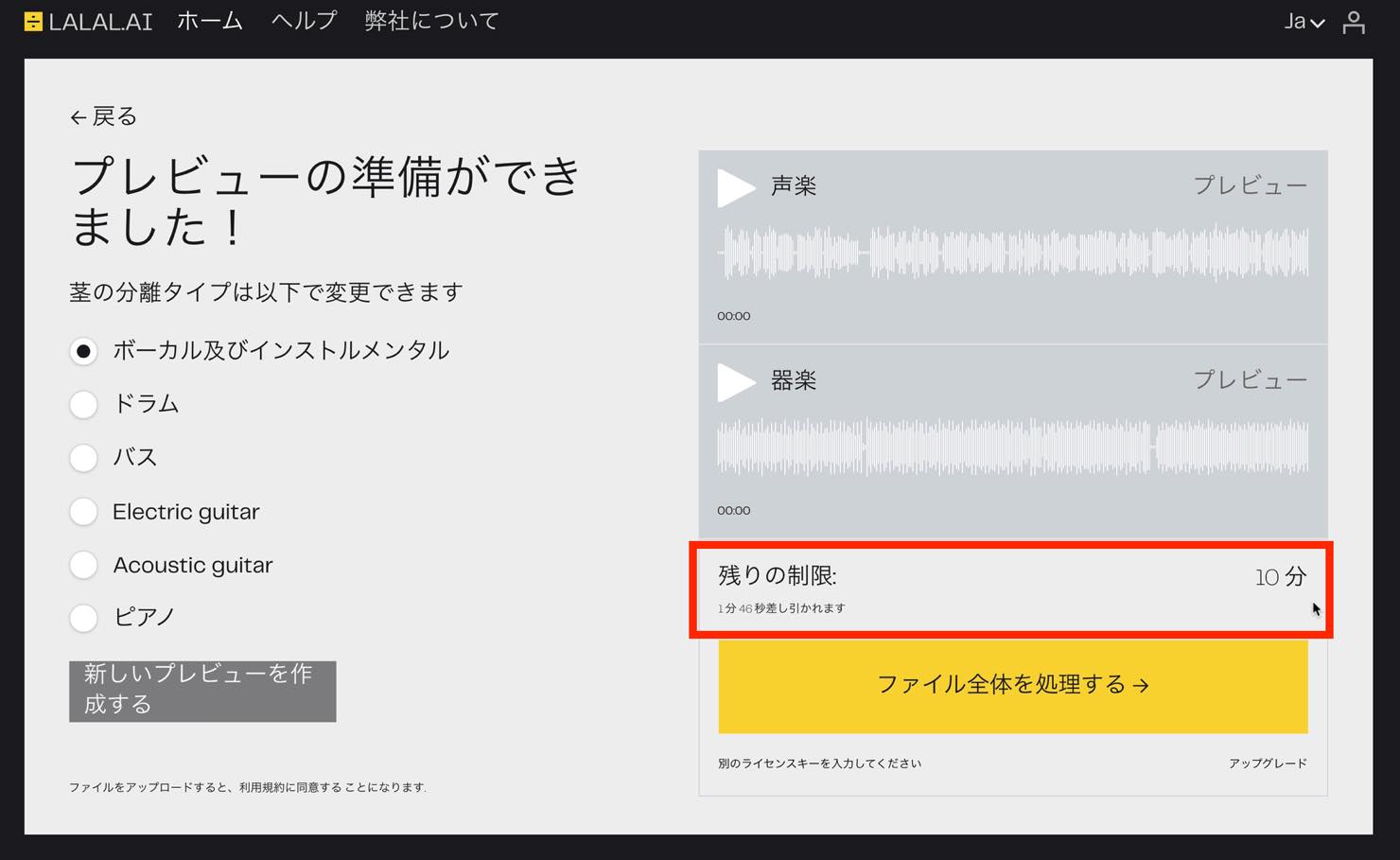
The screen shows that the free account in this test has a total processing allowance of 10 minutes. The length of this song is deducted from that allowance.
Click Process the Entire File again to start analysis.
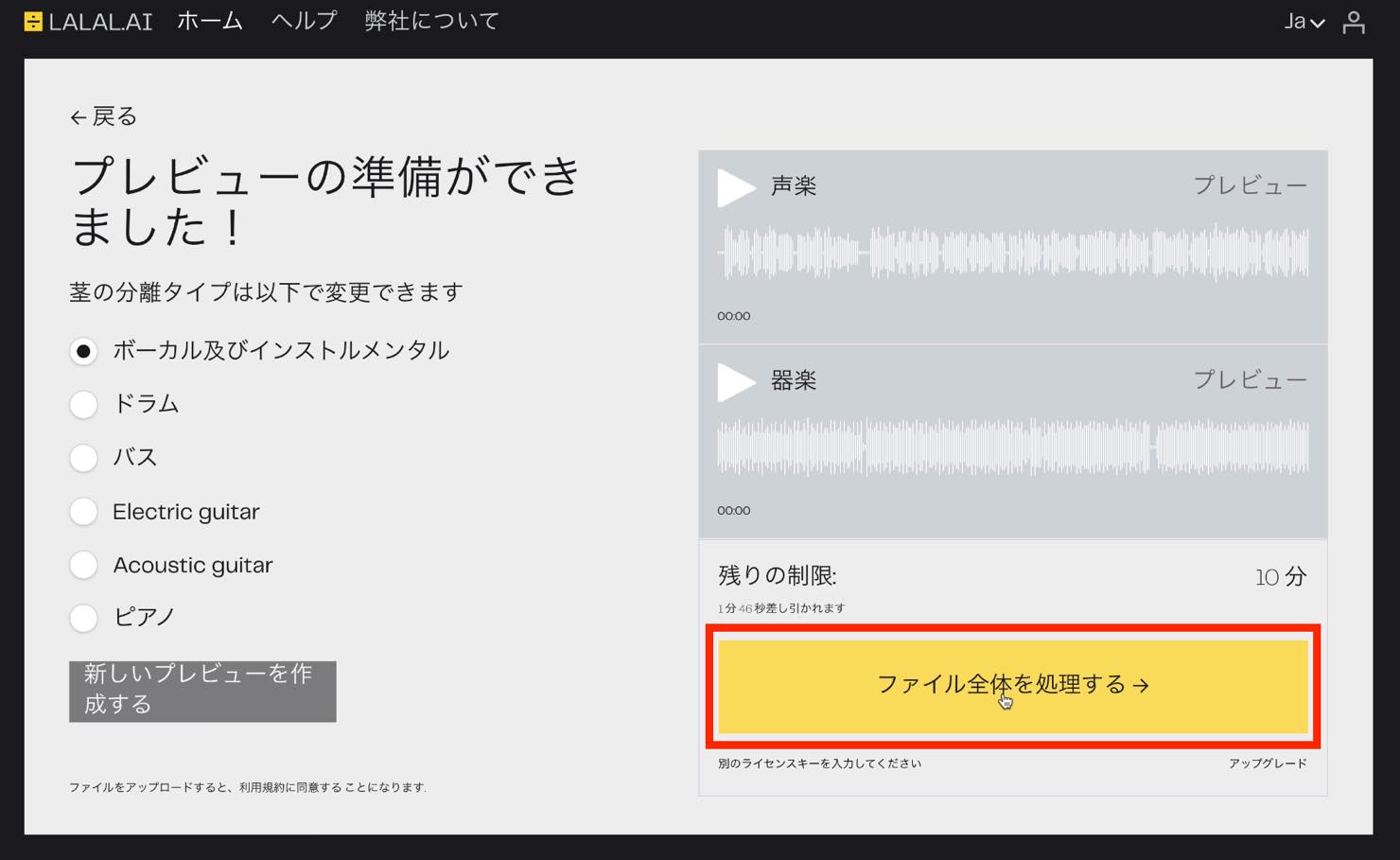
When the following screen appears, click the download button to save the full-length separated files.
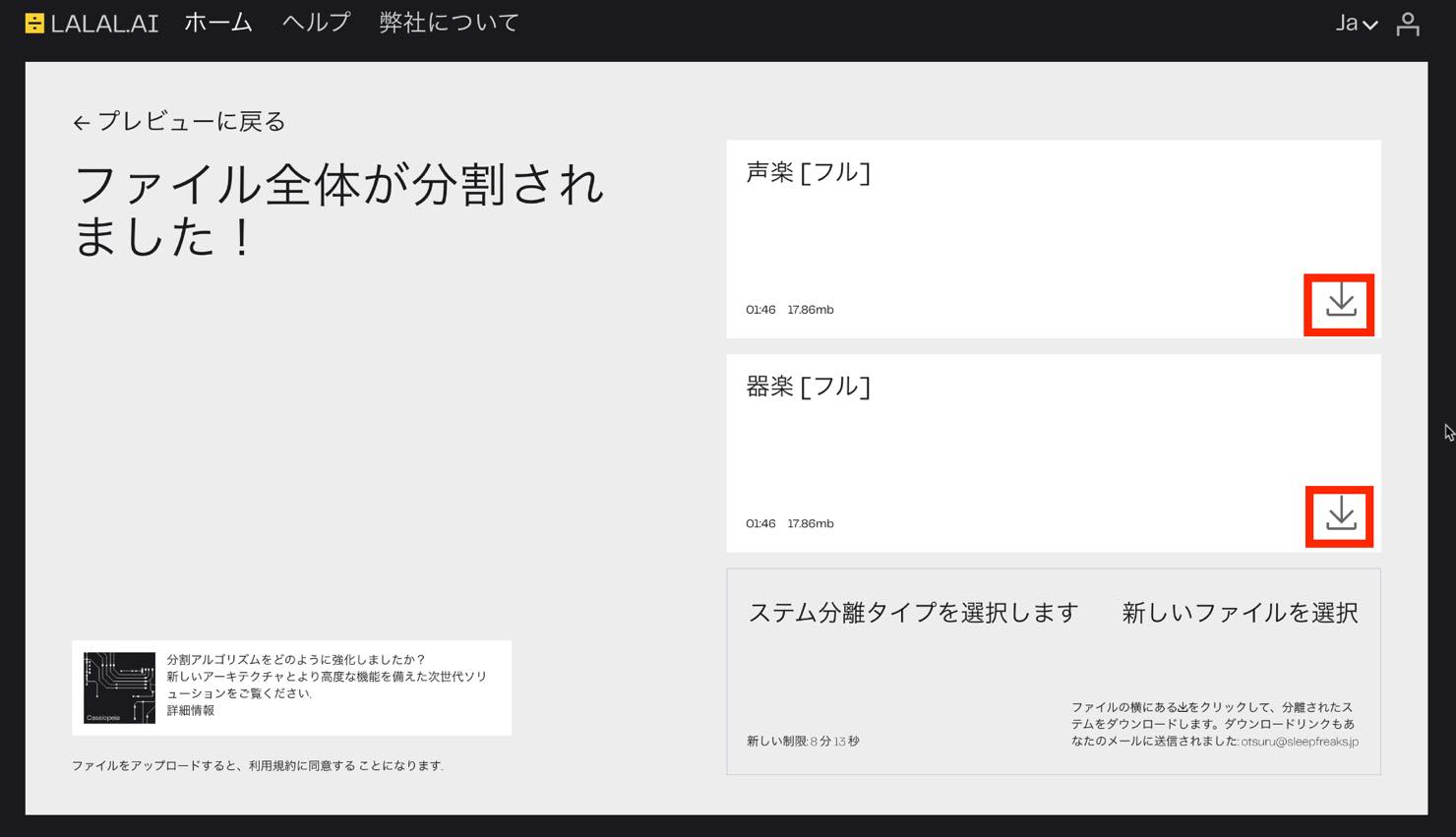
To separate another part, click the option to select a stem separation type.
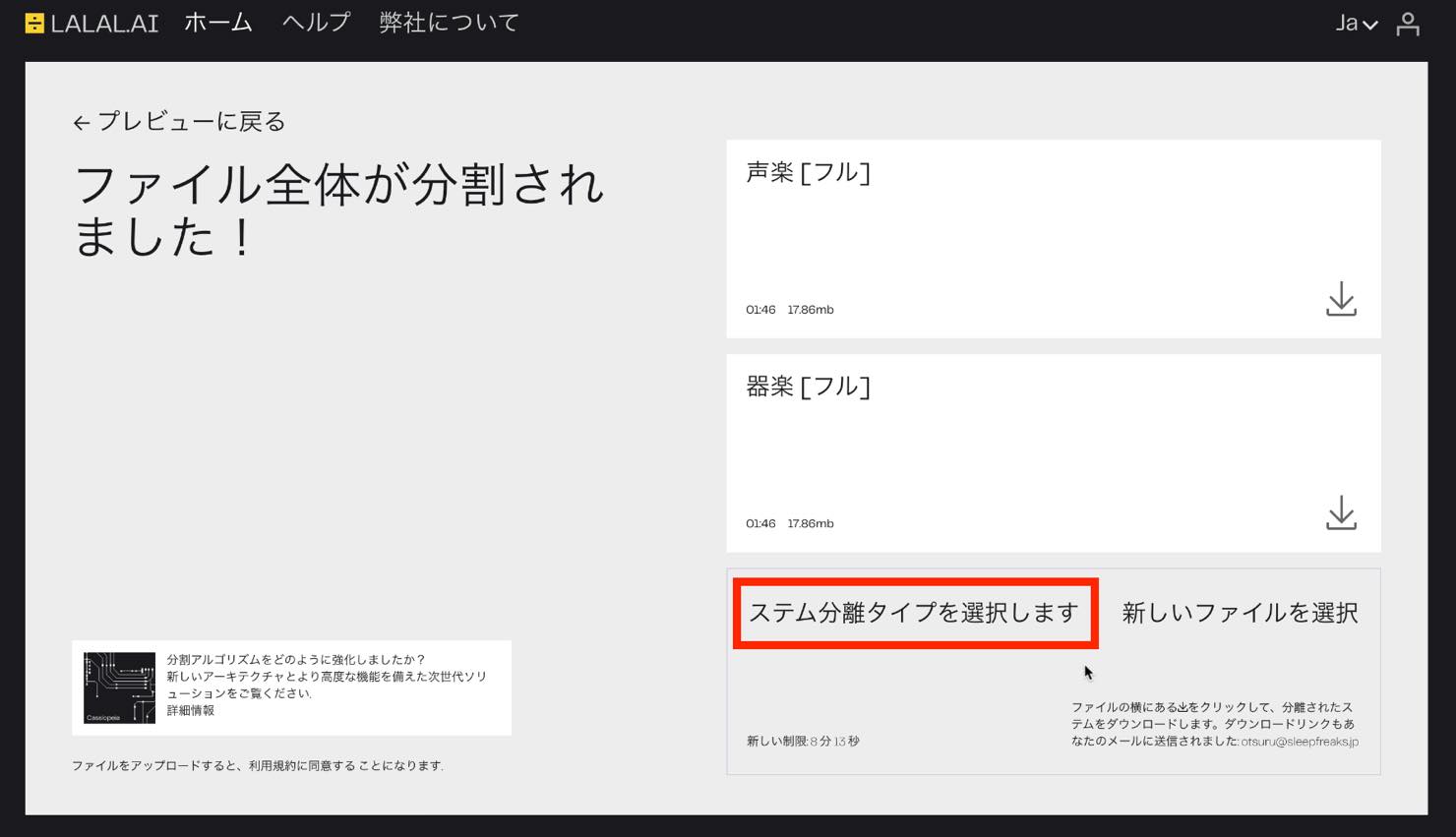
This returns you to the original screen. Select another part and process it again. Be aware that this uses more of your remaining allowance.
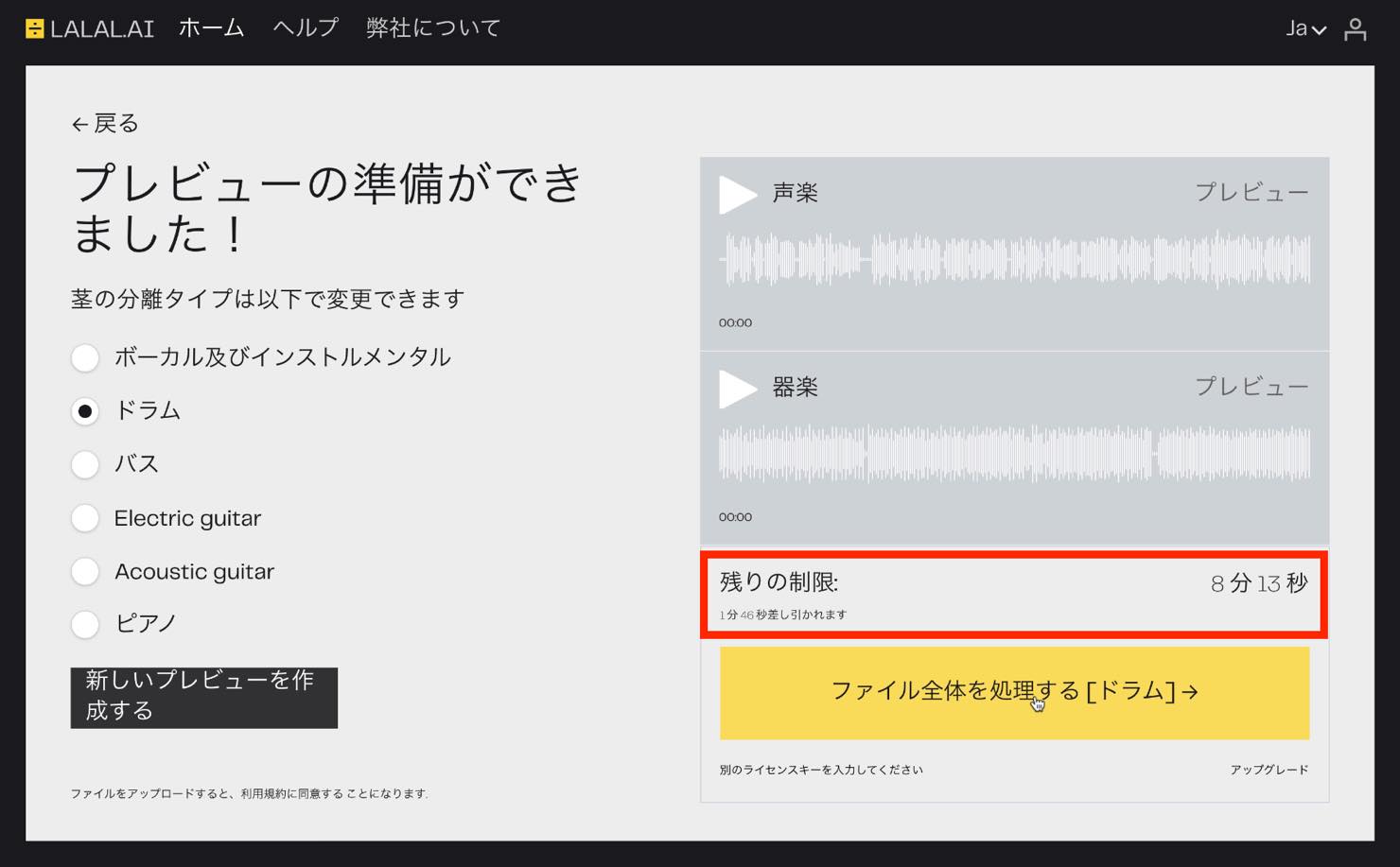
Under the offer documented here, the free trial ends once the 10-minute allowance is used up.
Plans at the Time of the Article
To increase the processing allowance, the service offered paid packs.
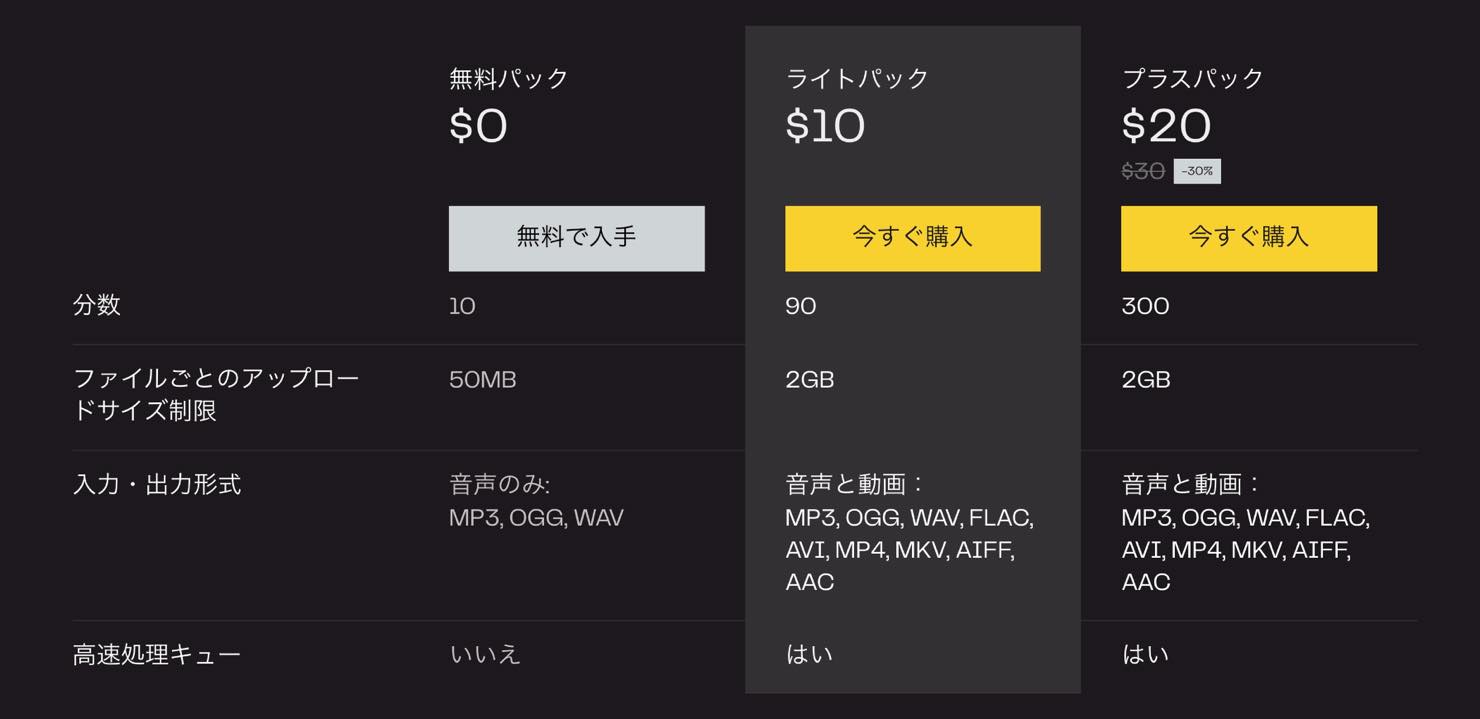
The prices shown in the September 2021 test were $10 for the Lite Pack with 90 minutes, and $20 for the Plus Pack with 300 minutes.
The paid packs also raised the per-file size limit to 2 GB and supported various formats, including video files. The service also stated that processing would be faster.
The original article noted that the Plus Pack was discounted from $30 to $20 and suggested buying during that offer if you needed substantial processing time. This is a historical promotion, not a current price or deadline.
Also, each paid pack required another purchase once its processing-time allowance was exhausted.
That concludes our introduction to LALAL.AI, a service for separating stems from stereo mixes. As the examples show, it can be a useful tool when you need these functions. Try it with your own files to evaluate the results.
Frequently Asked Questions
Q1. Do I need an account to use LALAL.AI?
In the workflow documented in this article, you could try a one-minute preview without creating an account. Free registration using an email address was required to download the full version.
Q2. How much audio could the free plan process?
The free account in this September 2021 test had a total allowance of 10 minutes. Processing multiple songs or separating additional parts used that shared allowance.
Q3. How good is the separation?
In the article's test, both vocals and accompaniment were separated very cleanly, including the vocal harmonies. Very little vocal material remained in the accompaniment; the author considered it clean enough to use with a newly recorded vocal without obvious artifacts.
Q4. What did the paid packs add?
At the time documented here, the Lite Pack offered 90 minutes for $10, while the Plus Pack offered 300 minutes for the promotional price of $20. The paid packs also increased the file-size limit to 2 GB and offered faster processing. These historical terms are not a statement of current availability or pricing.
NEW ARTICLES
Latest English Articles











































































































































