
Ableton Live's Groove feature is a powerful way to make programmed music sound less mechanical. Groove presets automatically adjust velocity, timing, and note length to create a more human feel. Enable Hot-Swap in Clip View and browse grooves by genre, auditioning them to find the right feel for your track. Apply the same groove across tracks or combine different grooves to take your production to the next level.
Setting the feel of a track with ease
A common hurdle after learning to program music:
‘The overall feel sounds mechanical...’
There are several reasons for this, but the key factors are:
velocity, timing, and length
These are the three points to consider.
This is where the Groove feature comes in.
By controlling Live's various groove presets,
the timing, velocity, and length of programmed phrases are automatically adjusted.
You can use this feature in both Session and Arrangement View.
Use it to take the quality of your music a step further!
Groove Quantize video 1
Groove Quantize video 2
How to apply Groove Quantize
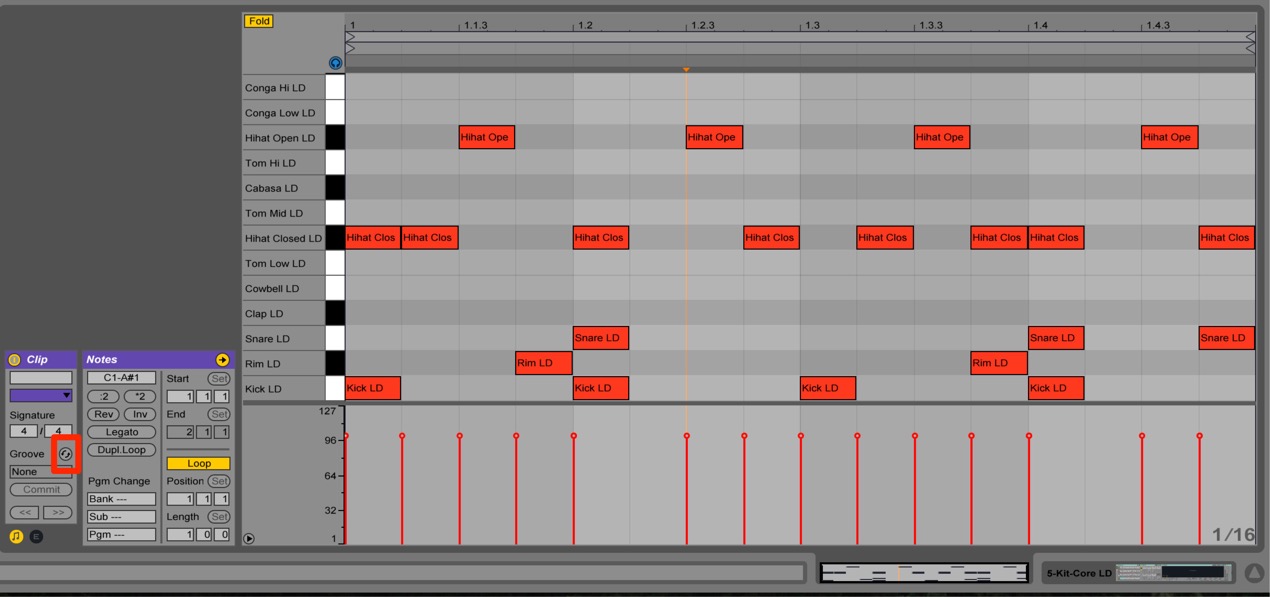
Open the clip you want to apply a groove to in Clip View.
Under Groove in the Clip section,
click the Hot-Swap button outlined in red to activate it.
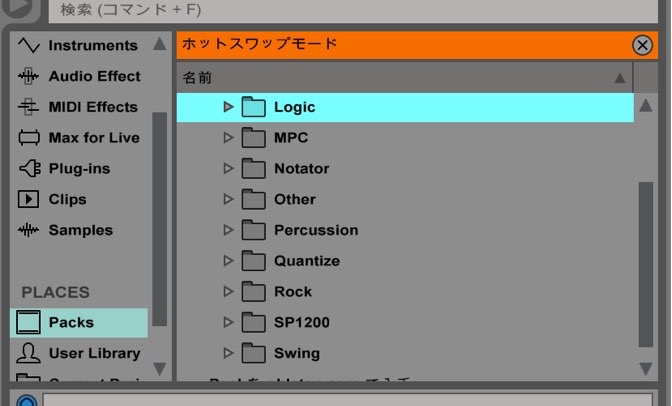
The Browser displays grooves organized by genre.
Choose a feel you like from these folders.
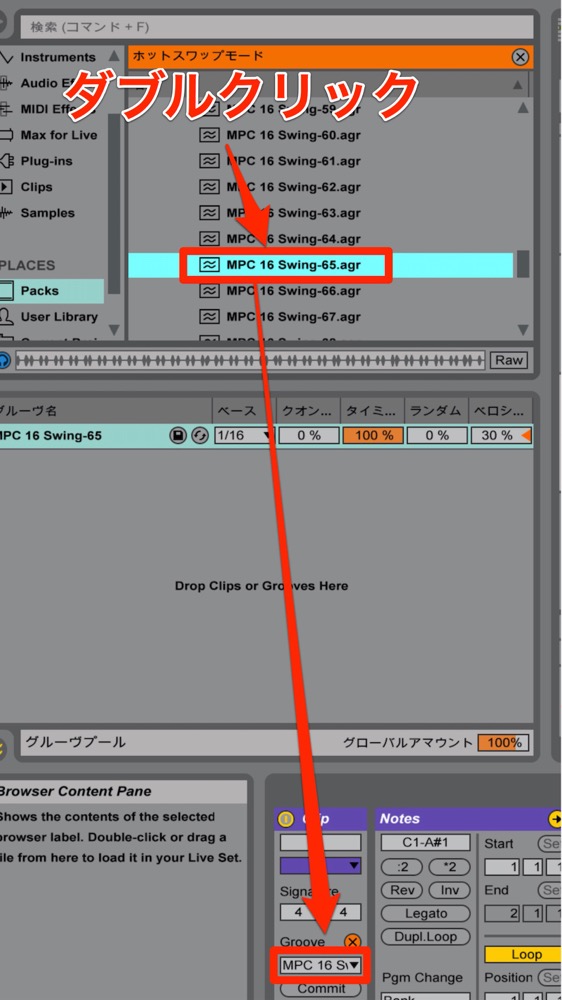
Audition the results as you select a groove.
In the Browser, double-click the groove name
to apply the groove to the phrase.
Tip: Loop playback or Session View can be useful here.
Once you find a groove that suits the song,
try applying the same groove to various tracks.
The result can transform the feel of the entire song at once.
Deliberately using different grooves can also be interesting.
Removing a groove
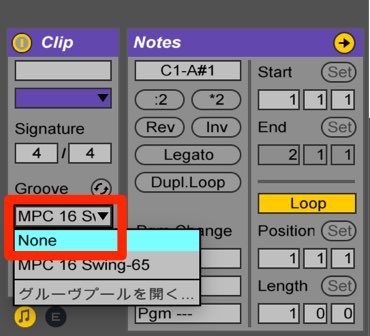
Click the groove name and select None.
This removes the groove and returns playback to normal.
Committing a groove
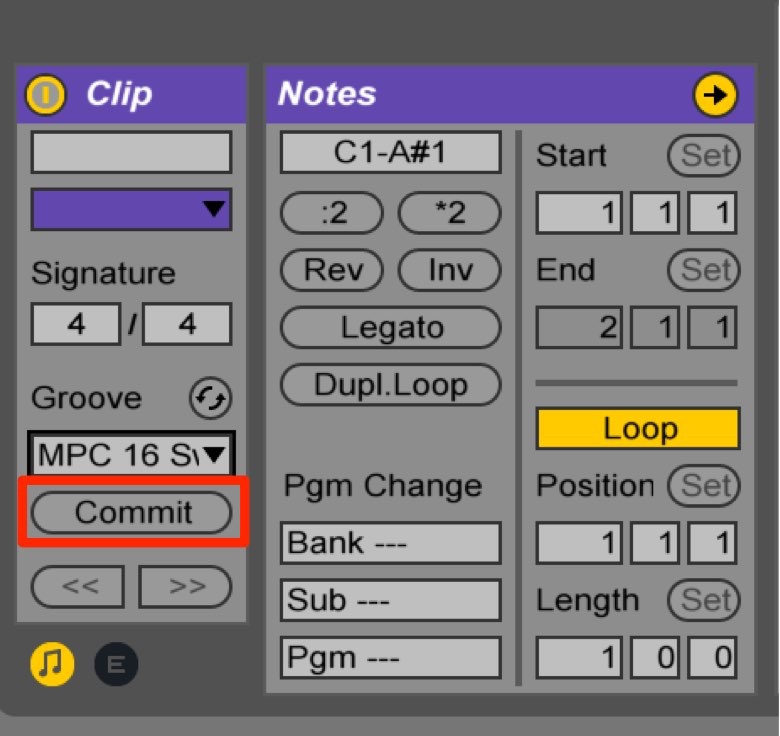
To commit the selected groove and incorporate it into the MIDI phrase,
select Commit in the area outlined in red.
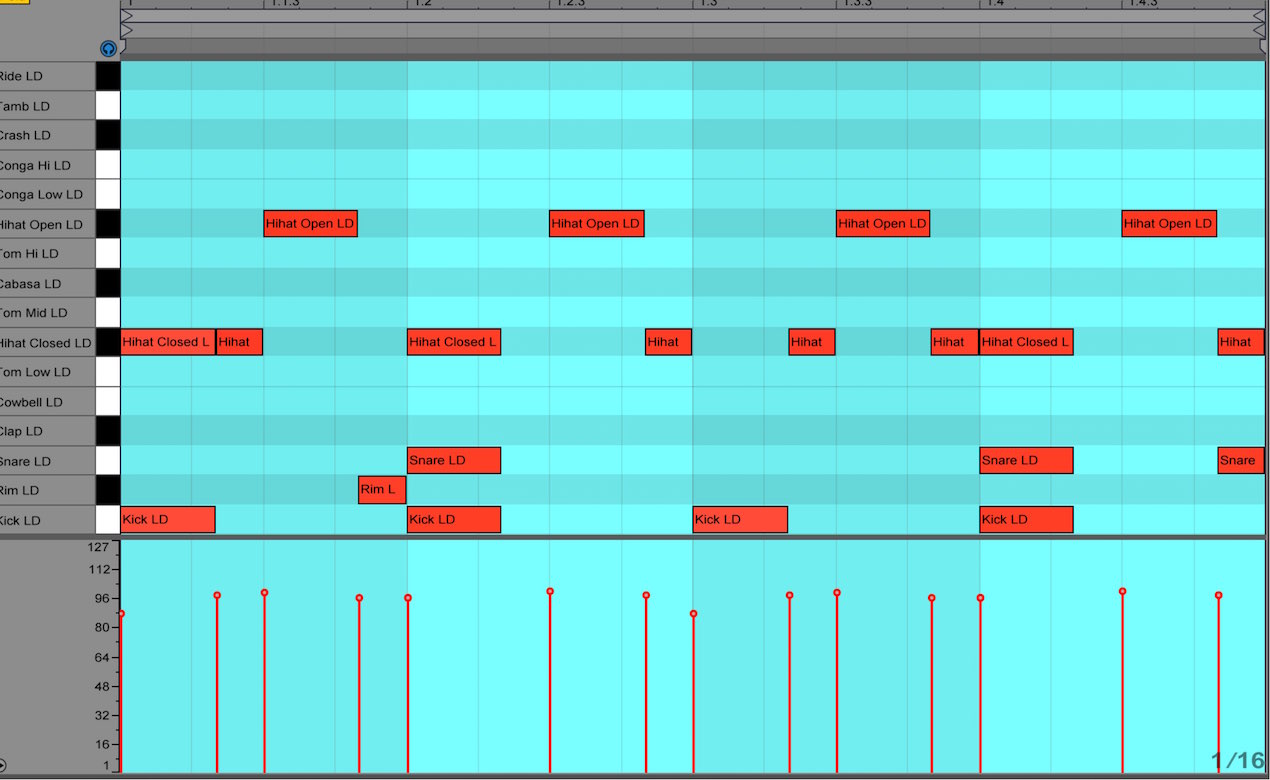
As shown here, velocity, timing, and length are changed.
Frequently asked questions
Q1. Why does the Groove feature change the feel?
The Groove feature automatically adjusts programmed notes' velocity (dynamics), timing (when they sound), and length. This can make a mechanical performance feel more human and improve the overall feel of a track.
Q2. What happens when I commit a groove?
Selecting Commit incorporates the groove's changes into the MIDI phrase. The adjusted velocity and timing remain even if you subsequently remove the groove.
Q3. Can I use different grooves on multiple tracks?
Yes. You can apply different grooves to individual tracks or clips. Using the same groove throughout or deliberately choosing different ones can both expand a song's expressive possibilities.
Q4. I applied a groove but don't like it. Can I remove it?
Click the groove name and select None to remove it. If you haven't committed the groove, the original performance returns.
NEW ARTICLES
Latest English Articles








































































































































































































































































































































































































































































































































































































































