
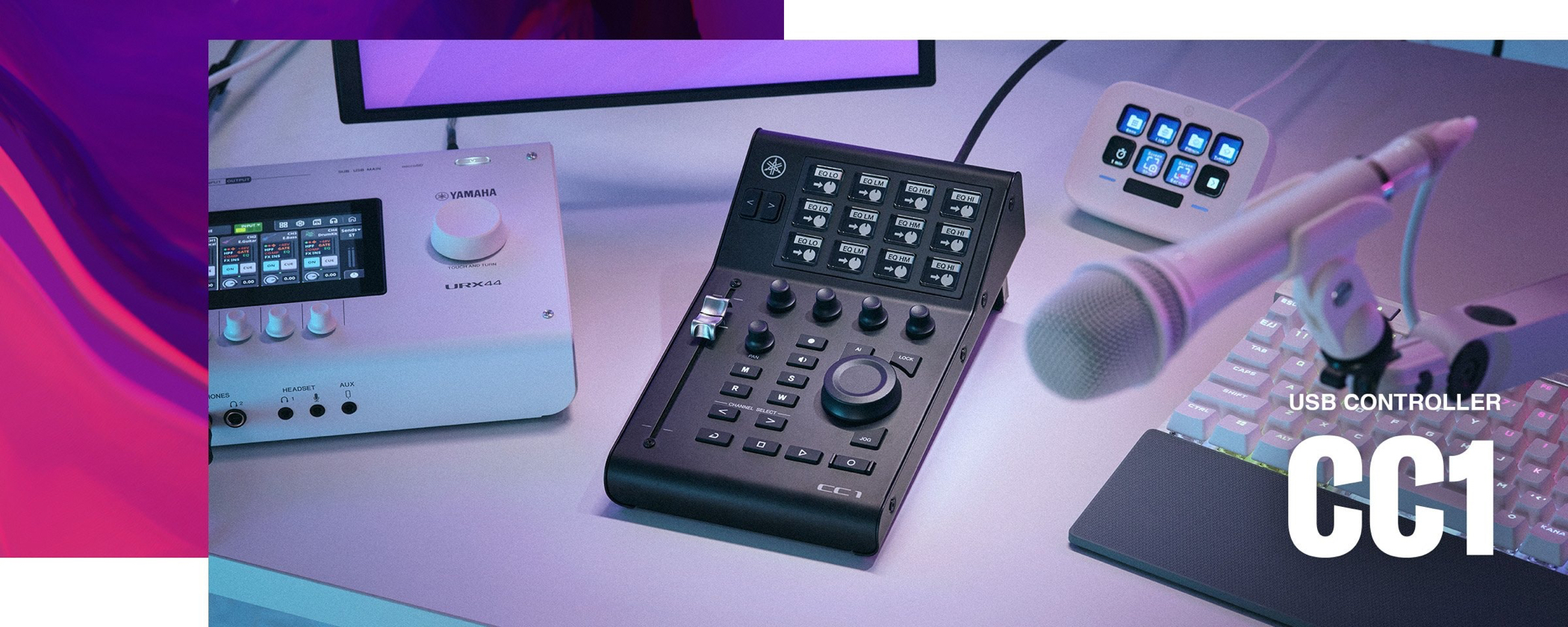
The Yamaha CC1 is a new-generation USB controller that combines DAW control with Elgato Stream Deck functionality. Its 12 LCD keys, 100 mm motorized fader, and AI KNOB make it useful for music production, live streaming, and video editing. Designed with Cubase, Nuendo, and Pro Tools in mind, it offers intuitive parameter control. Despite its compact, stable body, it offers considerable flexibility, with further features planned through updates. It brings multiple creative workflows together in one controller.
A versatile controller compatible with Elgato Stream Deck software
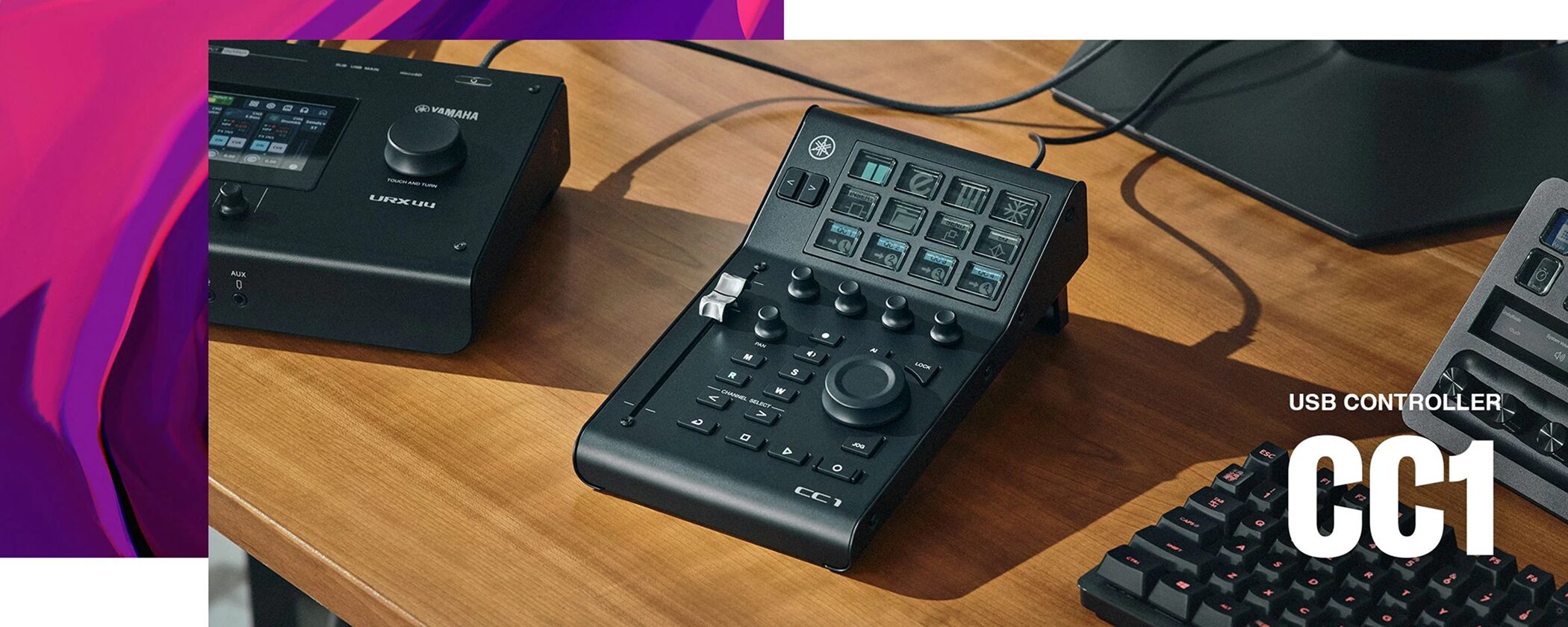
Wouldn't it be useful to have a DAW controller and a Stream Deck in one device?
That product has now arrived.
The CC1 combines controls designed for DAW operation with the versatility of Elgato Stream Deck compatibility in a single USB controller.
It is made for more than music production: PC live streaming, podcasting, and video production are among the many creative uses it supports.
Selected questions and answers from the YouTube video

Can you assign custom actions to the buttons around the dial, such as R, W, jog, and transport, in addition to the 12 upper buttons and four knobs?

No. The controls in the lower section were fixed.
I wonder if it works with Logic, too.
Unfortunately, we could not use it with Logic.
I'm having an issue with mine. For some reason, the SelectCh Control Basic page is missing from my Cubase Profile List. Is there a way to reset it or get this page back?
Thanks for the information. Please try these steps: 1. Update TOOLS for CC1 and Yamaha Control Center, then unplug and reconnect the CC1 and relaunch Control Center. 2. In Cubase, go to Studio → Studio Setup → MIDI Remote, select the CC1, and click Reset, then Apply. 3. If the page is still missing, reinstall TOOLS for CC1 and try again.
Twelve LCD keys
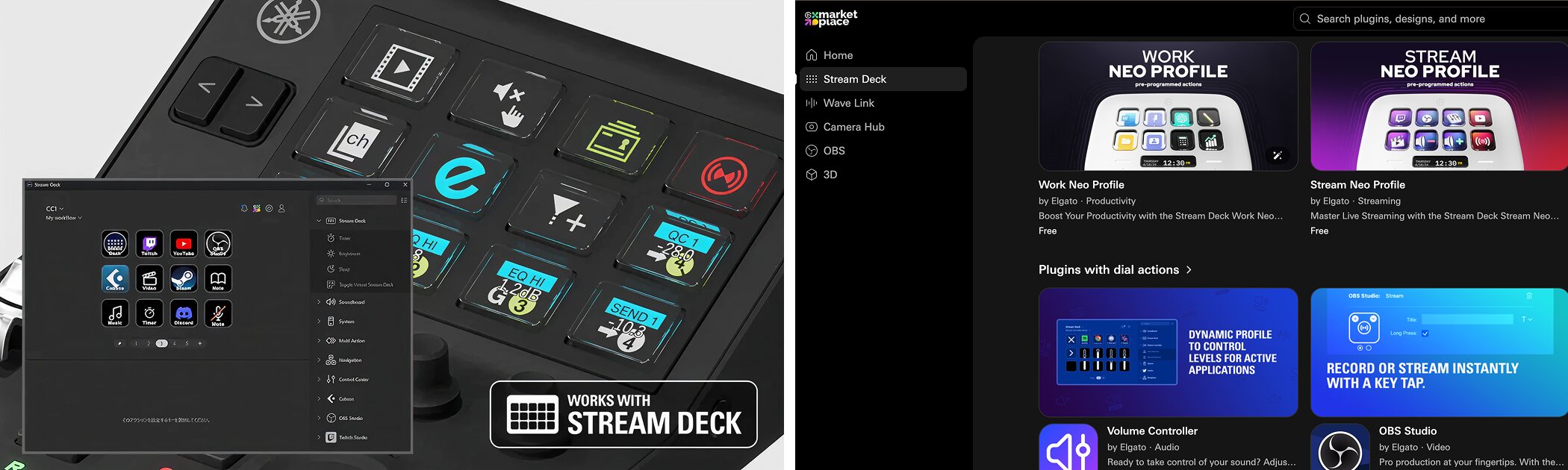
The CC1 has 12 LCD keys compatible with Elgato Stream Deck on its top panel.
Each key displays its assigned function or status, so you can see the current state while operating it intuitively.
When connected to the Stream Deck app, the keys can use the many plug-ins available through Marketplace to control streaming software, video editors, and other applications.
100 mm motorized fader
The CC1 includes a touch-sensitive motorized fader with 100 mm of travel for hands-on control.
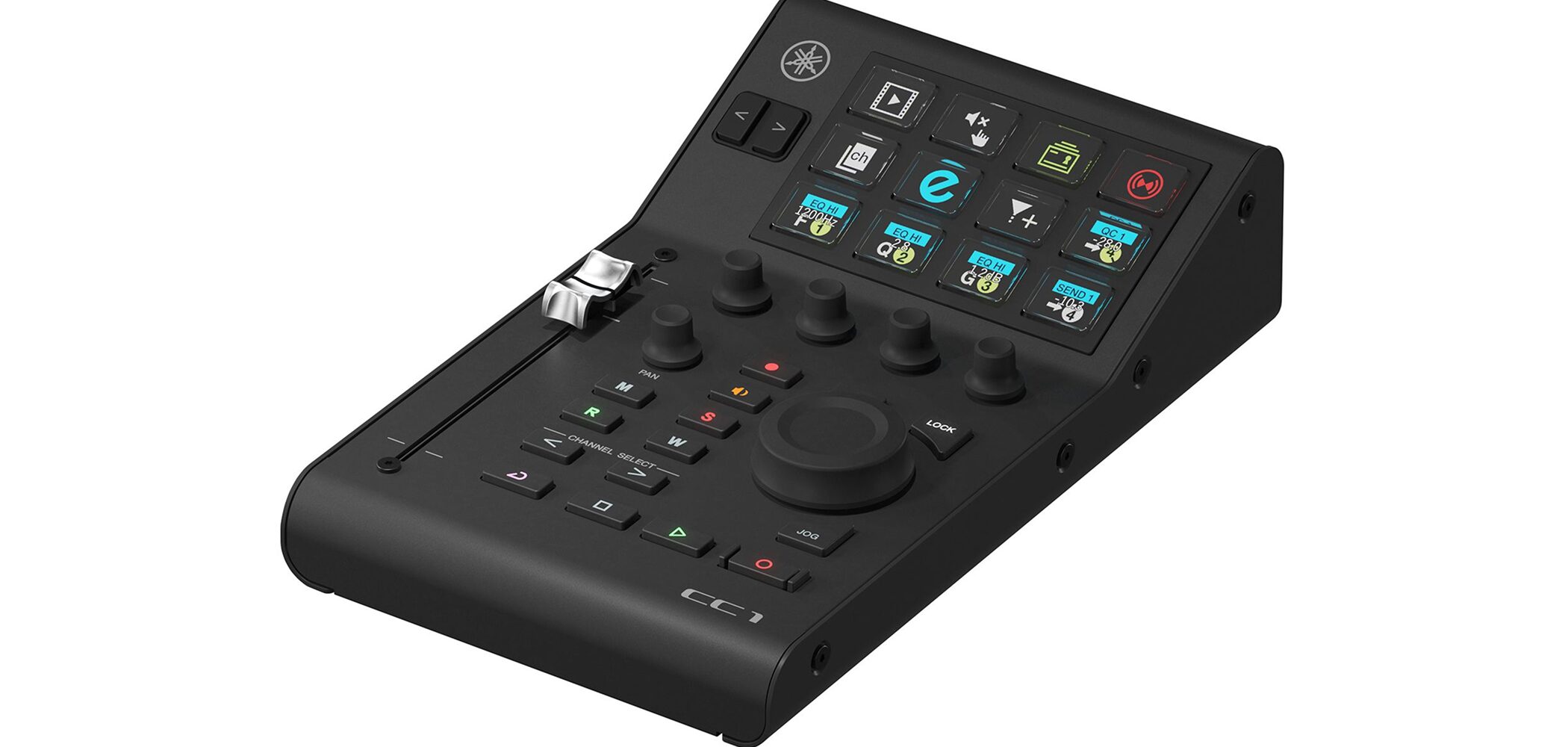
Also used in Yamaha's professional digital mixers, this compact fader fits the slim body while providing reliability and durability.
The fader moves automatically as DAW parameters change, enabling intuitive volume control and automation recording in your DAW.
Flexible parameter control
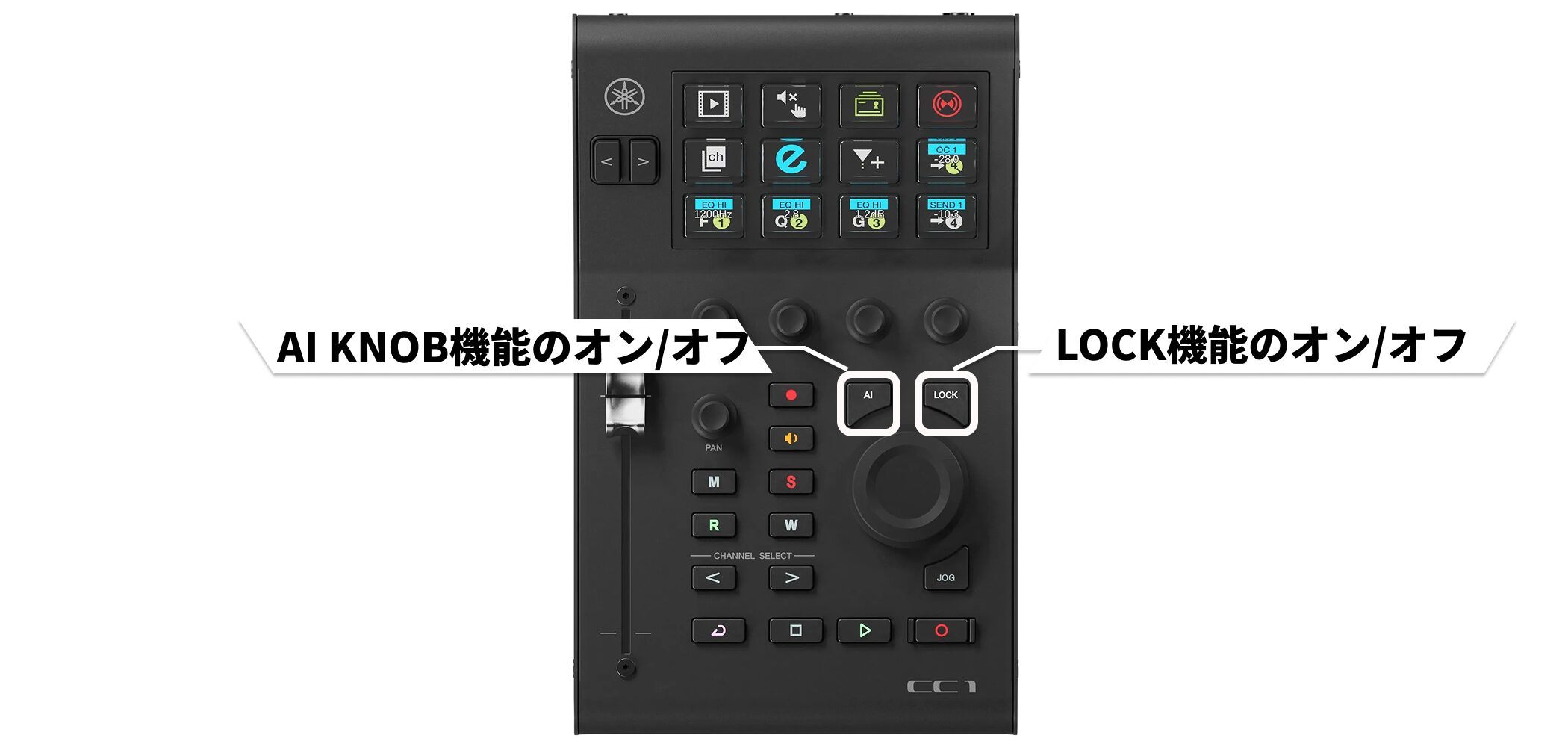
With the CC1's AI KNOB, you can control the parameter under your mouse pointer directly with the knob while you work.
For example, place the pointer over a plug-in's cutoff control and turn the knob to adjust that parameter.
The LOCK function lets you lock the target parameter so the knob continues to control it even after you move the pointer elsewhere.
This is useful during mixing when you frequently adjust the same parameter.
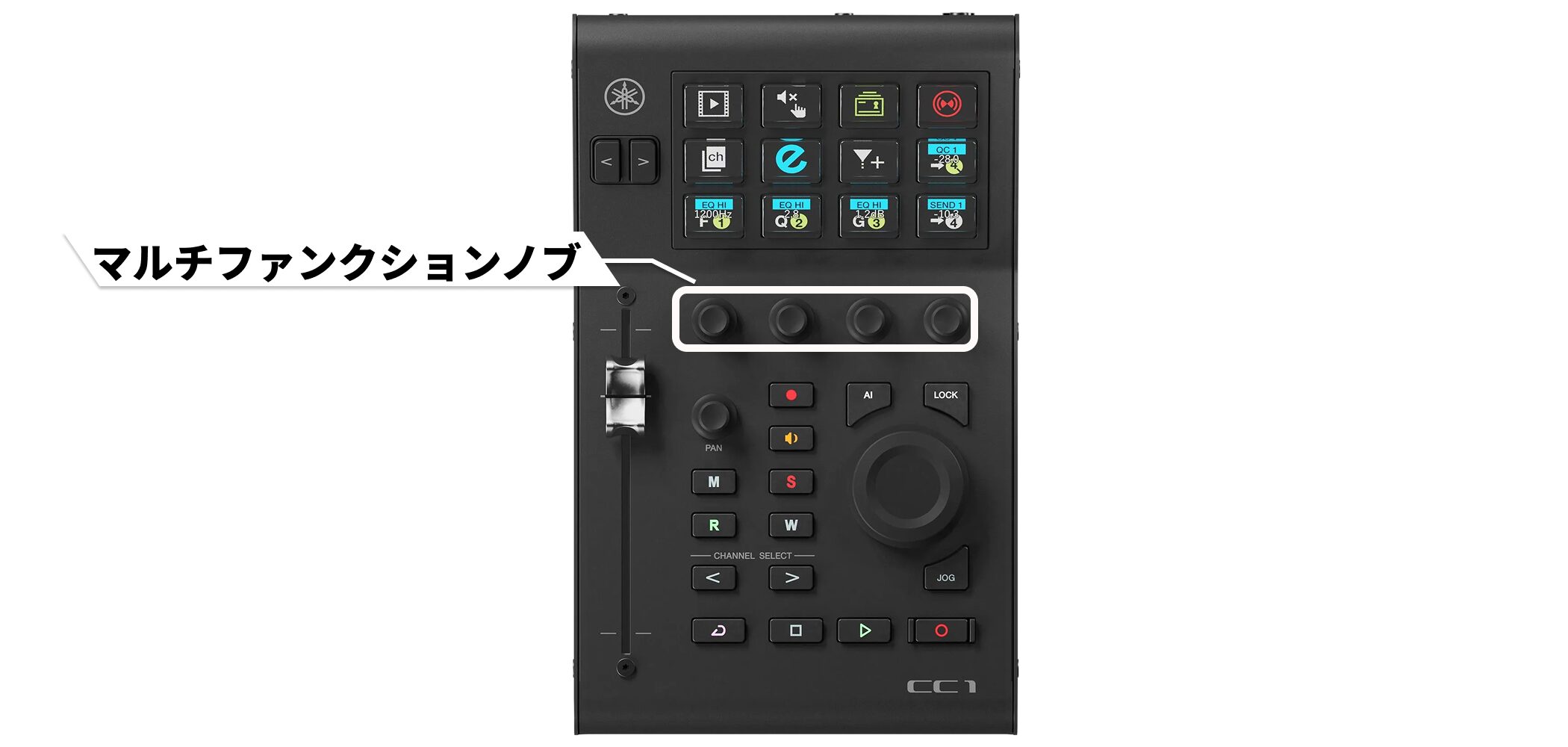
The four multifunction knobs have functions assigned automatically according to the selected profile for immediate control.
Designed for DAW control
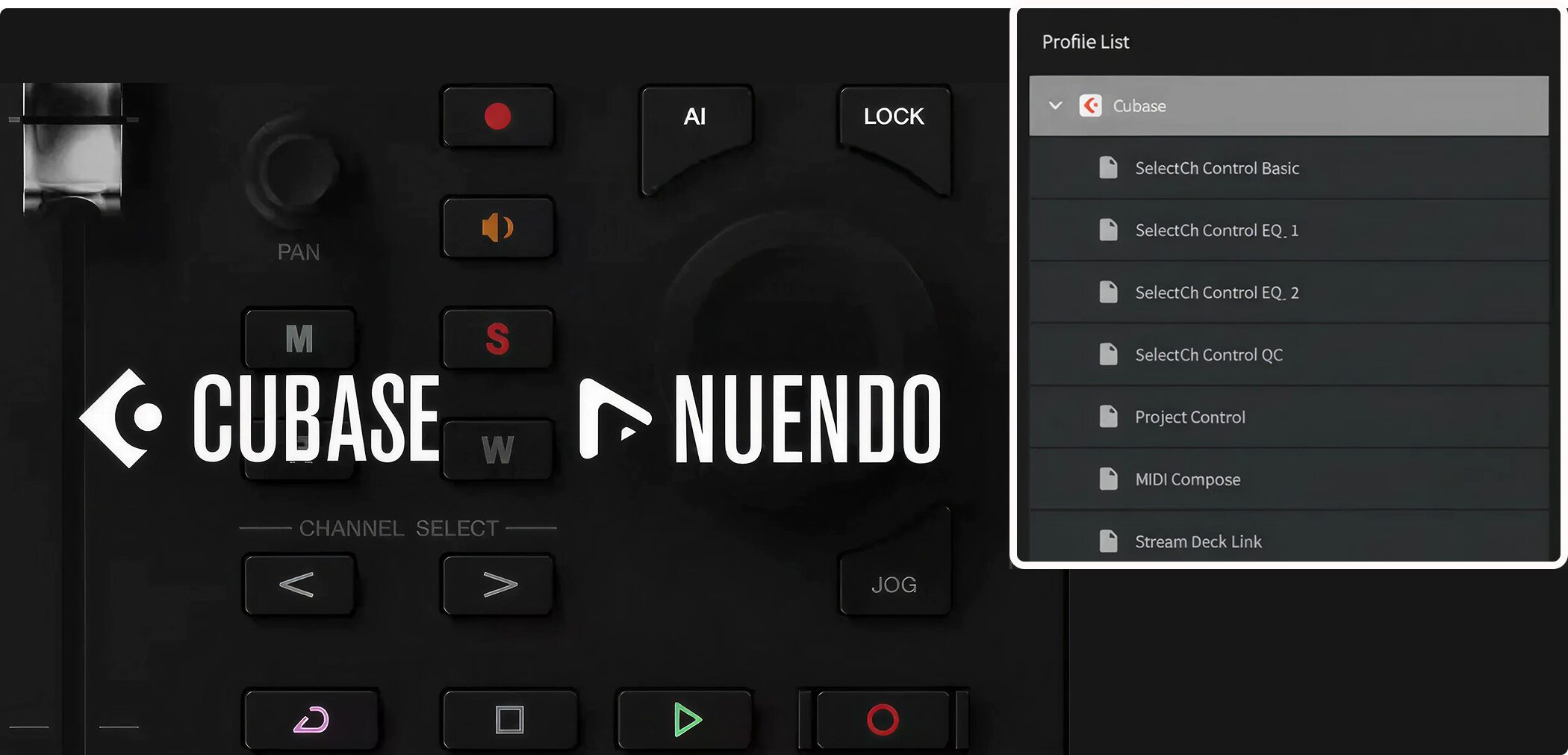
The CC1 is optimized for Steinberg Cubase and Nuendo, with dedicated profiles for both.
Transport functions such as play, stop, and record, channel selection, and solo and mute switching give you one-touch access to essential DAW controls from the controller.

Beyond Cubase and Nuendo, the CC1 also supports Pro Tools through its dedicated support.
To use it, install the dedicated TOOLS for CC1 driver and configure the device in Control Center.
Working with the Stream Deck app
The CC1's LCD keys become even more versatile when connected to the Elgato Stream Deck app.
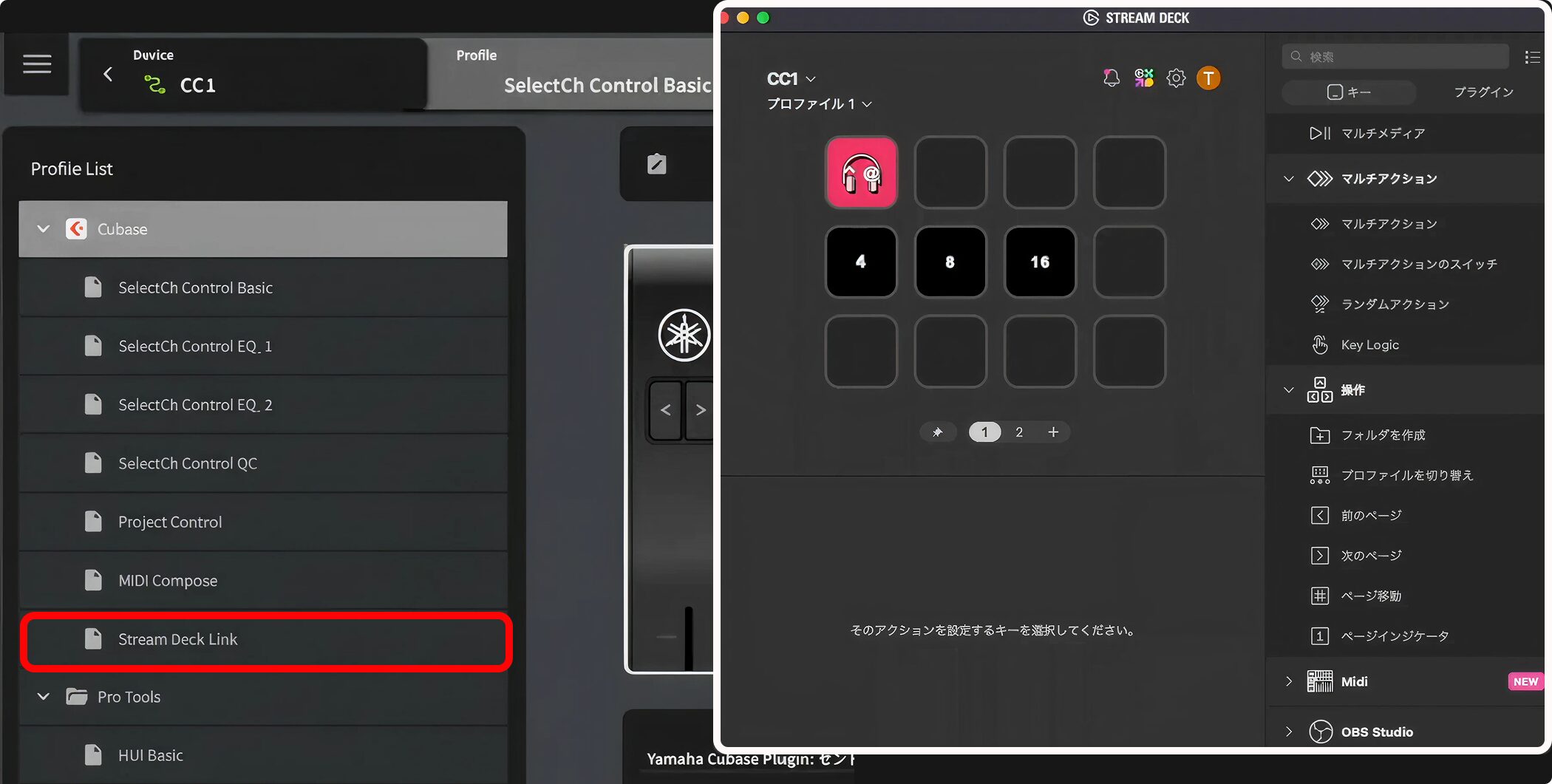
Elgato's official website provides the Stream Deck app. Download it, then select “Stream Deck Link” in the profile to connect the CC1 to the app.
You can use Stream Deck features such as hotkeys and Multi Actions, which run several actions from a single button.
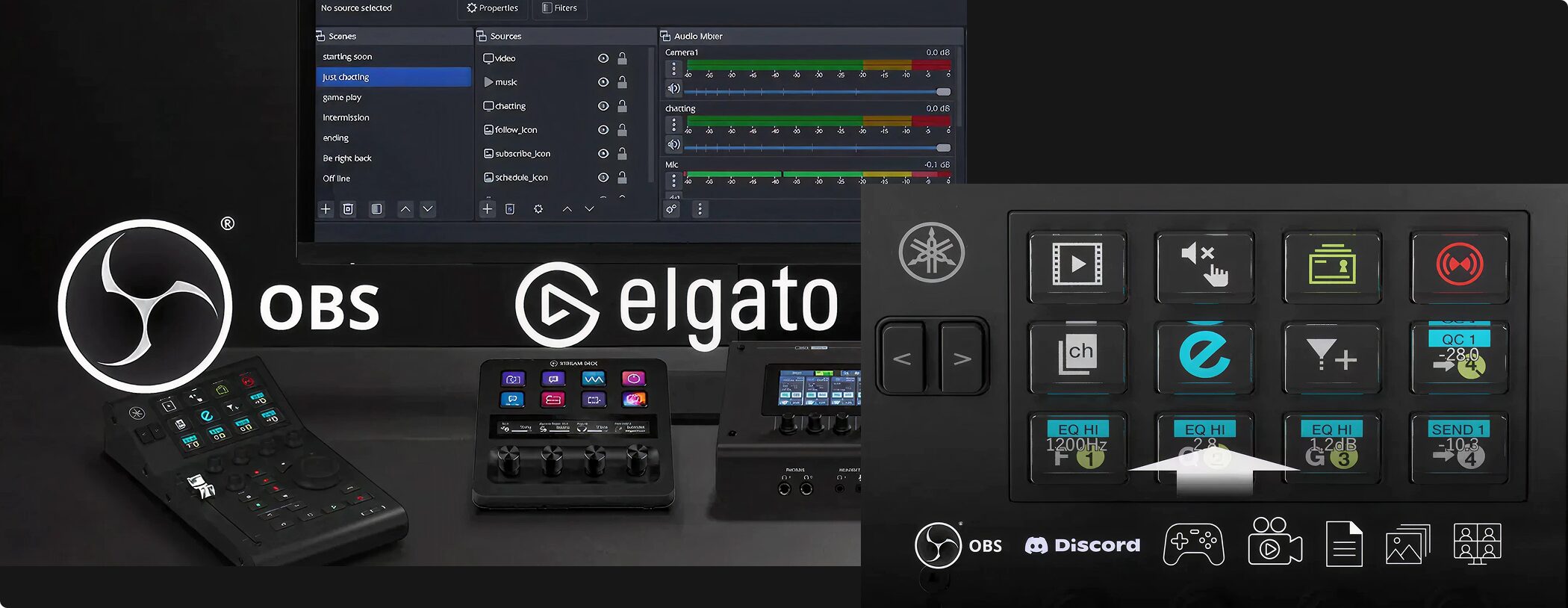
With the many plug-ins available through Marketplace, you can control OBS streaming software for scene switching, as well as video editors, remote communication apps, and games among other applications.
Assign functions freely to the keys to customize the device around your workflow.
The profile-switching button on top of the unit lets you switch smoothly between DAW and Stream Deck profiles.
Example workflows
Yamaha's official site presents example workflow setups featuring the CC1.
Live-streaming setup
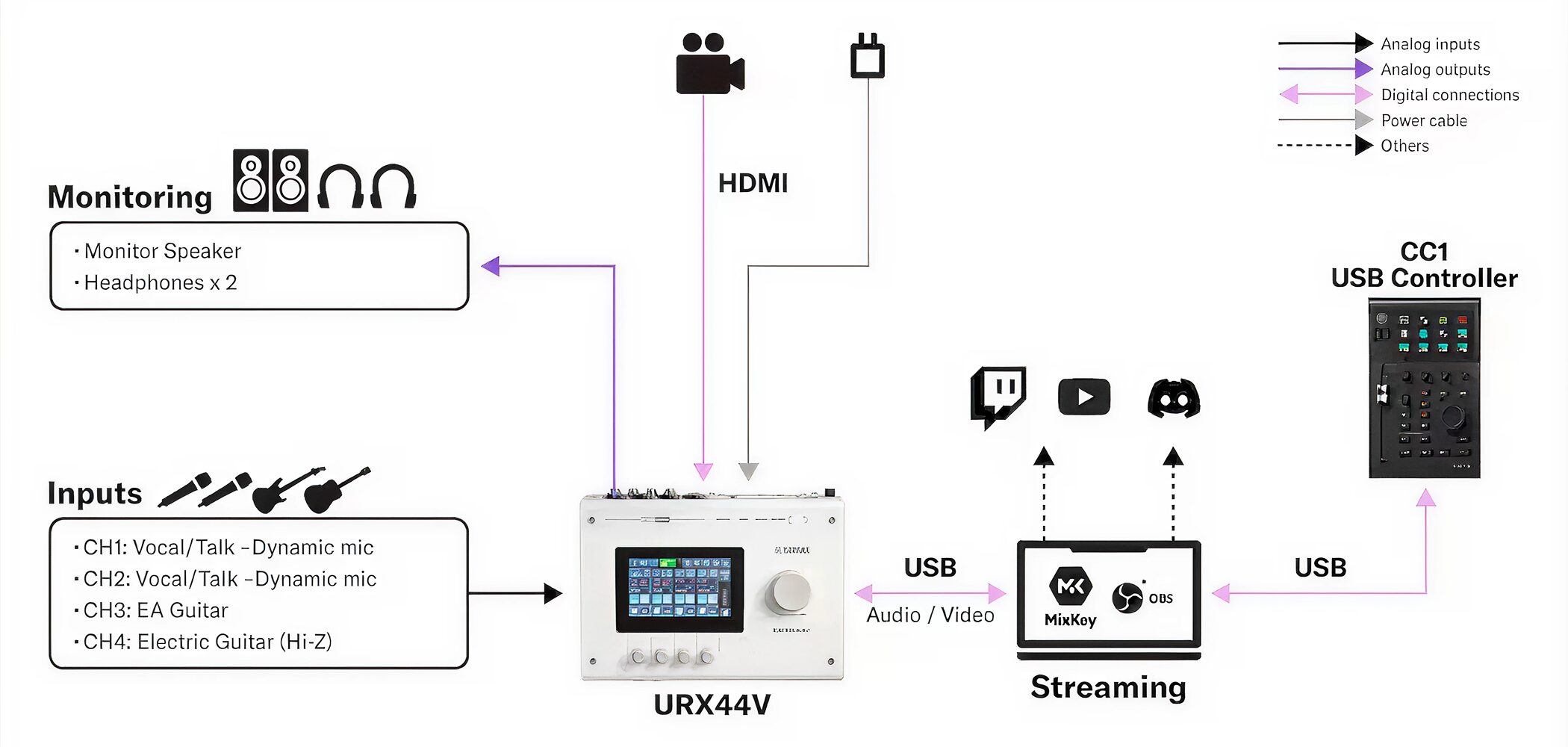
An audio and video workflow that brings together microphones, instruments, monitoring equipment, and HDMI video input.
A UR-series audio interface handles vocals and instruments and sends the audio over USB to streaming software such as MixKey or OBS.
Video post-production setup
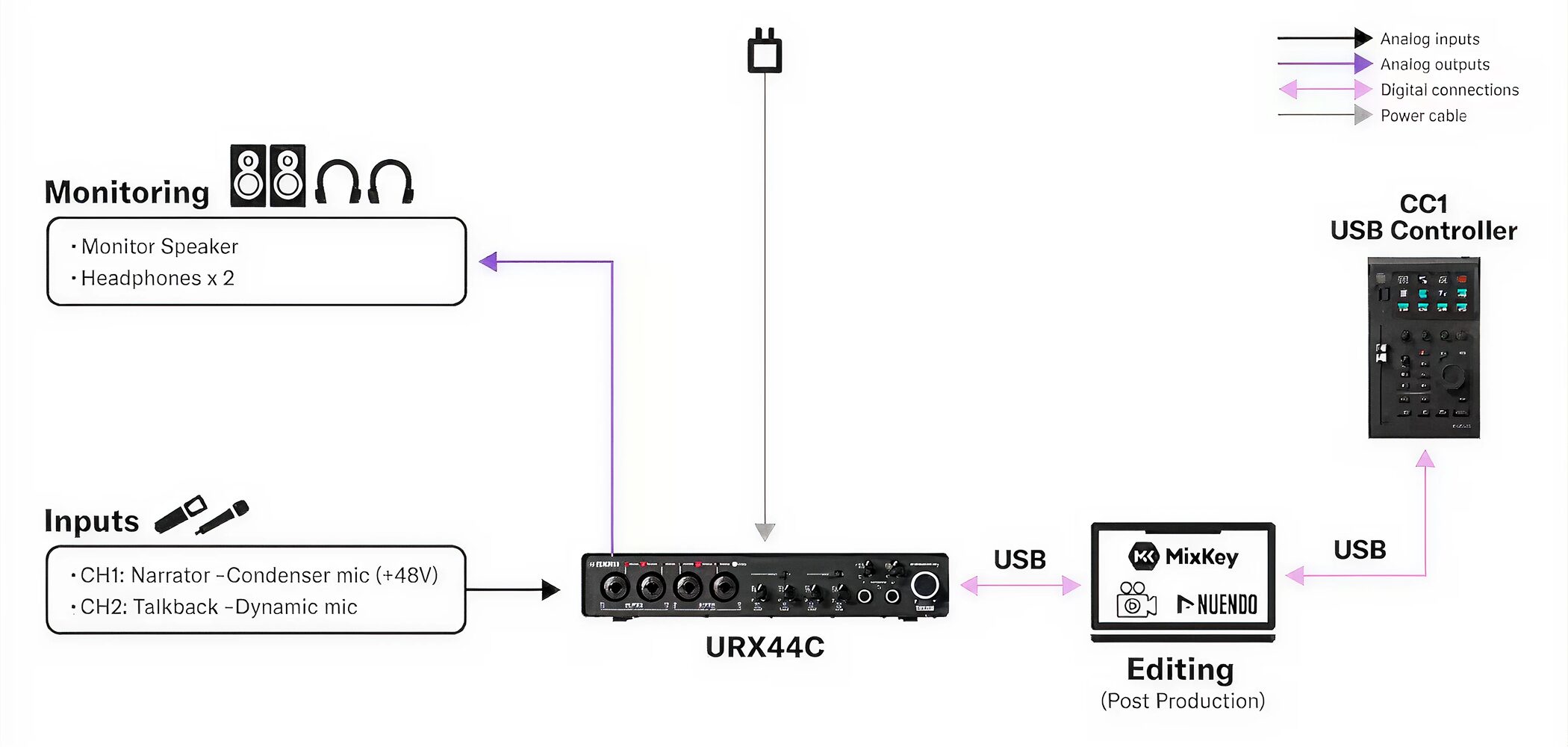
A setup for recording narration and talkback audio at high quality and bringing it into editing software such as MixKey or Nuendo.
With the CC1, you can quickly and accurately handle transport control, timeline navigation, clip selection, parameter adjustment, and other post-production tasks.
More possibilities through future updates
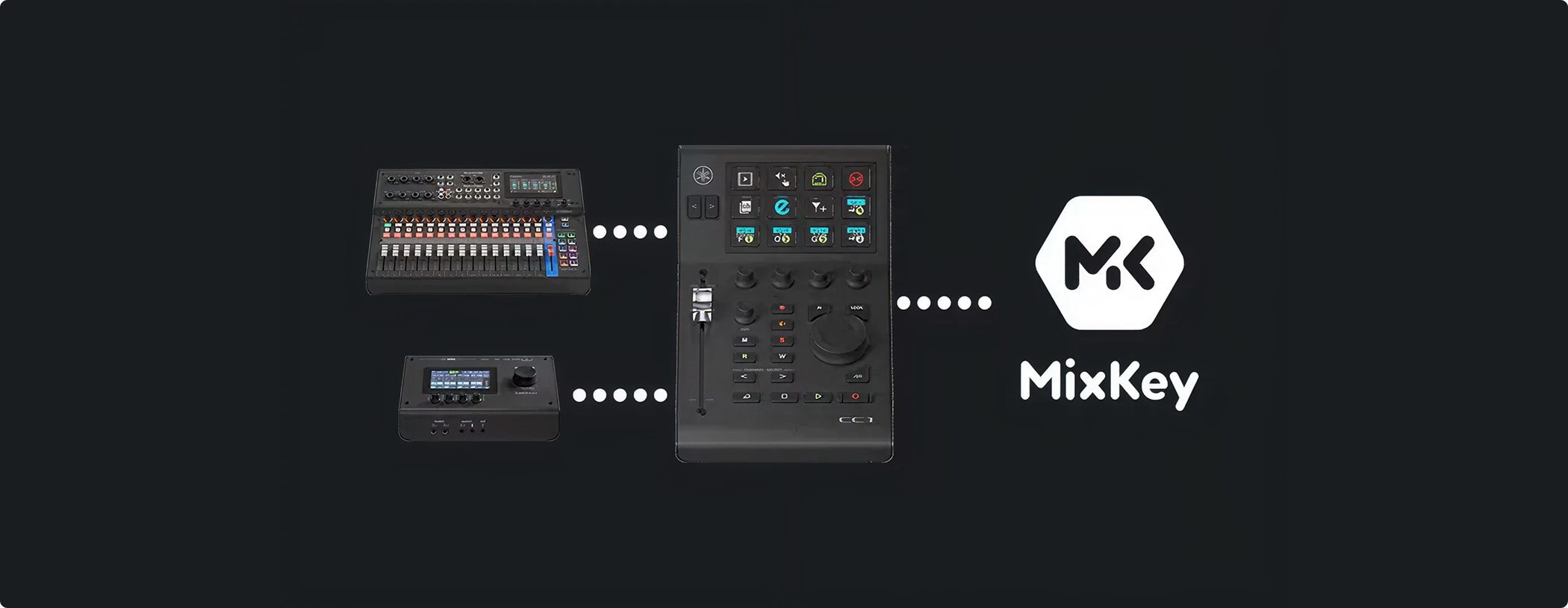
At the time of publication, future updates were expected to expand what the CC1 could control.
Support was planned first for Yamaha hardware such as USB audio interfaces and mixers. Integration with Steinberg MixKey was expected to follow.
This was expected to allow volume and mute control of connected audio devices, including USB microphones.
Compact, stable body
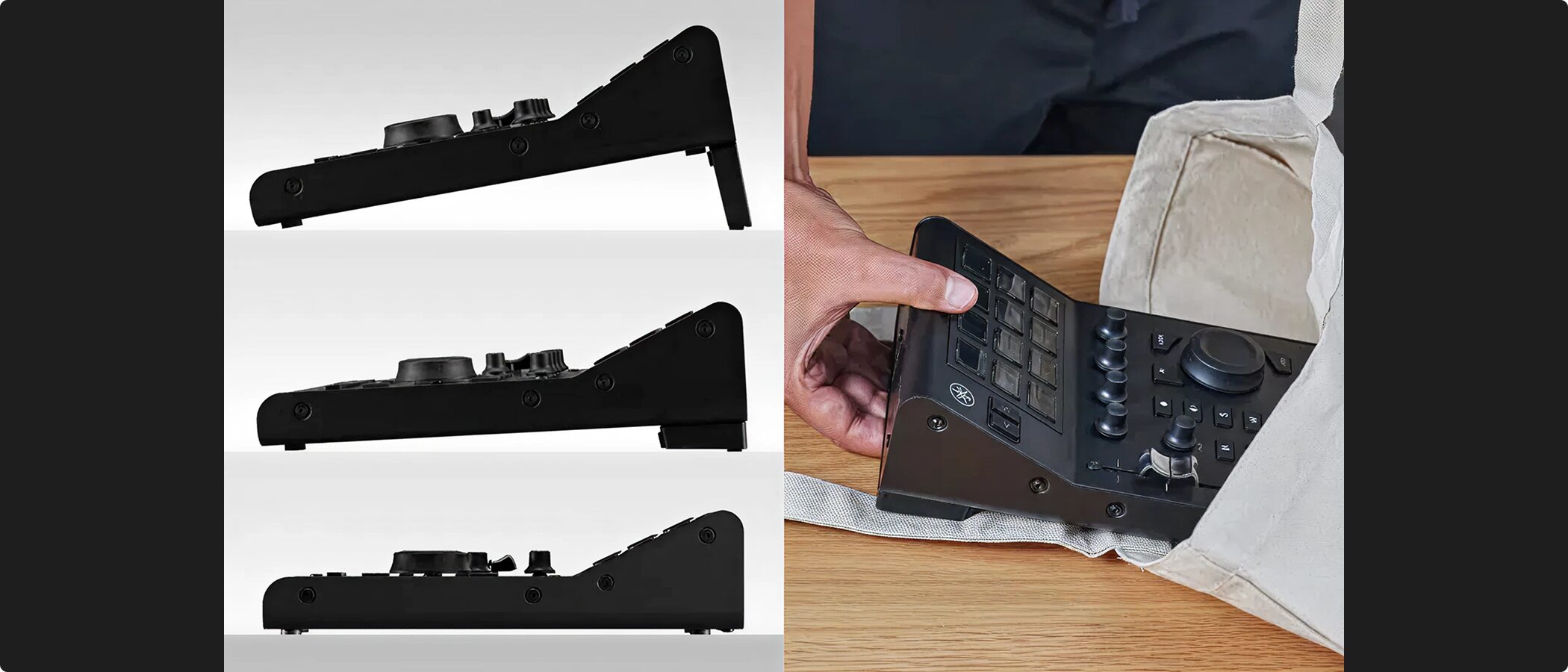
The CC1 measures 144 × 61 × 234 mm (width × height × depth) and weighs 1.1 kg.
Its compact, integrated body saves space and is convenient to carry when needed.
Despite its size, it has enough weight to stay stable while you operate it.
The included stand lets you adjust its angle, and a single USB-C cable is generally all you need to connect it.
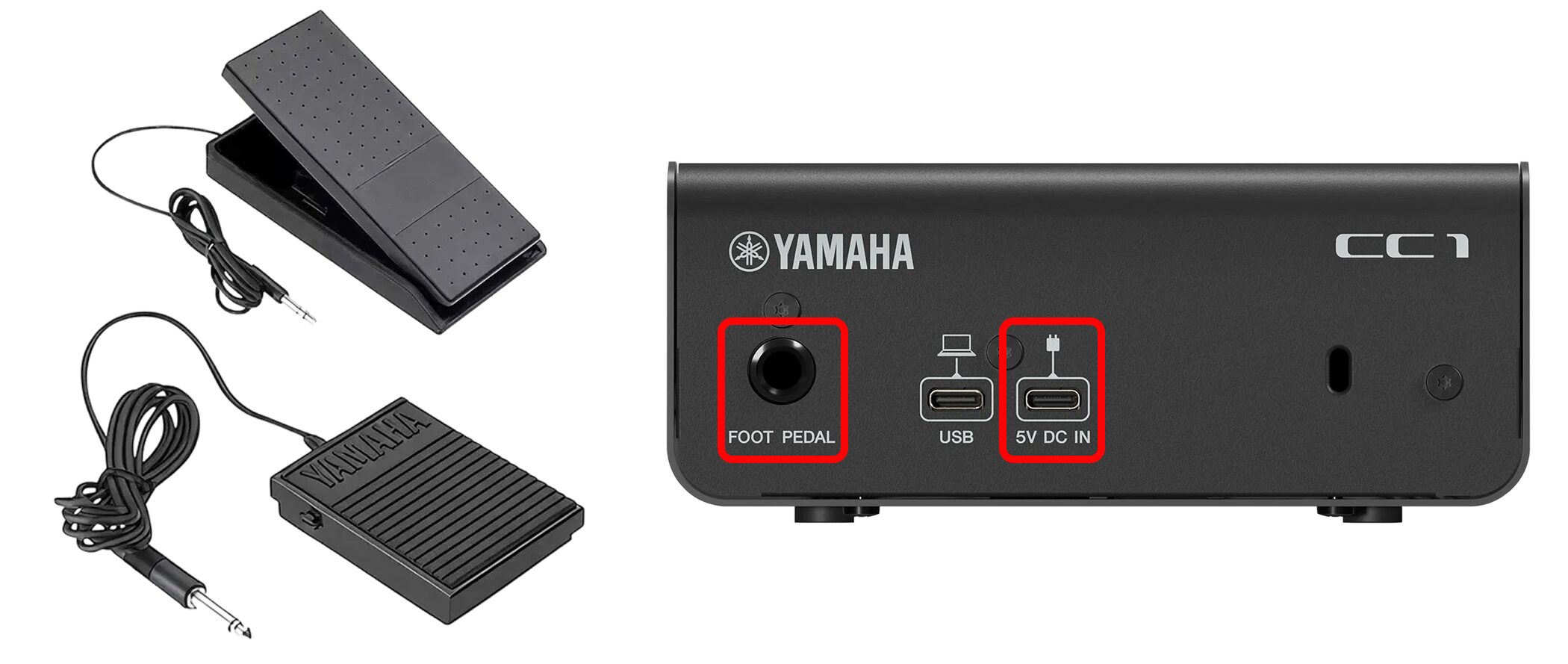
It normally runs on USB bus power, but if that is insufficient, you can supply external power through the 5V DC IN port.
The rear FOOT PEDAL jack supports separately sold Yamaha FC5 and FC7 pedals.
Specifications
| Item | Specification |
|---|---|
| USB TO HOST | USB Type-C |
| 5V DC IN | USB Type-C (for external power) |
| Foot pedal | TRS phone jack (supports Yamaha FC5 and FC7) |
| Power supply voltage | DC 5V / 1.5A |
| Power consumption | 7.5 W |
| Dimensions (without stand) | 144 × 61 × 234 mm (W × H × D) |
| Weight | 1.1 kg |
| Operating temperature | 0 to +40°C |
Included items
• USB 2.0 Type-C to Type-C cable (1.5 m)
• Stand
• Getting Started guide
• Safety guide
• Cubase AI license card
System requirements
Windows
• OS: Windows 11 / 10 (64-bit)
Mac
• OS: macOS 15–14
• Supports Apple silicon
Price
The CC1's suggested retail price was ¥63,800 (tax included) at the time of publication.
Price as of January 2026. Check retailers for current pricing.
This product brings together a high-quality motorized fader and knobs designed for DAW control with Stream Deck-compatible LCD keys.
Cubase AI is also included, making it a good option for people starting music production.
It can streamline music production and support a wide range of creative work, including streaming and video production.
Frequently asked questions
Q1. Which DAWs does the CC1 support?
Dedicated profiles are available for Steinberg Cubase and Nuendo. Pro Tools is also supported after installing the dedicated TOOLS for CC1 driver.
Q2. What can I do by connecting the Stream Deck app?
You can control many applications, including OBS scene switching, video editing software, and streaming tools. Marketplace plug-ins let you customize the device to fit your workflow.
Q3. How is the CC1 powered?
It normally uses USB bus power. If power is insufficient, you can supply external power separately through the rear 5V DC IN port.
Q4. Is it suitable for carrying around?
Its compact 144 × 61 × 234 mm body weighs 1.1 kg and is convenient to carry. You can adjust its angle with the included stand and generally connect it with one USB-C cable.
NEW ARTICLES
Latest English Articles


















