
Introduced in Logic Pro X 10.4, Studio Horns and Studio Strings are high-quality instruments with the sound of a small ensemble, suitable for a wide range of genres. They include many articulations used in live performance, which can be switched for individual MIDI notes to create expressive trumpet, trombone and saxophone parts. Monophonic and legato modes and voicing options support the playing techniques of a brass section, from simple chords to detailed horn arrangements.
Great-sounding instruments and control over playing techniques
The Logic Pro X 10.4 update added new instruments.
These are “Studio Horns” and “Studio Strings.”
As their names suggest, rather than a grand, expansive orchestral sound, they feature a close, small-ensemble sound.
They sound very realistic and can be useful in genres such as pop and electronic music.
Each instrument also includes many playing techniques commonly used in live performance, which you can switch for each MIDI note.
The way articulations are assigned and switched has also improved dramatically, so we will cover that here too.
Brass and string instruments and the articulation feature
Using Studio Horns
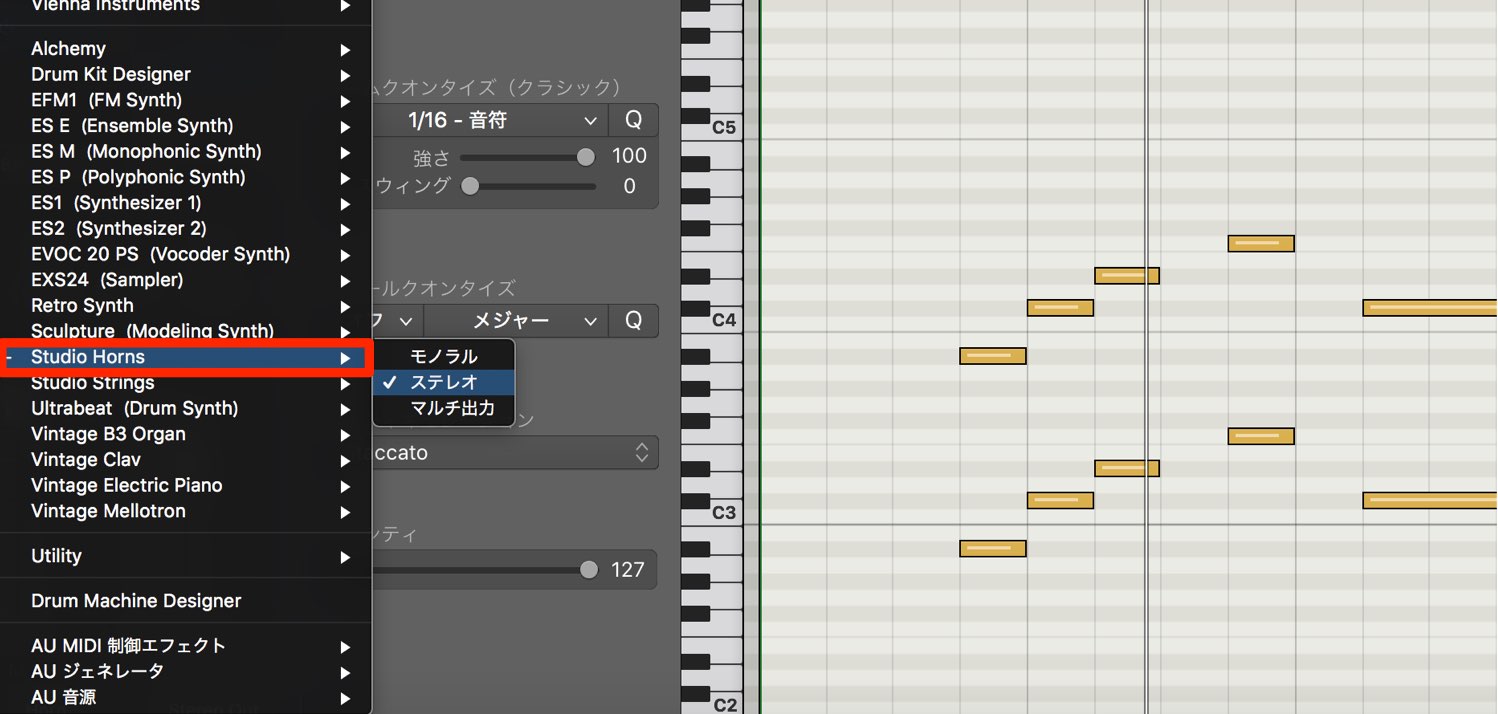
Load Studio Horns on a software instrument track, as you would any other instrument.
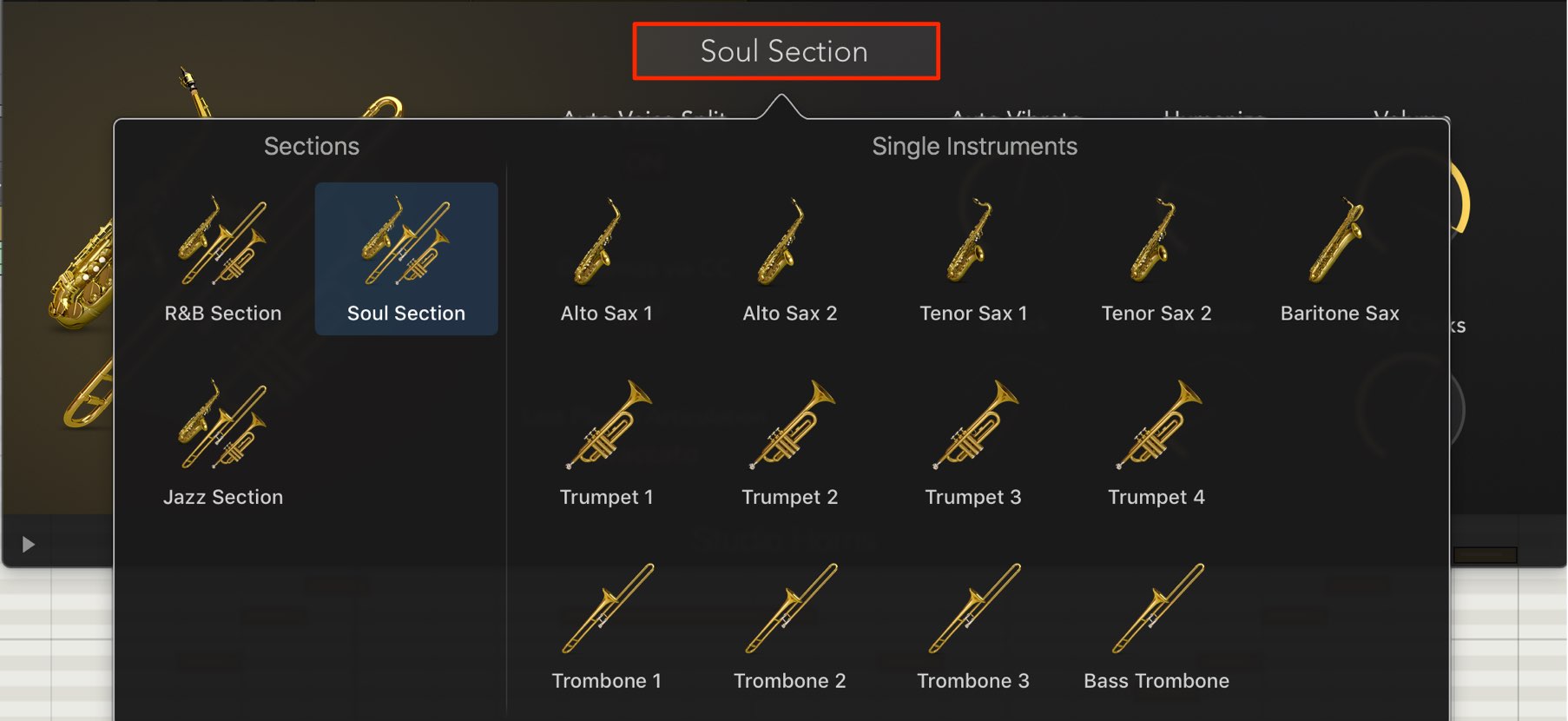
Choose from trumpet, trombone, saxophone, or a combined section instrument.
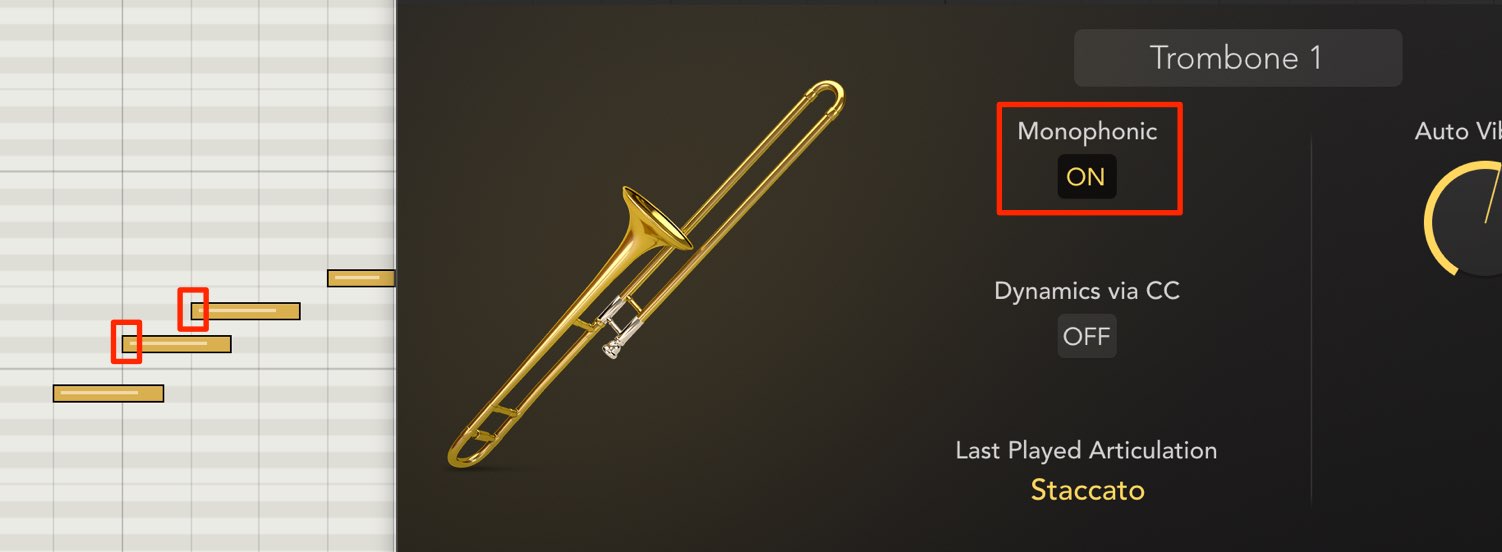
Turn “Monophonic” on to play one note at a time, even when notes overlap.
This is useful for creating smooth, legato-style phrases.
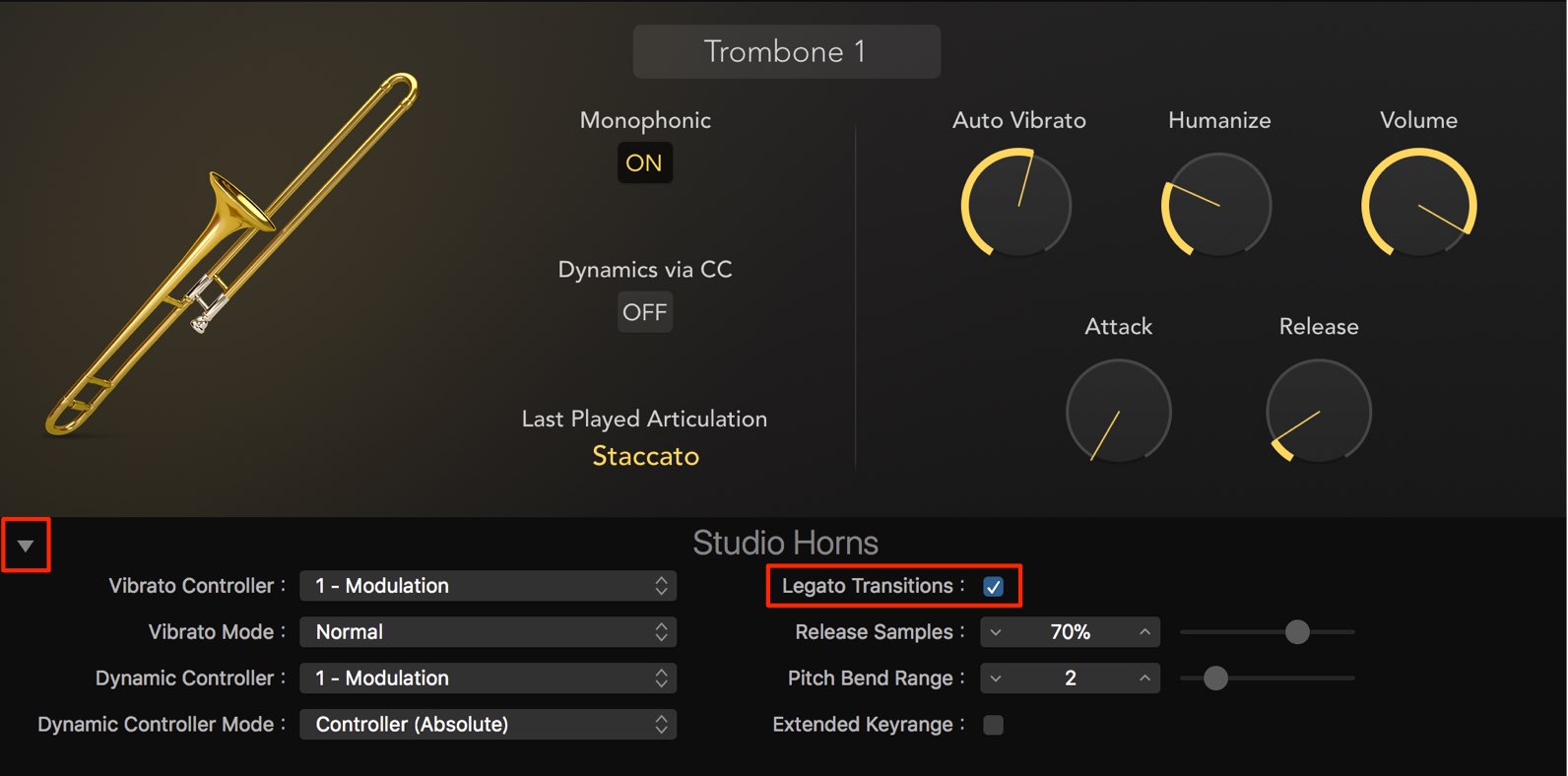
Enabling “Legato Transitions” in the extended panel makes legato playing even smoother.
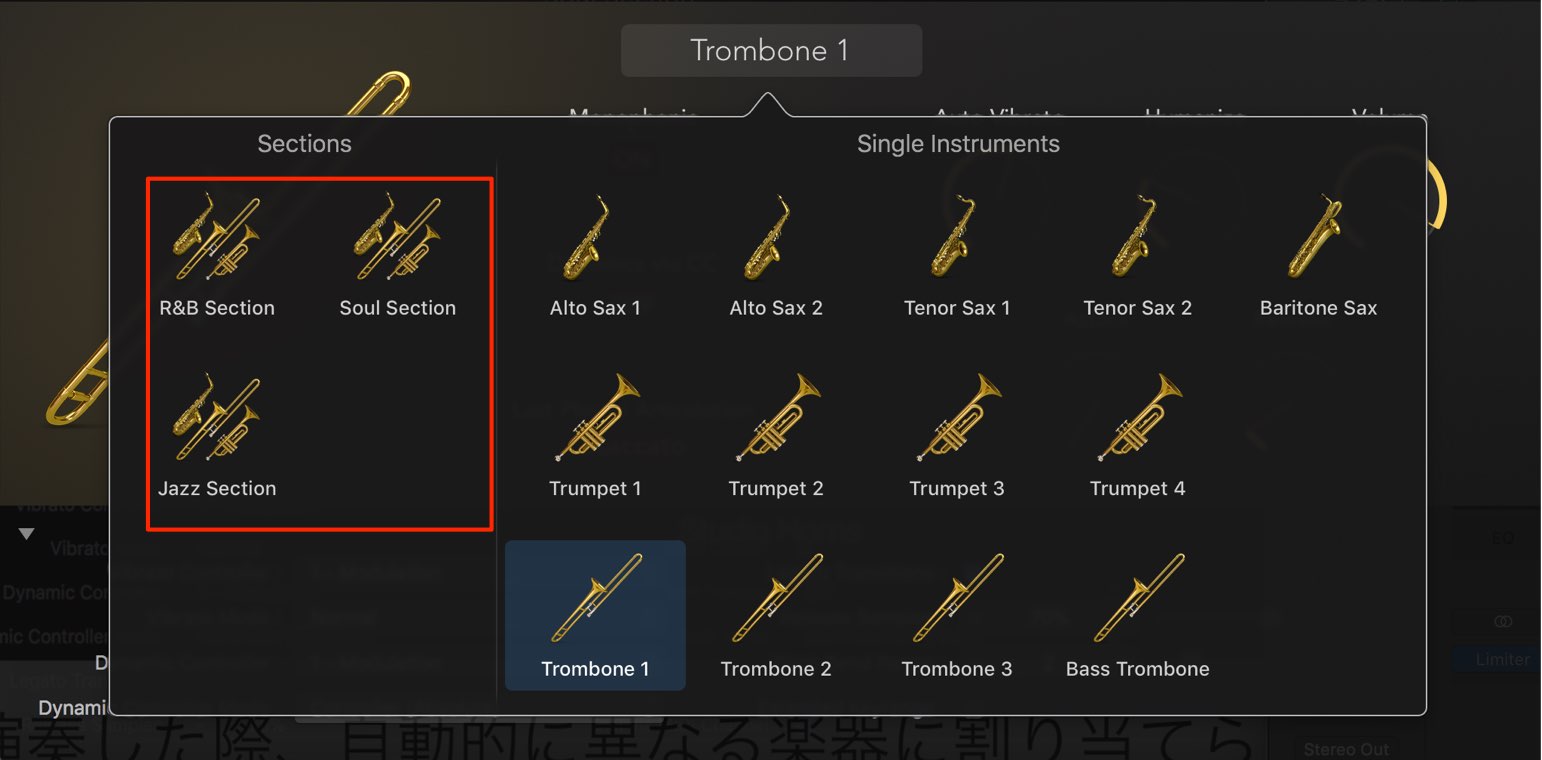
When you select “Section” as the instrument,
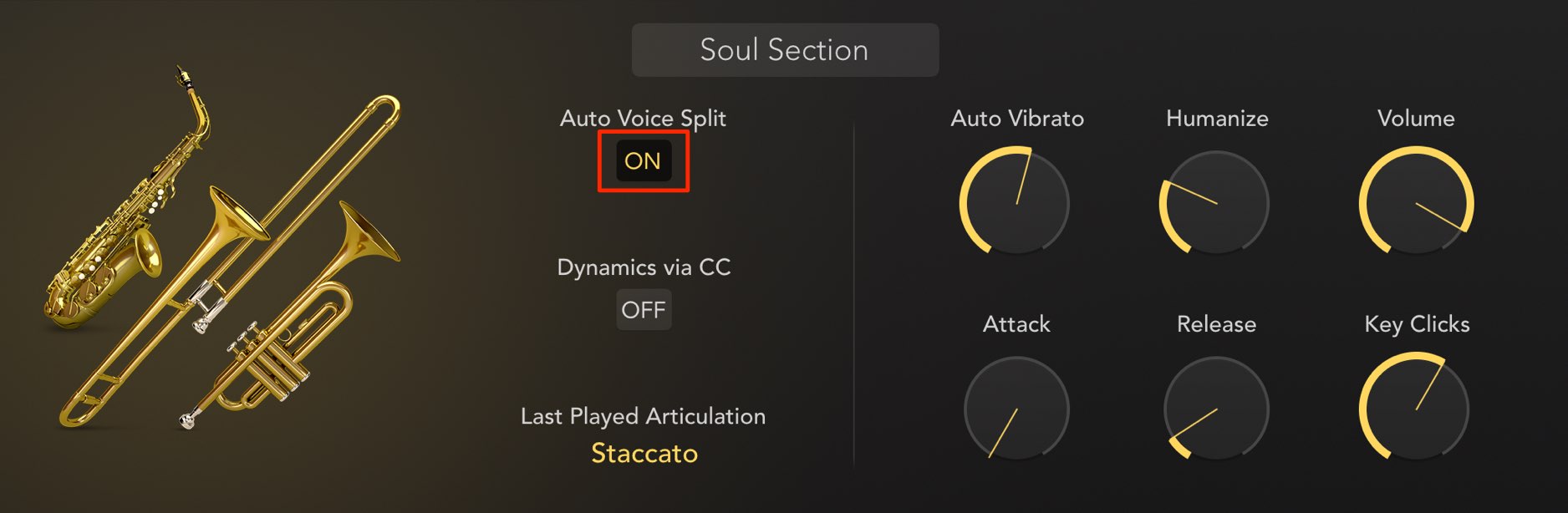
the “Auto Voice Split” option appears.
This automatically assigns different instruments when you play a chord.
It lets you retain the sense of a section made up of individual players.
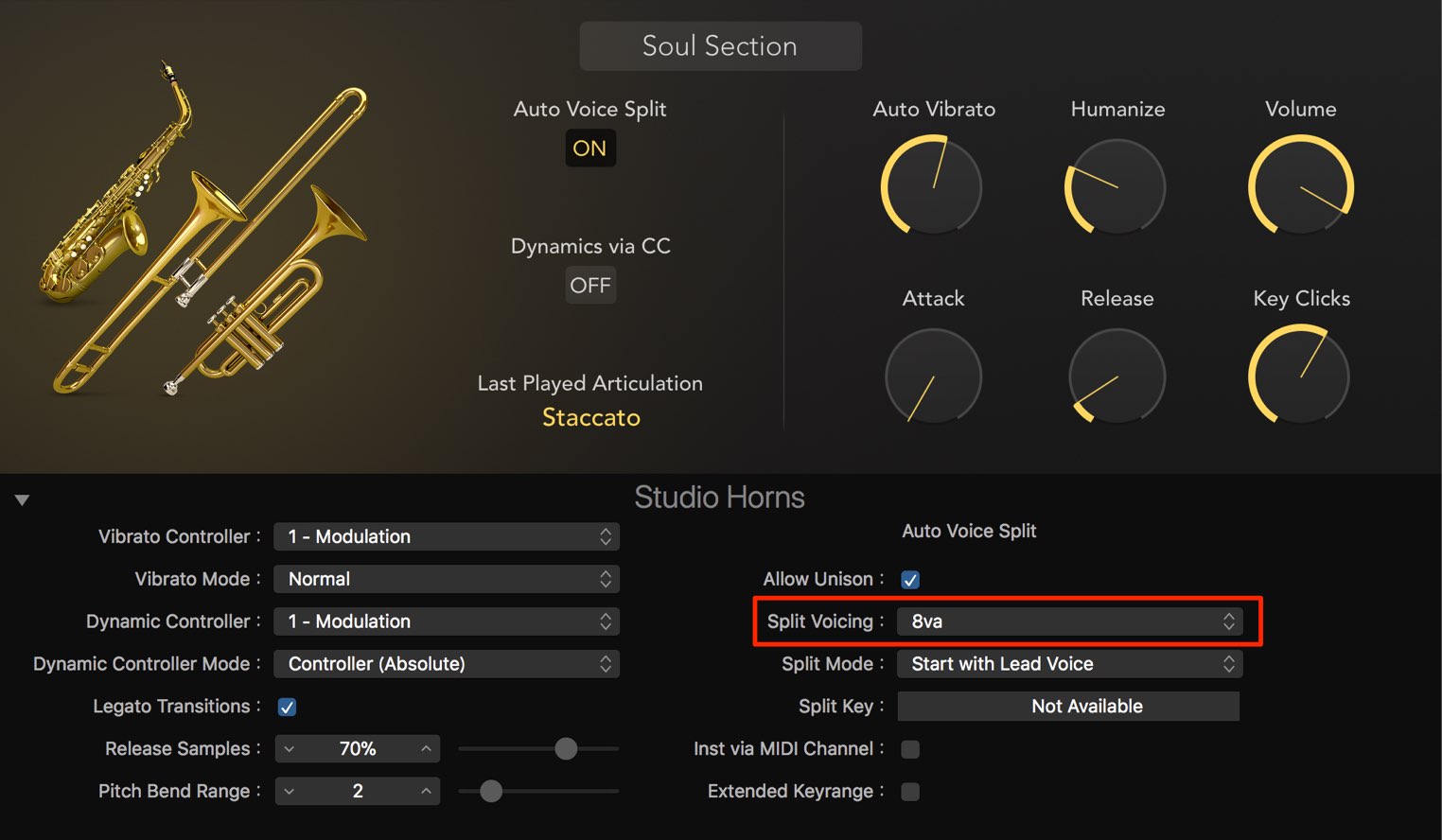
“Split Voicing” lets you choose a voicing for the chord.
This can turn simple chords into a convincing horn section sound.
- 8va: Plays the top note one octave higher.
- Drop 2: Plays the second note from the top one octave lower.
- Drop 2 + 4: Plays the second and fourth notes from the top one octave lower.
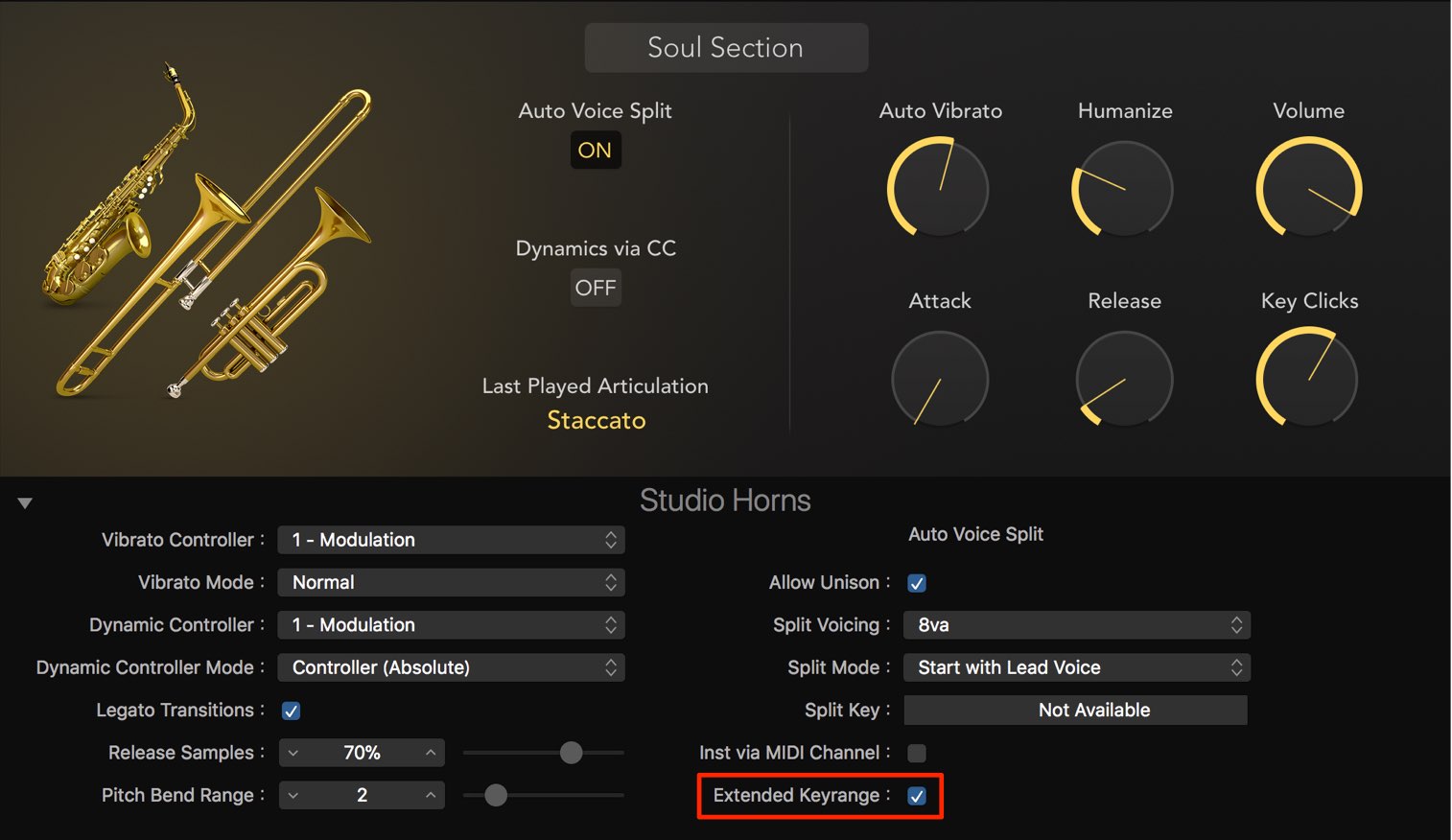
Enabling “Extended Keyrange” lets the instrument play pitches outside its natural range.
This is useful, for example, when an arrangement absolutely needs a note one semitone lower.
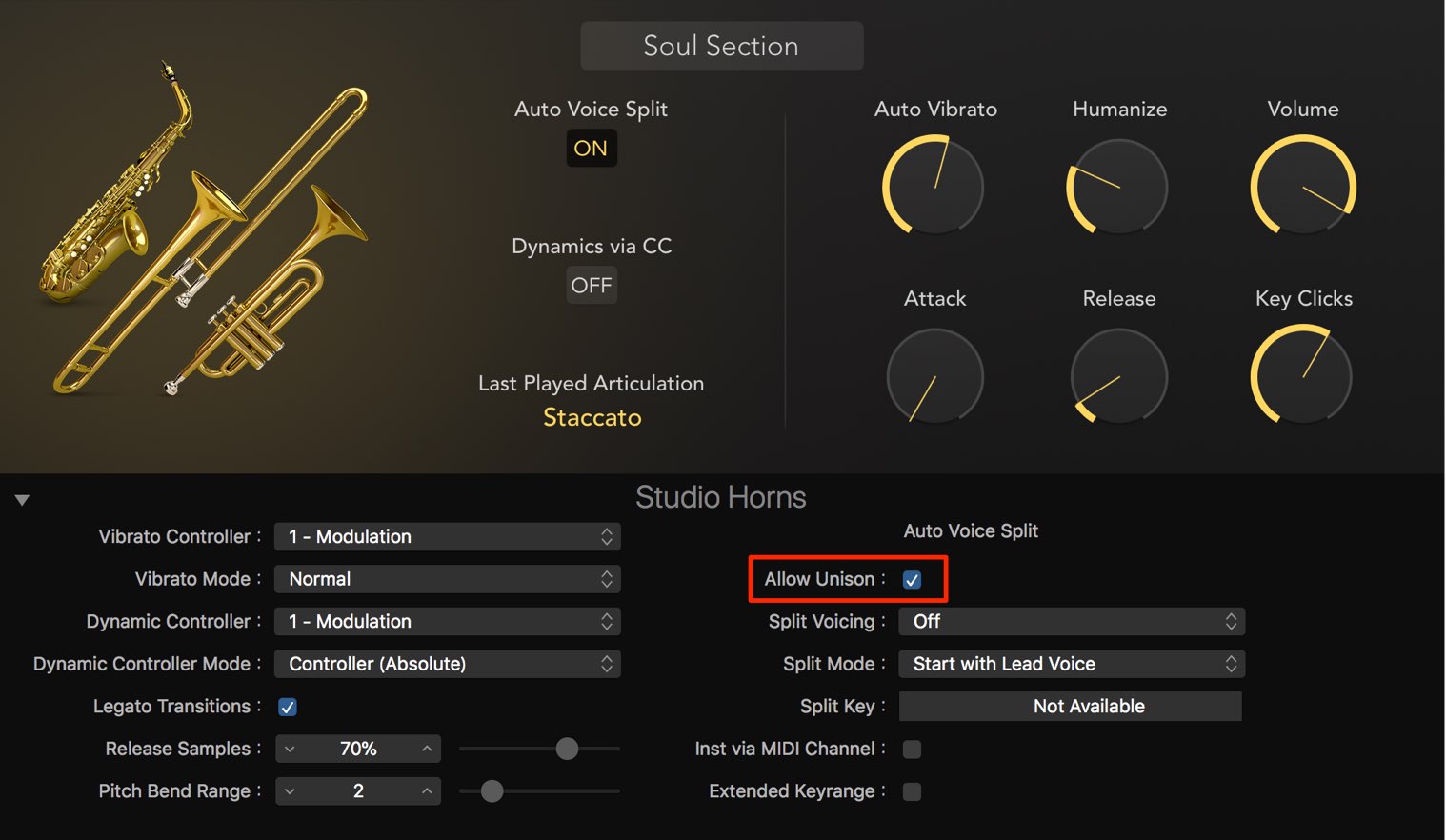
“Allow Unison” lets multiple instruments play the same pitch from a single MIDI note.
It is useful when you want a thicker sound.
A new way to assign articulations
The articulation feature for switching an instrument’s playing technique has also advanced significantly.
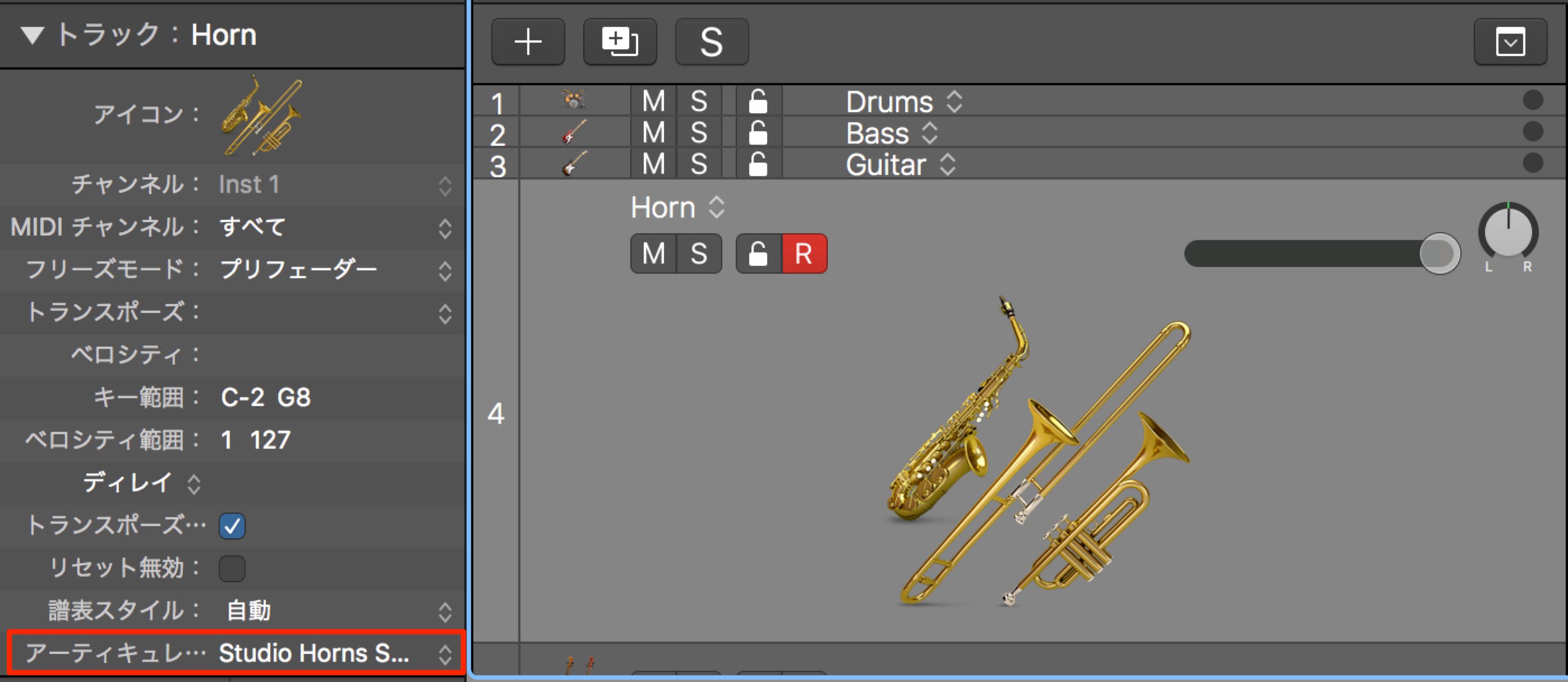
An “Articulation” option has been added to the Inspector; choose an articulation for the selected instrument there.
That completes the setup.
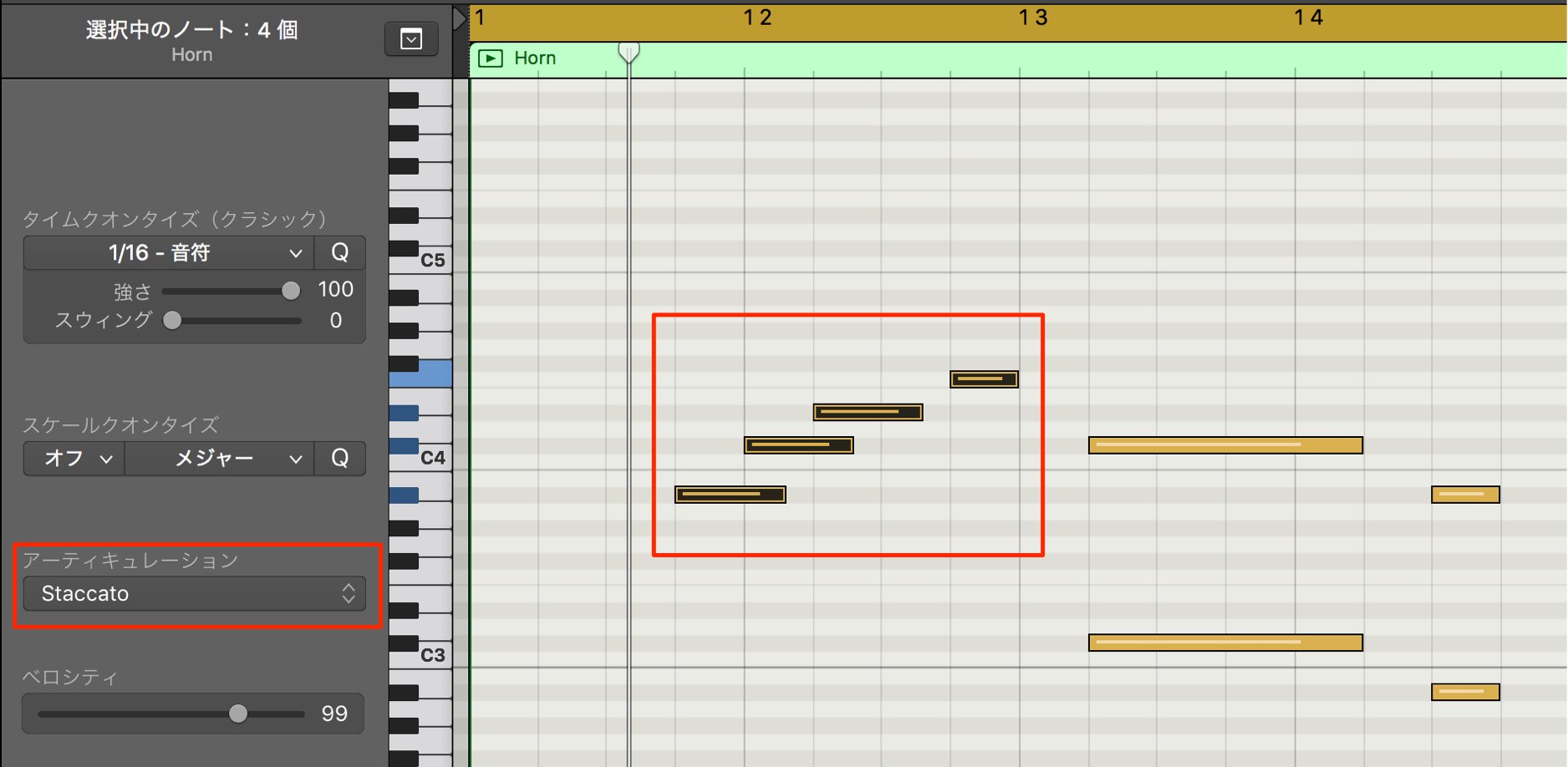
Select the notes you want to assign and choose the desired articulation to apply it per note.
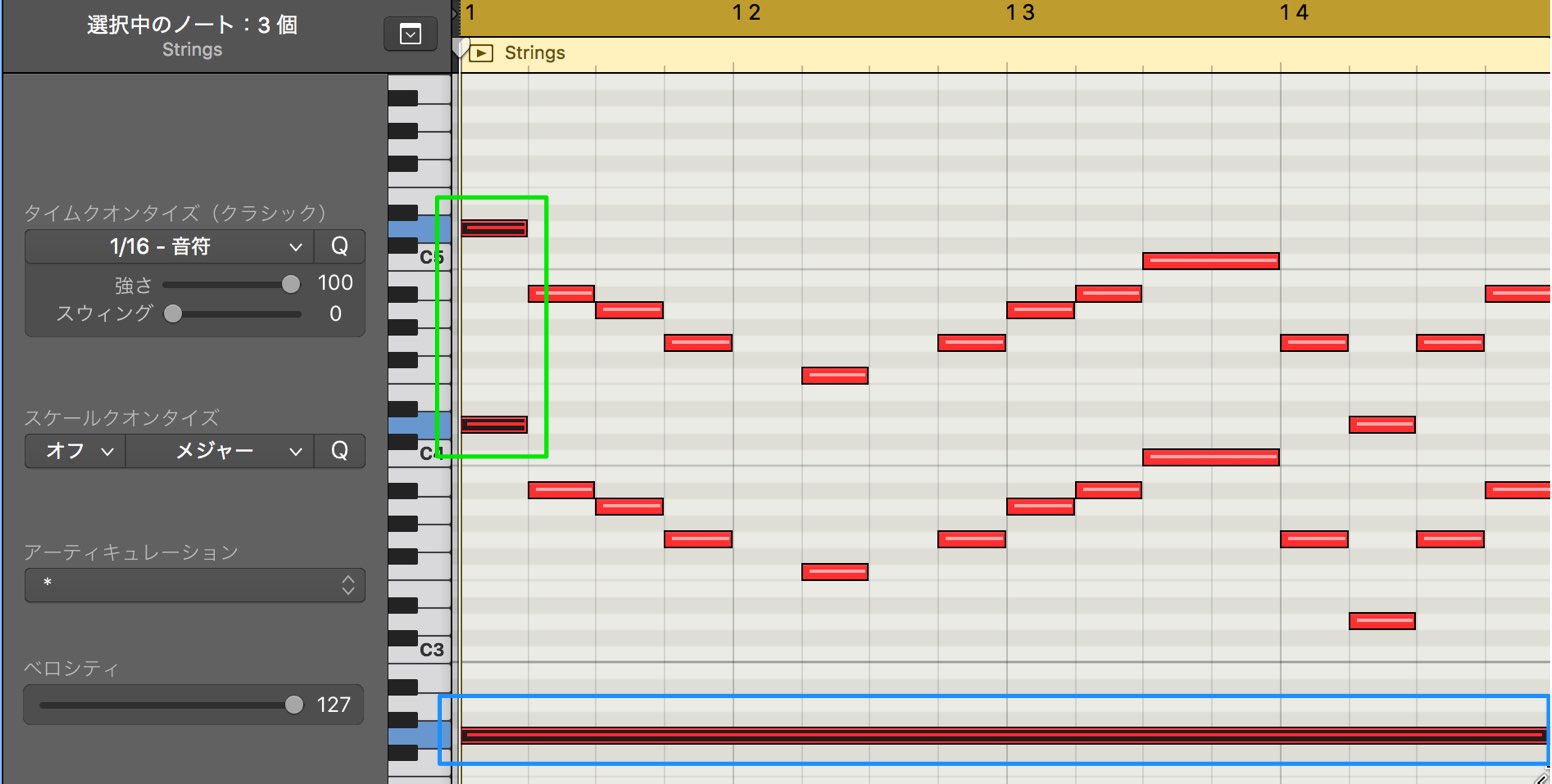
You can even assign different articulations to notes at the same point in time, greatly expanding the expression available in a performance.
This articulation feature can be customized for third-party instruments.
We will explore that in the next installment.
Frequently Asked Questions
Q1. What is Studio Horns in Logic Pro X 10.4?
Studio Horns is a small-ensemble instrument featuring trumpet, trombone and saxophone. Its realistic sound can be used in pop, electronic music and many other genres, and it includes numerous articulations common in live performance.
Q2. Is the articulation feature easy to set up?
Yes. Choose the instrument’s articulations from the Inspector, select the notes you want to edit, and assign the desired articulation. You can also give different notes different articulations.
Q3. When should I use Monophonic mode in Studio Horns?
With Monophonic enabled, only one note plays at a time, even if several overlap. This is useful for smooth legato-style phrases or bass lines.
Q4. How can Split Voicing make chord parts sound more authentic?
Voicing options such as 8va, Drop 2 and Drop 2 + 4 adjust the placement of notes, helping turn simple chords into a more authentic horn arrangement.
NEW ARTICLES
Latest English Articles

























































































































































































































































































































