
This tutorial explains how to make a synth sound that pairs well with the wobble bass common in electronic dance music. Using Native Instruments MASSIVE, we combine phase modulation, macro controls, and LFO automation to create a dynamic, aggressive tone. Mapping controls to your DAW lets you change rhythmic patterns and timbre between phrases for Skrillex-inspired sound design.
An Aggressive Synth Sound to Pair with Wobble Bass
This is the fifth installment of our Q&A video series on creating Skrillex-style wobble bass.
It follows on from the previous installment, so we recommend reading that first.
This bonus tutorial uses MASSIVE’s Phase modulation to create a synth sound that works well with wobble bass. Macro controls and automation are also important, so adapt them to your DAW setup.
How to Create the Sound
MASSIVE Settings
ENV4 Settings
As in the earlier examples, set the attack to its fastest setting and Sustain (Level) to maximum for a non-decaying envelope.
Oscillator Settings
This time we use only OSC1.

- Select the Sine-Square waveform and set Wt-Position just past nine o’clock.
- Set the pitch to -24.
Modulation Oscillator Settings
Apply the modulation oscillator’s Phase modulation to OSC1.
This can produce FM-like sounds, although phase modulation and frequency modulation are distinct techniques.
- Turn on the modulation oscillator and select 1 next to Phase.
- Set its pitch to +12 and the Phase knob to about ten o’clock.
Assign MACRO1 to the Phase knob.
Set the modulation range to reach just past twelve o’clock.
Also map Macro1 to a control in your DAW, such as Cubase Quick Controls.
At the same time, assign LFO1 as well.
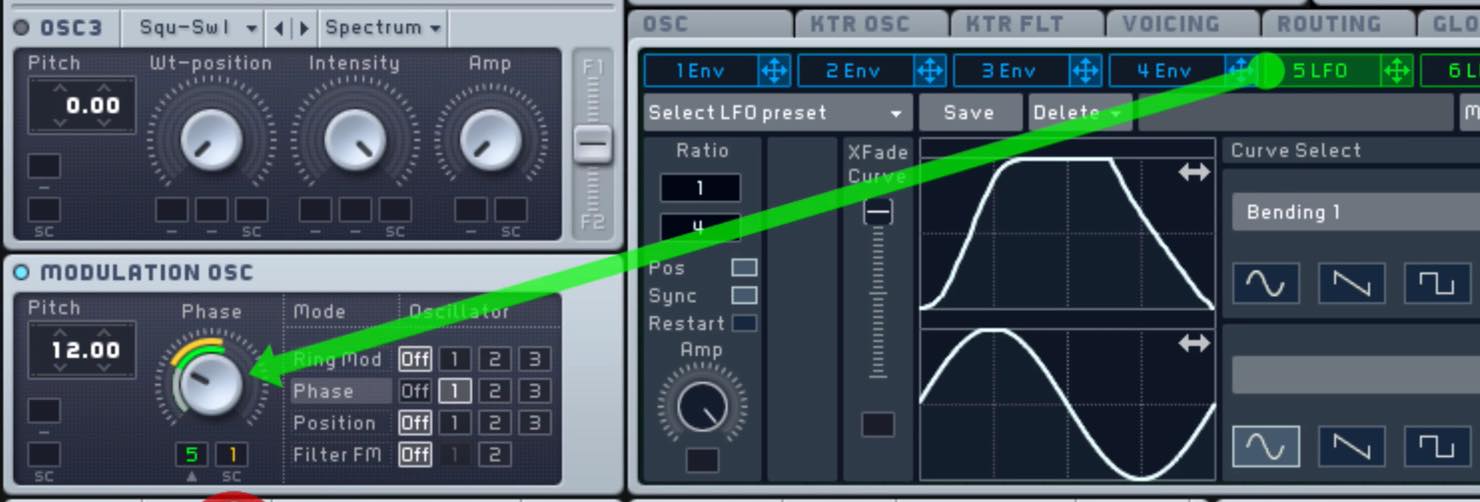
Select the Bending1 waveform.
Also map the denominator of the LFO Ratio to a DAW control.
This setup lets Macro1 move the center point around which the LFO modulates.
Changing the LFO Ratio lets you vary the rhythm.
Filter Settings
Use serial routing so the signal flows from F1 to F2 in sequence.
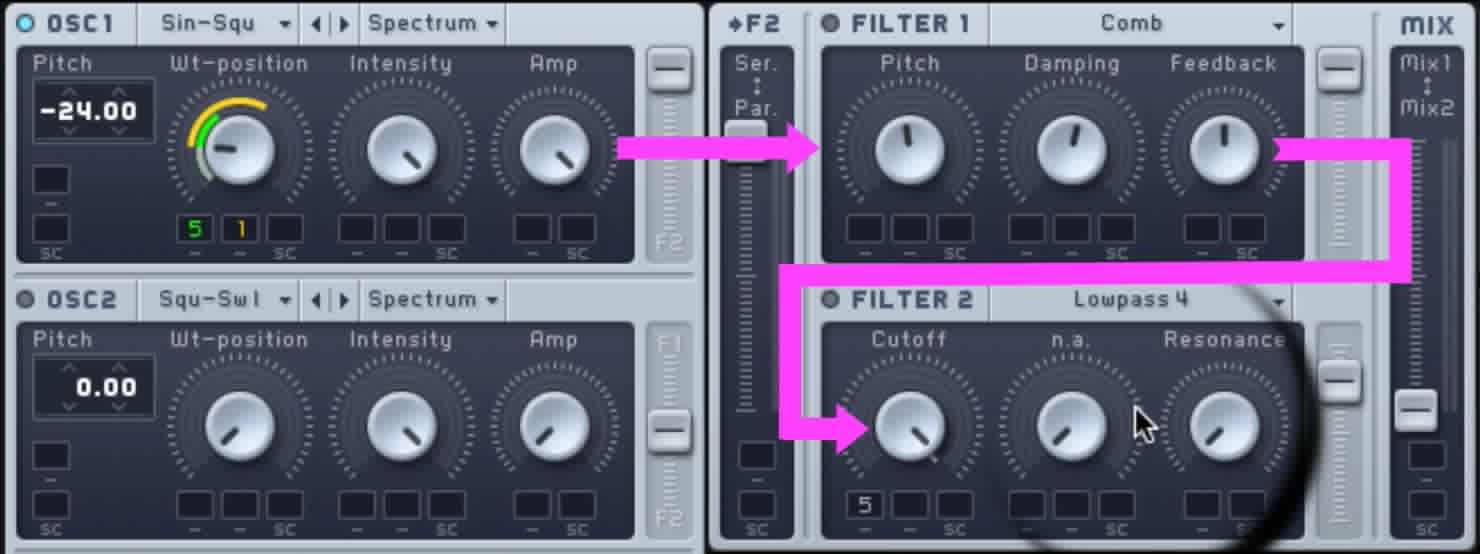
- Route OSC1 fully to F1.
- Move the routing control fully to Ser, set F1 volume to maximum, and move Mix fully to 2.
- Select Comb for FILTER1 and use the settings in the image as a guide.
Changing Pitch makes a substantial difference to the sound. - Select Lopass for FILTER2.
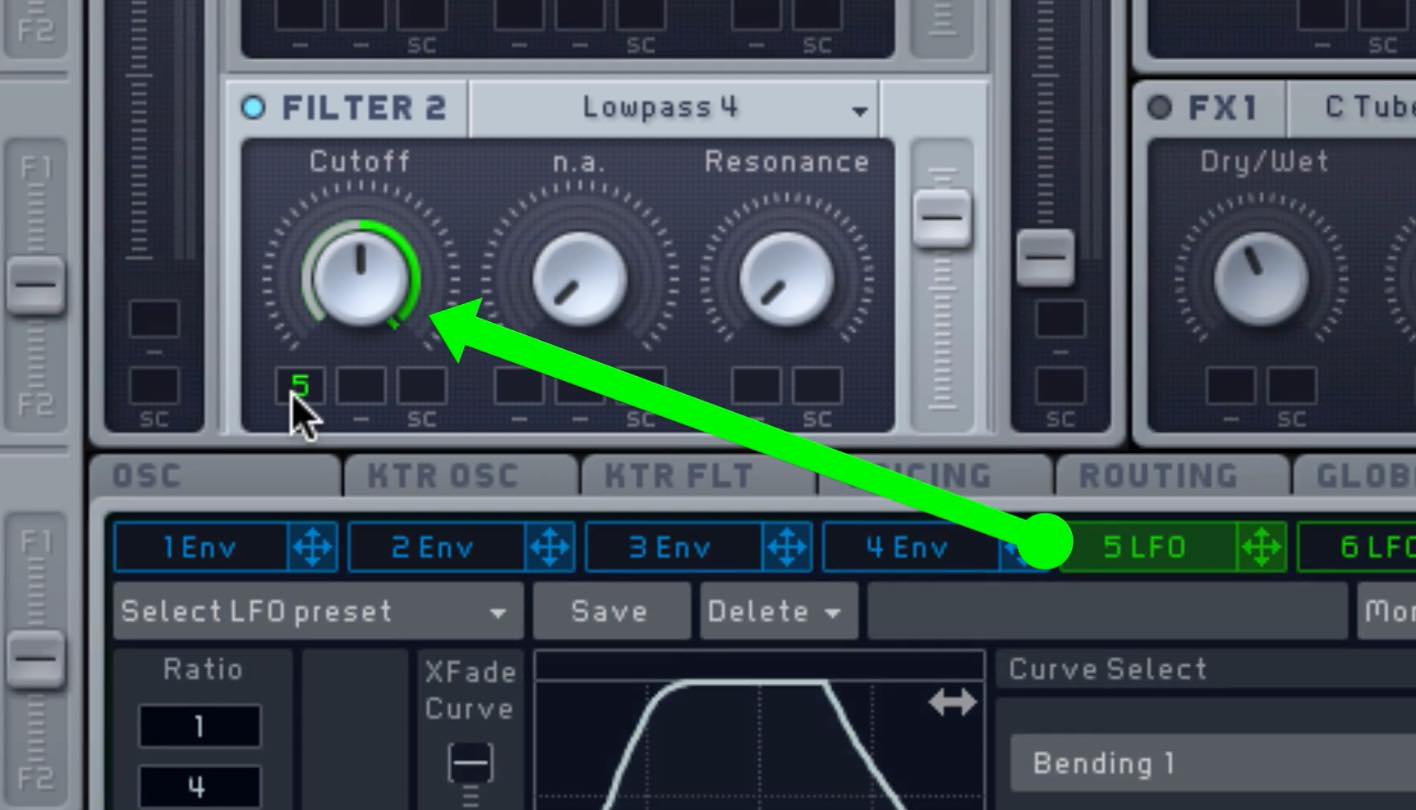
- Assign the LFO1 described above to FILTER2 Cutoff.
Effect Settings
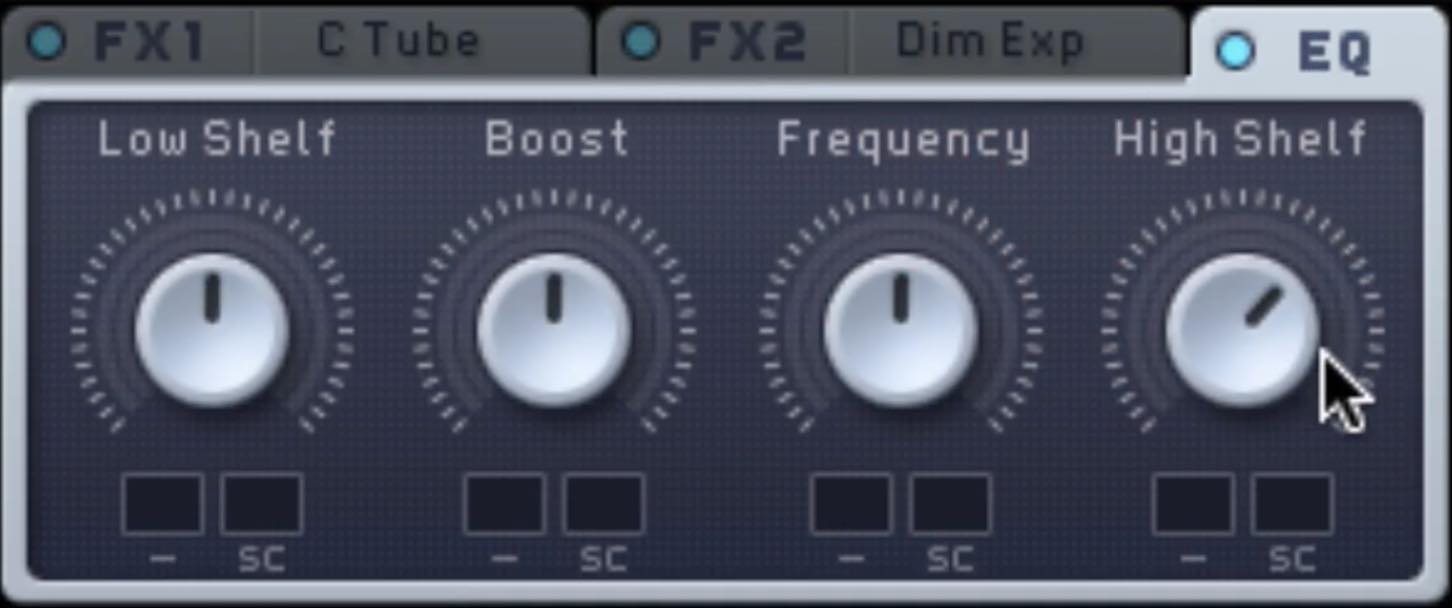
- FX1: Classic Tube; FX2: Dimension Expander.
Apply a little of each to add thickness and width. - Boost Hi Shelf slightly in the EQ.
- Use Parabolic Shaper in INSERT1 to add a little distortion.
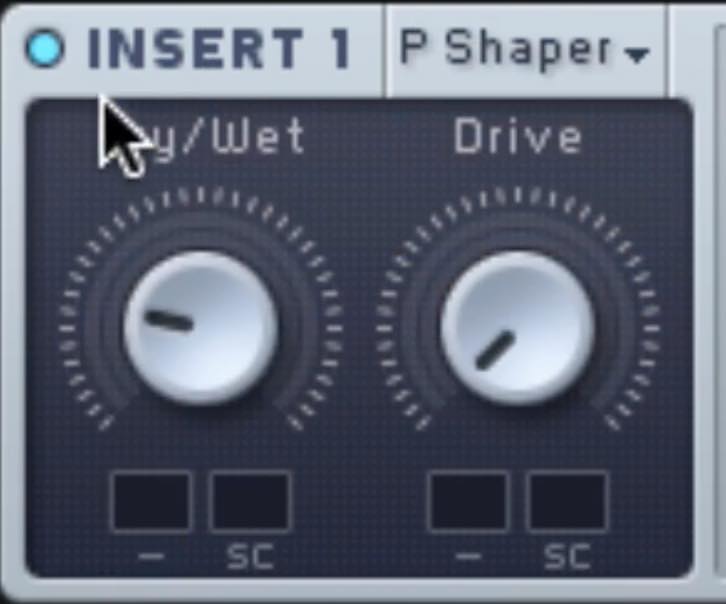
DAW Settings
Effects
Apply effects in your DAW as well to refine the sound.
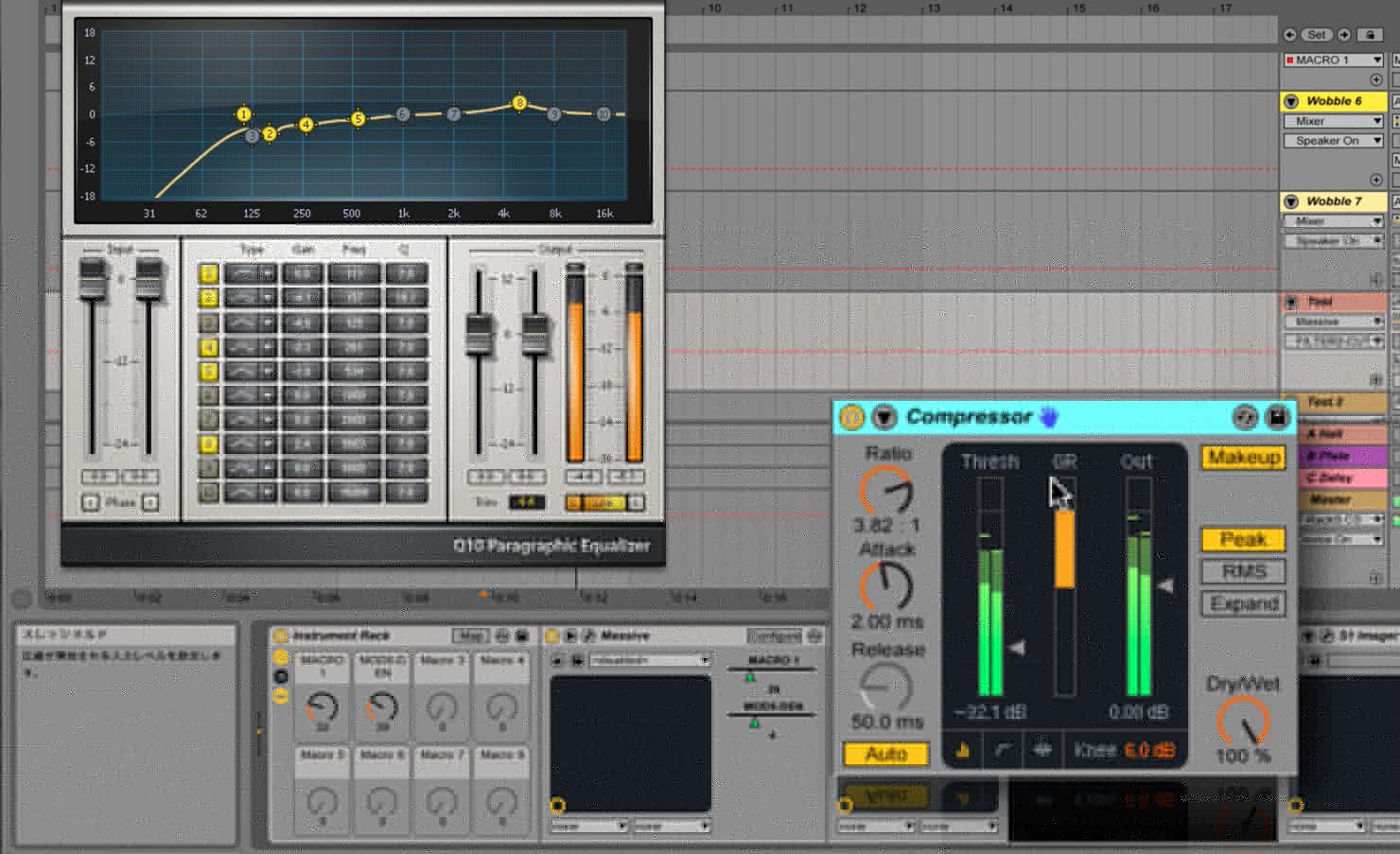
- Use EQ to cut the lows and boost slightly around 5 kHz.
- Use strong compression to thicken the sound.
Macro Automation
Finally, here is one example of automation used in this track.
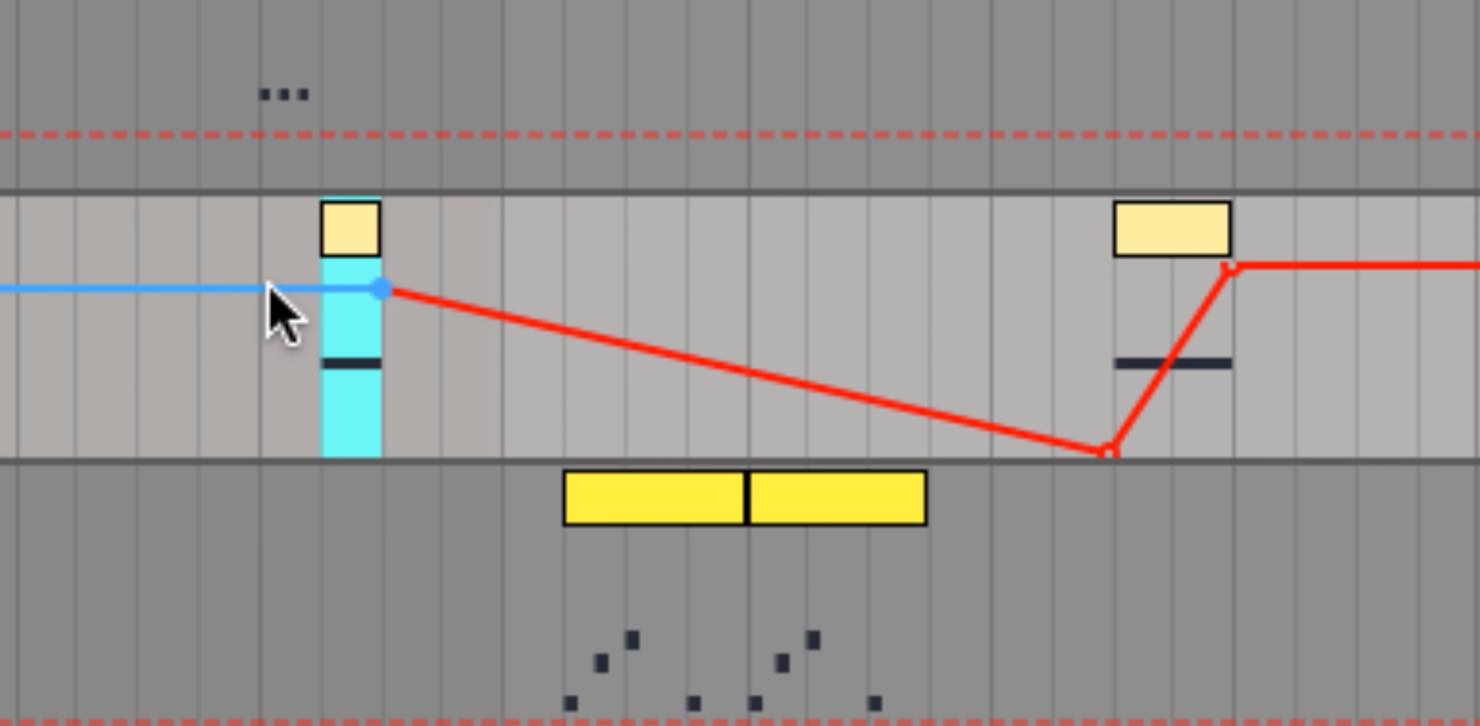
The macro assigned to Phase is sometimes set to maximum for a dramatic sound and sometimes raised gradually to add variation.
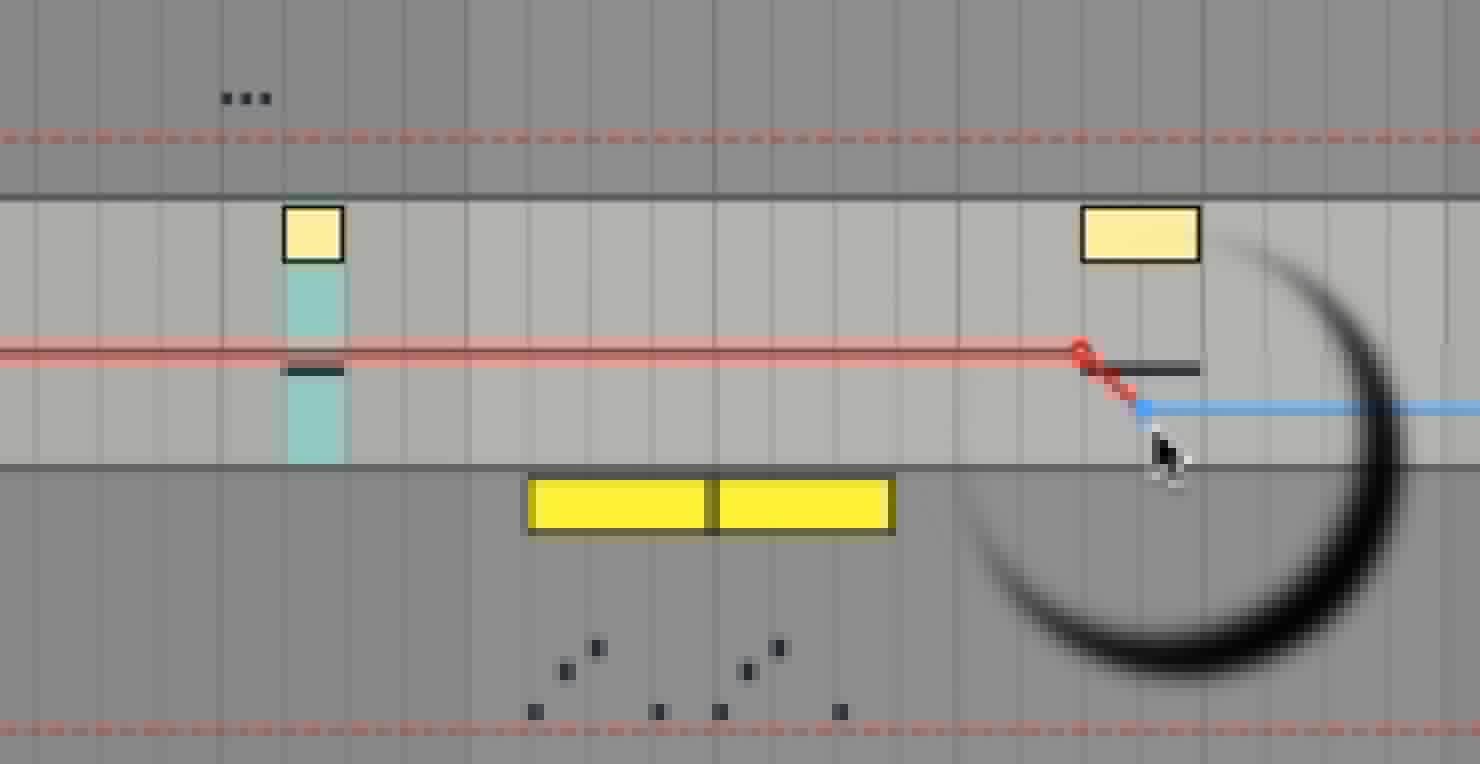
The macro assigned to the LFO Ratio helps change the rhythm from one phrase to another.
In the example, the first phrase uses triplets, and the second gradually slows down.
Use these settings as a starting point for creating your own phrases.
The sound can be effective alongside wobble bass and can also be used in many other genres.
Frequently Asked Questions
Q1. How do phase modulation and FM differ?
MASSIVE’s Phase modulation uses a modulation oscillator to change another oscillator’s phase and can produce FM-like, harmonically rich sounds. Phase modulation and frequency modulation are related but are not identical operations.
Q2. Why assign macro controls to a DAW?
Mapping a macro to a DAW control such as Quick Controls lets you record or draw automation and program changes in timbre throughout the track.
Q3. Can this technique be used beyond wobble bass?
Yes. As the article notes, the phase and macro techniques can be adapted to many genres. Adjust the parameters to create different sounds.
NEW ARTICLES
Latest English Articles

























































































































































































































































































































































































