DAMAGE, developed by Heavyocity and offered through Native Instruments, combines industrial sounds and orchestral drums into a powerful electronic and acoustic percussion library for cinematic music. It offers more than 700 beat-sliced loops and over 200 percussion sounds. Rhythmic Suites and Percussive Kits support both groove creation and drum programming, while five master effects, automation, and Stage positioning provide further sound-shaping options.
Powerful Cinematic Percussion
DAMAGE makes it easy to add dramatic cinematic percussion to a production.
It combines industrial sounds and orchestral drums for a powerful sound that is both electronic and acoustic.
It can also be used in dance and electronica, not just film music.
Video: Basic Operation
Selected Questions and Answers from YouTube

Thanks as always. In the video you use separate Kontakt outputs, but I got stuck there. Could you explain how to set them up?

We explain this on the following page: https://sleepfreaks-dtm.com/softsynth/kontakt-paraout/ We hope it helps.
Rhythmic Suites / Percussive Kits
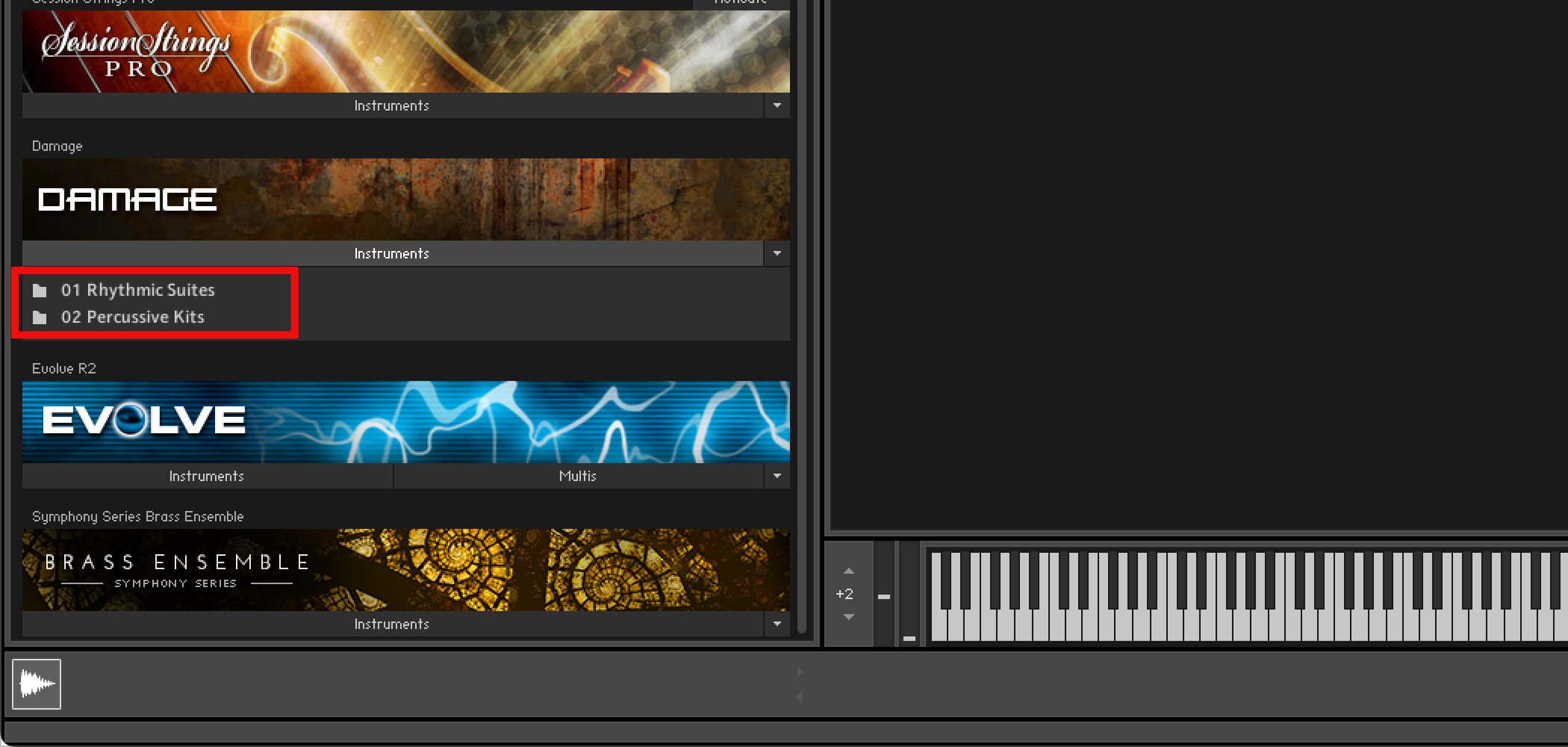
- Rhythmic Suites
More than 700 beat-sliced loops. - Percussive Kits
More than 200 percussion sounds and 500 single shots,
playable much like programming a drum part.
Rhythmic Suites — Loop Menus / Single Loops
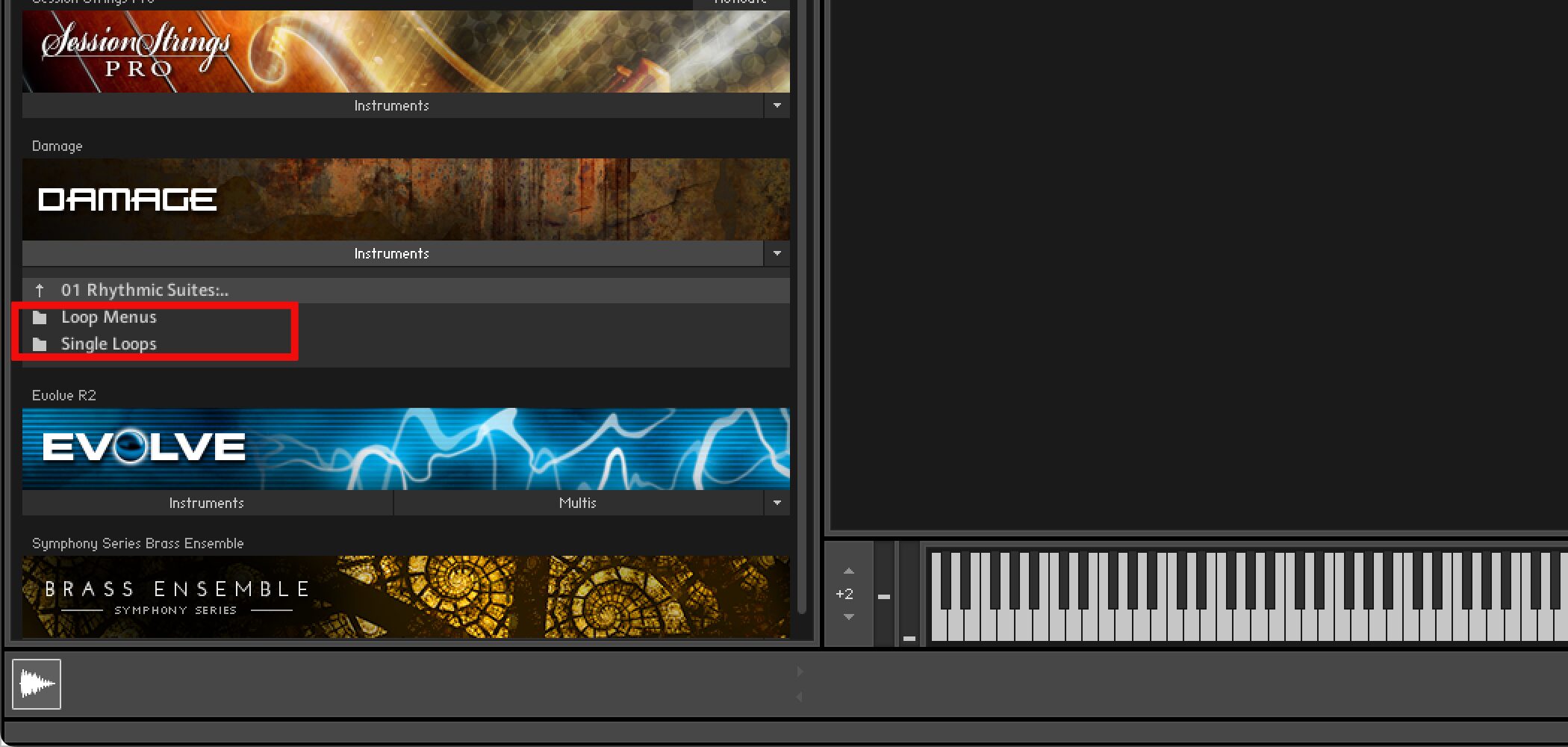
- Rhythmic Suites → Loop Menus
Designed for tempo-synced grooves, with preset menus of tempo-synced, beat-sliced loops. - Rhythmic Suites → Single Loops
Includes over 900 single-loop presets and is suited to rearranging and fine-tuning individual loops.
Rhythmic Suites — Loop Menus
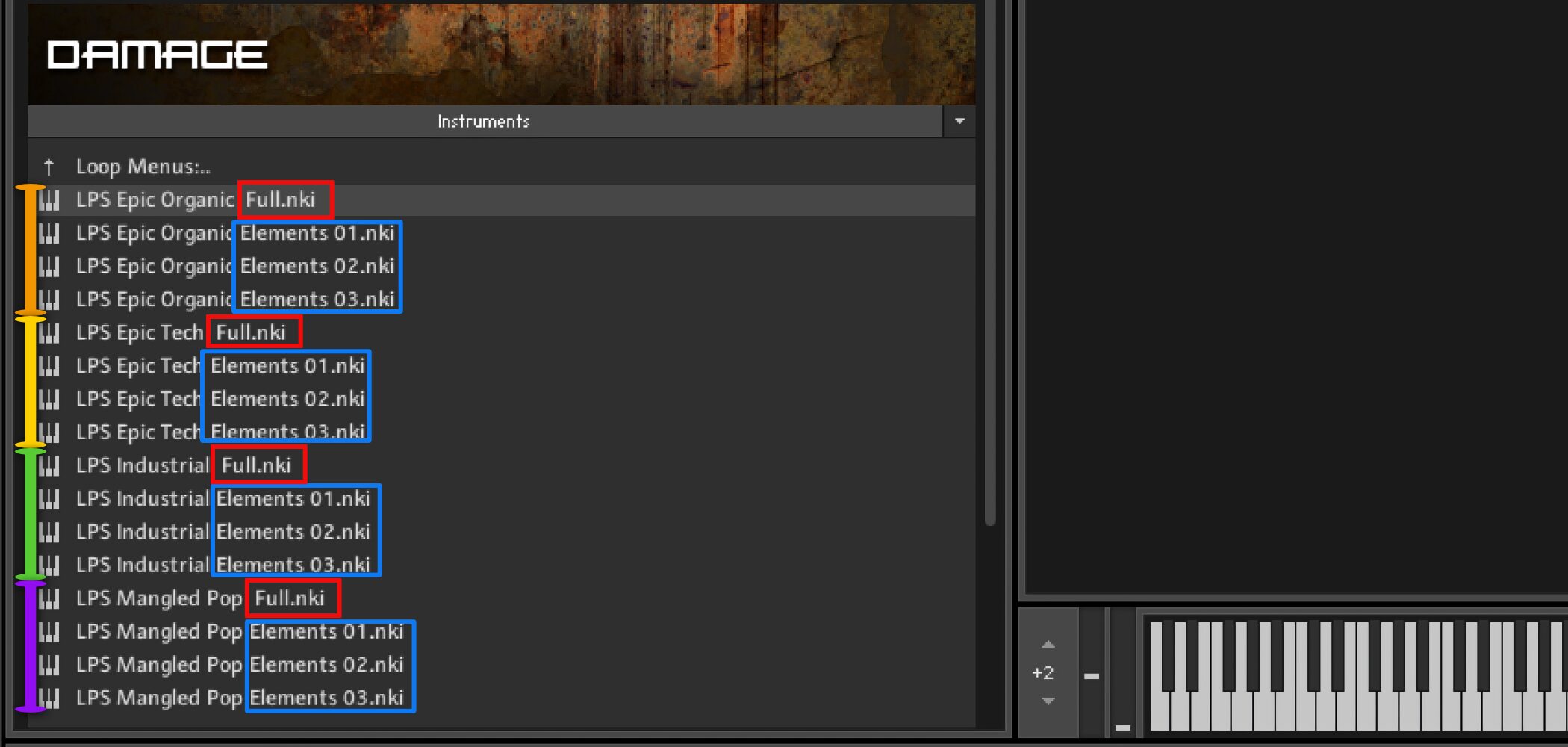
Loop Menus offers two preset types for each genre.
The Full menus map beat-sliced loops to the keyboard.
Elements assigns one layer per key, allowing beats to be built quickly and intuitively.
Rhythmic Suites — Single Loops
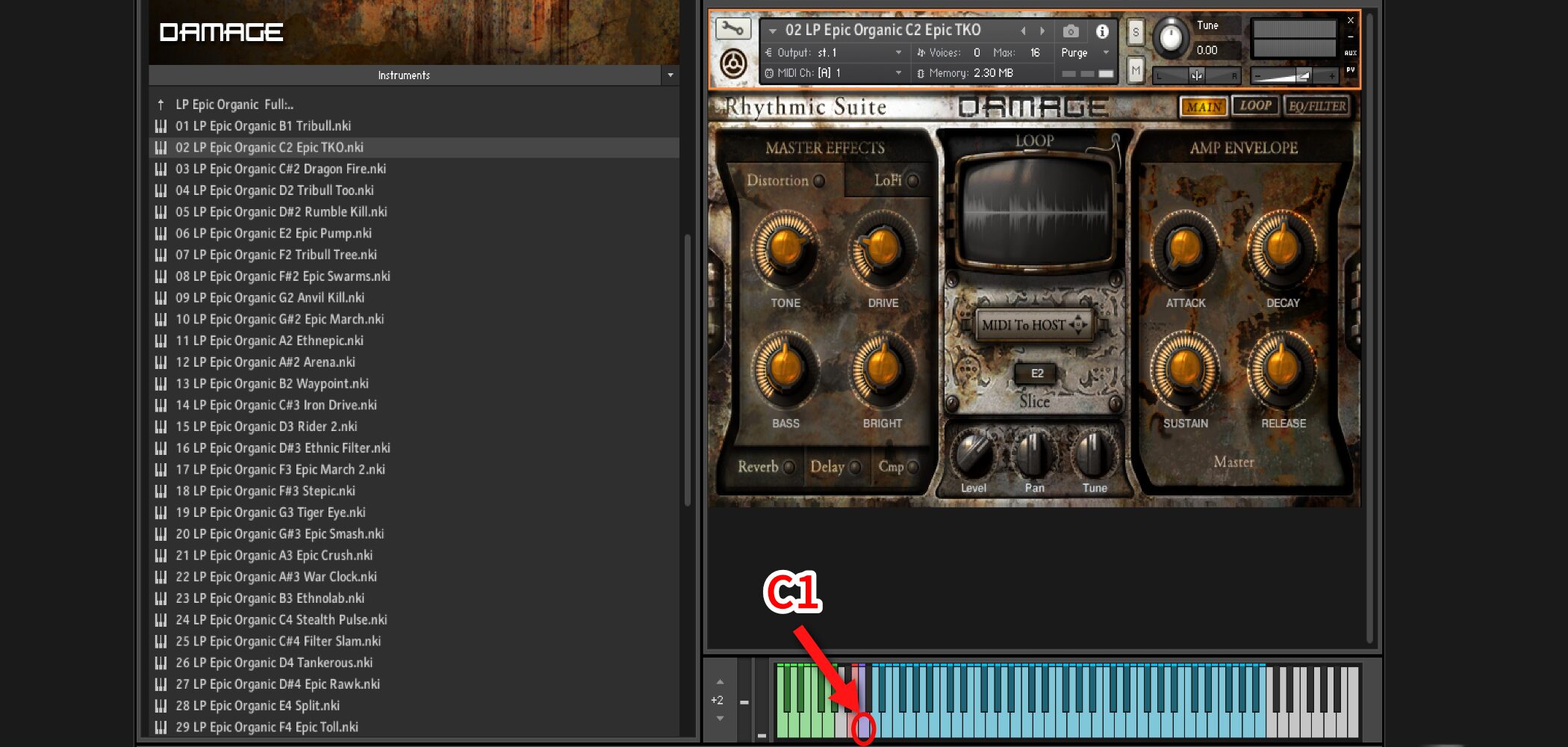
Each Single Loop preset maps a one-shot loop to C1 and its slices sequentially from D1.
The original guide describes keys below C1 as being used to rearrange or remix the C1 loop.
Importing into a DAW
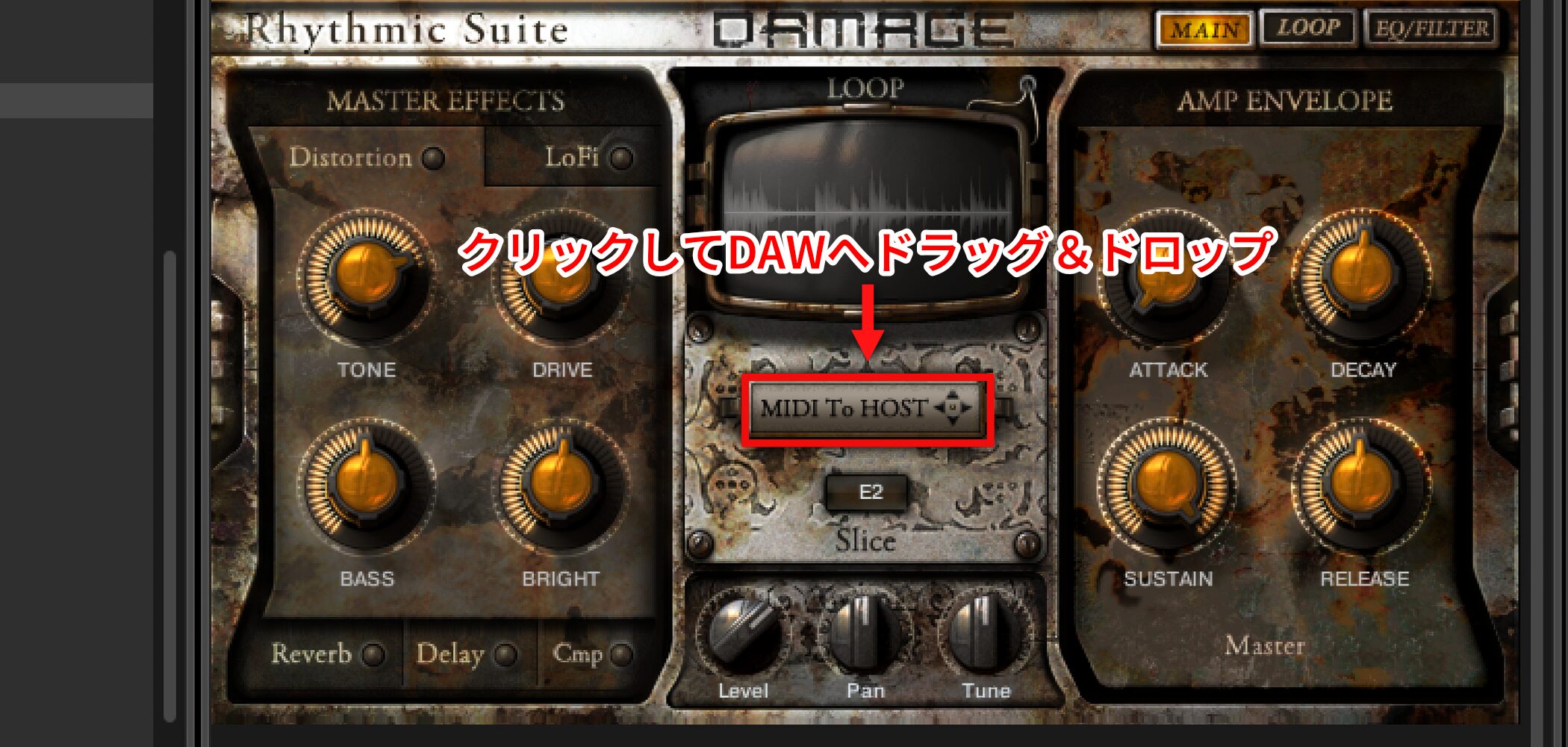
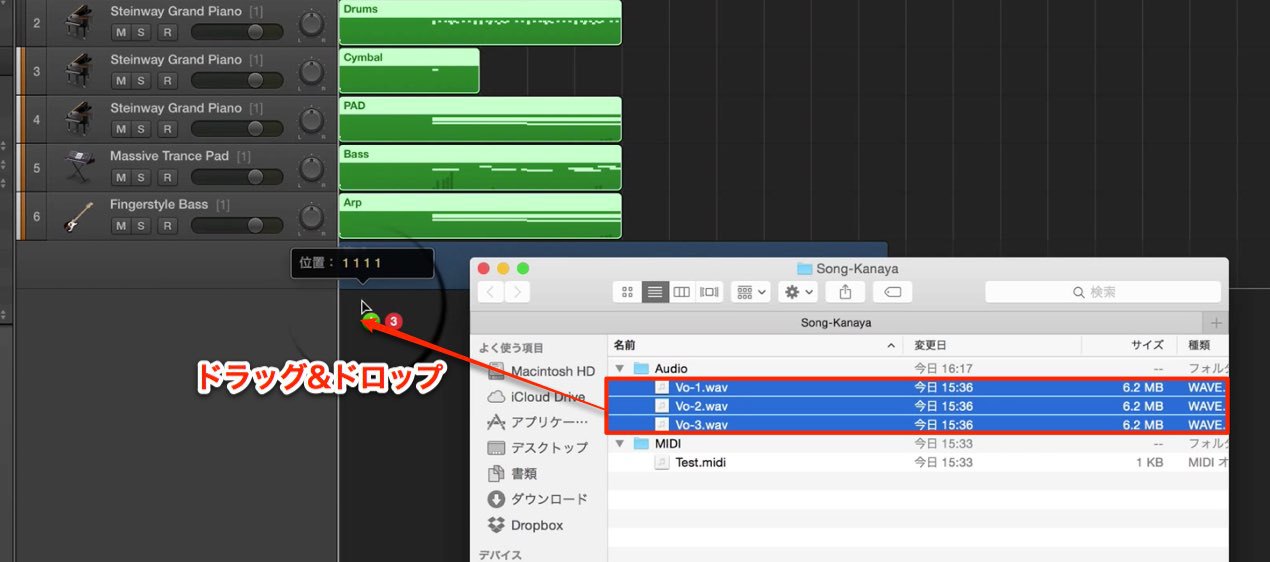
Click MIDI To HOST and drag and drop it into your DAW.
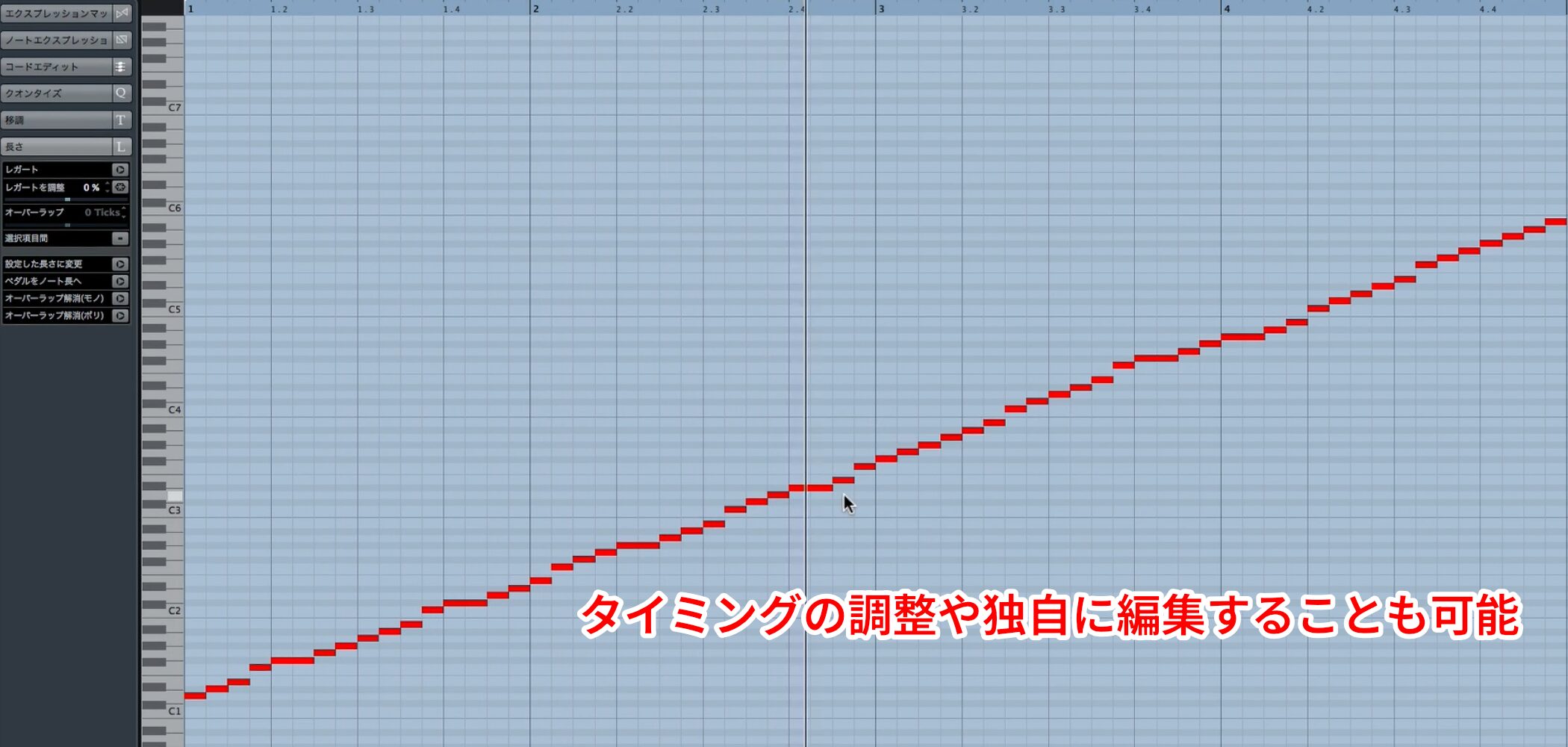
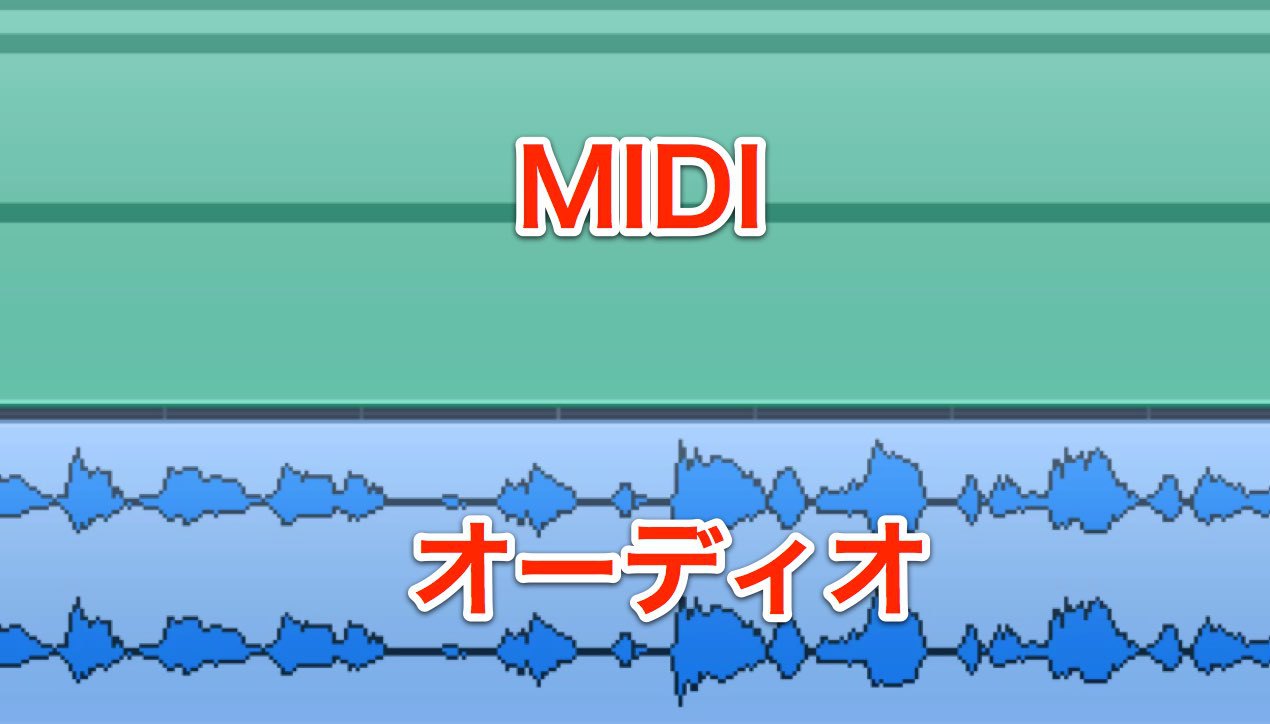
Because it is MIDI, you can adjust timing and edit it to suit your needs.
Editing Sounds to Fit Your Music
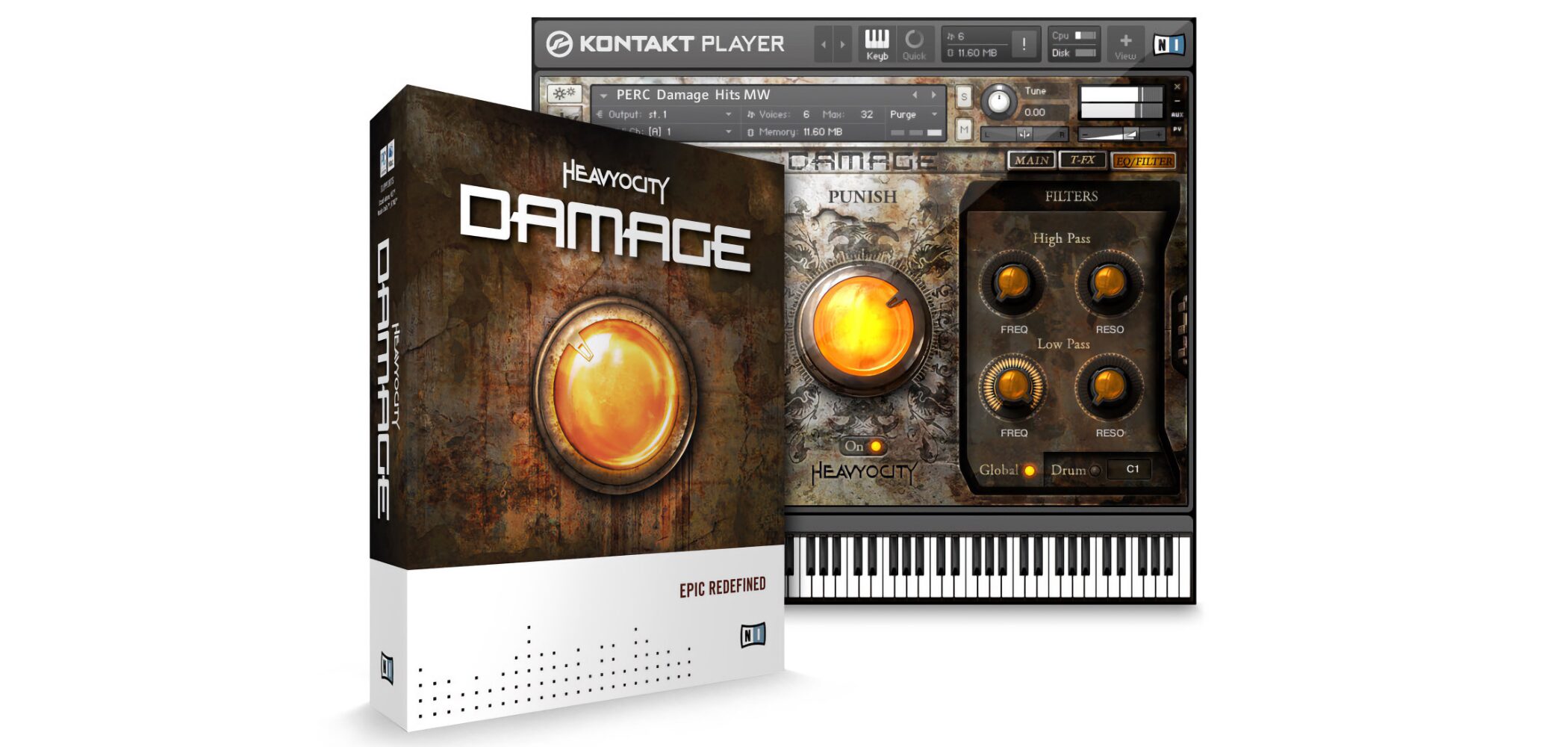
When using loop material, the key is to adapt it to the song.
Next, let’s explore sound design using five main effects.
Video: Master Effects
Using Master Effects
MASTER EFFECTS contains five effects.
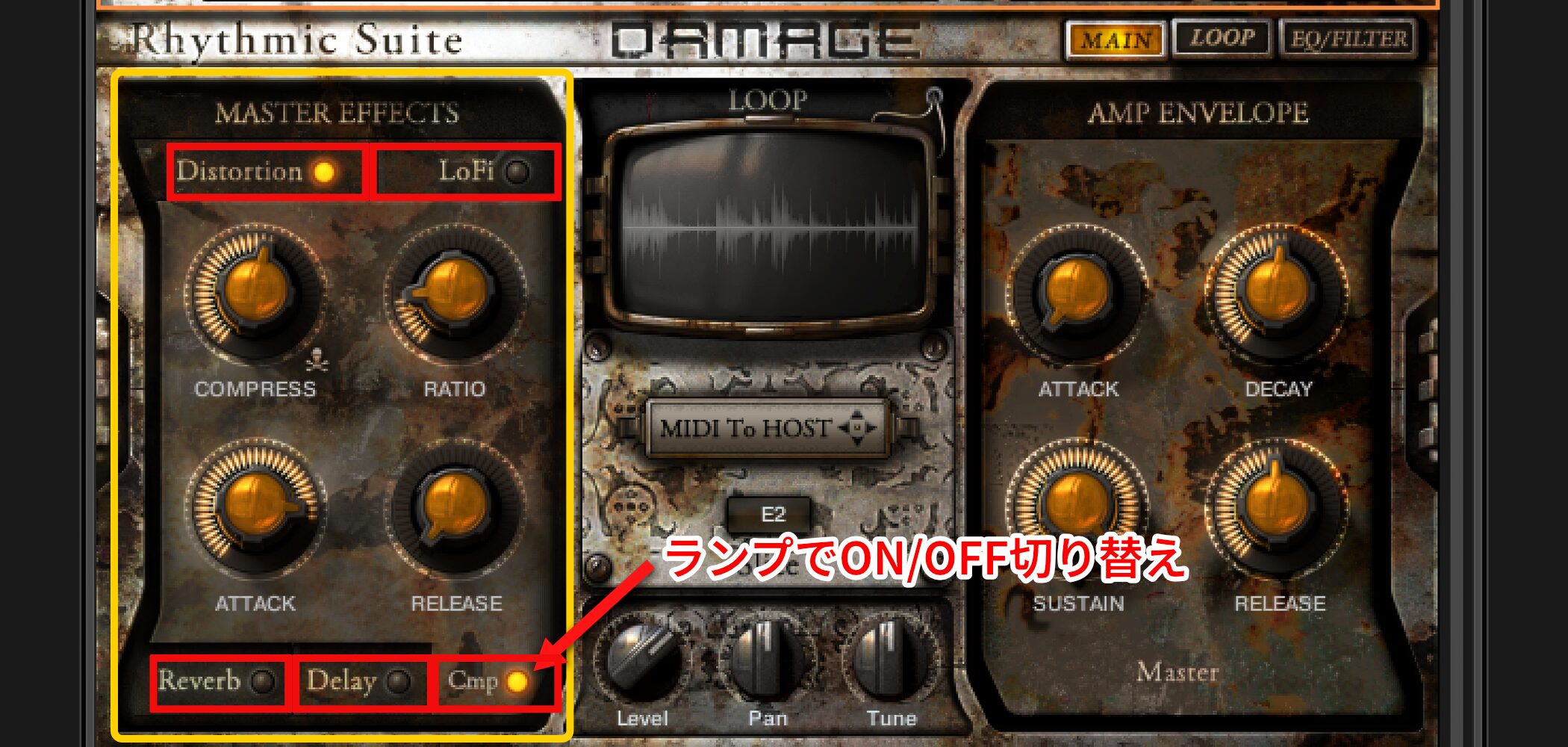
Click each effect tab to access its parameters.
The indicator to the right of each name switches that effect on or off.
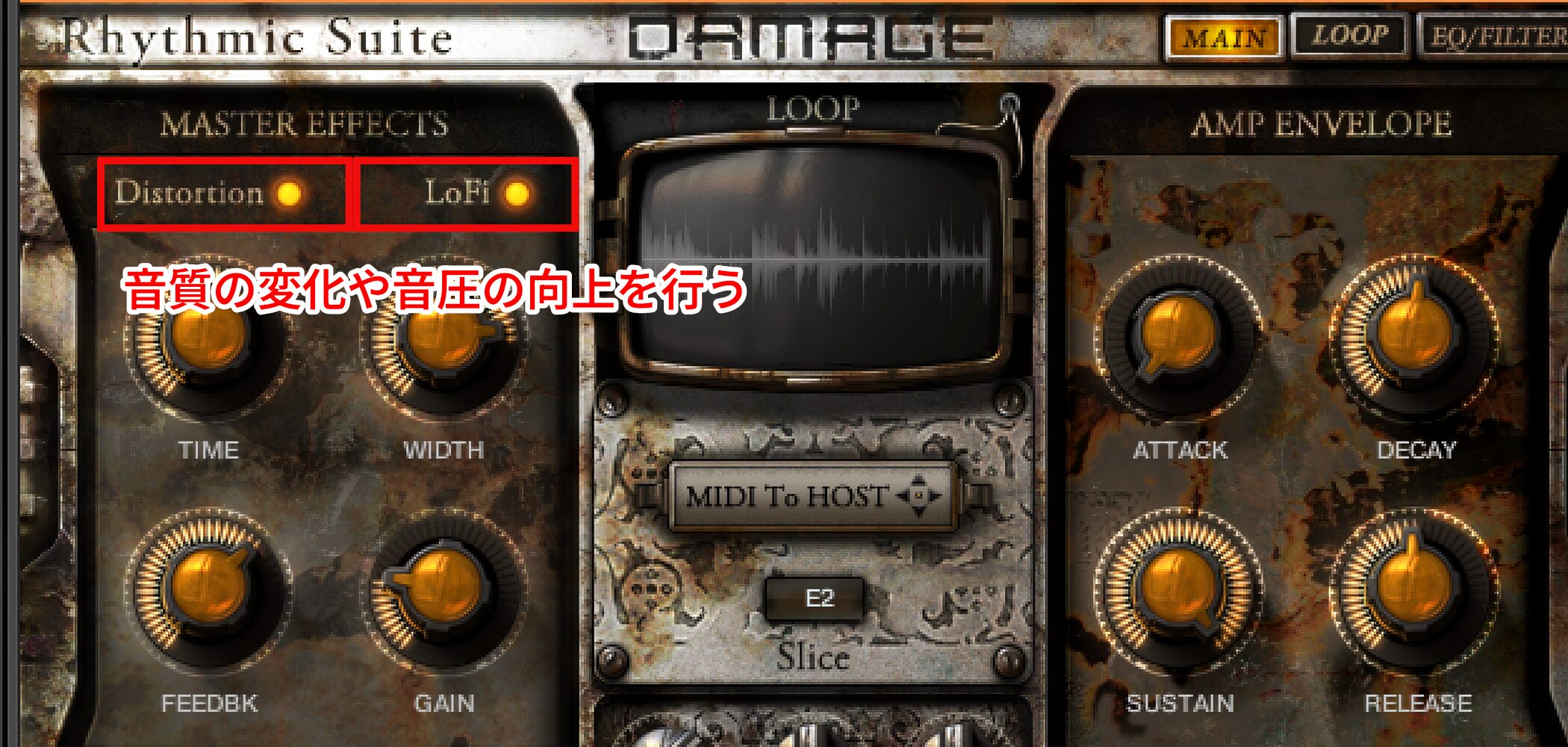
Distortion and LoFi deliberately dirty the sound, changing its character and potentially increasing perceived loudness.
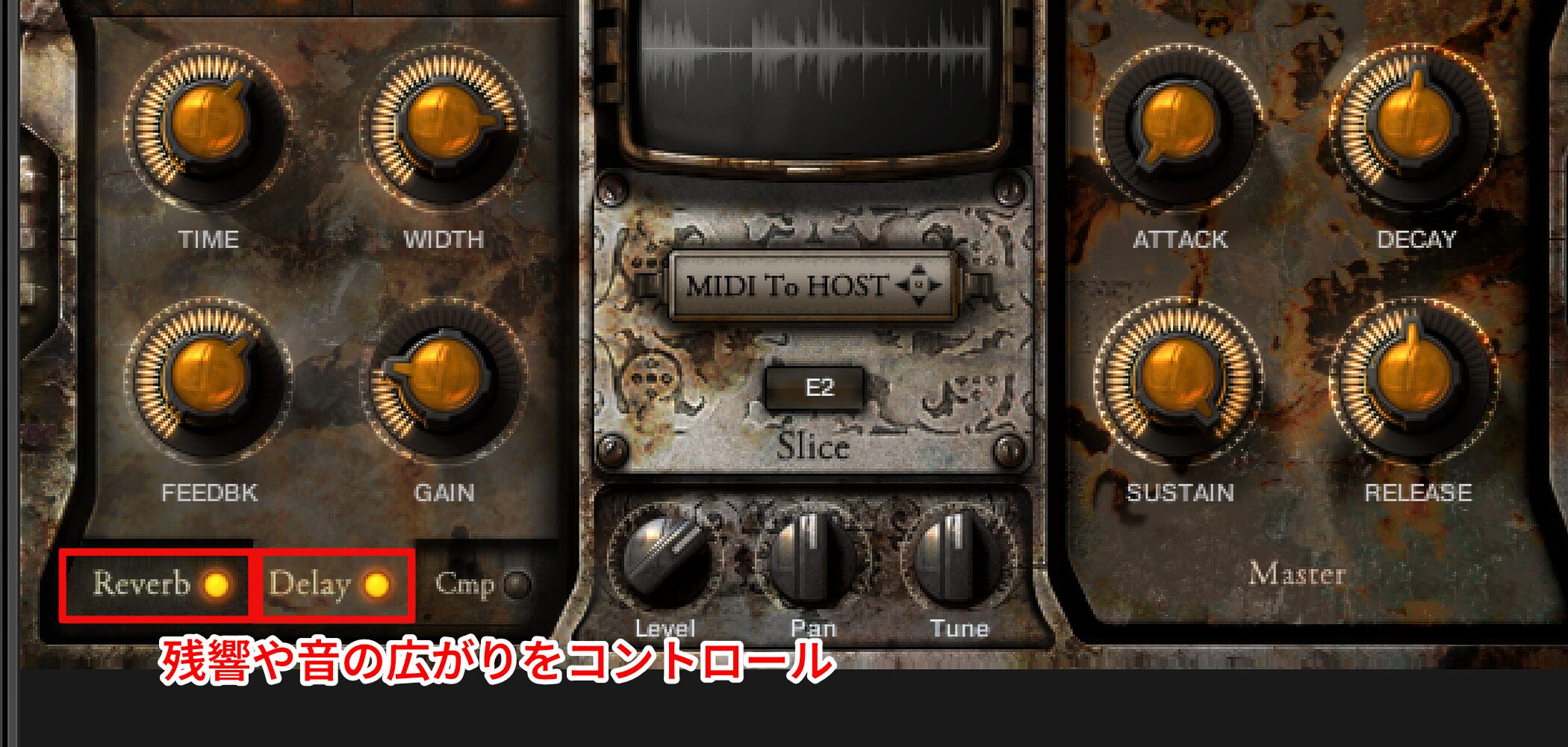
Reverb and Delay create a sense of space.
They control ambience and width.
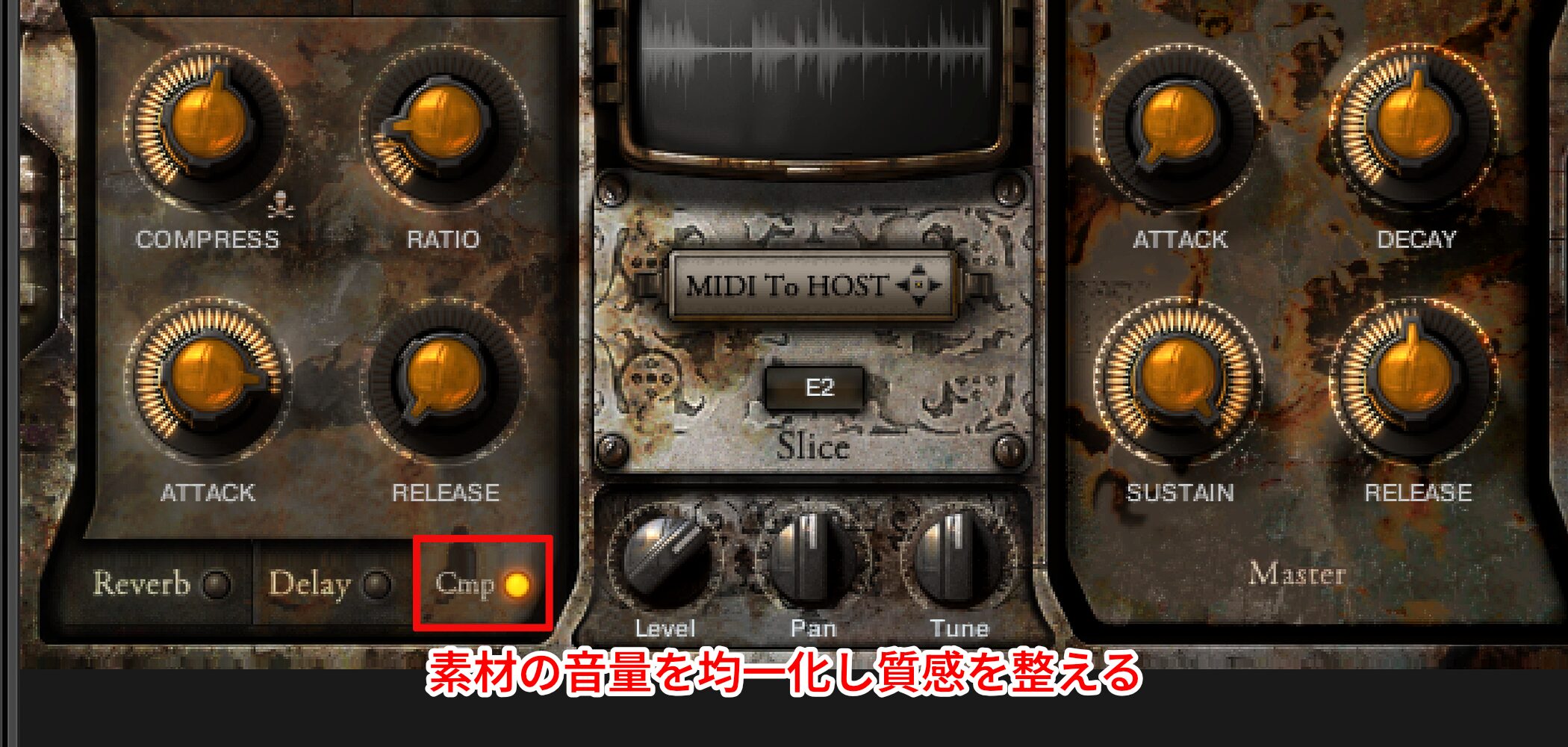
Cmp can even out the material’s level and shape its texture.
You do not need to use all of them.
Understand what each does and choose the effects that fit your track.
Adding Expression with Automation
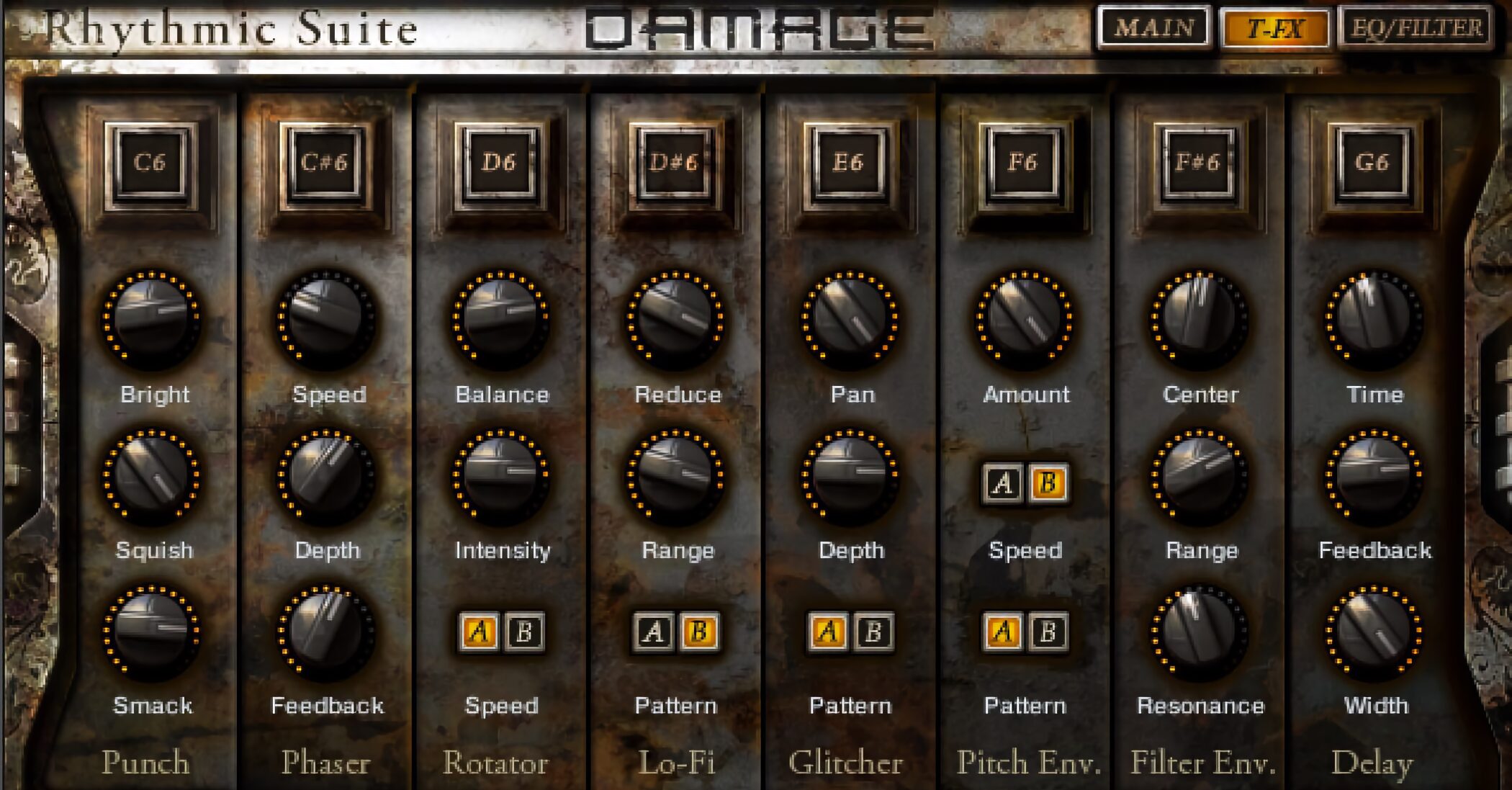
Next we will look at using automation for expressive control.
Experiment with controlling loops to suit your music.
Video: Using T-FX and Other Controls
Main Loop Controls
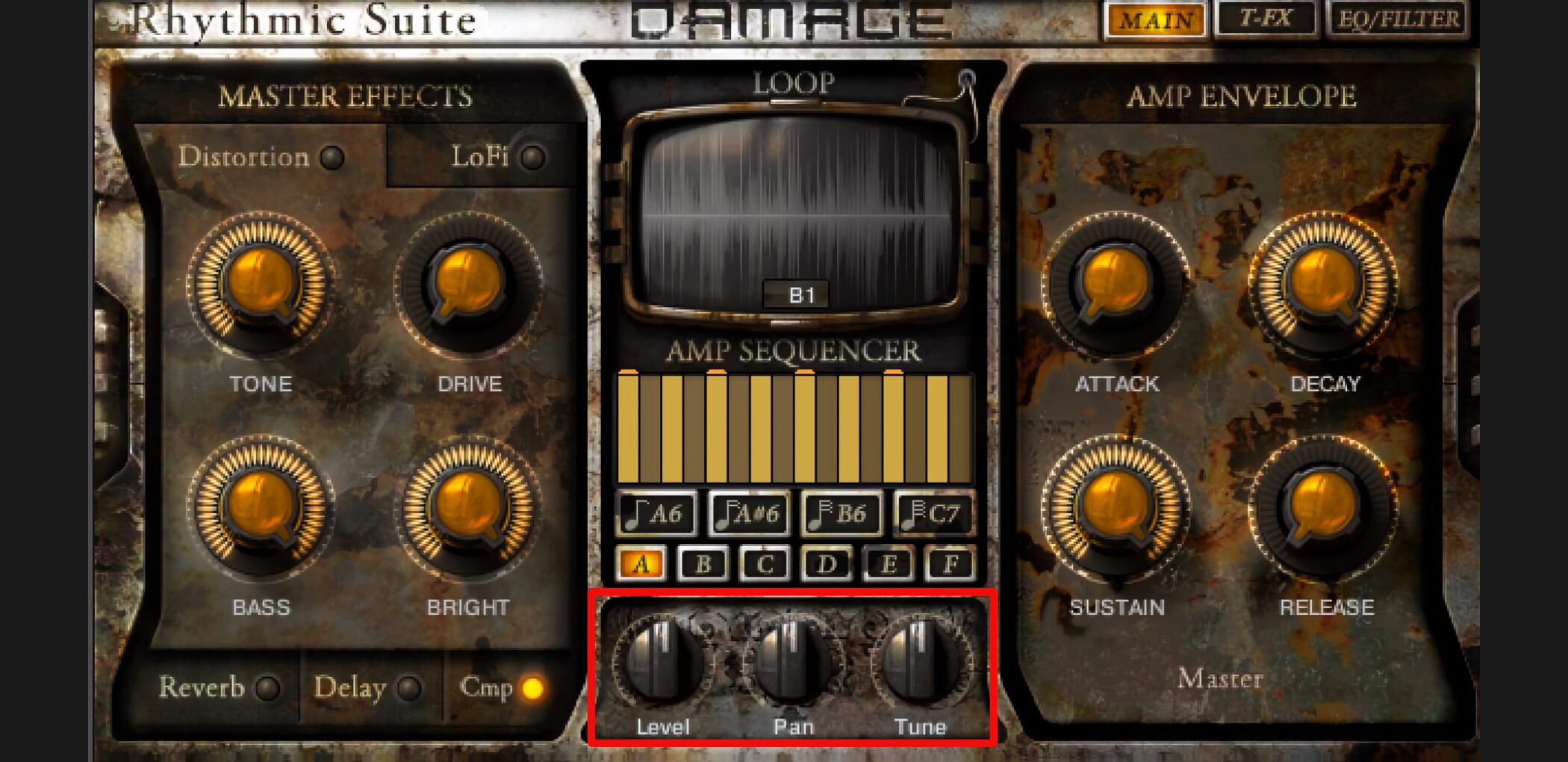
- Level: Controls volume.
- Pan: Controls left-right position.
- Tune: Controls the pitch of the whole loop.
These main parameters cannot be automated directly from within the instrument interface.
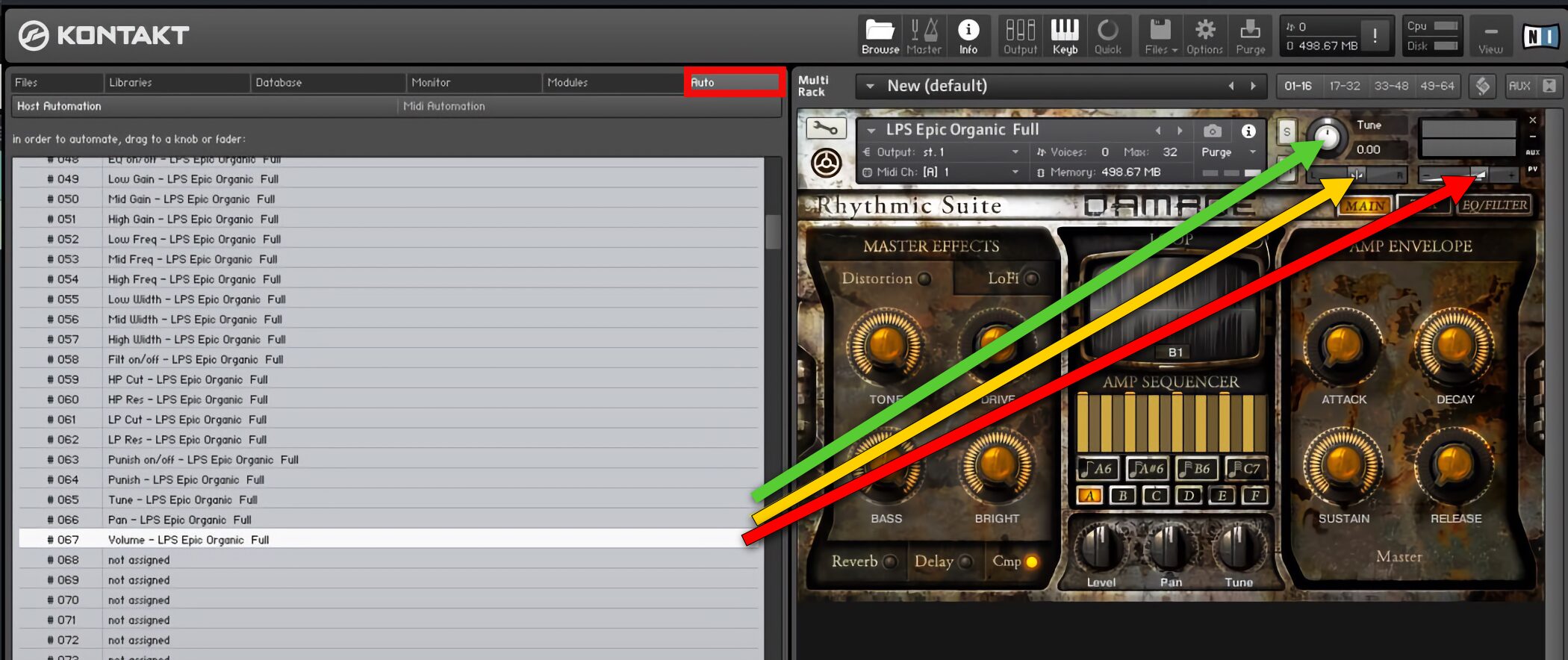
Instead, assign them through Kontakt’s Auto section to record automation in the DAW.
Automation Setup by DAW

 Logic
Logic GarageBand
 Cubase
 Ableton Live
 Studio One
 FL Studio
Creating Rapid Glitch Repeats
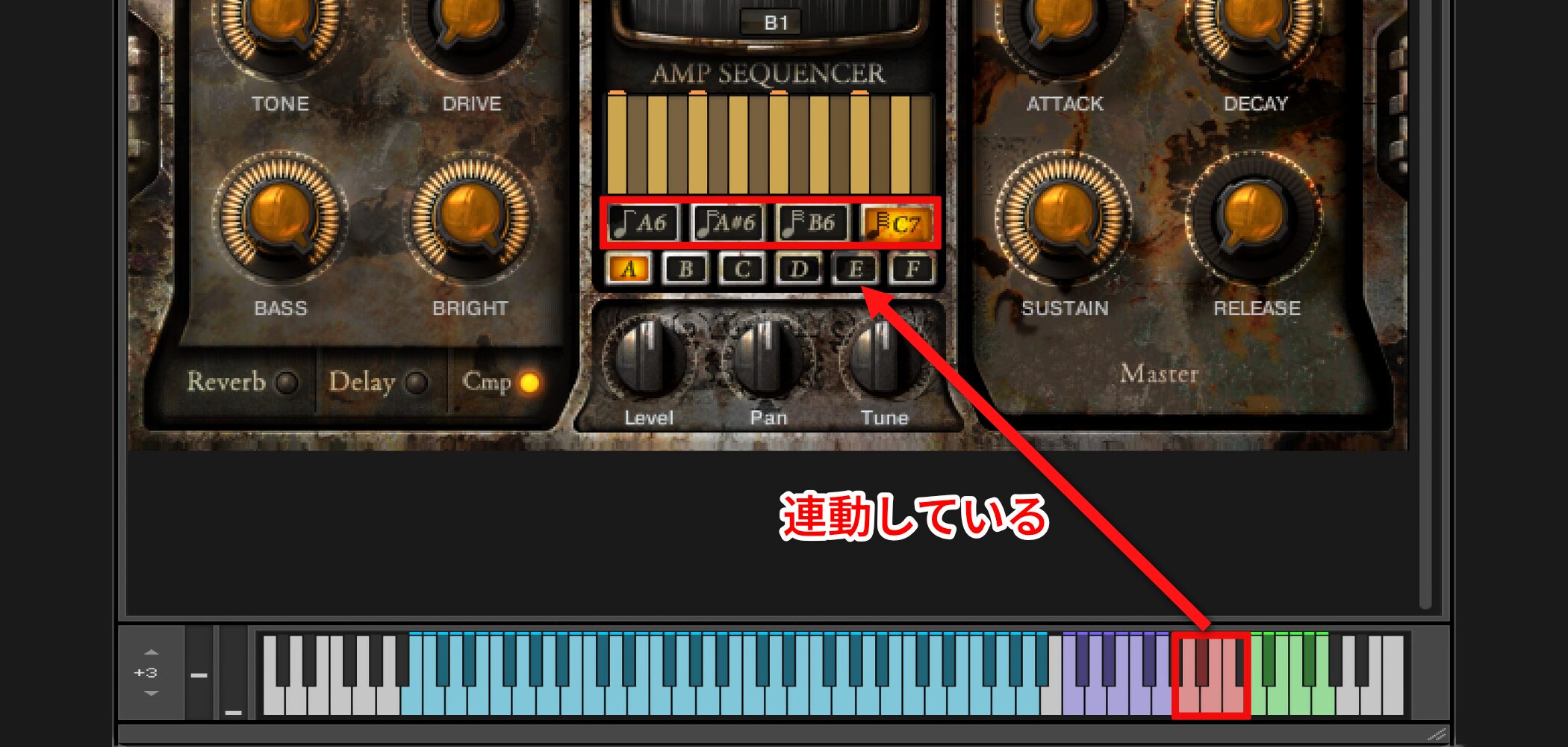
This control chops up the loop to create a glitch effect.
It is also linked to keyboard keyswitches.
Controlling Loop Volume
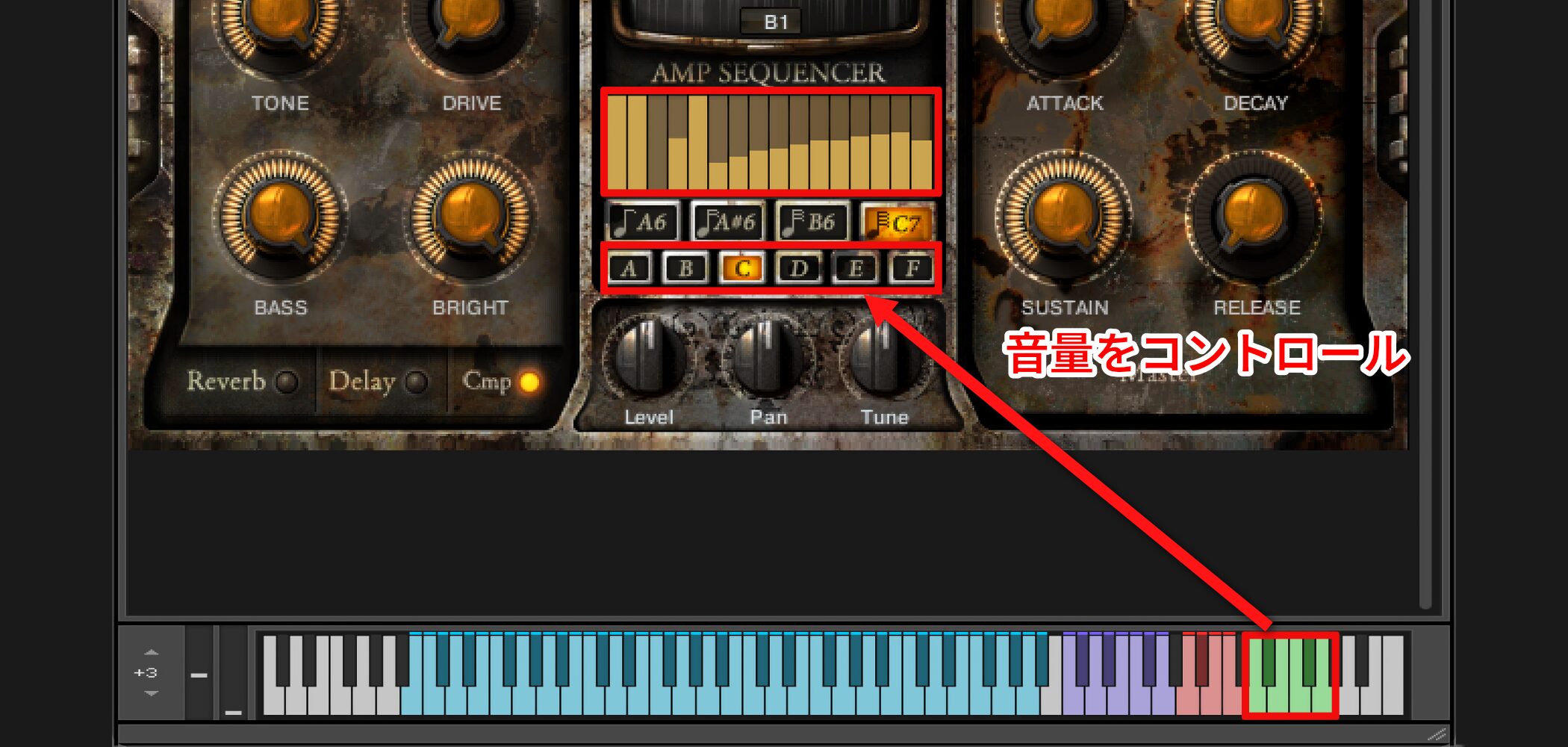
You can also control levels within the loop.
Drag the bar graph for A–F to adjust the levels.
Use keyboard keyswitches to switch among them.
Controlling Special Effects
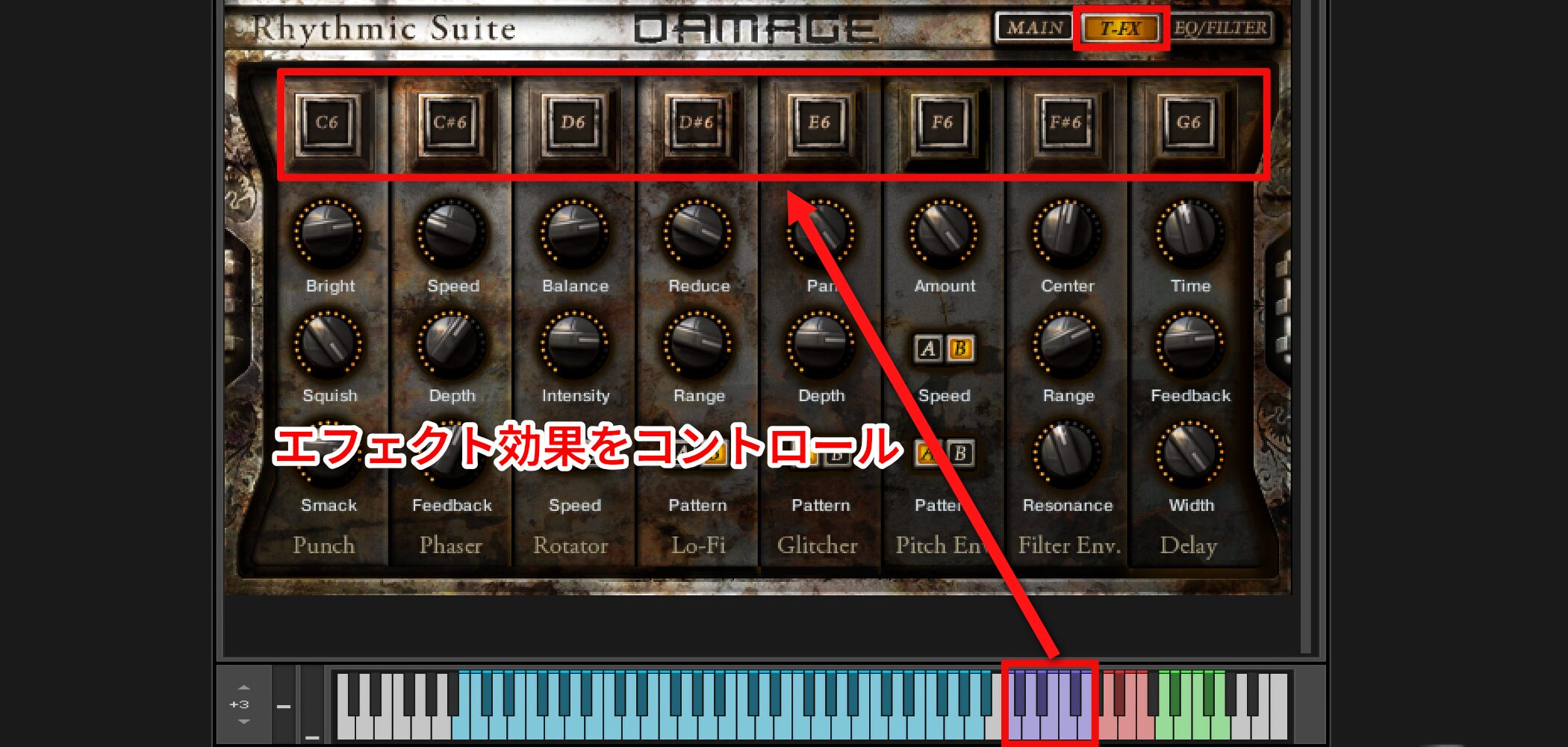
Keyswitches can control effects included with DAMAGE.
The effect remains active while the key is held.
Positioning Drums with Stage
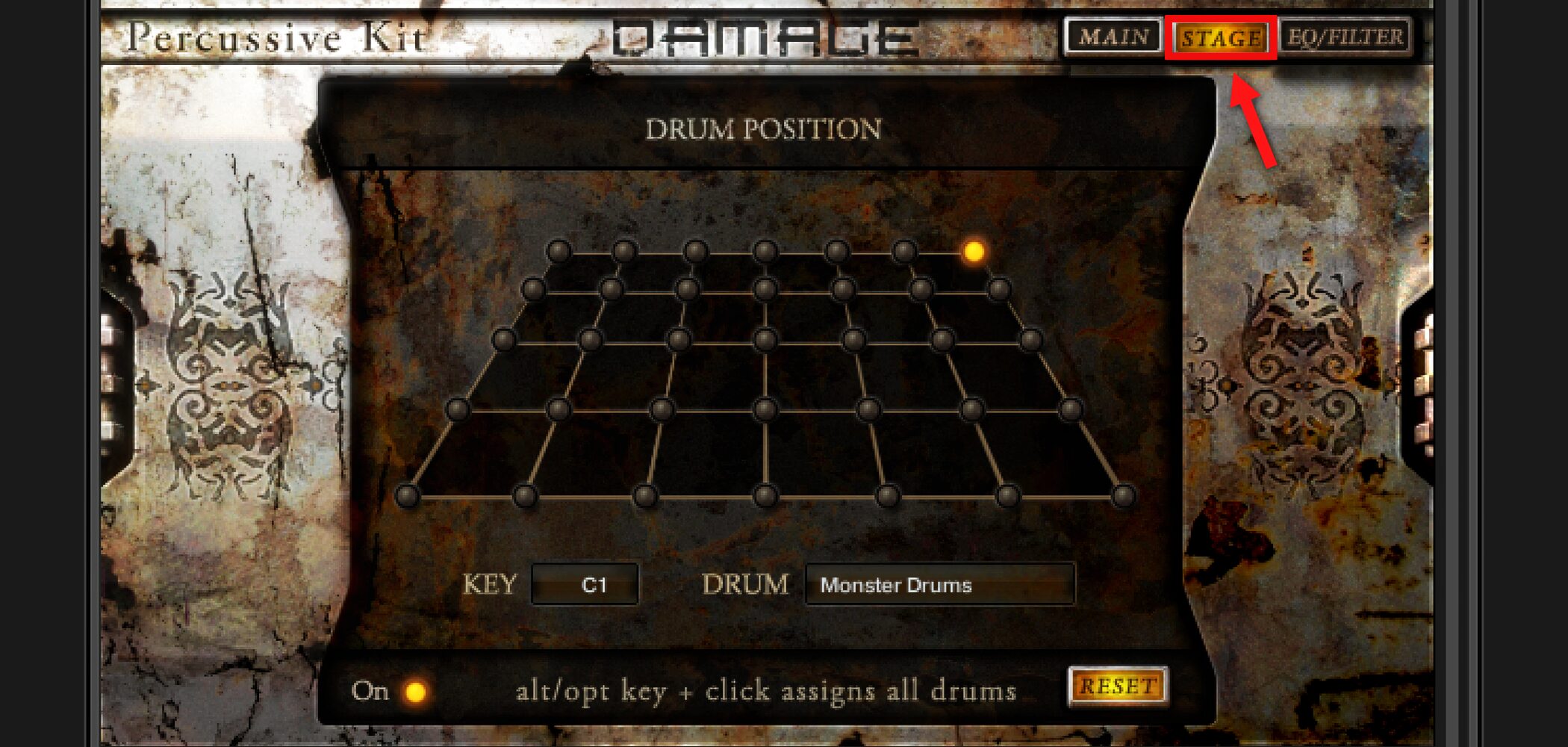
Next we will explore the Stage page in Percussive Kits.
Video: STAGE (Drum Position)
Using Stage
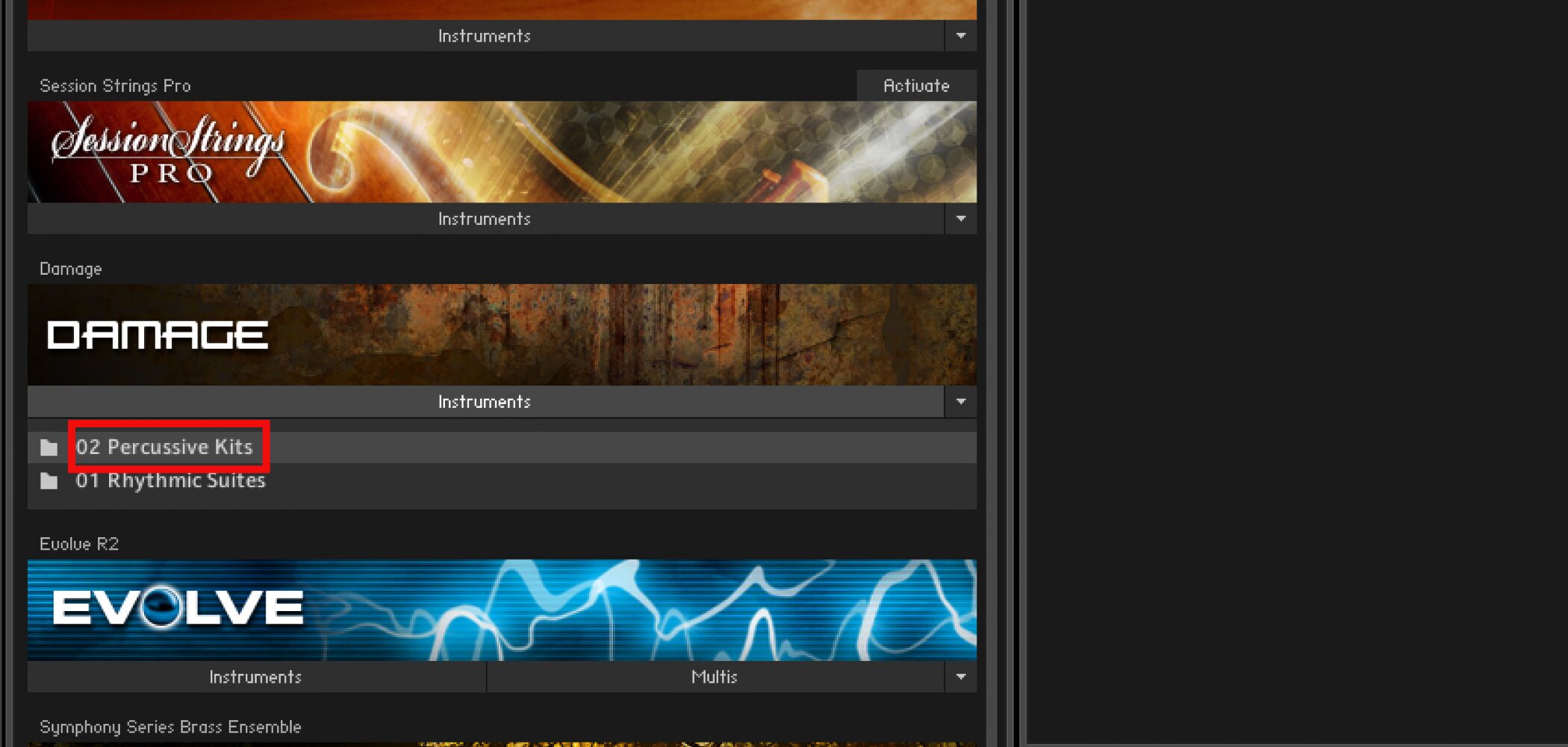
The Stage page is available for Percussive Kits instruments.
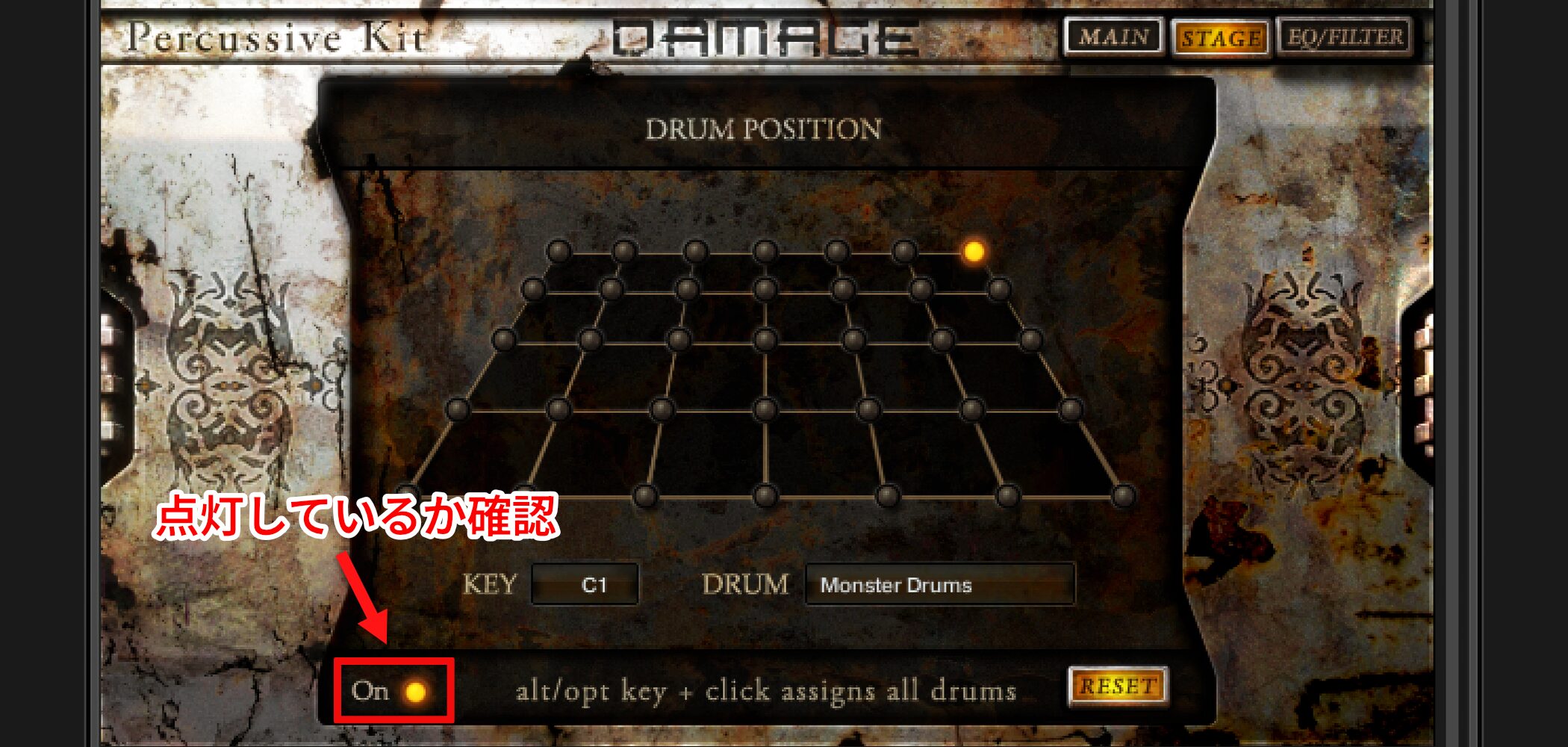
Check that On is lit in the lower-left corner of the interface.
Changing Drum Positions
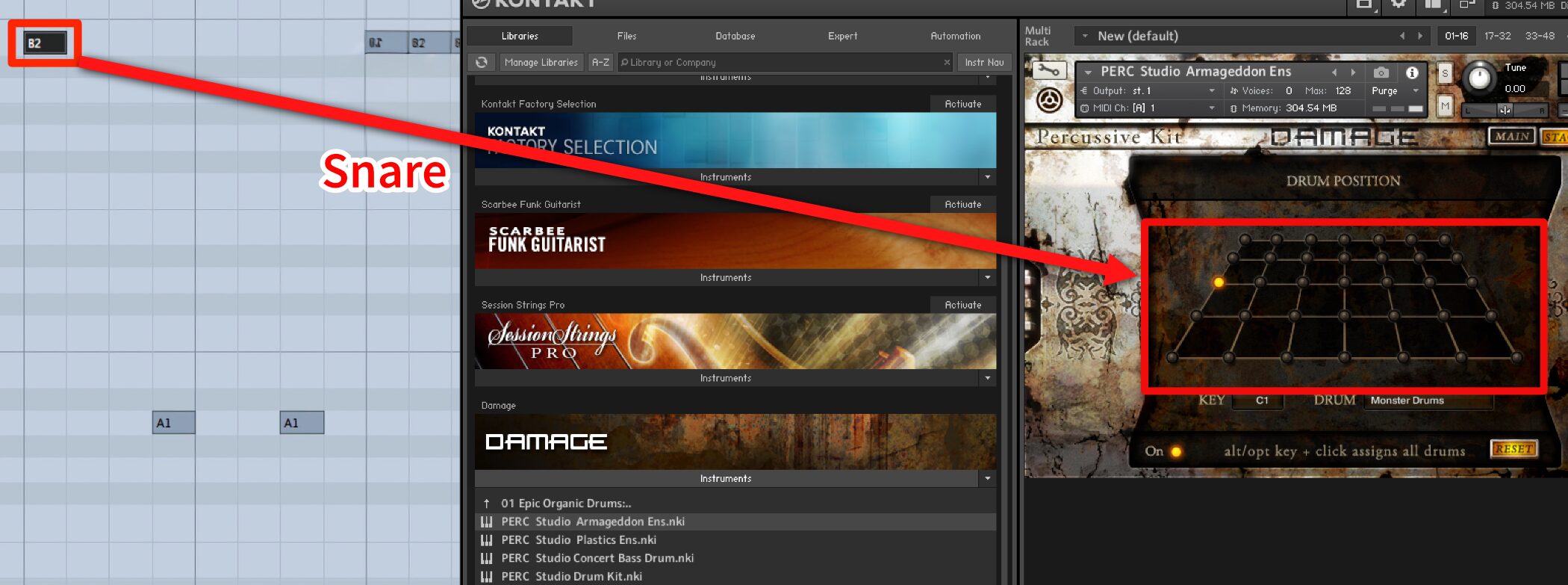
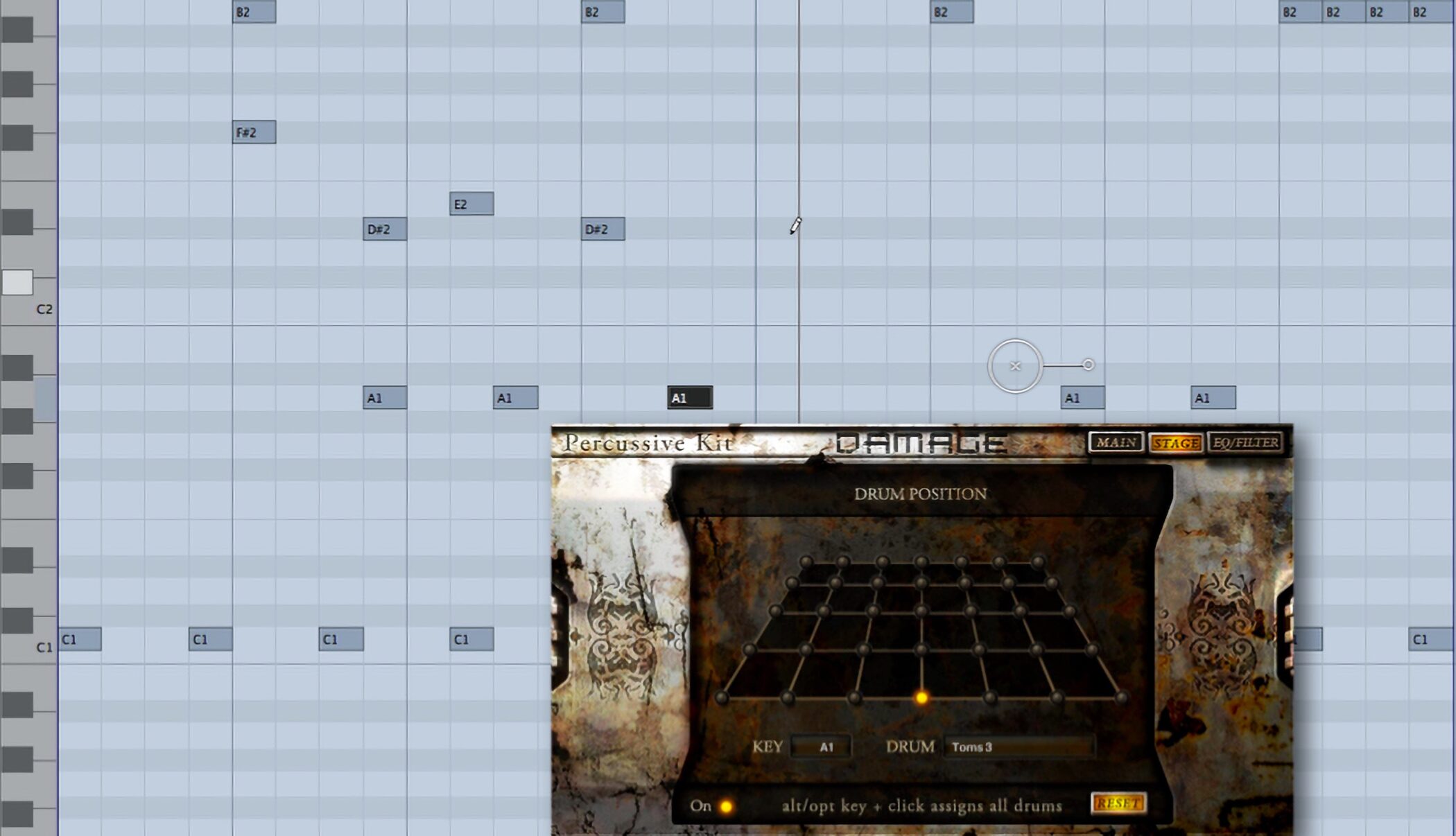
Select the drum you want to position; you can also select it from a MIDI keyboard.
Click an LED button in the 7×5 grid to change its position.
Here the snare has been moved to the left.
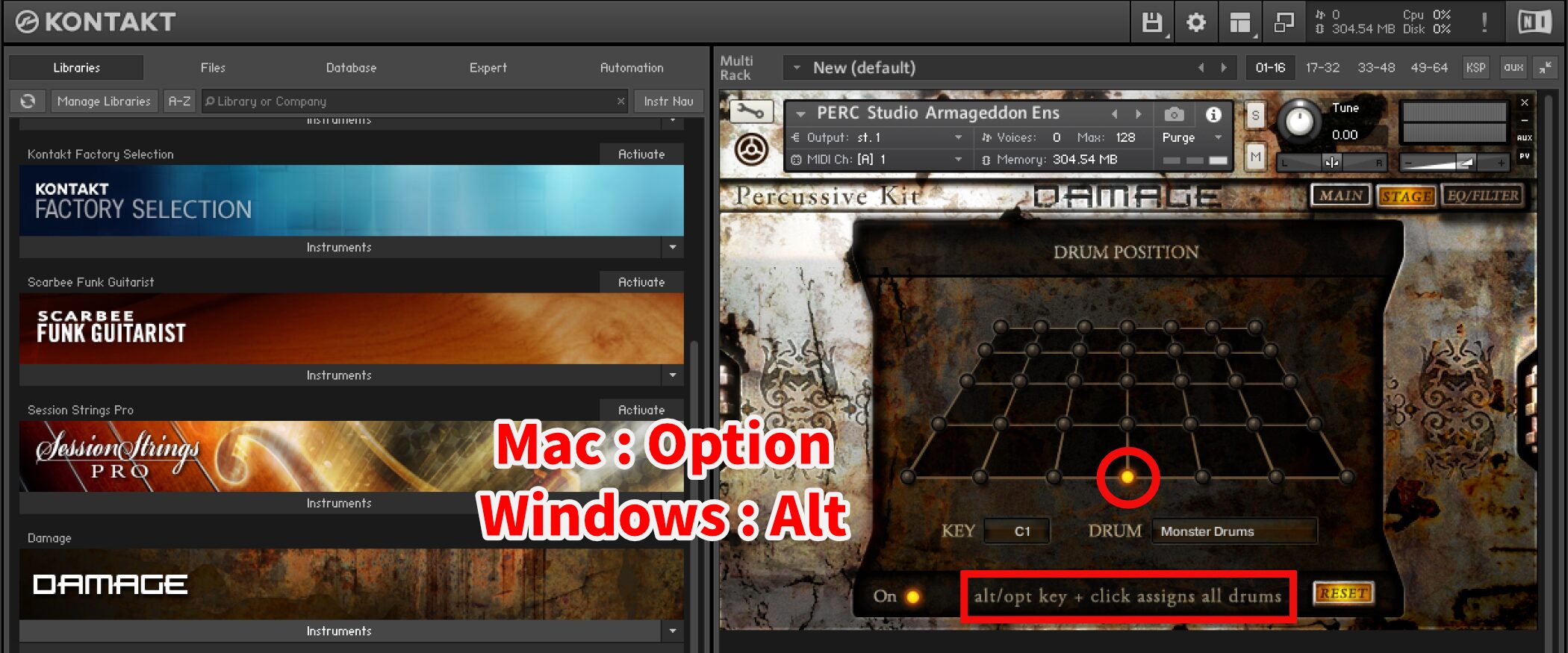
When clicking an LED button, hold
- Mac: Option
- Windows: Alt
to place all drums at that position.
Restoring Positions with RESET
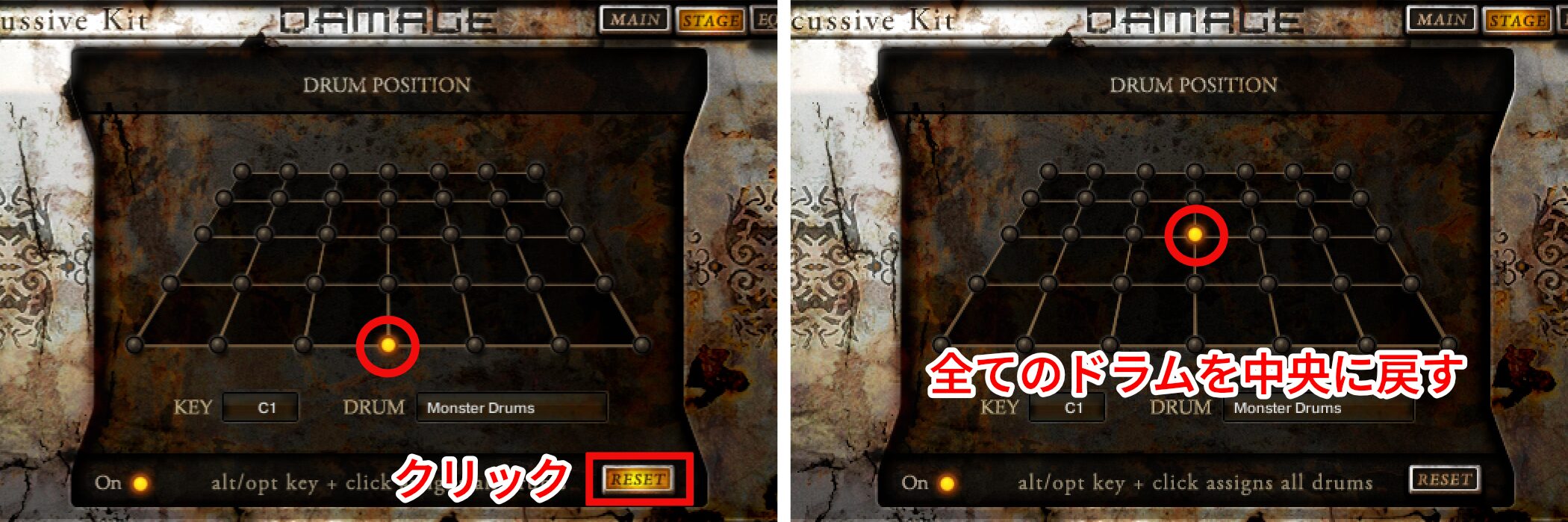
If you dislike the placement or want to start over, press RESET to return all drums to the center.
Frequently Asked Questions
Q1. What genres is DAMAGE suited to?
It suits film soundtracks and cinematic sound design as well as dance, electronica, and other genres. Combining industrial electronic sounds with acoustic drums allows for a wide range of expression.
Q2. What is the difference between Rhythmic Suites and Percussive Kits?
Rhythmic Suites provides more than 700 beat-sliced loops for tempo-synced grooves. Percussive Kits provides over 200 percussion sounds and 500 single shots for an approach similar to drum programming.
Q3. How do I set up automation?
Use Kontakt’s Auto section to assign parameters such as Level, Pan, and Tune for recording automation in your DAW. The guide links to setup instructions for several DAWs, including Pro Tools, Logic, and Cubase.
Q4. How can I import MIDI into a DAW?
Click MIDI To HOST and drag and drop it into the DAW. You can then edit the MIDI and adjust its timing.
Q5. Do I need to use every Master Effect?
No. Choose from Distortion, LoFi, Reverb, Delay, and Cmp according to what the track needs. Unneeded effects can be turned off.
NEW ARTICLES
Latest English Articles