
In this advanced guide to Distroyer, the distortion plug-in included with Cubase 10, you will learn sound-design techniques using its various parameters. Fine-tune the texture of the distortion with OFFSET and adjust the stereo spread with SPATIAL to add depth to your tracks. Filter parameters such as the High Shelving Filter and TONE also make the plug-in useful for mastering. By using LO/HI FILTER to restrict distortion to a specific frequency range, you can shape the sound flexibly while avoiding muddy lows and harsh noise.
Sound Design with the Filter Parameters
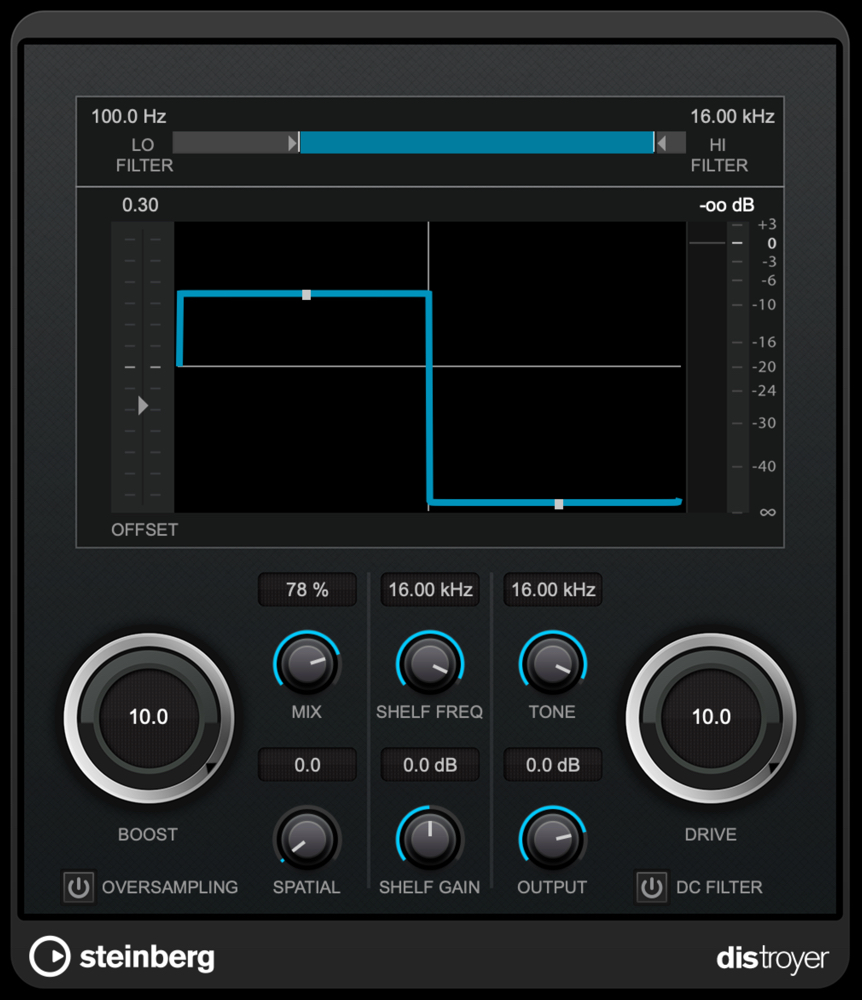
Distroyer is a distortion plug-in included with Cubase 10 Pro and Artist.
Following our previous guide to the basics, let’s explore sound design using the remaining parameters.
Its useful filter parameters also make Distroyer suitable for mastering.
Distroyer Advanced Tutorial — Video
Steinberg Product Distributor — Explore Content from Yamaha Music Japan Co., Ltd.
- Yamaha Music Japan MPP (YouTube): https://www.youtube.com/user/SteinbergJapan
- MPP (Twitter): https://twitter.com/SteinbergJP
- Sound Roster Music Production Show (Fresh!): https://freshlive.tv/ymjsoundroster
Product page: https://bit.ly/2UiQvP5
Shape the Distortion with Each Parameter
Distroyer’s parameters let you control distortion flexibly to suit the track and the task.
OFFSET
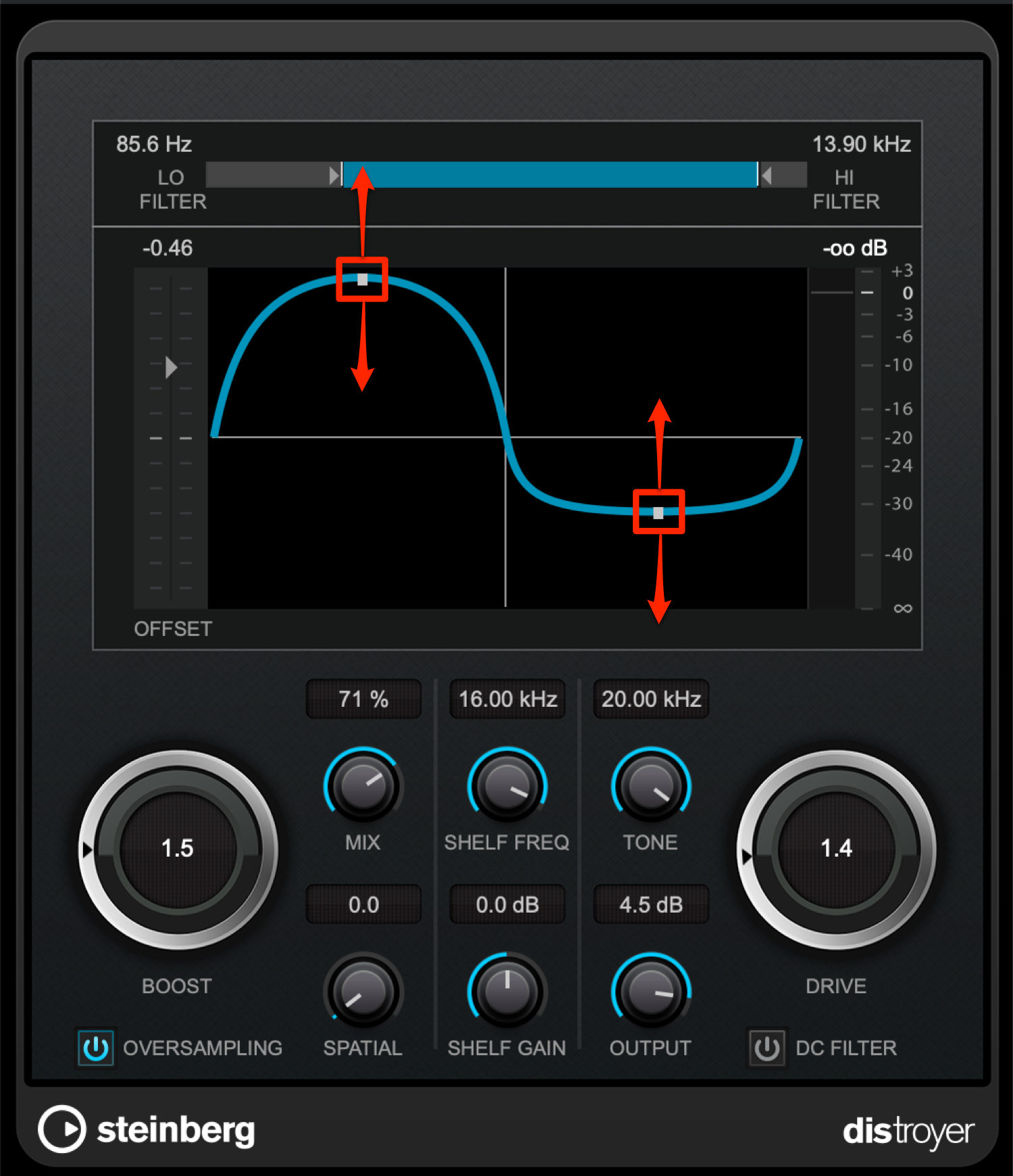
After setting the overall distortion character with BOOST and DRIVE, which we covered previously, you can fine-tune the distortion texture with OFFSET.
Drag the point on the curve up or down to change the distorted sound.
Listen to the track as you adjust its texture.
SPATIAL
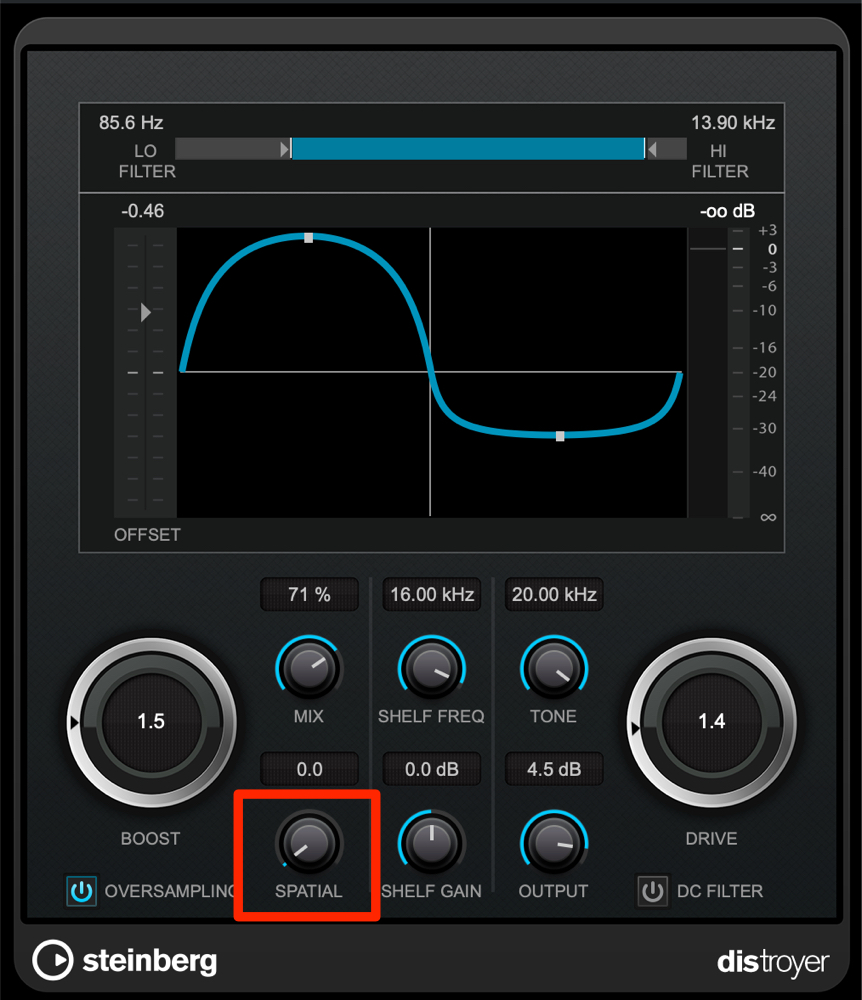
SPATIAL changes the distortion characteristics of the left and right channels to give the sound more width.
Turning the knob up increases the stereo spread.
The effect is very natural, so try it on synth pads, backing vocals, and other tracks that could benefit from more width.
High Shelving Filter
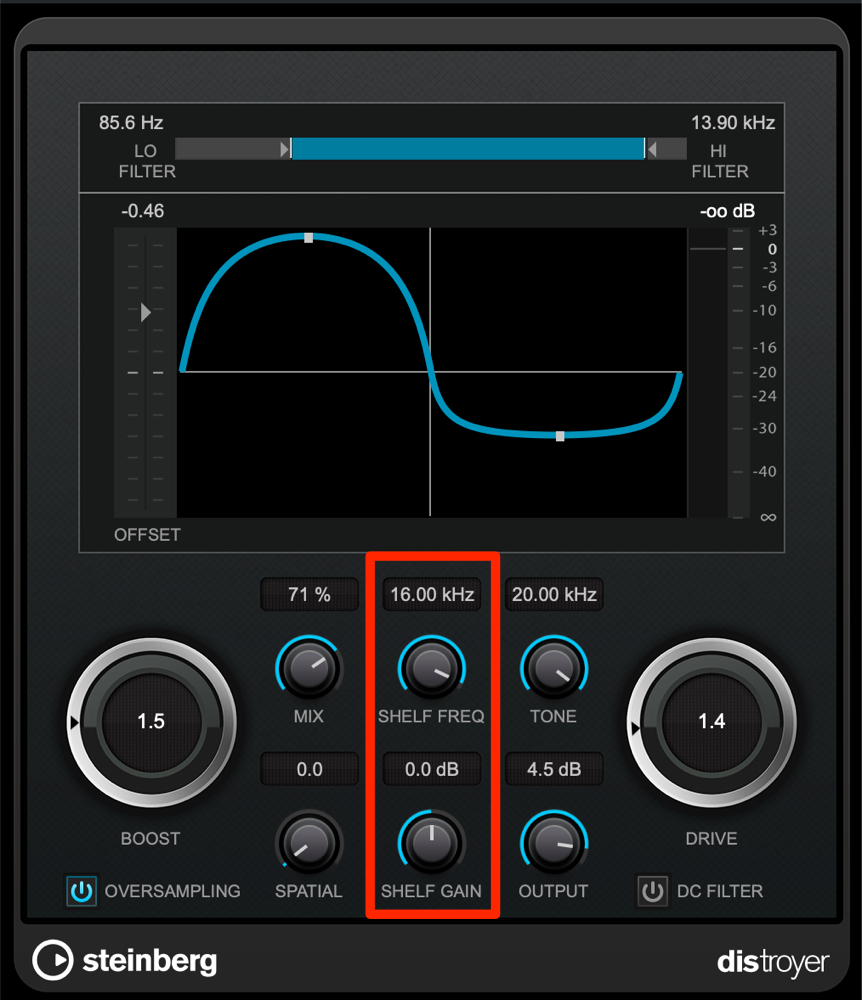
This parameter works like a high-shelf EQ and affects both the DRY and WET signals.
The image below illustrates its effect.
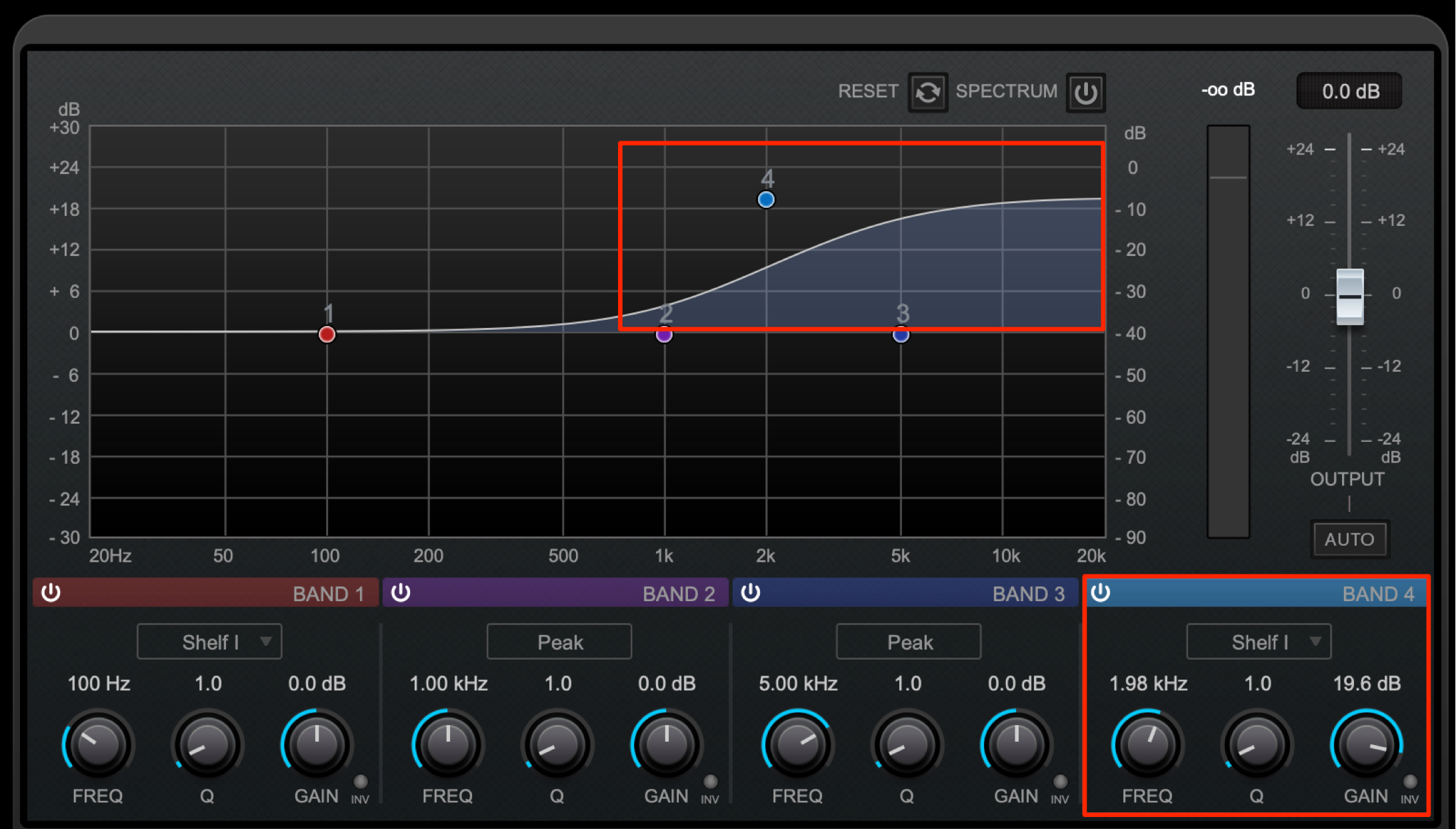
It lets you boost or cut the frequency range above the specified frequency.
Distroyer provides two controls for this:
- SHELF FREQ: Sets the frequency. The filter affects the range above this frequency, while SHELF GAIN, described below, controls the amount of boost or cut.
- SHELF GAIN: The center position is 0 dB. Turn right to boost or left to cut.
If you want the sound to cut through more clearly, try boosting by turning right.
If the high frequencies sound harsh, try cutting by turning left.
Setting SHELF FREQ in the midrange, around 1,000–2,000 Hz, and raising or lowering SHELF GAIN produces a pronounced tonal change. This is also useful for adding character to the sound.
TONE
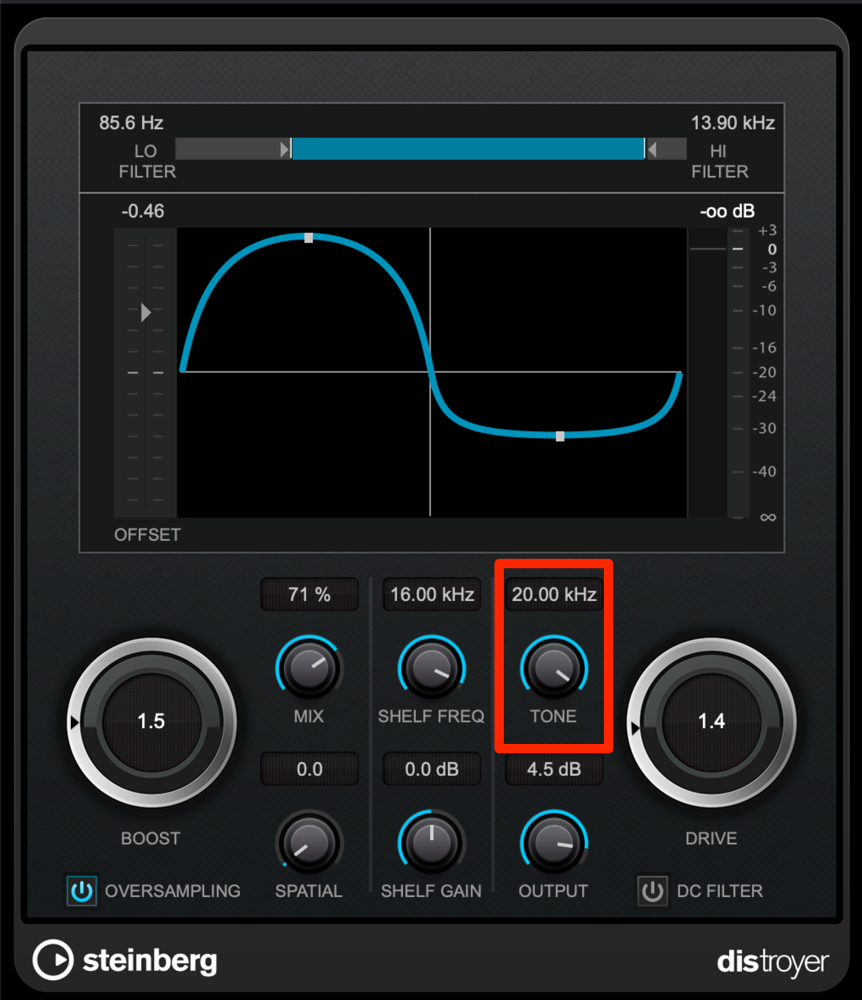
This parameter works like a high-cut EQ and affects both the DRY and WET signals.
The image below illustrates its effect.
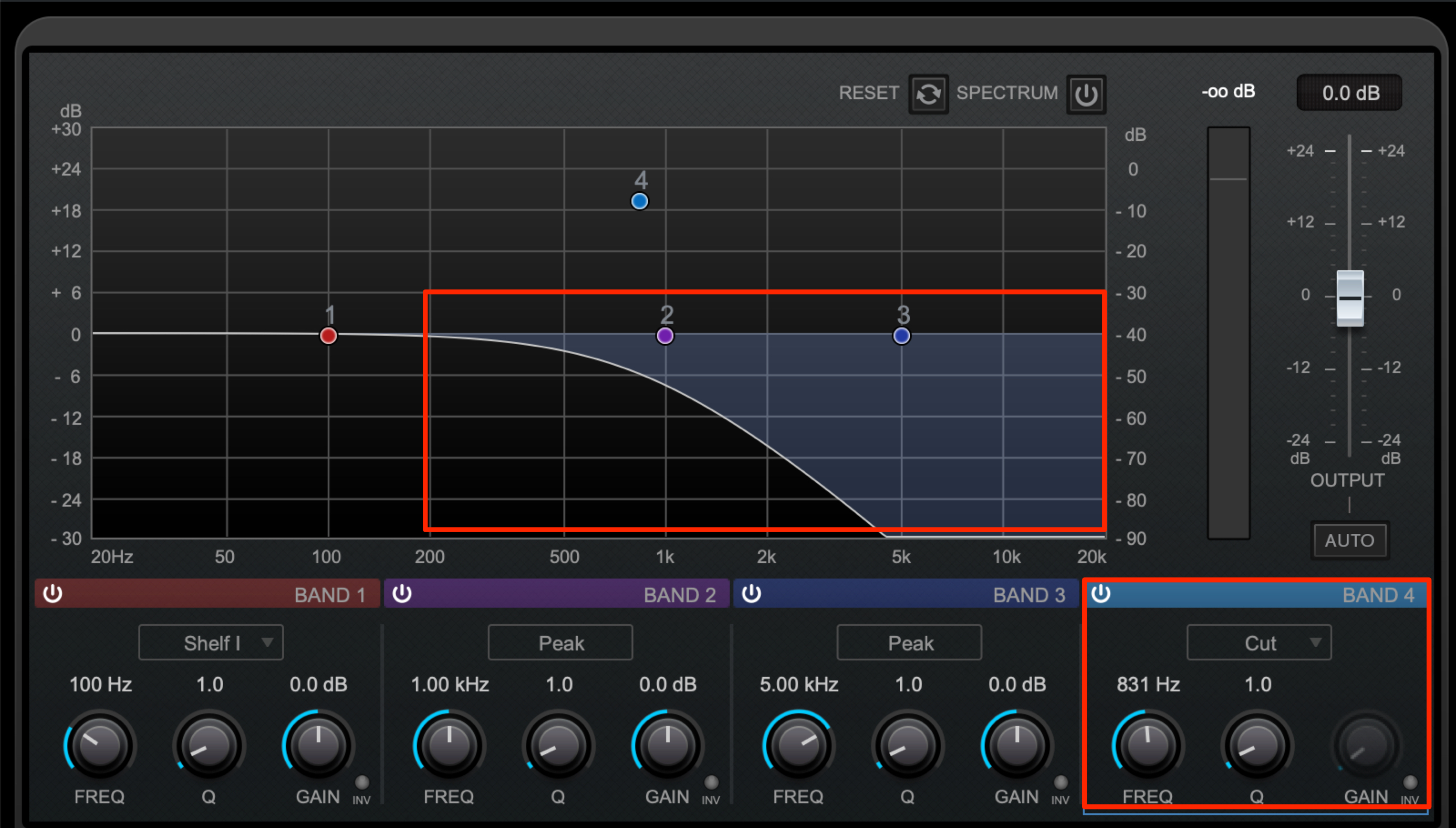
Turning the knob farther left cuts more of the high frequencies.
This is useful for taming an overly bright, edgy sound, making it rounder and easier to listen to, or helping it blend into the backing track.
OVERSAMPLING
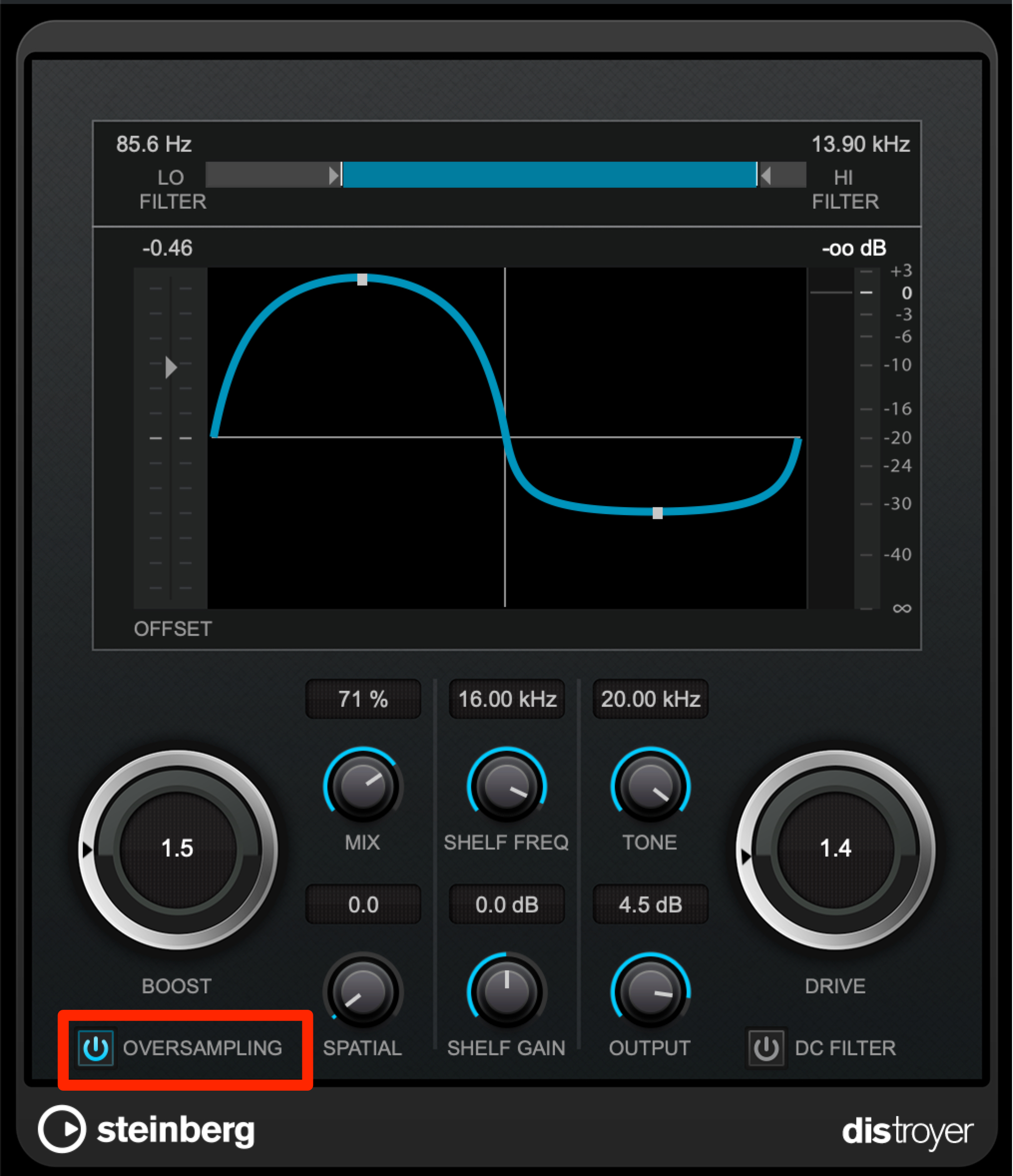
Enable OVERSAMPLING so that the button lights up to process the signal inside the plug-in at a higher sample rate.
This produces a finer, higher-quality sound, but uses more CPU resources than normal.
If you want a rougher, grainier texture instead, we recommend leaving this function off.
LO/HI FILTER
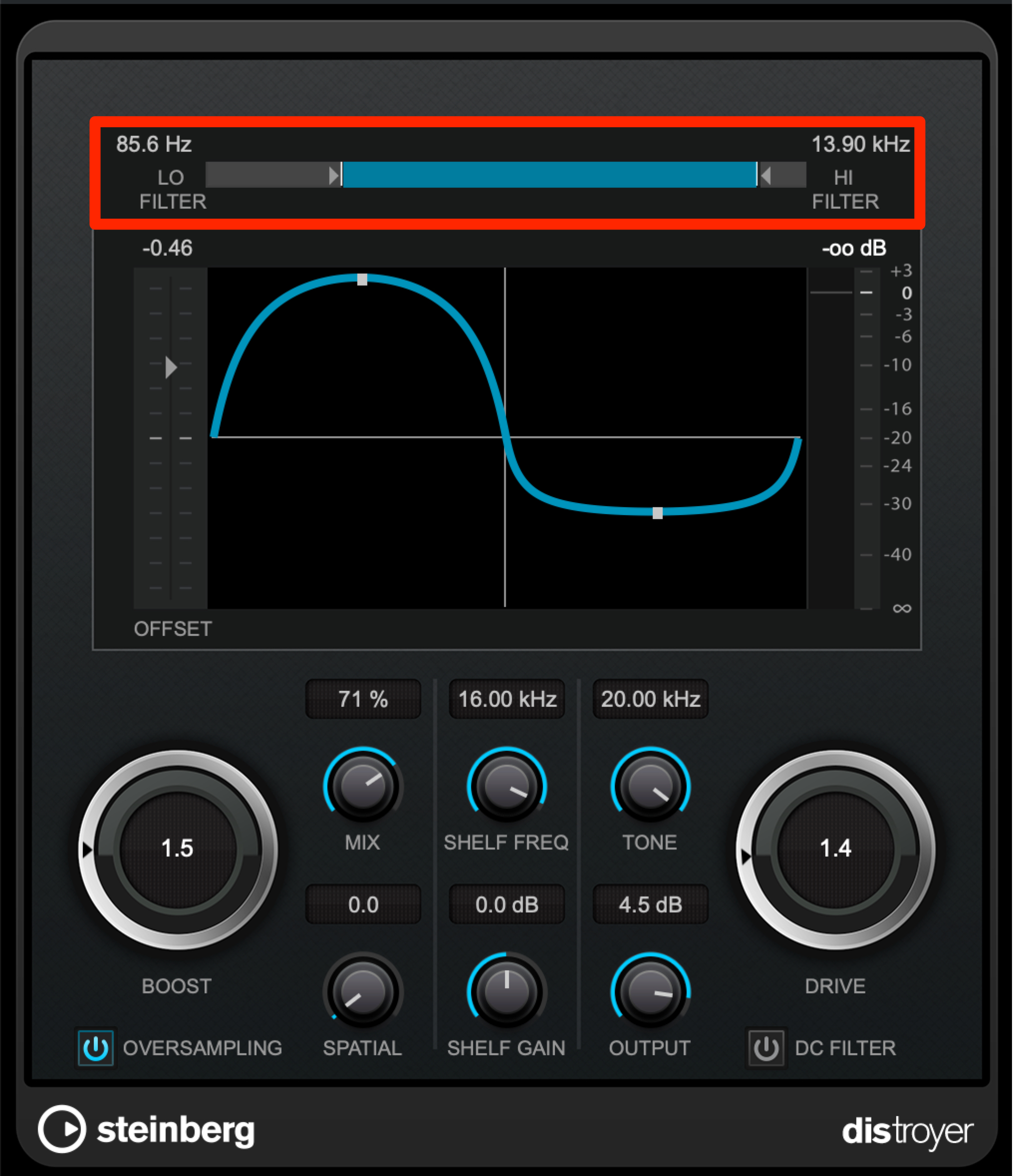
You can restrict distortion to a specified frequency range.
Distortion is applied to the range shown in blue. In the image, it is applied between 85.6 Hz and 13.90 kHz.
For example, limiting the affected range during mastering can help prevent muddy lows and harsh sounds.
Also, this function affects only the WET (distorted) signal; the DRY signal remains unchanged.
Combine it with the MIX knob covered in the previous installment to shape the sound in greater detail.
What do you think?
You can use it to transform a sound, add a subtle touch of color, thicken a track and increase its perceived loudness, or adjust the texture during mastering.
This plug-in has a wide variety of uses.
If you have Cubase 10, be sure to give it a try.
Steinberg Product Distributor — Explore Content from Yamaha Music Japan Co., Ltd.
- Yamaha Music Japan MPP (YouTube): https://www.youtube.com/user/SteinbergJapan
- MPP (Twitter): https://twitter.com/SteinbergJP
- Sound Roster Music Production Show (Fresh!): https://freshlive.tv/ymjsoundroster
Product page: https://bit.ly/2UiQvP5
📝 Useful Tips for Distroyer, the Versatile Distortion Plug-in: Advanced Tutorial 💡
Distroyer can add a subtle touch of color to your sound—for example, by using LO/HI FILTER to restrict distortion to a specific frequency range.
If you have Cubase 10, give it a try! 🎵Details: https://t.co/0aN23VYx2z @SteinbergJP pic.twitter.com/Blh0QMN6WN
— SLEEP FREAKS (@SLEEPFREAKS_DTM) February 10, 2019
Frequently Asked Questions
Q1. Can Distroyer’s filter parameters be used for mastering?
Yes. The High Shelving Filter and LO/HI FILTER let you adjust the texture during mastering. In particular, limiting the frequency range affected by distortion can help prevent muddy lows and harsh sounds.
Q2. What kinds of tracks benefit from SPATIAL?
It is ideal for synth pads, backing vocals, and other tracks that need more width. Its natural effect makes it useful whenever you want to expand the stereo image.
Q3. What changes when I enable OVERSAMPLING?
Processing at a higher sample rate produces a finer, higher-quality sound. However, it increases CPU load. If you want a grainy texture, we recommend turning it off.
Q4. What does TONE do?
It works like a high-cut EQ, reducing high frequencies to tame harsh brightness. It is useful for creating a rounder, more listenable sound and helping it blend into the backing track.
NEW ARTICLES
Latest English Articles













































































































































































































































































