
This beginner's guide introduces the equipment needed to record your own vocal covers: a computer, microphone, headphones, audio interface, and DAW software. It explains specifications and product choices, including Windows versus Mac and condenser versus dynamic microphones, to help you take your first steps. The products, prices, software editions, and specifications discussed are those of the original 2022 guide, rather than a current buying guide.
This article helps aspiring cover singers choose a microphone, headphones, computer, audio interface, and DAW for recording at home. It explains what to look for and gives specific examples, including CPU and memory guidelines from the original 2022 article, so beginners can prepare one step at a time.
A Beginner-Friendly Introduction to Vocal Covers
With this first installment of Getting Started with Vocal Covers, we'll help complete beginners start making and sharing their own vocal covers—even if the term “computer-based music production” is new to them.
In the video, our guest, actor and voice actor Ms. Yokoyama, works toward making her own vocal-cover debut.
The series was planned as six installments, taking the process step by step.
Our first topic is the starting point: buying equipment.
For many people, choosing equipment already feels difficult enough to prevent them from getting started.
We want to remove those obstacles so more people who love singing can express themselves freely!
Please note: this article provides supplementary information for the video, so watch the video below before reading on.
Getting Started with Vocal Covers — Part 1: Video
- 1What You Need to Get Started
- 2Choosing a Computer
- 3Choosing Recording Equipment
- 4Buying a Complete Bundle
- 5Major Recording Applications (DAWs)
- 6Downloading and Installing Studio One Prime
Selected Questions and Answers from YouTube

Great timing, thank you! This is slightly off topic, but can I use an Antares Auto-Tune plug-in in Studio One Prime?

Studio One Prime, the edition used in this series, doesn't support third-party plug-ins, so it can't run Auto-Tune. Later in the series, we'll cover plug-ins and explain upgrading to Studio One Artist, which supported third-party plug-ins in the version discussed here.
What You Need to Get Started
To post vocal-cover videos and begin sharing your singing, it's helpful to be able to record your own vocals. This is generally called self-recording.
Of course, you can get help or pay to record at a studio, but recording yourself gives you much more freedom.
You'll need equipment to do that.
The main items are:
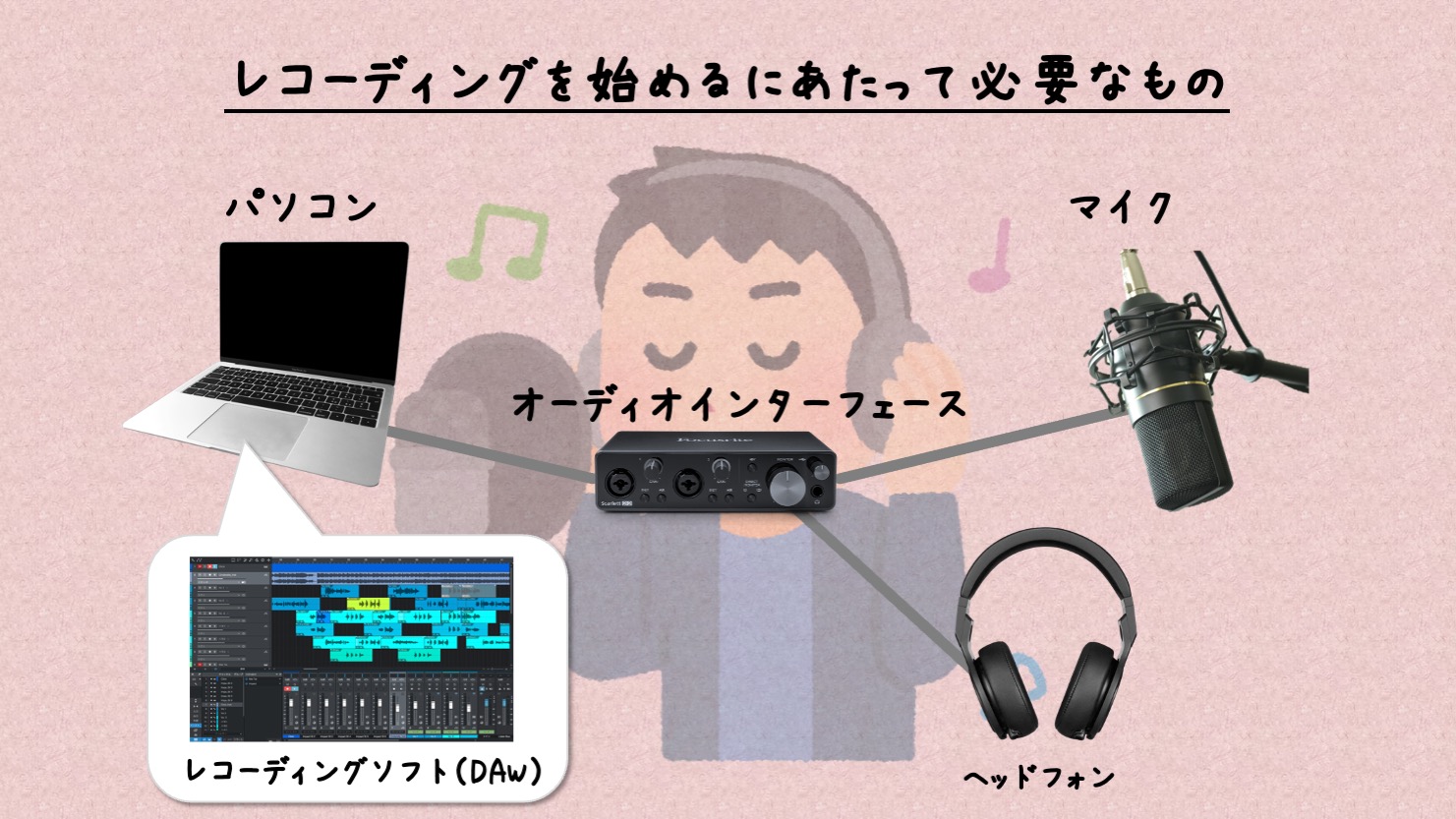
- For recording: a microphone
- For listening to the backing track and your voice: headphones
- For running the software and saving recordings: a computer
- For recording and mixing on the computer: DAW software
- For connecting the microphone to the computer: an audio interface
Let's look at how to choose each item, along with some product examples.
Choosing a Computer
The computer is usually the most expensive item on this list.
However, try starting with the computer you already own. The original guide suggests that a machine that isn't extremely old—such as one more than ten years old at the time of writing—may be sufficient, subject to software compatibility.
The original article's suggested specifications, at the time of writing in 2022, were:
- Intel Core i5 processor or better
- At least 8 GB of memory
- At least 128 GB of storage
- Windows 10 or later, or macOS 10.13 or later; the original guide also notes macOS Monterey support
- A display resolution of at least 1366 × 768
If you're buying a new computer, you'll need to choose between Mac and Windows.
Either can work. In the original guide's comparison of price and performance, Windows offers better value for money.
On the other hand, Apple's Macs have a reputation for stylish design and stability. You'll see many artists using them.
For computer beginners, we recommend a laptop: the screen and keyboard are built in, and it's easy to carry.
If you choose Mac, the entry-level MacBook Air of the period should be sufficient for the workflow demonstrated here.
With so many Windows manufacturers, choosing can be confusing. A computer specifically configured and tested for music production can be a reassuring option.
For example, the Japanese retailer Dospara offered a model like this.
The series had already increased in price after the video was filmed, but a key selling point was its application-compatibility testing.
To compare options across price ranges, try searching for “music production laptop”.
Choosing Recording Equipment
For the hardware discussed below, a complete bundle introduced later is another option. If choosing each item feels overwhelming, you can buy that bundle instead.
Microphones
A microphone is essential for recording your own vocals.
The two main types discussed here are dynamic and condenser microphones. For this setup, we generally recommend a condenser microphone.
- Dynamic microphones: commonly used handheld for live singing. They are robust and well suited to stage use.
- Condenser microphones: commonly stand-mounted for recording. This guide recommends their detailed sound for this application, but they need careful handling.
SHURE SM58-LCE
This is one of the best-known dynamic microphones.
It's a dependable choice if you want a tough microphone you can use extensively.
SENNHEISER e945
Consider this dynamic microphone if you want to step up a level.
It's versatile enough for both live performance and recording.
audio-technica AT2020
A popular entry-level condenser microphone offering strong value for money.
audio-technica is a Japanese manufacturer with a worldwide presence.
RODE NT1-A
This model helped establish the market for affordable condenser microphones.
Its sound has earned professional trust, and the package discussed here also includes accessories such as a microphone holder, pop filter, and cable.
Headphones
You can use wired earphones you already own, but connecting them to the audio interface may require a plug adapter.
Bluetooth headphones are unsuitable for the low-latency monitoring workflow demonstrated here.
If possible, buy studio monitor headphones instead.
As discussed in the video, choose headphones labeled closed-back. They leak less sound and are suitable for recording.
SONY MDR-CD900ST
These headphones are widely used in Japanese recording studios and can be considered a local industry standard.
They make vocals and backing tracks easy to hear, which is useful for recording. The guide finds them somewhat less suitable for mixing—the process of balancing vocals and accompaniment.
audio-technica ATH-M50x
Another very popular pair of headphones.
In the original comparison, they cost slightly more than the MDR-CD900ST but were a versatile option for mixing as well.
AKG K271 MK2
Affordable headphones from the established Austrian brand AKG.
Their light fit and relatively uncolored sound make them comfortable for longer recording and mixing sessions.
Audio Interfaces
There are many audio interfaces, but one with one or two microphone inputs is enough for this vocal-cover setup.
Steinberg UR12
This model comes from Steinberg, a major music-production brand in Japan.
It accepts one microphone, which is enough if you're recording your own vocals individually.
Steinberg UR22C
If you need to connect two microphones, this is another option, at a slightly higher price in the original comparison.
Focusrite Scarlett 2i2
Focusrite interfaces are often compared with Steinberg's.
This is a two-microphone-input model. We'll introduce the single-input model in the bundle below.
Other Small Accessories
Choosing the three main recording items above can take some thought, but you'll also need a few accessories.
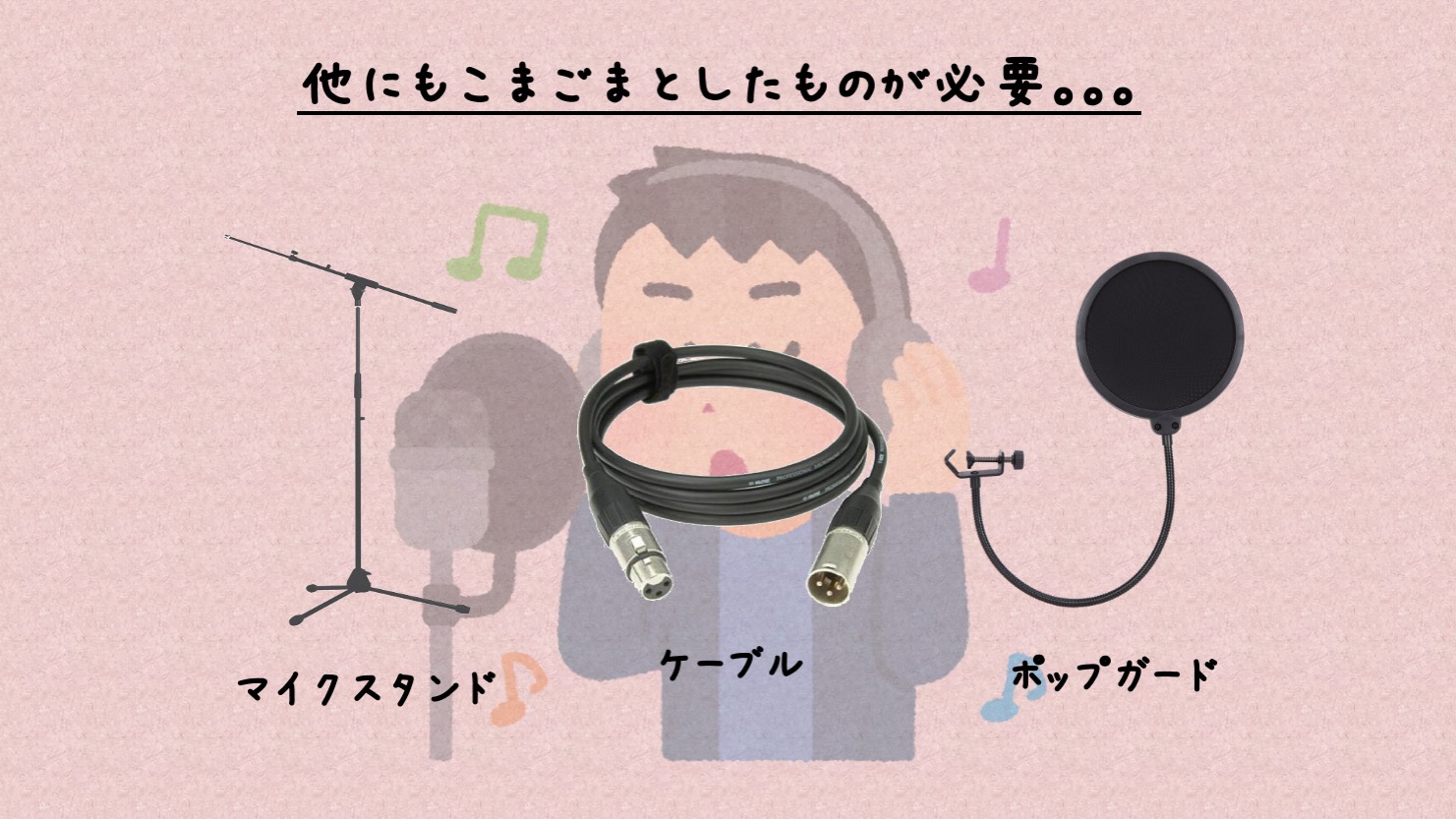
- Microphone stand: holds the condenser microphone in position.
- Microphone cable: connects the microphone to the audio interface.
- Pop filter: attaches to the stand and reduces bursts of breath hitting the microphone directly.
The links above give inexpensive examples. If you have particular preferences, explore other suitable options too.
Buying a Complete Bundle
We've covered a range of equipment and recommendations, but you may still be unsure what to choose—or prefer not to buy every item separately.
For that situation, there are ready-made recording bundles like this one.
The retailer's recording bundle shown here includes an interface, microphone, headphones, cable, pop filter, and stand, covering everything except the computer and software. Check the contents of the particular package you buy.
The included interface is Focusrite's single-microphone-input model, a reassuring option from the same range discussed above.
At just under ¥32,000 as of July 2022, this package was very reasonably priced.
We'll use this bundle throughout the series, so choosing the same equipment will make it easier to follow along.
Check Your USB Connection
The audio interfaces introduced here connect to a computer using a USB cable. However, USB connectors come in different shapes, so the included cable may not fit your computer's port.
Two common connector types are the larger USB Type-A and the smaller USB Type-C. Many Apple laptops use USB Type-C ports, while the interface cable shown uses Type-A. Check the connections on your own computer.
If they don't match, you may need a USB adapter or hub like the one below. Check your computer's specifications and get a suitable adapter if necessary.
Major Recording Applications (DAWs)
Let's look at several DAWs you can use to record vocals and mix them with a backing track.
For this series, we'll use Studio One Prime, which was available as a free edition when the original video was made.
If you don't want to compare software, you can skip ahead.
Historical note from September 30, 2022: Following the release of Studio One 6, distribution of the free Prime edition was suspended. At that time, the official website said it would return soon. This is the original article's dated notice, not a statement about current availability.
Steinberg Cubase
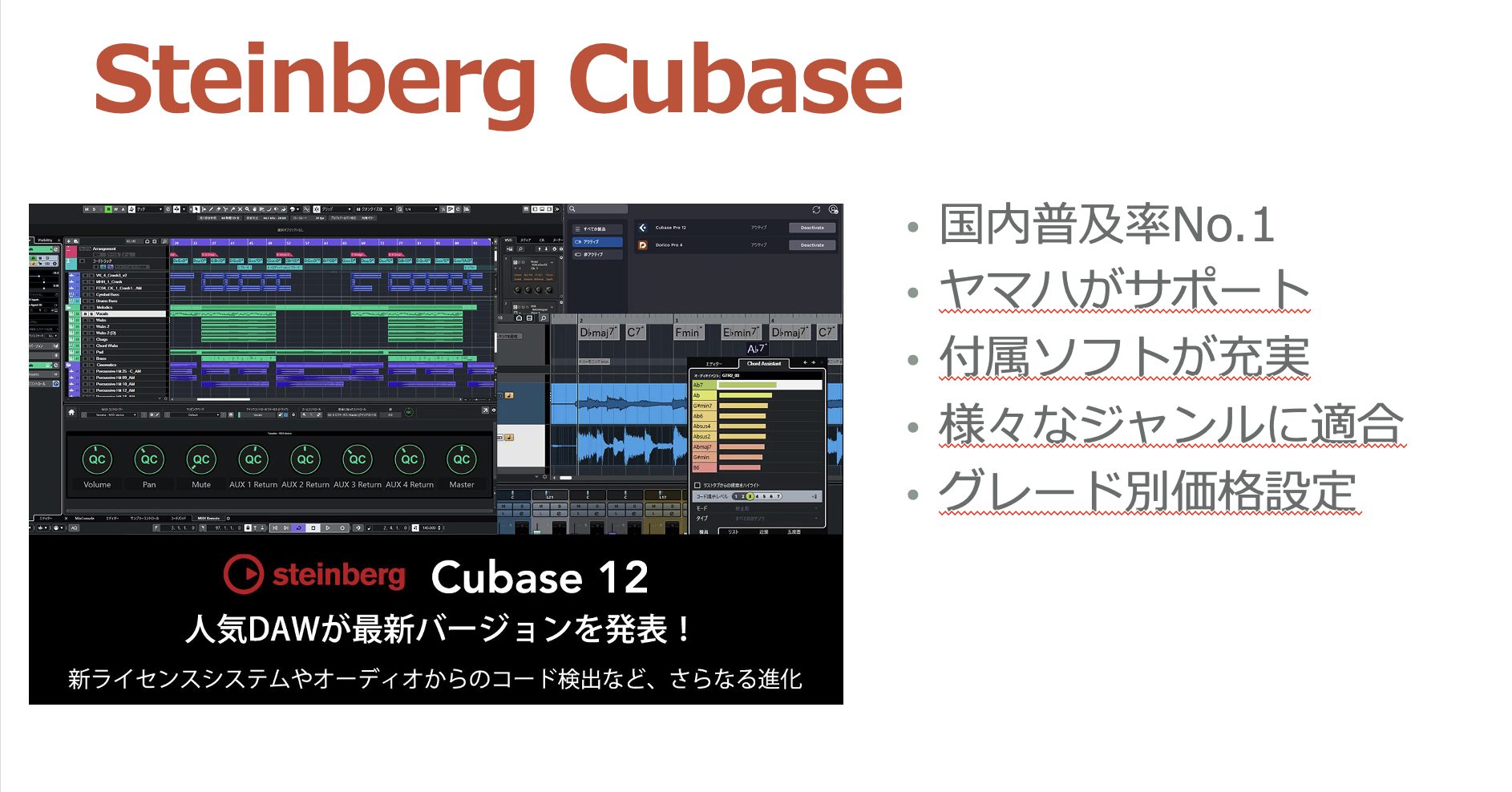
A widely used DAW in Japan. The original guide recommends it if you also want to program instrumental parts in the future.
For the workflow discussed here, the guide recommends Cubase Artist or higher, including pitch-correction features in the edition covered.
Avid Pro Tools
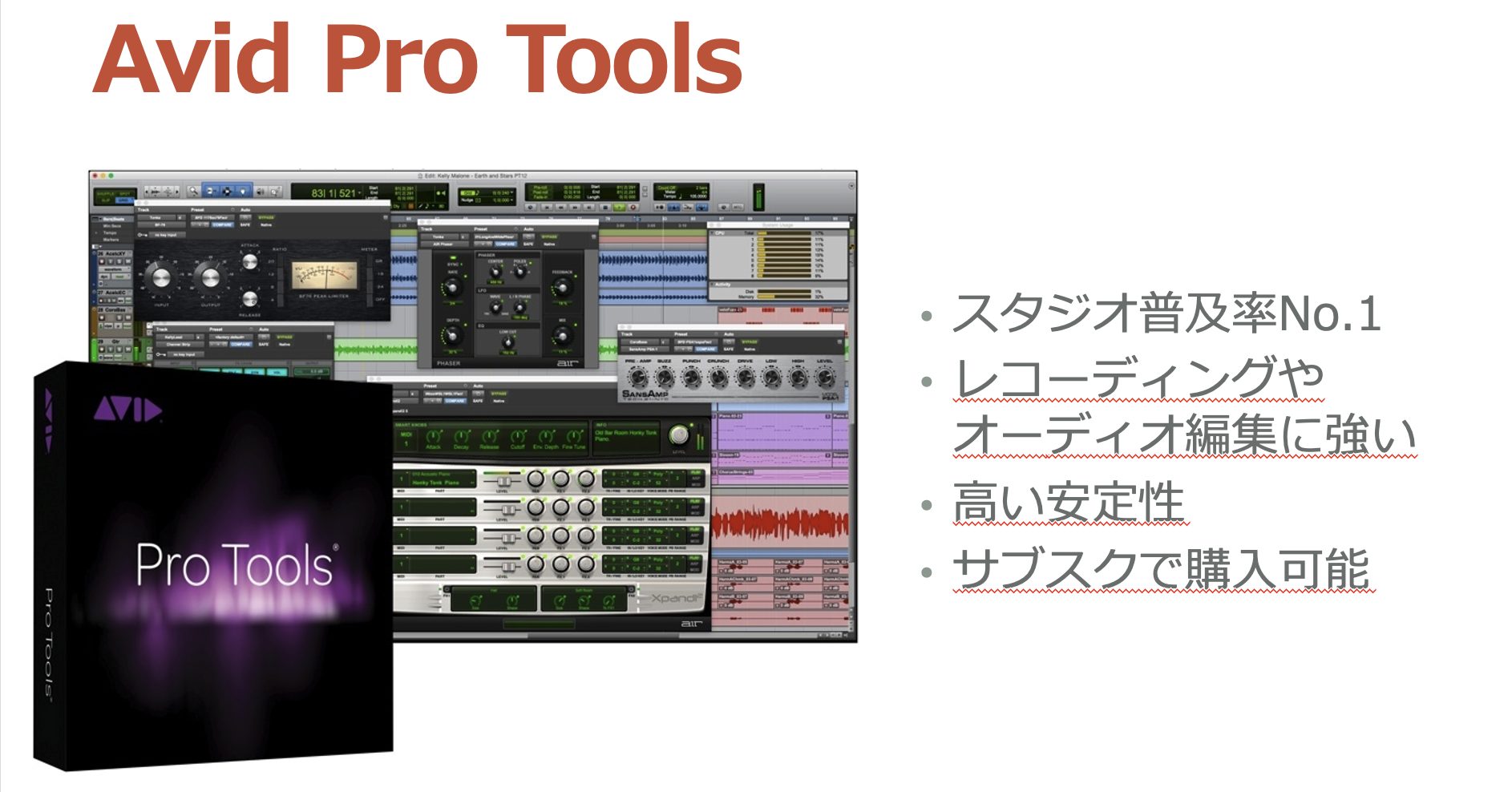
Strong for audio recording, although its documentation and support workflow may feel less approachable to a beginner.
It can be useful if you later exchange projects with larger recording studios.
PreSonus Studio One
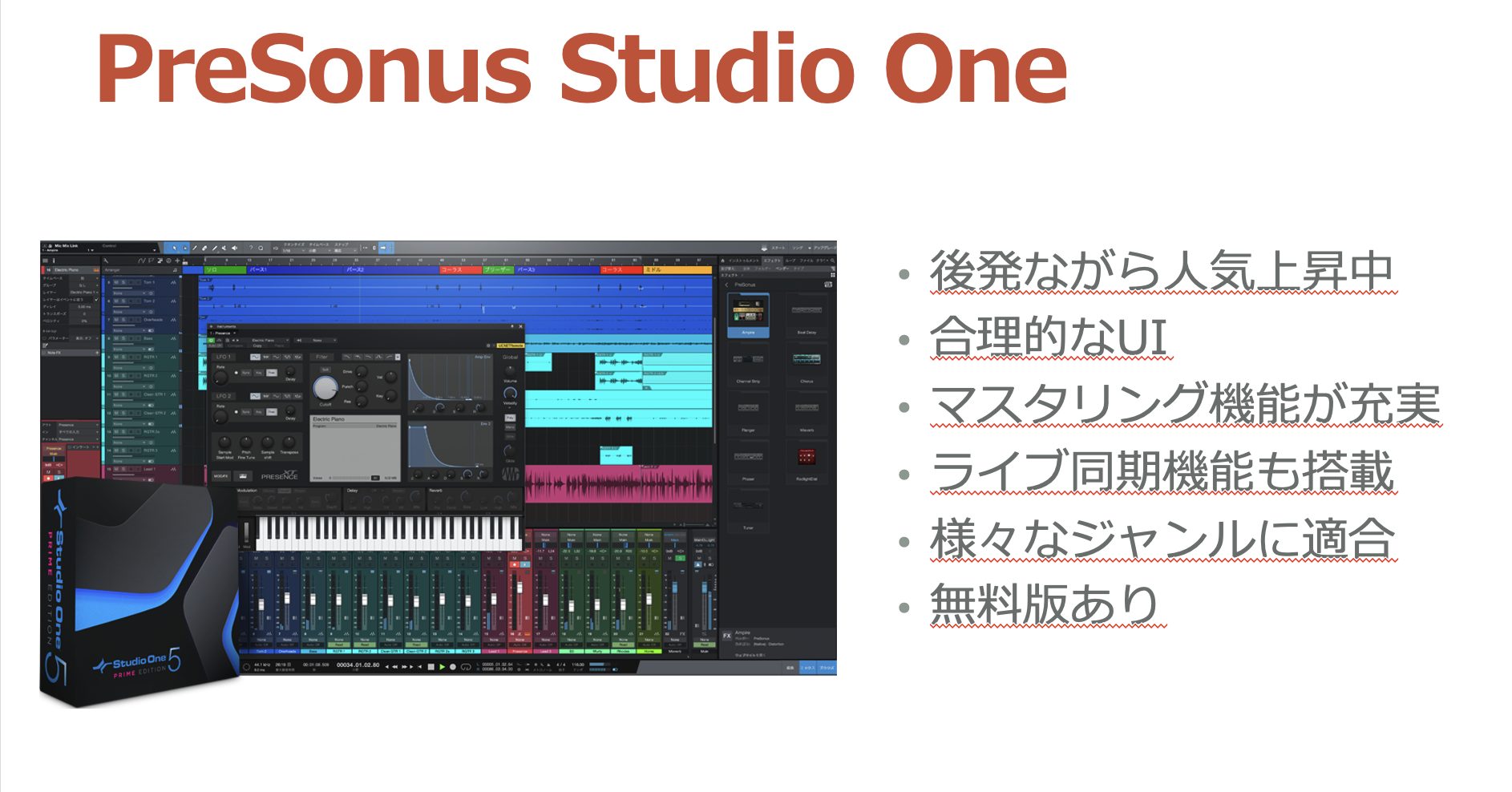
This is the DAW family that included the free edition used in the series.
The guide praises the free edition's recording tools, but finds it limited for mixing. Later in the series, it moves to Artist. In the 2022 workflow, that made it a cost-effective option for vocal covers.
Apple Logic Pro
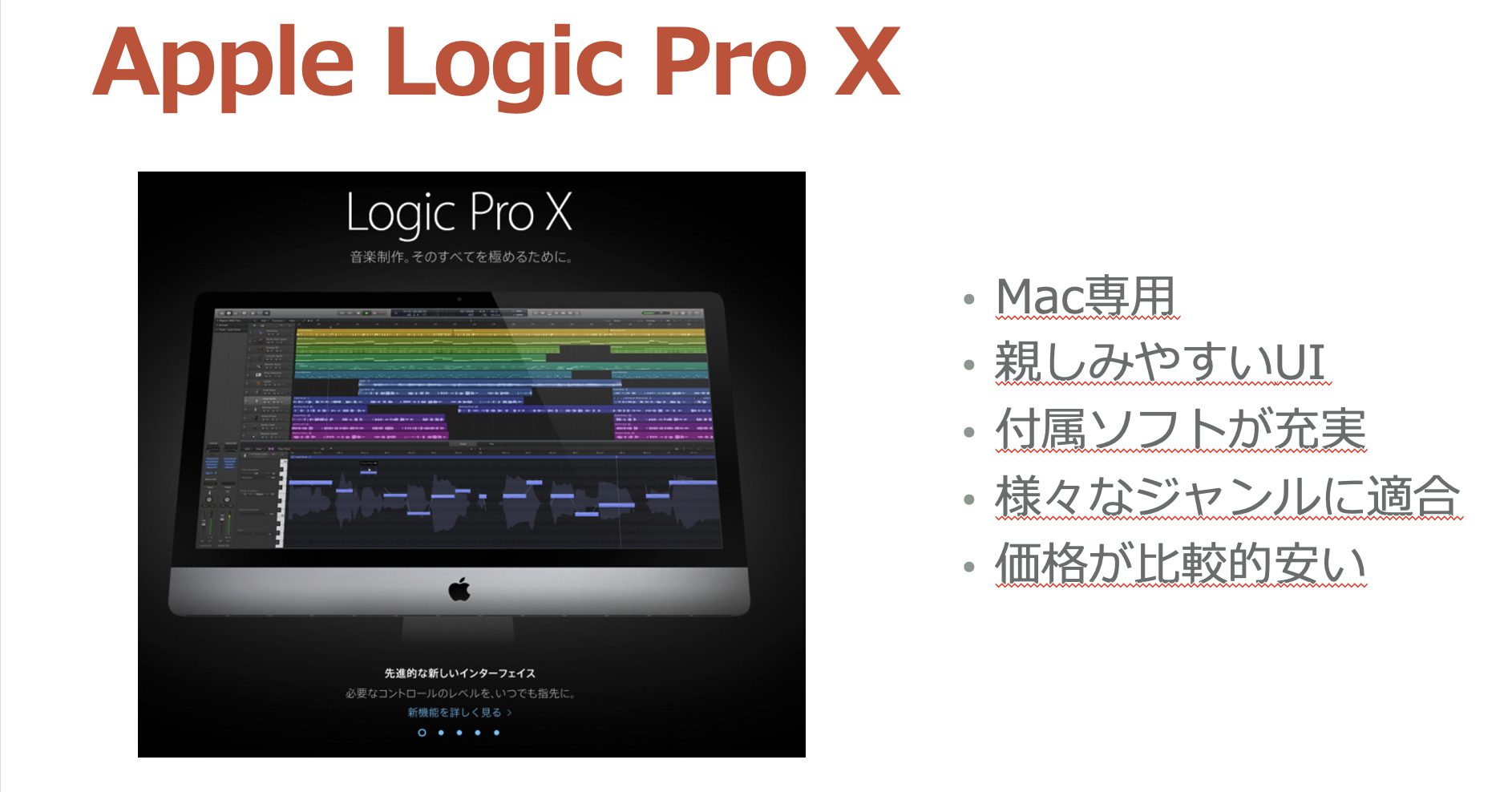
Apple's DAW runs on Mac, rather than Windows.
The original 2022 guide describes a single full-featured edition priced in the ¥20,000 range, offering good value including its MIDI-programming tools. This is a historical price, not a current quote.
Ableton Live
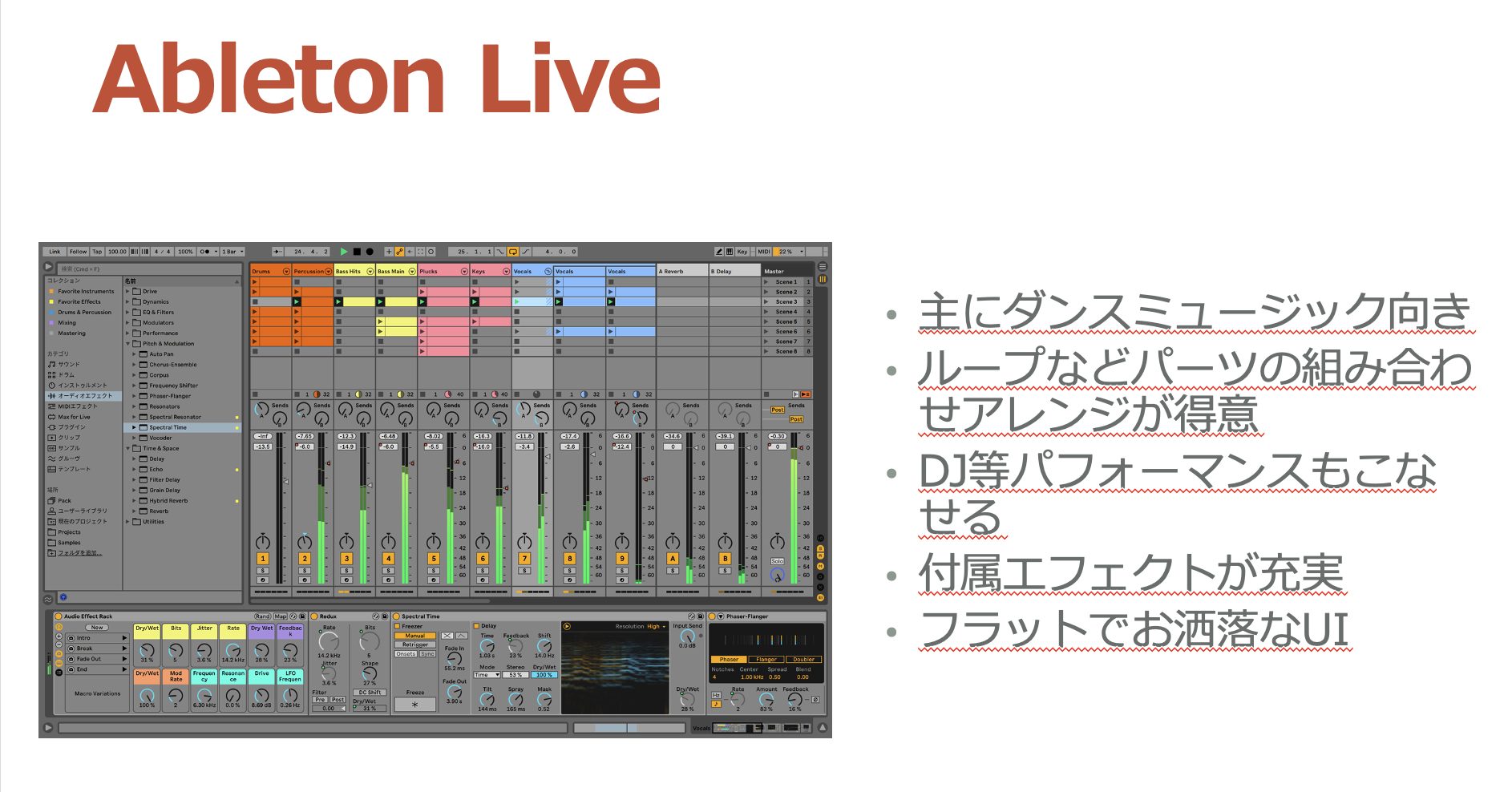
Live stands apart through its distinctive interface and workflow, which appeal to many artists.
It's especially associated with dance music, making it worth considering if you want to produce tracks in that style later.
Downloading and Installing Studio One Prime
The following article explains the Studio One Prime installation process demonstrated in this series.
Read it alongside the video to follow the original setup steps. Because this is a historical guide, current software availability and website screens may differ.

For reference, these are the account and shop links used in the original article:
- My PreSonus: create an account here in the workflow shown.
- PreSonus Shop: after creating the account, the original workflow adds the free product to the account at ¥0.
That concludes Part 1 of Getting Started with Vocal Covers, covering equipment purchases.
Next time, we'll connect the hardware and set up the software. Stay tuned!
Getting Started with Vocal Covers — Part 1: Buying Equipment
Our planned six-part series helps complete beginners work toward their first vocal cover, even if the term “computer-based music production” is new to them.Details: https://t.co/Wfeeo17jl8 #DTM #VocalCovers pic.twitter.com/5svPX97YKv
— SLEEP FREAKS (@SLEEPFREAKS_DTM) July 10, 2022
Frequently Asked Questions
Q1. What equipment do I need to start recording vocal covers?
The five essentials in this guide are a microphone, headphones, computer, audio interface, and DAW. If you already have a suitable computer, you can get started by adding the remaining equipment.
Q2. Can I make vocal-cover videos with an older computer?
The original 2022 guide suggests trying a computer that wasn't more than about ten years old at the time, with an Intel Core i5 or better, 8 GB of memory, and 128 GB of storage as a starting point. Check the requirements of the software and interface you plan to use; age alone doesn't guarantee compatibility.
Q3. Should I choose a condenser or dynamic microphone?
For the self-recording setup in this guide, we recommend a condenser microphone for its detailed sound and suitability for this studio-style vocal application.
Q4. Can I record using Bluetooth headphones?
Use wired, closed-back monitor headphones for the recording and monitoring workflow shown here. Bluetooth latency makes wireless headphones unsuitable for this purpose.
Q5. Is Mac or Windows better for a computer beginner?
The guide favors Windows for value and Mac for stability and ease of use. Either can be used to make vocal covers, provided your hardware and software are compatible.
NEW ARTICLES
Latest English Articles













































































































