
Native Instruments REPLIKA XT is a feature-rich delay plug-in with substantial improvements over its predecessor. This guide explains its five delay types—MODERN, ANALOGUE, TAPE, VINTAGE DIGITAL and DIFFUSION—and key controls such as Mix, Delay Time and Feedback. Combining them offers a wide range of sound design, from standard delay to more striking effects across genres and applications.
A versatile delay for many genres and uses

Native Instruments released REPLIKA XT.
This versatile delay succeeds REPLIKA, which we covered previously.
The previous version was already excellent,
but the update adds delay types, a graphical display of the repeats, additional effects
and many other improvements.
Alongside its conventional delay duties,
it can also create striking effects that color the delayed sound.
Here we explore REPLIKA XT’s new features
and explain the main controls in detail.
REPLIKA XT tutorial video
1. Overview and control of the key parameters (this article)
2. Delay and effects sections
3. Advanced section
Choose a delay type
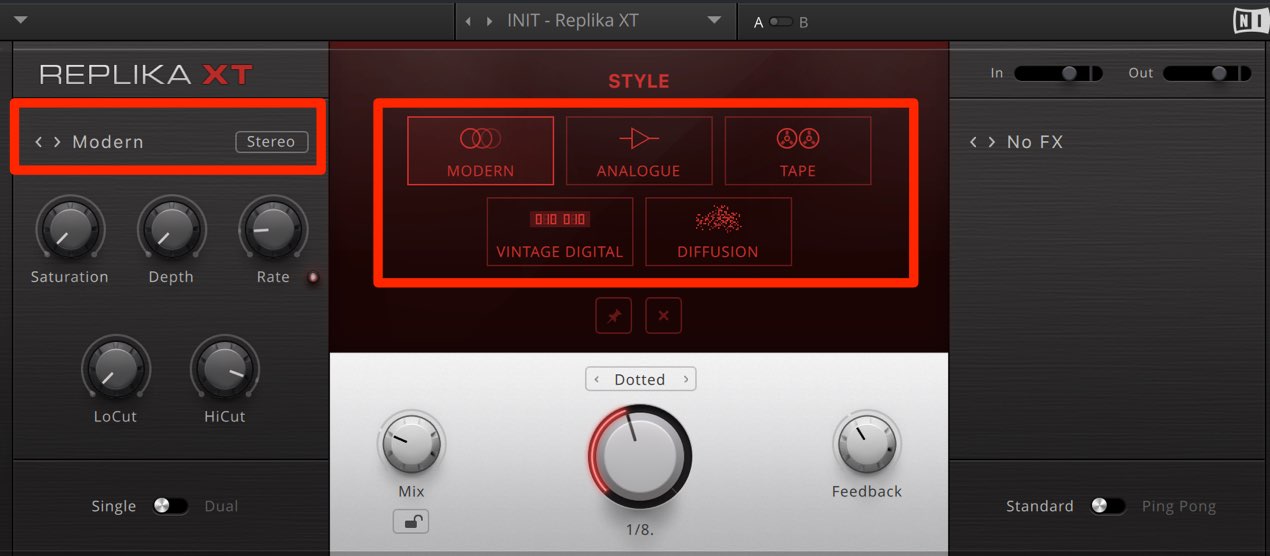
First, select a delay style.
Click the style name on the left to display the menu in the center.
- MODERN: A clear, high-quality sound.
- ANALOGUE: A dark, understated sound.
- TAPE: A rounded, warm sound reminiscent of tape.
- VINTAGE DIGITAL: A recreation of classic digital delays.
- DIFFUSION: A deep, spacious decay resembling reverb applied to the delay.
Changing the type and adjusting the parameters can produce a wide variety of sounds.
Set the delay effect
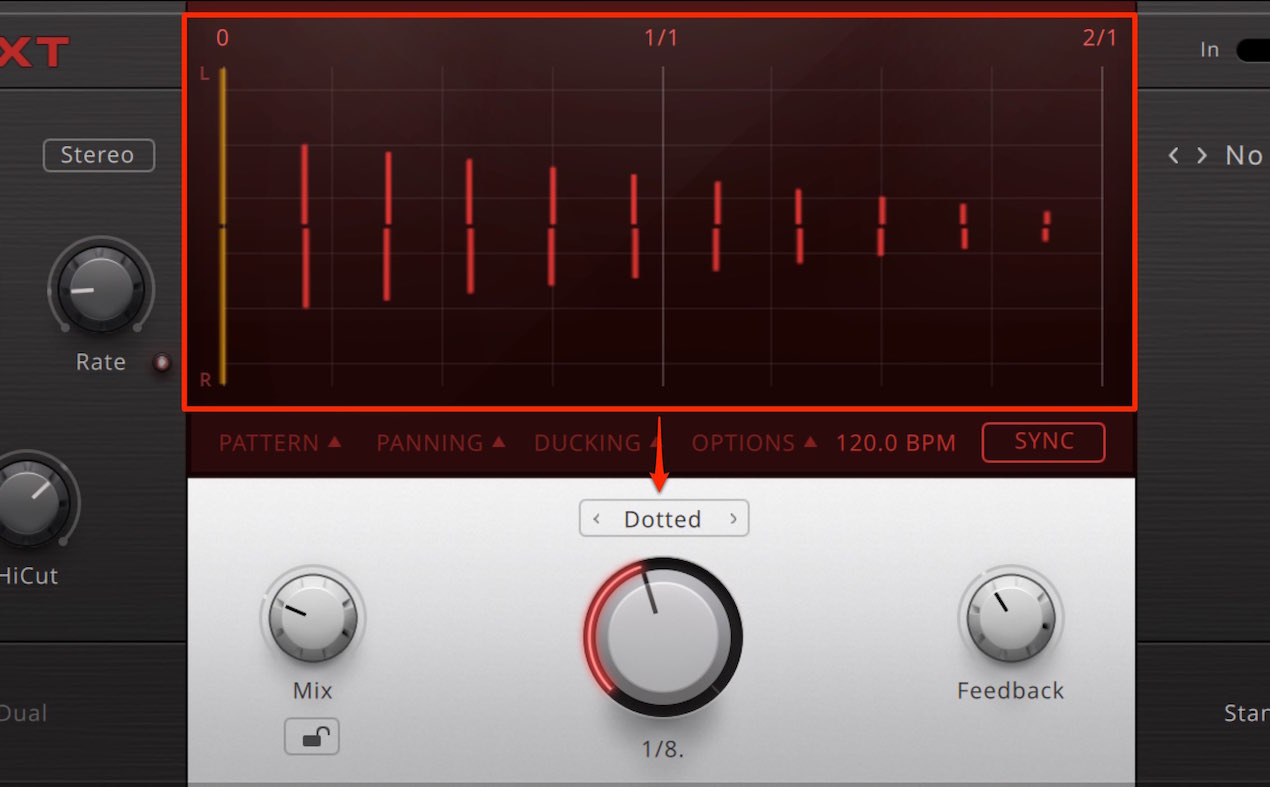
The central display normally shows the current delay settings.
The orange line on the far left represents the original sound,
and the red lines to its right represent the delay taps, or echoes.
The controls underneath let you adjust the delay effect.
- Mix: Adjust the balance between the original and delayed sound.
Set Mix to 100% to preview only the delayed signal. - Delay Time (center): Use the dial to set the interval between echoes.
This is normally synchronized to the tempo. - Feedback: Set the amount of attenuation on each delay repeat.
This changes how many echoes you hear: 0% gives one repeat, while 100% repeats indefinitely.
Above 100%, the echoes can grow louder than the original sound.
The next installment covers the effects and other features.
Frequently asked questions
Q1. How many delay types does REPLIKA XT have, and how do they differ?
There are five: MODERN is clear and high quality; ANALOGUE is dark and understated; TAPE is warm and tape-like; VINTAGE DIGITAL recreates classic digital delays; and DIFFUSION produces a spacious, reverb-like sound.
Q2. What happens when Feedback is set above 100%?
The delayed repeats can grow louder than the original sound, enabling special-effect sound design.
Q3. What does setting Mix to 100% do?
It removes the dry sound so you can audition only the delay, which is useful when checking and adjusting the effect.
NEW ARTICLES
Latest English Articles





















































































































































































































































































































































































































