
A Reese Bass combines a heavy, twisting low end with a wide sense of space. It is a staple in drum and bass and dubstep, and it also appears in modern hip-hop, K-pop, and Vocaloid tracks. With the free Vital synth, you can create an aggressive, earth-shaking Reese Bass in three steps: set the oscillators, adjust the filter, and add effects. The filter cutoff lets you control its presence, making the sound useful throughout a track or as an accent in selected sections.
What Is a Reese Bass? A Classic Heavy Bass Sound with Width

A Reese Bass is a bass sound with a heavy, twisting low end and a spacious width that seems to wrap around the listener.
First, listen to what it sounds like.
Originally common in drum and bass and dubstep, it has evolved into a staple used widely in hip-hop, K-pop, and Vocaloid music.
Its prominent bass and spatial width add power and depth to many styles of music.
Now let's see how to make the sound.
Step 1: Set the Oscillators
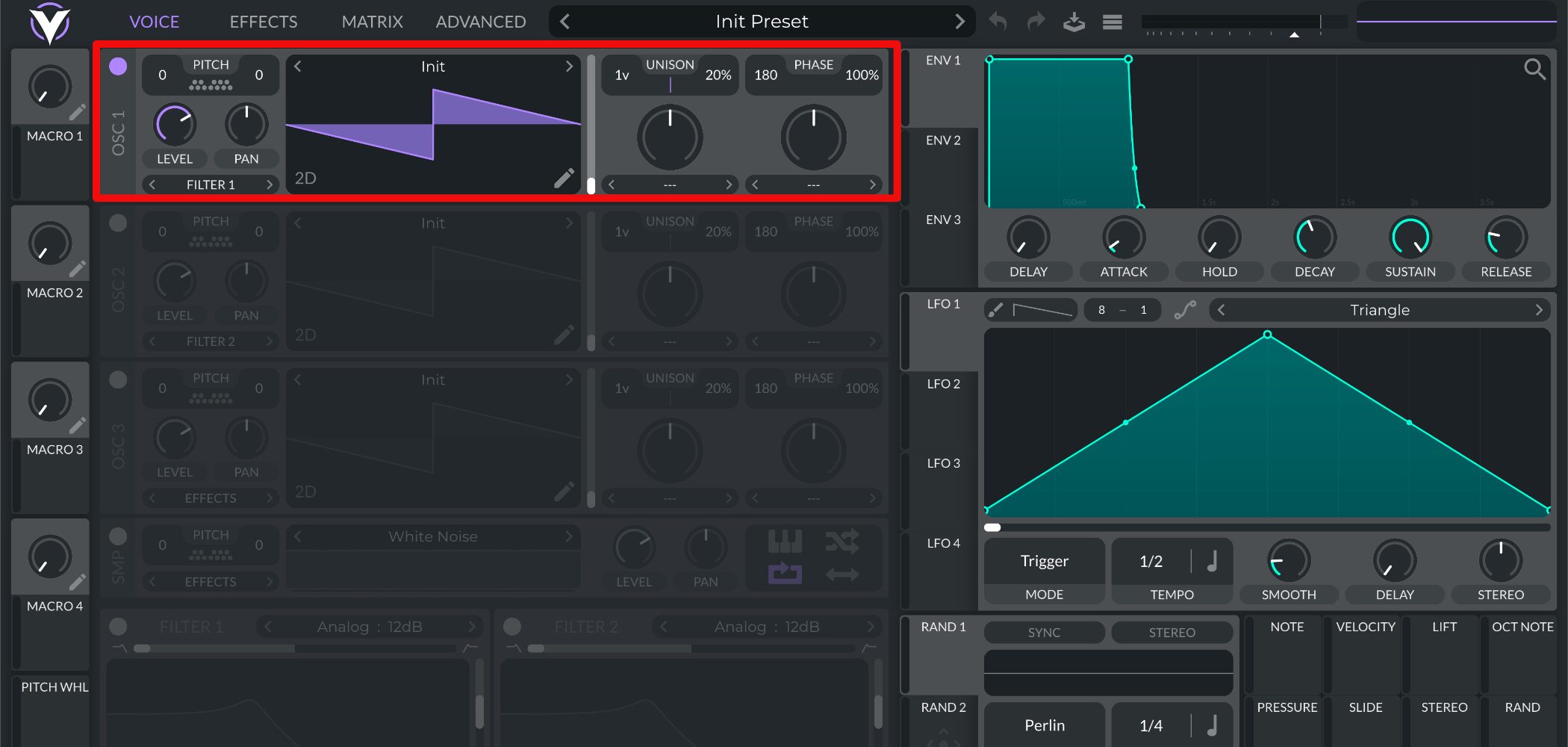
After opening Vital, keep Oscillator 1 on its default waveform.
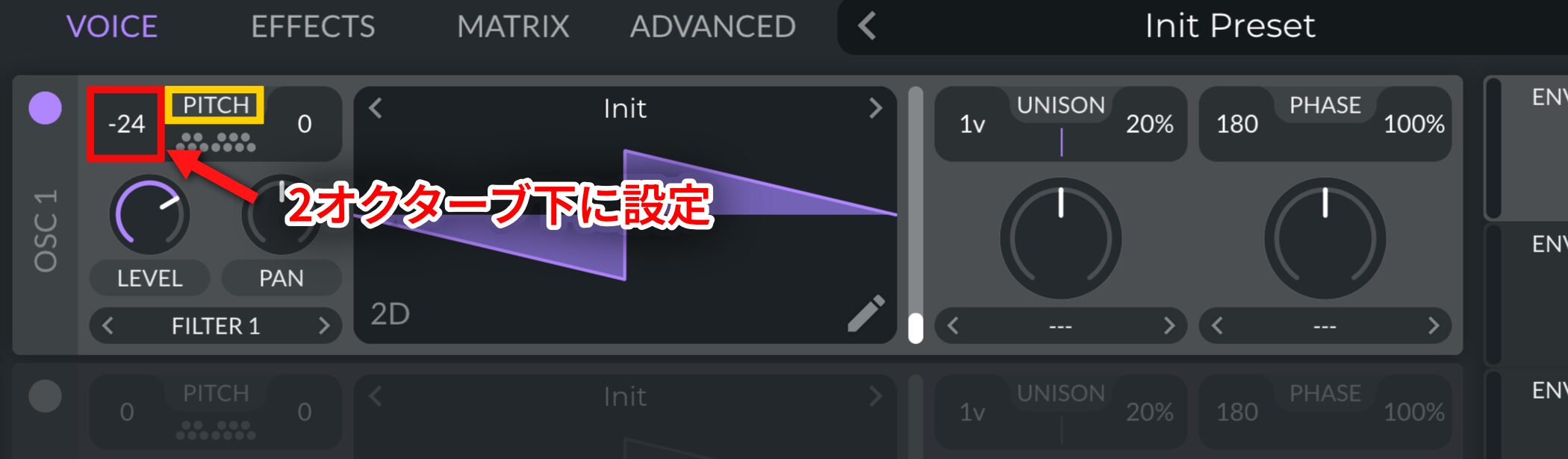
Because this is a bass sound, set PITCH to -24 (two octaves down).
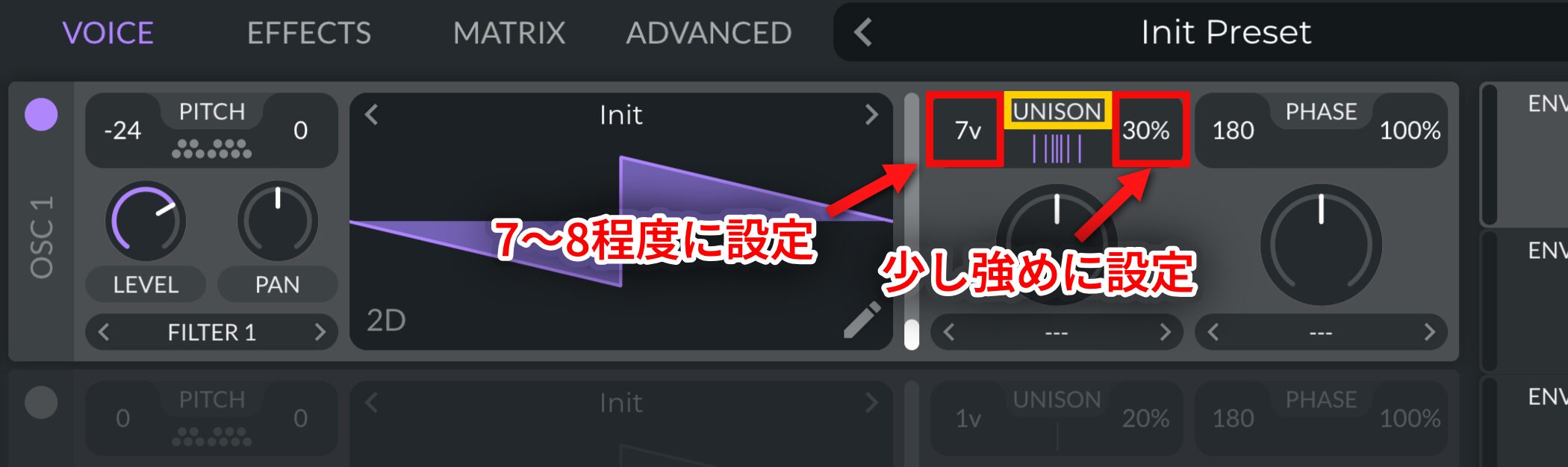
To add thickness and width, set Unison Voices to around 7–8 and Detune to about 30%, using a somewhat stronger setting.
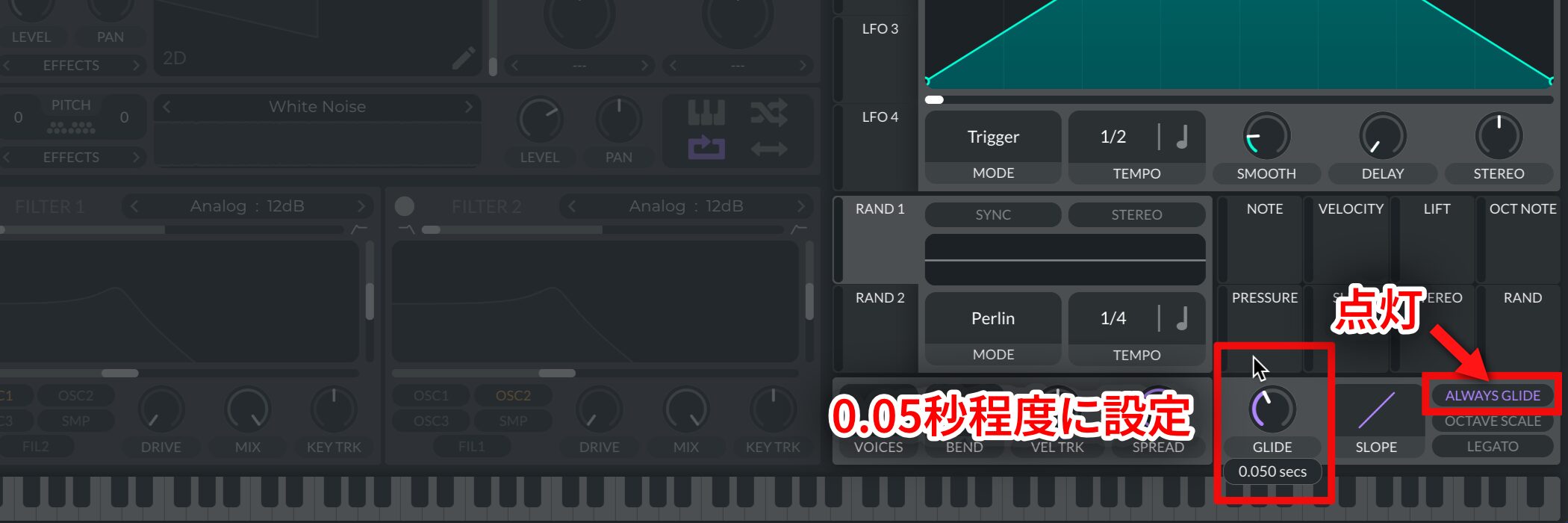
Also, turn on ALWAYS GLIDE and set GLIDE to around 0.05 seconds.
This makes notes connect smoothly as you play.
Step 2: Set the Filter
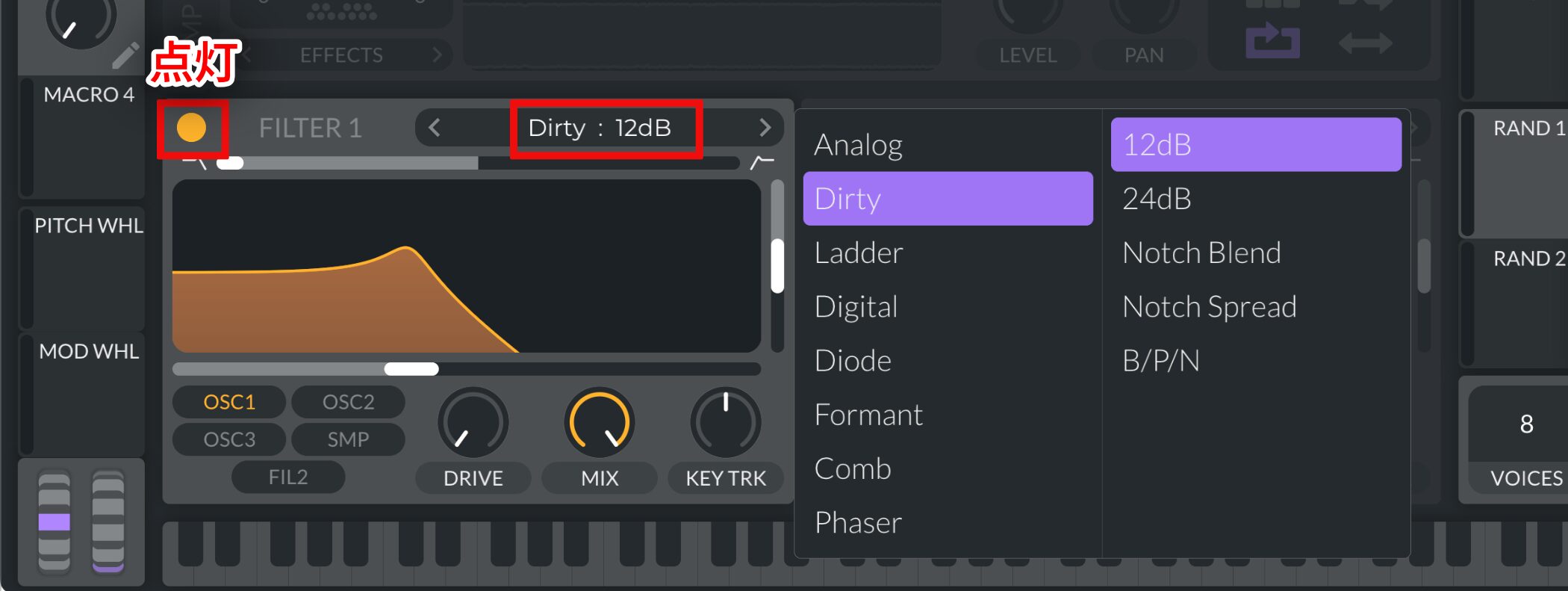
Turn on FILTER 1 and change the filter type to Dirty: 12 dB.
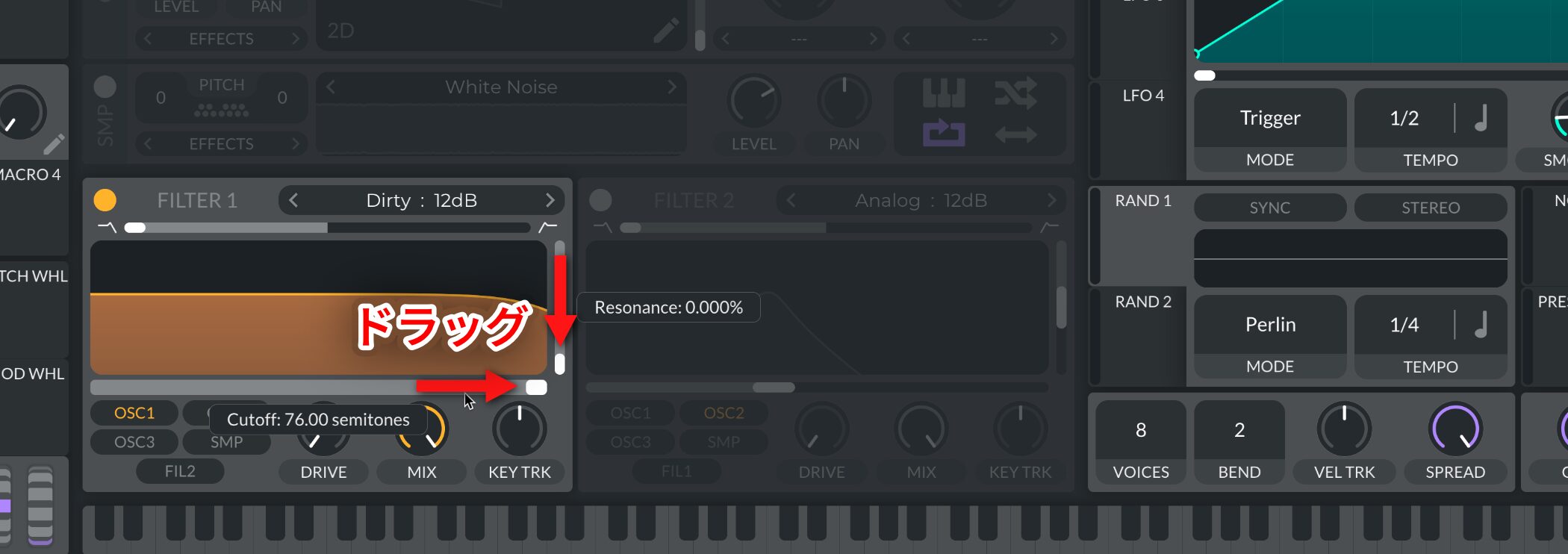
Set Resonance to 0% and Cutoff to maximum.
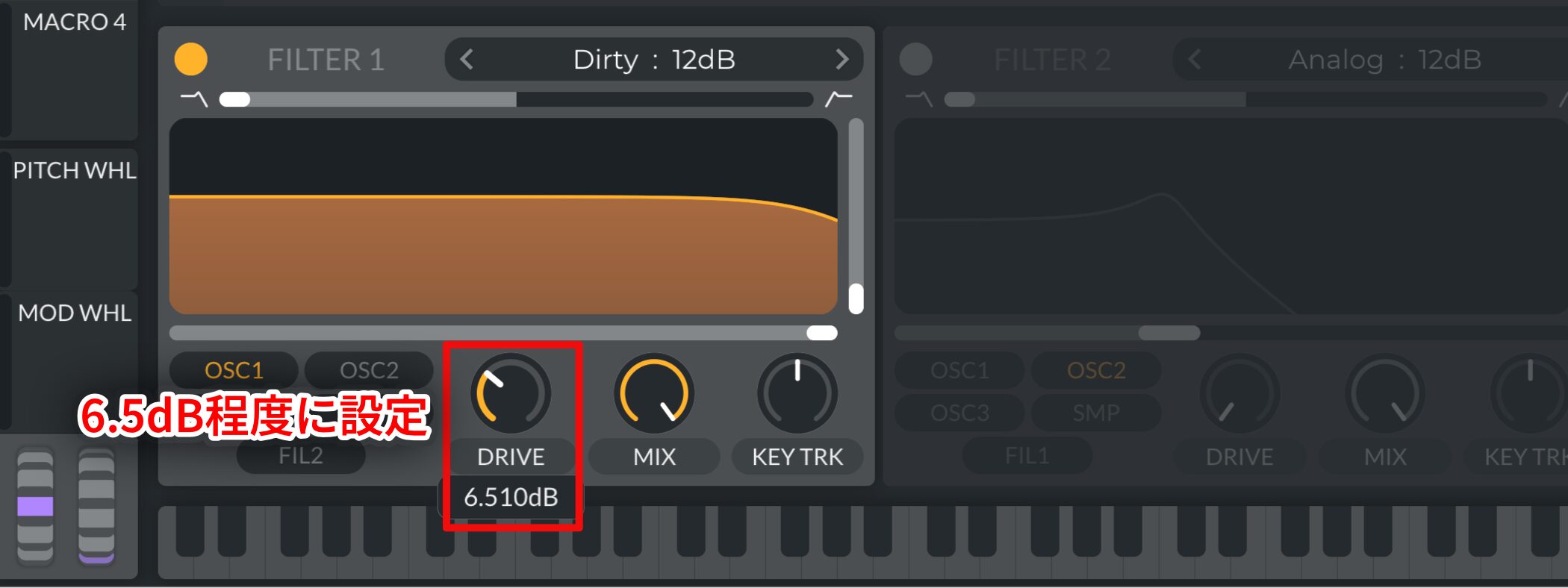
Set DRIVE to around 6.5 dB for a little distortion.
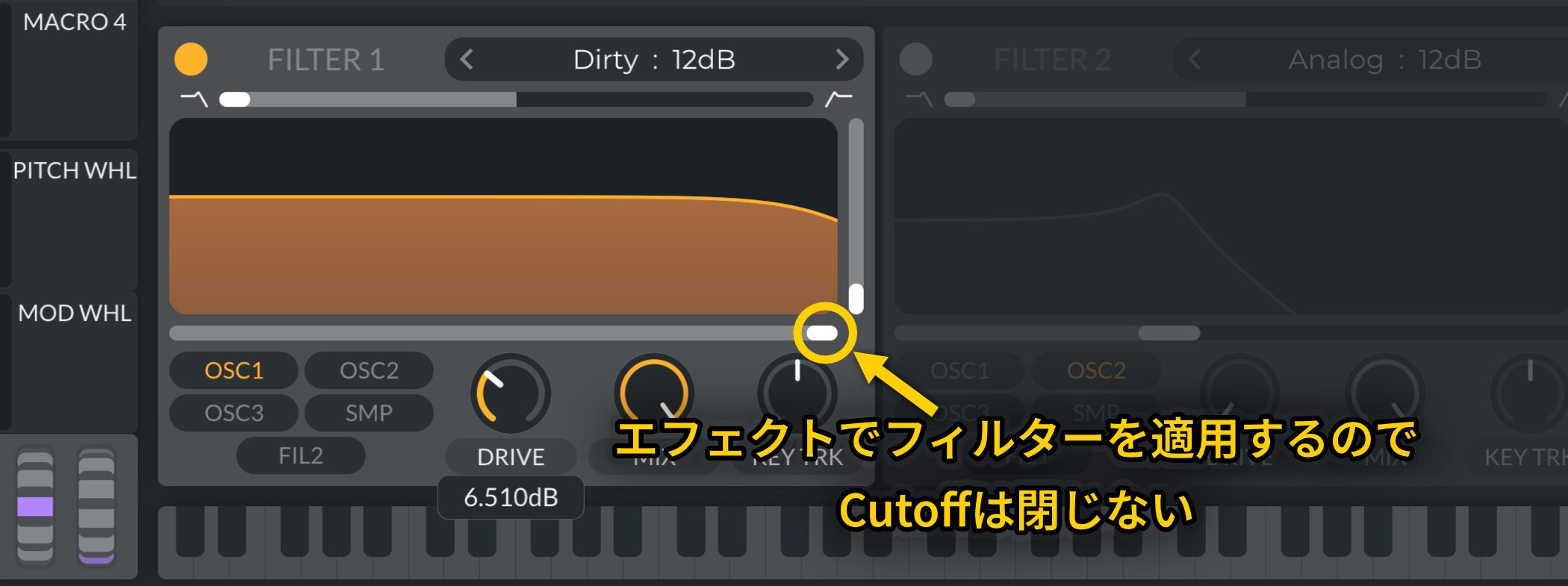
Closing Cutoff at this stage gets closer to a Reese Bass tone, but we will apply a filter later in the effects section, so for now use only DRIVE to shape the sound.
Step 3: Add Effects
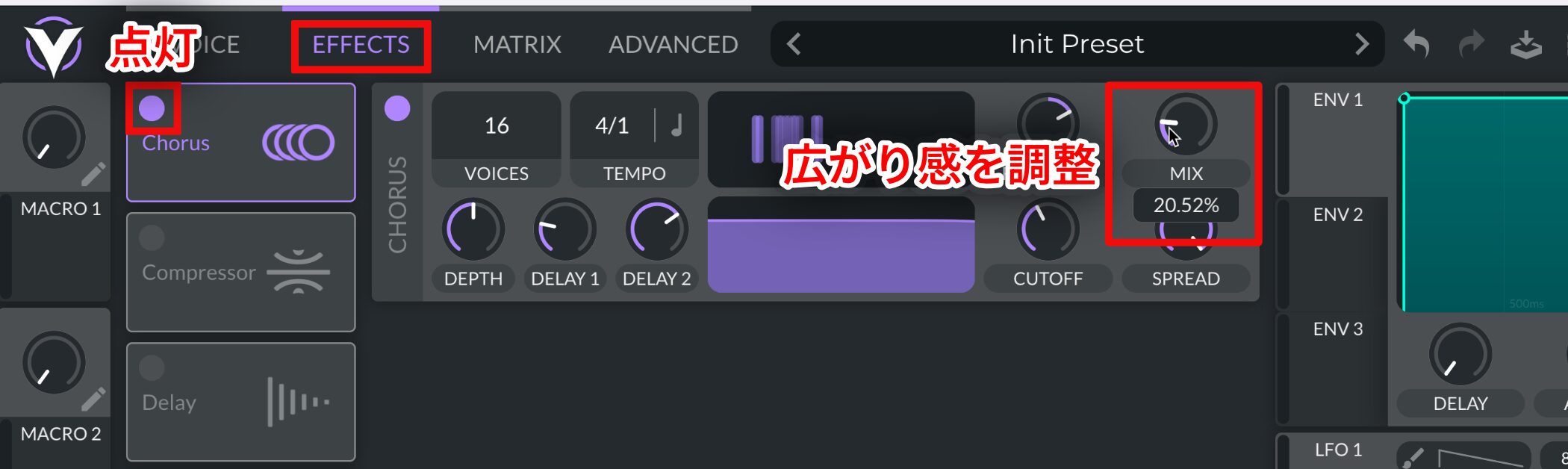
Turn on Chorus and adjust MIX to add width.
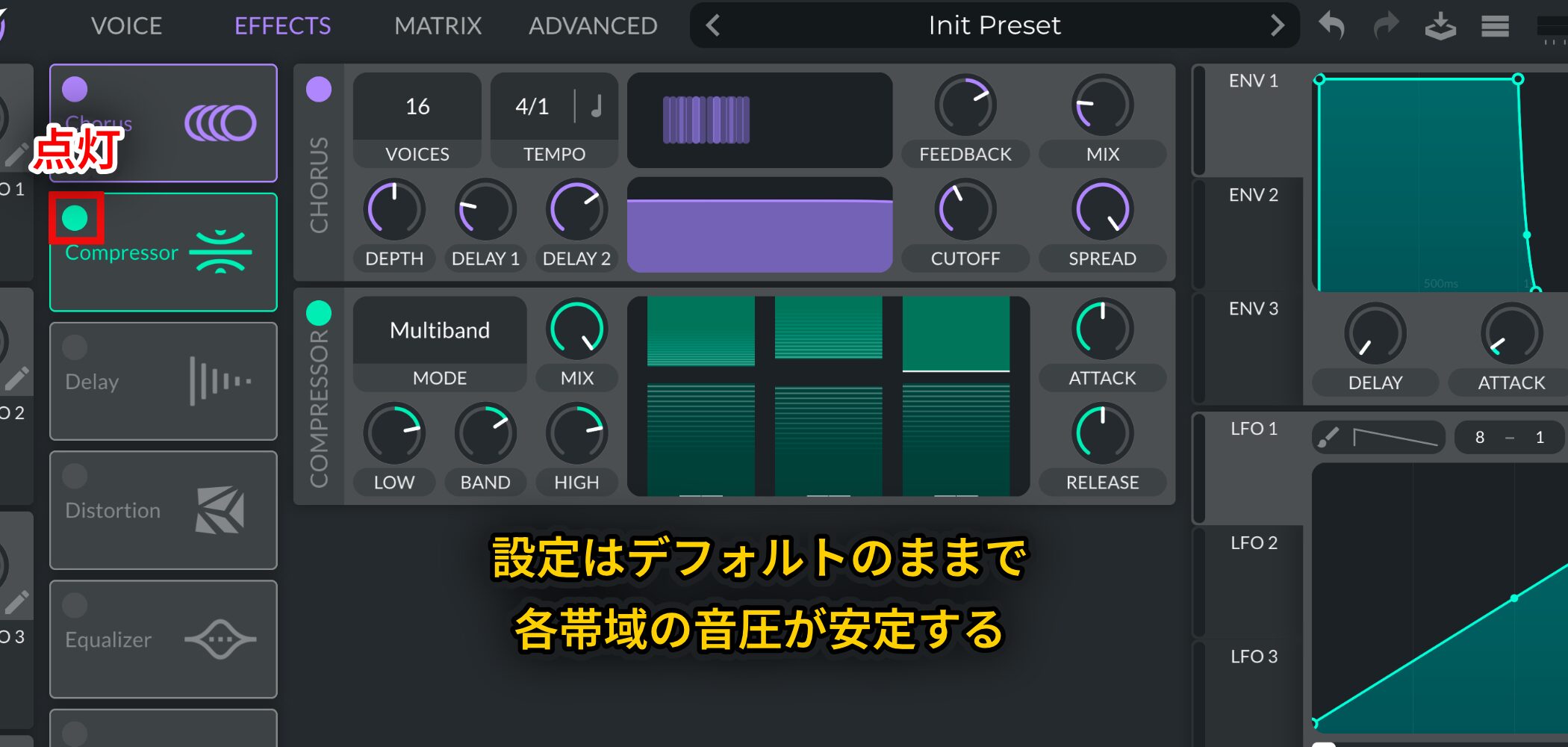
Next, turn on Compressor and leave its settings at their defaults to even out the levels across frequency bands.
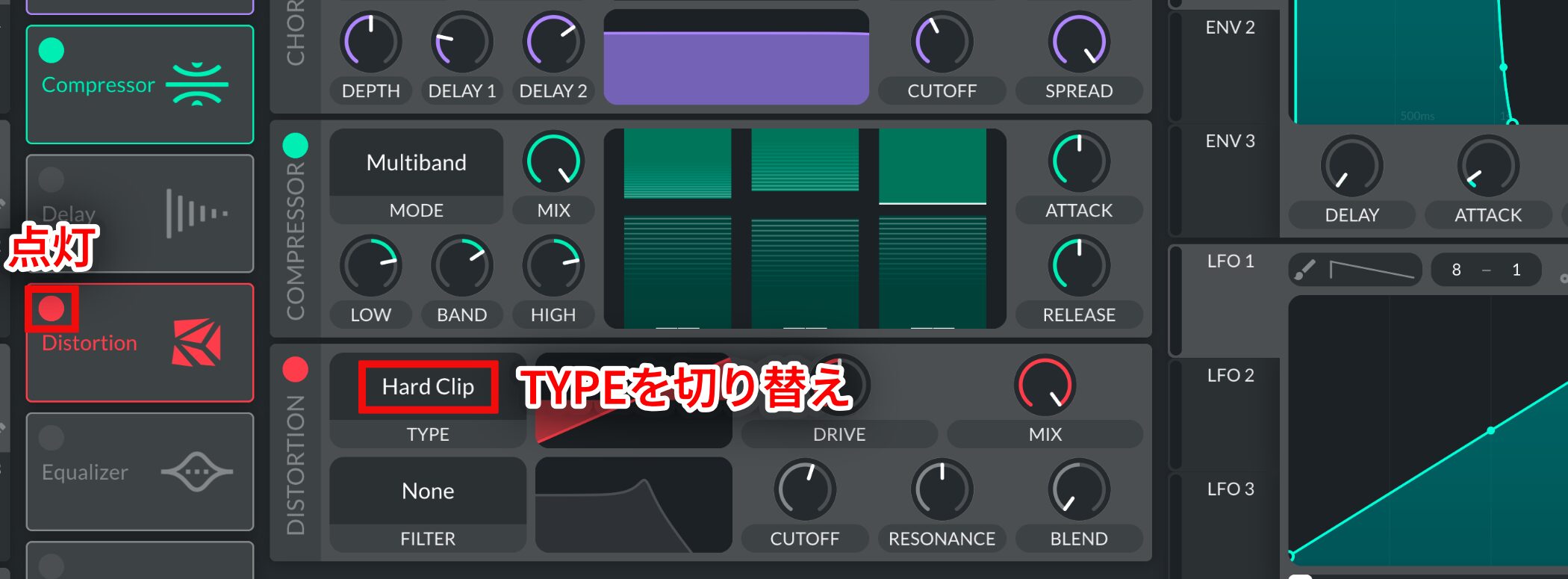
Then turn on Distortion and change TYPE to Hard Clip.
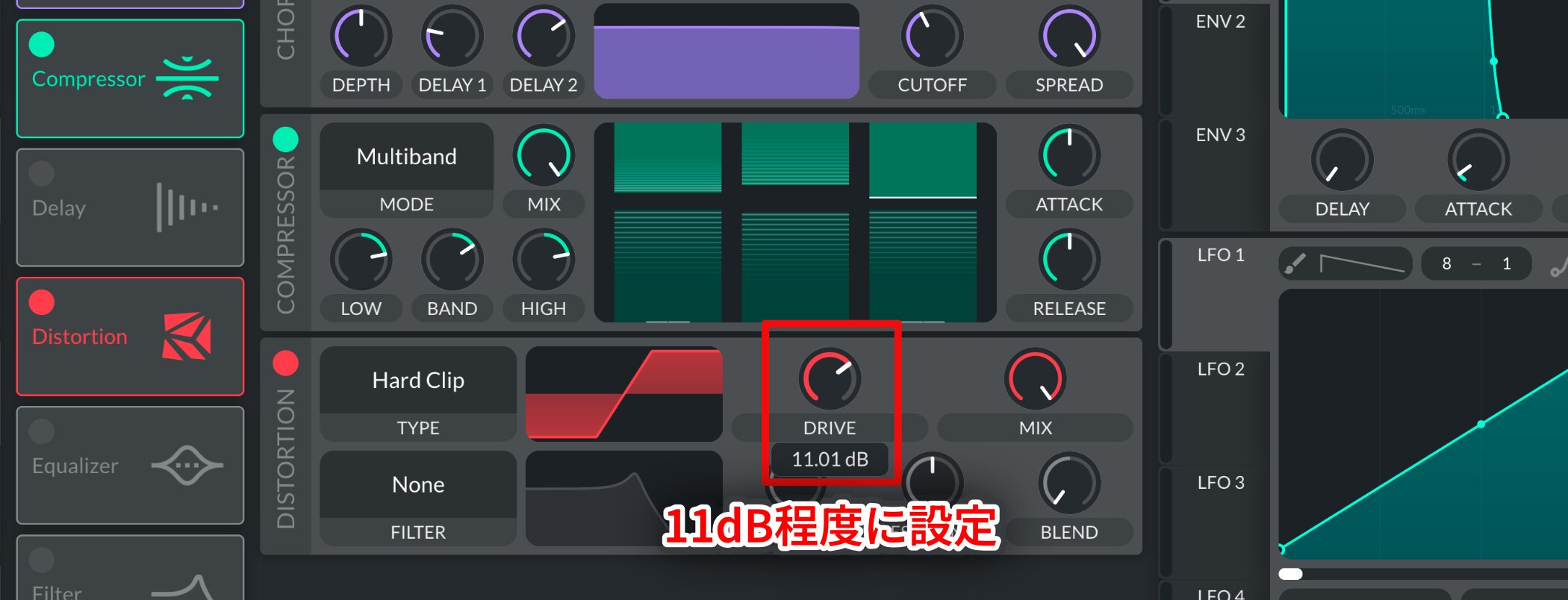
Set DRIVE to around 11 dB for more distortion.
The sound becomes much more aggressive.
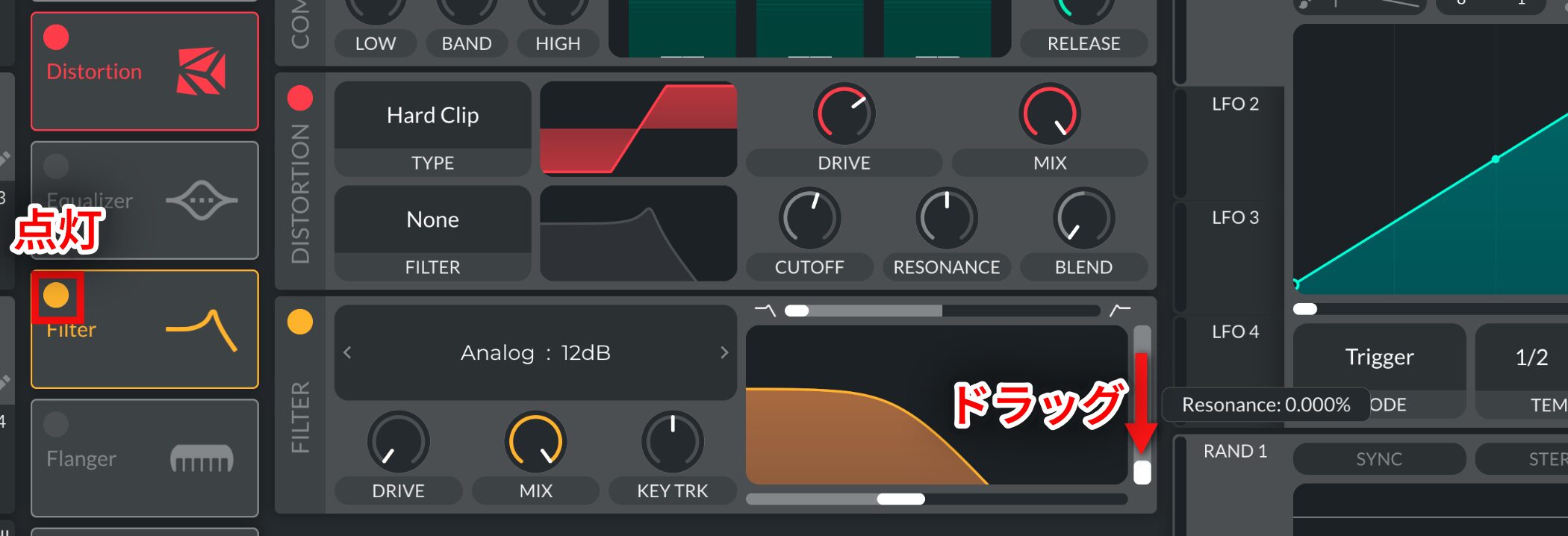
To tame excessive high frequencies in the effects section, turn on Filter.
Here too, set Resonance to 0%.
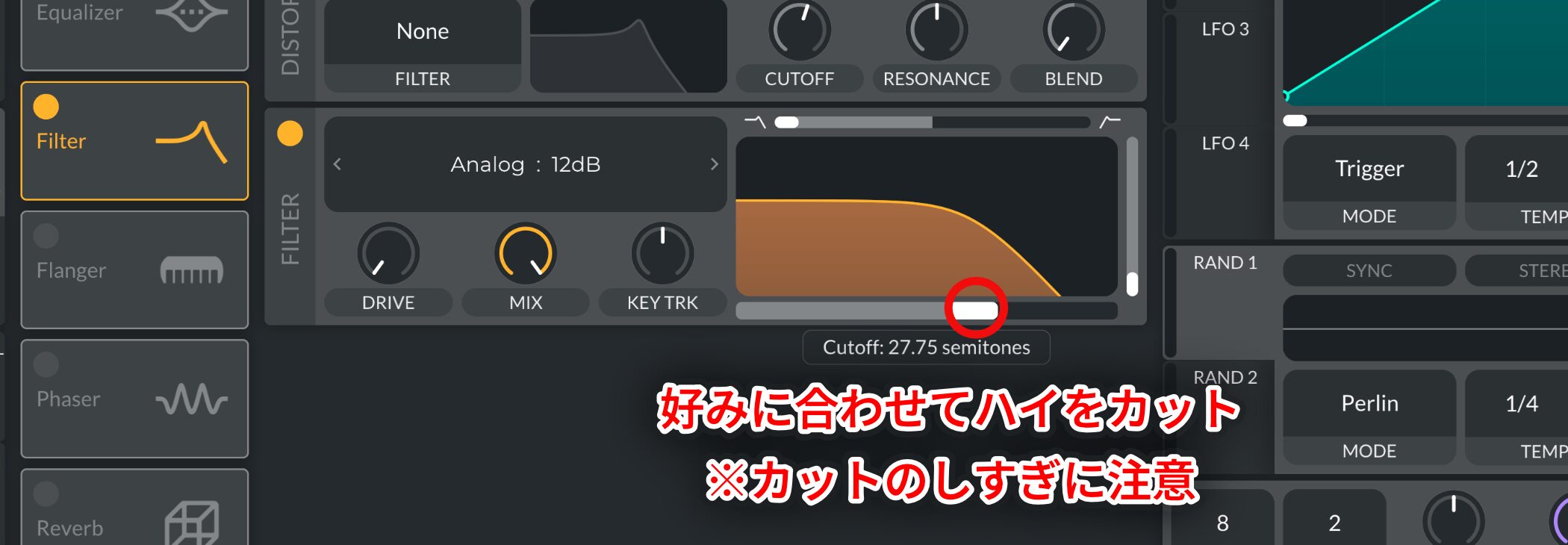
To taste, use Cutoff to reduce the high frequencies.
However, to avoid losing the sound's presence, take care not to cut too much.
Your Reese Bass is complete.
You can use a Reese Bass throughout a track or place it selectively in a pop arrangement for a strong effect.
Adjusting the filter cutoff also lets you control how prominent it feels in the mix, making it a versatile sound.
Try mastering the process and creating your own unique version.
For further listening, seek out tracks that feature a Reese Bass and compare how each uses the sound.
Frequently Asked Questions
Q1. What are the most important settings for a beginner making a Reese Bass?
Start by setting the oscillator PITCH to -24 (two octaves down) and Unison Voices to around 7–8 for thickness. These settings create the heavy low end and width that define a Reese Bass.
Q2. Can I make a Reese Bass with the free edition of Vital?
Yes. The oscillators, filter, and effects used here—including Chorus, Compressor, and Distortion—are all available in the free edition of Vital.
Q3. How can I adjust the Reese Bass's presence after making it?
Adjust Cutoff on the filter in the effects section. Lower it to reduce high frequencies and make the bass less prominent, or open it to emphasize the sound and fit it to the track.
Q4. Which genres can use a Reese Bass?
Reese Bass works in drum and bass, dubstep, hip-hop, K-pop, Vocaloid music, and many other styles. You can use it throughout a track or for emphasis in selected sections.
NEW ARTICLES
Latest English Articles
































