
A MIDI keyboard is used by 84.5% of music producers working with DTM, and it can be essential for improving production efficiency and musical expression. This article explains the differences between keyboards with and without built-in sound sources, what to consider when choosing key count, key feel, and pedal functions, and several popular entry-level models. By considering your playing style, budget, and available space together, you can choose a MIDI keyboard that supports a more efficient and expressive workflow.
Which One Is Right for You? Key Tips for Choosing a MIDI Keyboard and Popular Models
Selected Questions and Answers from the YouTube Video

I'm interested in playing a synthesizer live. I'm deciding whether to buy a Native Instruments Kontrol and connect it to software synths on my computer, including the included sounds, or buy a standalone hardware synthesizer costing around ¥170,000. Comparing the price and features, it seems a MIDI keyboard might be cheaper. What do you think? I currently have Cubase LE and RetroRogue 2.

The major advantage of a standalone hardware synth is that setup is simpler than with a MIDI keyboard, and you avoid problems such as no sound coming out. A MIDI keyboard's advantage is its expandability. Depending on the product, it may also be easier to transport. It comes down to what you prioritize, but I hope this helps.
Can the M-Audio Keystation be used with an iPad?
It's an iOS-compatible product, so it should work with an iPad without any problem!
After watching this video, I'm interested in buying a Native Instruments Kontrol S MK3. I mainly use IK Multimedia instruments with Logic Pro 11 for now. I'm thinking of buying Kontakt 8, but besides the higher price compared with other models, are there any disadvantages?
I don't see any disadvantages beyond the relatively high price. I think it's a very good product.
Why do you think manufacturers don't make 128-key keyboards? That's what I want most. Also, I don't like the term DTM because I feel it suggests a desktop-only setup, even though computers aren't limited to desktops. I also dislike how the term can make it sound like a cheap, all-in-one GM sound module.
I hadn't thought of a 128-key keyboard! Maybe it would take up too much space, and the range could extend beyond the audible frequencies. You might not even be able to reach both ends with your arms outstretched! The term DTM isn't used overseas, so I don't think your discomfort with it is misplaced. Especially recently, all kinds of devices have appeared, and you can make music anywhere.
Why call it a MIDI keyboard when it doesn't even connect via MIDI? That's outdated...
These days, it's really convenient that you can just connect it and start using it. I think it's called a MIDI keyboard because it sends MIDI to DAW instruments so you can play and record them. MIDI 2.0 has also arrived, so we'll probably keep using MIDI for a while yet.
A MIDI keyboard is one piece of gear to consider when getting started with DTM.
There are many different products, so it's easy to feel unsure about what criteria to use.
Below are the results of a keyboard survey we conducted at the end of last year.
| Use a keyboard | Do not use a keyboard |
|---|---|
| 2,721 people | 501 people |
As you can see,approximately 84.5%of respondents feel that aMIDI keyboard is usefulfor producing music with DTM.
In this article, we'll cover the basics of MIDI keyboards, what to consider when choosing one, and recommended models available in 2025.
Types of MIDI Keyboards
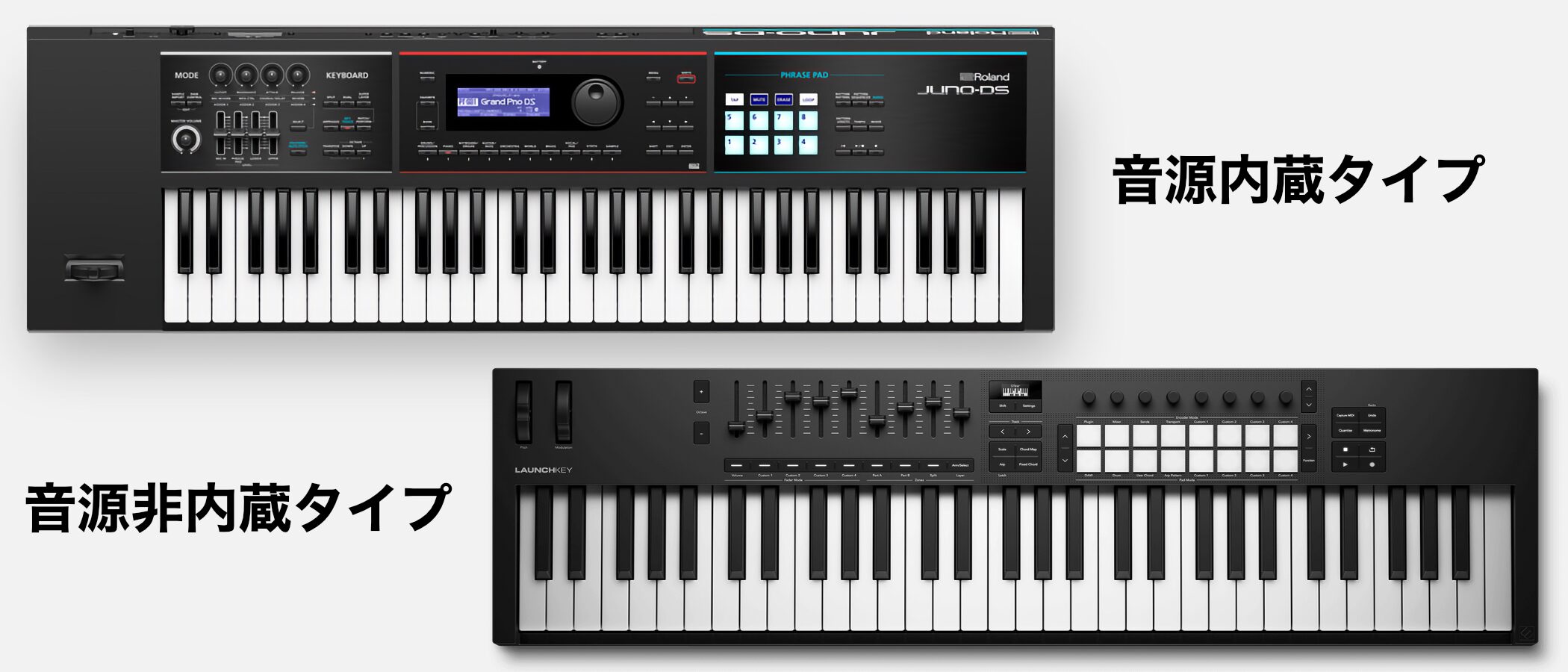
MIDI keyboards fall into two main categories:those with a built-in sound source and those without one.
Keyboards with built-in sounds are convenient because you can play them without a computer. Models with built-in speakers don't require external speakers or headphones, either.
This category also includes modern synthesizers and keyboards used for live performance.
When connected to a computer via USB, these instruments can also function as MIDI keyboards and control your DAW's sound sources.
They tend to cost more, but include the sounds unique to that instrument, sothey can be a good choice if you like the built-in sounds.
Keyboards without built-in sounds connect to a computer and use the sound sources in your DAW.
They aren't as convenient as models with built-in sounds, but you can choose from a wider range of options, including cost-effective models and ones with performance-assistance features.That broader selection is one of their advantages.
Benefits of Using a MIDI Keyboard
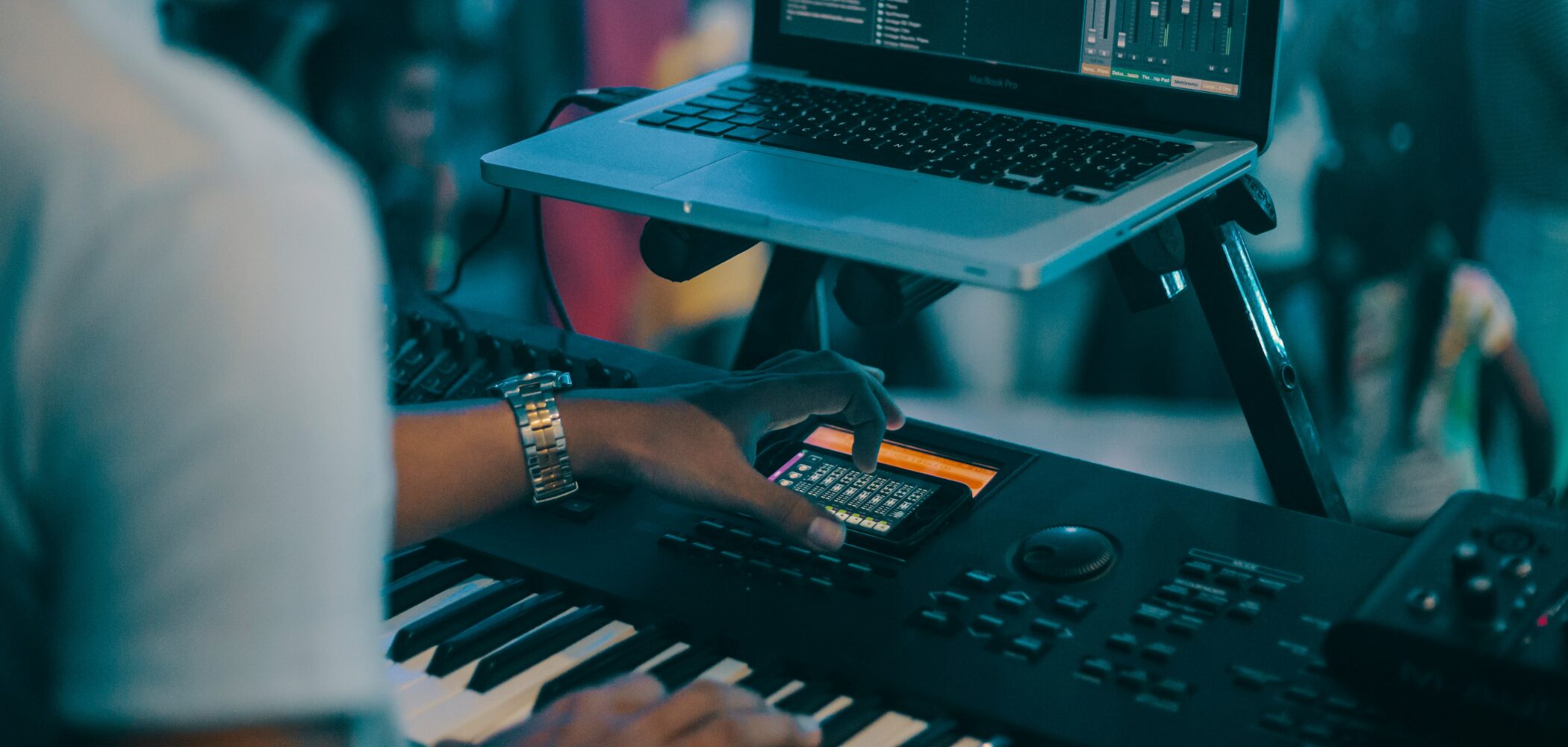
You can produce music with DTM without a MIDI keyboard, but adding one can help youwork more efficiently and add expressive detail.
The main benefits include:
- Faster input: Enter melodies and chords more quickly and intuitively than with a mouse, so you can capture ideas right away.
- More expressive performances: Add human feel with velocity, wheels, and other controls.
- Hands-on control: Use knobs, pads, and other physical controls to operate your DAW or instruments.
- Quick access: Try different sounds from software instruments one after another.
Key Points for Choosing the Right MIDI Keyboard
There are several things to consider when choosing a MIDI keyboard.
To find the right one among the many products available, keep these three points in mind.
Point 1: Number and Size of Keys
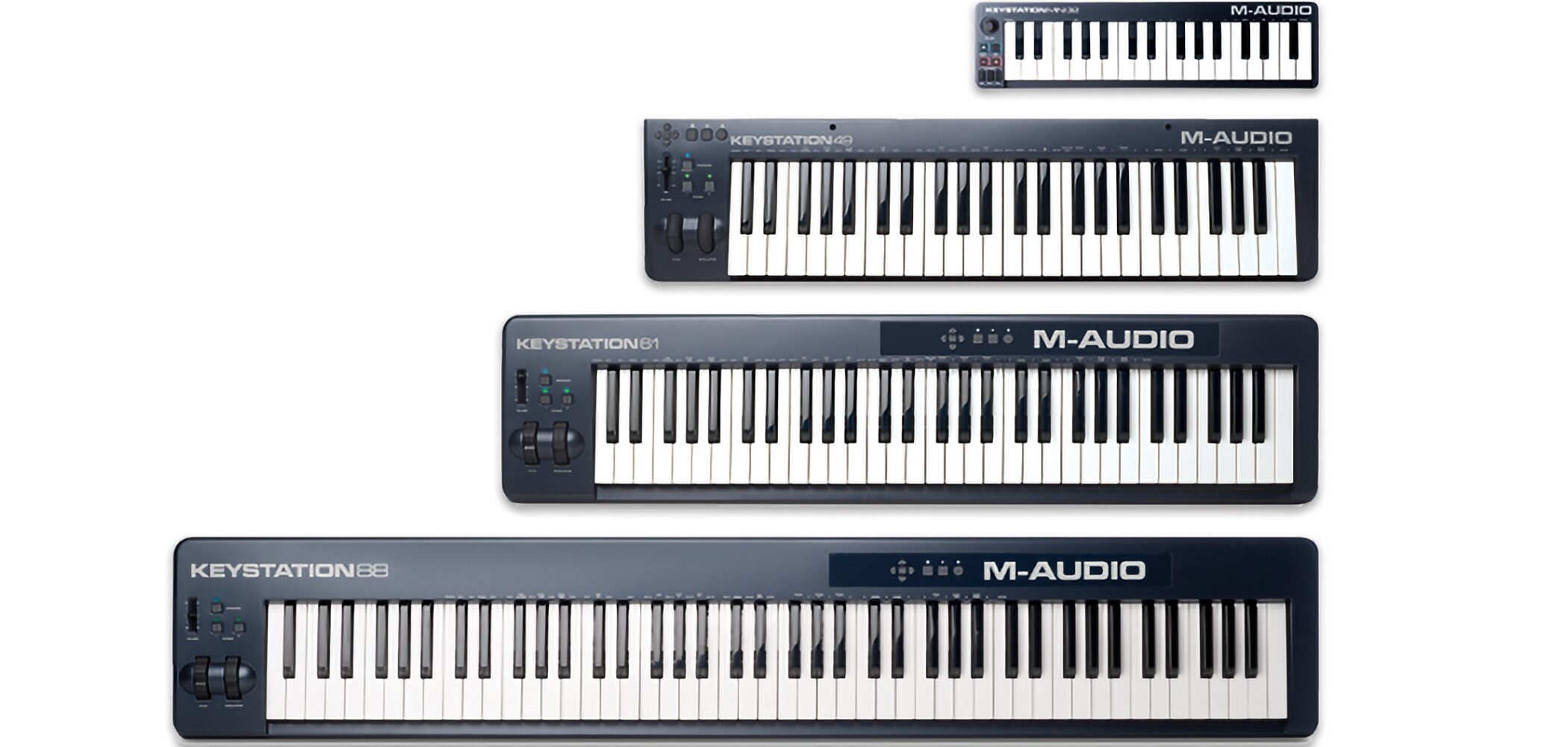
The first things to check when choosing a MIDI keyboard are the number and size of its keys.
There are five common key counts:25, 37, 49, 61, and 88 keys.
Choose 25 or 37 keys if portability is your priority; 49 or 61 keys for general input and playing; and 88 keys if you also want to play piano seriously.
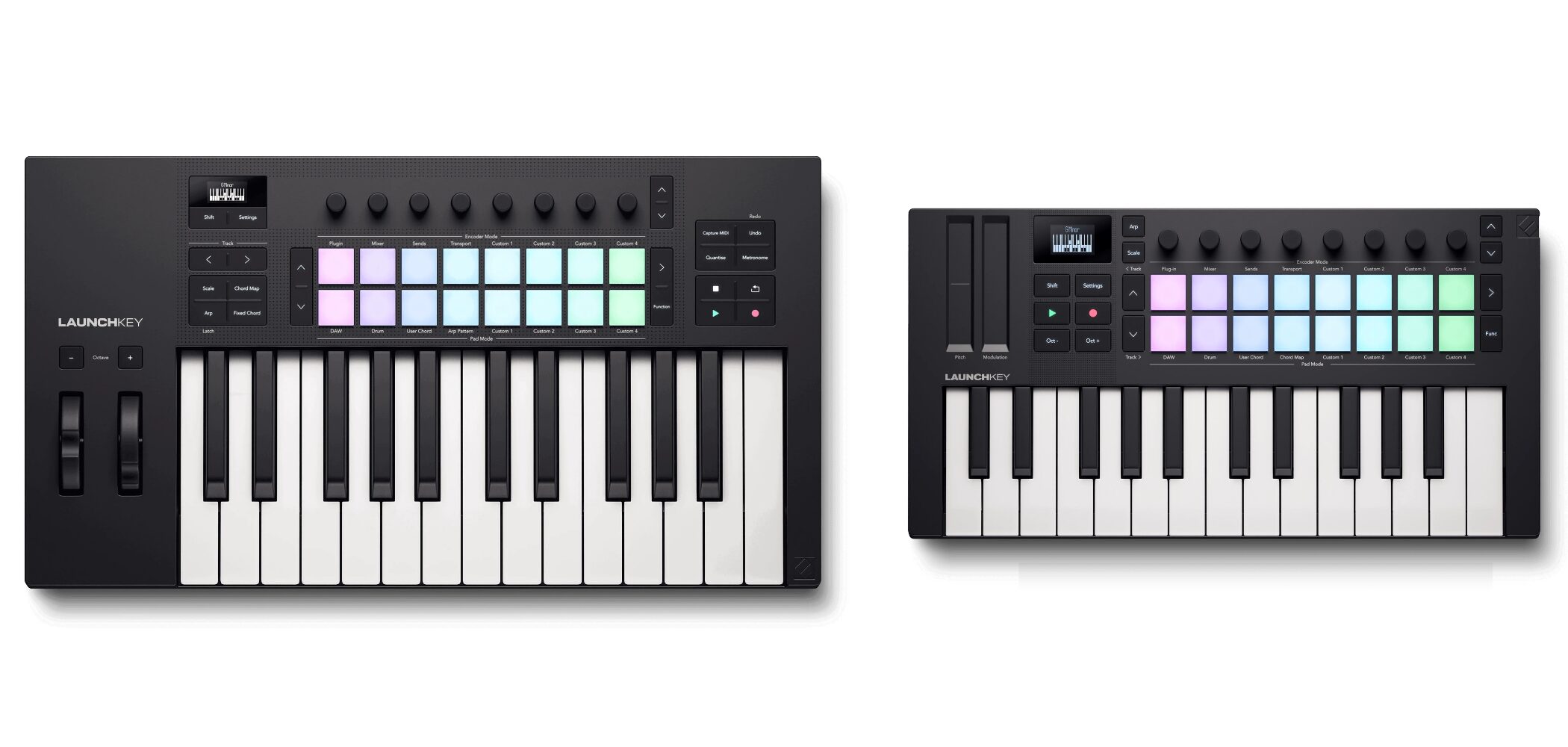
Key size is another important factor. The two main types arefull-size keys (standard keys), the same width as an acoustic pianoandmini keys, which are narrower and shorter.
- Full-size (standard) keys: Provide a natural playing feel and are standard on models with 49 keys or more.
- Mini keys: More portable, but they may feel cramped when playing. They are mainly used on 25- and 37-key models.
Ultimately, consider the genre and complexity of the music you play, your available space, how often you need to carry the keyboard, your budget, and whether you want full-size or mini keys.
Point 2: Key Feel
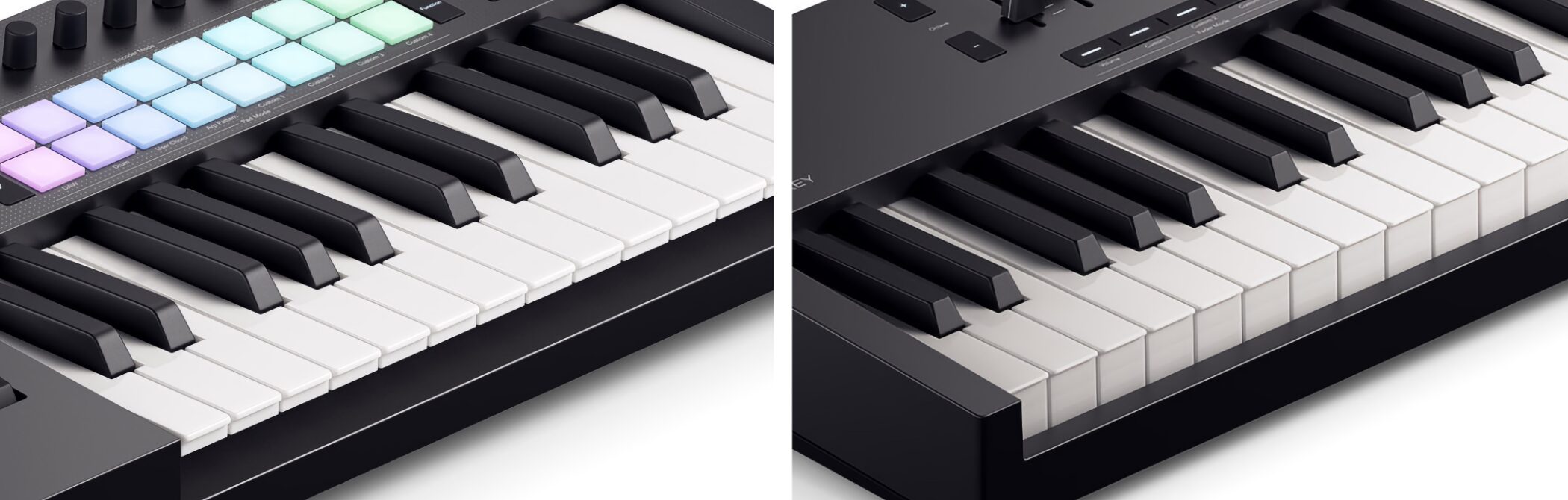
The feel of the keys is also important. The three main types aresynth-action, semi-weighted, and hammer action.
- Synth-action: The lightest feel. Well suited to entering fast phrases.
- Semi-weighted: An intermediate weight. A versatile balance between resistance and lightness.
- Hammer action: Heavier keys designed to reproduce a piano's touch. Ideal for pianists who want a realistic playing feel.
If possible, try the keyboard at a music store to see which key feel you prefer.
Point 3: Pedal Inputs
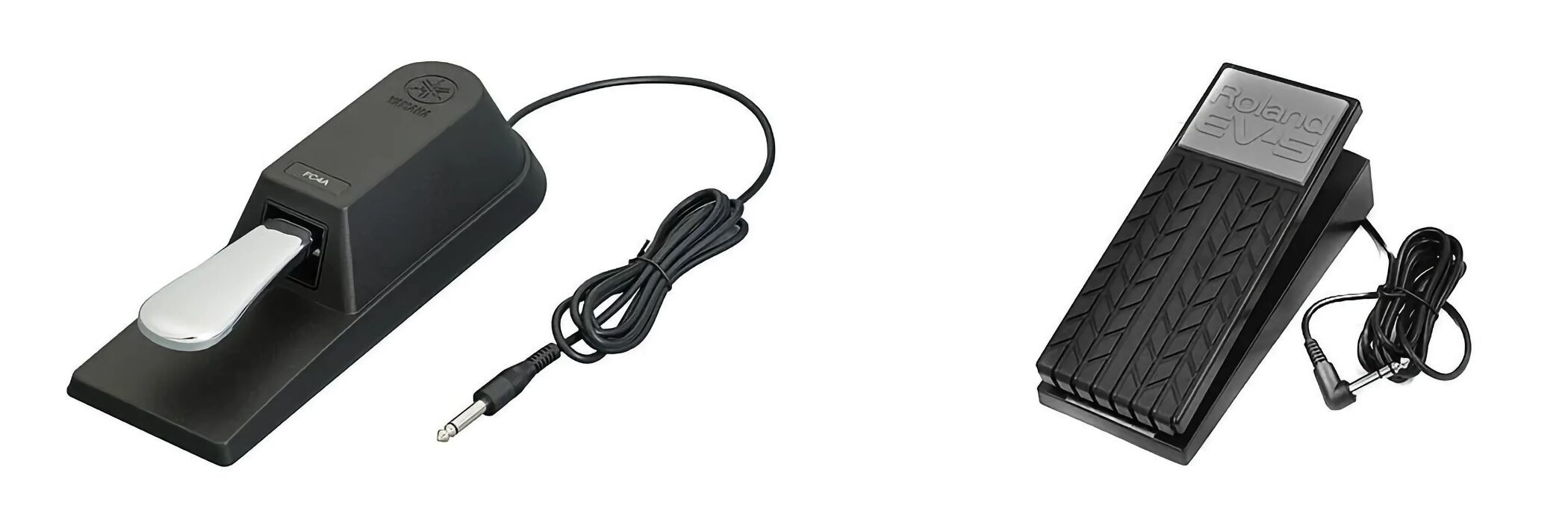
Pedals can greatly expand your expressive options. The two common types aresustain (damper) pedals and expression pedals.
- Sustain pedal: Holds and sustains notes after you lift your fingers from the keys.
- Expression pedal: Lets you control volume, filters (such as a wah effect), effects, and more with your foot.
Many standard MIDI keyboards have a sustain pedal input, but an expression pedal input is available only on some models.
If you plan to use a pedal, check which inputs are available before buying.
Four Recommended MIDI Keyboards
Here are four popular, time-tested MIDI keyboards that are also well suited to beginners, based on the points above.
This time, we've selected productswithout built-in sound sources, which offer greater expandability when paired with computer-based software instruments.
M-Audio Keystation MK3 Series
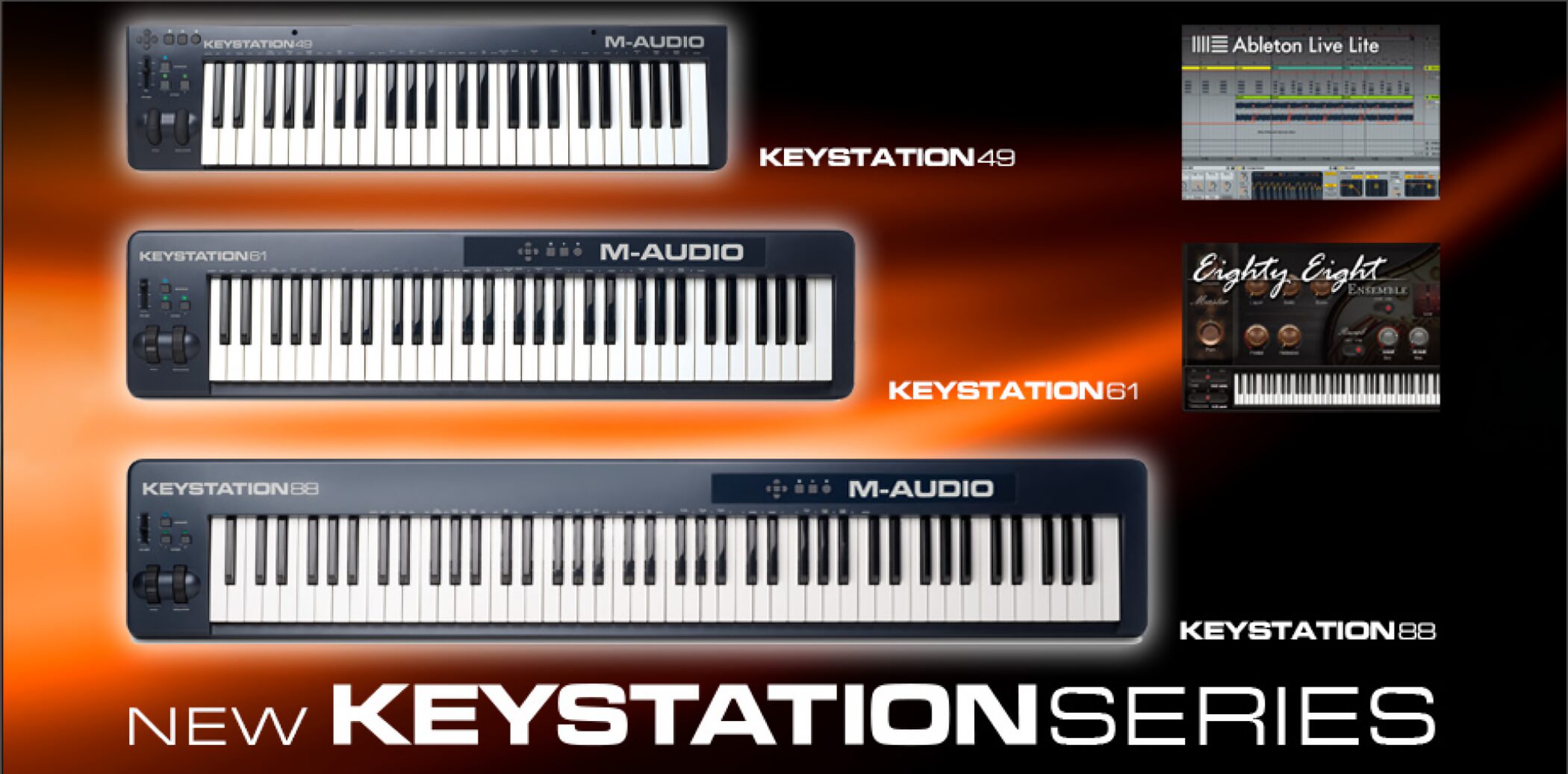
A popular, cost-effective MIDI keyboard with a simple design focused on the essential controls for playing.
It doesn't have many complex features, but it includes DAW software and instruments, making ita great choice for getting started with DTM.
Recommended for people who mainly want to enter notes or play on the keyboard while also using a mouse and computer keyboard, or who want to keep costs down.
Models and Approximate Prices
Keystation Mini 32 MK3 (32 mini keys): Around ¥6,000 (tax included)
Keystation 49 MK3 (49 full-size synth-action keys): Around ¥12,000 (tax included)
Keystation 61 MK3 (61 full-size synth-action keys): Around ¥20,000 (tax included)
Keystation 88 MK3 (88 full-size semi-weighted keys): Around ¥30,000 (tax included)
Here are the product's main features:
- Essential controls: Pitch-bend and modulation wheels for expressive playing
- DAW controls: Transport buttons such as Play and Stop, directional buttons for navigating menus, and a volume fader (included on models with 49 keys or more)
- Connections: USB-B (PC/Mac/iOS; an adapter is required for iOS) and sustain pedal input (on models with 49 keys or more)
- Power: USB bus-powered; one USB cable is all you need
- Included software: Ableton Live Lite, MPC Beats, and AIR Music Tech instruments such as Mini Grand and Xpand!2
Novation Launchkey MK4 Series
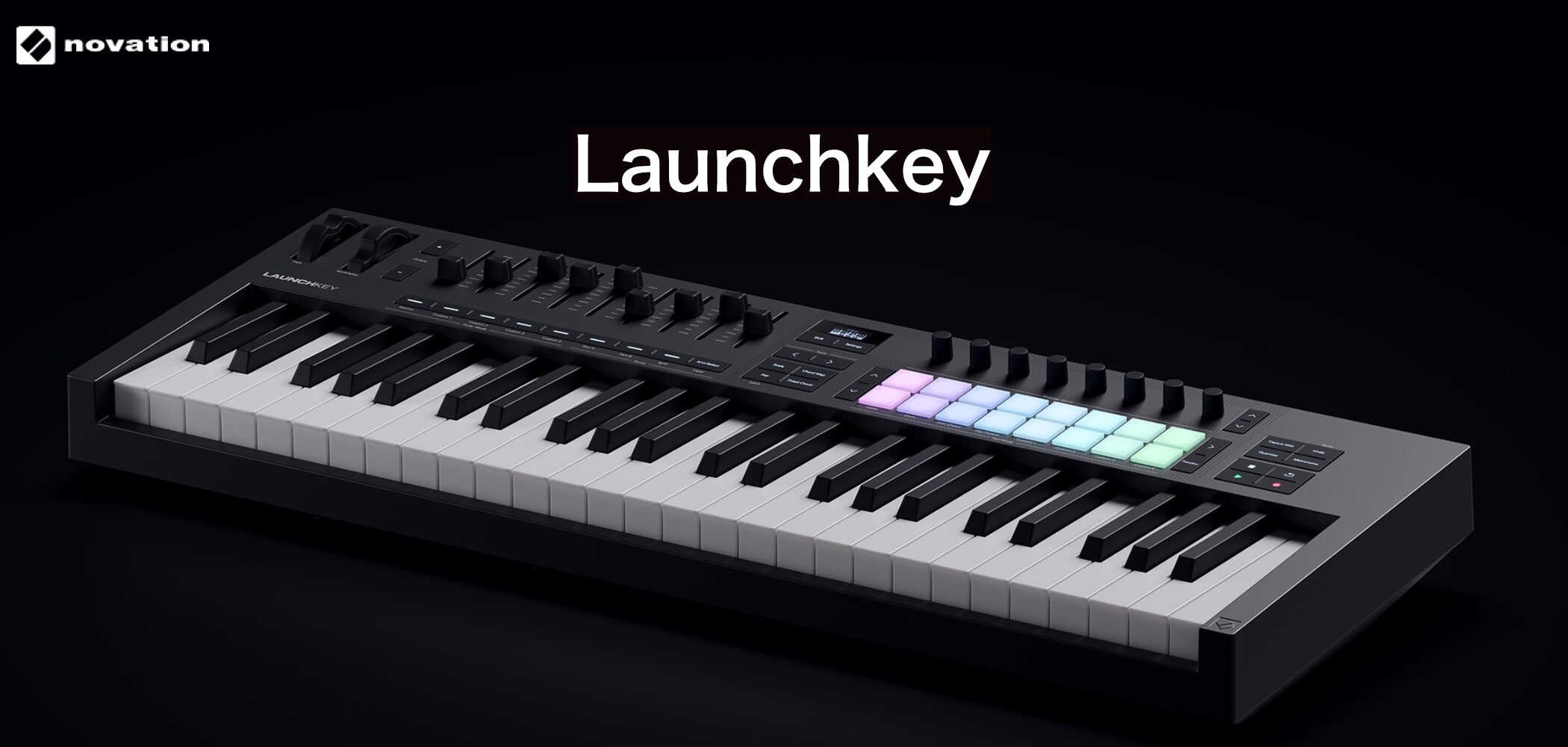
A MIDI keyboard with integration for major DAWs, including Ableton Live, Cubase, Logic Pro, and FL Studio.
It includes composition-assistance features such as Scale Mode, Chord Mode, and an arpeggiator,as well as creative tools for songwritingand expressive, easy-to-play pads.
It's recommended for Ableton Live users, as well as anyone who wants to make beats with pads or compose intuitively without relying on music theory.
Models and Approximate Prices
Launchkey Mini 25 MK4 (25 mini keys): Around ¥17,000 (tax included)
Launchkey Mini 37 MK4 (37 mini keys): Around ¥20,000 (tax included)
Launchkey 25 MK4 (25 full-size synth-action keys): Around ¥25,000 (tax included)
Launchkey 37 MK4 (37 full-size synth-action keys): Around ¥30,000 (tax included)
Launchkey 49 MK4 (49 full-size semi-weighted keys): Around ¥36,000 (tax included)
Launchkey 61 MK4 (61 full-size semi-weighted keys): Around ¥43,000 (tax included)
Here are the product's main features:
- DAW integration: Control the mixer, transport, and more in major DAWs without complicated setup
- RGB pads: 16 velocity- and polyphonic-aftertouch-sensitive pads for drums, clip launching, and other modes
- Creative features: Scale Mode (helps keep notes in key), three Chord Modes (Chord Map, User, and Fixed), and an arpeggiator
- Parameter control: Eight knobs on all models and nine faders on the 49- and 61-key models for real-time software control
- Connections: USB-B (PC/Mac), sustain pedal input, and MIDI out on full-size models
- Power: USB bus-powered
- Included software: Ableton Live Lite and a bundle of partner instruments and effects
* Polyphonic aftertouch detects how firmly you press a pad (or key), allowing each note to respond differently, for example by changing its tone.
Arturia KeyLab mk3 Series
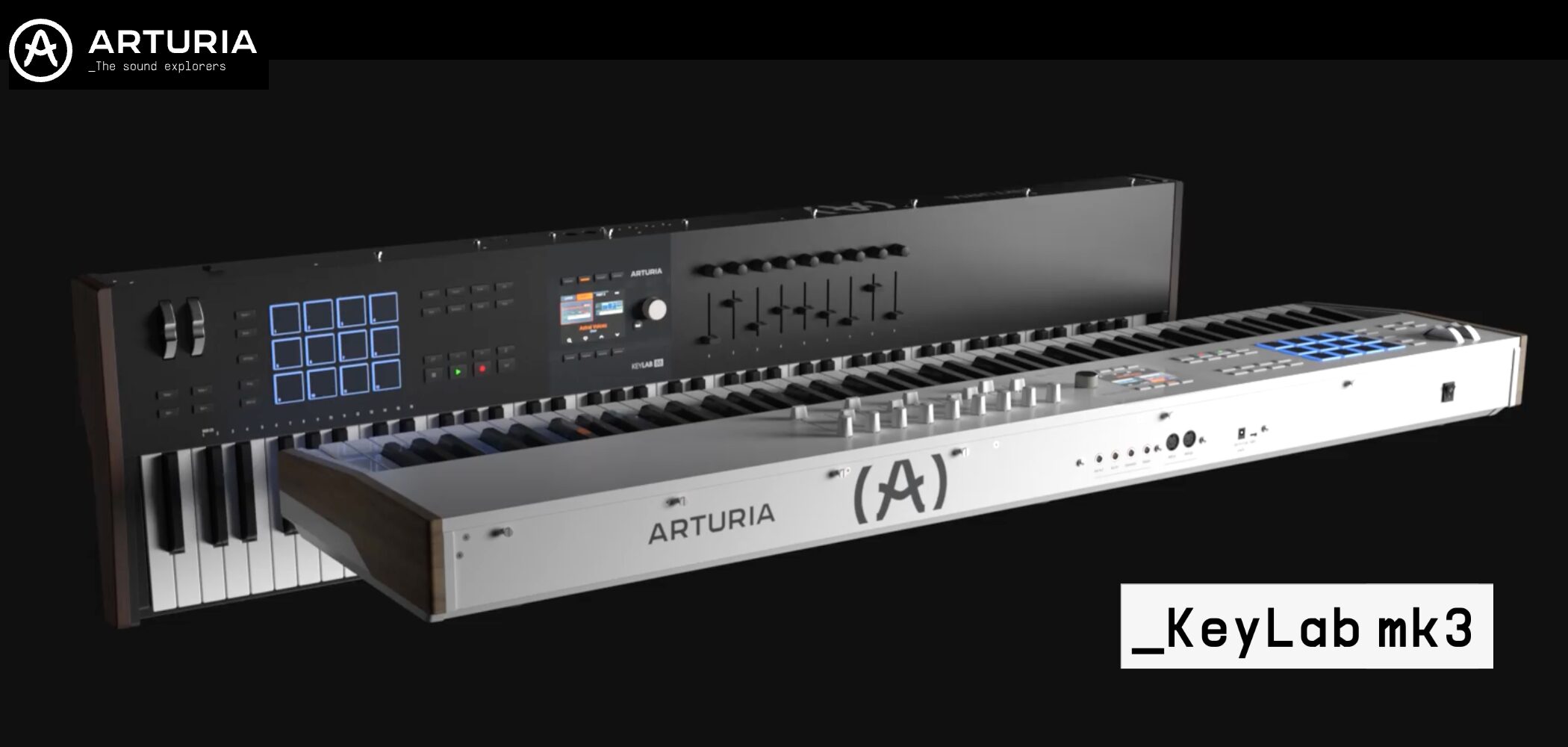
A MIDI keyboard that combines advanced controls, integration with major DAWs, and a rich collection of professional-grade instruments and effects.
Its easy-to-read TFT display and practical control panelhelp streamline your music-production workflow.
Its stylish design is available in black and white.
Recommended for people who want to use Arturia instruments, are looking for a versatile master keyboard, or are aiming for a professional production setup.
Models and Approximate Prices
KeyLab 49 mk3 (49 full-size semi-weighted keys): Around ¥70,000 (tax included)
KeyLab 61 mk3 (61 full-size semi-weighted keys): Around ¥90,000 (tax included)
KeyLab 88 mk3 (88 full-size hammer-action keys): Around ¥163,000 (tax included)
Here are the product's main features:
- RGB pads: 12 velocity- and pressure-sensitive pads
- Controllers: Nine touch-sensitive encoders (knobs) and nine touch-sensitive faders
- Large TFT display: Shows parameters and preset information in color, with dedicated buttons for intuitive control
- DAW integration: Includes custom scripts for major DAWs, making transport and mixer control easy
- Creative features: Scale Mode (helps keep notes in key), Chord Mode (with user chords), and an arpeggiator (including a random mode)
- Connections: USB-C (PC/Mac), MIDI in/out, sustain pedal input, expression pedal input, and auxiliary pedal input
- Power: USB bus-powered; can also run from a separately sold adapter
- Included software: Arturia software such as Analog Lab Pro, Mini V, and Piano V, plus Ableton Live Lite, NI piano instruments, and more
Native Instruments Komplete Kontrol S MK3 Series
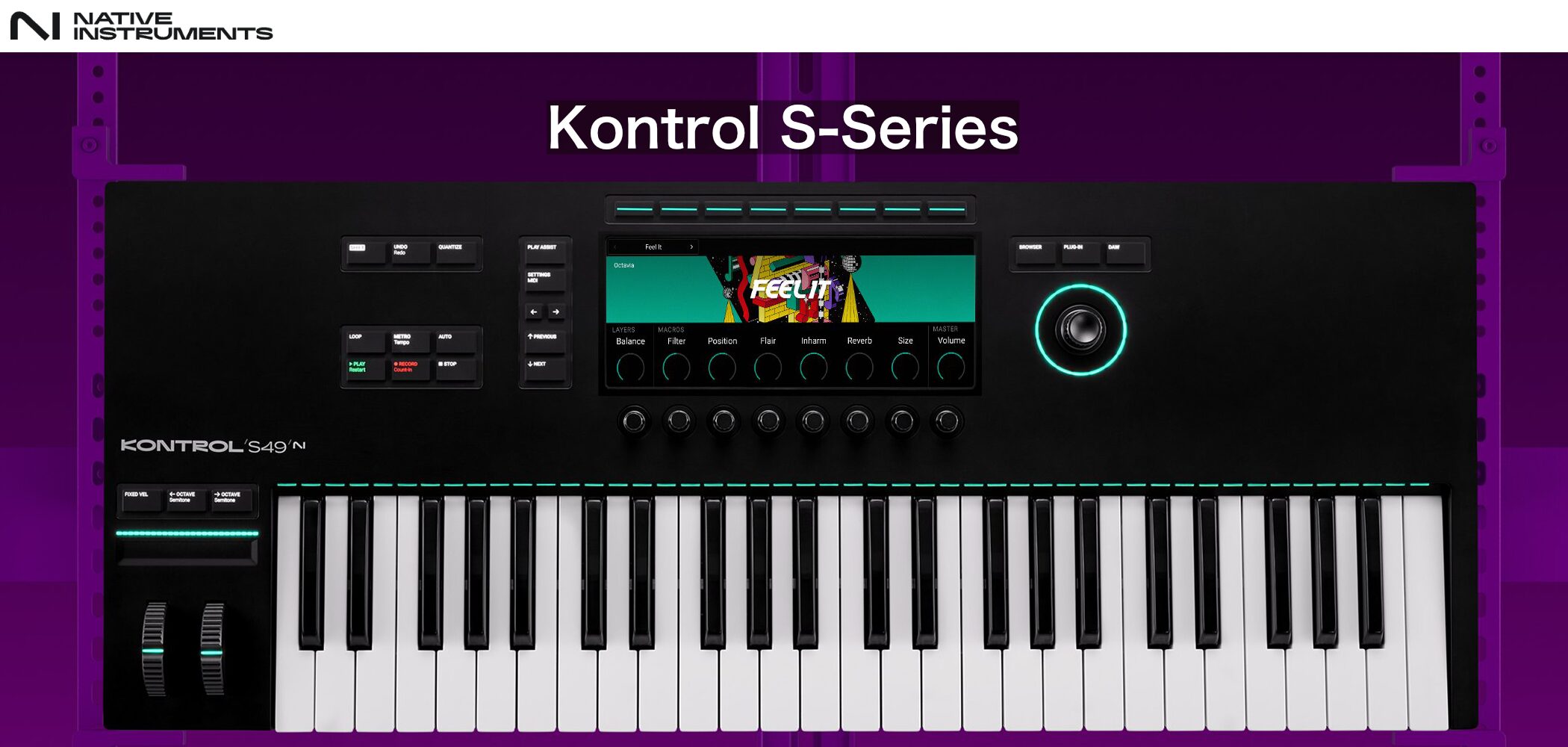
A professional-quality MIDI keyboard known for its integration with NI's Komplete instruments and NKS-compatible plugins.
Its high-resolution screens and versatile Light Guideare paired withhigh-quality Fatar keybeds with polyphonic aftertouch.
It lets you control software as intuitively as hardware, creating an immersive production environment.
Recommended for Komplete users, anyone looking for high-quality features, and those with a flexible budget.
Models and Approximate Prices
Kontrol S49 MK3 (49 full-size semi-weighted keys): Around ¥90,000–¥100,000 (tax included)
Kontrol S61 MK3 (61 full-size semi-weighted keys): Around ¥110,000–¥130,000 (tax included)
Kontrol S88 MK3 (88 full-size hammer-action keys): Around ¥186,000–¥200,000 (tax included)
Here are the product's main features:
- Large color screens: Browse instruments and view or adjust parameters directly from the keyboard
- NKS integration: Seamless integration with supported plugins, including automatic parameter mapping and Light Guide support
- Light Guide: RGB lights above the keys visually indicate scales, key zones, and more
- Controllers: Touch-sensitive controls can be assigned to pitch, modulation, and other functions
- DAW integration: Control mixing, transport, and more in major DAWs
- Connections: USB-C (MIDI), MIDI in/out, sustain pedal input, expression pedal input, and assignable pedal input
- Power: USB-C bus power for basic operation; a power adapter is also included (external power may be recommended or required for some features)
- Included software: Komplete Kontrol, the Komplete Select bundle (including Massive and Monark), Ableton Live Lite, and more
What do you think?
Use these tips and recommended models to find a keyboard you love and enjoy a more comfortable, creative music-production workflow!
Please note that the included software and prices for the products featured here may vary by retailer and over time. Be sure to check the latest information before purchasing.
Sleepfreaks Releases G-Series PCs Designed for DTM!
In collaboration with Thirdwave Corporation,we've released Sleepfreaks-supervised PC models designed specifically for DTM. They are configured with recommended specifications for DTM and include an entry-level model for people getting started, as well as a high-end model designed to maximize comfort and speed.
Frequently Asked Questions
Q1. How many keys should beginners choose for DTM?
Choose 25 or 37 keys if portability is your priority; 49 or 61 keys for general input and playing; or 88 keys if you also want to play piano seriously. Consider the balance between your available space and budget.
Q2. Can I produce music with DTM without a MIDI keyboard?
Yes. However, a MIDI keyboard lets you enter melodies and chords more intuitively and quickly than with a mouse, and use velocity and wheels to add a more human feel. It offers significant benefits in efficiency and expressiveness.
Q3. Should I choose full-size or mini keys?
Full-size keys have the same width as an acoustic piano and provide a natural playing feel; they are common on keyboards with 49 keys or more. Mini keys are more portable but may feel cramped when playing. Choose based on your playing style and portability needs.
NEW ARTICLES
Latest English Articles














































