
This article explains how to create the distinctive “kyuin” sound often heard in pachinko and pachislot machines using Native Instruments Massive. Working through oscillator, filter, effect and pitch-envelope settings step by step, you can make your own impactful sound effect. The combination of the volume envelope and pitch control is key to its characteristic attack, and small parameter adjustments can produce many variations. The technique is useful for beginners and intermediate producers alike.
Create a classic jackpot sound effect in Massive

This time, we will take a different approach and make the “kyuin” sound effect frequently used in pachinko and pachislot machines.
It is also used as a sound effect on television, so many of you may recognize it even if you do not play pachinko.
The key points are pitch envelope control and effects.
Notice how even small changes to the parameters can give the sound a variety of characteristics.
Video: Creating the pachinko and pachislot kyuin sound effect
Creating a pachinko sound effect in Massive
Let’s start making the sound.
This combines techniques covered in previous articles, so use it as an opportunity to review them as you follow along.
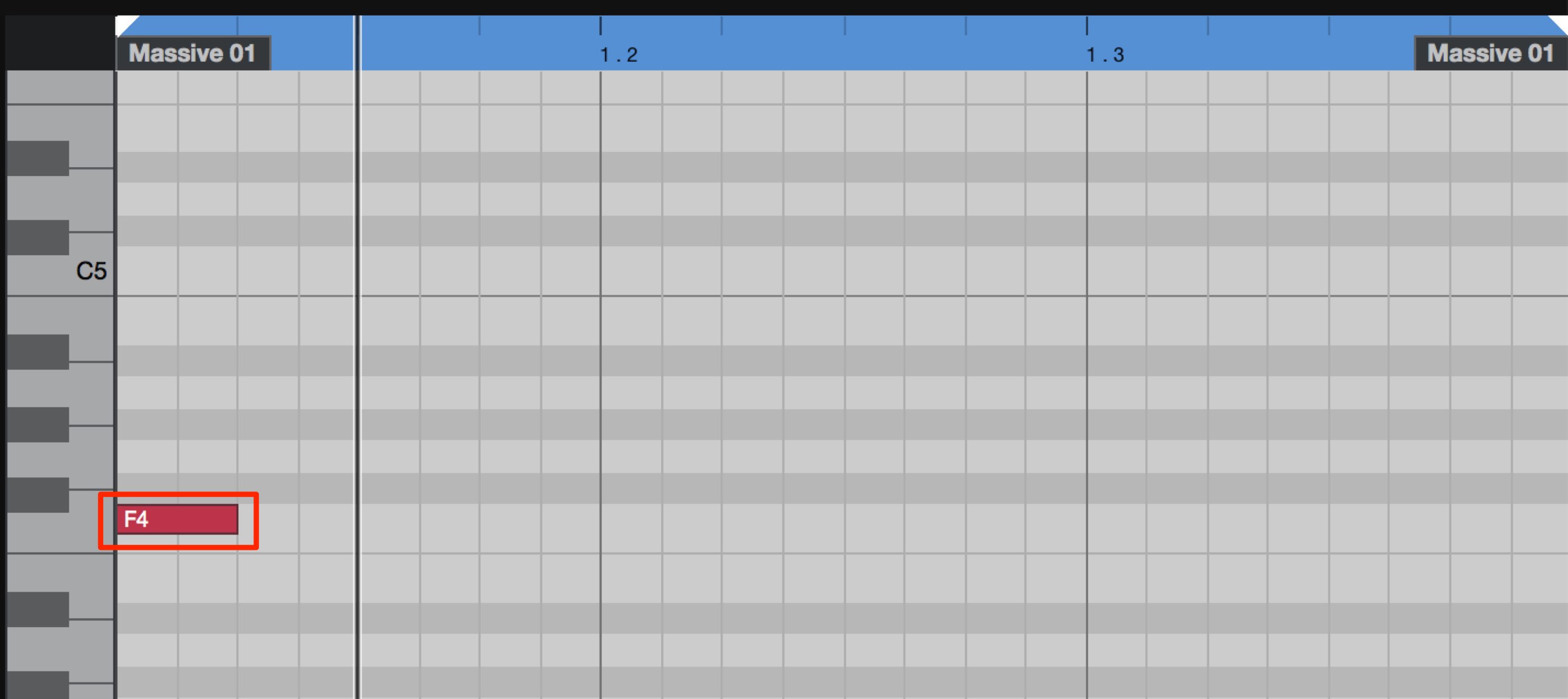
Enter a single F4 MIDI note with the length of a sixteenth note.
Oscillator settings
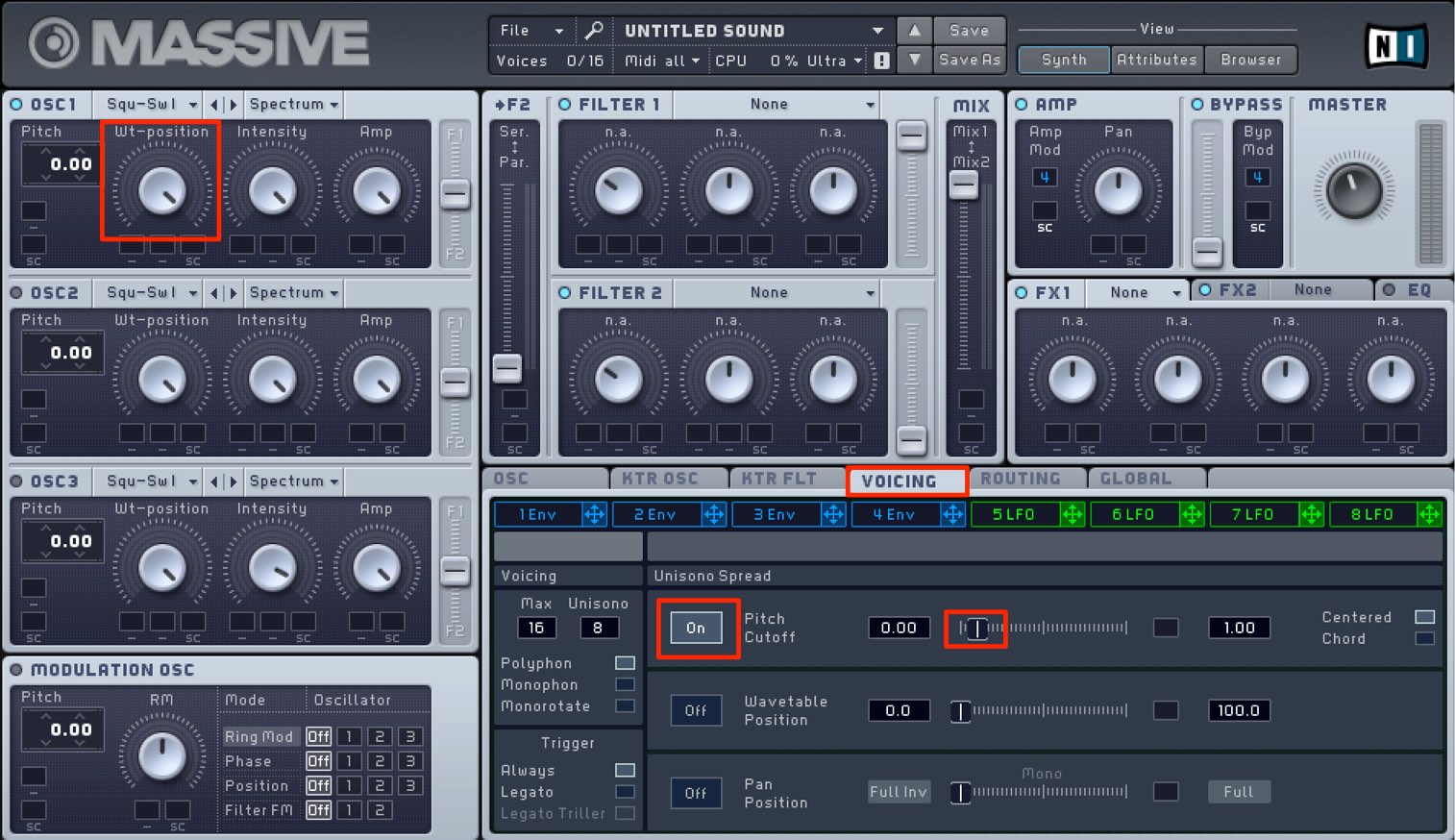
We will use only OSC1.
To add thickness, turn wt-position all the way to “Sw1” and set Unisono to a relatively high value of 8 in the VOICING tab.
Switch Pitch Cutoff on and apply a small amount of detuning.
Volume envelope settings
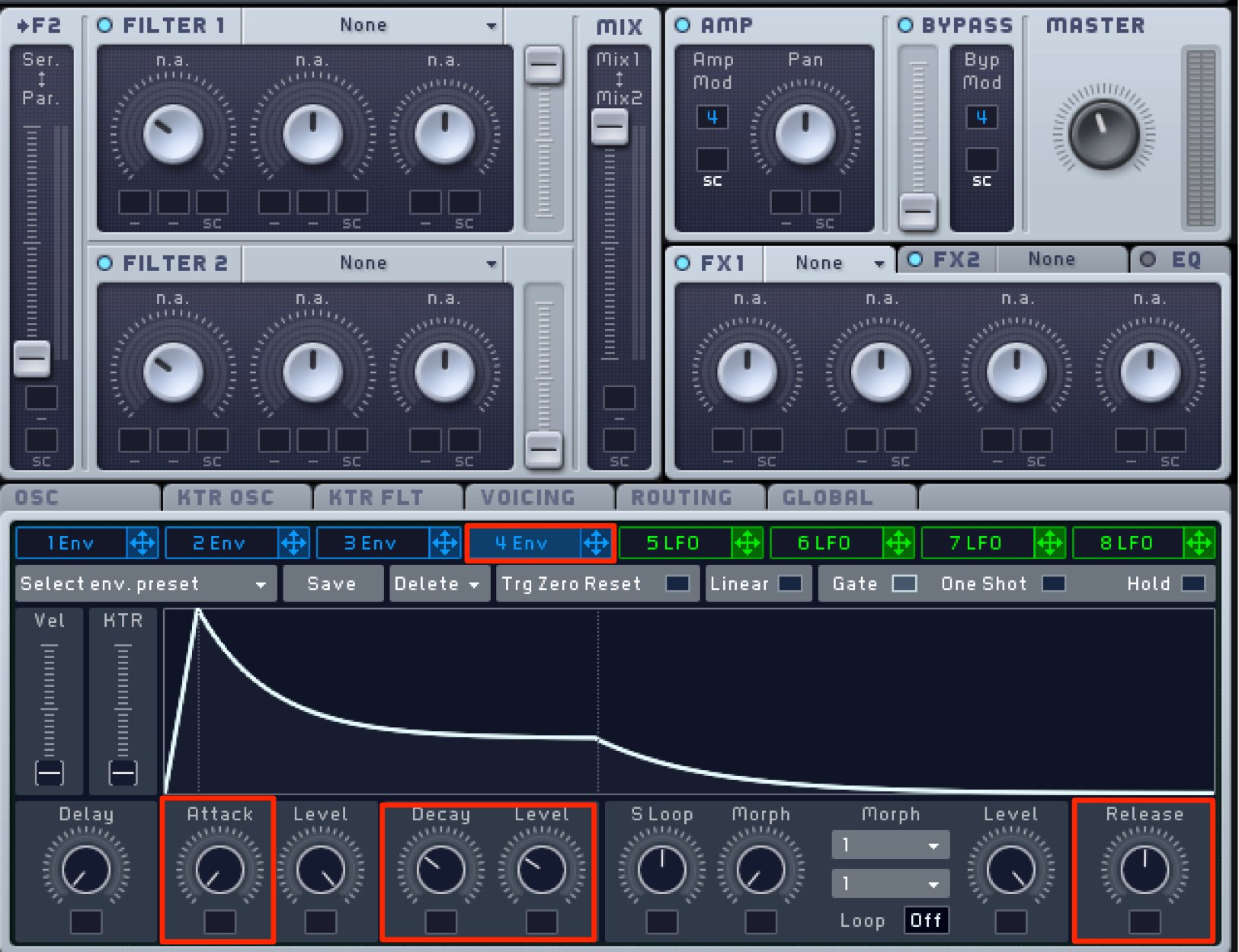
Set the volume shape with “4 Env”.
Set Attack to its fastest setting so the sound starts as soon as the MIDI note is played.
Adjust Decay and Level for a moderate decay, and set Release around the middle so the sound trails off.
Filter settings
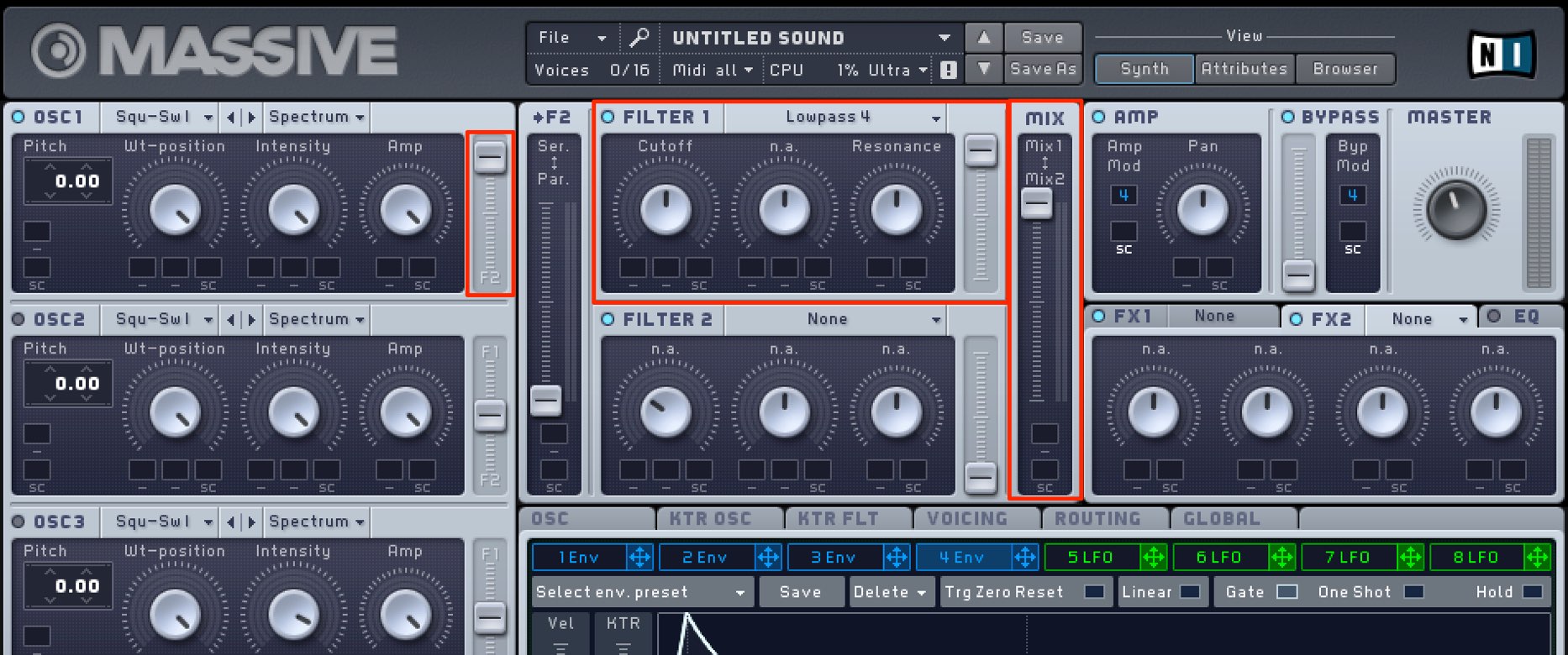
Next, use a filter to shape the sound.
Because we are using only Filter 1, turn the OSC1 output all the way toward F1.
Select “Lowpass 4” and set Cutoff to the middle. This softens the harshness and makes the sound easier to listen to.
Set Resonance to the middle to emphasize frequencies near the cutoff and give the sound some character.
Effect settings
Apply effects to bring the sound closer to the desired character.
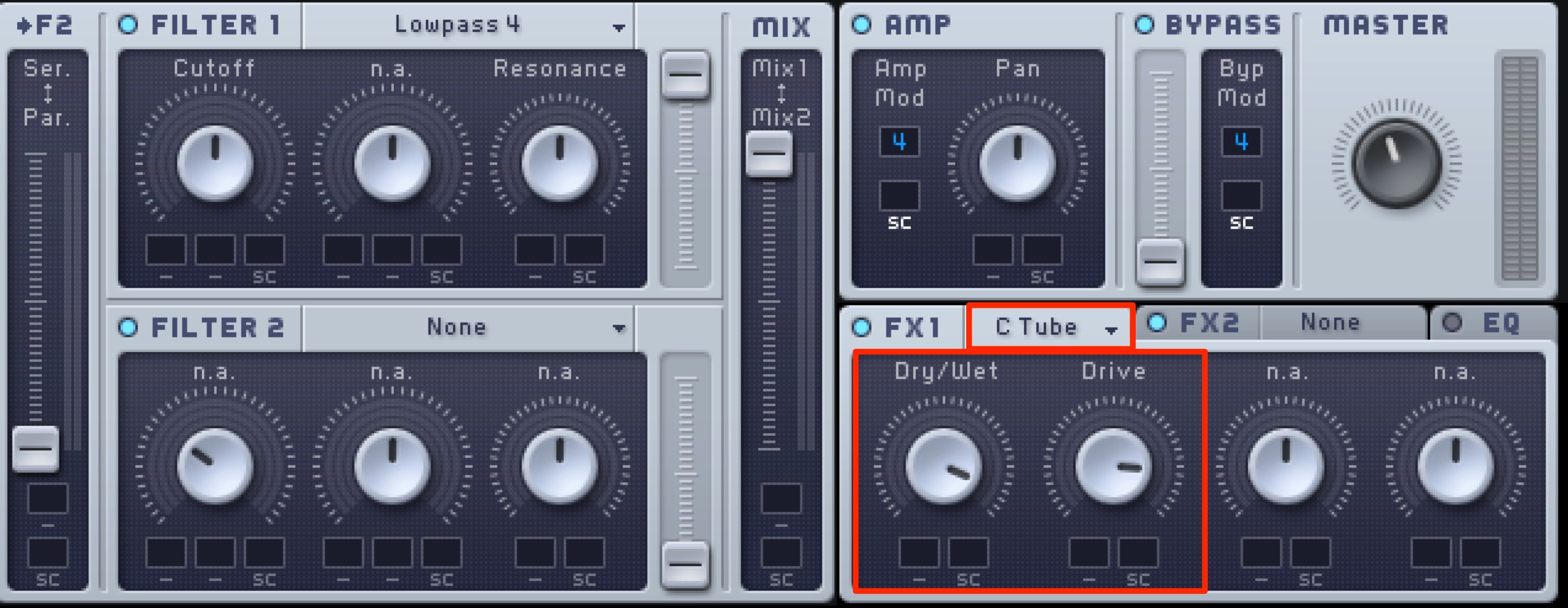
Use “Classic Tube” to add distortion.
Set Dry/Wet and Drive fairly high for heavy distortion.
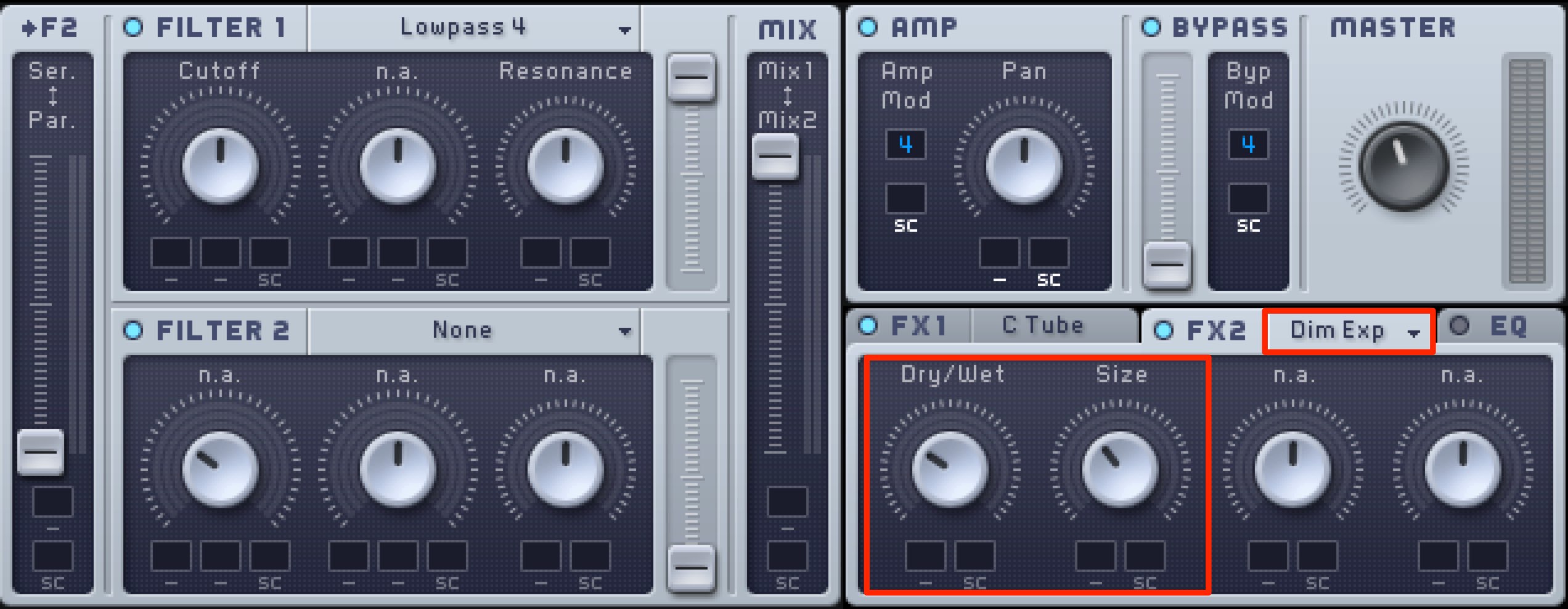
Use “Dimension Expander” to add a little depth.
Listen as you adjust it to find a natural-sounding setting.
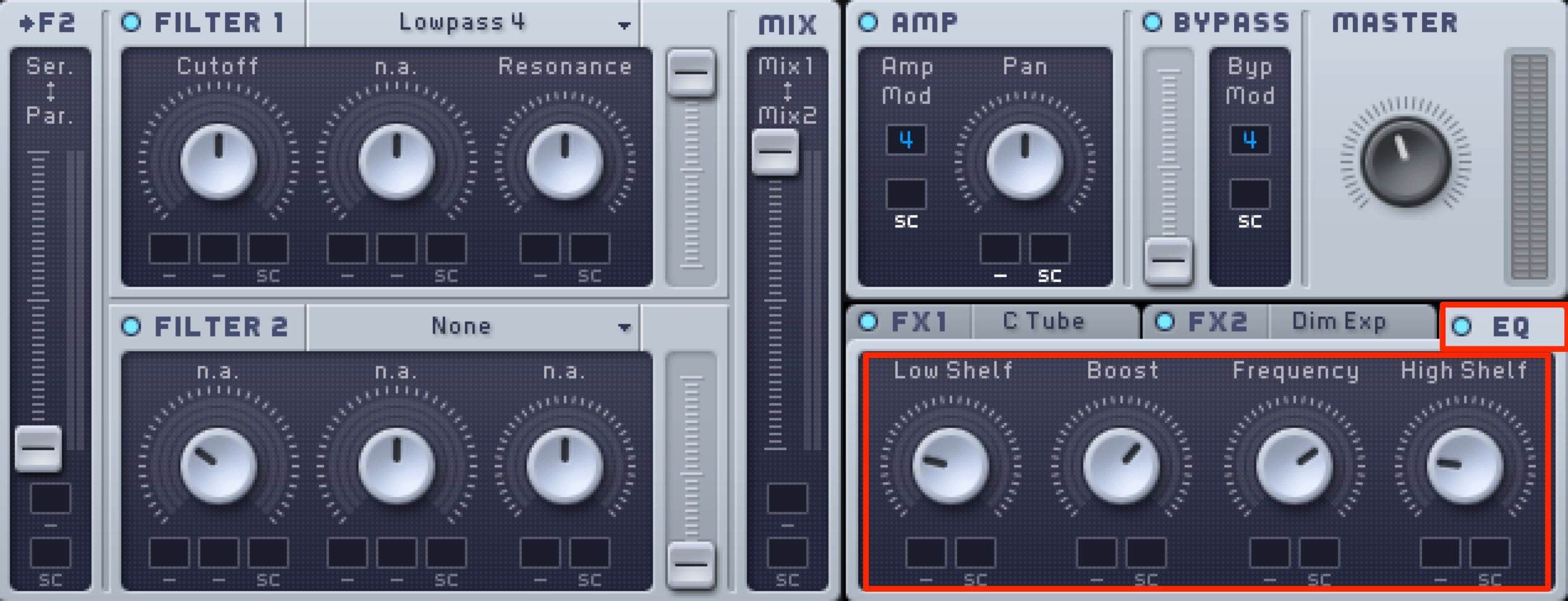
Use “EQ” to shape the frequency balance.
Lower Low Shelf and High Shelf to reduce the lows and highs.
Controlling the pitch envelope
Finally, let’s control the pitch.
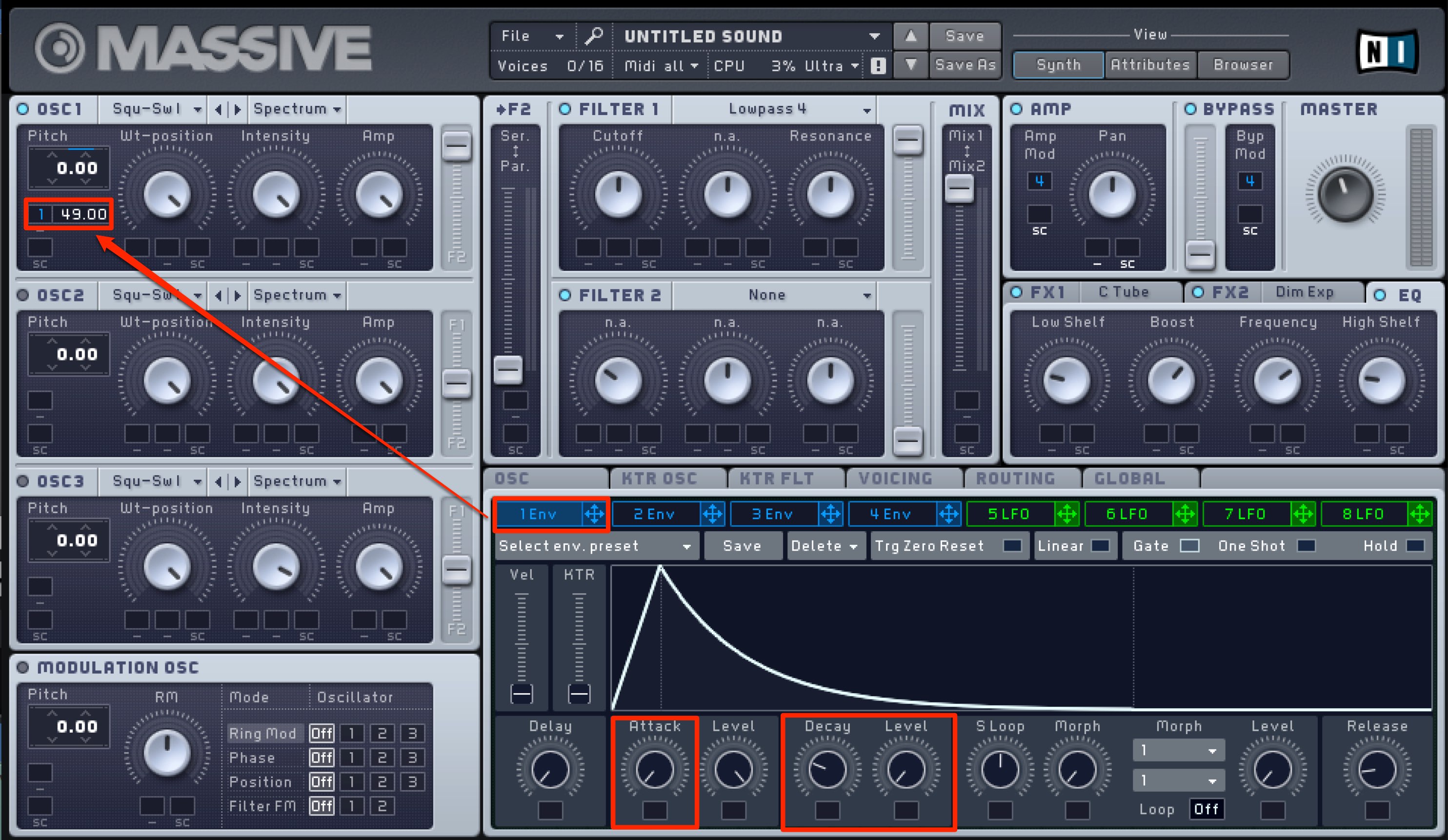
Apply “1 Env” to Pitch and set a high modulation amount: 49 semitones in this example.
Set Attack to its fastest setting so the sound starts 49 semitones higher as soon as the MIDI note plays.
Set Level to 0, then adjust Decay so the pitch quickly returns to its original value.
The sound briefly starts 49 semitones higher, giving it a strong attack.

Next, apply “2 Env” to Pitch to control the rise in pitch; here we use 23 semitones.
Set Level to MAX and turn on Hold.
This maintains the maximum Level, 23 semitones above the original pitch, without the pitch falling.
Listen to the sound and use Attack to set the speed of the pitch rise. The sound is now complete.
Frequently asked questions
Q1. Where is the kyuin sound used?
It is most commonly used for jackpot effects in pachinko and pachislot machines. It also appears frequently in television and other media, where it helps create anticipation and excitement.
Q2. Can I make the same effect without Massive?
Yes. Once you understand the oscillator, pitch envelope, filter and effect principles described here, you can recreate a similar effect with other synthesizers. Parameter names and controls will differ.
Q3. What do “49 semitones” and “23 semitones” mean for the pitch envelopes?
A semitone is a pitch step. Forty-nine semitones is just over four octaves up, and 23 semitones is just under two octaves up. Adjusting these values produces the characteristic rising pitch movement of the kyuin sound.
NEW ARTICLES
Latest English Articles






































































































































































































































































































































