
Native Instruments' Reaktor is a platform where users can share synthesizers they have created for free. This guide explains how to download free instruments from the official site and the website of French creator boscomac, then place and organize the downloaded .ens files in the Reaktor Library folder on Mac or Windows. You can browse the folder structure in Reaktor's User section and drag instruments into the rack to load them.
Find a Huge Selection of Synths and Effects

Reaktor is released by Native Instruments.
One of its attractions is that users can create synthesizers themselves.
Synthesizers made by users around the world are shared for free.
What a great resource!
This time, we'll download some of those free instruments
and explain how to use them in Reaktor.
How to Download and Manage Free REAKTOR Instruments
Excerpts from Questions and Answers on the YouTube Video

When I load nordrack in REAKTOR, its sound is delayed or doesn't play. What could cause this? I also downloaded other free instruments from the REAKTOR USER LIBRARY, but some won't open and show: 'Error while reading file Macintosh HD:Users:Shared:Rounds:Rounds.ens: This file was saved with a newer version of Reaktor!' ROUNDS, which used to work, now gives the same error and won't open either. How can I fix it? Also, when I launch REAKTOR in my DAW, I can't find the download folder I added as shown in the video under USER. It does appear under USER when I launch the standalone version. Thank you for your help.

Because several things are happening, we can't identify a single cause, but it may be a REAKTOR version issue. For example, a synth made in REAKTOR 6 may not open in REAKTOR 5. If the software is behaving abnormally in general, we recommend trying a reinstall.
Please explain how to record REAKTOR sound generators such as Skrewell and Space Drone in a DAW (Cubase)! Thank you!
Create a group channel track and route the sound generator's output to it. Then set an audio track's input to that group channel track; you can record onto the audio track. Please give it a try.
Video Point: Download Free Instruments

Visit the Native Instruments site to download libraries.
Presets are available for ABSYNTH, GUITAR RIG and KONTAKT as well as Reaktor.
http://www.native-instruments.com/jp/community/user-libraries/

French creator boscomac's website also offers
beautiful, high-quality instruments to download.
Video Point: Organizing Free Instruments
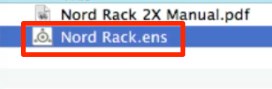
Place the downloaded .ens files in the following location.
- Mac
System drive → Users → username → Documents →
[folder name omitted in source] → Reaktor5 → Library - Windows
C drive → Users → My Documents →
[folder name omitted in source] → Reaktor5 → Library
Navigate to the location above.

Create a folder with any name inside Library—for example, Download—
and put the instruments inside it.
You can also create nested folders within Download.

In Reaktor 5, select User to see the folder you created (Download).
Browse to the instrument you want and drag it into the rack to load it.
Frequently Asked Questions
Q1. Where can I download free Reaktor instruments?
The Native Instruments site offers Reaktor libraries. French creator boscomac also shares high-quality instruments on his website. Presets for ABSYNTH and KONTAKT are available from Native Instruments as well.
Q2. Where should I save downloaded instrument files?
Place .ens files in the Reaktor Library folder. The source gives Users/Documents/Reaktor5/Library for Mac and My Documents/Reaktor5/Library for Windows. Create a folder such as Download inside it; you can organize further with nested folders. The earlier path examples omit an intermediate folder name, so check your installation's actual library location.
Q3. How do I use a downloaded instrument in Reaktor?
Launch Reaktor 5 and select User to see the folder you created inside Library. Find the instrument and drag it into the rack to load it.
NEW ARTICLES
Latest English Articles































































































































































































































































































































































































































































































































































































































