
This tutorial builds a synthwave track using only the instruments and effects included with Cubase Pro 10.5. Starting with the drums, it explores a style inspired by 1980s new wave and synth-pop: choosing a Groove Agent SE preset, programming the rhythm, editing kick, snare, and hi-hat sounds, and shaping them with effects. These practical techniques draw on the character of vintage drum machines to help you create a polished production with an unmistakable 1980s feel.
Producing with Only the Instruments and Effects Included with Cubase Pro 10.5
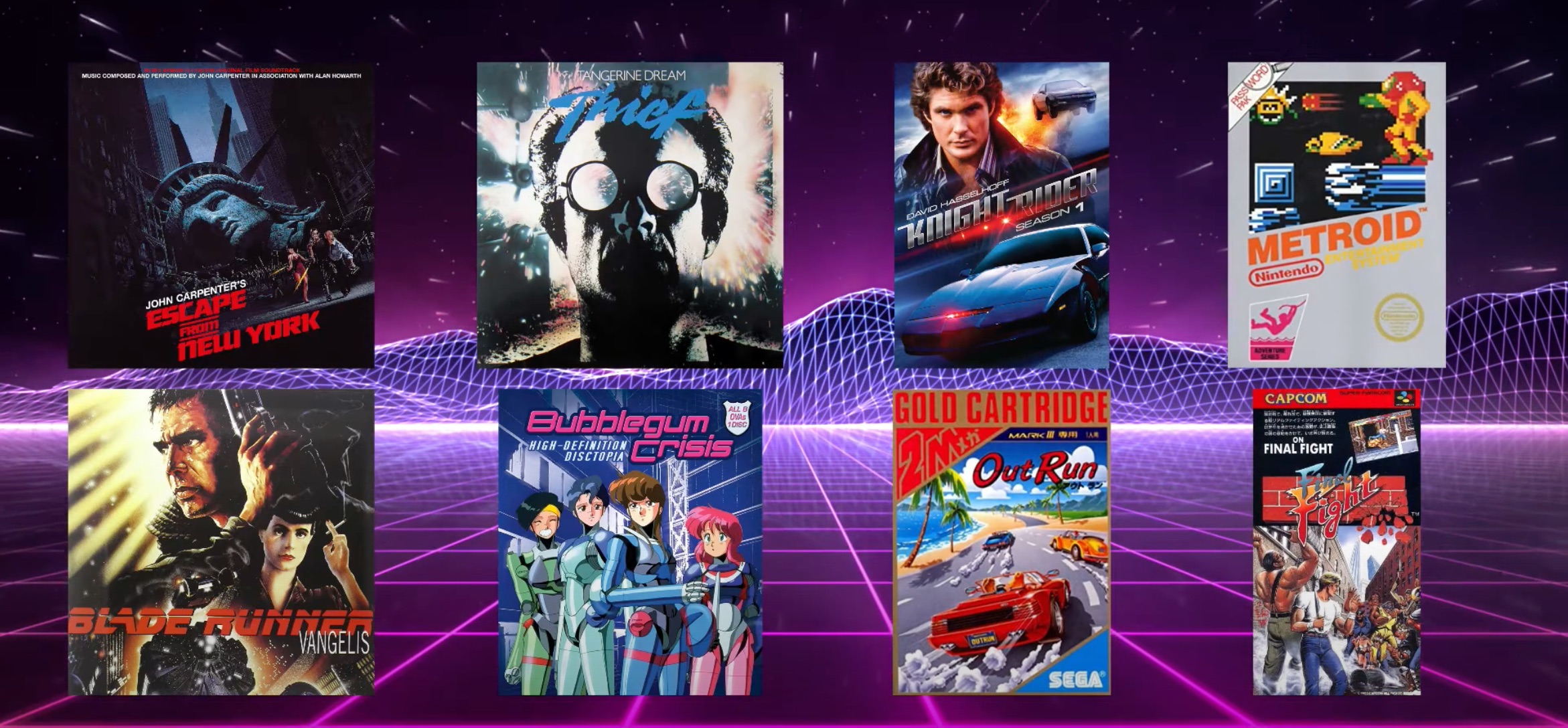
Synthwave is a musical style inspired by the synthesizer-heavy sounds of 1980s new wave and synth-pop. The term encompasses a visual aesthetic as well as a sound.
In this series, we use only the instruments and effects included with Cubase to explore production techniques full of 1980s character.
First, listen to the demo song that we will work through across the series. The original tutorial also referred to downloadable project files below the video; no project-download link is present in this article.
- Vocalist: ADAMMOSS (AJ)
Instagram: @worldofaj
Email: adam@mhmmusic.com
In this first installment, we focus on shaping the drum sounds.
Let's explore the key points that give the rhythm its groove.
Synthwave Rhythm Tracks: Video Tutorial
- 1Rhythm Tracks
- 2Chord Progression and Bass Tracks
- 3Synthesizer Tracks
- 4Mixing the Tracks
- 5Processing the Vocal Track
Selected Questions and Answers from the YouTube Video

At 3:40, you draw a rectangle with the pencil to create a rhythm part. How can I make it exactly one bar long automatically, as shown in the video?

Set Grid Type to Bar to create parts in one-bar increments. At 3:44, the toolbar shows Grid, Bar, and Q 1/8; select Bar for the middle setting to match the demonstration. The same menu also includes Adapt to Zoom. With this option selected, the grid automatically becomes finer as you zoom in and coarser as you zoom out. Try it with Snap set to Grid.
Choosing a Drum Preset
An essential ingredient in an authentic 1980s-style track is the sound of a vintage drum machine.
The decade gave us classics such as the LinnDrum, Oberheim drum machines, and the TR-909, all of which remain familiar reference points today.
It is particularly important to use samples that evoke those drum machines.
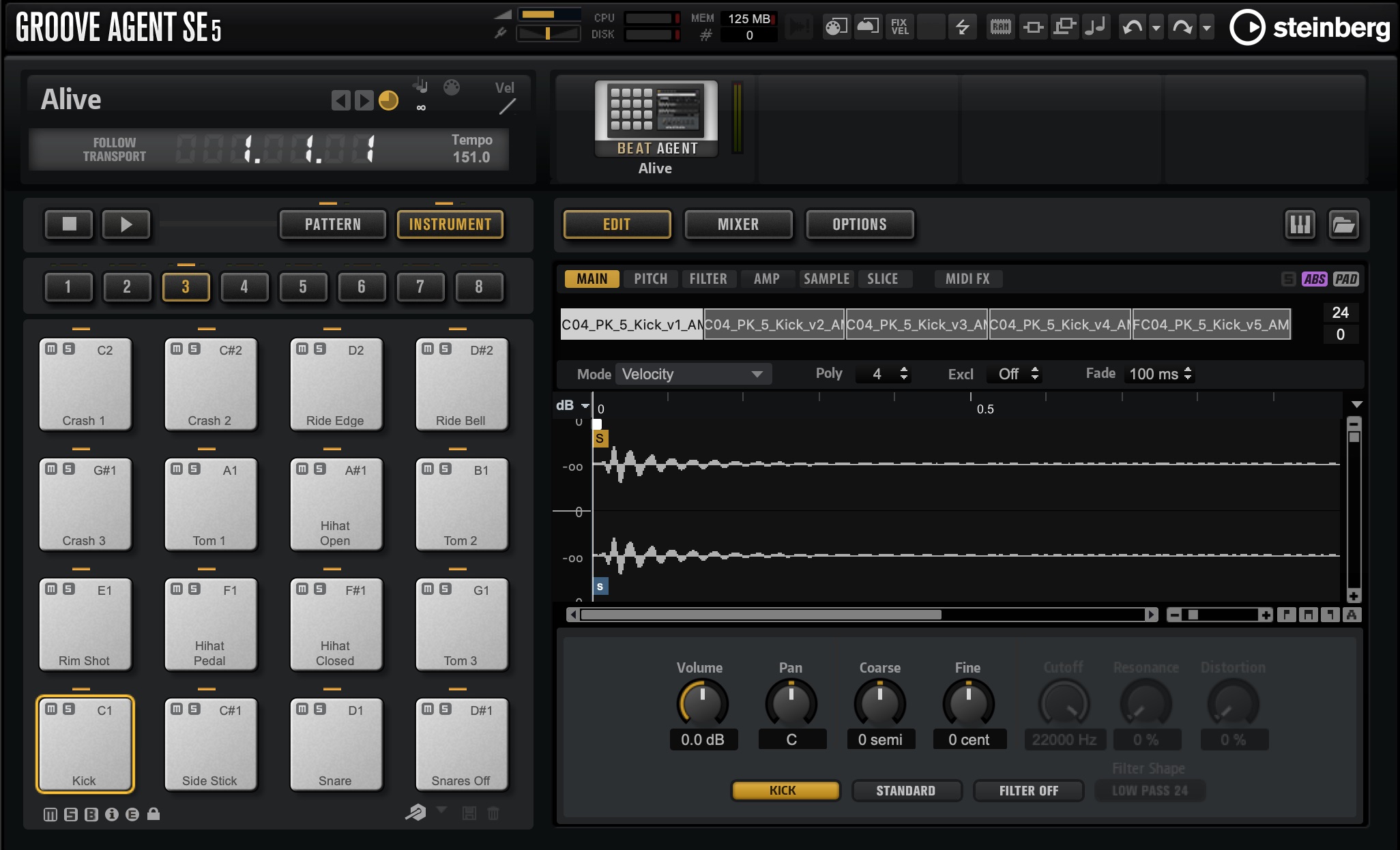
The rhythm sampler included with Cubase, Groove Agent SE, comes with suitable sample-based presets.
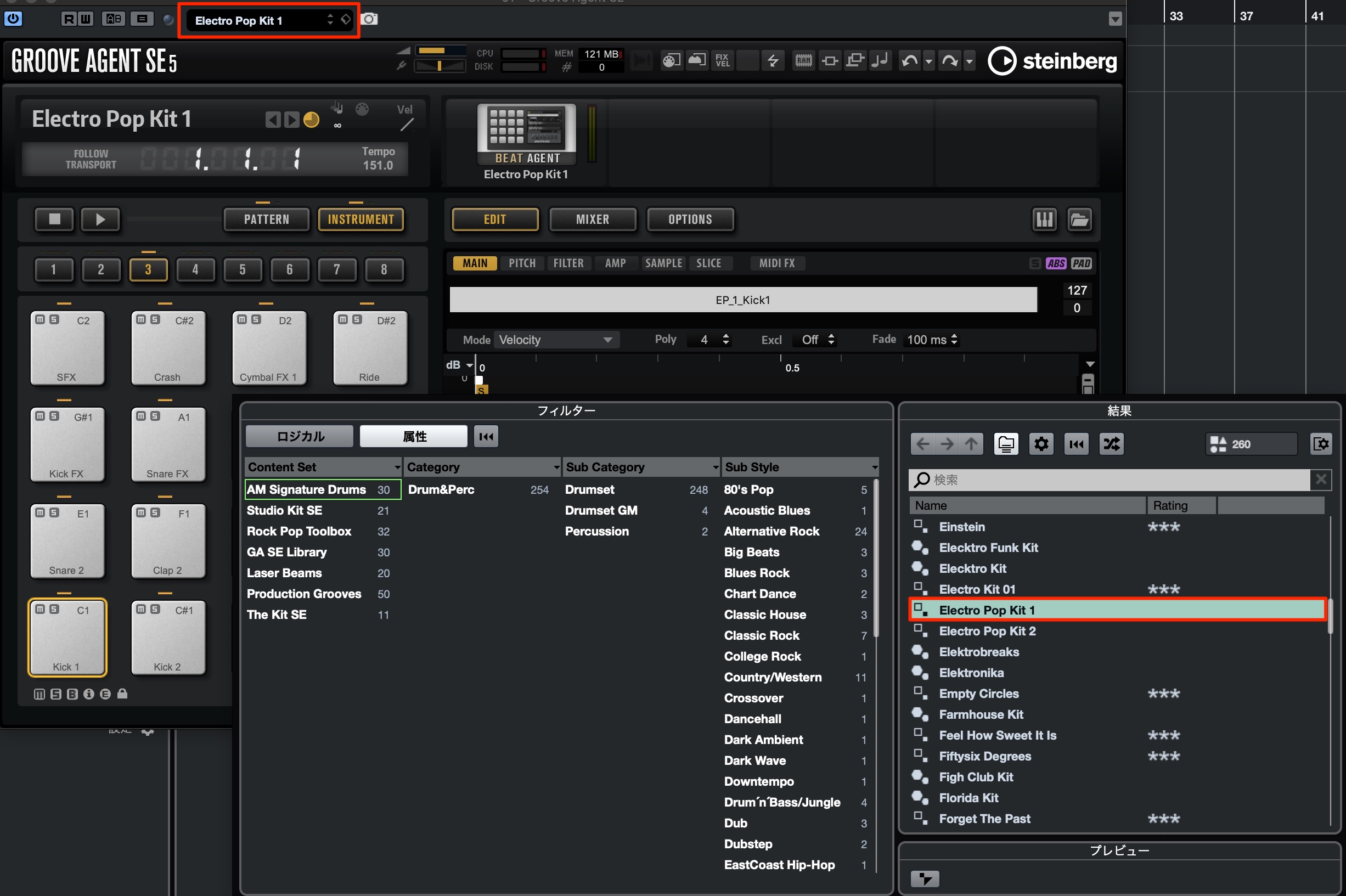
Click the preset field at the top and load Electro Pop Kit 1.
You will immediately hear a drum kit with a 1980s flavor.
We will edit the individual sounds shortly, but first let's create the rhythm pattern.
Creating the Rhythm Pattern
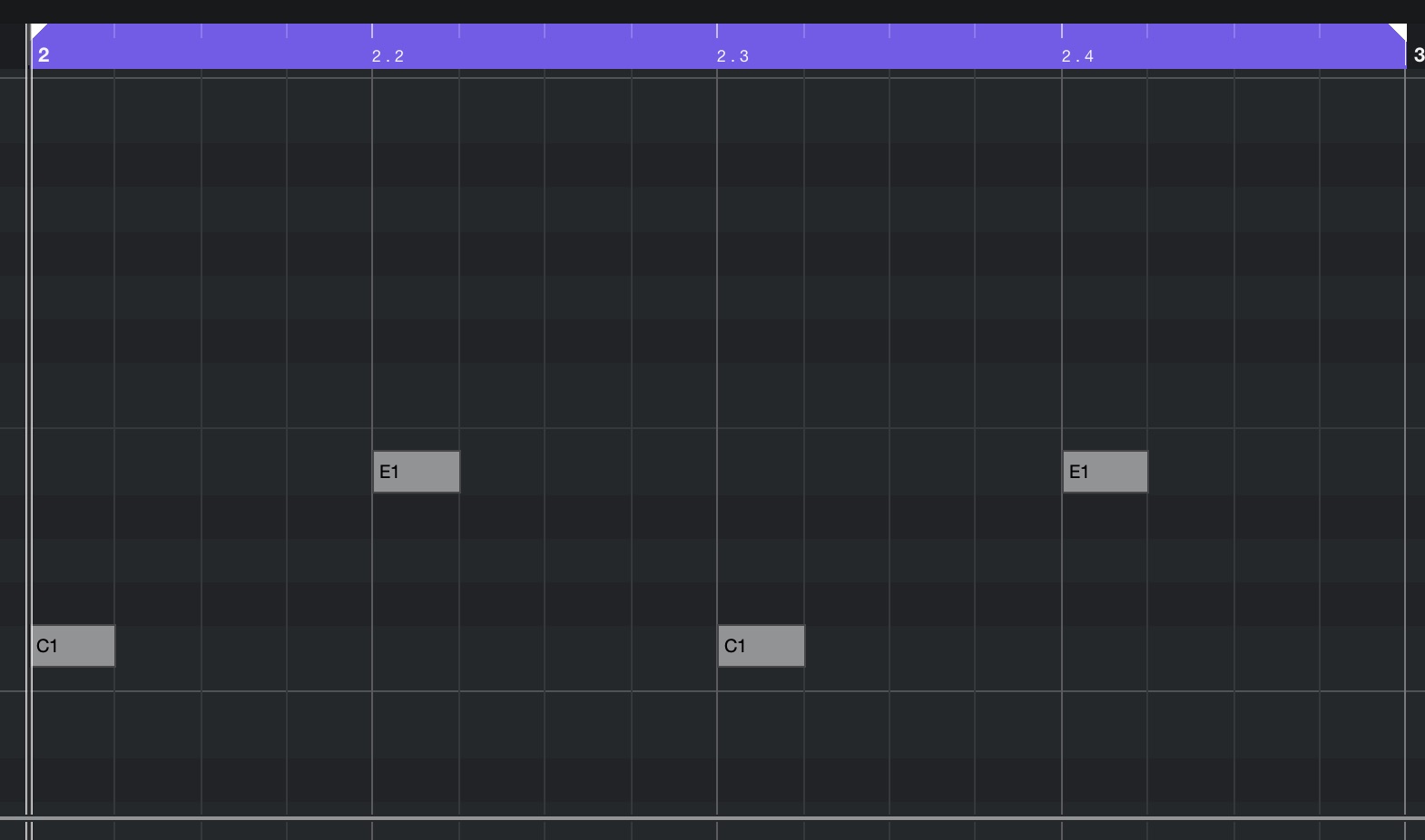
Throughout the song, the kick accents beats 1 and 3, while the snare accents beats 2 and 4, forming a simple eighth-note rock beat.
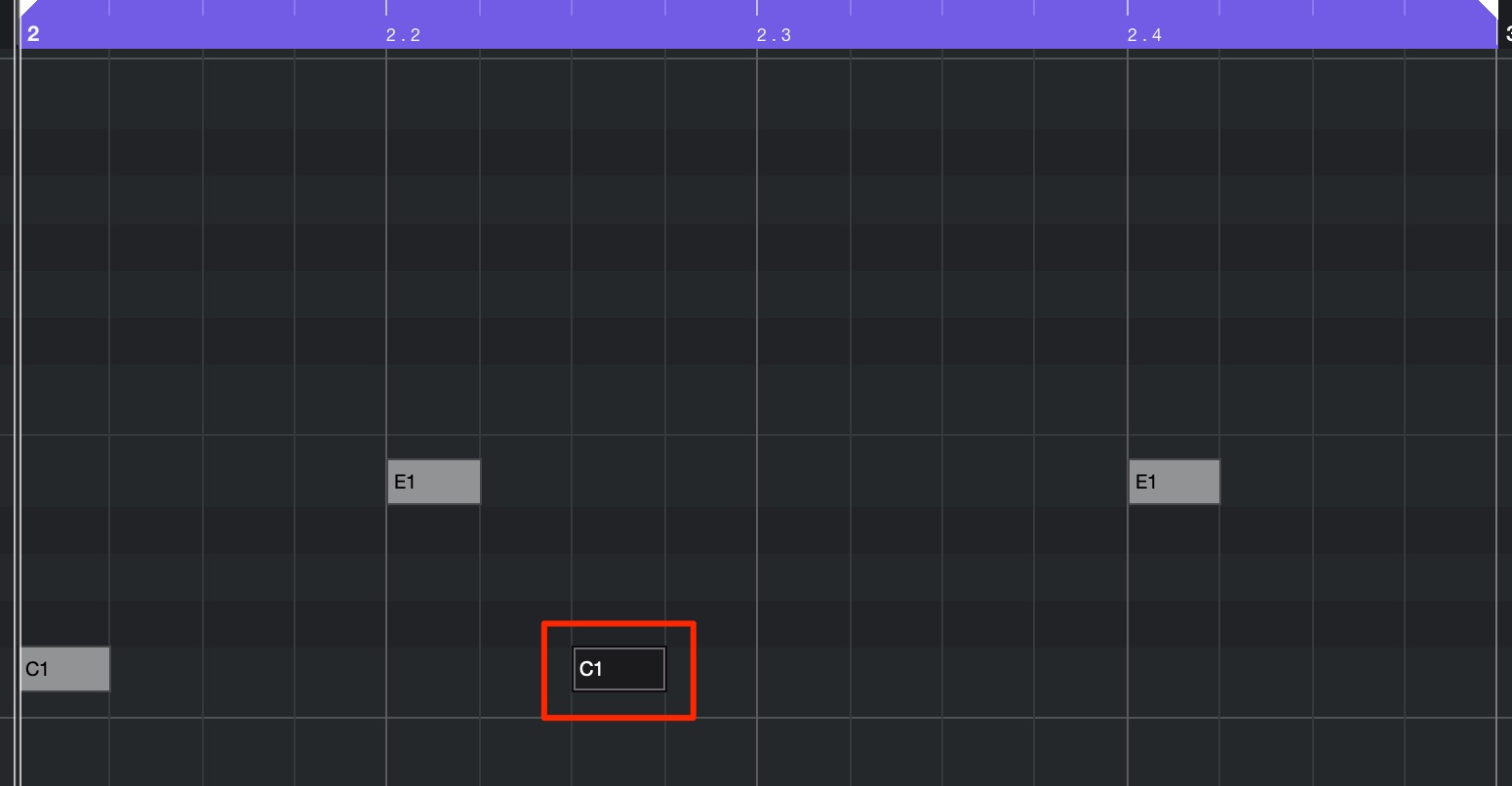
A beat like this often includes a syncopated kick, as shown in the example image. Here, however, deliberately emphasizing the downbeats creates a steady, four-on-the-floor-like feel, even though the kick itself remains on beats 1 and 3.
Another feature is that the main beat loops without changing from section to section. That consistency gives the rhythm a distinctive freshness in a contemporary production.
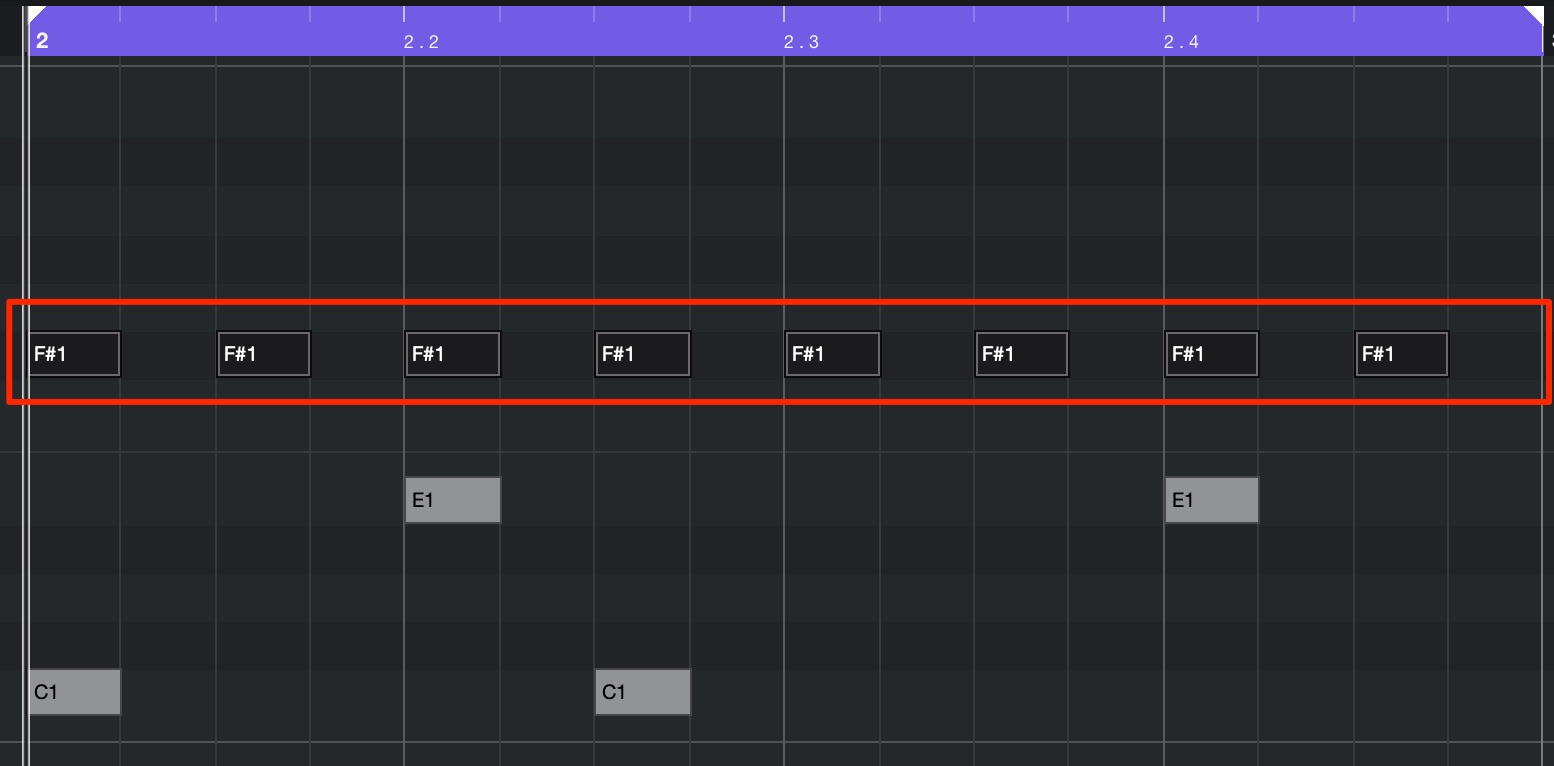
The hi-hat plays even eighth notes, deliberately without velocity variation, adding to the vintage drum-machine character.
The hi-hat drops out during the verse to create contrast between sections.
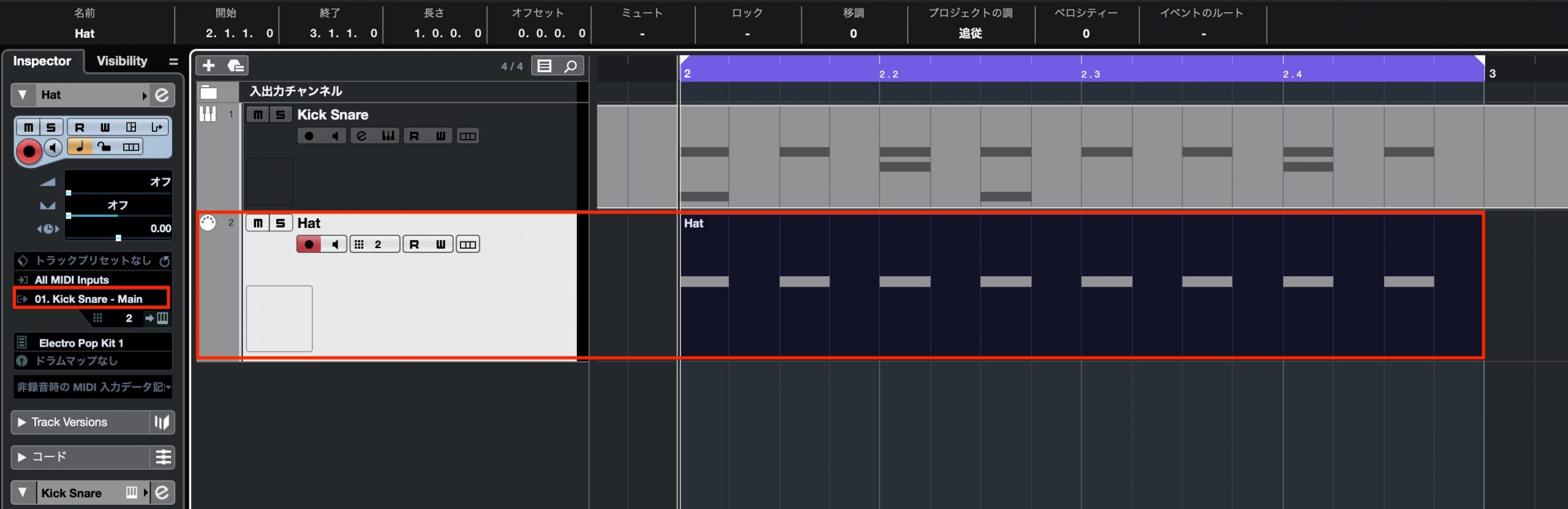
It can also help to create a separate MIDI track and keep the main beat and the hi-hat pattern separate.
This lets you remove the hi-hat from a section and manage the patterns without opening the MIDI part to edit its notes.
Shaping the Drum Kit Sounds
Next, let's refine the individual kit sounds.
The preset already has the right atmosphere, but we want to make the sounds tighter and more defined overall.
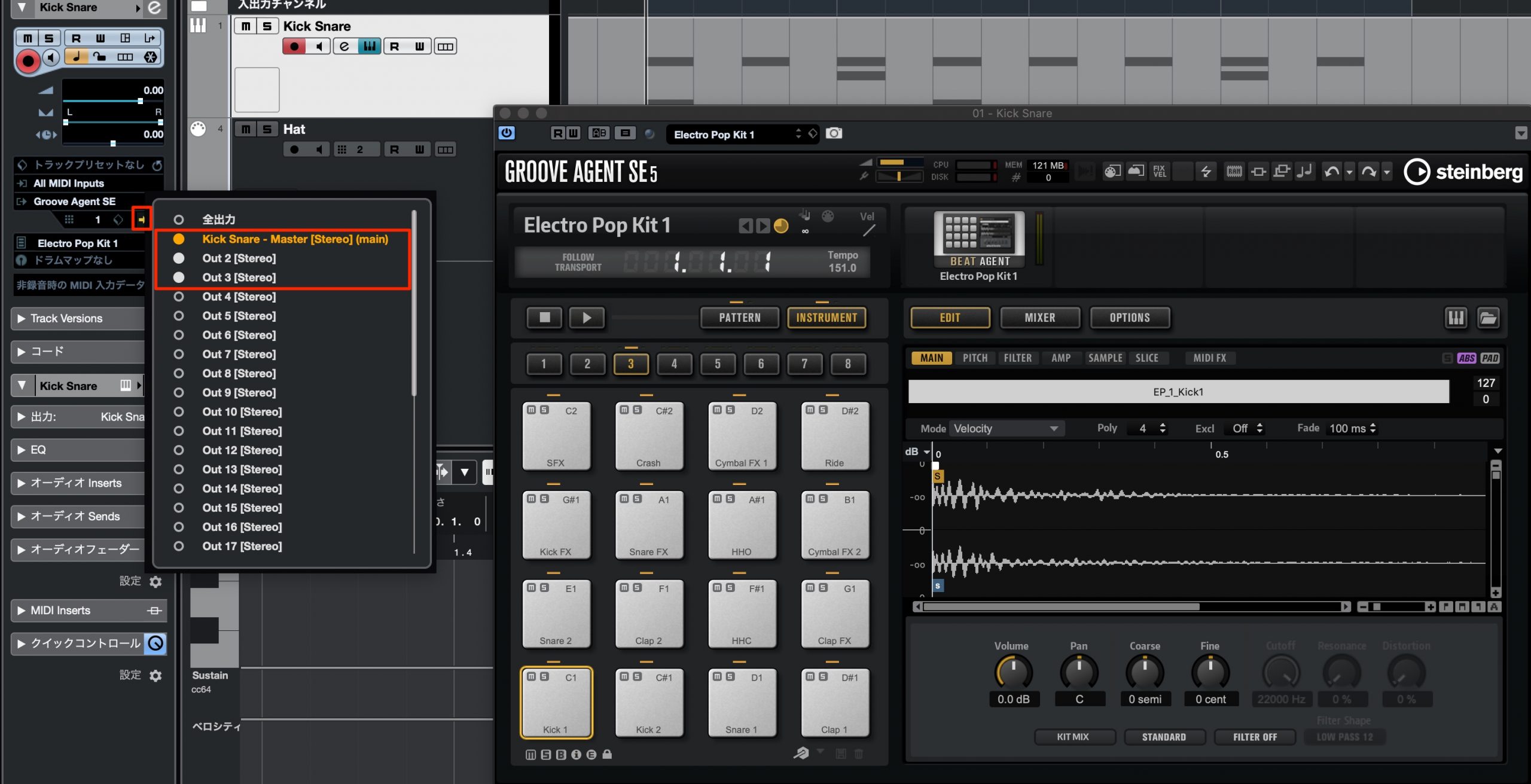
Effects processing is an important part of shaping these drum sounds.
Before starting, route key sounds such as kick and snare to separate outputs so they can be processed independently.
Editing the Kick Sound
Start by editing the kick.
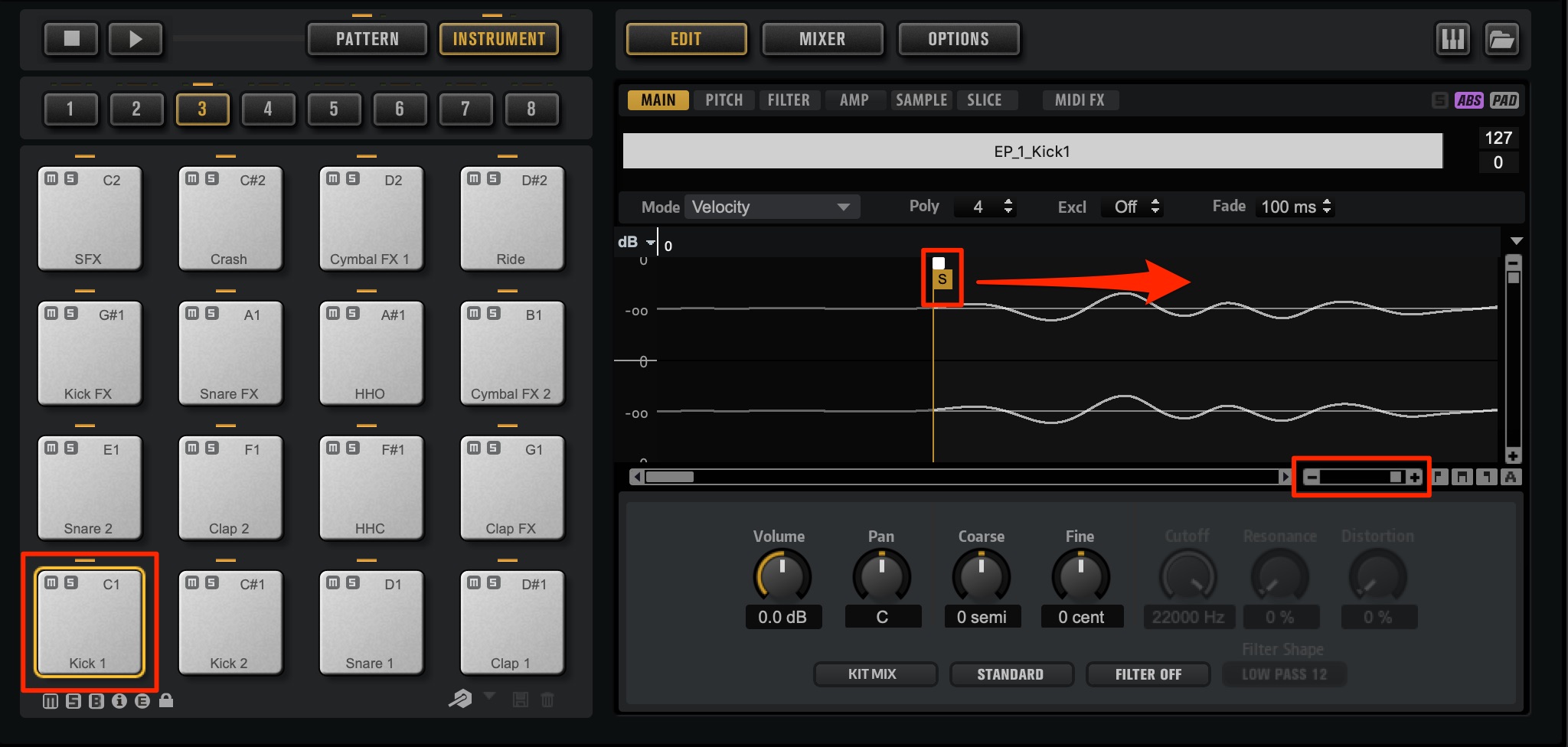
Zooming into the waveform reveals a slight delay before the sound reaches its attack.
Move the sample start point a little later into the sample, so that playback begins with a more immediate attack.
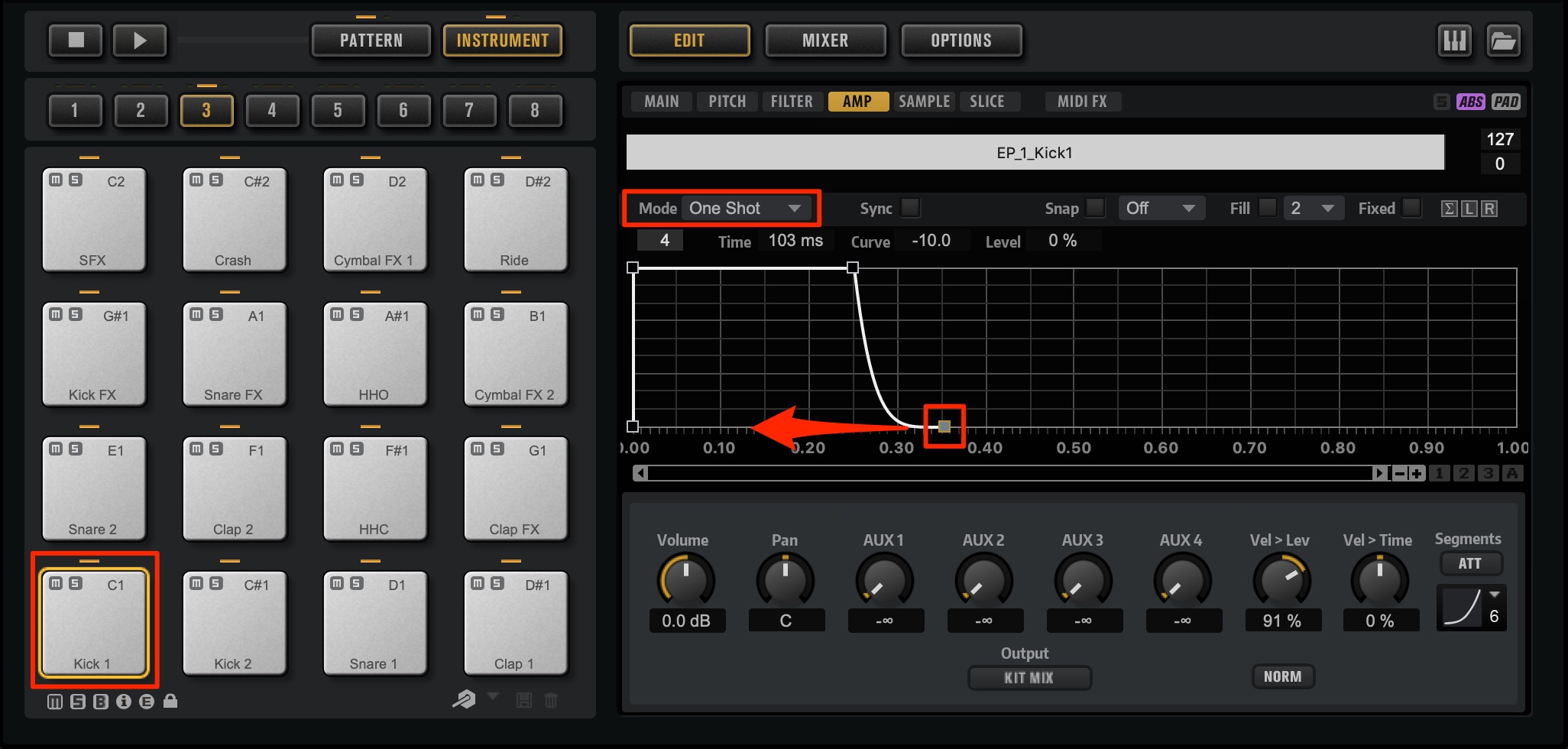
Next, open the envelope on the Amp page, which controls changes in volume, to shorten the kick's decay.
Switch the envelope mode to One Shot, then shape the tail to taste. In this mode, the envelope runs from its first node to its last without a held sustain stage.
Drag the envelope points while listening to adjust how long the sound rings out.
The meters show a difference in level between the left and right channels, and the kick sounds slightly spread across the stereo field.
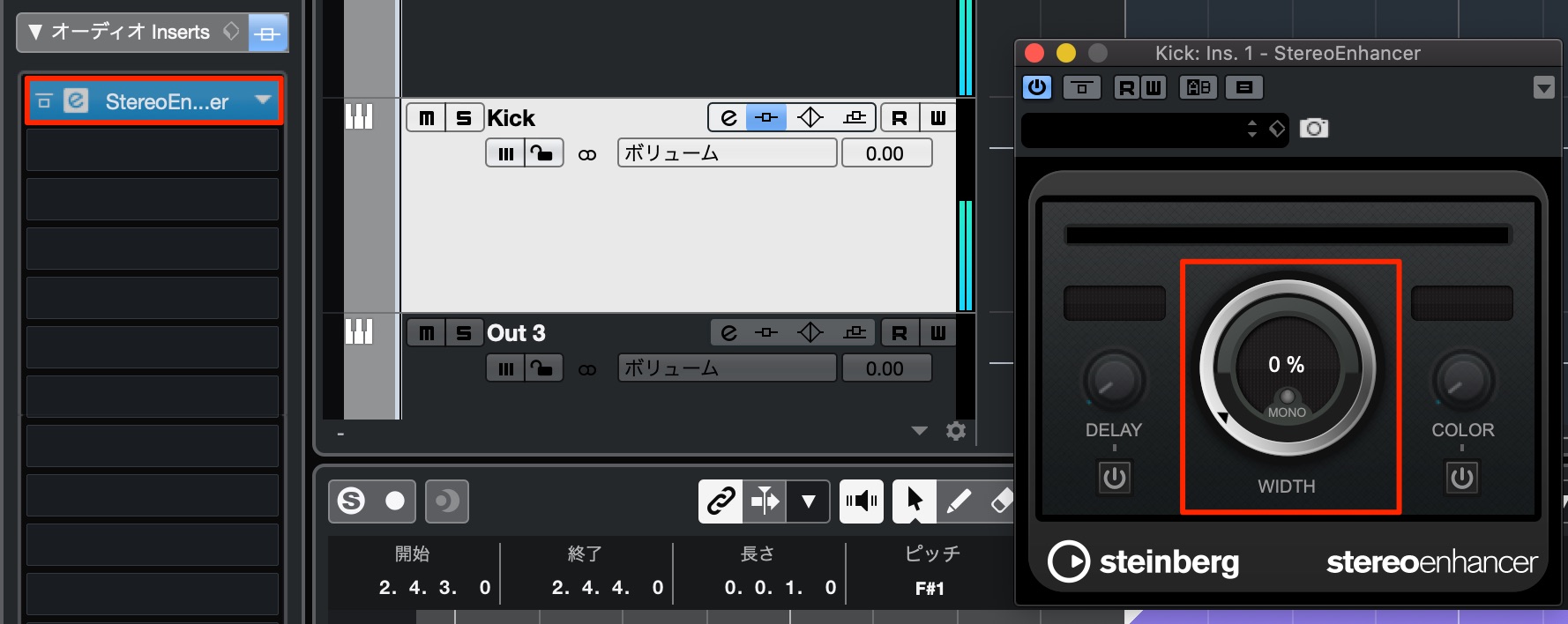
To give it a solid core, bring the kick to the center of the stereo image.
Insert StereoEnhancer on the kick's separate output channel and set WIDTH to 0 to bring the kick into mono.
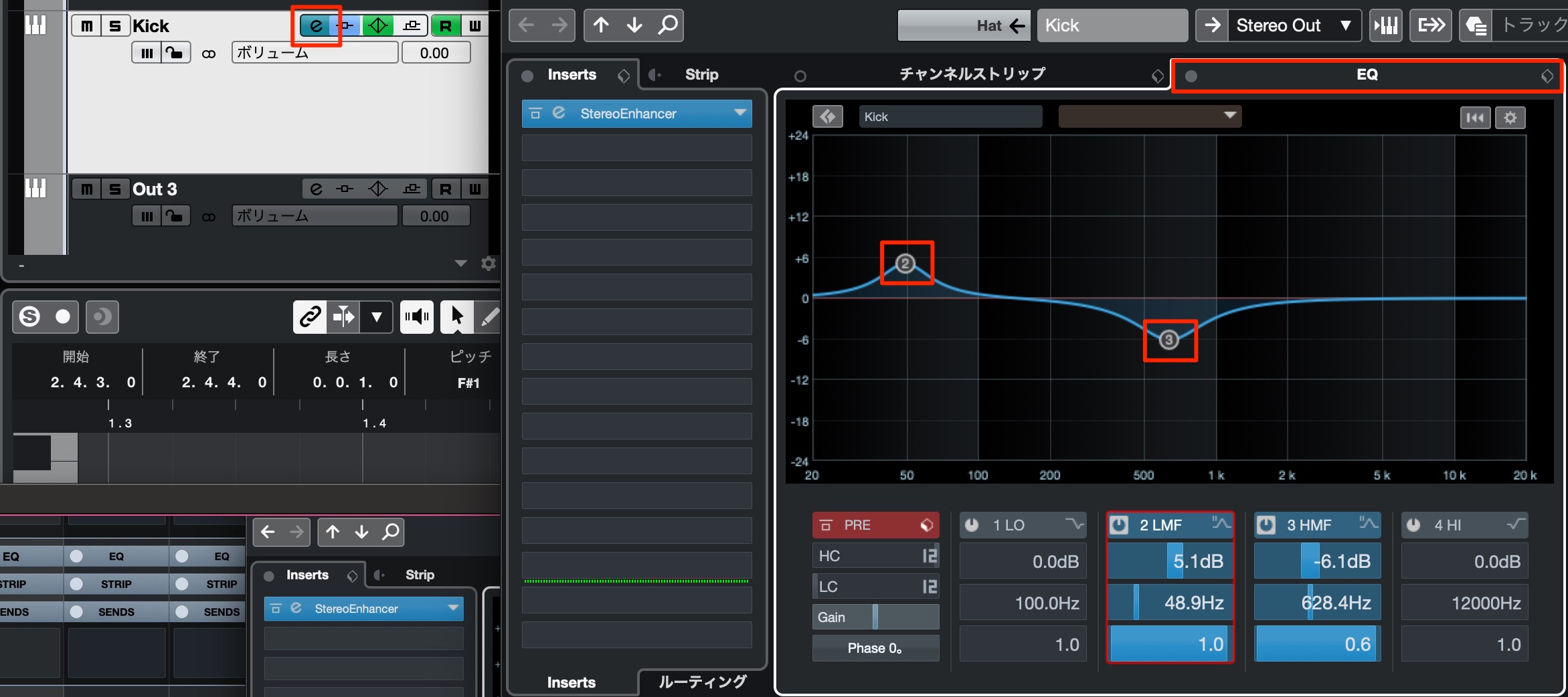
Next, adjust the equalizer. The E button provides quick access to the channel's EQ controls.
Boost around 50 Hz to add weight. Reducing the midrange peak around 600–700 Hz produces a cleaner sound.
Editing the Snare Sound
The kit includes one snare sample with weight and another with a pronounced attack.
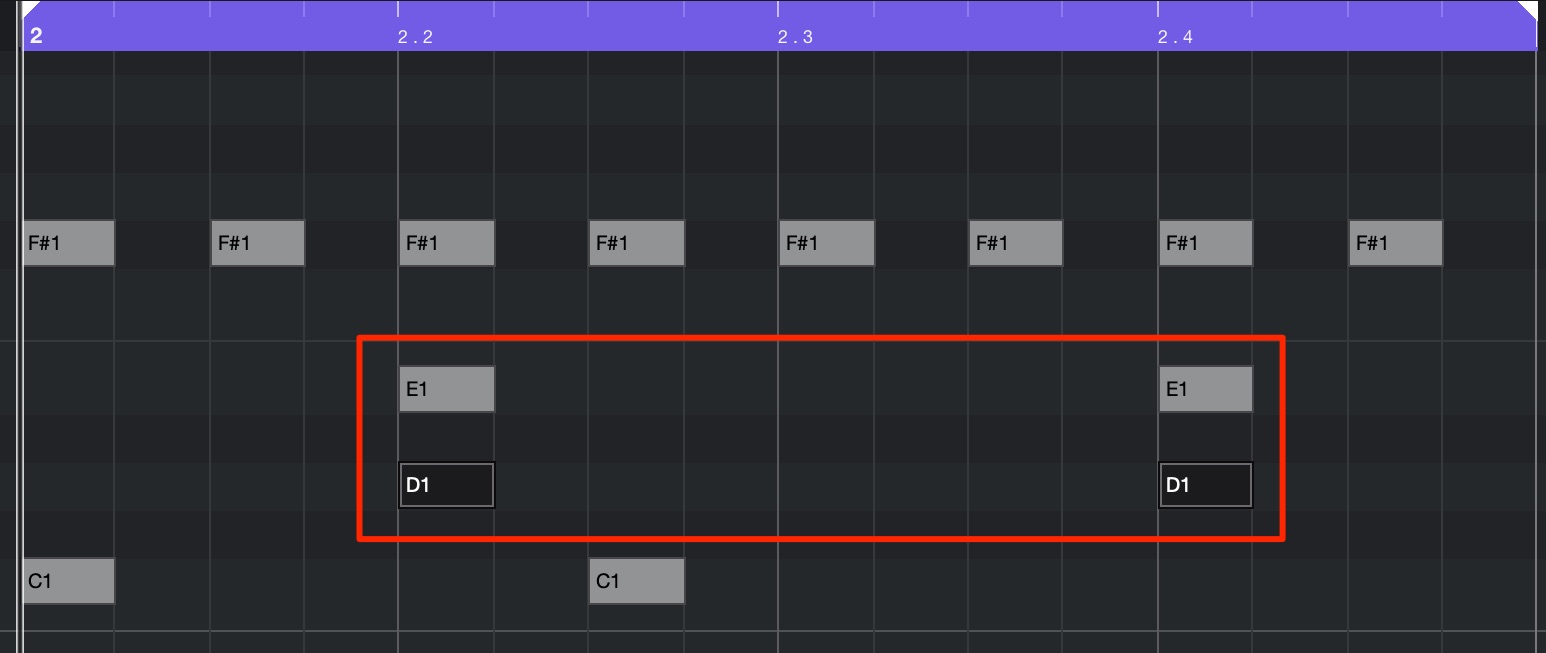
Add D1 alongside the E1 notes programmed earlier, so both snare samples play together.
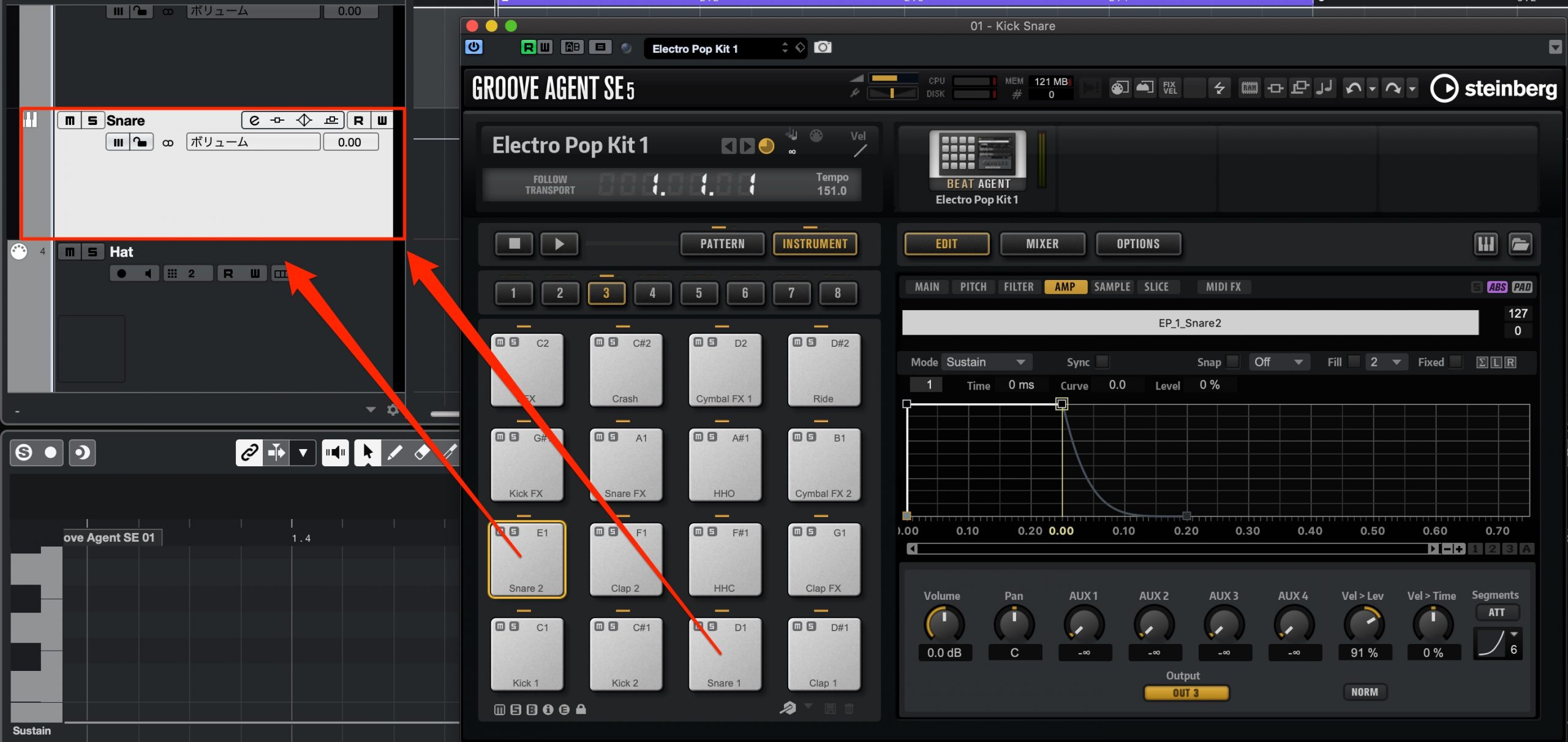
Route both snare sounds to the same separate output channel.
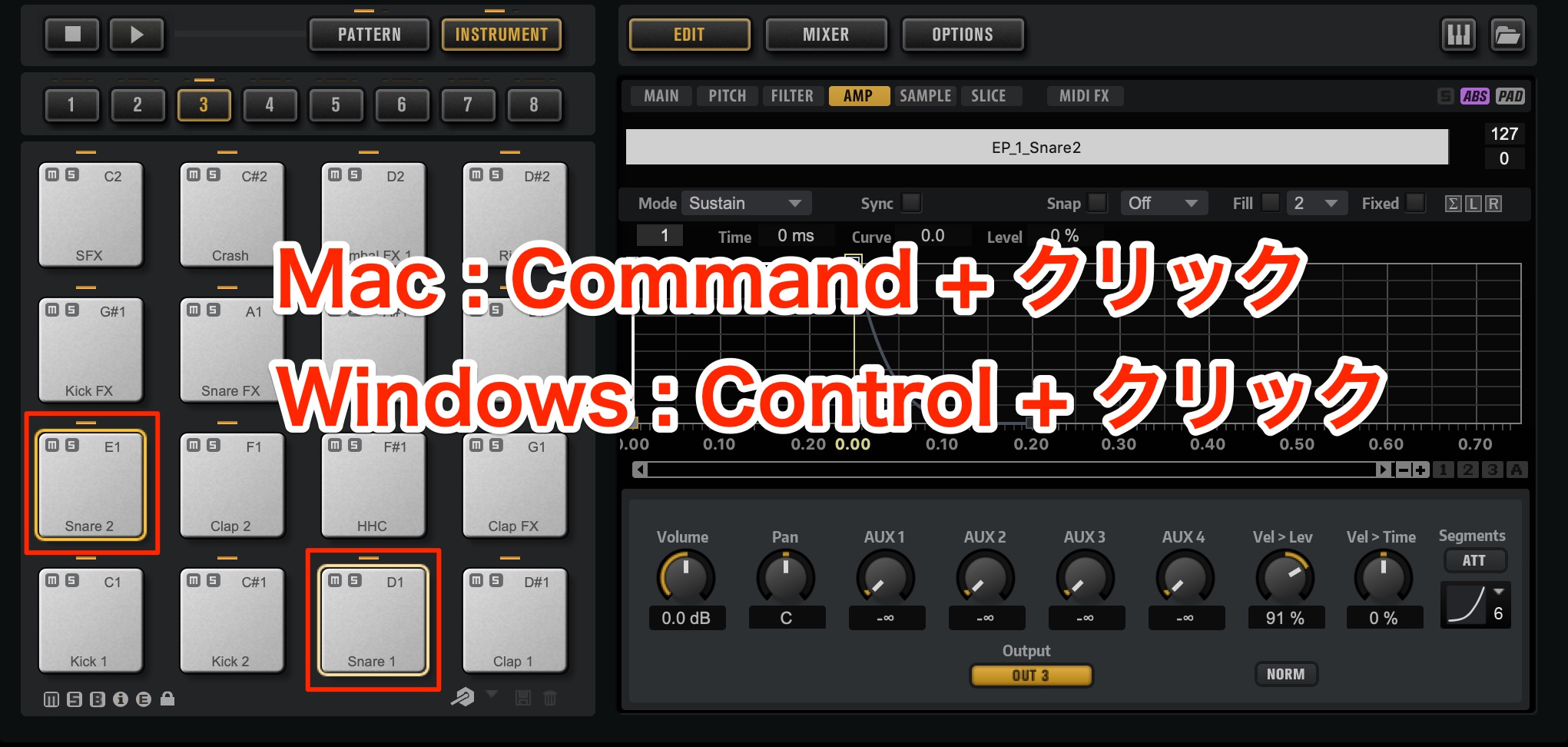
As with the kick, shorten the snare's tail.
Selecting both pads lets you apply the same edits to both at once, which is convenient here.
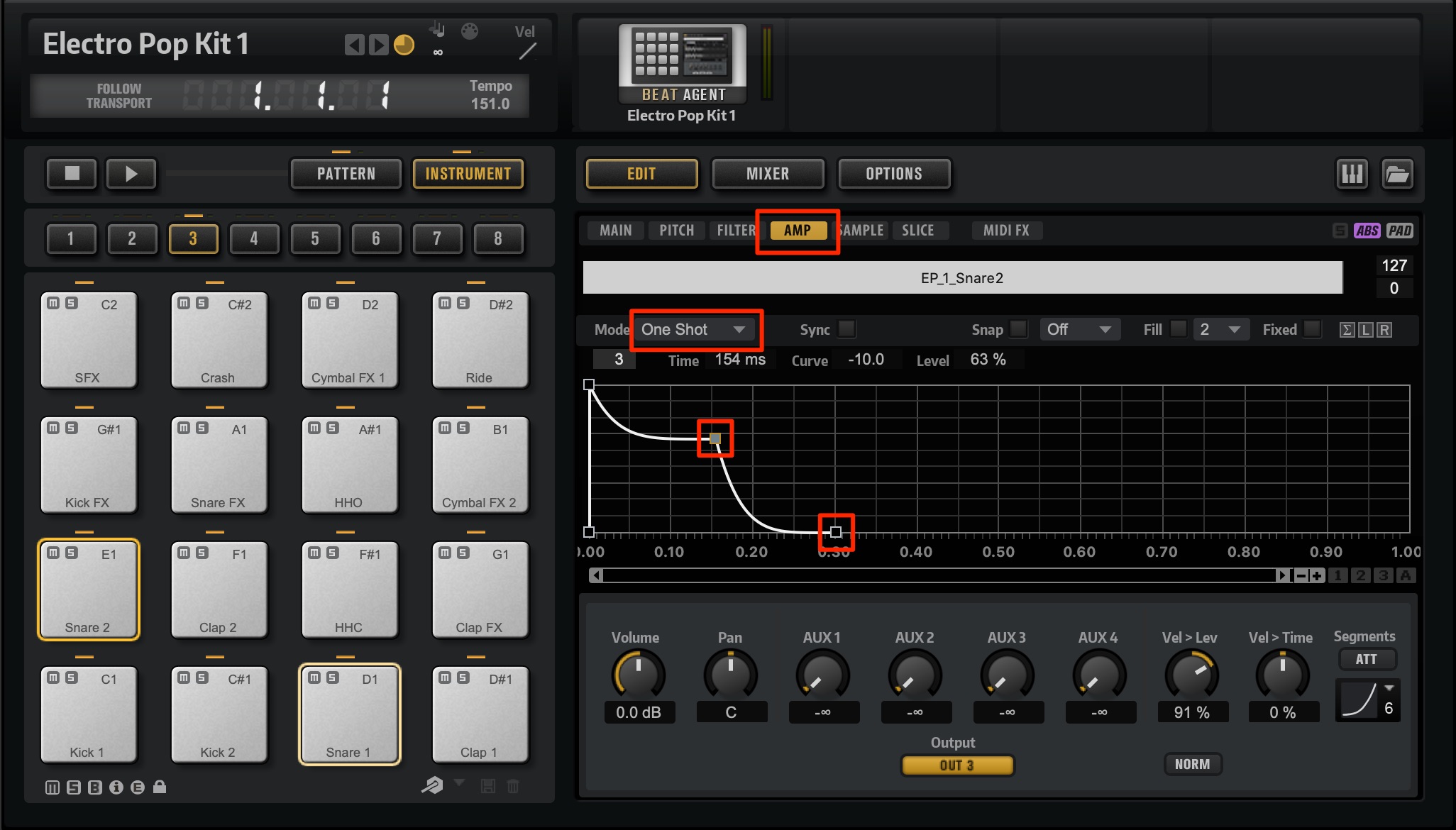
On the Amp page, switch to One Shot mode and adjust the envelope while listening.
Here, we adjusted the attack and the tail.
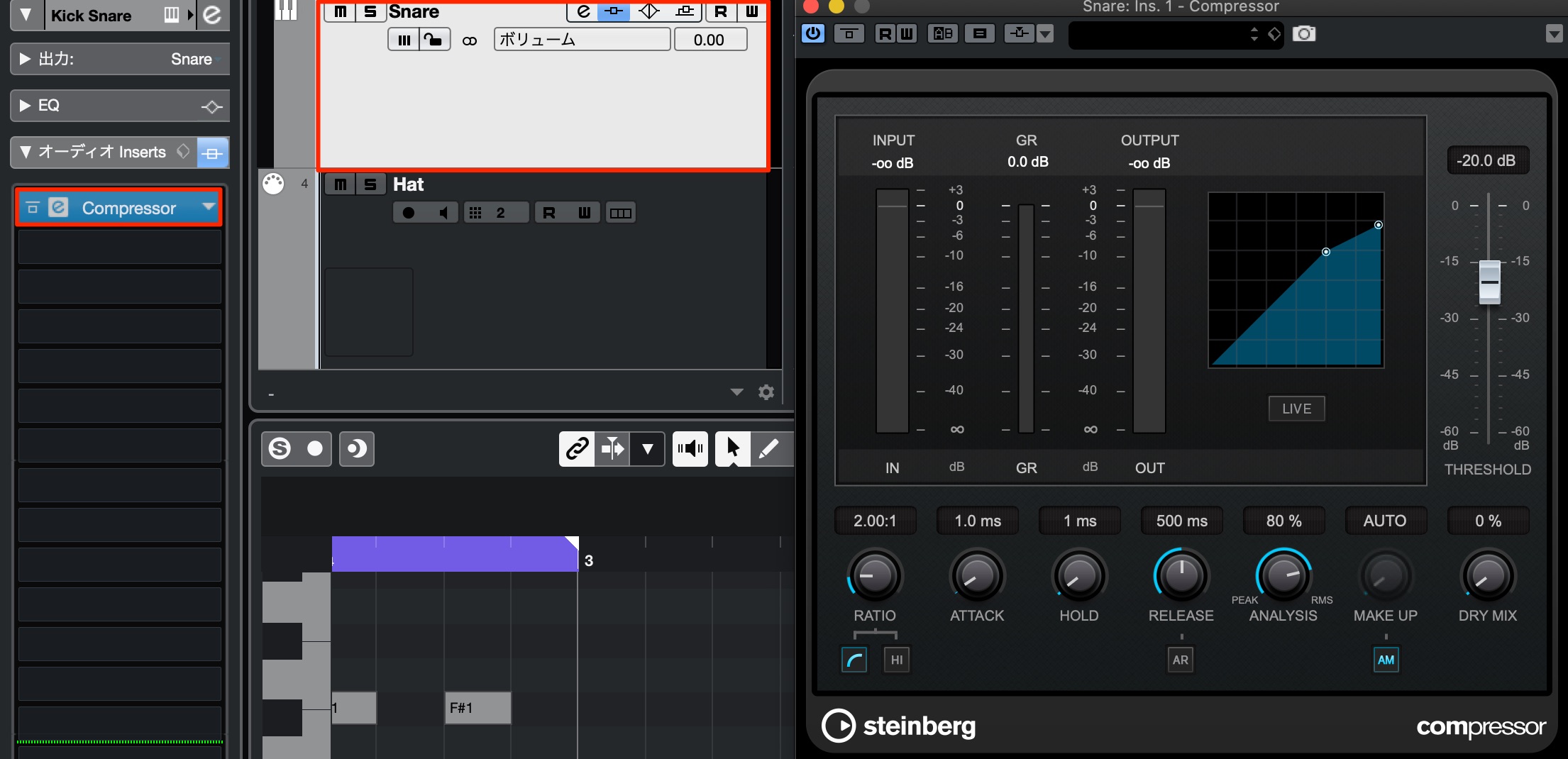
Next, insert a compressor on the separate snare output channel.
The aim is to glue the two snare samples into one coherent sound and add more attack.
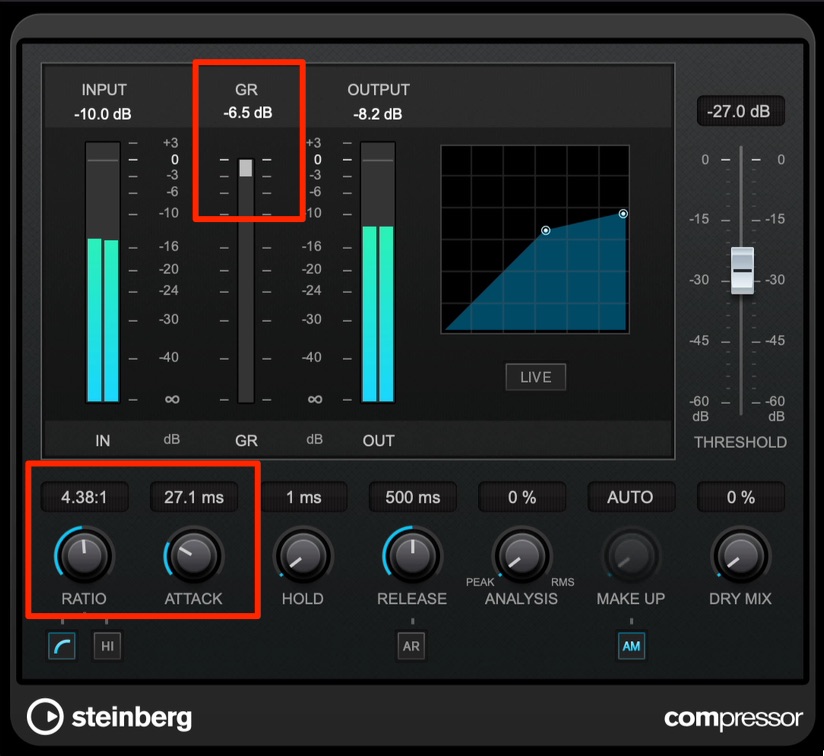
Use a relatively high ratio and adjust the attack time to retain a clear, sharp initial hit.
Make these adjustments by listening to the result.
Next, use EQ to shape the snare toward the sound you have in mind.
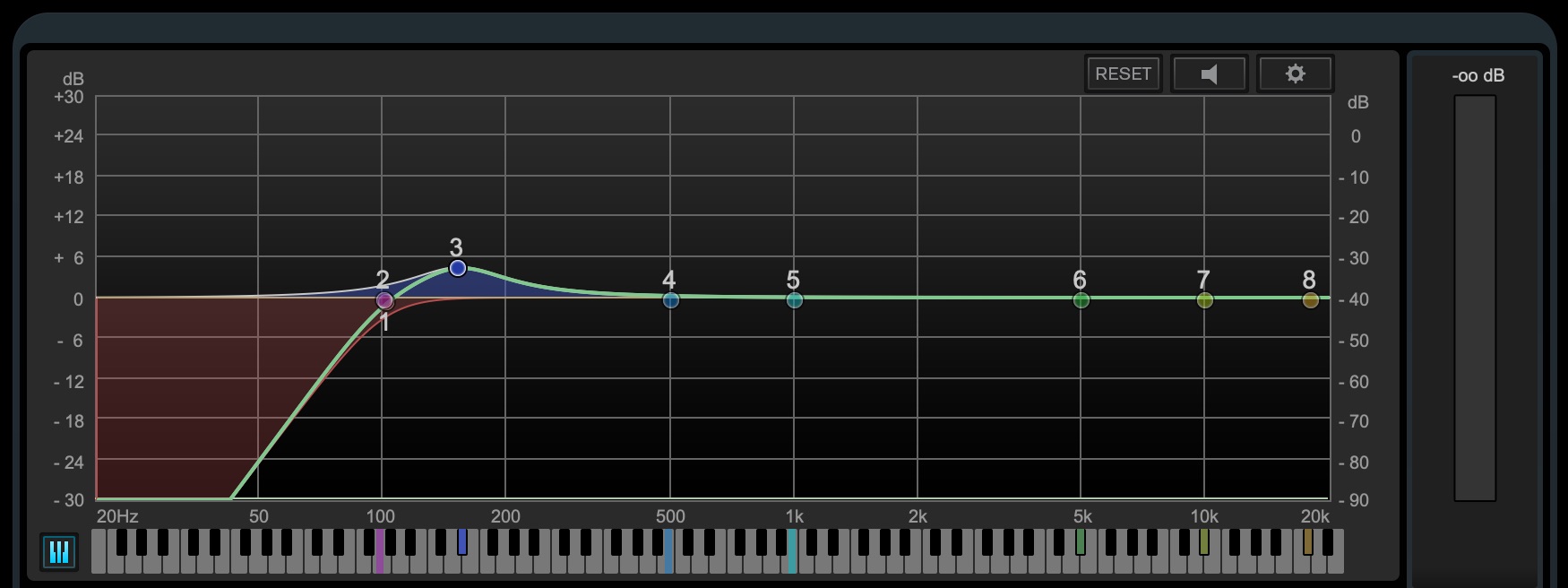
Open Frequency and cut unnecessary low frequencies, using roughly 100 Hz as a starting point while preserving the snare's character.
This helps separate its frequency range from the kick and bass.
Boost around 150 Hz to add weight and body.
Editing the Hi-Hat Sound
The hi-hat included in the kit had a reverberant spread that was quite different from what we wanted.
In a case like this, replacing the sample is a useful option.
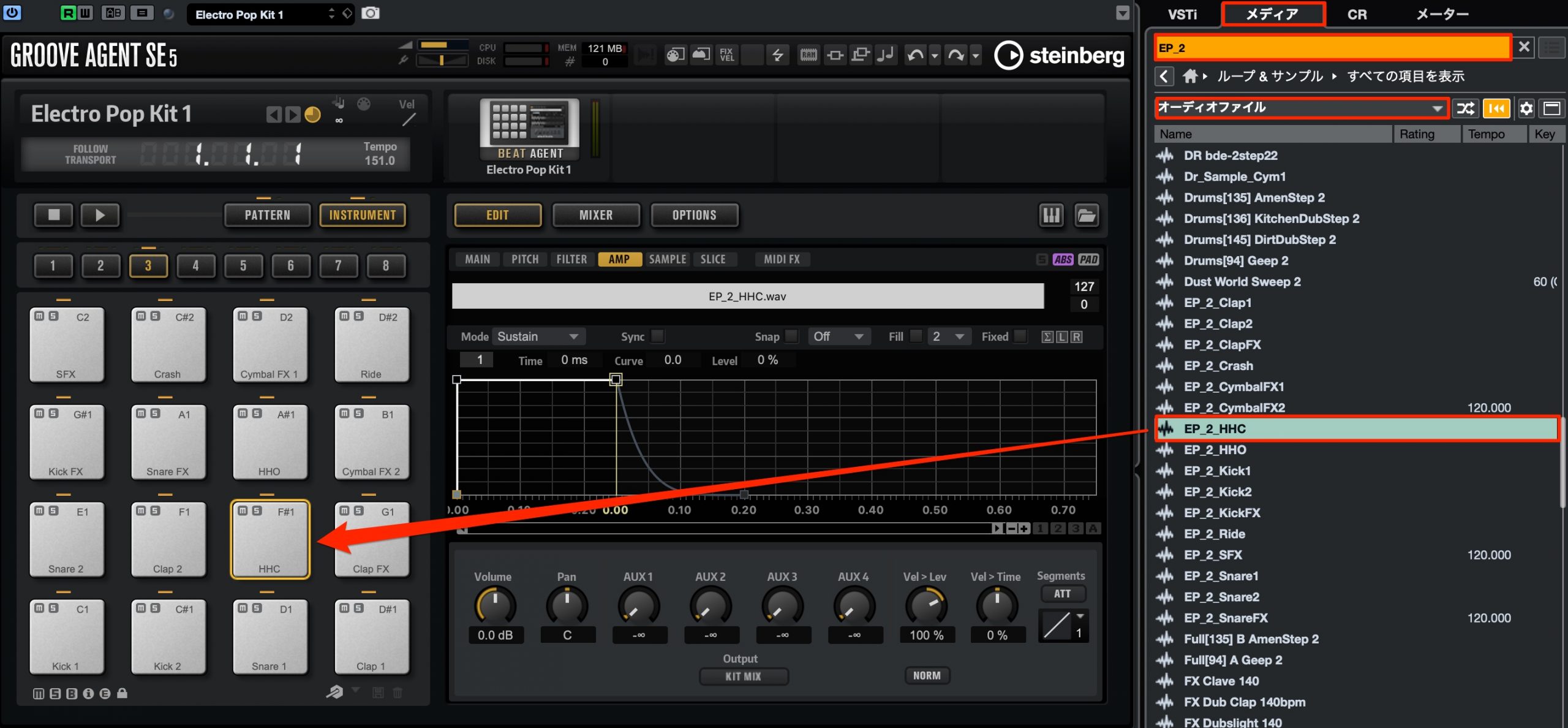
Searching through a huge sample library can be time-consuming, so we chose to look for a suitable hi-hat in Electro Pop Kit 2, a preset in the same style.
In the Media Rack's Loops & Samples section, type EP_2 into the search field, then find a hi-hat in the filtered results.
Drag the sample onto the pad to replace the existing sound.
How did you find this approach?
For this style, the key is to create sounds with weight and a solid core, while keeping the beat deliberately simple and bold.
Try these techniques when producing music in a similar style.
🎹 How to Make Synthwave 🎹
Across this series, we explore production techniques full of 1980s flavor, using only Cubase's included instruments and effects!
The original May 2020 announcement also offered the song's project files. 🎁 This is a historical announcement; no project-download link is present in this article.
📝 Article: https://t.co/9E4sbINKud🎥 YouTube: https://t.co/uLVcU9eIth #DTM #DAW pic.twitter.com/6IQlmRo7Pw
— SLEEP FREAKS (@SLEEPFREAKS_DTM) May 23, 2020
Frequently Asked Questions
Q1. How can I recreate 1980s drum sounds with Cubase's included drum sampler?
Load Electro Pop Kit 1 in Groove Agent SE for samples that evoke classic drum machines such as the TR-909 and LinnDrum. Refine the kick and snare envelopes and apply EQ to develop the vintage character further.
Q2. How should I set up drums to process the kick and snare separately?
Route individual sounds such as kick, snare, and hi-hat to separate output channels. This lets you apply effects and EQ independently for more detailed control over each sound.
Q3. What matters most in this synthwave rhythm pattern?
The example uses a simple eighth-note beat, with kick accents on beats 1 and 3, snare accents on beats 2 and 4, and even eighth-note hi-hats. Keeping the hi-hat velocity uniform and the pattern deliberately simple helps create a vintage drum-machine feel.
NEW ARTICLES
Latest English Articles





































































































































































































