
Professional guitarist Kenji Suzuki explains how to shape distorted guitar tones. Using amp models such as the Mesa/Boogie Dual Rectifier in AmpliTube 4, this article covers practical settings, tips for adjusting BASS, MIDDLE, TREBLE, and PRESENCE, evaluating your tone objectively while listening to a recorded performance, adding thickness with double-tracking and panning, and changing cabinet types to refine the sound. These electric-guitar distortion techniques are accessible to beginners in music production and amp simulation alike.
Distortion: A Classic Electric Guitar Sound
Hello, I’m Kenji Suzuki, a guitarist and guitar sound designer.
In the previous installment, we began exploring how to shape guitar amp tones.
This time, we will look at distortion, one of the defining sounds of the electric guitar.
Perhaps you have never used a physical guitar amp, or you are struggling to get the sound you want from an amp simulator.
This series aims to help you in those situations.
Give these techniques a try when shaping your electric guitar sound.
Distortion Sound: Video Tutorial
- 1Guitar Amp Tone with Kenji Suzuki, Part 1: What Is an Amp Simulator?
- 2Guitar Amp Tone with Kenji Suzuki, Part 2: Creating Distortion Sounds
- 3Guitar Amp Tone with Kenji Suzuki, Part 3: Creating Guitar Solo Sounds
Creating a Distorted Electric Guitar Sound
For this example, we are using a fairly heavy distortion sound, as heard in the video.
As in the previous installment, AmpliTube 4 is applied to a dry guitar recording—the unprocessed clean signal.
Let’s start with a riff based mainly on power chords.
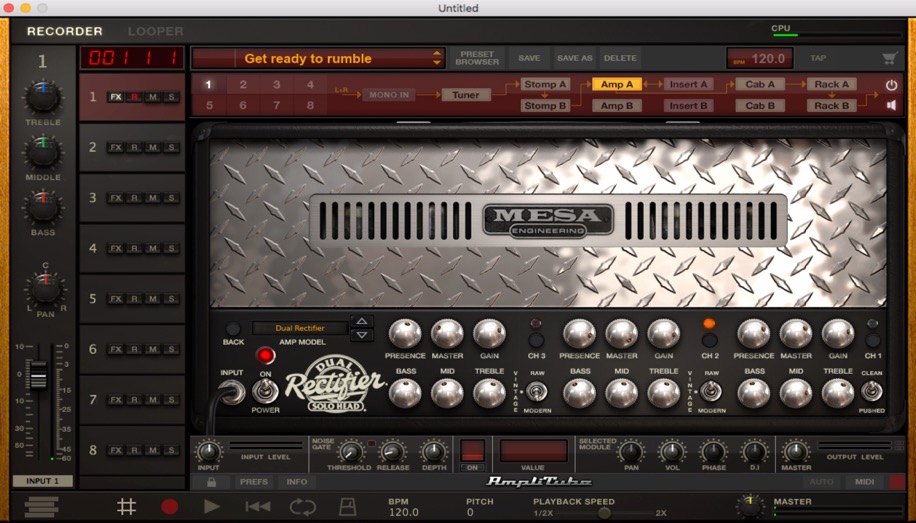
Here, I used the Mesa/Boogie Dual Rectifier.
This amp has three independent channels and can cover clean tones as well as distorted sounds.
Generally speaking, it excels at heavy distortion suited to metal and similar styles.
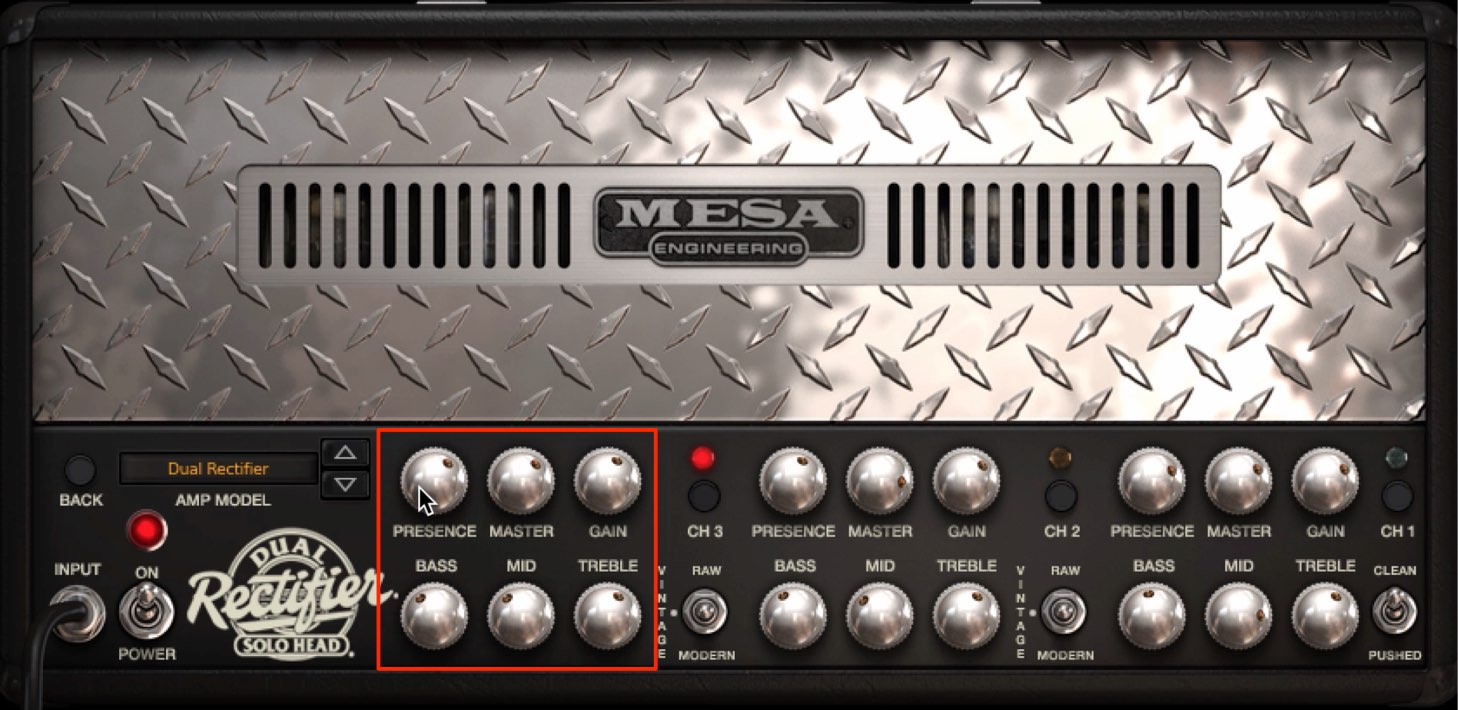
For a basic setup, raise the gain to add distortion, then adjust BASS, MIDDLE, TREBLE, and PRESENCE while listening to the sound.
It often works best to start around 5 and adjust up or down without making the settings too extreme.
Shaping Your Tone While Listening to a Recorded Track
Besides adjusting your tone while playing guitar, I also recommend tweaking the amp while playing back a recorded take.
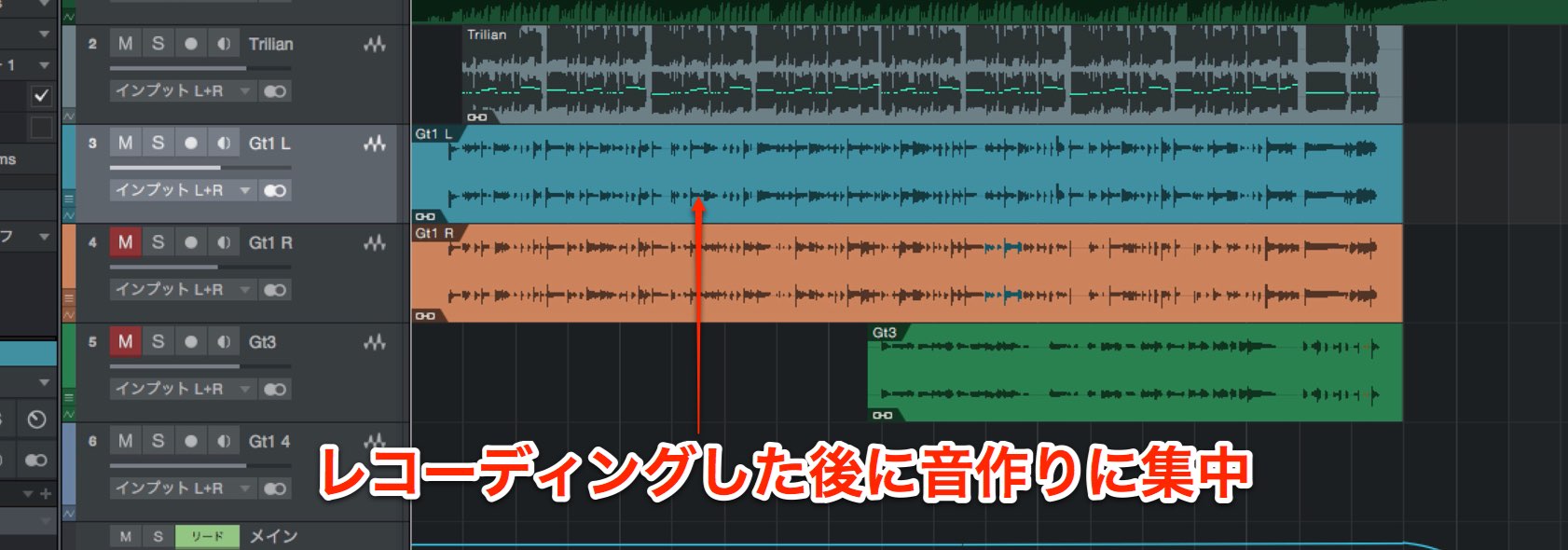
This lets you judge the sound more objectively.
Here are some tips to keep in mind when adjusting the controls.
- BASS = low frequencies
- MIDDLE = midrange frequencies
- TREBLE = high frequencies
- PRESENCE = very high frequencies
However, the way these controls affect the sound varies depending on the amp you select.
Listen carefully to how the tone changes within the backing track. This will help you understand the amp’s character and get closer to the sound you are aiming for.
Adding Thickness with Double-Tracking
For distorted rhythm guitar parts, a common technique is double-tracking: record the same phrase again, then pan the two tracks left and right.
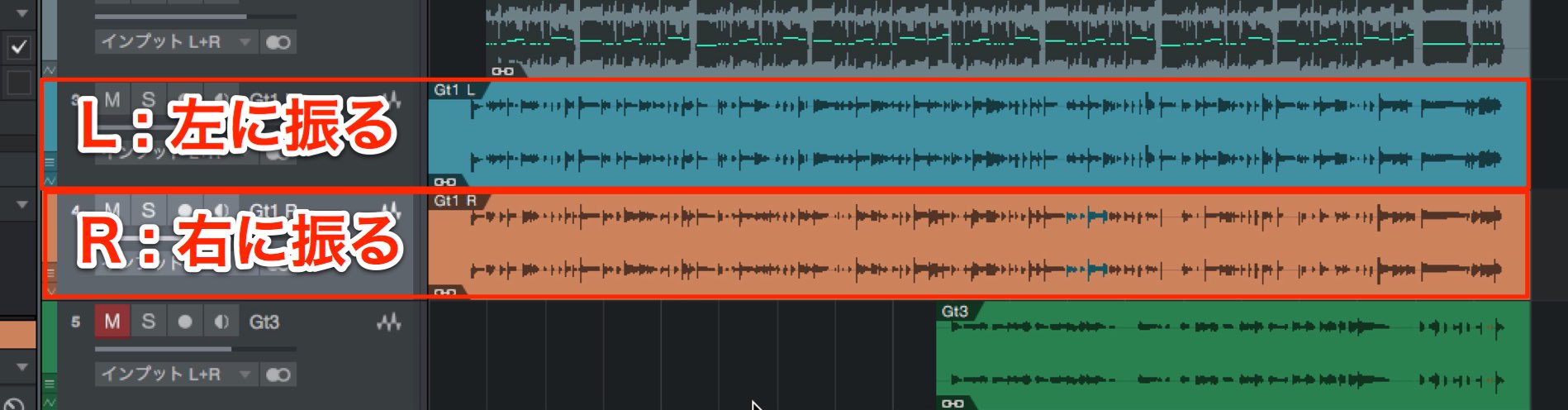
Double-tracking makes it very easy to add thickness to the guitar sound and create a “wall of sound.”
Refining the Sound by Changing the Cabinet Type
Above, we created a thick sound built mainly around power chords.
Now let’s add a higher-register phrase over it.
Together, these two types of guitar parts cover the range from low to high frequencies.
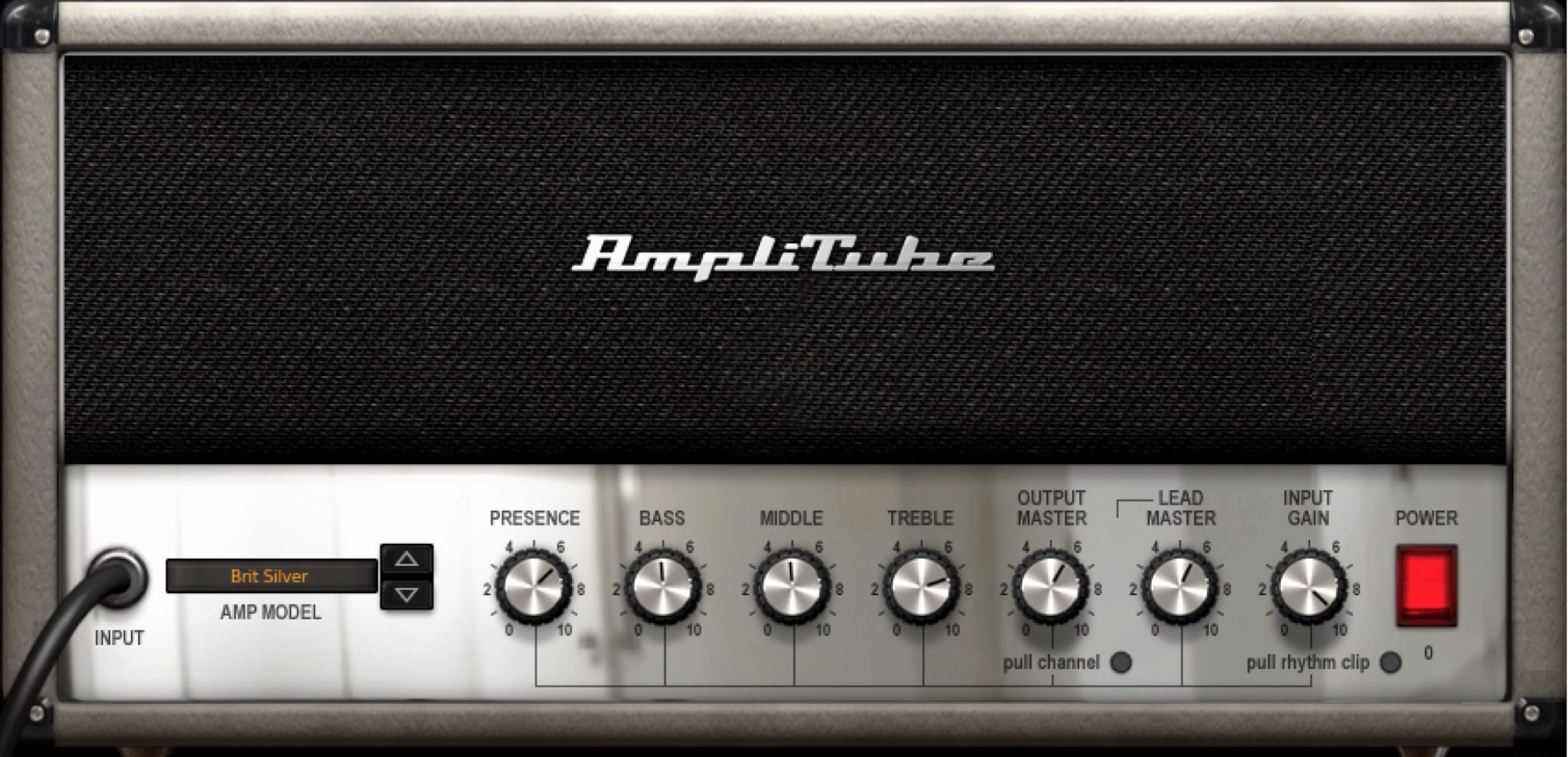
For this sound, I used the included Brit Silver amp model.
One way to shape a tone in an amp simulator is to change the speaker cabinet.
Doing this with a physical amp takes considerable effort, but plug-ins and simulators make it easy to experiment.
That is a major advantage.
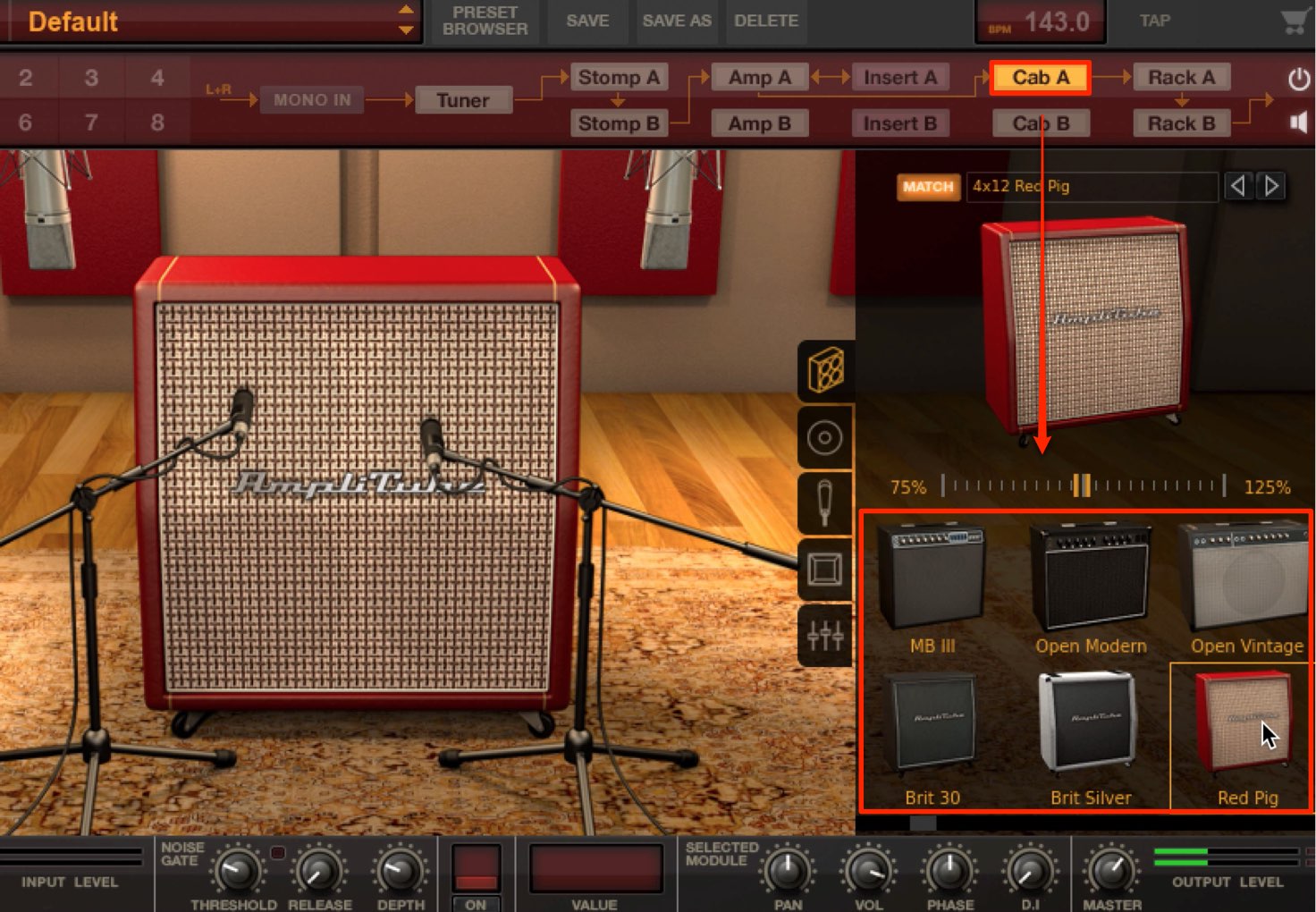
Changing the cabinet can make a substantial difference to the character of the sound, so try different combinations to suit your song and your goals.
How did you find these examples?
In this video, we created two types of distortion sound.
Double-tracking and panning are also essential techniques for a powerful, full-bodied sound, so try incorporating them into your own productions.
In the next installment, we will explore lead guitar tones that put the guitar in the spotlight.
Stay tuned!
Frequently Asked Questions
Q1. What commonly goes wrong when creating distortion sounds with an amp simulator?
The main cause is taking gain or EQ settings too far. This article recommends adjusting BASS, MIDDLE, TREBLE, and PRESENCE around a starting point of 5. Listening objectively to a recorded performance and making gradual adjustments can help you achieve a more natural distortion sound.
Q2. Why is double-tracking effective for distorted guitar sounds?
Recording the same phrase multiple times and panning the takes left and right is an easy way to add thickness and depth to the guitar sound. This technique creates a “wall of sound” for a powerful, professional guitar tone.
Q3. Can I change cabinet types with a physical guitar amp too?
Yes, although switching to a different cabinet with a physical amp takes more effort. A major advantage of plug-in simulators such as AmpliTube 4 is how easily you can experiment. You can test different cabinet combinations to suit the song and your intended sound.
NEW ARTICLES
Latest English Articles














































































































































































































































































































