
The Apollo Twin X Gen 2 is a professional desktop audio interface from Universal Audio with substantial improvements in sound quality and features over the first generation. It combines elite-class 24-bit/192 kHz converters, Unison-enabled mic preamps, and real-time UAD processing to deliver a warm sound reminiscent of analog gear. New to Gen 2, Auto-Gain automatically sets a suitable recording level for vocals or guitar, streamlining recording. Low-latency Thunderbolt operation and flexible control through UAD Console support a professional music-production setup.
Second-generation model with elite-class converters and Unison preamps
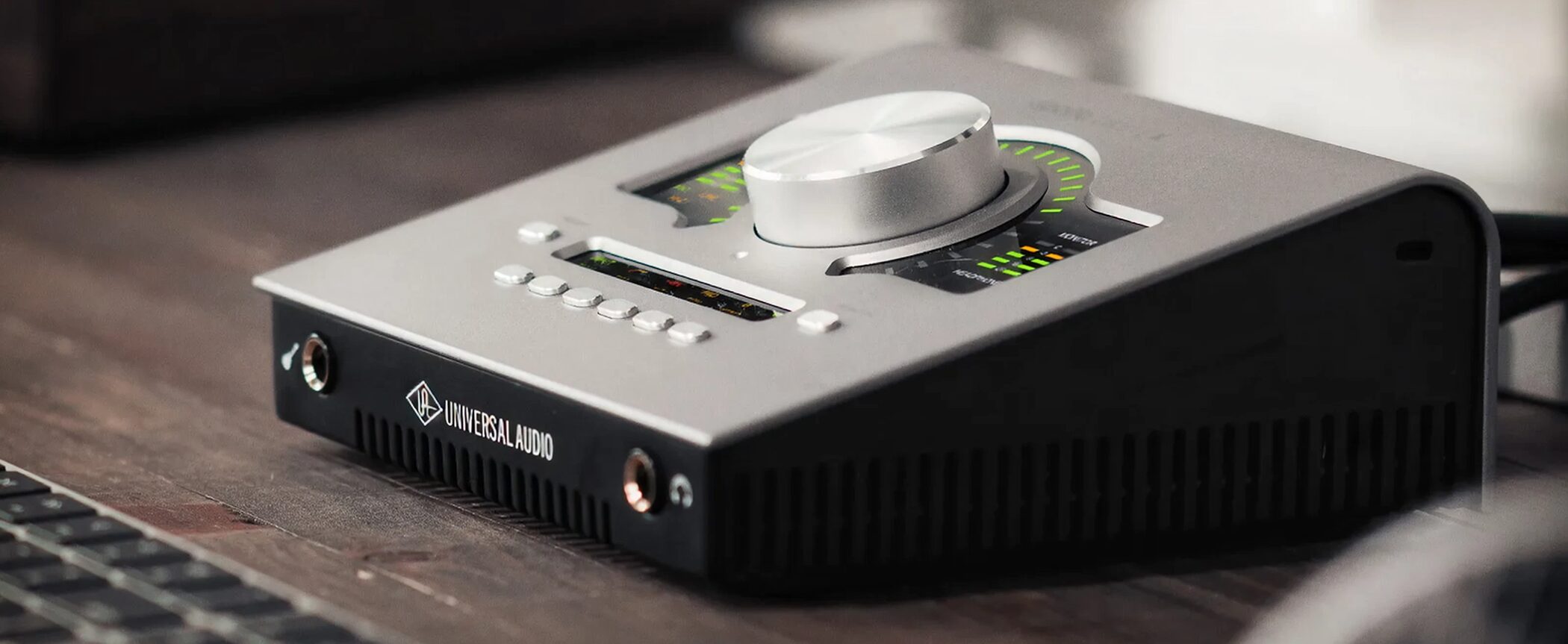
The Apollo Twin X Gen 2 is the second generation of Universal Audio's popular desktop audio interface.
Built around the idea of timeless analog sound, it features elite-class 24-bit/192 kHz converters, two Unison mic preamps, and real-time UAD processing.
For Gen 2, the D/A converters have been substantially upgraded, improving sound quality through headphones and monitor outputs and making subtle nuances easier to hear.
In use, I found its overall character soft and analog-like, especially well suited to acoustic instruments and vocals.
Apollo Twin X | Gen 2 Video
Selected Questions and Answers From the YouTube Video

I'm torn between the Apollo and the MT48. My setup is similar to yours, Kanaya. I have the budget, but if I won't use LUNA and will use UAD plugins, would the MT48 be the better choice?

It's a difficult choice because their prices and strengths differ substantially, and both have good expandability. But I liked Unison so much that I would probably choose this one. I don't think you'd regret either choice, though.
I use an RME Babyface and am interested in benefits such as Unison and using amp simulators at low latency. But can it handle routing and loopback as flexibly as RME TotalMix?
Unfortunately, it did not have a loopback function or customizable routing. I felt this was a weakness compared with RME.
Unison Preamps and Real-Time Processing
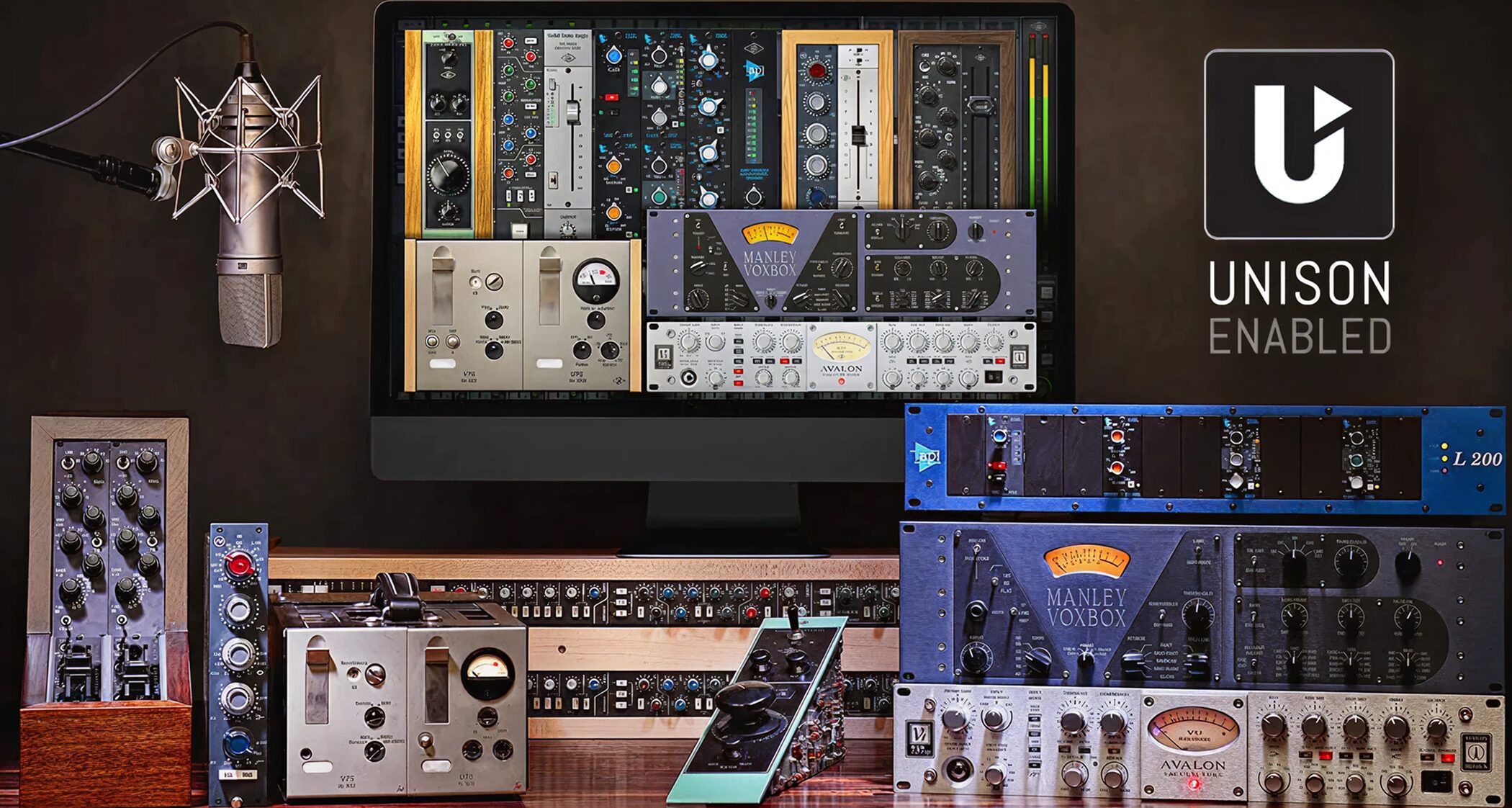
One of the Apollo series' main attractions is its Unison-enabled mic preamps.
Unison is a technology that reproduces the characteristics of renowned analog equipment at the hardware level.
Rather than simply emulating a plugin, it changes fundamental preamp characteristics such as impedance and gain staging to deliver sound and response closer to the original hardware.
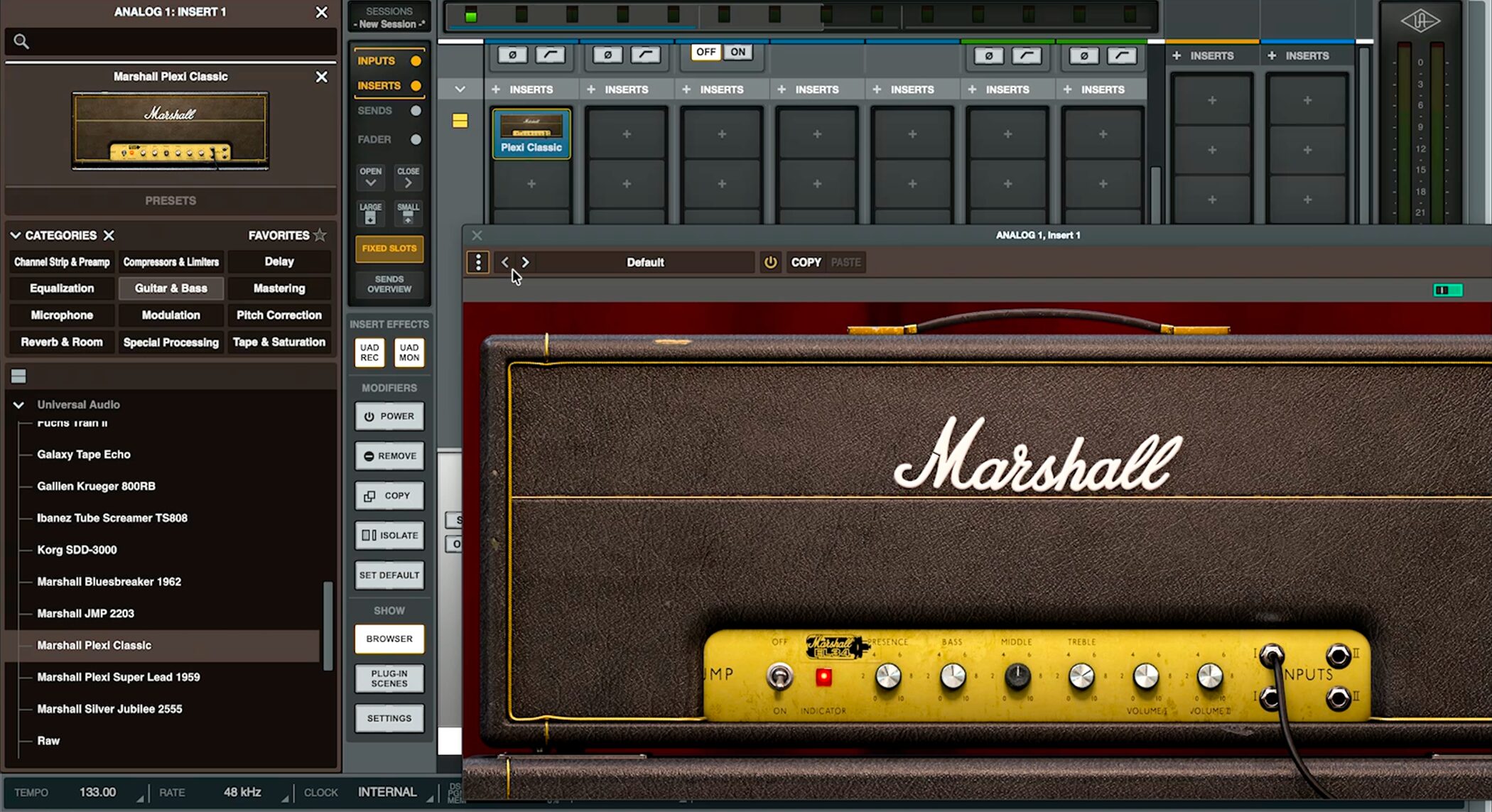
These Unison preamps work with guitars as well as vocals.
The front panel has a Hi-Z input, letting you connect a guitar directly and use Unison-enabled amp plugins.
You can record picking nuances and dynamics with a feel closer to the actual hardware.
Flexible Control With UAD Console
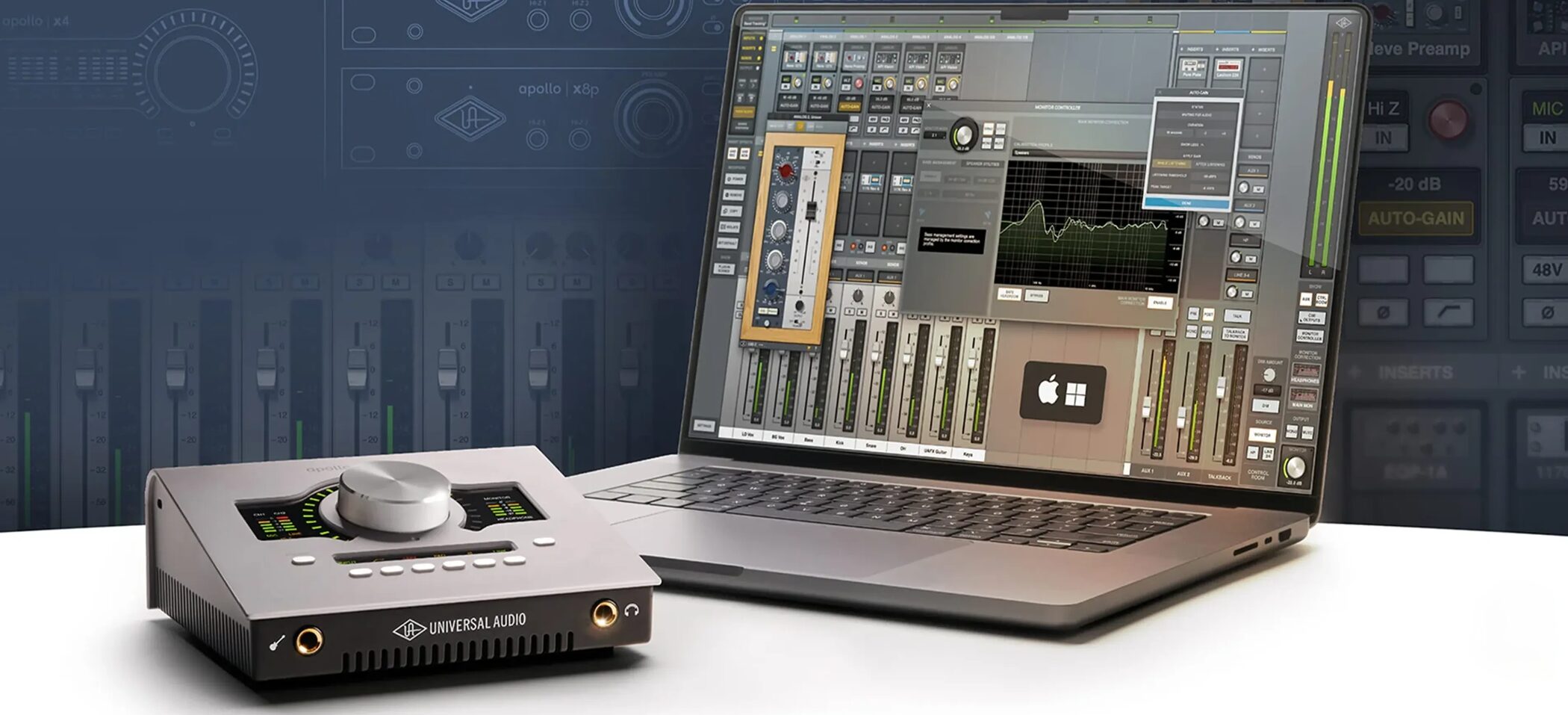
Apollo is operated through the dedicated application UAD Console.
This mixer application controls Apollo and works with Cubase, Logic Pro, Fender Studio Pro, Ableton Live, and other programs; it can be used independently of your DAW.
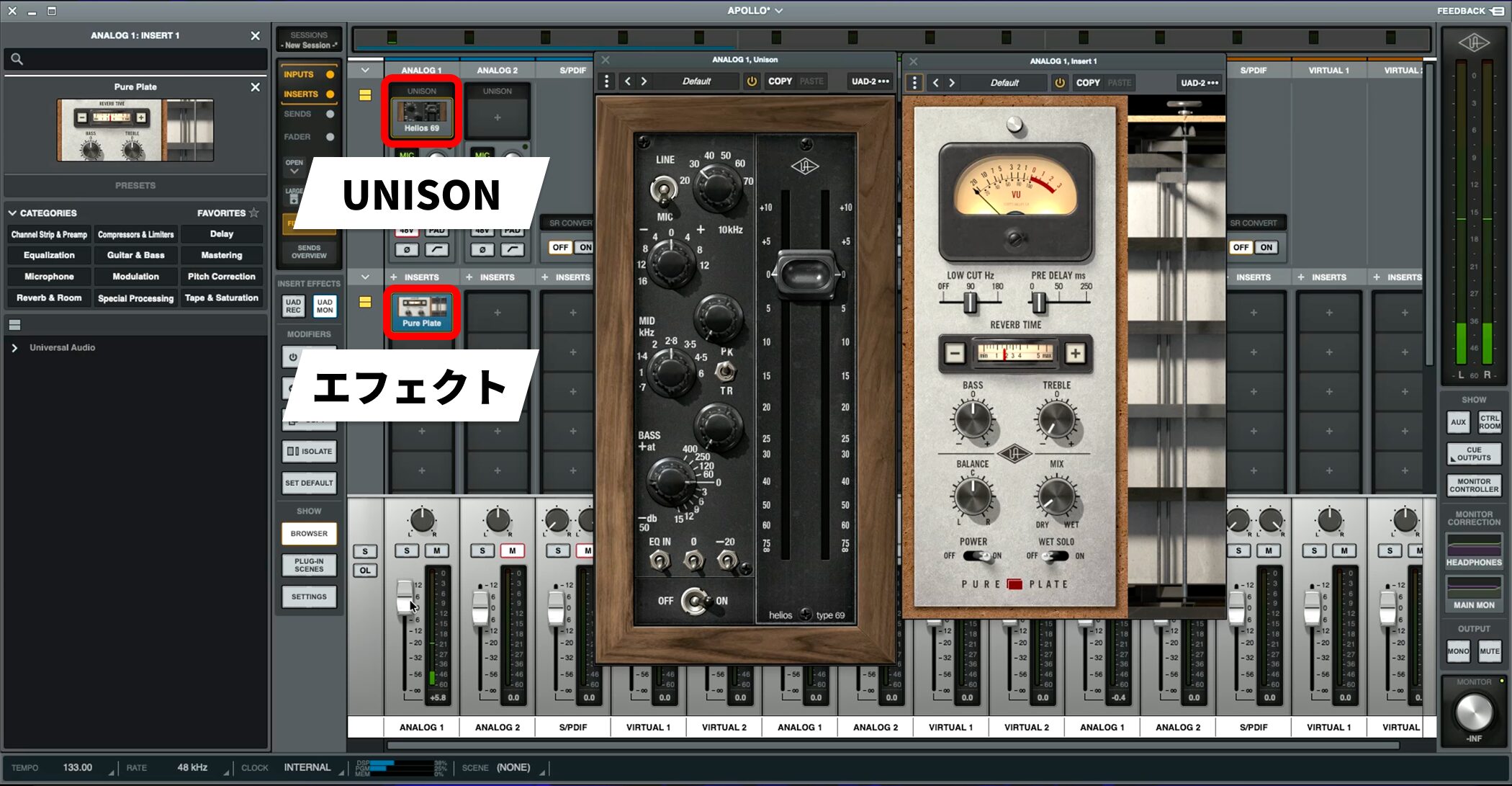
In UAD Console, you can configure Unison preamps and effects for each input channel.
You can choose whether effects are recorded or used only for monitoring, so you can capture a dry signal while hearing it with effects.
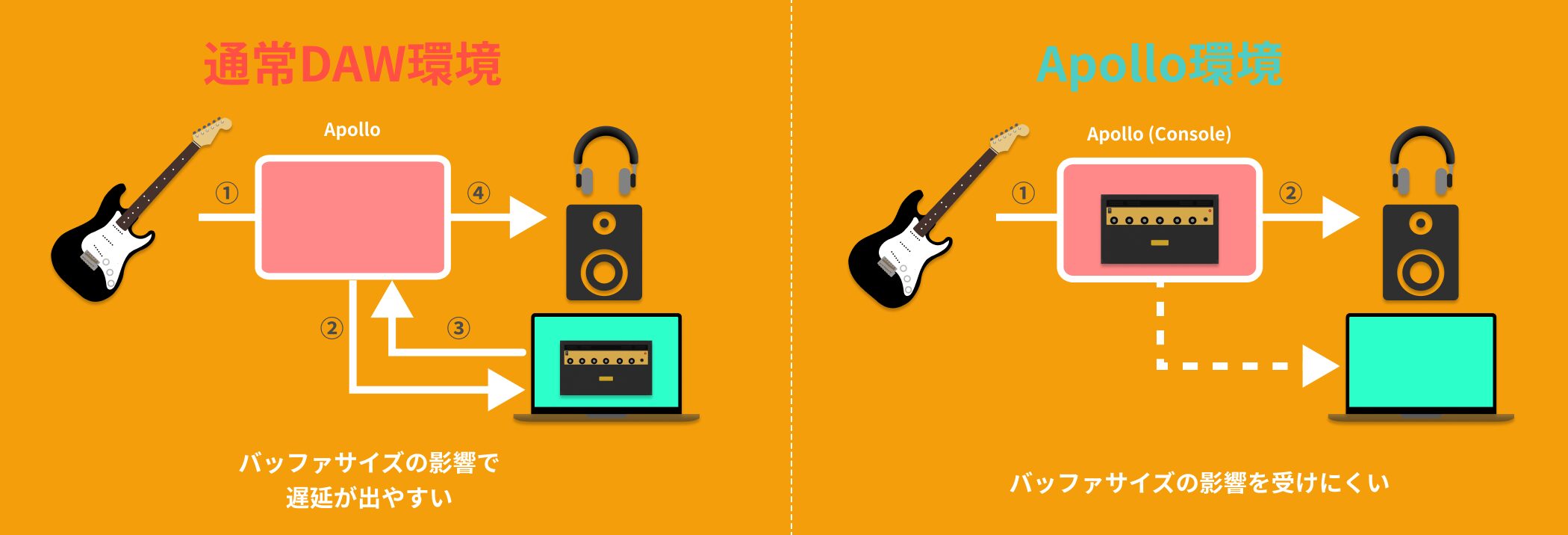
Keep UAD Console open during production to adjust Apollo settings at any time.
Effects run on Apollo's onboard DSP. When monitoring through UAD Console, operation is less affected by the DAW buffer size and can maintain low latency.
The ability to use effects in real time while direct monitoring is a major Apollo advantage.
Auto-Gain (New in Gen 2)
Auto-Gain, newly added in Gen 2, automatically adjusts gain to suit the input signal.
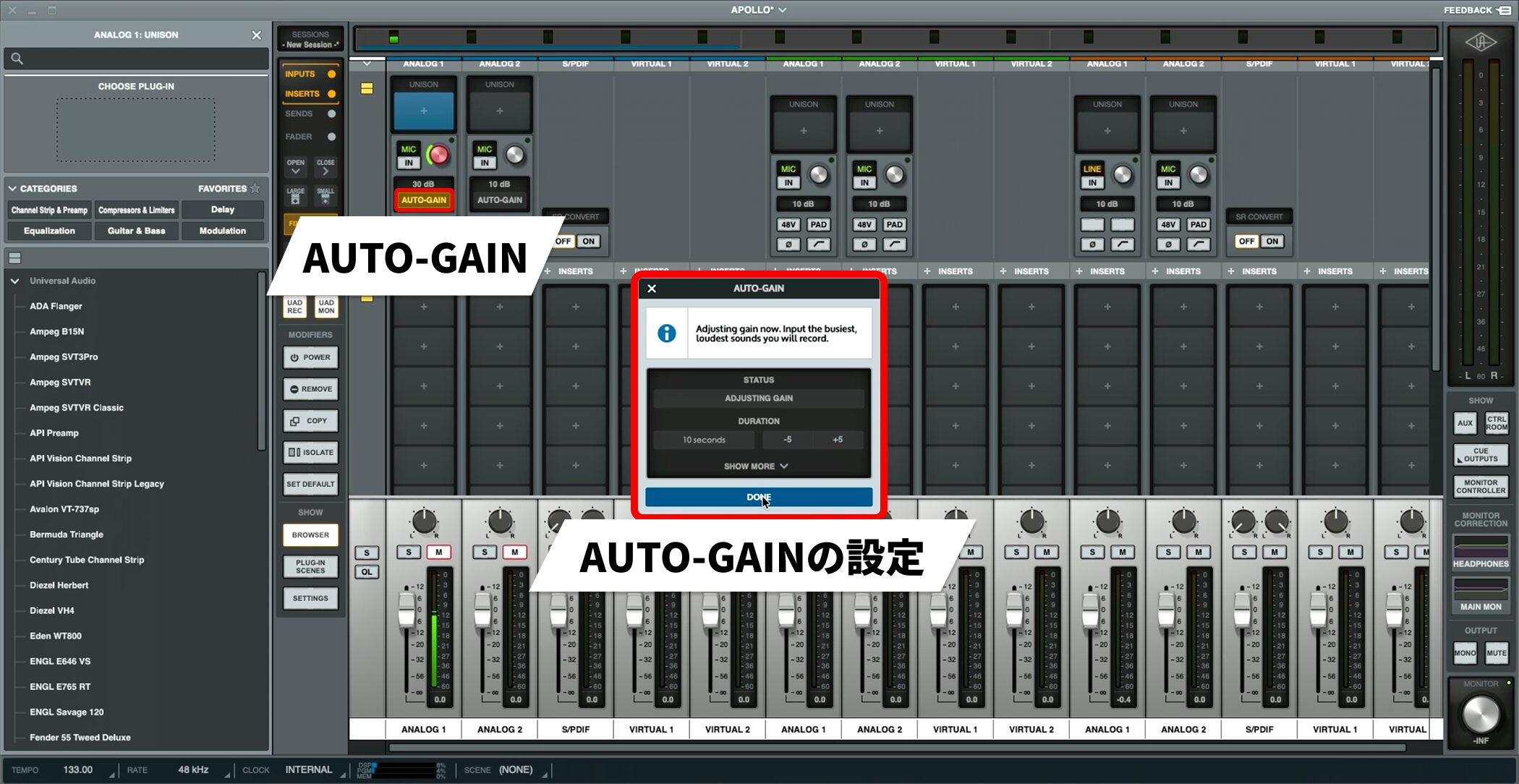
For example, when recording vocals, first enable Auto-Gain in UAD Console and ask the singer to perform the loudest part of the song.
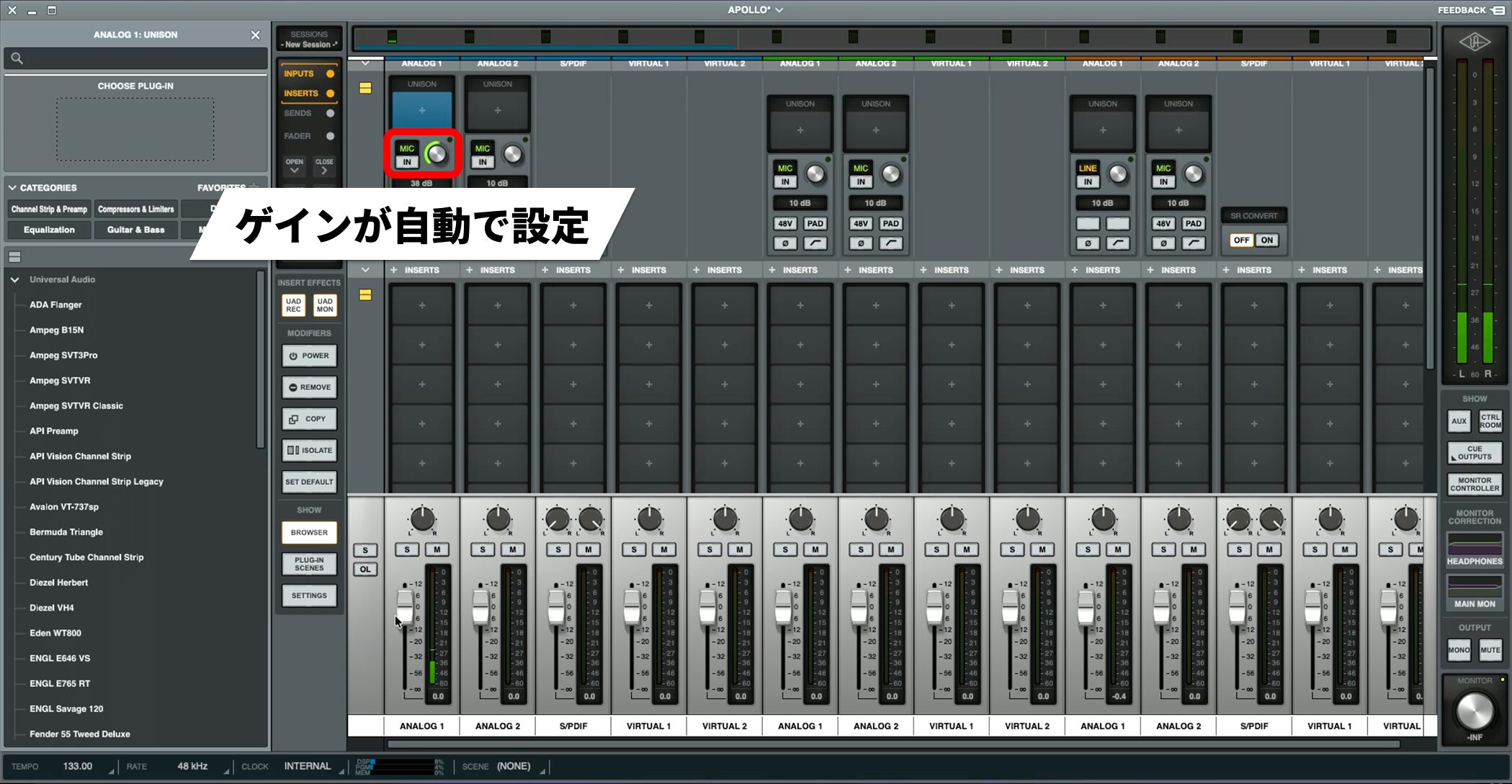
The gain is then adjusted automatically to match that input level, setting an appropriate recording level without clipping.
Previously, you had to adjust gain manually and run repeated tests to find the right level. Auto-Gain completes this step almost instantly.
It helps prevent failed recordings and lets you focus on capturing the actual take sooner.
Other Useful Features
The Gen 2 Apollo series also includes useful features that support production.
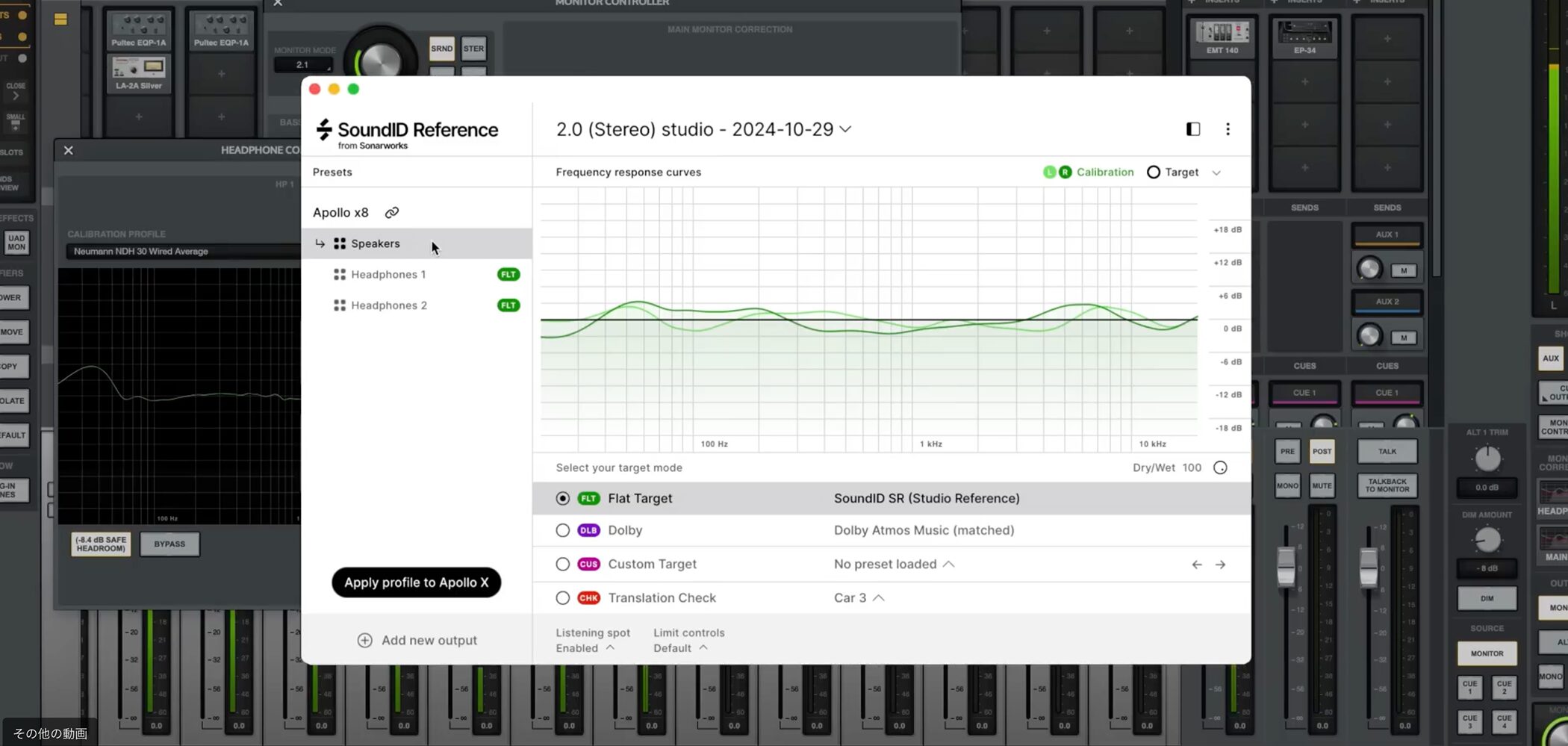
Apollo Monitor Correction works with Sonarworks SoundID Reference to correct your monitoring environment.
Correction based on measurement results can provide a flat monitoring response.
* SoundID Reference and the Apollo Monitor Correction Add-on are required.

Many Apollo models, including the Apollo Twin X Gen 2, also have a built-in talkback microphone, so you can communicate with a vocalist in the booth without adding another microphone.
A TALK button on the unit makes operation simple.
Connections and Expandability
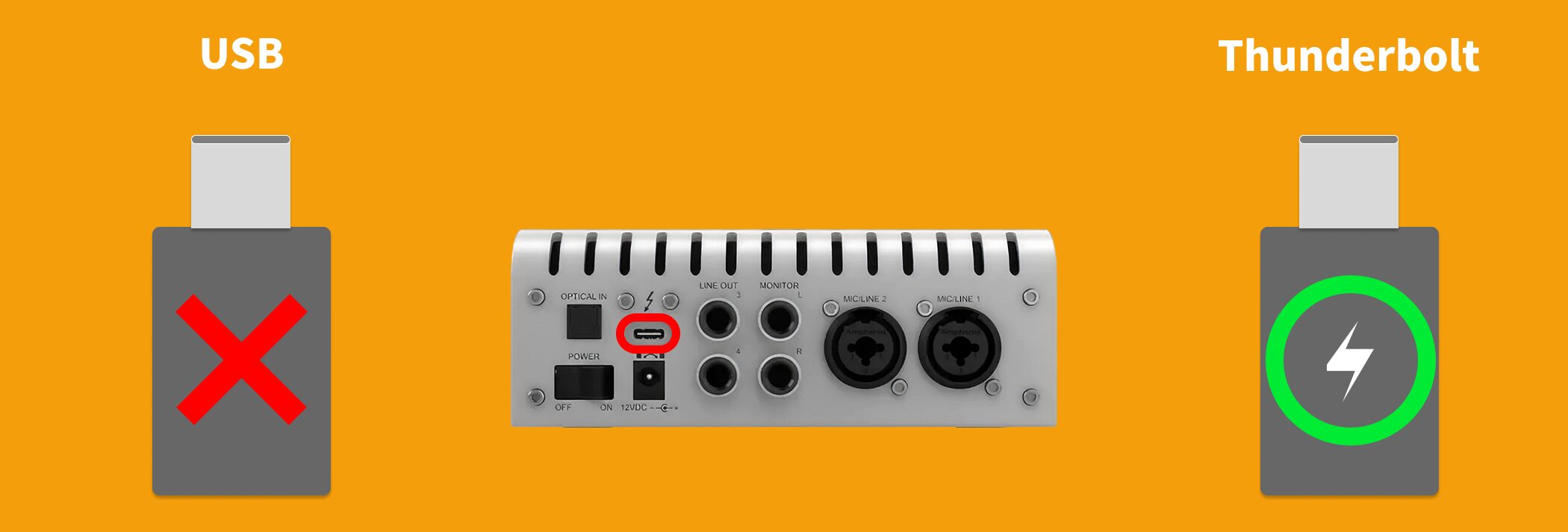
The Gen 2 Apollo series uses Thunderbolt connectivity.
Thunderbolt's high bandwidth and low latency are advantageous for recording.
It supports Thunderbolt 1–4 on Mac and Thunderbolt 3/4 on Windows.
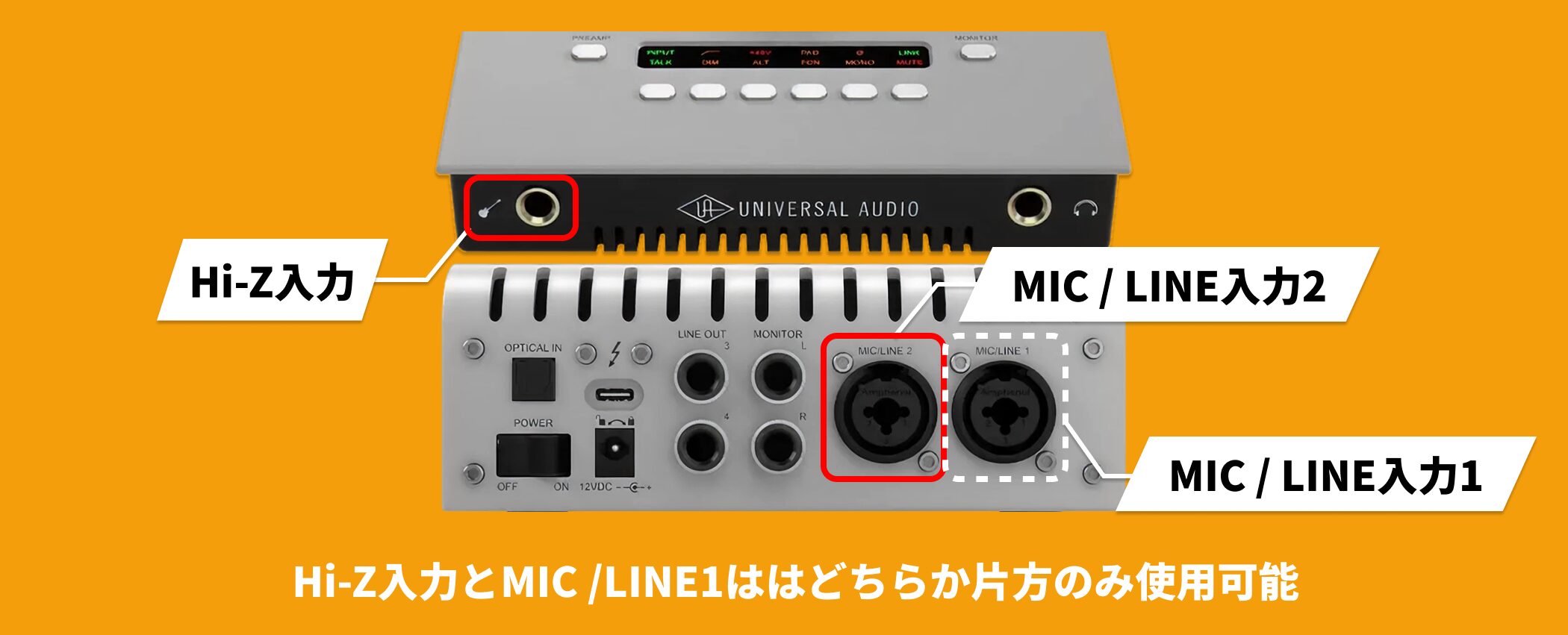
The unit has 10 inputs and 6 outputs. Its analog inputs are the front Hi-Z and rear Mic/LINE 1–2, three connections in total, with up to two channels recorded simultaneously.
Analog outputs include monitor L/R, line 3–4, and a headphone output.
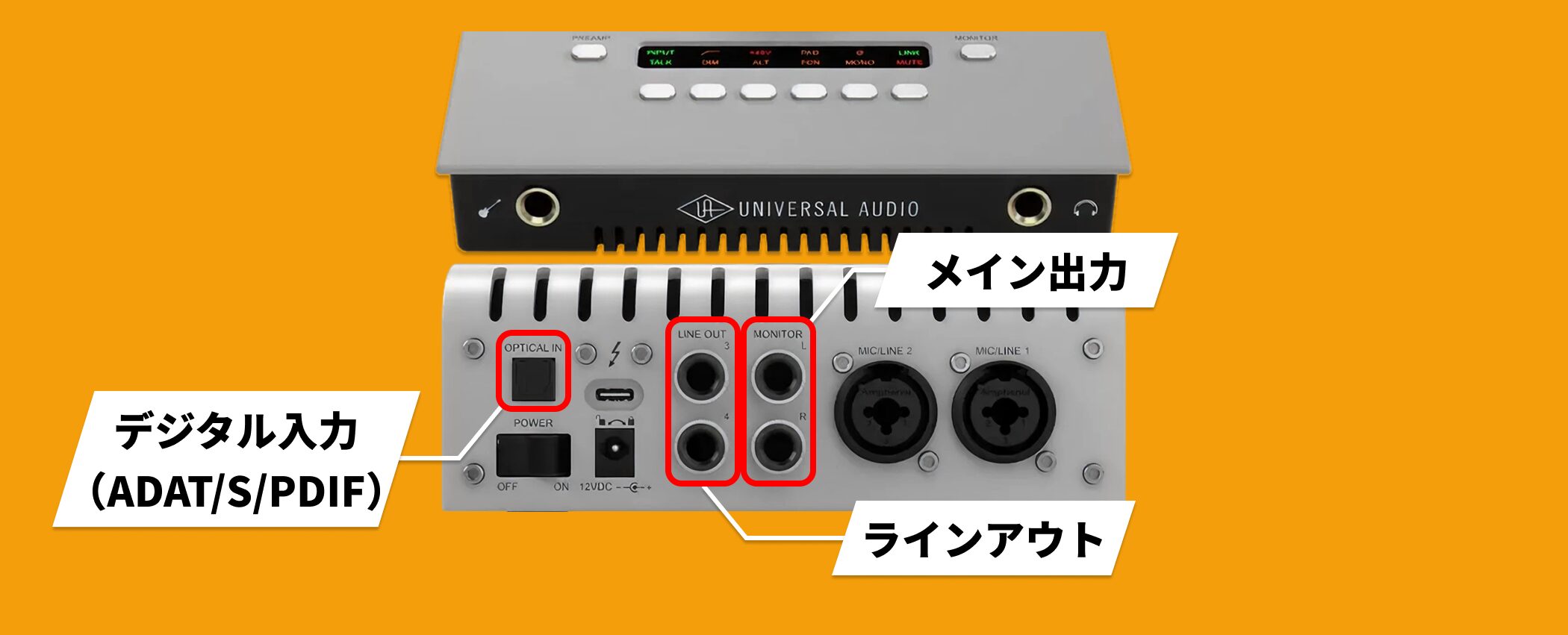
It also offers optical digital input (ADAT / S/PDIF) for integration with external equipment.
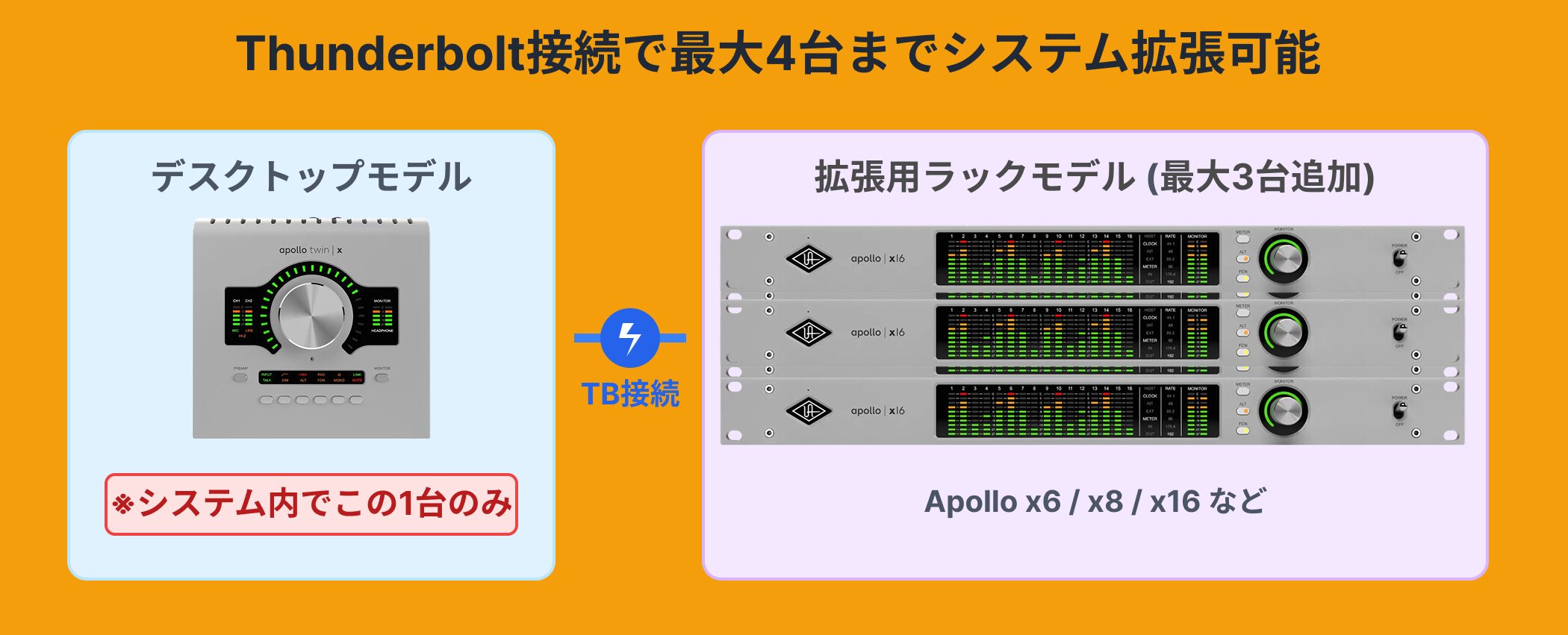
In addition, you can link up to four Thunderbolt-connected Apollo units for future system expansion.
* A system can include only one desktop model.
Models and Editions
The Apollo Twin X Gen 2 comes in two DSP models (DUO and QUAD) and two included-plugin editions (Essentials+ and Studio+), giving you four combinations to choose from.
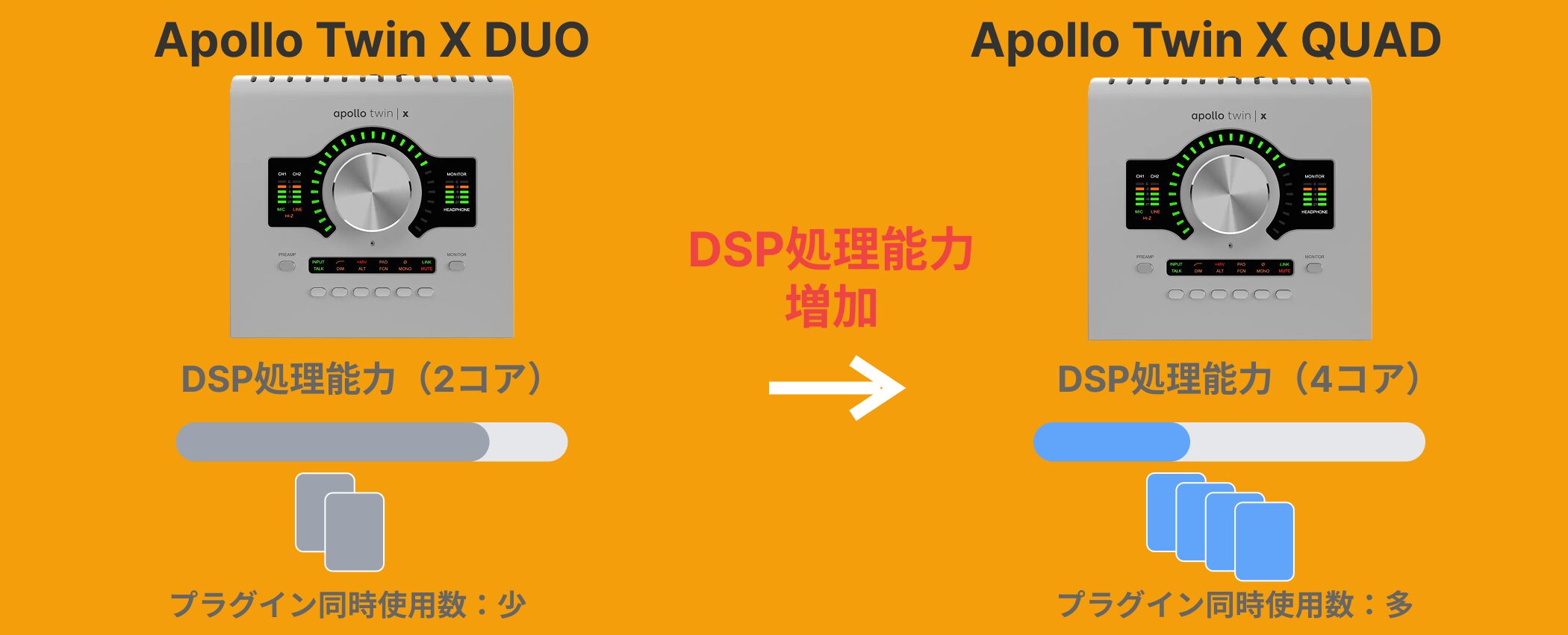
The difference between DUO and QUAD is the processing power of their onboard DSP.
QUAD has more processing power than DUO and can run more UAD plugins simultaneously.
If you use Unison preamps or real-time effects extensively, QUAD provides more DSP headroom.
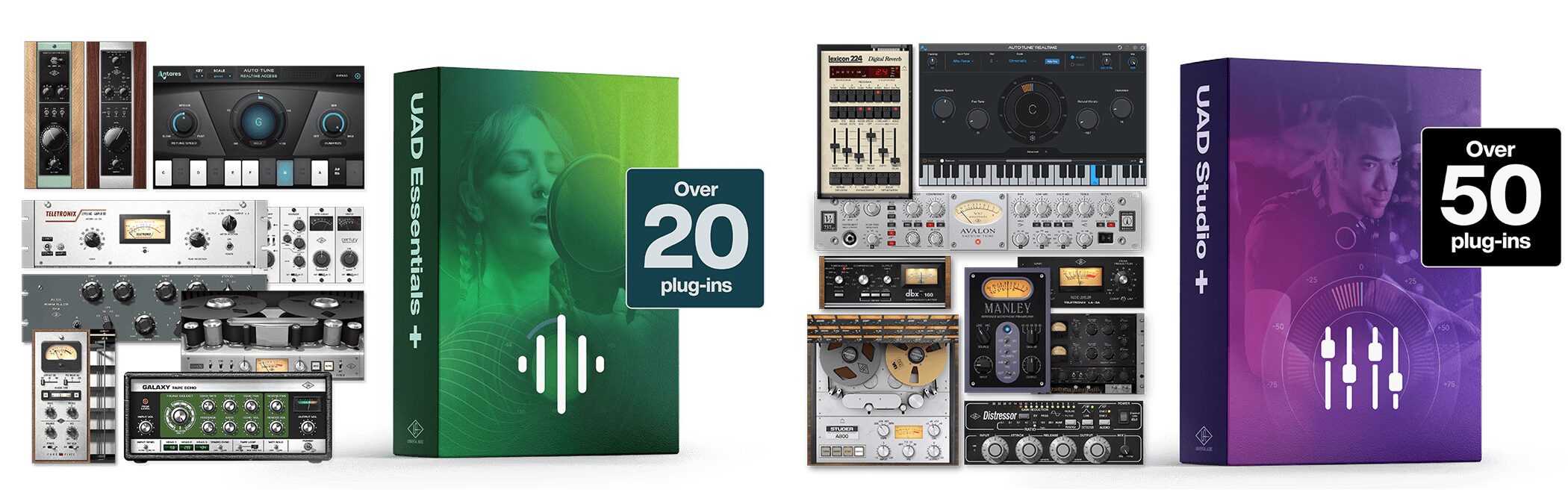
The difference between Essentials+ and Studio+ is the number of included UAD plugins.
Essentials+ Edition includes more than 20 plugins, with core tools such as the LA-2A compressor, Pultec EQ, and Marshall and Ampeg amp simulators.
Studio+ Edition includes more than 50 plugins and upgrades Auto-Tune to the Advanced version.
Apollo Twin X Gen 2 Specifications
| Item | Specification |
|---|---|
| Inputs/outputs | 10 in / 6 out |
| Connection | Thunderbolt 3 |
| Mic preamps | 2 × Unison-enabled |
| Sample rate | 24-bit / 192 kHz |
| Dynamic range (D/A) | 129 dB |
| DSP | DUO Core or QUAD Core |
| Analog inputs | 2 × combo jacks, 1 × Hi-Z |
| Digital input | Optical (ADAT / S/PDIF) |
| Analog outputs | 2 × monitor, 2 × ALT, 1 × headphone |
| Compatible DAWs | LUNA, Logic Pro, Pro Tools, Cubase, Ableton Live, etc. |
System Requirements
Mac
• macOS 11 Big Sur or later
• Mac with Thunderbolt 1 / 2 / 3 / 4 (adapter required for Thunderbolt 1 / 2)
Windows
• Windows 10 / 11 (64-bit)
• PC with Thunderbolt 3 / 4
Both platforms
• Thunderbolt 3 / 4 cable (sold separately)
• Internet connection (needed for software download and activation)
Price
The prices listed by the Japanese distributor, Hookup, for the Apollo Twin X Gen 2 were as follows:
• Apollo Twin X DUO Gen 2 Essentials+ Edition: ¥203,500 (tax included)
• Apollo Twin X DUO Gen 2 Studio+ Edition: ¥253,000 (tax included)
• Apollo Twin X QUAD Gen 2 Essentials+ Edition: ¥253,000 (tax included)
• Apollo Twin X QUAD Gen 2 Studio+ Edition: ¥302,500 (tax included)
* These were the prices on Hookup's official website as of January 2026. Check the seller's website for current prices.
The Apollo Twin X Gen 2 brings improved sound from its upgraded D/A converters, the classic hardware tones of its Unison preamps, and practical new features such as Auto-Gain and Monitor Correction.
It is an excellent audio interface for anyone who prioritizes recording acoustic instruments or vocals and wants the benefits of UAD plugins.
It is worth a closer look.
Frequently Asked Questions
Q1. What are the main differences between the Apollo Twin X Gen 2 and Gen 1?
Gen 2 substantially upgrades the D/A converters, improving headphone and monitor output quality. It also adds Auto-Gain, which automatically adjusts gain to match the input signal and makes recording more efficient.
Q2. What are the benefits of Unison preamps?
Unison reproduces characteristics of renowned analog equipment at the hardware level. Rather than merely emulating a plugin, it changes fundamental properties such as impedance and gain staging to provide sound and response closer to the original hardware.
Q3. How should I choose between DUO and QUAD?
They differ in onboard DSP processing power. QUAD is more powerful and can run more UAD plugins simultaneously. I recommend QUAD if you make extensive use of Unison preamps or real-time effects.
Q4. Which DAWs are supported?
The Apollo Twin X Gen 2 works with mainstream DAWs including Cubase, Logic Pro, Fender Studio Pro, and Ableton Live. UAD Console gives you a consistent way to control the interface regardless of DAW.
Q5. Can I use it with Windows?
Yes. It supports Windows computers with Thunderbolt 3/4. On Mac, it supports Thunderbolt 1–4.
NEW ARTICLES
Latest English Articles
















