
Ableton Live’s Drum Rack includes a choke function that lets one drum sound stop another—for example, preventing open and closed hi-hats from sounding together. Show the Choke control with the IO button and assign the same group number to the drums that should cut each other off. You can also use a silent drum to stop a cymbal at a chosen point. Drum Rack offers more detailed options than Impulse’s Link function for creating drum patterns.
Stop specific sounds with Drum Rack choke groups
In a previous article, we used Impulse’s Link function to make hi-hat sounds cut each other off
and create a tighter performance.
Drum Rack has a similar feature:
the Choke parameter.
Here we explain how to set it up.
Ableton Live Tips: Setting up choke in Drum Rack
View product details

Questions and answers from the YouTube video

Will there be an FL Studio tutorial?

We have not made a video tutorial for FL Studio, but the method is explained in this article: https://sleepfreaks-dtm.com/for-advance-fl/choke-hat/ We hope it helps.
Show and configure choke groups
To set up choking in Drum Rack, first display the choke groups.

Click the chain-list button on the left of Drum Rack to show the list.
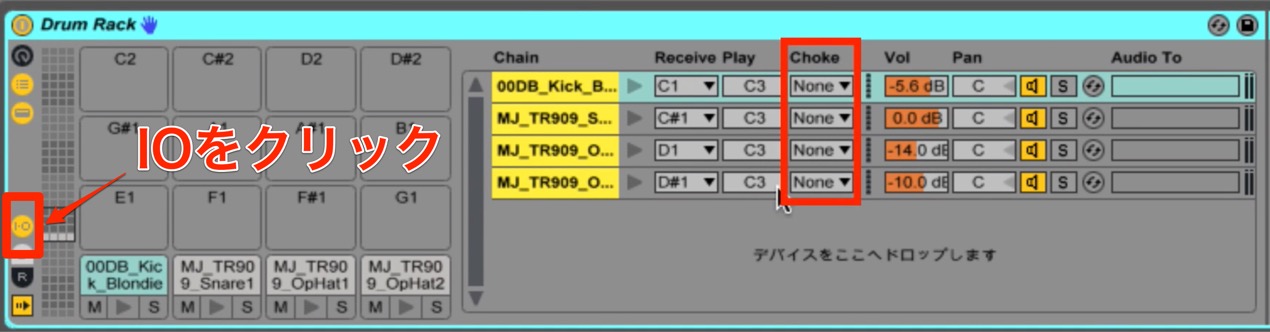
Then click the IO button on the left to display the Choke column on the right.
Next, set the choke groups. This is straightforward too.
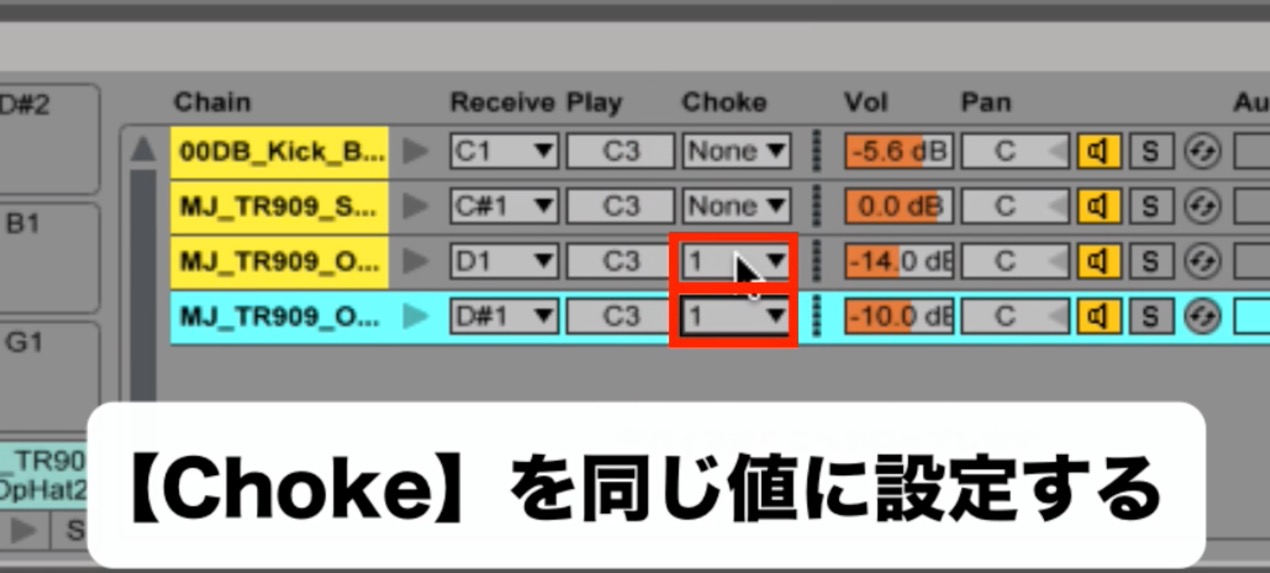
Click where it says None and assign the same number to the drums that should cut each other off.
This prevents sounds such as open and closed hi-hats from playing together.
Choking with a silent drum
You may want to stop a programmed cymbal on its own at a particular point.
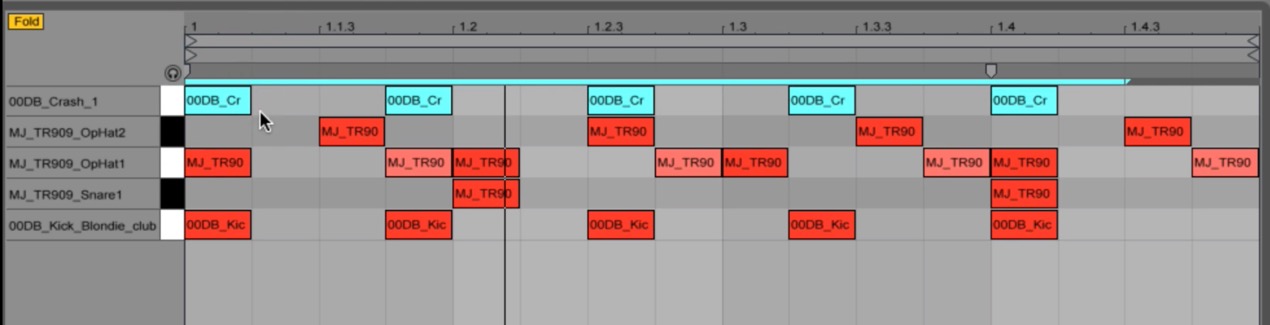
You can do this with a silent drum.
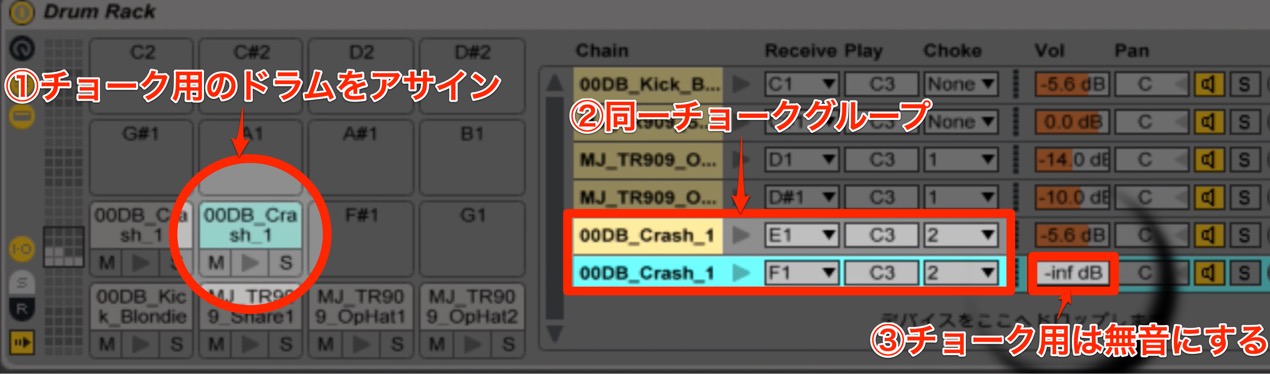
- 1. Add any drum to Drum Rack as the choke trigger.
- 2. Assign the cymbal you want to stop to the same choke group as that drum.
- 3. Turn the choke drum’s volume down to silence (−inf).
Then place a note for the silent drum where you want the choke to occur.
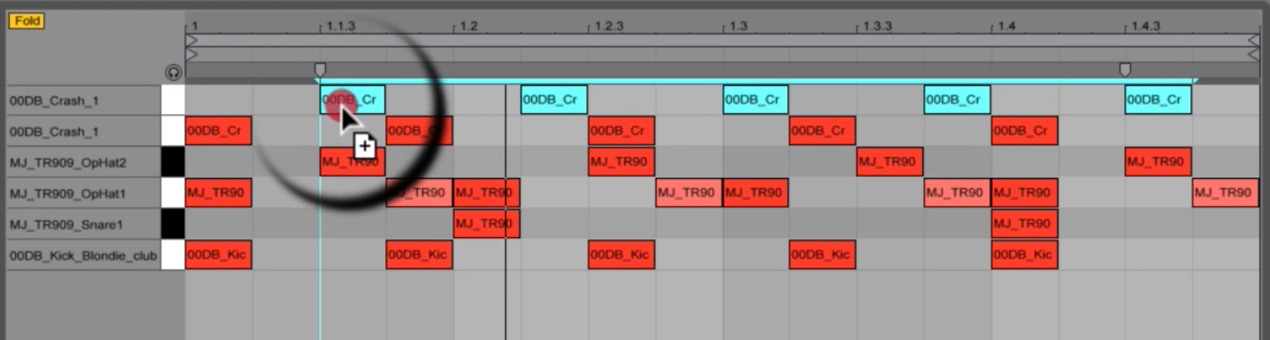
Impulse is convenient and simple, but for more detailed setups like this,
Drum Rack’s choke function is a useful choice.
Give it a try.
View product details
Frequently asked questions
Q1. How does Drum Rack choke differ from Impulse Link?
Impulse Link is simple, while Drum Rack allows more detailed setups. Multiple choke groups and silent drums can be used for more elaborate patterns.
Q2. How many choke groups can I set?
This article does not specify the maximum. You can choose numbered groups instead of None; consult the Ableton Live manual for details.
Q3. Will the silent drum be audible in the mix?
Its volume is set to silence (−inf), so it is not heard in the mix; it is used only to trigger the choke.
NEW ARTICLES
Latest English Articles






















































































































































































































































































































































































































