
Soundtheory Gullfoss is a next-generation automatic EQ plug-in that takes human hearing into account. With just five parameters, it optimizes the frequency balance more than 100 times per second, greatly improving a mix’s clarity and balance. It is particularly effective on master and bus tracks and offers finer adjustments than a conventional dynamic EQ. However, its high CPU usage makes selective use advisable. Leaving enough headroom and placing it before a limiter are important when adding it to your signal chain.
A Fresh Approach to EQ for Beginners and Experienced Producers Alike
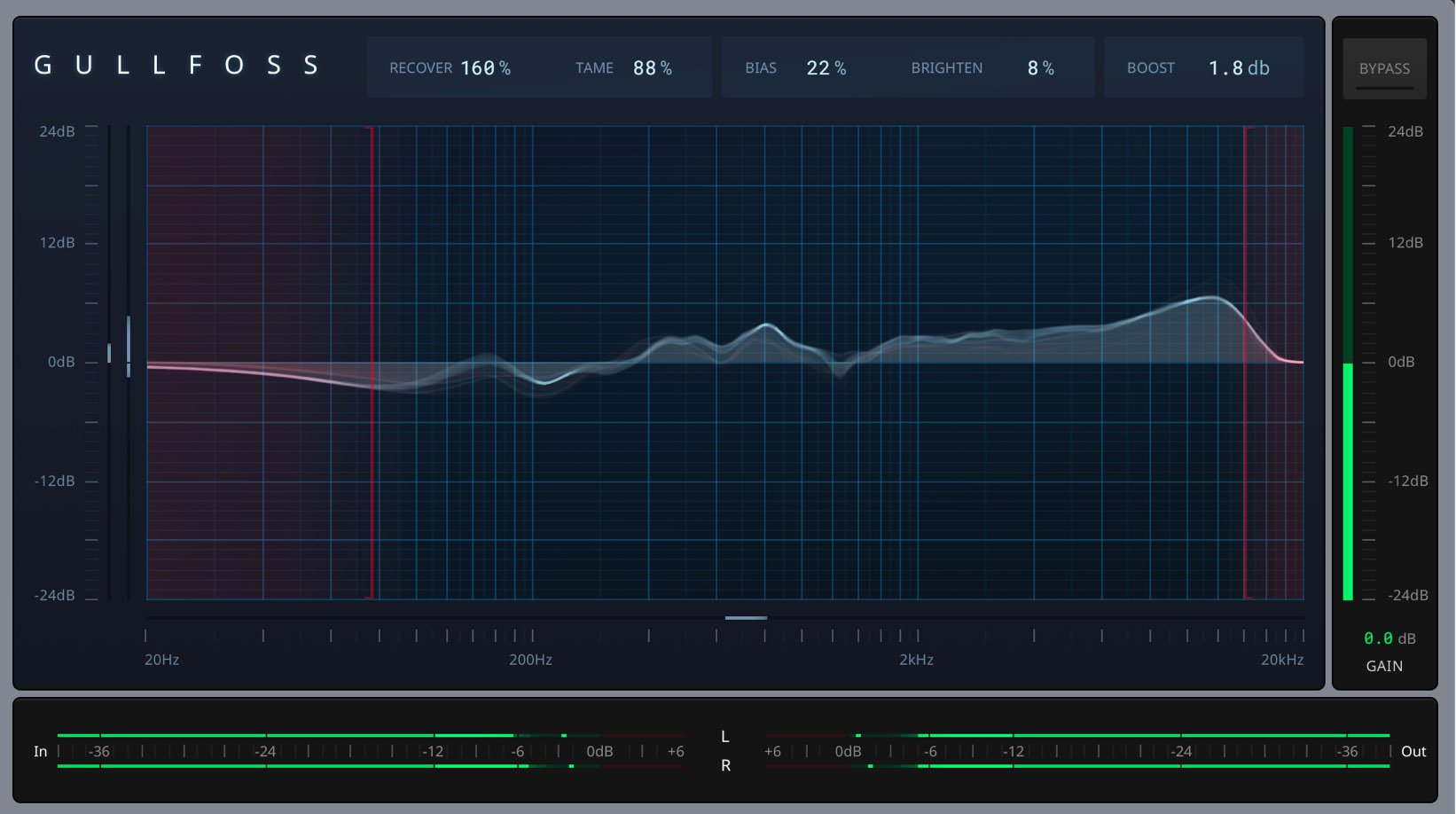
In this article, we will explore Soundtheory’s much-talked-about Gullfoss plug-in.
Positioned as an “Intelligent Automatic EQ” using “Computational Auditory Perception Technology,” it adjusts a track’s frequencies while taking into account how the sound is perceived by the human ear.
It is an impressive tool that improves the clarity, detail, spatial qualities, and balance of a mix or recording with just five parameters.
Its frequency response is reportedly updated more than 100 times per second. This fast processing and precise analysis allow it to optimize the frequency balance without compromising the original sound.
Let’s begin with an overview of Gullfoss and some points to keep in mind when applying the plug-in.
Soundtheory Gullfoss 1: Overview and Applying the Plug-in
- 1Automatic EQ Overview and Applying the Plug-in
- 2Parameters and Sound Shaping
- 3Authorizing Soundtheory Gullfoss with iLok
Getting the Most Out of Gullfoss
Gullfoss can be used in a wide range of situations, including individual tracks, buses, and the master track.
Of these, we found that applying it to the master track had the most noticeable effect.
It works well as a finishing treatment that gives the entire song a natural, musical sound.
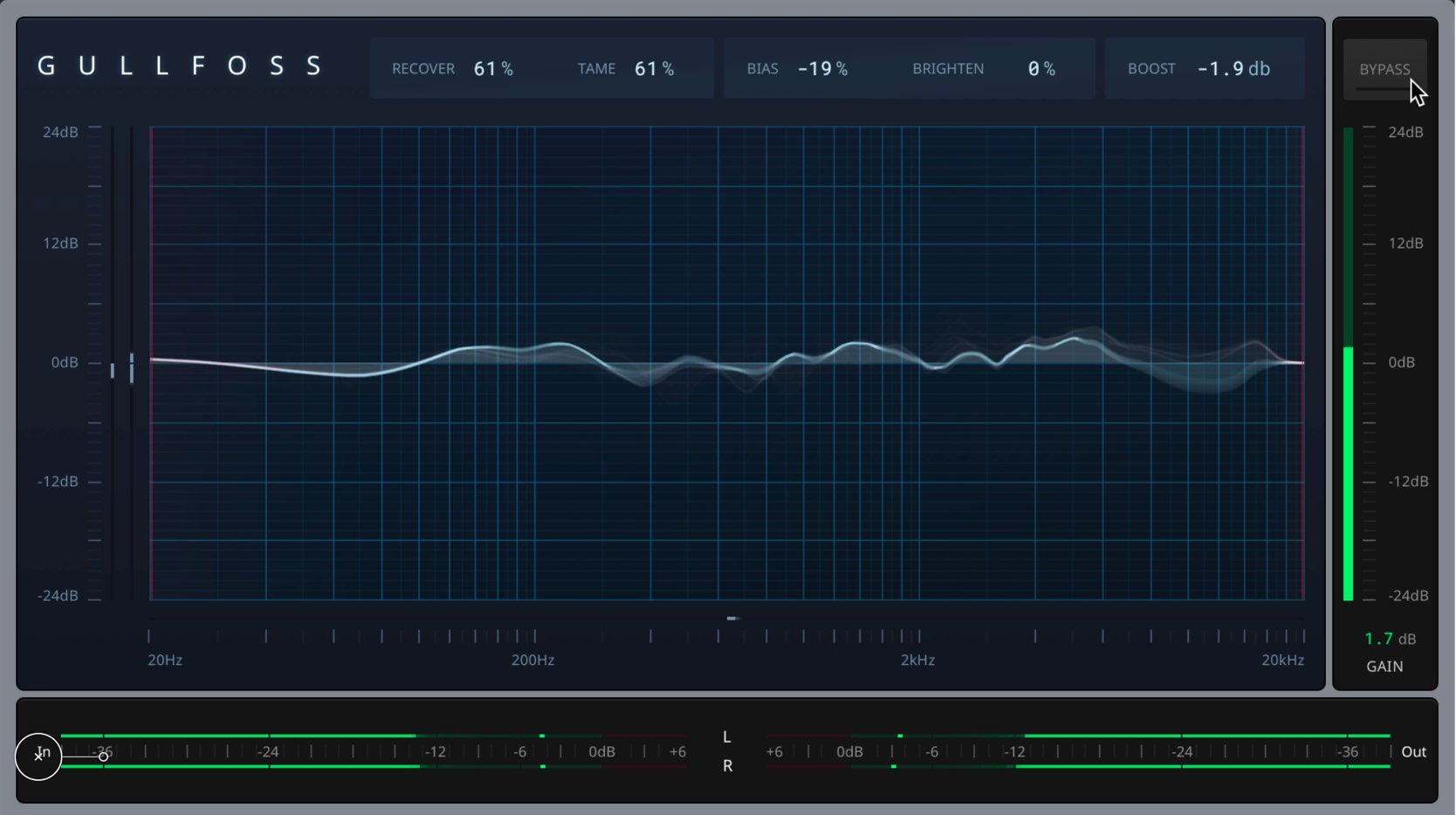
It analyzes the audio as it plays and adjusts the EQ curve to make the sound as pleasing as possible at each moment.
The effect is similar to dynamic EQ, but with even greater precision and flexibility.
Where to Place Gullfoss in the Signal Chain
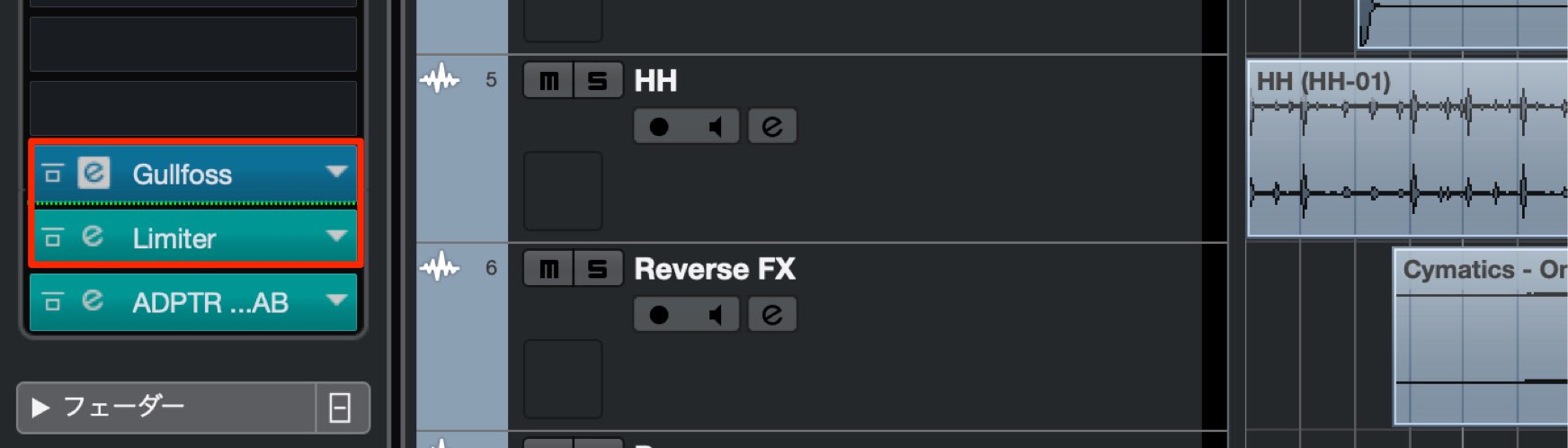
There is no fixed rule for where to insert Gullfoss, but placing it before a limiter is recommended.
Use Gullfoss for final adjustments after conventional EQ and compression to bring the overall sound together.
CPU Usage
Gullfoss performs detailed processing internally in real time.
As a result, its CPU usage is considerably higher than that of a conventional EQ.
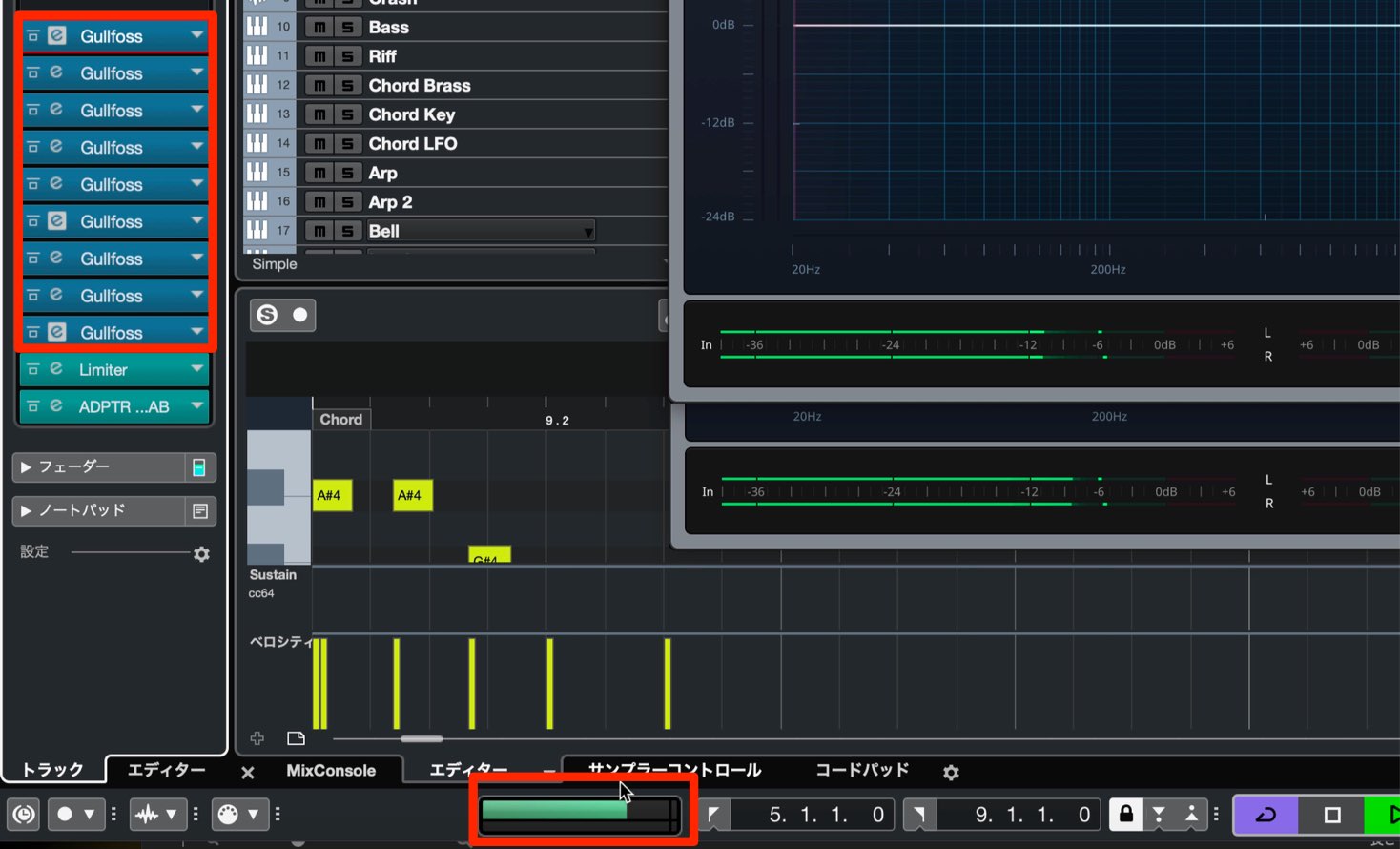
When we tried playing back audio with nine instances of Gullfoss running, CPU usage exceeded 80% even on a Mac Pro.
Rather than putting it on every track, we therefore felt it was best to use it selectively—for example, on buses, tracks with frequency-balance issues, and the master track.
Leave Enough Headroom
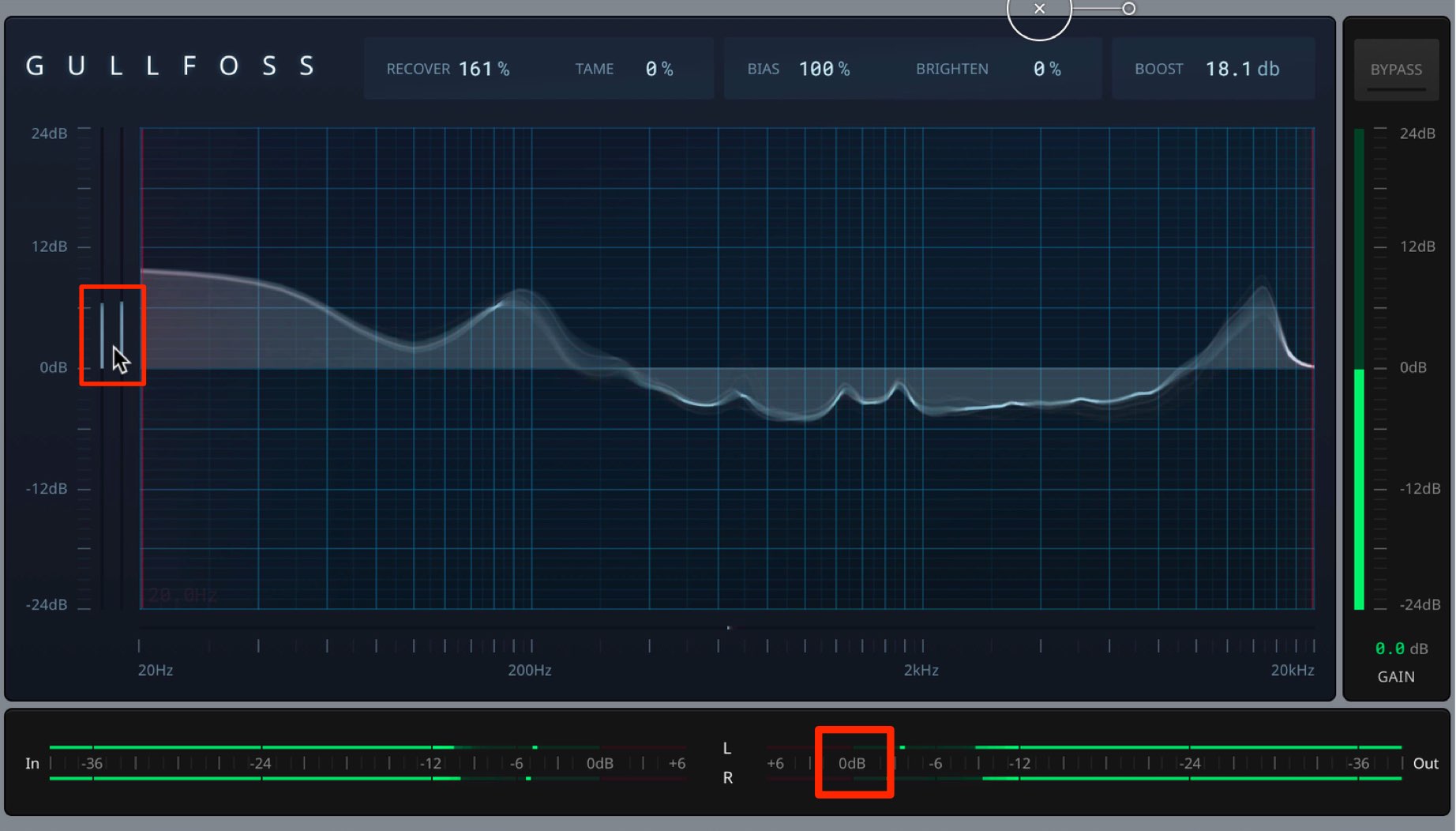
Depending on the parameter settings in Gullfoss, the track’s volume may increase significantly.
Keep this in mind and leave plenty of headroom before applying it.
In the next article, we will explain Gullfoss’s individual controls and explore sound shaping.
Frequently Asked Questions
Q1. Is it OK to apply Gullfoss to every track in my DAW?
This is not recommended because of its high CPU usage. In the test described above, using it on nine tracks pushed CPU usage above 80% even on a Mac Pro. It is best to use it selectively, such as on the master track, buses, or tracks with frequency-balance issues.
Q2. Which track benefits most from Gullfoss?
The effect is most noticeable on the master track. It works as a finishing treatment that gives the entire song a natural, musical sound, with finer and more flexible adjustments than dynamic EQ.
Q3. Where should I insert Gullfoss?
Placing it before a limiter is recommended. Use it for final adjustments after conventional EQ and compression, and make sure you leave plenty of headroom before applying it.
NEW ARTICLES
Latest English Articles








































































































































































































































































