Groove Agent ONE, a drum instrument included with earlier versions of Cubase, lets you shape kit sounds to suit your music. Select individual pads and combine controls such as volume and pan, pitch in the Voice tab, and release in the amplifier section to build a drum track with the feel you want. Release time in particular affects the length and decay of a sound, which can influence the character of the track.
Refining Kit Sounds in Groove Agent ONE
Groove Agent ONE, included with Cubase,
lets you adjust and refine the sounds in a kit to fit your song.
Groove Agent ONE Video Tutorial
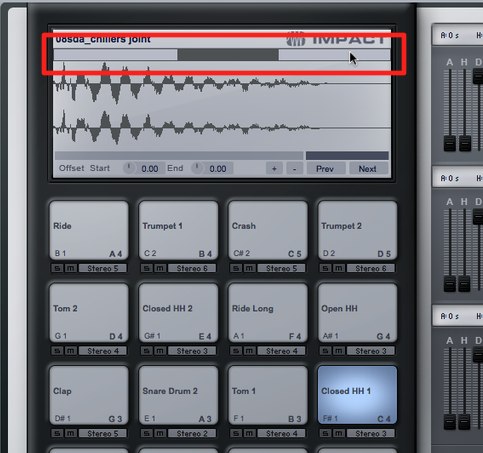
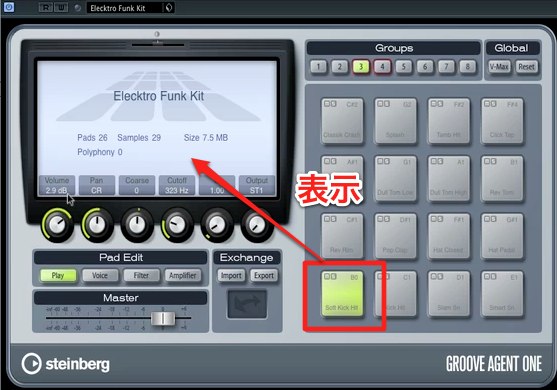
Video Highlights: Selected Pad Information Appears on the Left
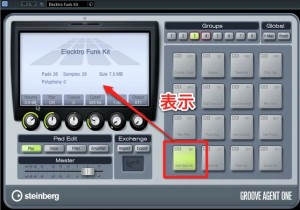
The display changes with the selected pad,
so you can fine-tune and shape each kit sound individually.
Video Highlights: Volume and Pan
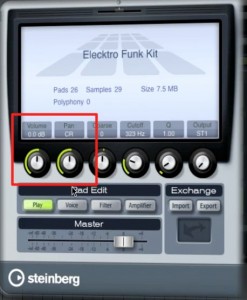
Adjust volume and pan here.
Video Highlights: Pitch
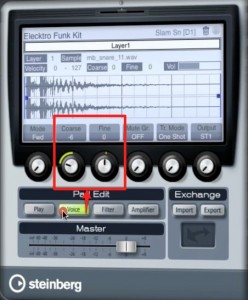
Pitch is another important part of the sound.
You can change it using these two controls in the Voice tab.
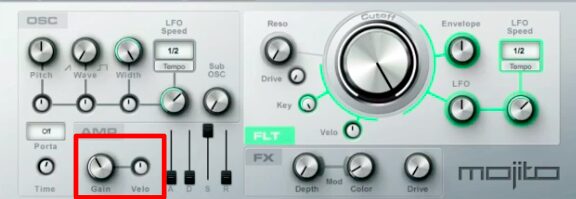
Video Highlights: Release
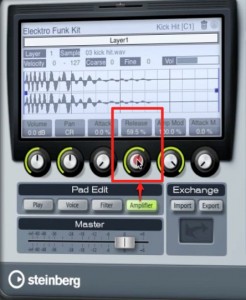
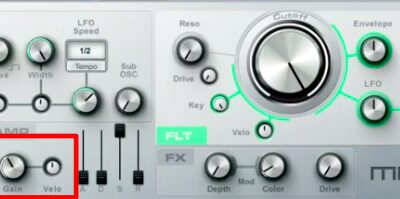
You can adjust release in the amplifier section.
Adjust the sound length to shape the groove.
Sound length is a very important element.
Frequently Asked Questions
Q1. Which controls change drum kit sounds in Groove Agent ONE?
Pitch can be changed with two controls in the Voice tab, while volume and pan have their own controls. Details for the selected pad appear on the left, so each kit sound can be customized separately.
Q2. What adjustment is especially important for creating a groove?
Release in the amplifier section is an important control. Changing sound length can significantly affect the groove, so adjust the release carefully to suit the song.
Q3. What does the information on the left show when I select a pad?
It shows details for the selected pad and changes as you select different pads. This makes it easier to fine-tune and shape each kit sound separately.
NEW ARTICLES
Latest English Articles