
This article introduces basic vocal processing with E2 Deesser, a plug-in from eiosis, known for high-quality audio processing. It covers visualizing sibilance with a spectrogram, choosing from the presets, adjusting sensitivity and amount, targeting frequencies with Sibilants EQ, and using the distinctive Voiced EQ. Beyond removing unwanted sibilance, the plug-in offers a range of creative applications for vocal processing.
E2 Deesser: More Than Just a De-esser
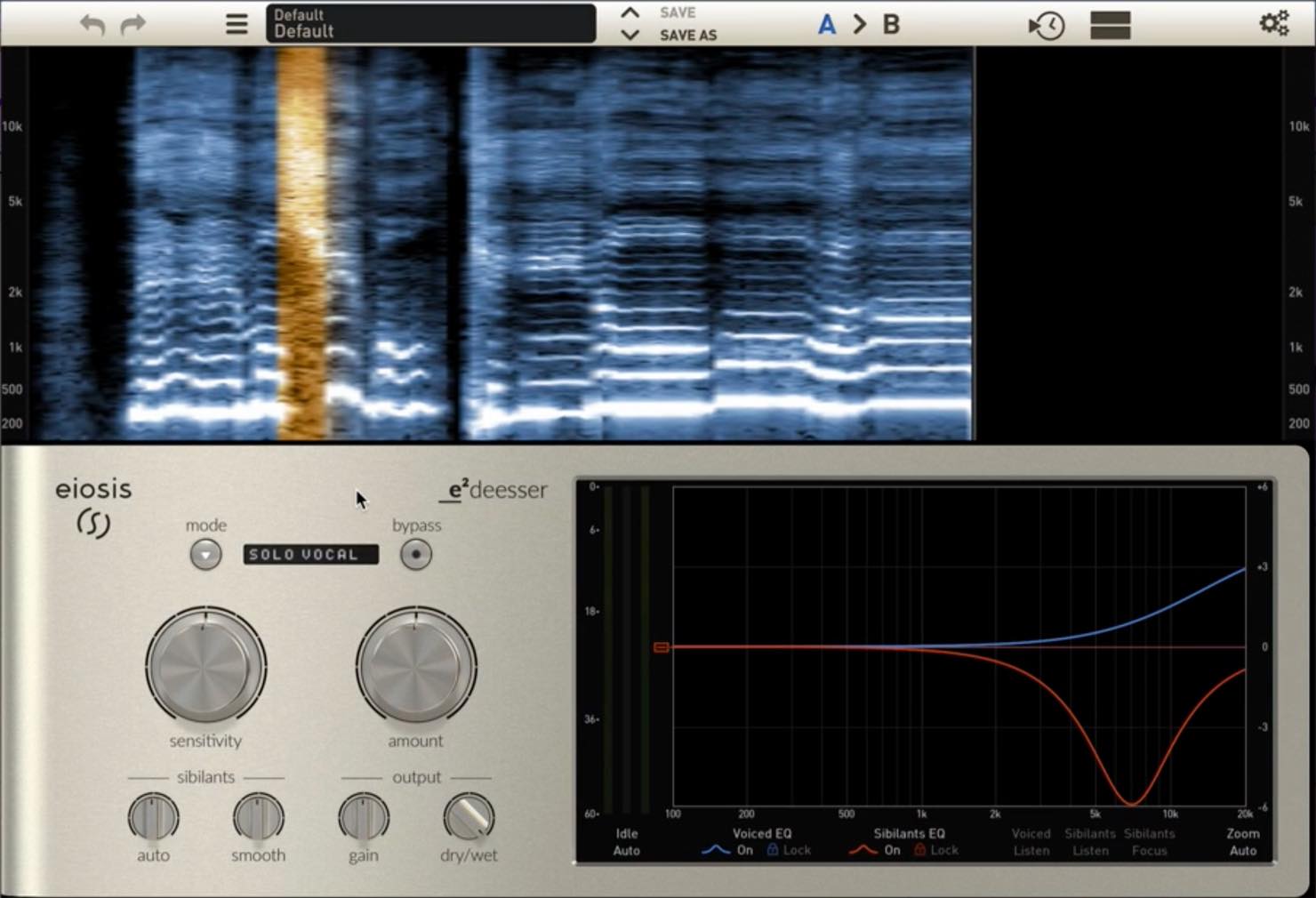
E2 Deesser was released by eiosis, a relatively new manufacturer at the time of this article.
The name may be unfamiliar, but some readers may recognize it as the brand founded by Fabrice Gabriel, a developer of Slate Digital’s FG-X and other products.
The brand places a strong emphasis on sound quality.
In addition to its core de-essing performance, the plug-in offers accessible controls and a wide range of mixing applications.
This is a two-part series. Here, we cover the basic controls and their use on vocals.
Product website: http://miyaji.co.jp/MID/product.php?item=E2%20Deesser
E2 Deesser Video Tutorial
Purchase the Product
- 1Vocal De-essing and Basic Operation — This Article
- 2Advanced Applications: Guitar and Mastering
Visualizing Sibilance with the Spectrogram
One of E2 Deesser’s strengths is that it uses a spectrogram to visualize detected sibilance.
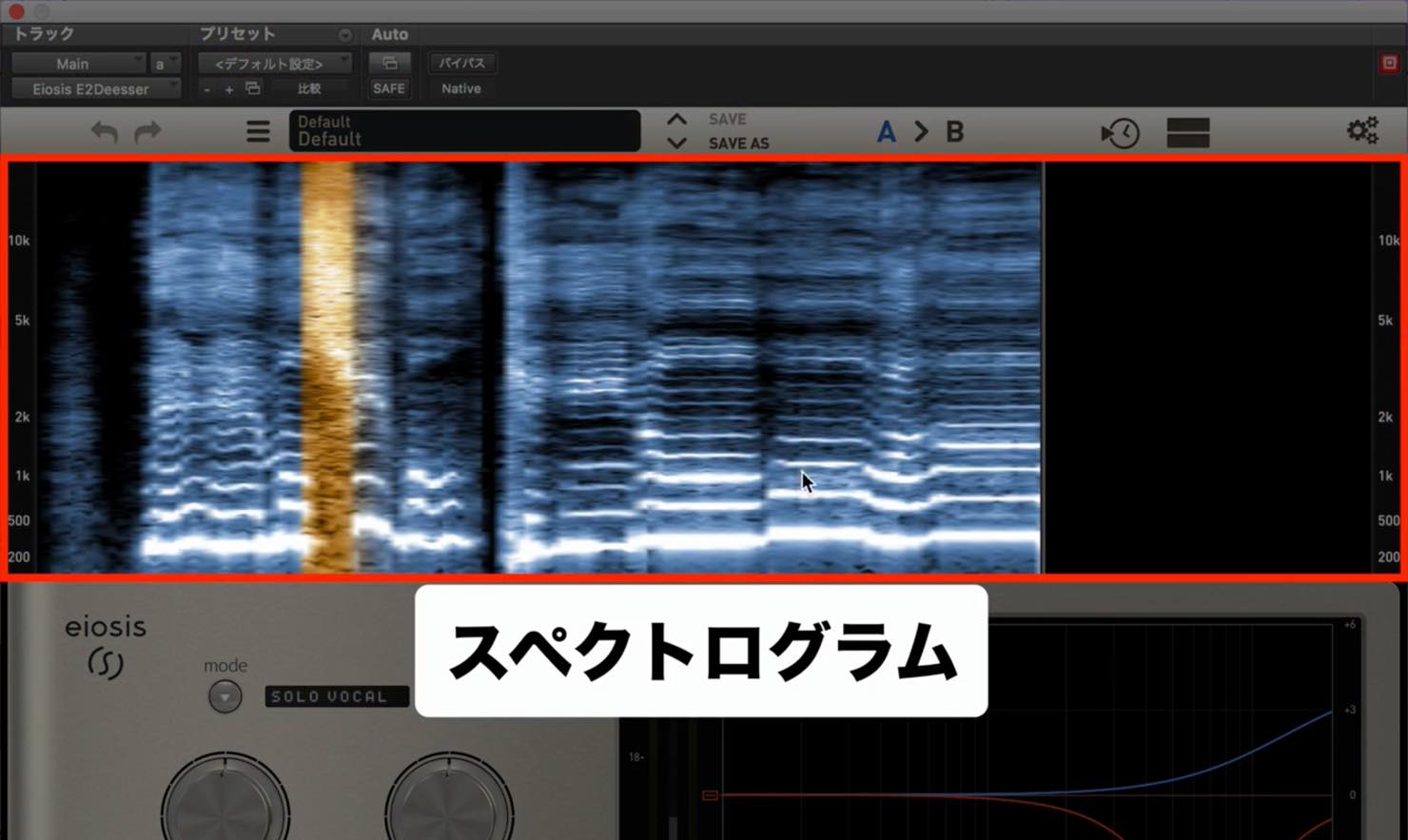
The areas glowing orange in the image above are detected as sibilance.
As we will see, this is easy to read and useful when targeting a specific frequency range.
A Wide Selection of Presets
Sibilance varies with the voice or instrument, so starting from a preset can be efficient. E2 Deesser offers a comprehensive selection.
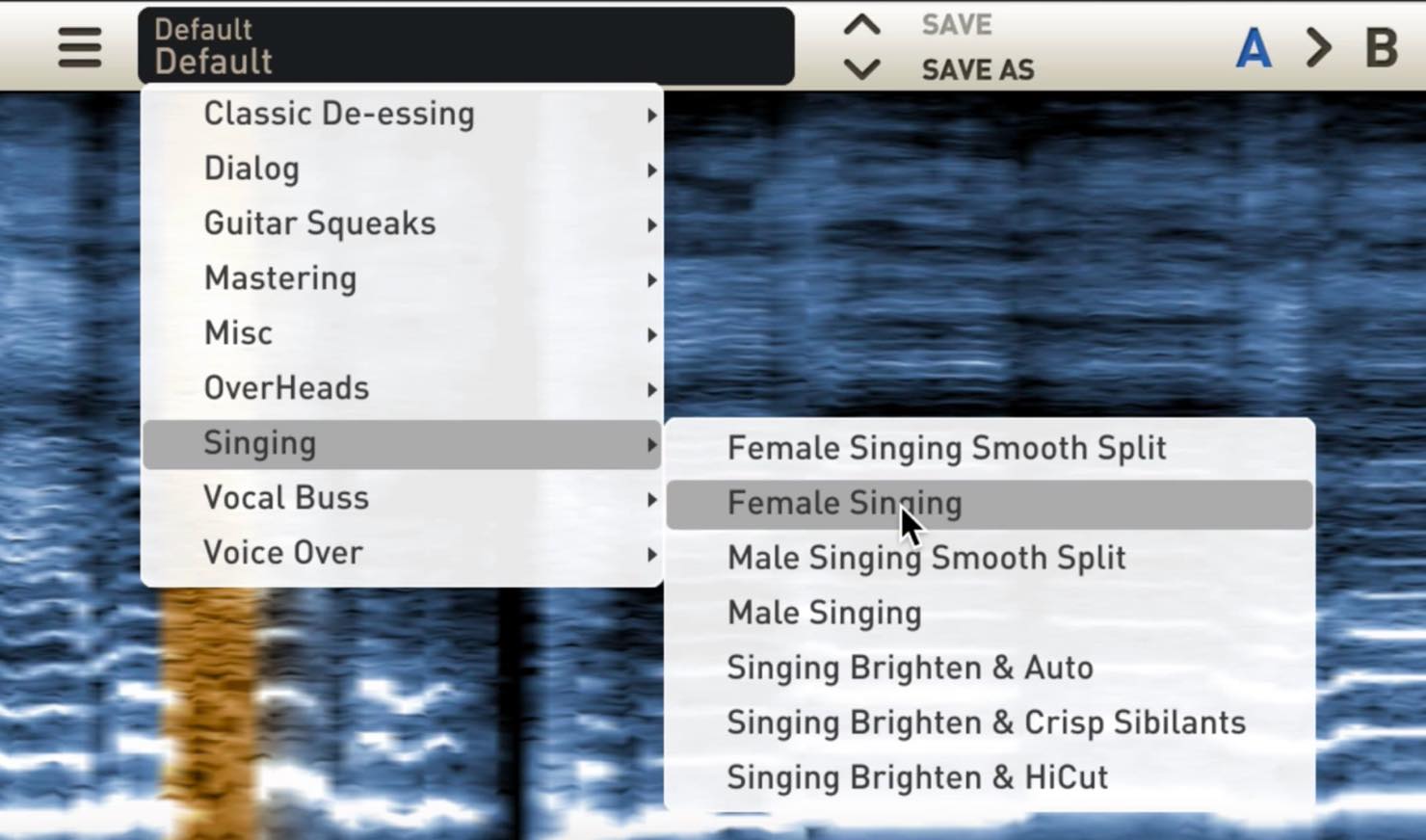
The list includes many presets for sources other than vocals.
For this introduction to the basic controls on a vocal, we chose Female Singing.
Adjusting Sensitivity
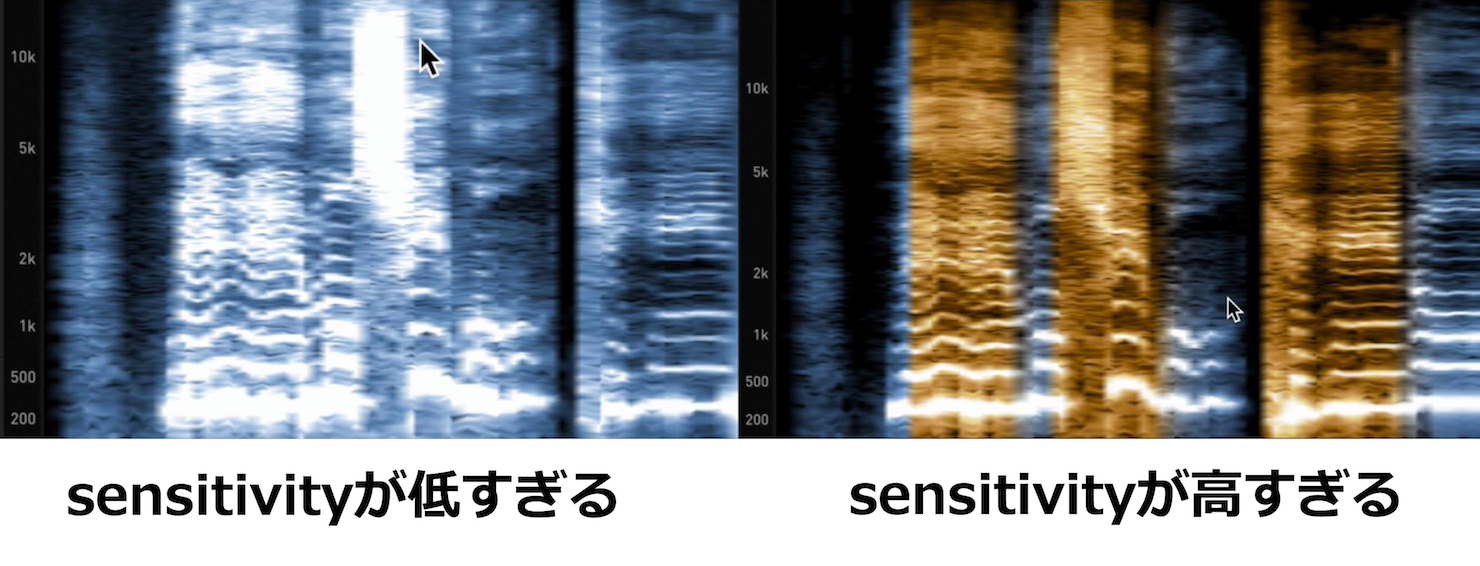
After choosing a preset, use the sensitivity knob to adjust how readily sibilance is detected.
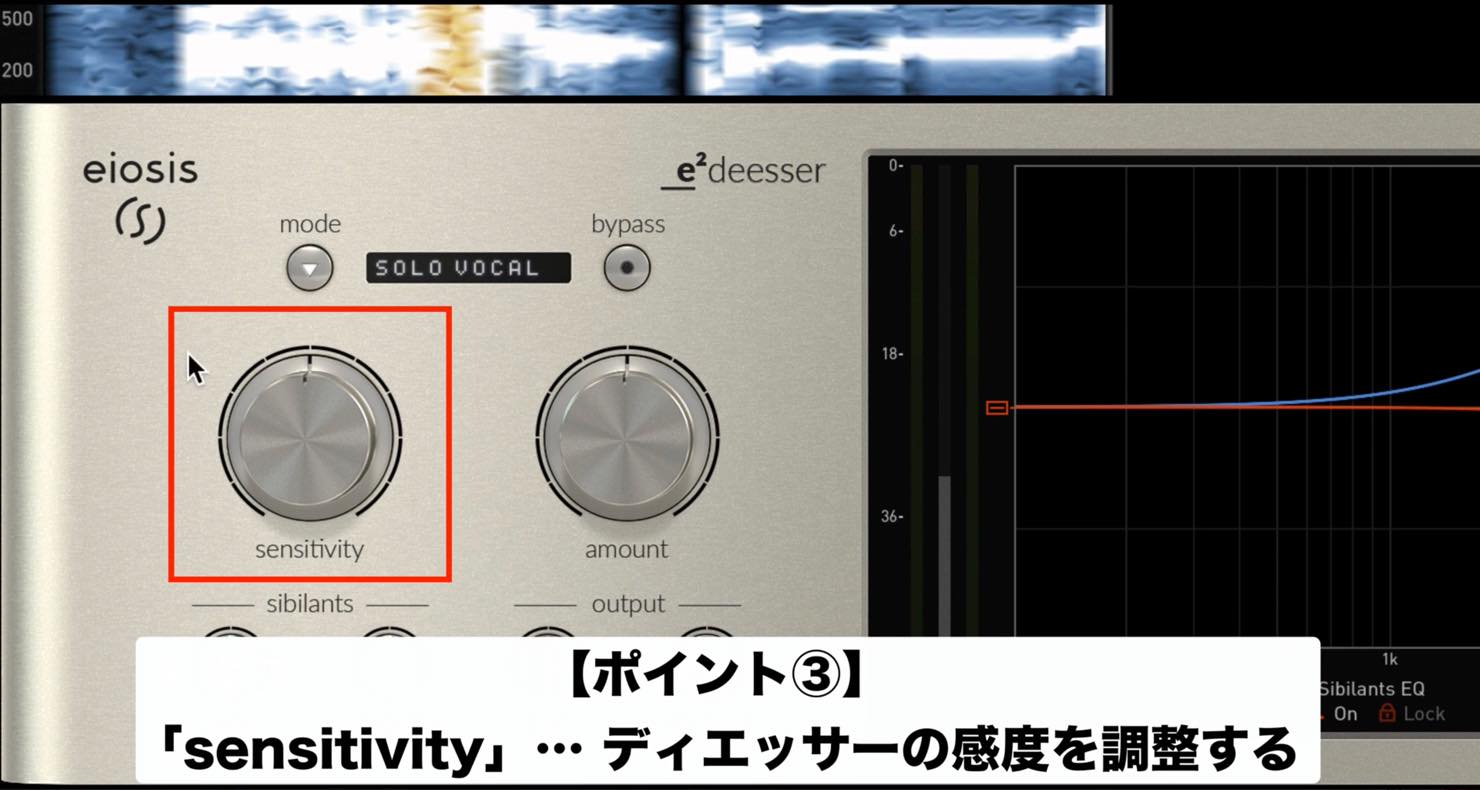
If sensitivity is too low, sibilance will not be detected; if it is too high, unwanted portions will also be picked up. Adjust it to suit the source.
Adjusting Amount
Once the desired sibilance is detected, adjust how strongly it is reduced with amount.
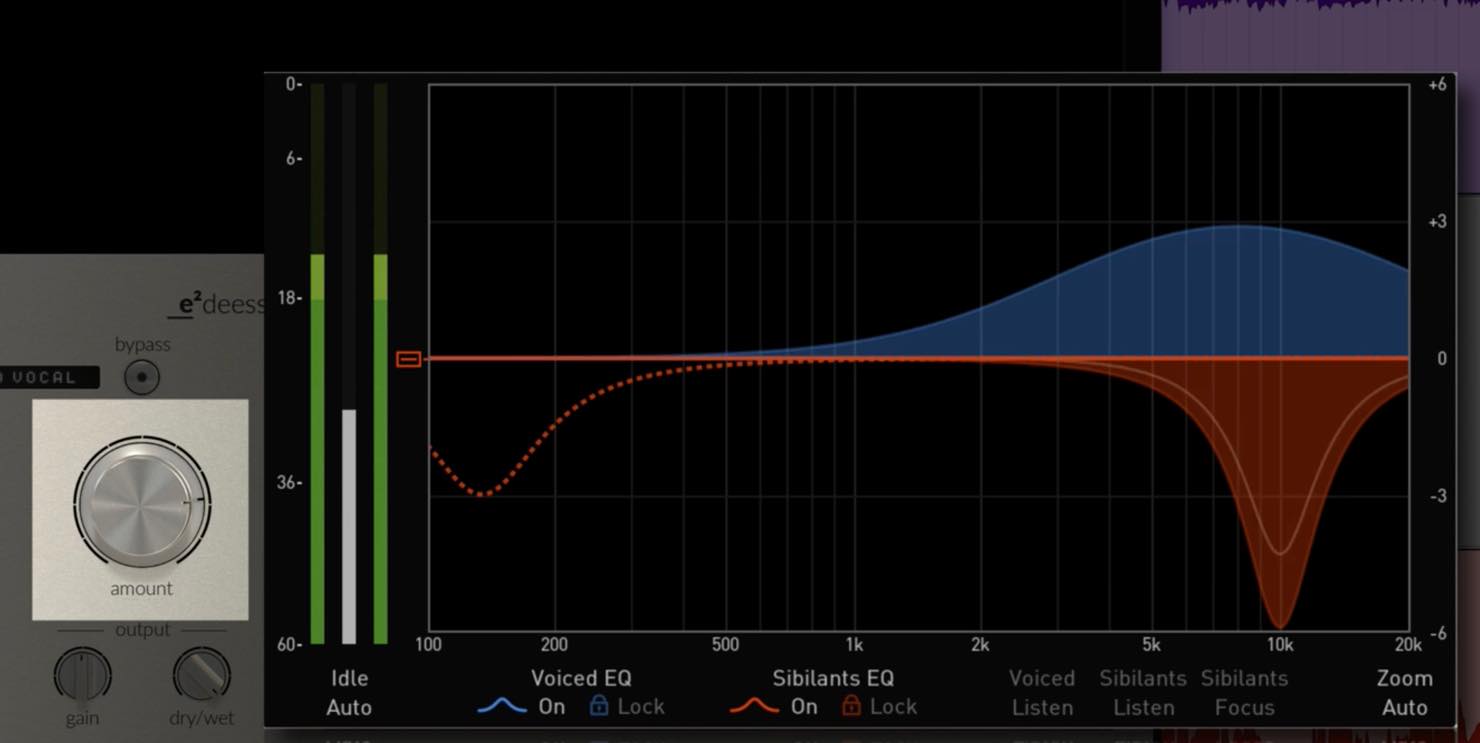
Listen to the result and use the white line in the EQ display on the right, which shows the amount of reduction, as a guide.
Adjusting the Frequency Range with Sibilants EQ
Sibilants EQ is the red curve in the EQ display; it lets you choose the frequency range for de-essing.
The preset provides a starting point, but the most effective range depends on the source. Adjust it and listen to the difference.
The spectrogram is particularly useful when finding the target range.
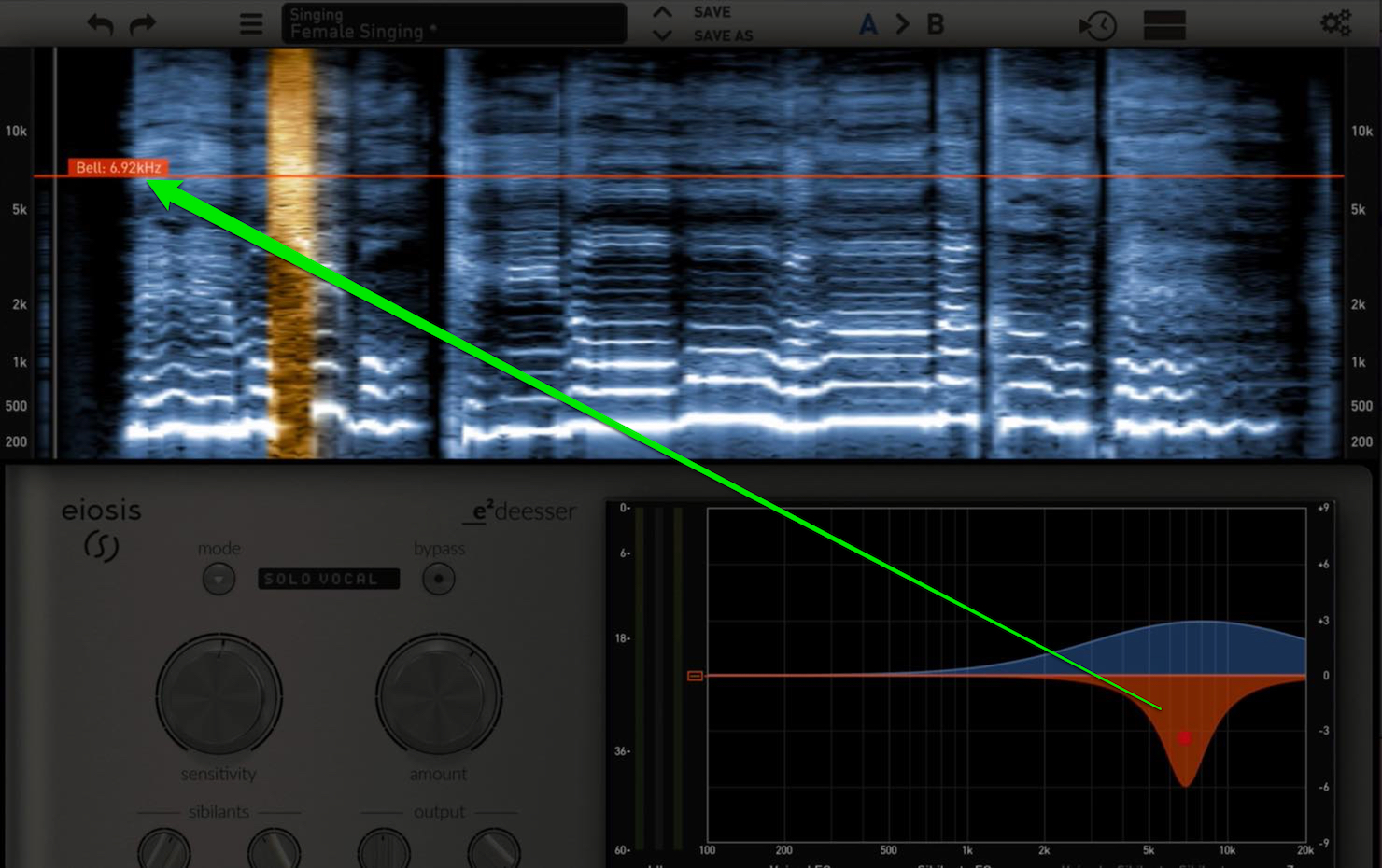
Move the red EQ curve left or right and a red line moves with it in the spectrogram.
The vertical axis of the spectrogram represents frequency, and paler areas indicate stronger signal levels.
In other words, the palest areas within the orange regions show strong sibilant content.
Use this as a guide when adjusting the frequency range.
Voiced EQ: A Distinctive E2 Deesser Feature
The controls so far are enough for de-essing, but another notable feature is Voiced EQ.
Voiced EQ is shown in blue in the EQ display. It lets you selectively apply EQ to non-sibilant material.
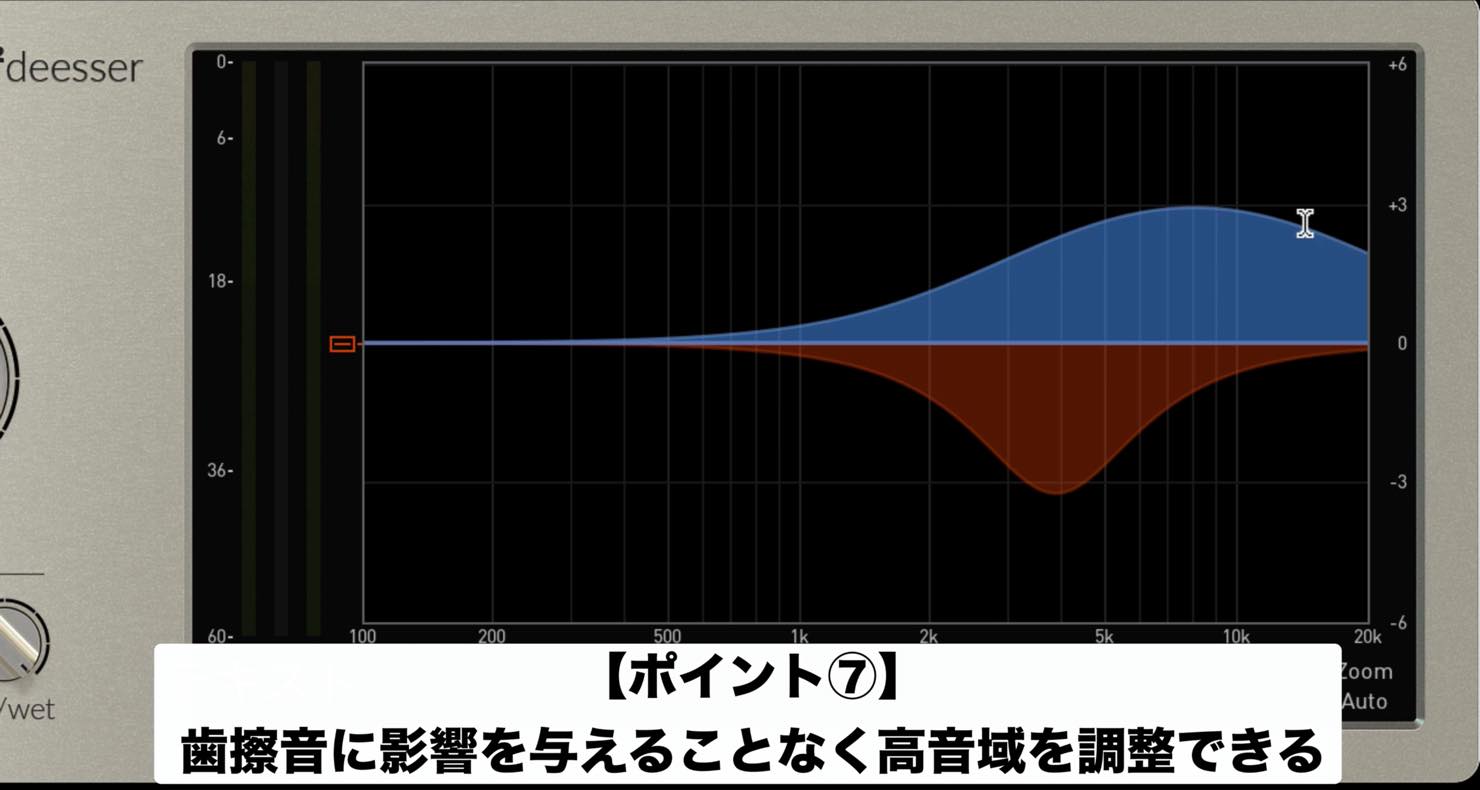
In use, de-essing follows the Sibilant EQ, while the white line returns to the Voiced EQ position at other times.
The transition is very smooth and sounds natural.
You could use another plug-in for EQ, but the ability to boost the high end while avoiding harsh portions is a distinctive feature of E2 Deesser. It can also be applied to many sources beyond vocals; we will explore some of them in the next article.
Fine-Tuning with Auto and Smooth
To finish, let’s look at two knobs for fine-tuning the de-essing.
In the lower-left sibilants section, these are auto and smooth.
Both affect how the de-esser responds, but they work differently:
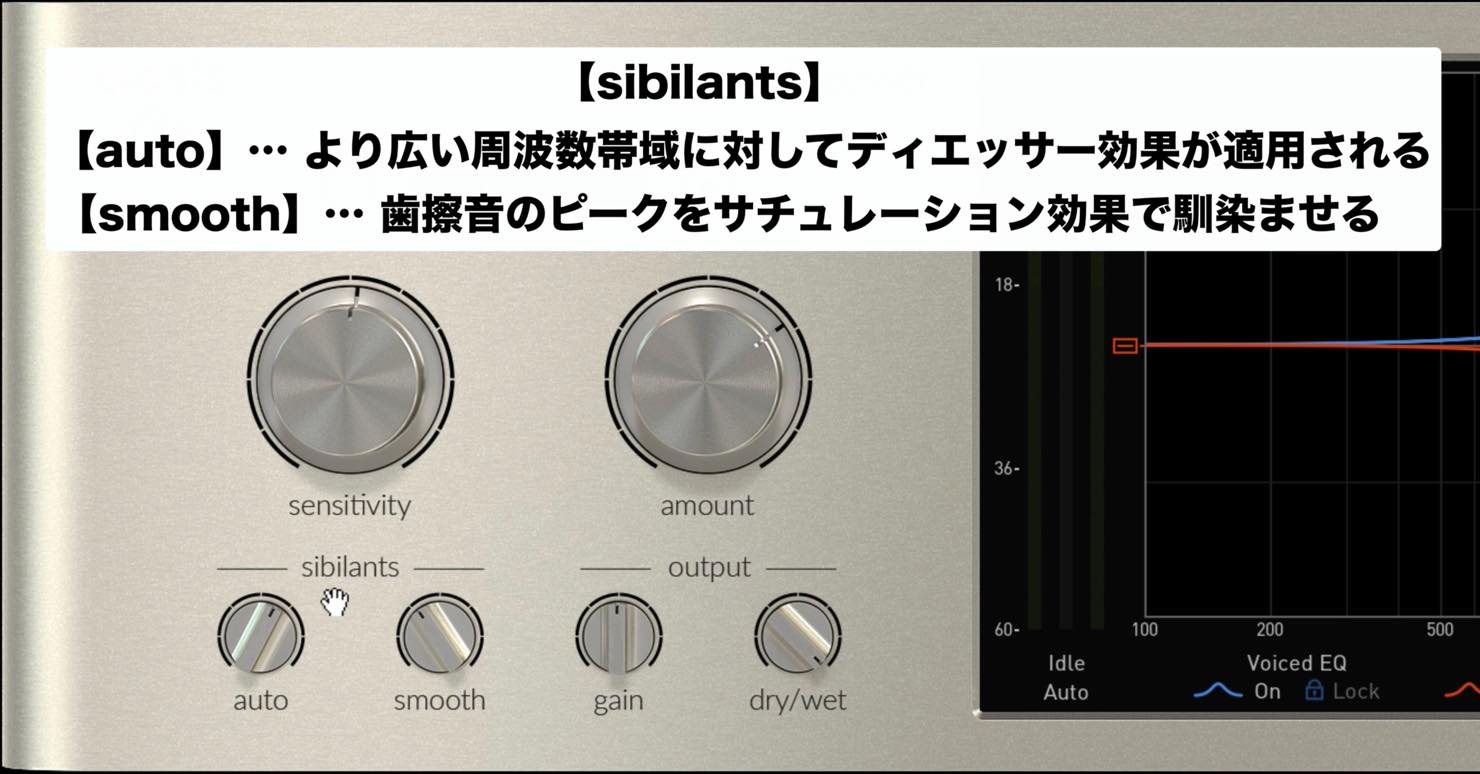
- auto — applies the effect over a wider frequency range.
- smooth — blends sibilant peaks using saturation.
These controls are best judged by ear rather than theory alone.
When adjusted well they can produce a very natural result, so listen and compare as you work.
That concludes our introduction to E2 Deesser’s basic functions on vocals.
Next time we will look at other applications, including guitar and the master track.
Purchase the Product
Frequently Asked Questions
Q1. How precisely can E2 Deesser de-ess?
The spectrogram visualizes sibilance, helping you target the desired frequency range. A wide range of presets also provides starting points for professional-level processing.
Q2. How do Voiced EQ and Sibilant EQ differ?
Sibilant EQ processes detected sibilant content, while Voiced EQ applies EQ to the remaining material. This can help boost the high end while avoiding harsh portions.
Q3. Can it be used on sources other than vocals?
Yes. This versatile de-esser has a range of applications; the next article covers guitar and the master track.
Q4. Where should I start if there is no suitable preset?
Adjust sensitivity to detect sibilance, set the reduction strength with amount, and use Sibilants EQ with the spectrogram as a guide to target the frequency range.
NEW ARTICLES
Latest English Articles


































































































































































































































































































































































































