

Choosing a Music Production Computer: Budget and Specifications from Our User Survey
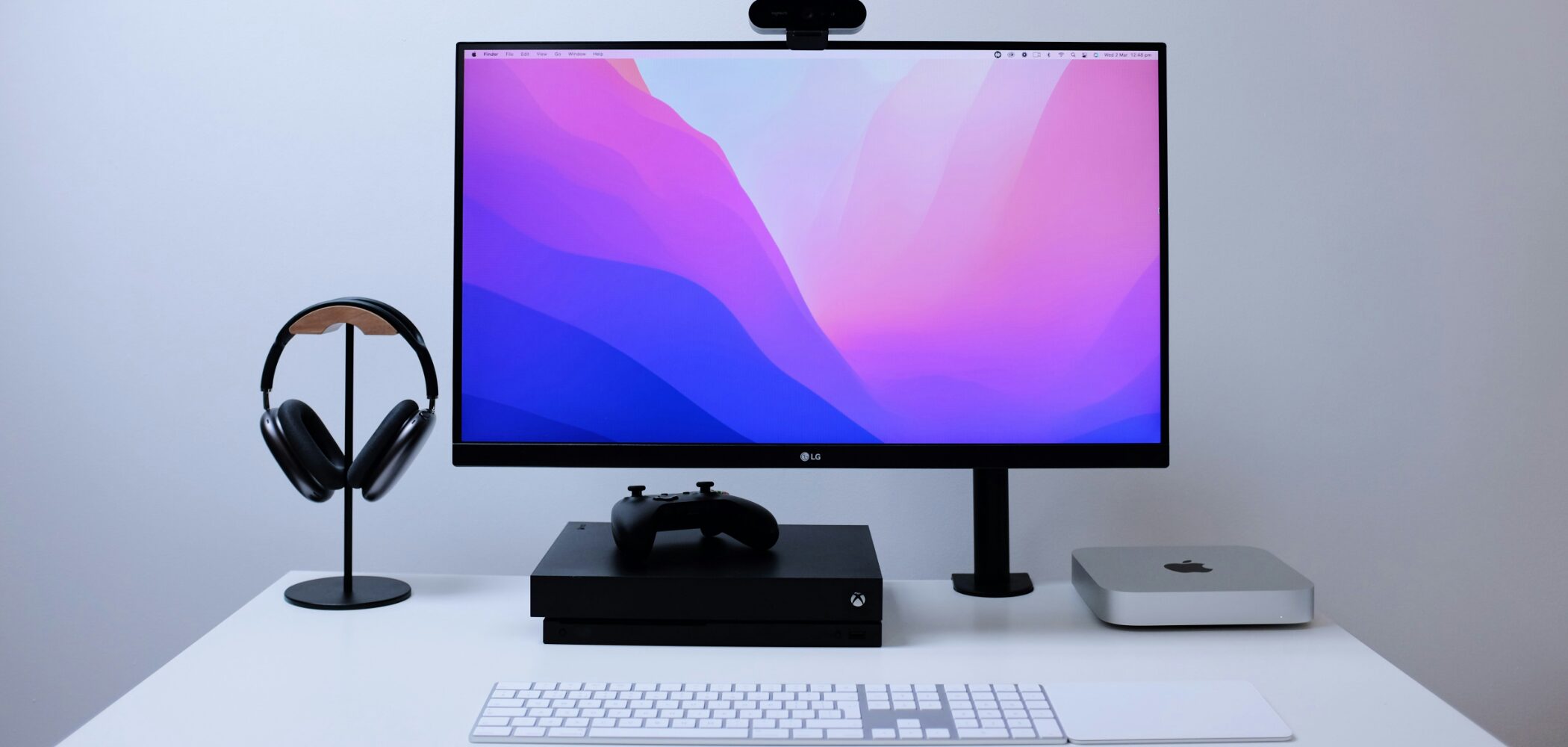
For music production, the computer is the heart of your setup, so choosing the right computer is essential.
If you are just getting started, you may be unsure which computer to buy.
Using information current in 2025 and survey responses from more than 3,000 music producers, this guide explains what to look for so that beginners can confidently choose a suitable machine.
Choosing a Computer for Music Production: 2025 Video
Selected Questions and Answers from the YouTube Video

Hello. I bought a laptop with a 512GB SSD, but I was worried about space, so I also bought a 1TB SanDisk external SSD. If I store my projects on it, does that mean I can take the SSD with me and make music on my own computer away from home?

If both computers have the same DAW and instruments installed, you can open projects from external storage and continue working seamlessly. If you have an internet connection, another option is cloud storage such as Dropbox instead of an SSD.
I am an information science and engineering student considering a Mac mini as my first desktop. I would use it to learn programming, make music as a complete beginner for a university club, and do light video editing. Would the M4 model with 24GB of memory and a 1TB SSD, costing ¥210,000, be suitable? Would it be overkill?
You may need to watch how much SSD space video files use, but I think that configuration will be comfortable for music production as a hobby.
Would 32GB of memory and a Ryzen 7 9800X3D run comfortably for Vocaloid production? I know there are more cost-effective CPUs if music production is the only purpose.
I think that would be very comfortable to use.
Which Device Should You Start With? Why We Recommend a Computer
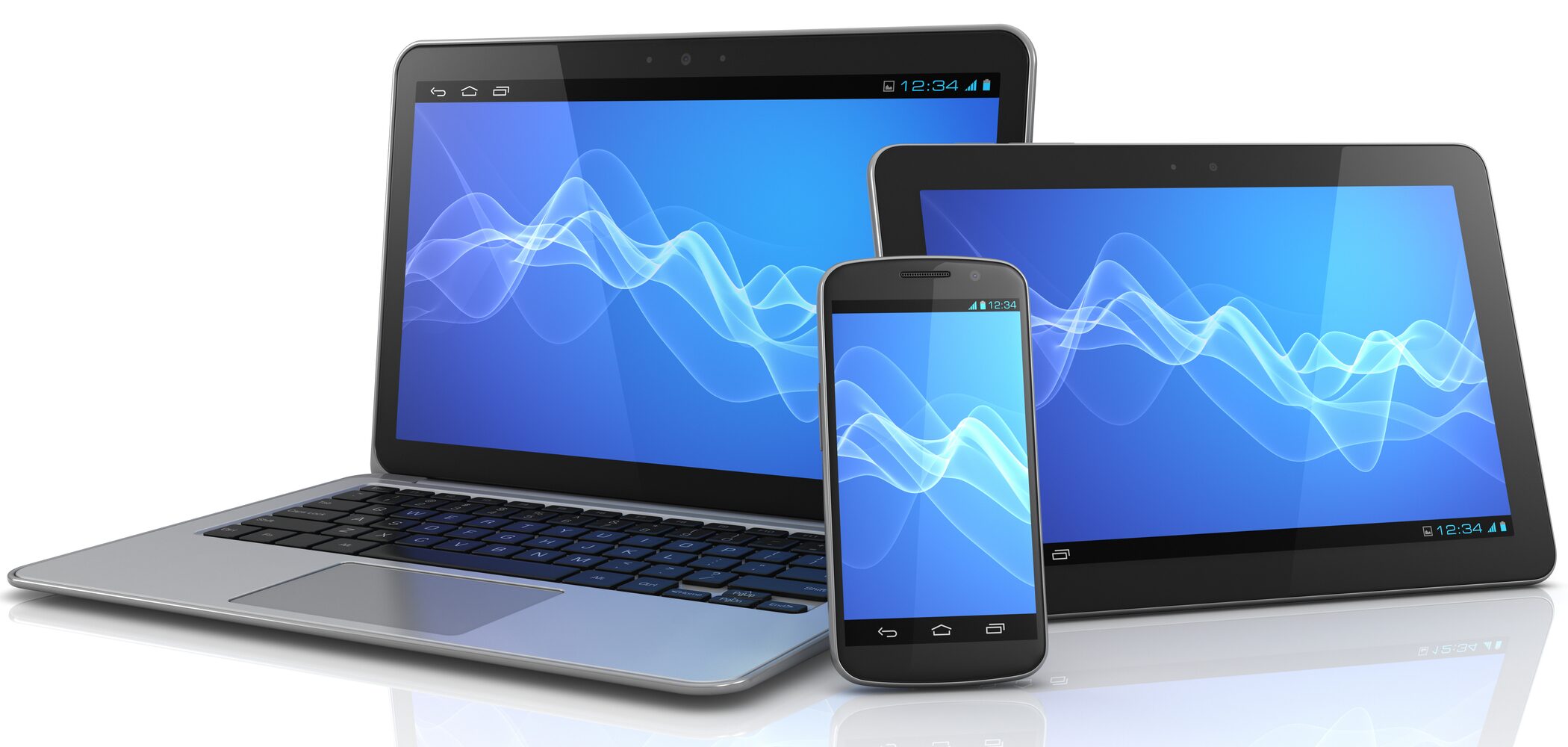
You can make music not only on a computer but also on a smartphone or tablet.
For example, the considerable performance improvements in iPads mean that processing power is less often a problem than it used to be.
However, when aiming for polished, professional-quality tracks, smartphones and tablets can lack the features you need.
The main reasons are:
- Processing power and display: Music production involves a lot of information, and not being able to process it while viewing it on a large screen reduces efficiency
- Software choices: The available instruments and effects are more limited than on a computer
- Expandability: Connecting several external devices, such as MIDI keyboards and audio interfaces, can be difficult
How Smartphones and Tablets Can Help
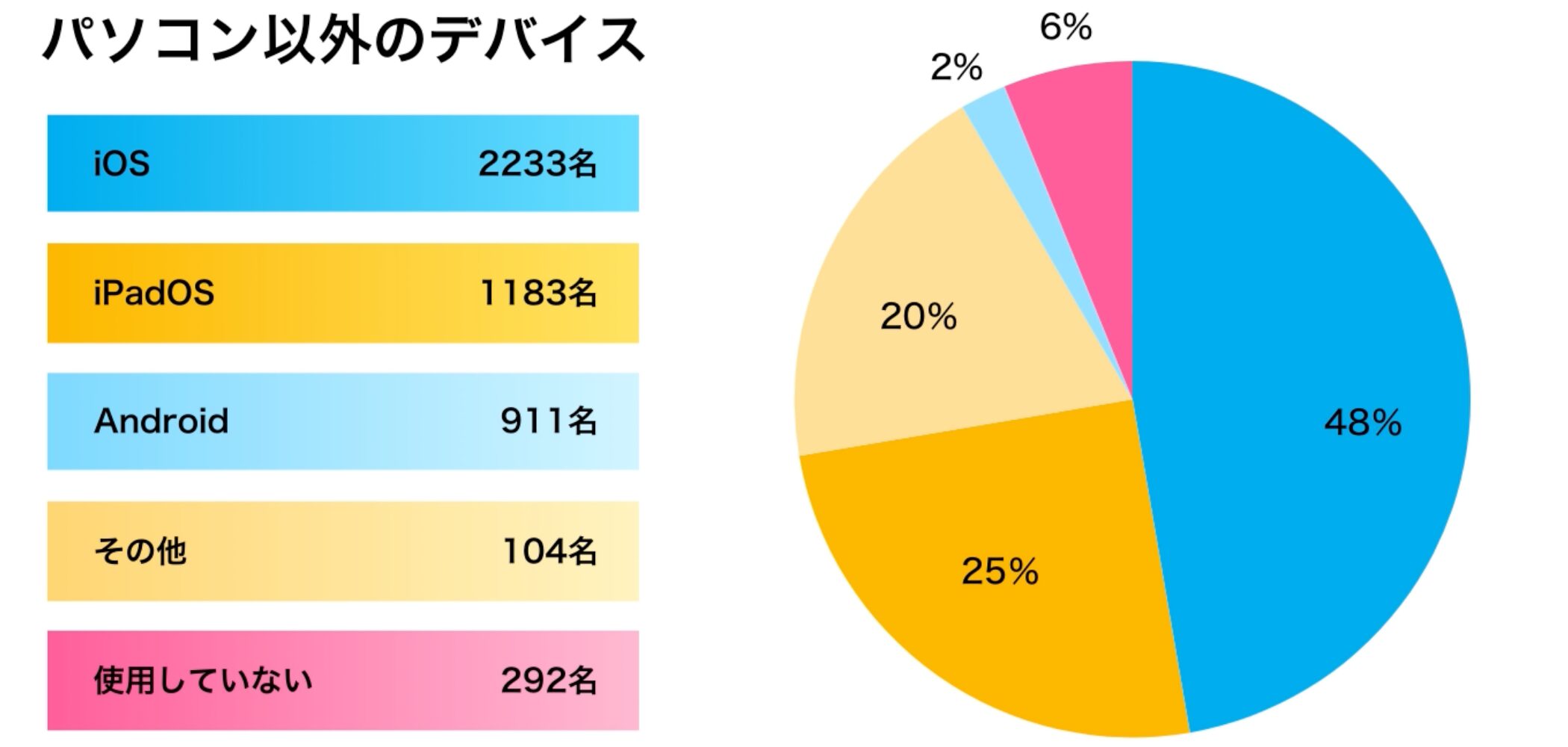
That does not mean smartphones and tablets are unsuitable for music production. Our survey found that around 90% of respondents use mobile devices alongside a computer.
Common supporting uses included:
- Casual music-making on the go, such as notes, sketches, and recording ideas
- Controlling music software running on a computer or operating recording controls
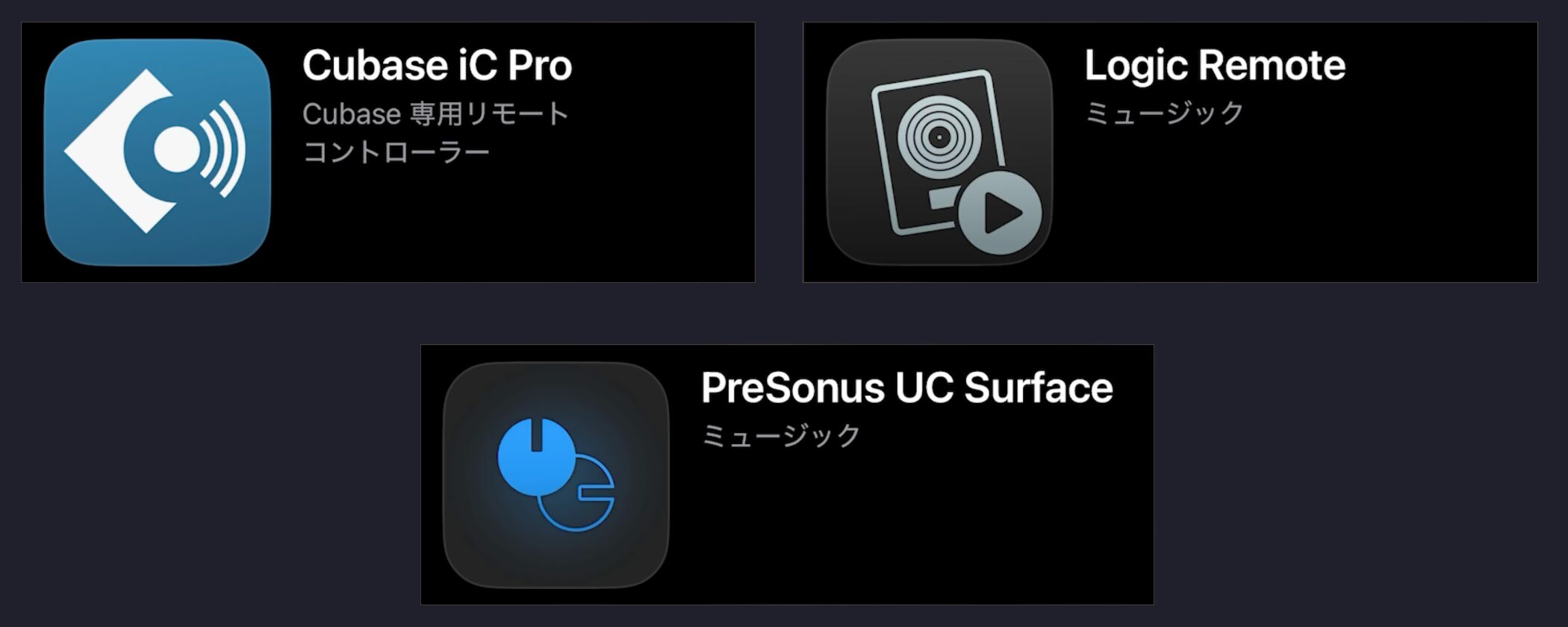
Some DAWs provide dedicated controller apps for these purposes.
A computer is therefore the best choice for serious production, while smartphones and tablets remain useful for developing ideas and supporting your workflow.
Computer Types: Choosing the Foundation of Your Setup
With computers still our preferred choice for music production in 2025, let us look more closely at how to choose one.
Windows vs. Mac
One unavoidable decision is which operating system to use: Windows or Mac?
Windows accounts for around 60–70% of all computer users in Japan.
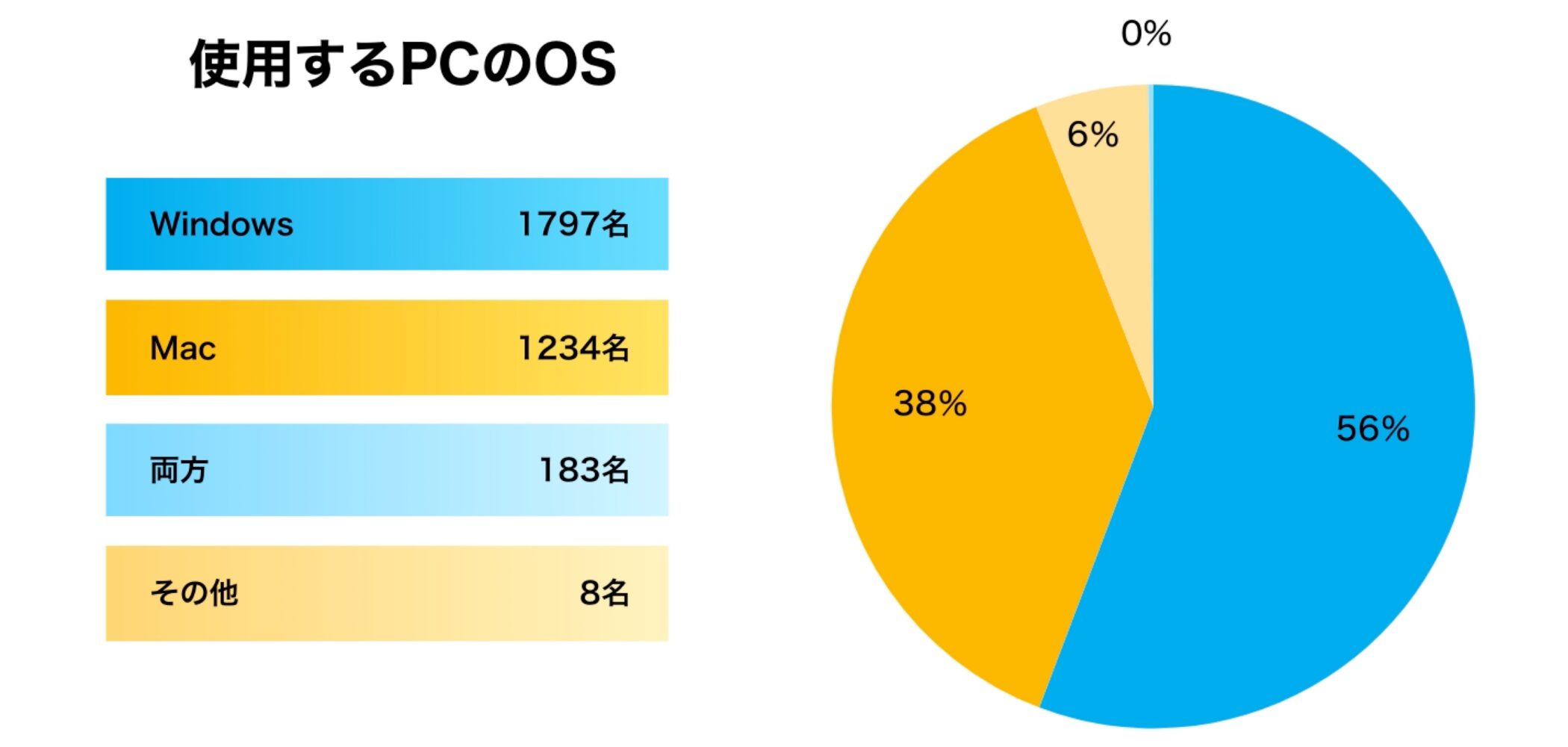
In our survey, however, just under 60% used Windows and just under 40% used Mac, suggesting that Macs are more common among music producers than among computer users overall.
You might conclude that Mac is better for music production, but given the capabilities of computers at the time of this guide, there is little difference in what you can achieve with Windows or Mac.
Either operating system is fully capable of serious music production.
If your preferred music software is available for only one operating system, choosing the software first is also a sensible approach.
Here are the main characteristics of each platform.
Windows Characteristics
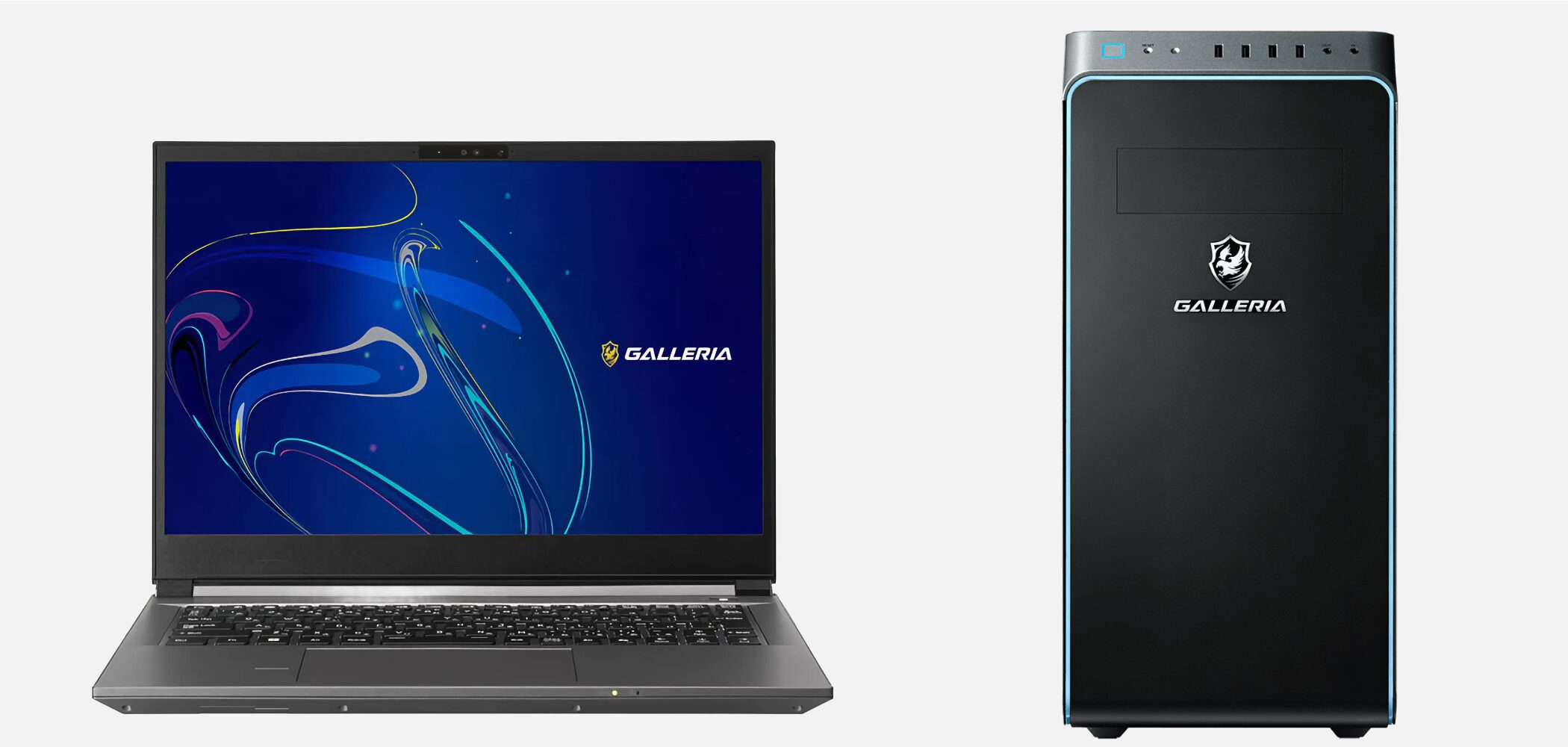
- Value for money: Relatively affordable access to high-performance models
- Choice: Many manufacturers, designs, and specifications to suit your budget and preferences
- Customization: Replacing or adding components offers flexibility and room for future upgrades
Depending on the combination of computer, software, and hardware, however, unexpected problems can occur.
Greater customization can also make it harder to find a solution that precisely matches your situation when something goes wrong.
Some Windows models are sold specifically as computers for music producers. They are designed with music production in mind and may be worth considering if troubleshooting concerns you.
Mac Characteristics
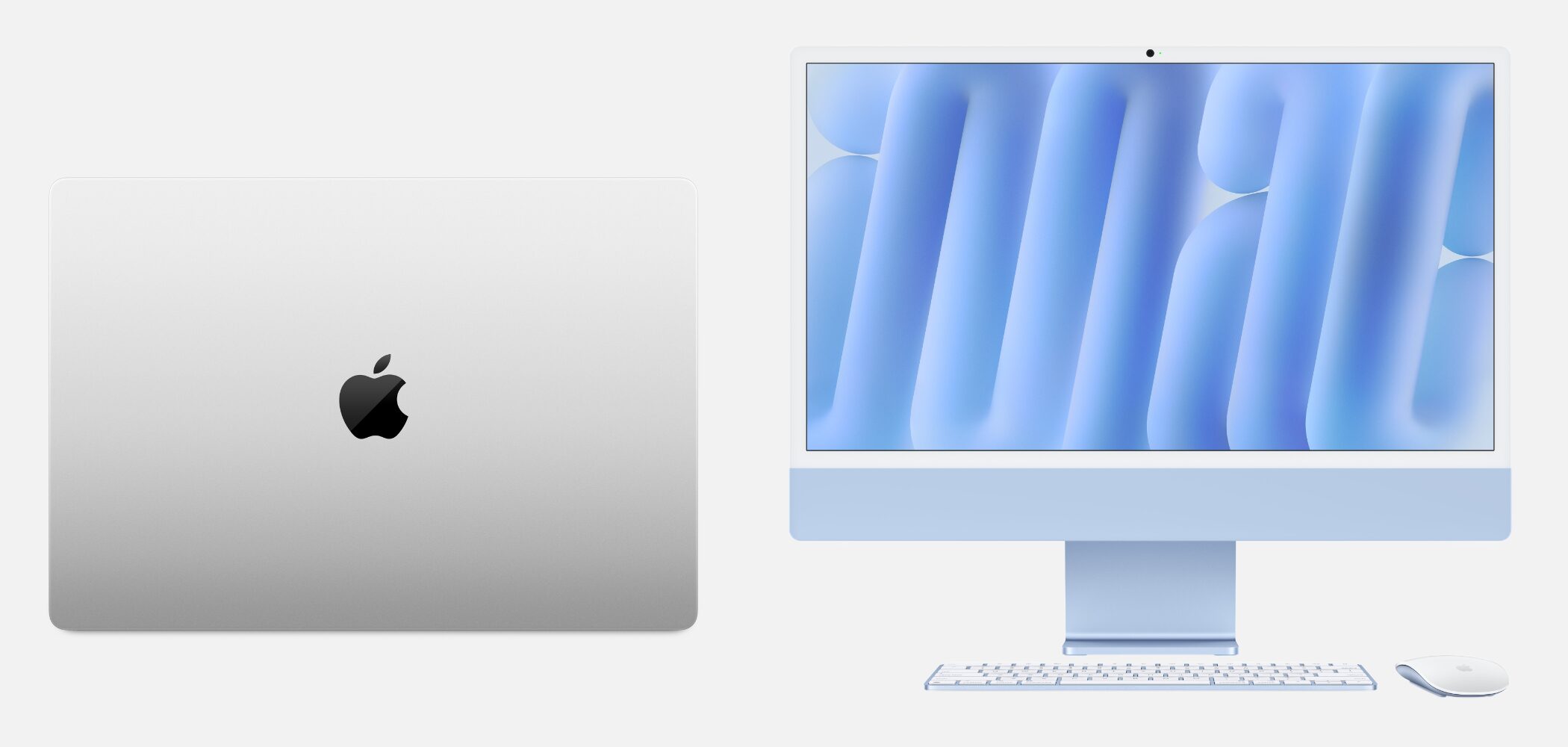
- Stability and optimization: Integrated hardware and operating system development reduces the risk of compatibility problems
- Design and integration: Appealing design and smooth integration with other creative work
- Support and information: Troubleshooting information is easier to find, and peripheral manufacturers often provide good support
- Apple Silicon performance: Efficient power use and processing allow even relatively affordable models to handle music production
However, for comparable performance, Macs tend to cost more than Windows computers.
Since component upgrades after purchase are generally not possible, choosing the right specifications when you buy is important.
Desktop vs. Laptop
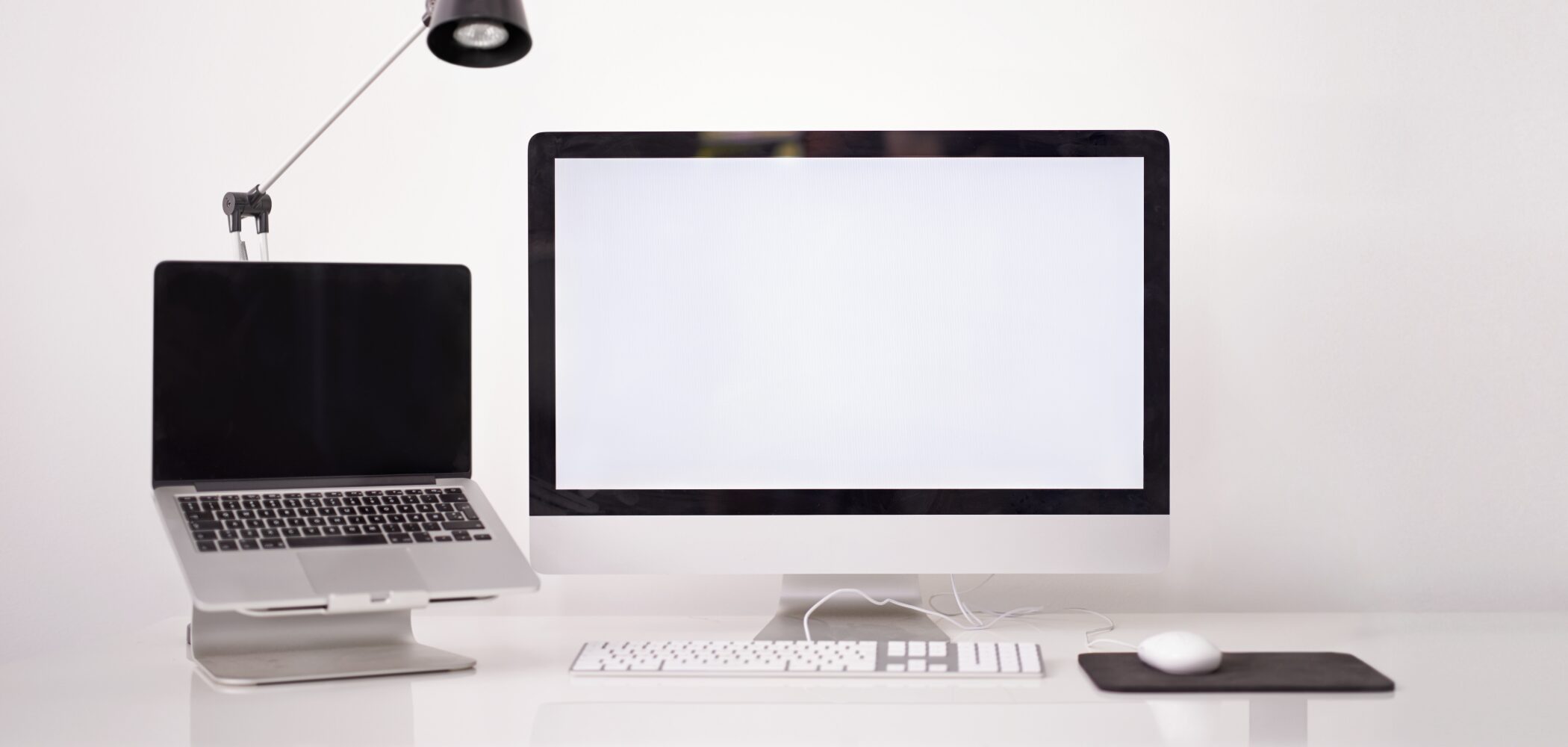
After the operating system, consider the type of computer.
We are often asked whether a desktop or laptop is better, but fundamentally either can be used for music production.
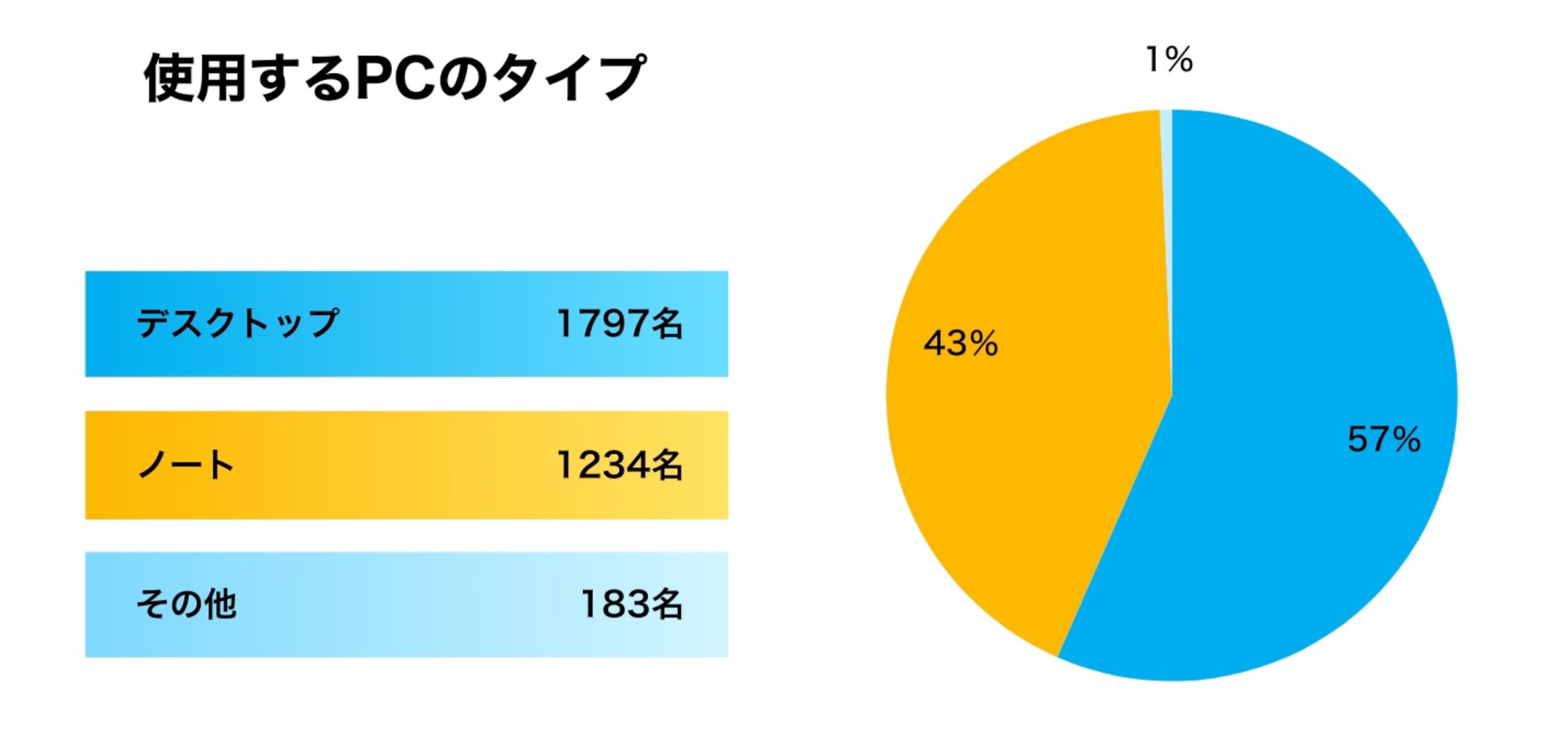
Our survey found that around 60% of producers use desktops and around 40% use laptops, reflecting the substantial improvement in laptop performance in recent years.
The best type for you depends on what you value most.
- Laptop: Convenient, compact, and easy to carry, allowing you to work in different locations
However, upgrades are difficult after purchase, so replacement may be necessary. Heat under heavy workloads is another consideration - Desktop: Strong performance and expandability, relatively easy component upgrades, and good cooling
However, you need peripherals such as a display, mouse, and keyboard, along with installation space. It is not suited to carrying around
Compact Desktop Computers
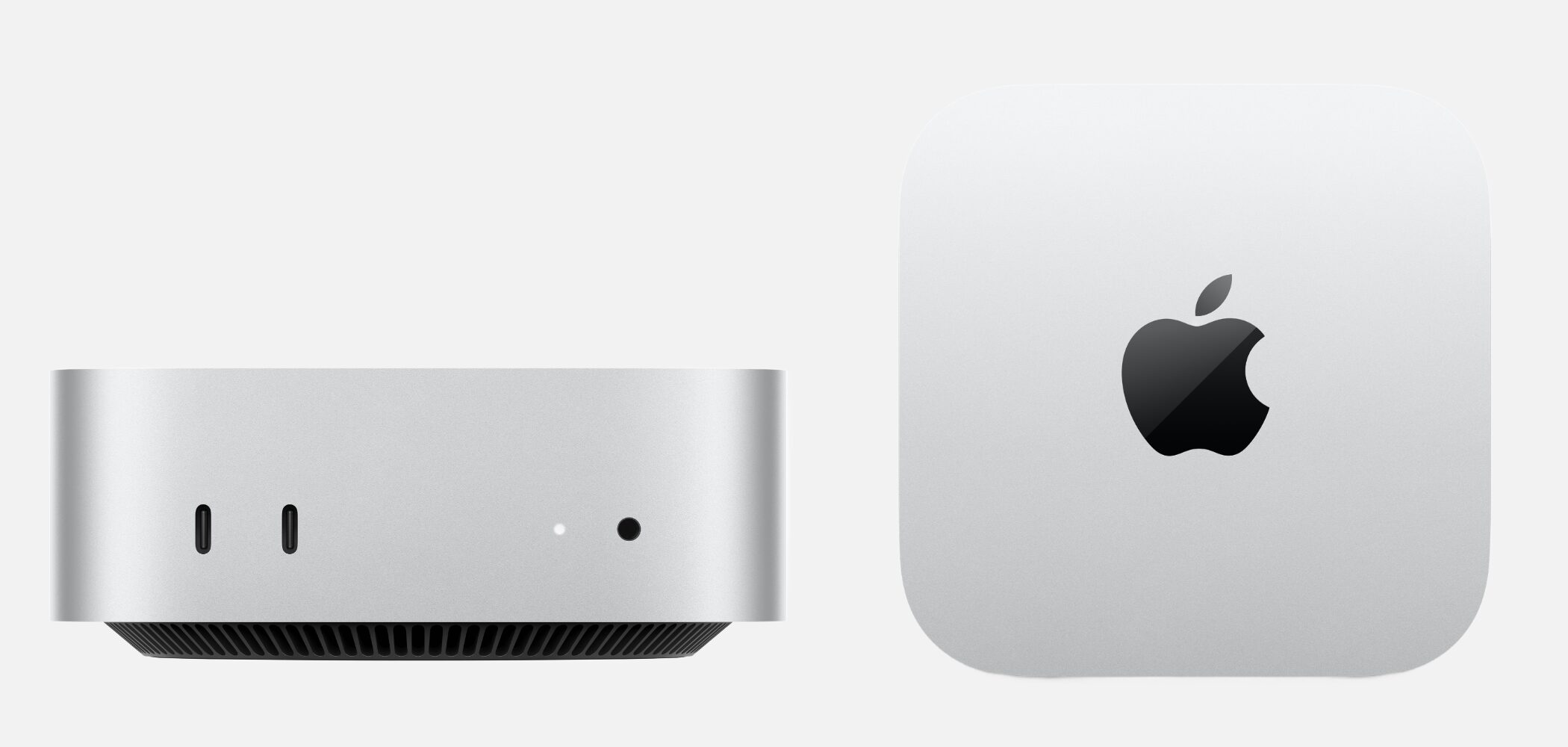
If you want desktop performance without a large case, a compact desktop such as a Mac mini can be a good choice.
Some models combine a footprint close to that of a laptop with desktop-class performance.
You still need peripherals, and as with laptops, upgrades after purchase are often limited, so choose the specifications carefully.
Four Key Specifications for Choosing the Right Computer
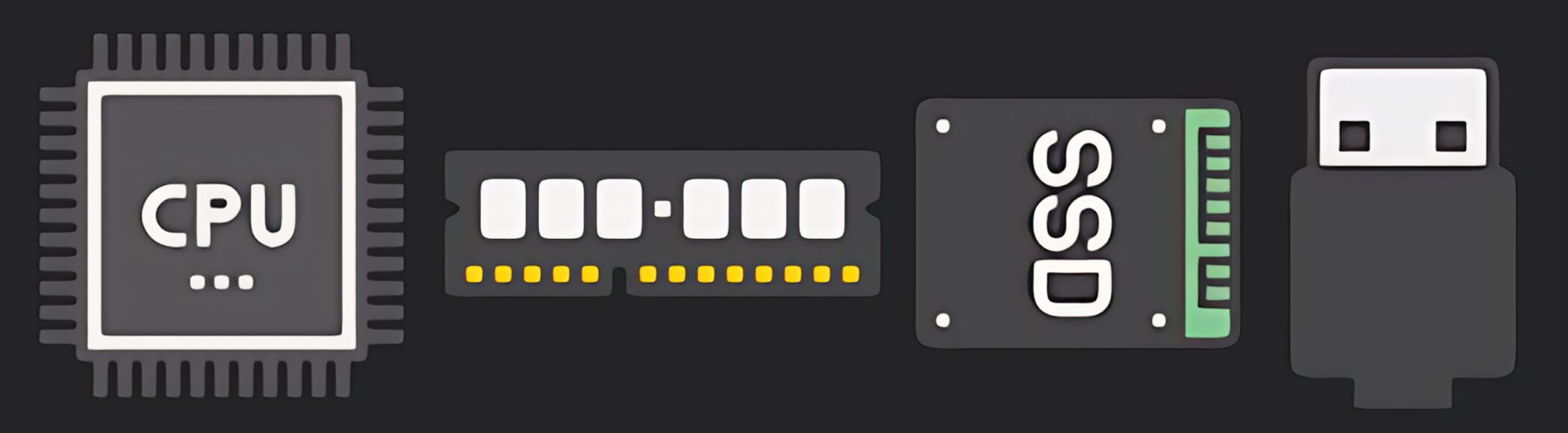
We will focus on four important specifications for music production: CPU, memory, storage, and expandability.
GPU performance, which mainly relates to image processing and graphics, has little impact on most music-production tasks outside specific uses, so we will not cover it here.
Point 1: CPU — The Computer's Brain
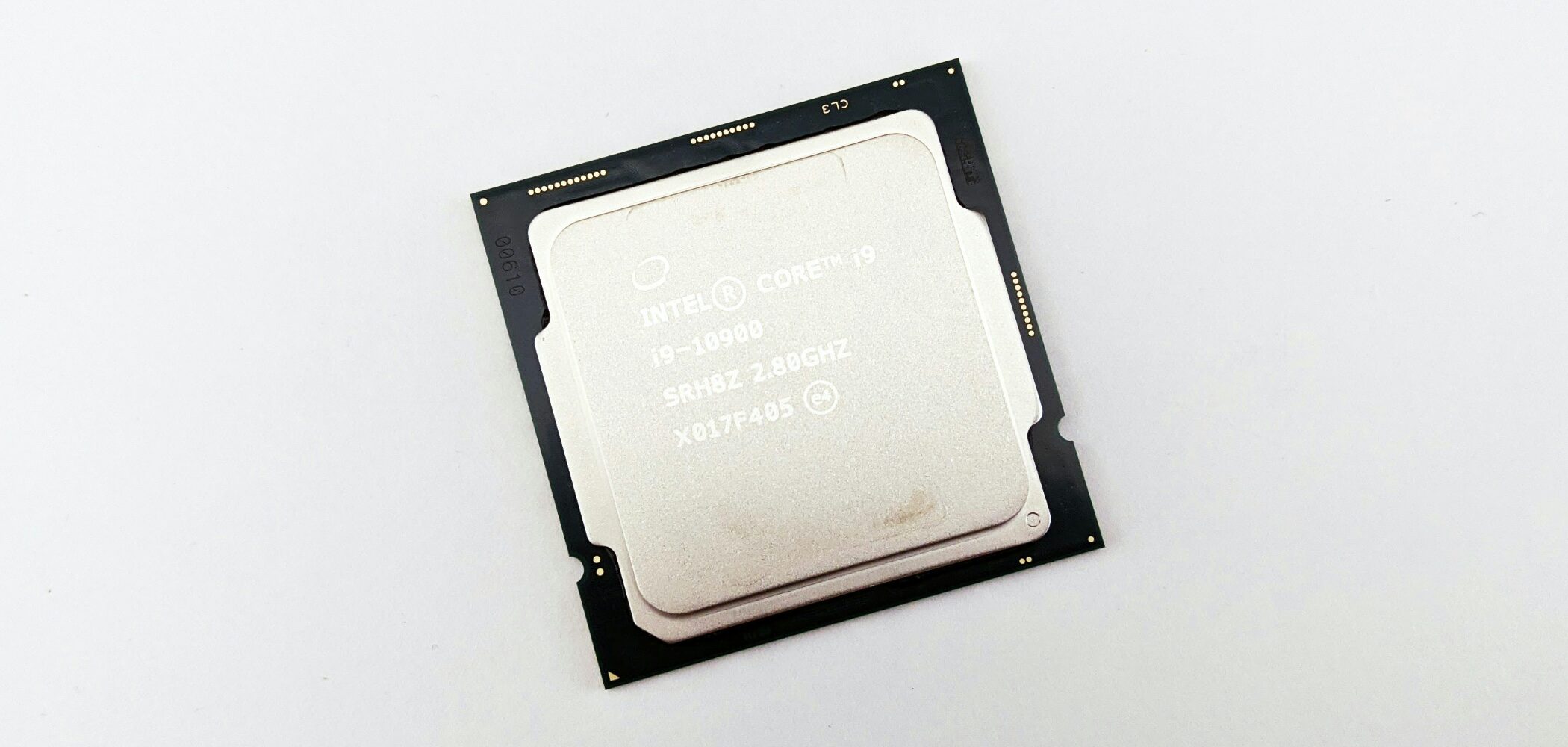
The CPU is one of the most important components in a computer and has a major influence on its ability to perform different tasks.
Playing many tracks and processing plug-ins can place a heavy load on the CPU.
A faster CPU helps prevent audio dropouts, unwanted noise, and DAW freezes, providing a smoother production environment.
CPUs for Windows Computers
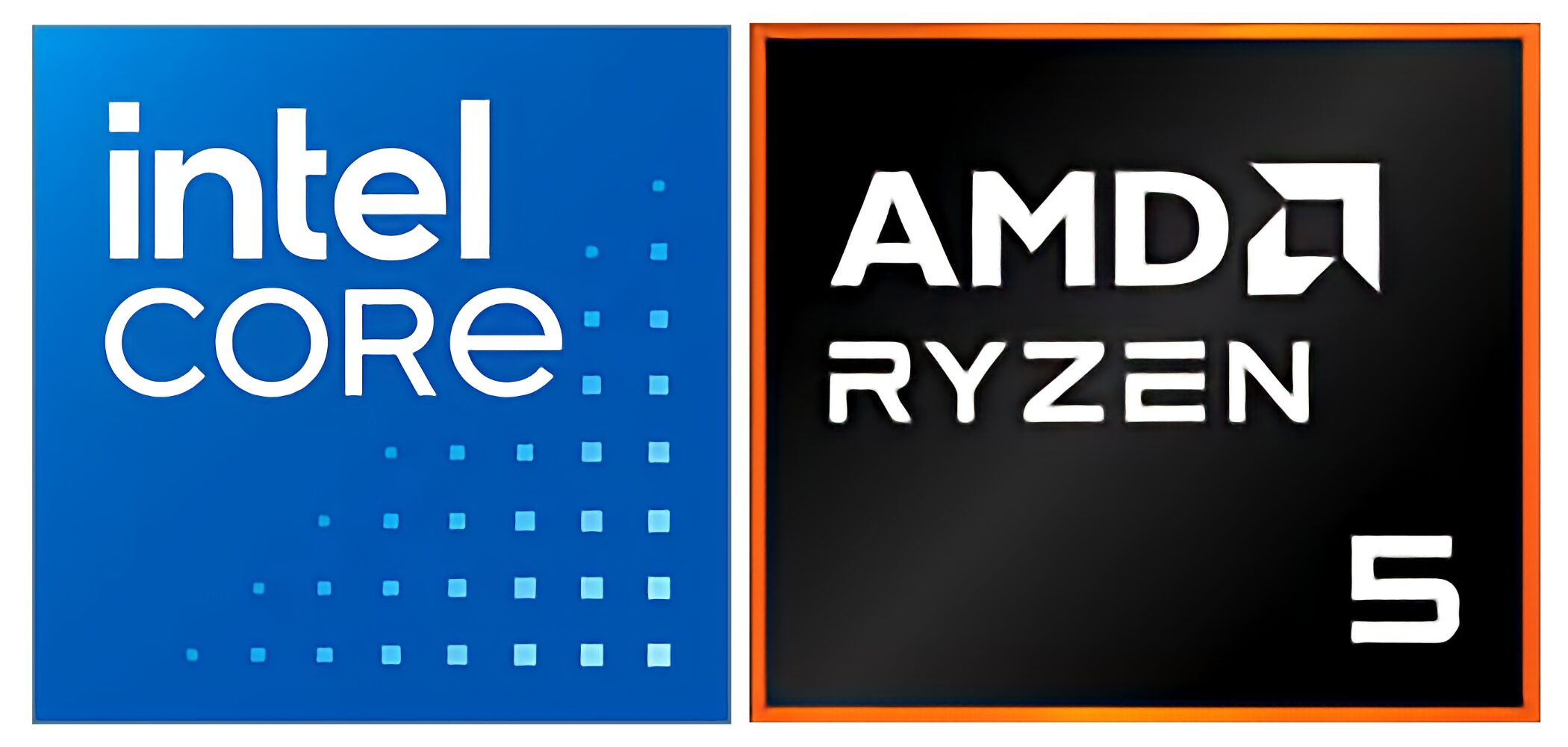
The two main CPU manufacturers for Windows computers are Intel and AMD.
Some AMD CPUs may have less explicit support from music software than Intel CPUs, so Intel is the more reassuring choice if stability and peace of mind are your main priorities. However, AMD performance has improved considerably in recent years and can offer excellent value.
- Recommended Intel CPU Models
• In the Core series, choose a Core i5 or above (Core i5, Core i7, and Core i9 indicate progressively higher performance tiers)
• The Core Ultra series is a newer CPU generation with efficient power use and AI processing, and also delivers strong music-production performance
- Recommended AMD CPU Models
• In the Ryzen or Ryzen AI series, choose a Ryzen 5 or above (Ryzen 5, Ryzen 7, and Ryzen 9 indicate progressively higher performance tiers)
A Caution as of Early 2025
Snapdragon CPUs in ARM-based Windows computers have been reported to have problems running many major DAWs and plug-ins, or to suffer substantial performance losses in compatibility mode.
Until software support improves, avoid purchasing one specifically for music production.
CPUs for Macs
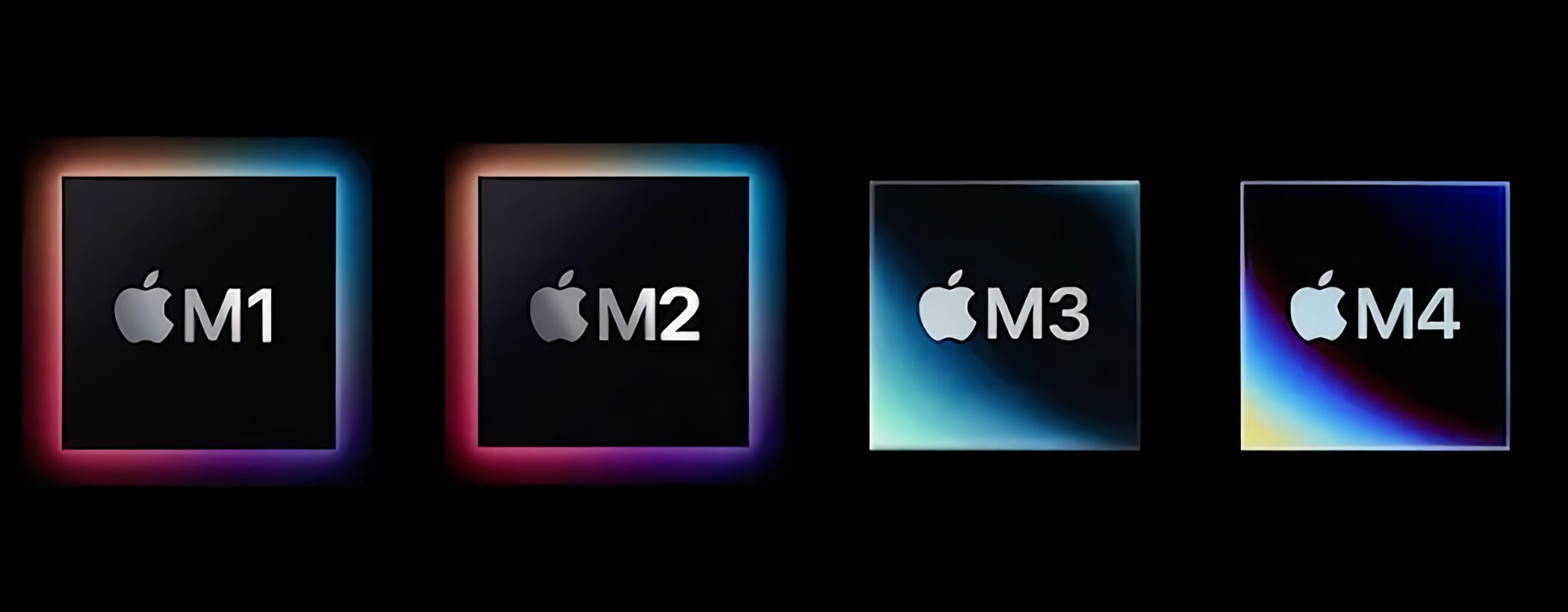
Macs at the time of this guide use Apple's own Apple Silicon processors, all of which have enough performance for music production.
M1, M2, M3, and M4 are progressively newer and faster generations.
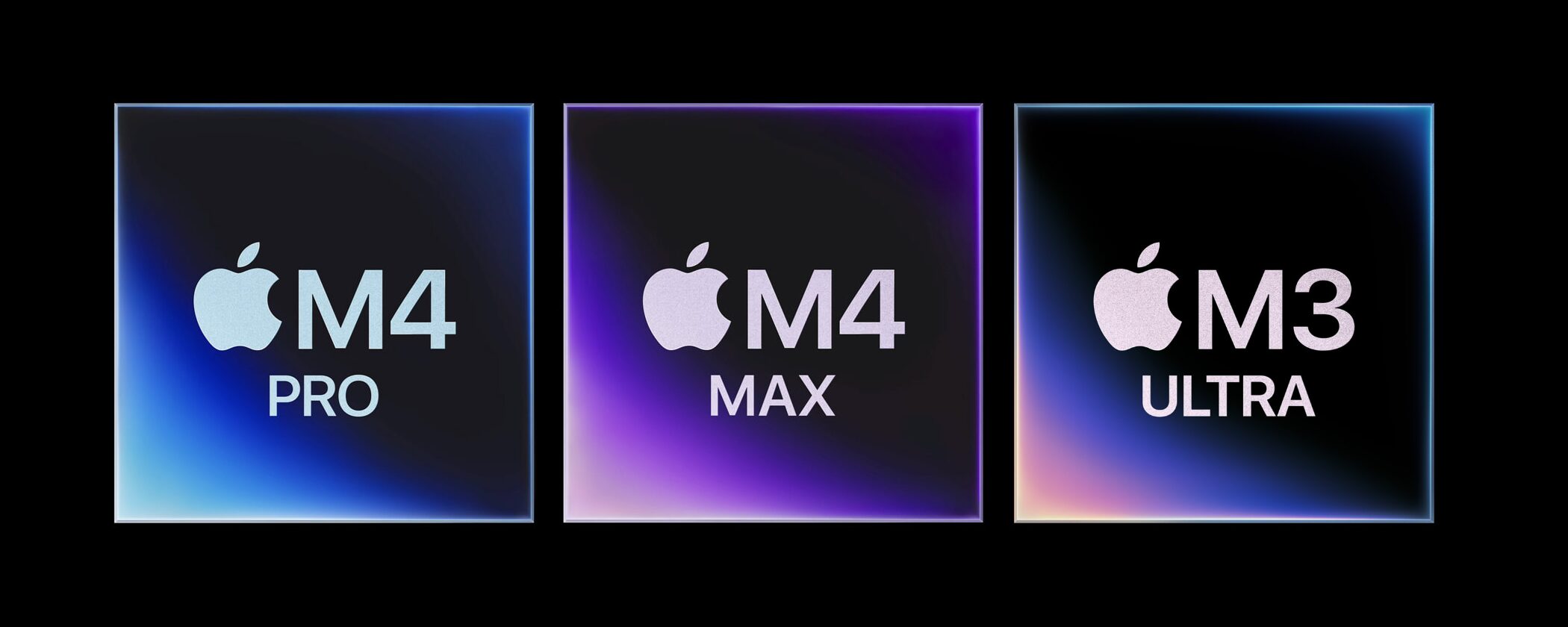
Within a generation, models named Pro, Max, or Ultra are higher tiers with more CPU and GPU cores, delivering even greater processing power.
However, unless you work on exceptionally large and complex orchestral arrangements or professional projects with many demanding plug-ins, standard Apple Silicon models can provide a comfortable production experience.
At the time of this guide, the latest Ultra model is the M3 Ultra.
Point 2: Memory — The Size of Your Workspace
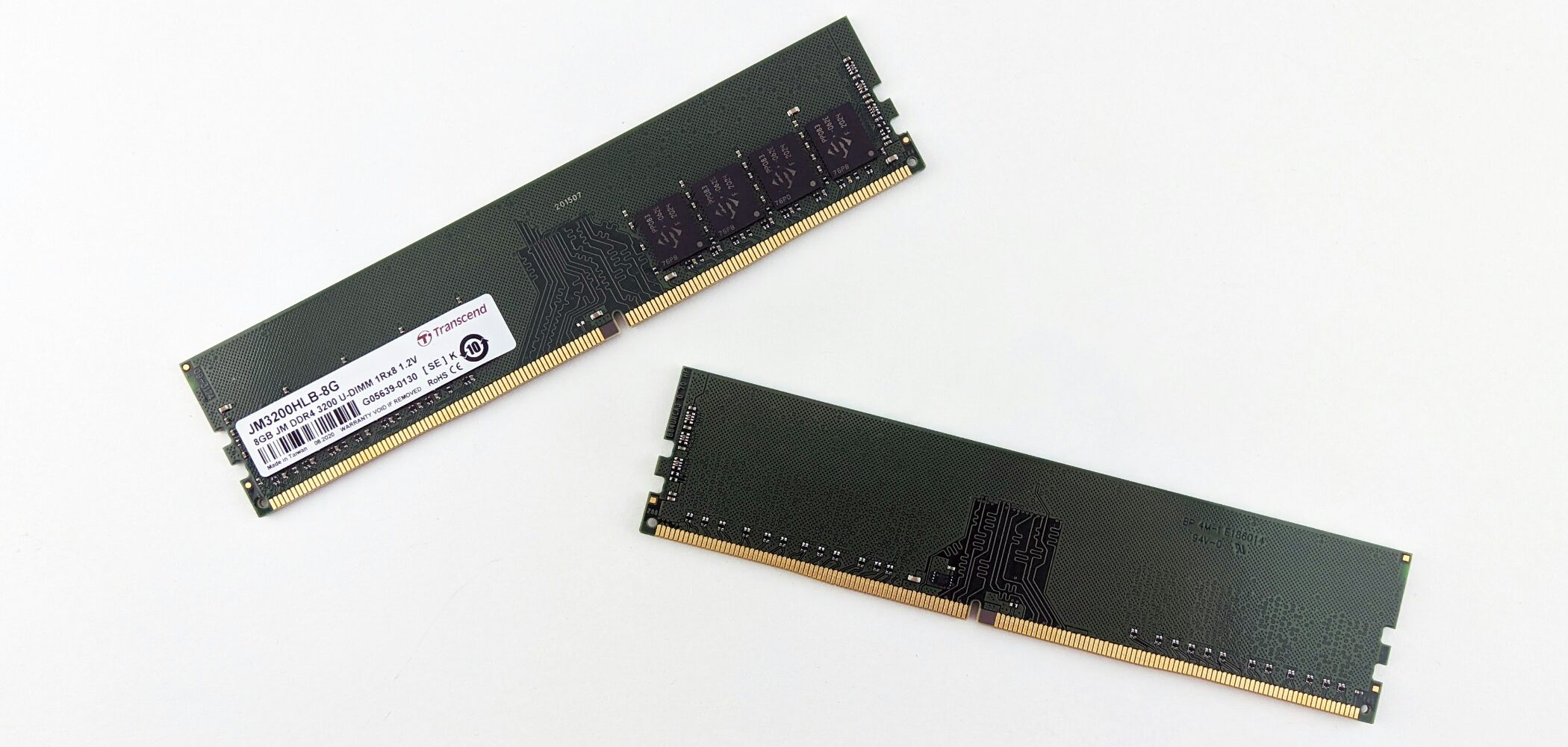
Memory is the component that temporarily holds information while the computer processes data.
Music production handles large amounts of data and needs a spacious working area, meaning plenty of memory. Insufficient memory can cause slowdowns or freezes.
For both Windows and Mac, we recommend at least 16GB of memory.
If your budget permits, 24GB or 32GB lets you work more comfortably with additional tracks, high-quality software instruments, and numerous plug-ins.
Point 3: Storage — Long-Term Space for Your Data
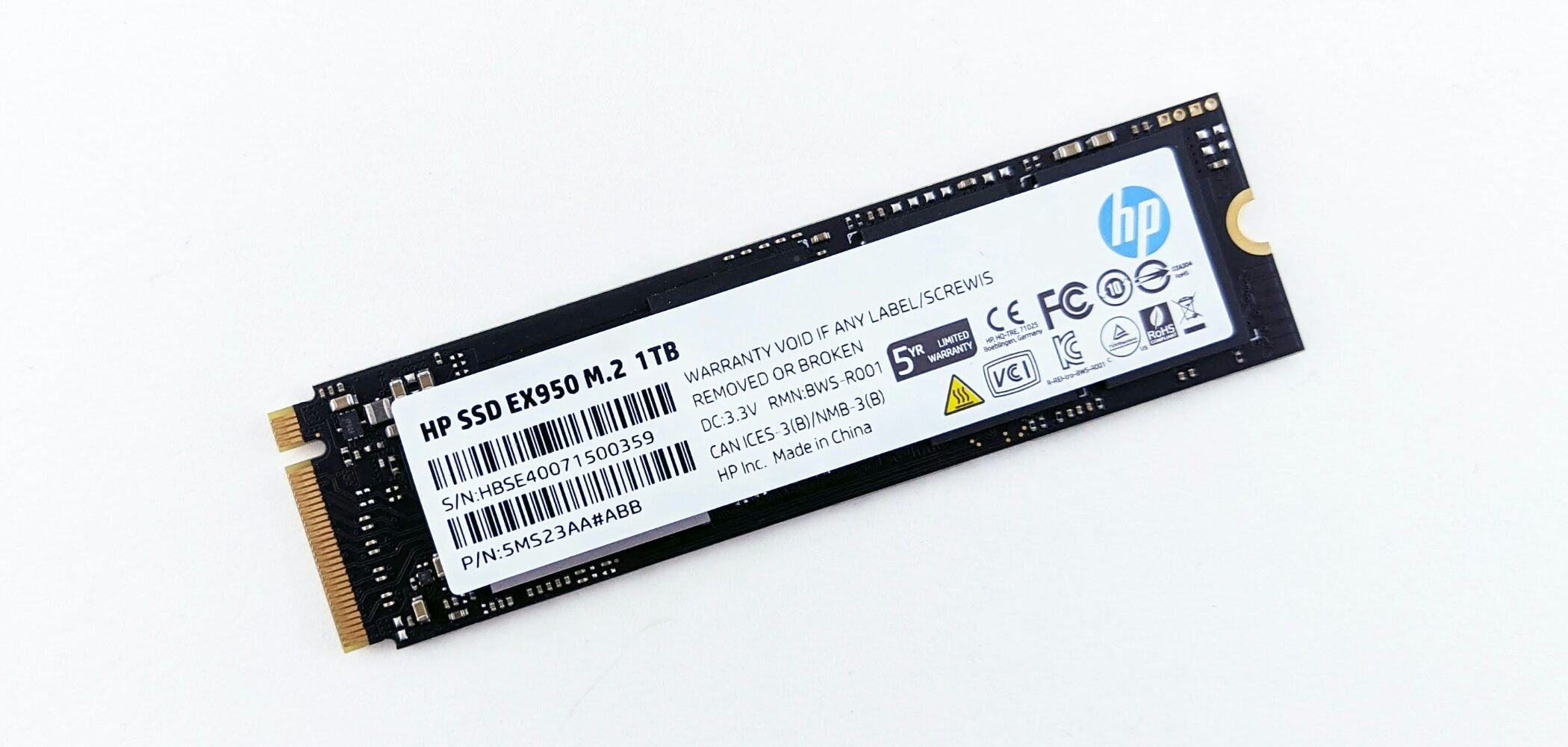
Storage is the component that keeps your computer's data and programs over the long term.
Music-production data can be large, and running out of storage may cause problems with your computer or DAW.
For either Windows or Mac, allow for future growth and aim for 1TB or more. Even on a tight budget, 512GB should be the minimum.
Even if you also use external storage, the operating system, DAW, and frequently used instruments benefit from fast access and should generally be stored on fast internal storage.
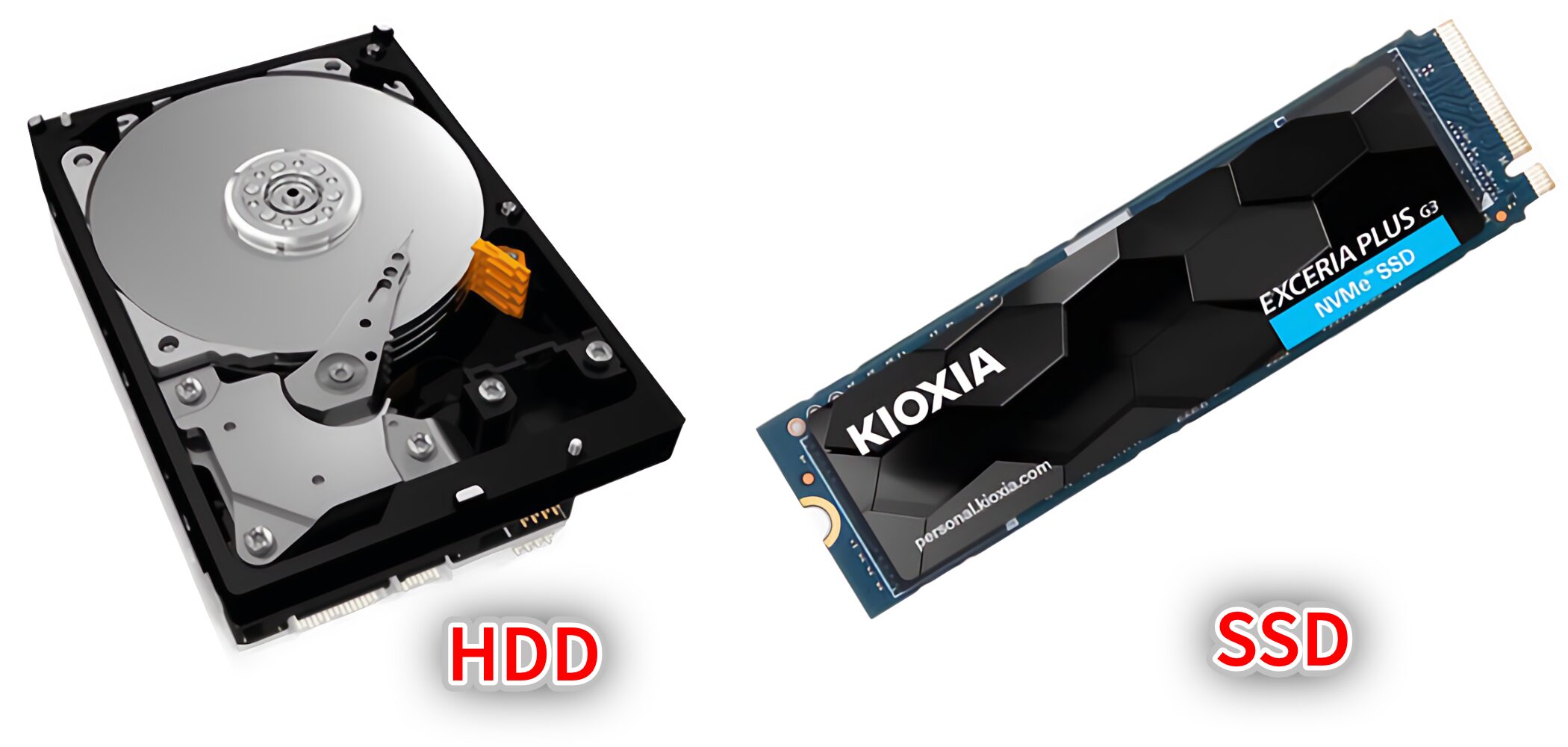
There are two main types of storage: HDD and SSD. For music production, their much faster read and write speeds make SSDs essential.
Avoid HDD-based models for music production, and if possible choose an even faster NVMe SSD for smoother performance.
Point 4: Expandability — Connecting External Devices
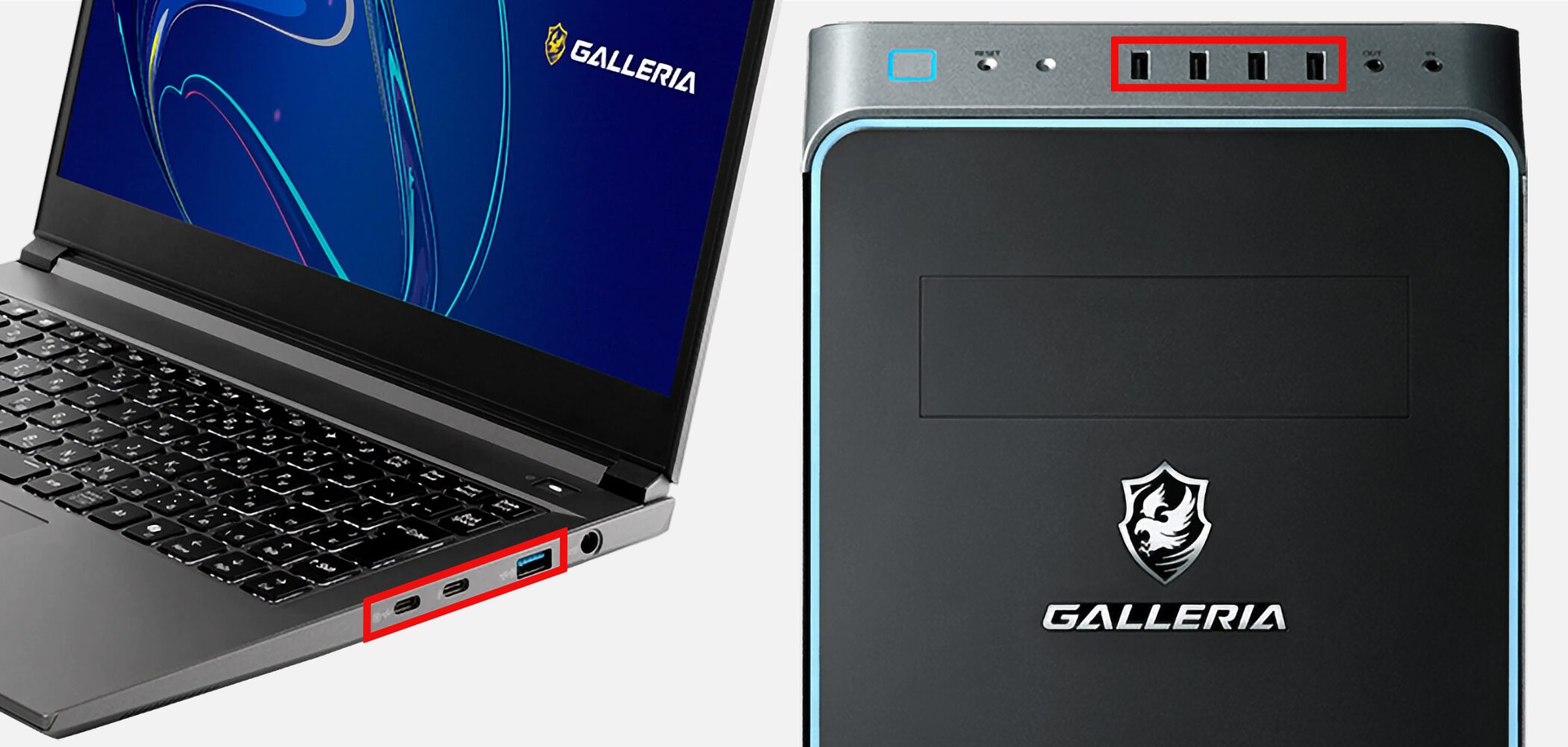
Music production uses many external devices, so expandability matters, particularly the number, types, and standards of USB ports.
A USB hub can add ports, but some equipment, including certain audio interfaces, is recommended to connect directly to the computer. For easier connections and stable operation, at least three USB ports are reassuring.
Laptops, especially thin models, may have few ports, so always check before buying.
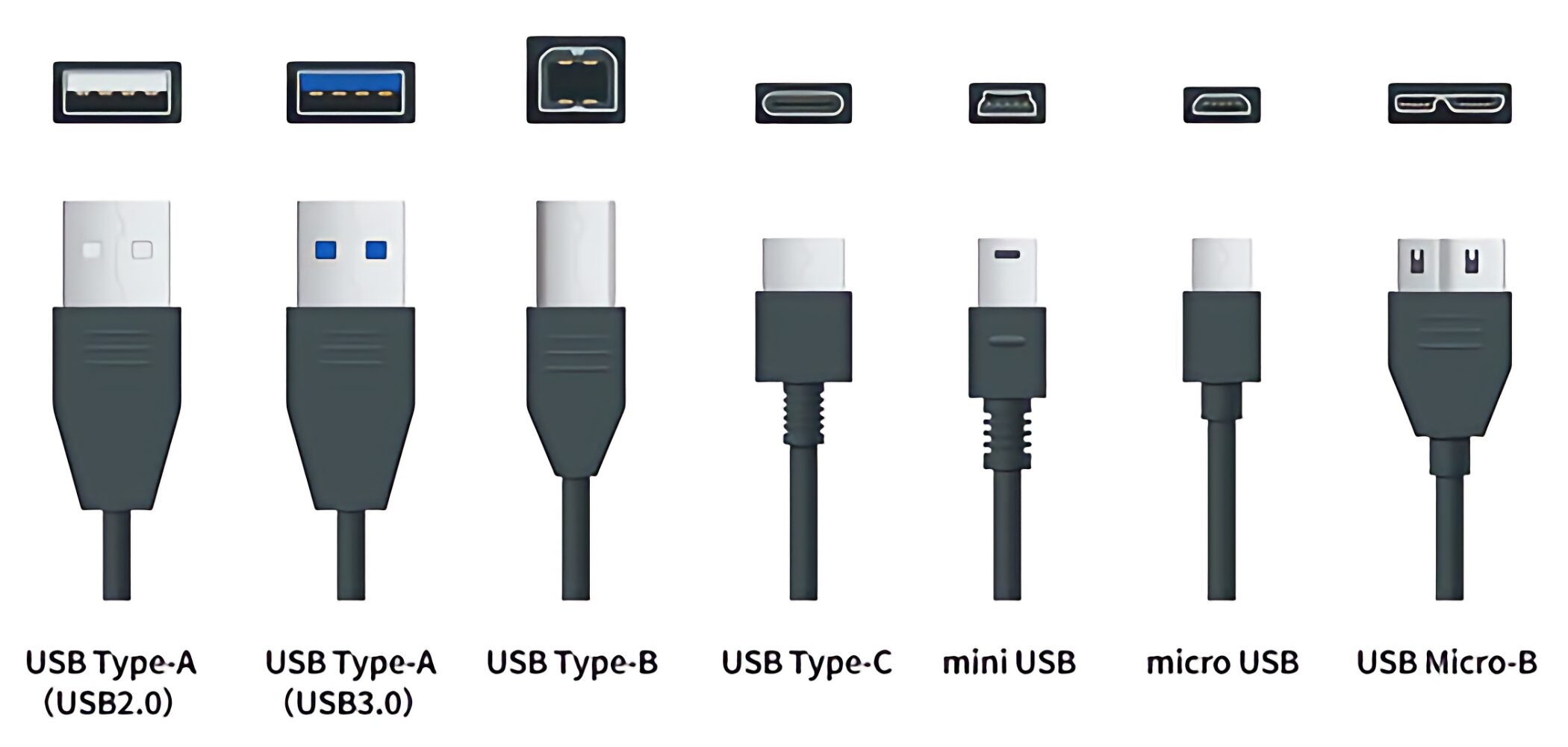
USB ports vary in connector shape, such as USB-A and USB Type-C, and transfer standards, such as USB 2.0 through USB4 and Thunderbolt. In general, higher numbers indicate newer, faster standards.
If the computer supports a newer standard, backward compatibility lets you connect devices using older standards. Support for USB 3.2, a mainstream standard at the time of this guide, is a reassuring baseline.
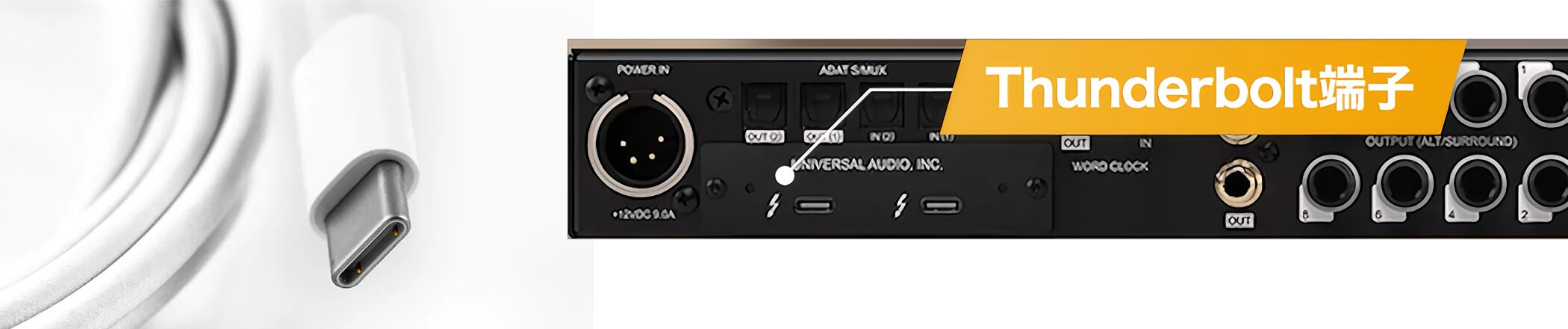
If you plan to add high-performance equipment or want faster data transfers, also check for newer connections such as USB4 and Thunderbolt ports, which offer compatibility with USB.
Price Ranges: Balancing Budget and Satisfaction
Next, let us look at what our survey says about computer prices and user satisfaction.
Required performance depends on the kind of music you make, and more expensive computers generally offer greater performance. On average, however, satisfaction tends to improve from around ¥200,000.
Windows Desktops
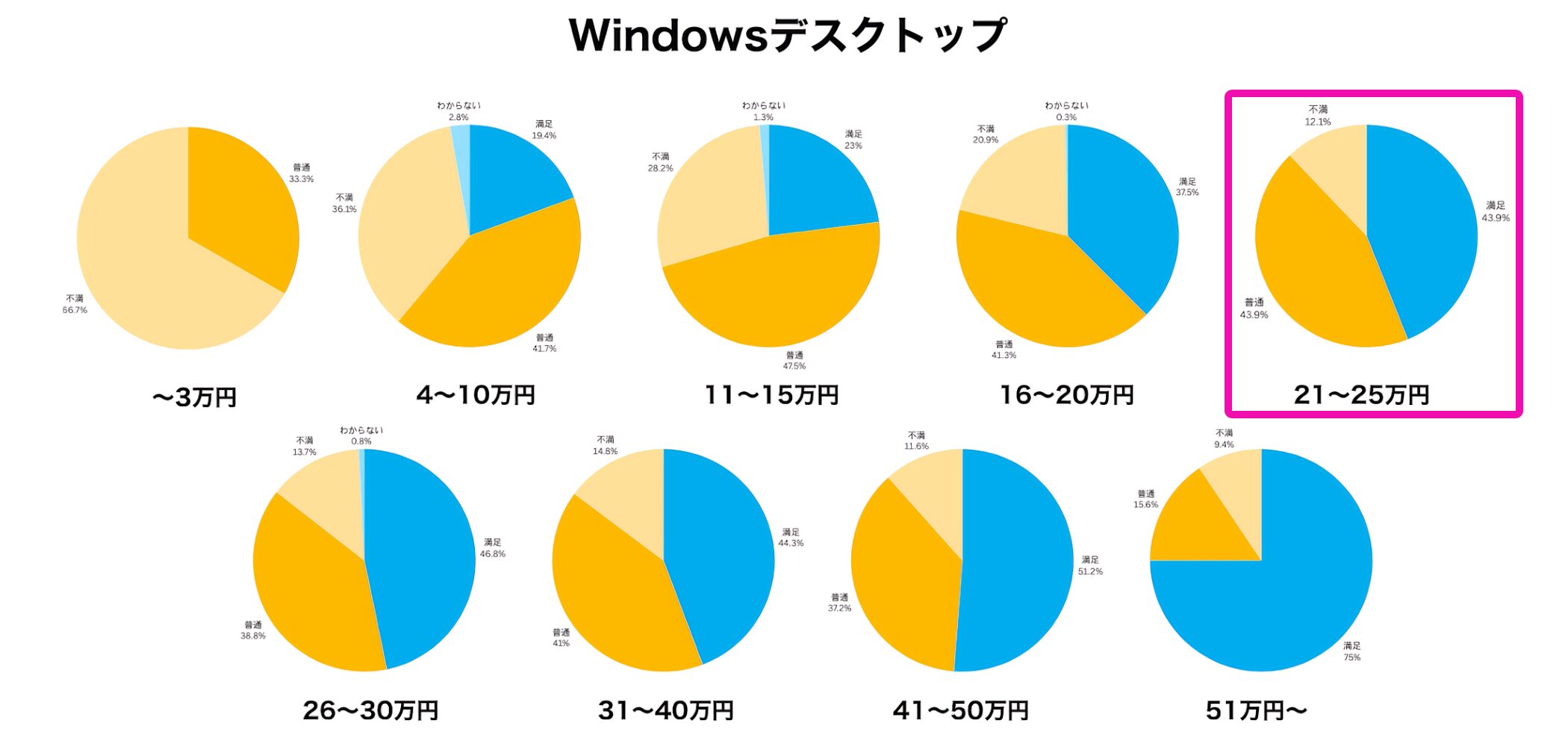
Models meeting our recommended minimum specifications generally start at around ¥150,000–¥160,000.
The proportion of respondents who said they were satisfied increased in the ¥210,000–¥250,000 range. Choosing a model around this level appears more likely to provide a comfortable setup with fewer regrets.
Mac Desktops
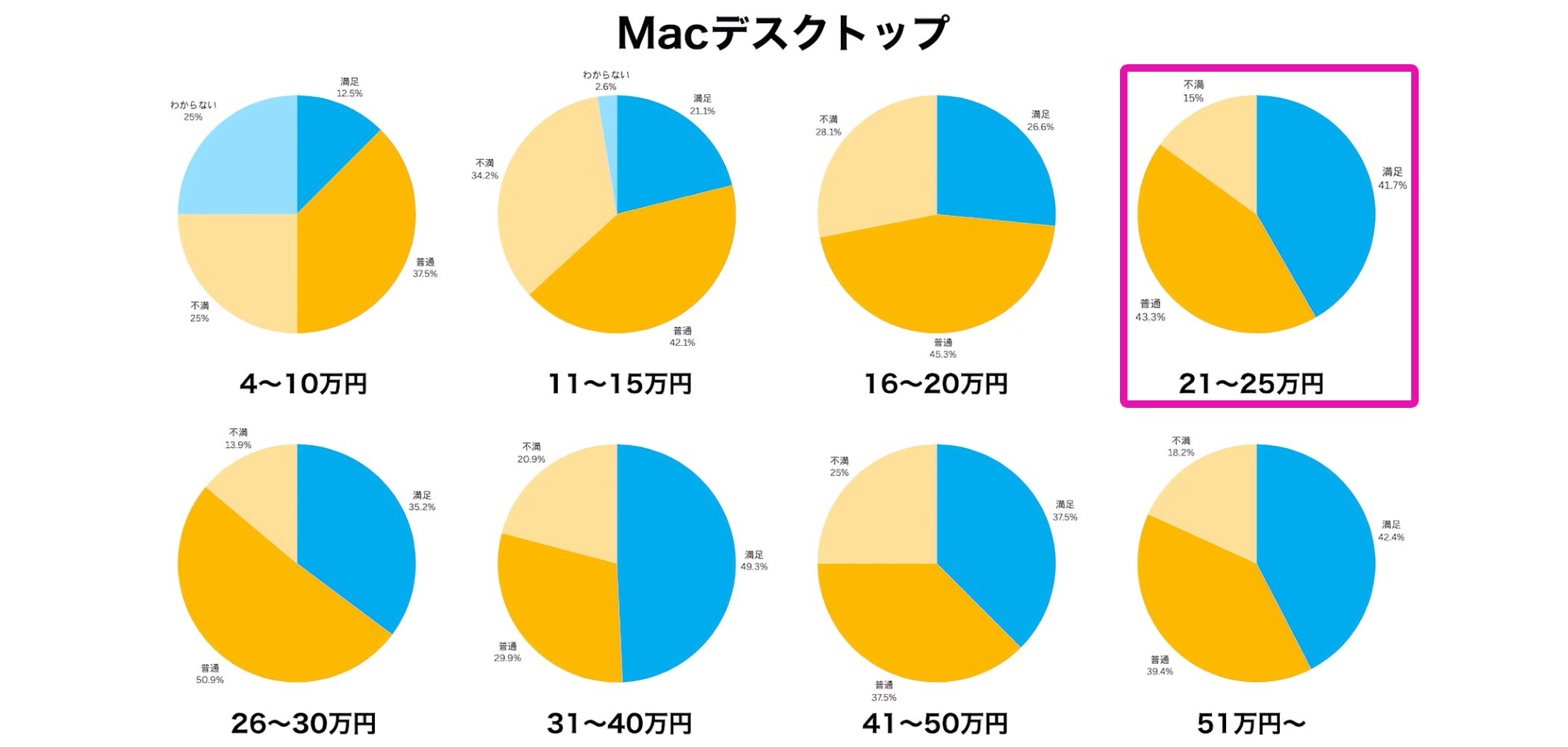
Even entry-level Apple Silicon models have strong basic specifications, so dissatisfaction tends to be lower than for Windows machines.
For greater satisfaction, ¥210,000–¥250,000 or more is a useful guide. If you want to spend less, a relatively affordable model such as a Mac mini is also unlikely to leave you with major regrets.
As noted above, for comfortable production we recommend customizing storage to at least 1TB and memory, which cannot be expanded later, to at least 16GB.
Windows Laptops
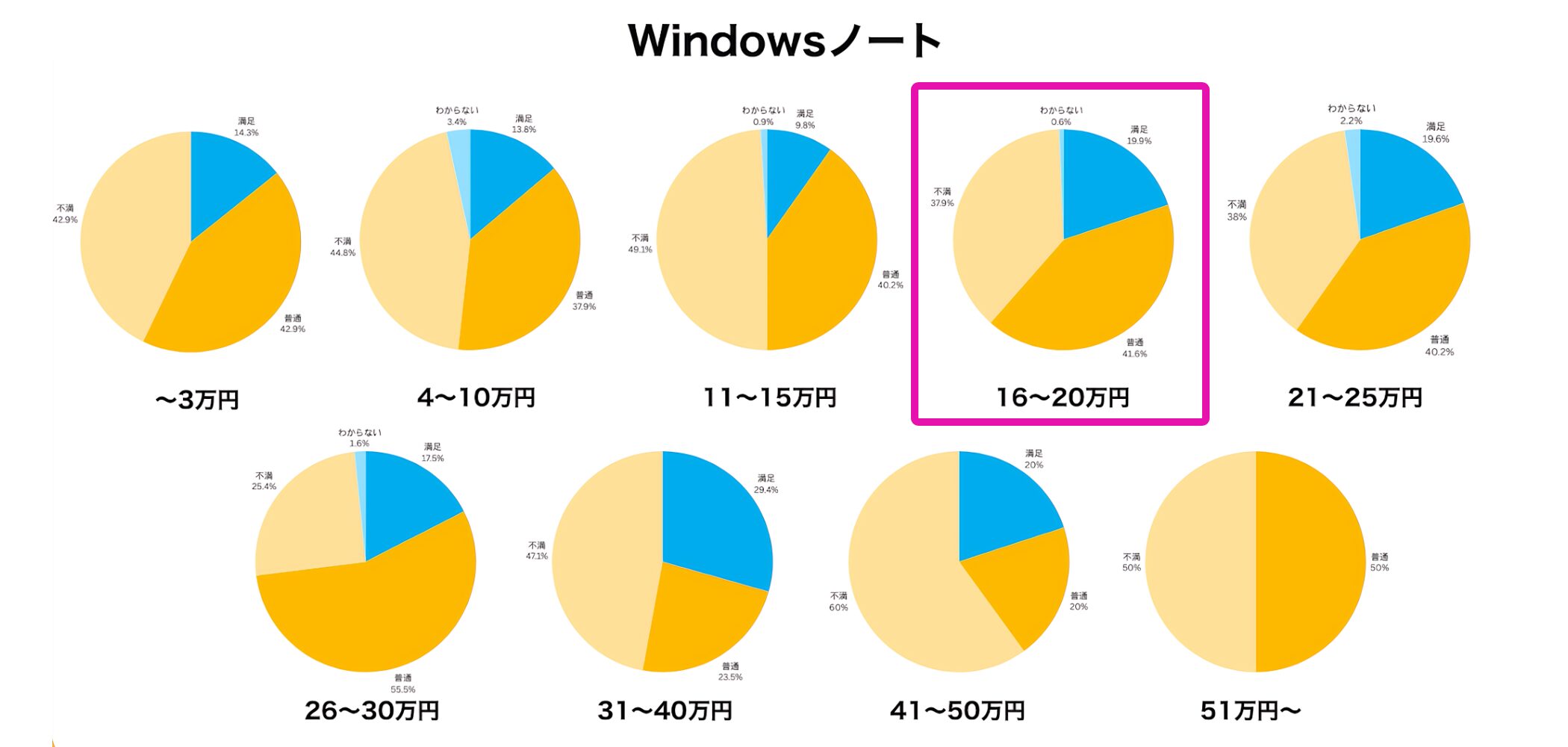
Models meeting our recommended specifications are commonly found in the ¥160,000–¥200,000 range. Many respondents buy at this level and report high satisfaction, making it a useful benchmark.
If you have a larger budget and want comfortable performance over the longer term, the ¥260,000–¥300,000 range is also worth considering.
Models in this range often improve not only core specifications but also overall quality, including displays and cooling.
Mac Laptops
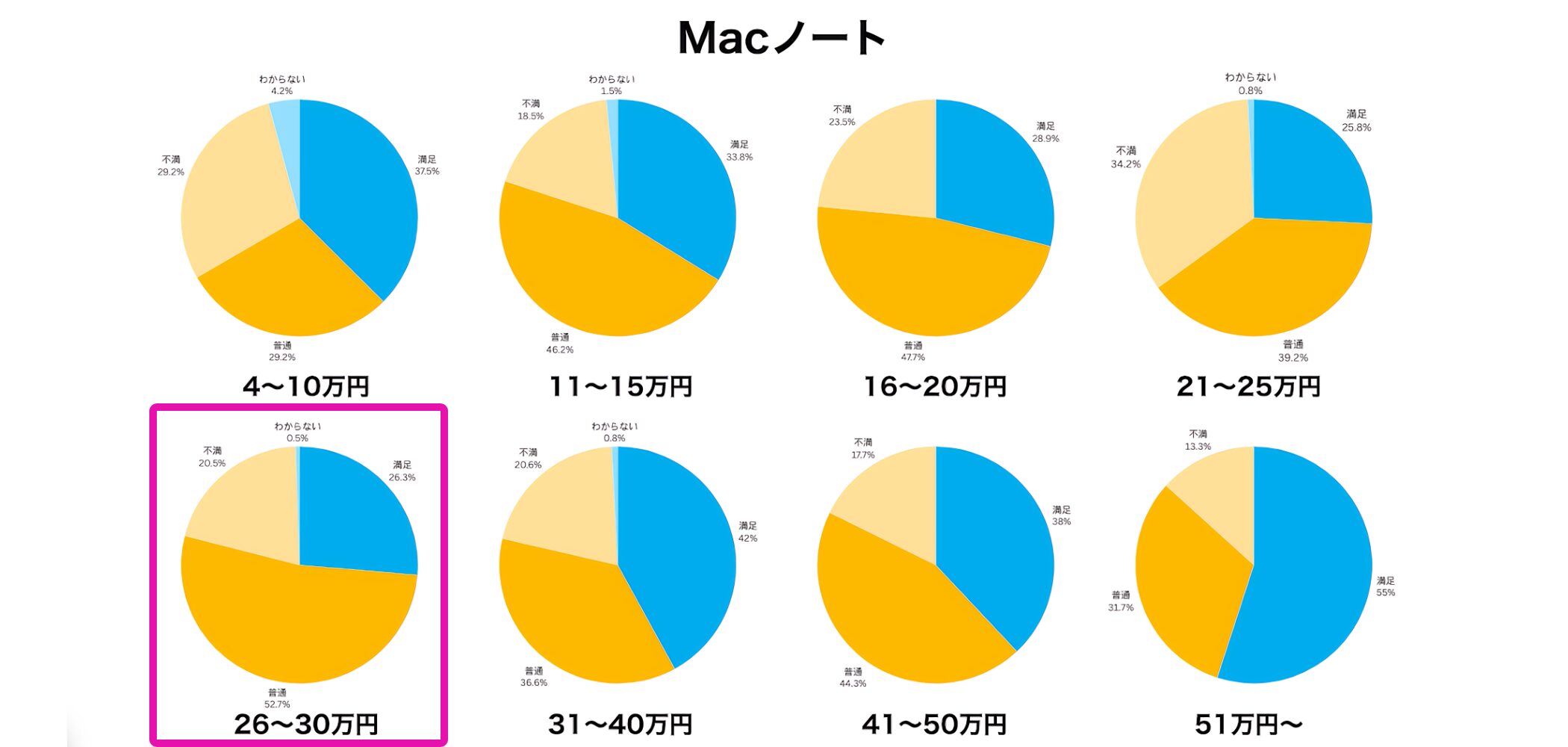
For specifications suited to music production, the ¥260,000–¥300,000 range is the main choice and the most popular among respondents.
If your budget allows, moving into the ¥310,000–¥400,000 range can provide a more powerful setup with greater room for future demands and high satisfaction.
As with Mac desktops, standard laptop configurations can have limited storage. We recommend specifying at least 1TB of storage and 16GB of memory when ordering.
Summary
Here is a summary of the key points when choosing a music-production computer.
| Item | Recommendation |
|---|---|
| Device | A computer is best for serious music production Use smartphones and tablets as supporting tools |
| Operating system | Windows for lower costs and a wider choice Mac if you want less computer-related troubleshooting |
| Type | Laptop for portability Desktop for performance and expandability Compact desktop for a smaller footprint with good performance |
| CPU | Windows: Intel Core i5 or above / AMD Ryzen 5 or above Mac: Apple Silicon |
| Memory | At least 16GB Consider 24GB or 32GB for large projects |
| Storage | SSD with at least 1TB recommended NVMe SSD for even greater speed |
| Expandability | At least three USB ports, preferably supporting USB 3.2 Check for Thunderbolt if needed |
| Price guide | Satisfaction tends to increase from around ¥200,000 |
Use these points to weigh your budget and specifications, find the right computer, and enjoy making music!
Frequently Asked Questions
I bought a laptop with a 512GB SSD, but I was worried about space, so I also bought a 1TB SanDisk external SSD.
If I store my projects on it, can I take the SSD with me and make music on my own computer away from home?
If both computers have the same DAW and instruments installed, you can open projects from external storage and continue working seamlessly.
If you have an internet connection, cloud storage such as Dropbox is another good option instead of an SSD.
NEW ARTICLES
Latest English Articles








































