This guide shows how to create the SuperSAW sound often heard in EDM and trance using Native Instruments MASSIVE. It combines velocity control of a Lowpass 4 filter, dynamic volume and filter control with a Macro Control, and oscillator phase settings to create a more expressive, expansive synth sound. These techniques are useful for building energy in an intro or chorus.
Recreating a SuperSAW in MASSIVE
Following on from the previous tutorial, here is another sound recipe using the classic sawtooth waveform.
We’ll make the sound more dramatic and expansive.
How to Create the Sound
Filter Settings
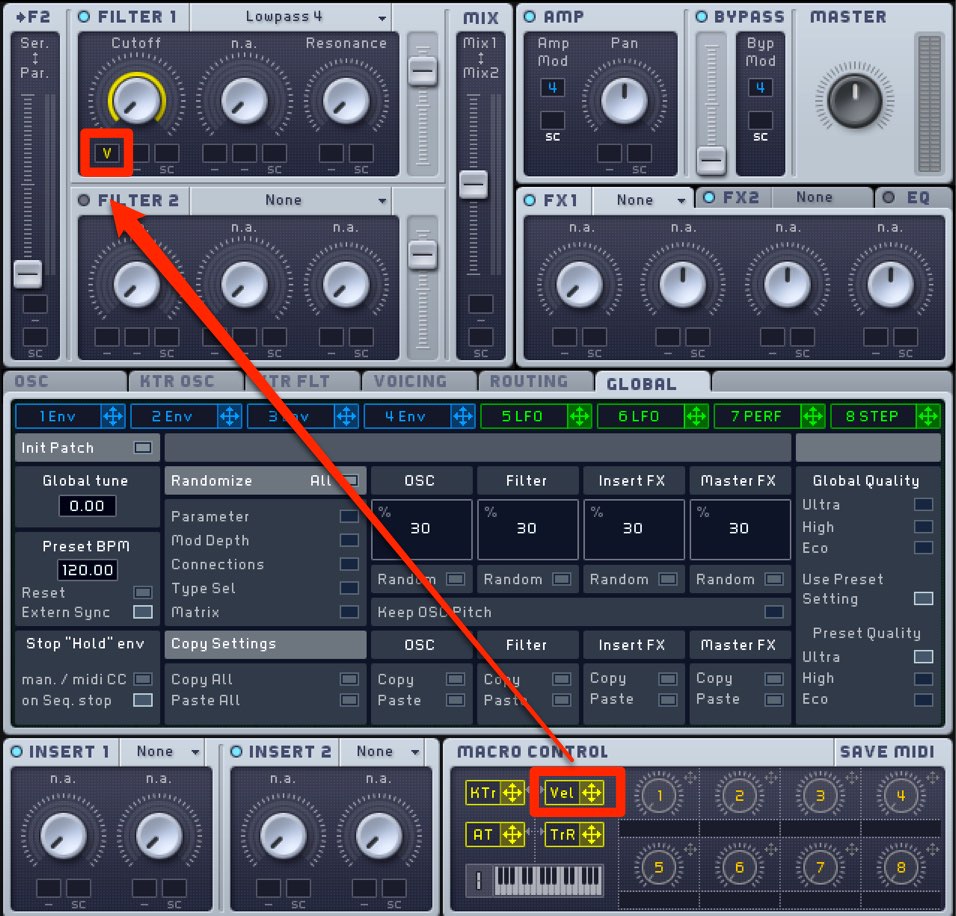
Select Lowpass 4 and assign Vel to Cutoff.
The amount of filtering now changes with how hard you play.
This gives the sound more expression.
Volume ADSR
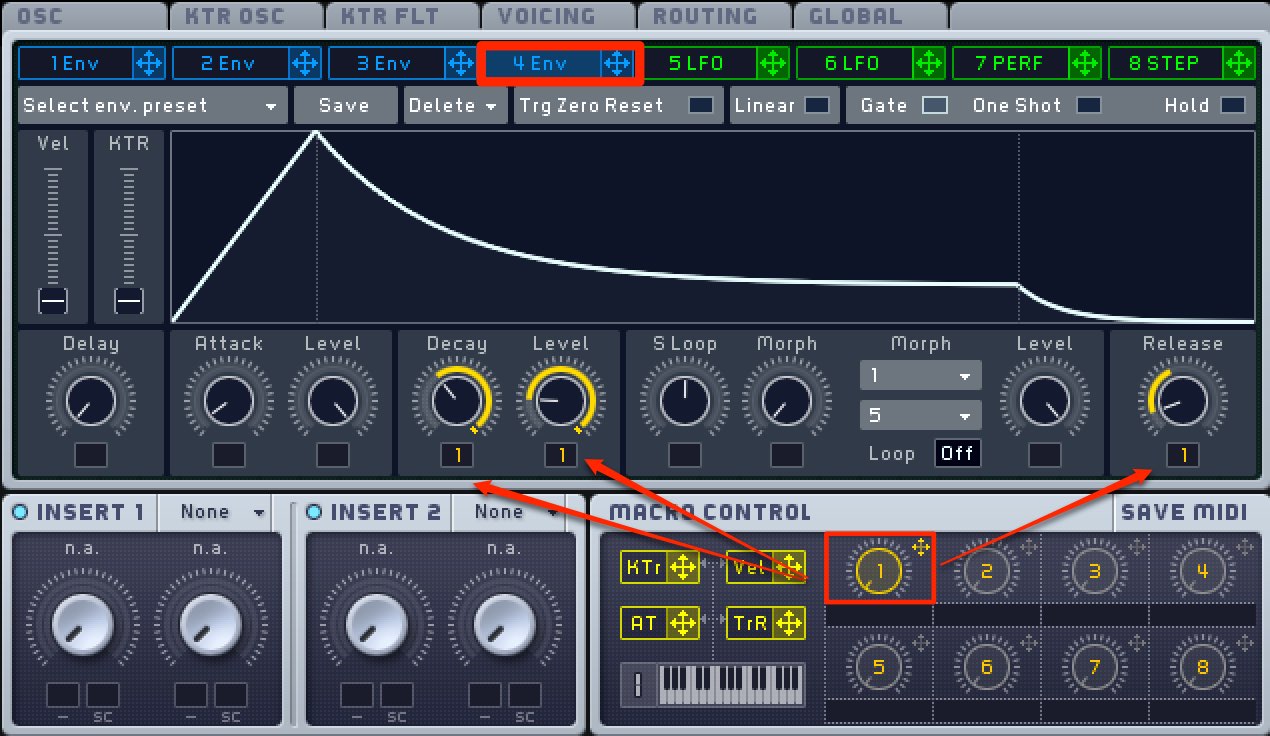
Assign a Macro Control to the volume in Env 4.
Set it so that the value rises from its starting point.
The Macro Control can now make pronounced changes to the volume.
This is useful for building intensity in an intro or before a chorus.
Applying Filter 2
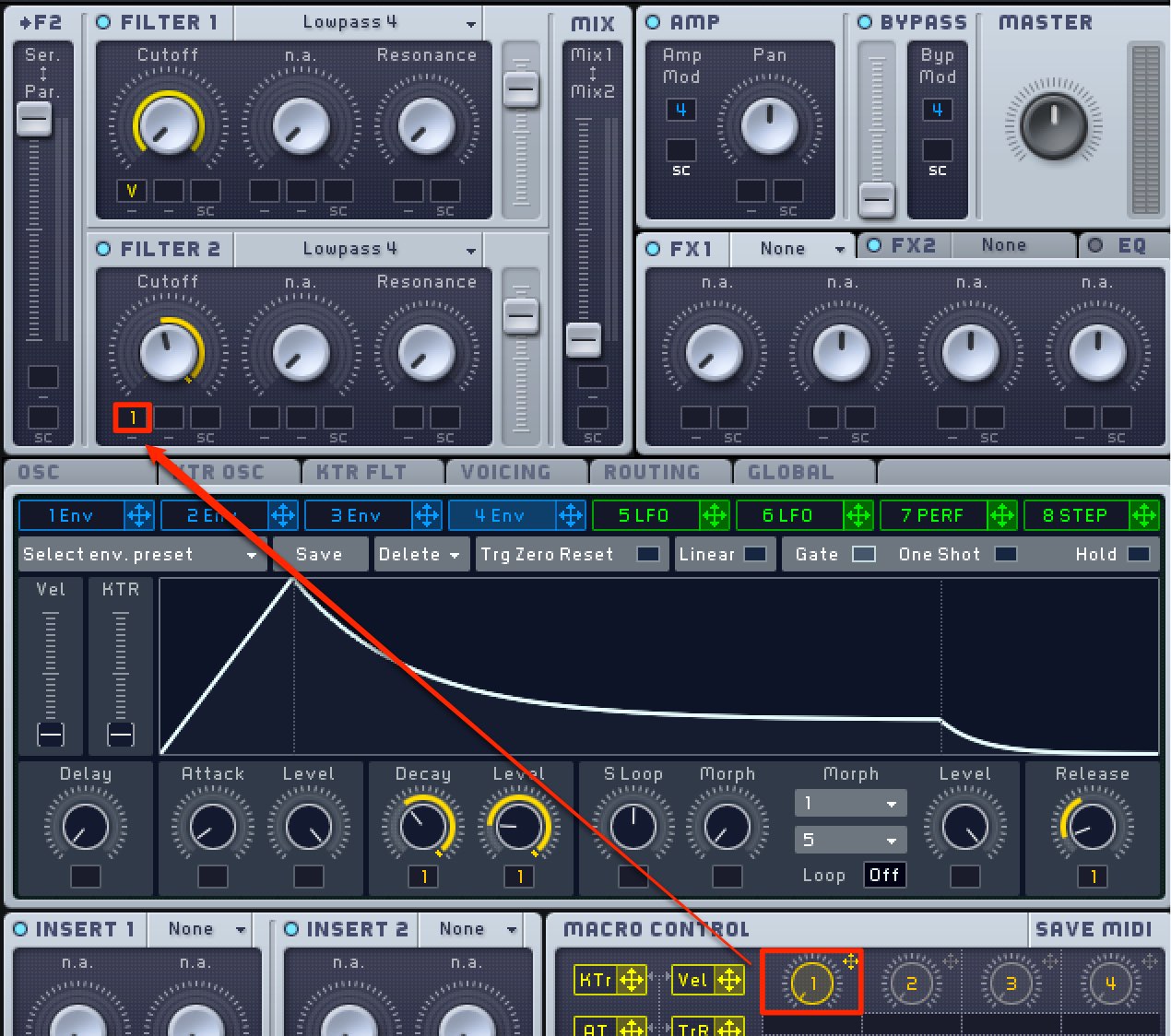
Assign the Macro Control to Filter 2 as well,
so the filter opens as the volume rises.
Adjusting the Phase
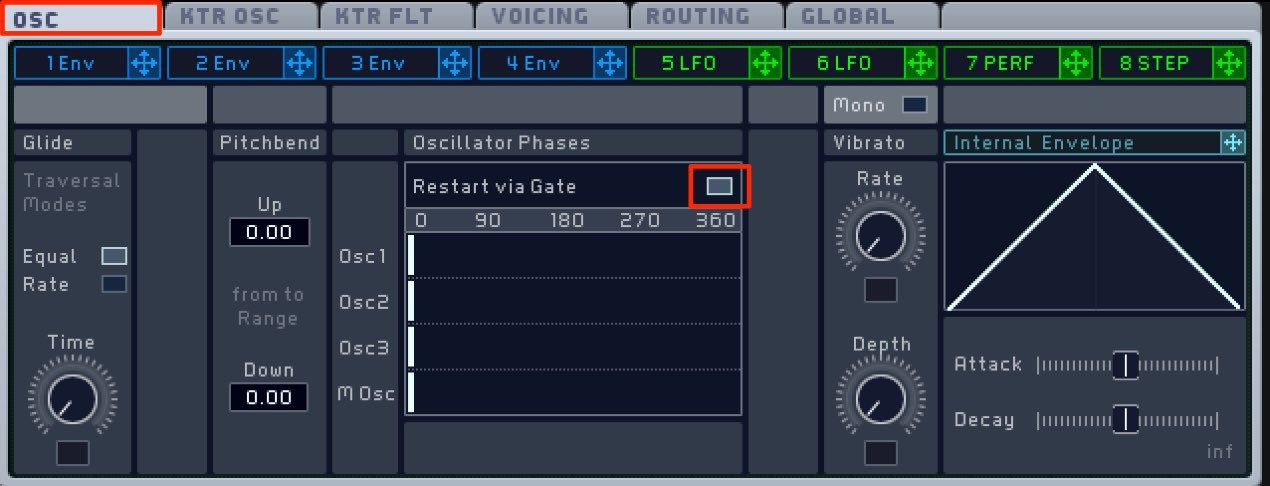
On the OSC tab, check Restart via Gate.
This changes the phase relationship and alters the character of the sound.
Frequently Asked Questions
Q1. What is a SuperSAW sound?
A SuperSAW layers multiple slightly detuned sawtooth waves. Known for its thick, expansive sound, it is widely used in EDM and trance.
Q2. Can I apply these techniques without MASSIVE?
Yes. The principles covered here, such as filter automation, volume envelopes and velocity modulation, can also be applied in other synths such as Serum and Sylenth1, though the exact controls may differ.
Q3. What does it mean to make the value rise from its starting point with a Macro Control?
Set the Macro Control’s starting value to zero and assign positive modulation to the parameter. Moving the control then gradually increases the effect from its baseline.
NEW ARTICLES
Latest English Articles