
Logic X can save project audio inside a package, helping keep the project and its media together. If you need to access an individual audio file, right-click the project and choose Show Package Contents, then open Media → Audio Files. This guide shows how to locate the files used by the project.
Manage Audio Files Inside a Logic Project

Logic X added the option to save a project as a package.
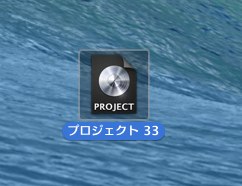
A package can contain the project and its audio files together in a single project file.
This helps prevent the audio files from becoming separated or lost.
But what if you need to work with a particular audio file inside it?
Here is how to access it.
The Solution
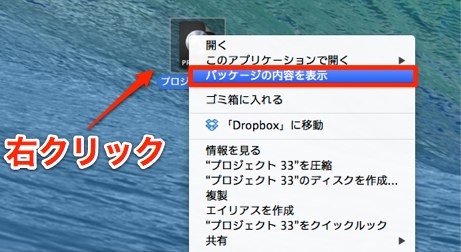
Right-click the project and choose Show Package Contents.

The package folder opens.
Under Media → Audio Files you will find the audio files stored for the project.
Frequently Asked Questions
Q1. What is the package format in Logic X?
The package format saves the project and its associated audio together in a single package, helping prevent media from being separated from the project. Which assets are included depends on the project’s save settings.
Q2. How do I access the audio files inside the package?
Right-click the project and select Show Package Contents. In the folder that opens, go to Media → Audio Files to access the audio stored in the project.
Q3. Can I use an extracted audio file in another project?
Yes. You can copy a file from the package for use in another project or external application. Keep the original in the package so the existing project can still find it.
NEW ARTICLES
Latest English Articles






































































































































































































































































































































































































































































































































































