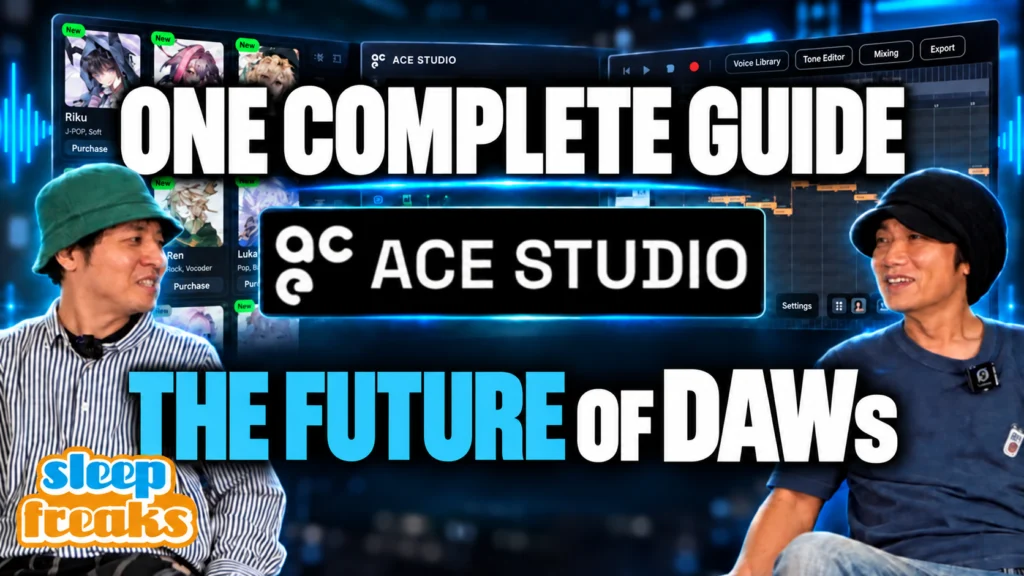
ACE Studio 2.0 is an AI music workstation that converts MIDI data into high-quality audio. Its new String Sections instruments can make even plainly programmed MIDI sound close to a live performance. Instruments such as violins and cellos are available separately, with a Smart feature that automatically switches articulations to suit the musical context. It integrates with major DAWs such as Cubase through the ACE Bridge 2 plug-in, and Turbo mode also enables local processing. From pop production to scoring for picture, it helps you efficiently create expressive string arrangements, making it an innovative tool for composers and music producers.
How much can the same MIDI change? Putting AI instruments to the test in real production

ACE Studio is an AI music workstation that generates instrumental audio from MIDI.
In this article, we focus on the String Sections instruments and test their capabilities using actual production material.
ACE Studio 2.0 video review
Selected questions and answers from the YouTube video

After importing a DAW MIDI track (such as 1st Strings) into ACE Studio, are edits made to the MIDI in ACE Studio automatically synchronized back to the original MIDI track in the DAW?

No. MIDI edits made in ACE Studio are not automatically synchronized back to the original DAW MIDI track. To apply those edits in the DAW, export the MIDI from ACE Studio and import it back into the DAW.
Can you do the same thing with guitar?
At the time of the source article, ACE Studio's AI Instruments did not include a guitar instrument. We hope to see support in the future.
Plainly programmed MIDI vs. ACE Studio: Compare three versions

First, let's compare the same musical phrase in three versions.
The first is the finished audio of Yusuke Shirato's song “TOMORROW”, with live performances. The second plays the plainly programmed string MIDI through the DAW's bundled instrument. The third uses the same MIDI to generate audio with ACE Studio's String Sections.
Simply passing the plainly programmed MIDI through ACE Studio clearly changes the smoothness between notes and the dynamic expression.
The realism makes it hard to believe the audio was generated from MIDI. Its overall direction also feels quite close to the finished recording.

ACE Studio announced a partnership with the established orchestral library developer EASTWEST Sounds in January 2026.
With collaboration like this in the industry, we can look forward to further expansion of its orchestral content.
What is ACE Studio? How DAW integration works

ACE Studio is an AI music workstation that generates singing voices and instrumental audio from MIDI.
You can use it as a standalone application. Here, however, we focus on using it with a DAW, taking Cubase as our example.
Connect to Cubase with ACE Bridge 2

Start with both Cubase (your DAW) and ACE Studio open.

Load the ACE Bridge 2 plug-in on an instrument track in your DAW.
Then click “Connect to ACE Studio” to connect the applications.

Click “Select a voice/instrument” to choose a singing voice or instrument.
The String Sections used here are located at the bottom of the Instruments screen.

Selecting an instrument or voice creates a new track in ACE Studio with that selection.
The first render requires a wait. Rendering time varies depending on your computer.
The Bridge plug-in lets you select instruments and add tracks directly from its interface, so you can work with fewer trips between the applications.
Send MIDI to ACE Studio

Play Cubase to send MIDI data to ACE Studio.
Rather than playing MIDI in real time, the AI instruments generate performance audio from the MIDI data.

When you stop playback, the MIDI from the section you played is imported into ACE Studio and used to generate performance audio.
ARA (Audio Random Access) is also supported.

To set it up, apply ACE Bridge ARA as an Extension to a dummy audio track prepared in advance.
This allows you to control Cubase playback and stop from the ACE Studio interface.

Enabling Turbo mode in ACE Studio's settings switches to local processing using your computer's CPU/GPU and speeds up rendering.
With Turbo mode off, processing takes place on cloud servers. The software works with either setting.
String Sections: Putting the new instruments to the test

Now that we have looked at DAW integration, let's explore the String Sections used in this test.
First and second violins, violas, cellos, and double basses are available separately. A major advantage is that they provide section sounds from the start, rather than single instruments.

For this test, we used the available sections of 12 first violins, 10 second violins, eight violas, and six cellos.
You can choose the size of the ensemble from the outset, making it easy to match the scale of your song.
Pop productions often call for string sections rather than solo strings, so this update greatly expands the instruments' usefulness.
Articulations switch automatically to suit the musical context

You can view and edit the imported string parts in ACE Studio's piano roll.
Articulations such as staccato and legato switch automatically according to the musical context. If the result is not what you intended, adjusting note lengths can change it.

Each instrument's actual range is also shown with color coding. This helps you avoid unnatural ranges, even when working with an unfamiliar instrument.
Combine Smart articulations with manual selection
You can manually specify articulations that note length alone does not identify automatically.

The default Smart setting selects articulations automatically to suit the context of the phrase. You can also manually assign Legato, Pizzicato, Tremolo, and other articulations to selected notes. Available articulations vary by instrument.

Vibrato is also available. Paint the sections where you want it to be active.
However, vibrato editing is limited to specifying sections where it is on or off; you cannot fine-tune its intensity or speed.
The AI references actual performance patterns to generate natural vibrato. Think of it as telling the software where to add vibrato.
Overall, this is more about giving broad instructions and leaving their interpretation to the AI than shaping every detail with velocity or CC (Control Change) data.
Export audio to your DAW
It is efficient to bring ACE Studio's generated audio back into your DAW for the final mix.

The process is simple: use ACE Studio's export function to choose the tracks and export range, export them as audio, and then drag and drop the exported audio into your DAW.
Other AI features

Although we have focused on String Sections, ACE Studio offers many other AI features.
- AI vocals: voice features that can be used much like singing synthesis.
- Voice Changer: transform vocals into another voice or an instrumental sound.
- Stem Splitter: separate a song into individual parts.
- Vocal-to-MIDI: convert vocals into MIDI data.
- Add a Layer: generate a layered sound for an existing track.
Pricing
ACE Studio's pricing is shown below.
| Plan | Price | Main differences |
|---|---|---|
| Artist | $16.58 per month equivalent (billed annually) | One custom Vocal Synth slot, one Voice Changer slot, and 3 GB of shared storage. |
| Artist Pro | $22 per month equivalent (billed annually) | Five custom Vocal Synth slots, 10 Voice Changer slots, and 10 GB of shared storage. |
After two consecutive years on annual billing, you can obtain a perpetual license.
The AI instruments introduced here can also be used without consuming credits. According to the official information, all pre-made instrumental sounds are royalty-free.
They can be used in commercial and non-commercial projects, which makes them feel approachable for production use.
Prices reflect May 2026. Please check the official website for current pricing.


The live string recordings and MIDI data for Yusuke Shirato's song “TOMORROW”, used in this video, are sold in the Sleepfreaks DTM Shop.
For this test, we removed the Control Change data and used the MIDI as a plainly programmed part. If you are interested in the material itself, take a look.
The ability to generate expressive orchestral audio from plainly programmed MIDI sets this apart from conventional music production tools.
It is best suited to generating audio once you have settled on the phrase. If you want to bring AI instruments into real production work, it is worth checking out.
Frequently asked questions
Q1. Which instruments make up ACE Studio 2.0's String Sections?
First and second violins, violas, cellos, and double basses are available separately, with section sounds from the start. Sections of 12 first violins, 10 second violins, eight violas, and six cellos are available, allowing you to choose according to the scale of your song.
Q2. Are special settings needed to use it with Cubase?
Load the ACE Bridge 2 plug-in on a DAW instrument track and click “Connect to ACE Studio” to connect. You can select instruments and add tracks from the plug-in interface, minimizing trips between the applications.
Q3. Are articulations such as staccato and legato identified automatically?
Yes. Smart mode selects them automatically according to the musical context. You can also specify them manually, adjusting note lengths or assigning Legato, Pizzicato, Tremolo, and other articulations. Vibrato can be painted into specified sections.
Q4. How do I import audio generated in ACE Studio into my DAW?
Use ACE Studio's export function to export audio, then drag and drop the exported files into your DAW. You can then proceed with your usual mixing workflow.
Q5. Will it work on a computer with lower specifications?
With Turbo mode off, processing takes place on cloud servers, reducing the load on your local computer. With Turbo mode on, your CPU/GPU is used for faster local processing.
NEW ARTICLES
Latest English Articles