
009VU is a VU meter plug-in from A.O.M. for monitoring mixes and mastering. It emulates the movement of an analog VU meter, providing a visual indication of average level. Its Reference Level control sets where 0 VU sits relative to dBFS. Comparing meter movement with a reference can help guide listening, although a VU meter alone cannot establish the quality or dynamics of a mix.
A simple VU meter for visual monitoring
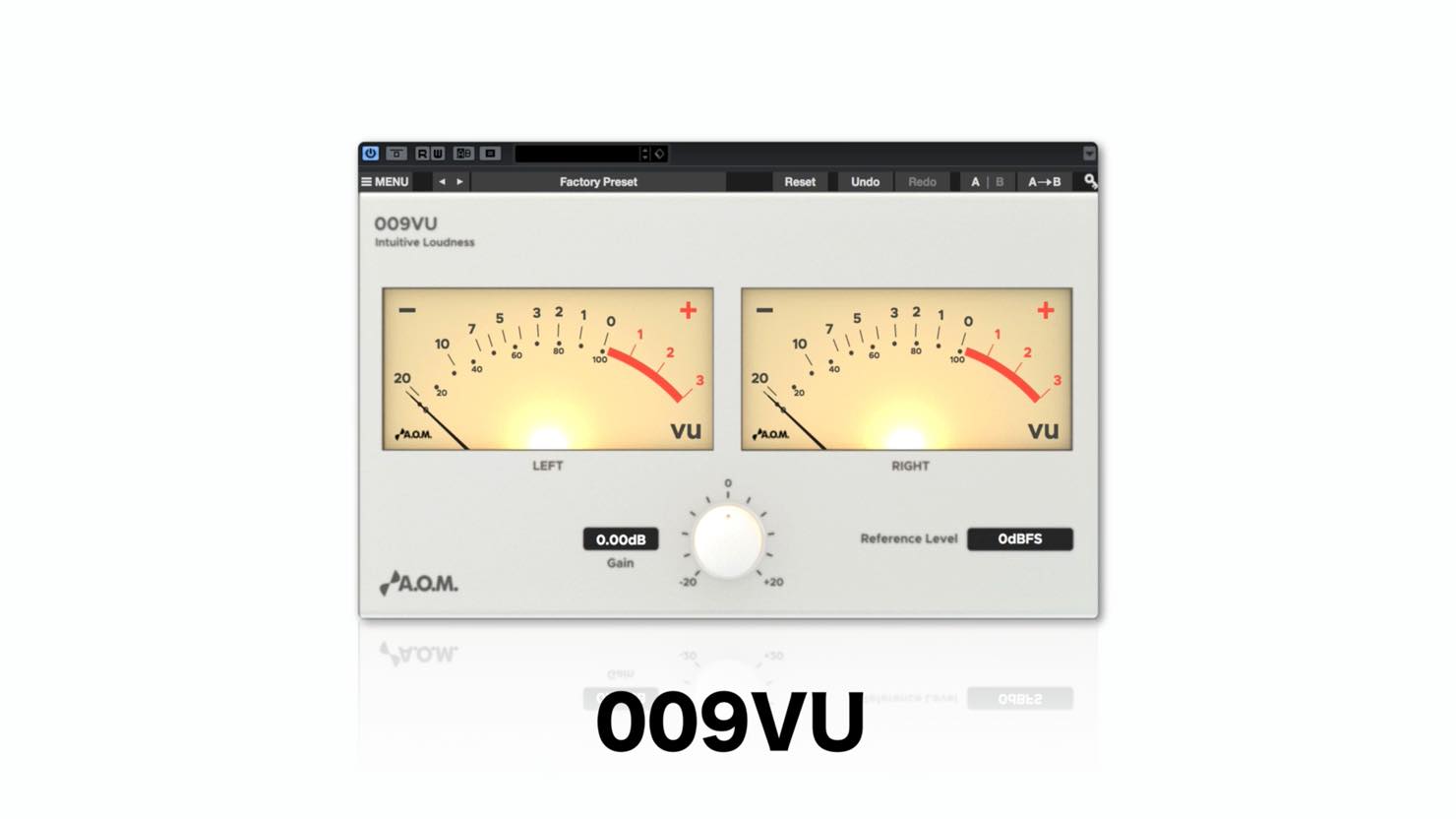
This article introduces A.O.M.’s 009VU, one of the plug-ins offered with eligible Steinberg products during a campaign that ended August 31, 2017.
009VU is a VU (Volume Unit)-style level meter plug-in. It emulates traditional VU meter movement and provides a reading related to average signal level.

At the time, purchases of an eligible UR series interface
or Cubase product bearing the campaign sticker
included four plug-ins from A.O.M.
The article noted that shipment of stickered packages had ended and only remaining store stock was available.
The download deadline was extended by one month to August 31, 2017; the offer has ended.
The promotion specified use with 64-bit Cubase.
Video: Using 009VU
- 1Invisible Limiter Nano and optimizing loudness
- 2Using Tau Compressor
- 3Using Wave Shredder Nano glitch effects
- 4Using 009VU
- Campaign company websites
A.O.M.: http://aom-factory.jp/ja/
Steinberg: http://japan.steinberg.net/ - A.O.M. plug-in giveaway campaign page
https://japan.steinberg.net/jp/shop/aom_plugins_campaign.html
What is a VU meter?
VU meters have long been used in audio production and have a distinctive response.
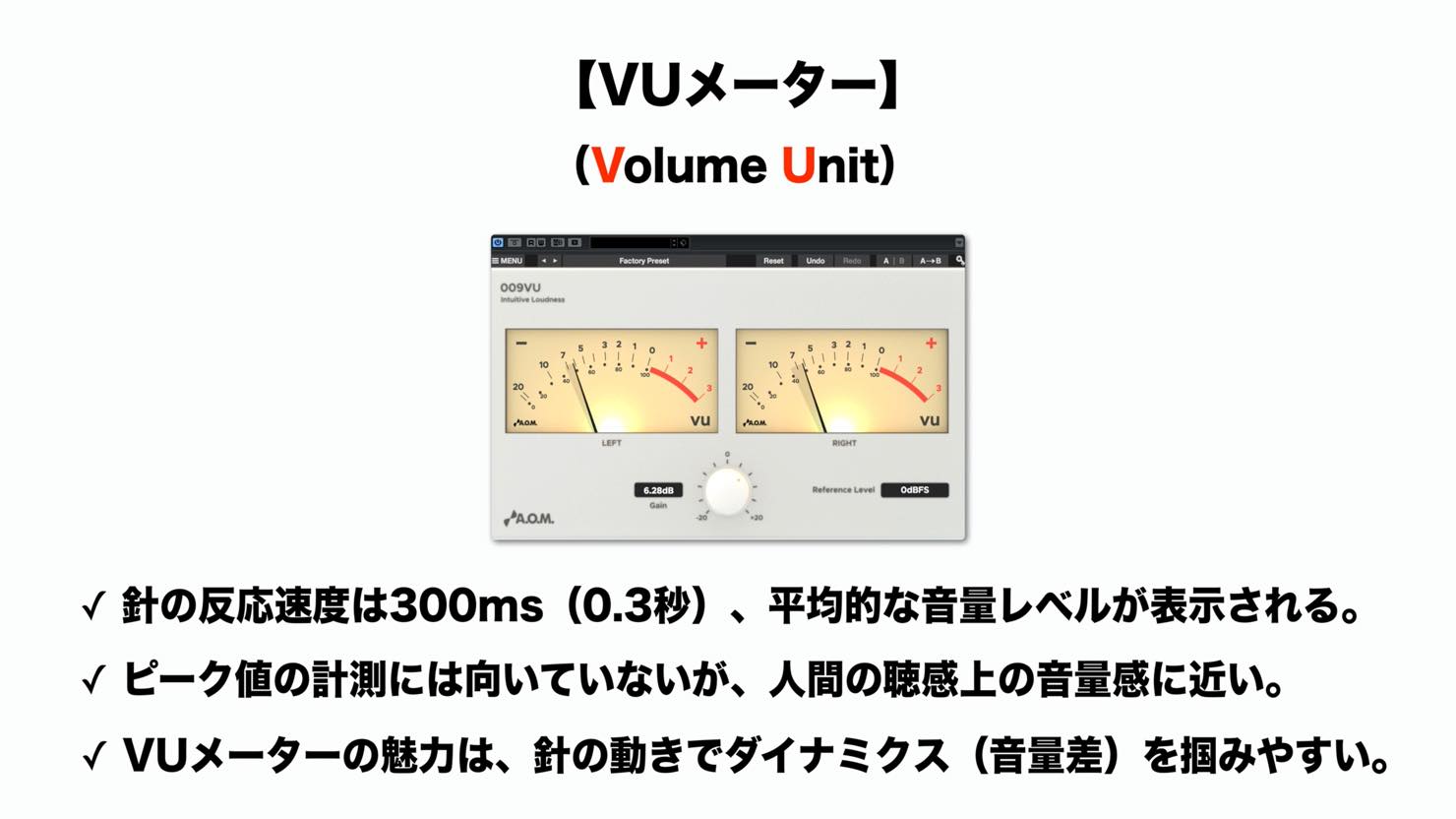
Although digital meters are now common in DAWs, many people still use hardware and plug-in VU meters because their movement makes it easy to observe average level and changes in level over time.
Using 009VU
Let’s look at how to use 009VU.
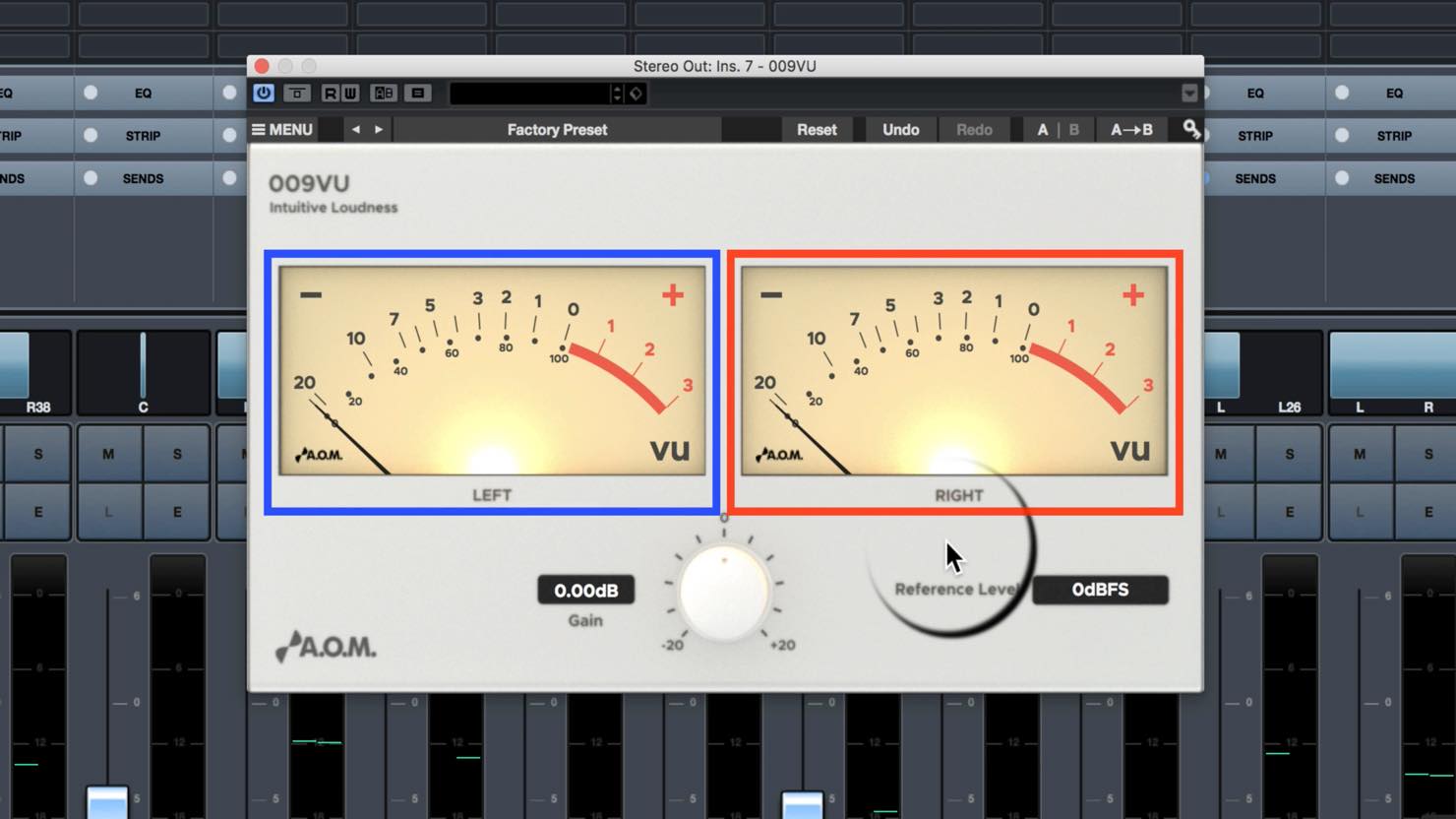
The two large meters correspond to the left and right sides of a stereo channel.
A common approach is to insert it on the stereo output (master) and observe the overall mix or soloed tracks.
Before maximizing, the master might look like this:
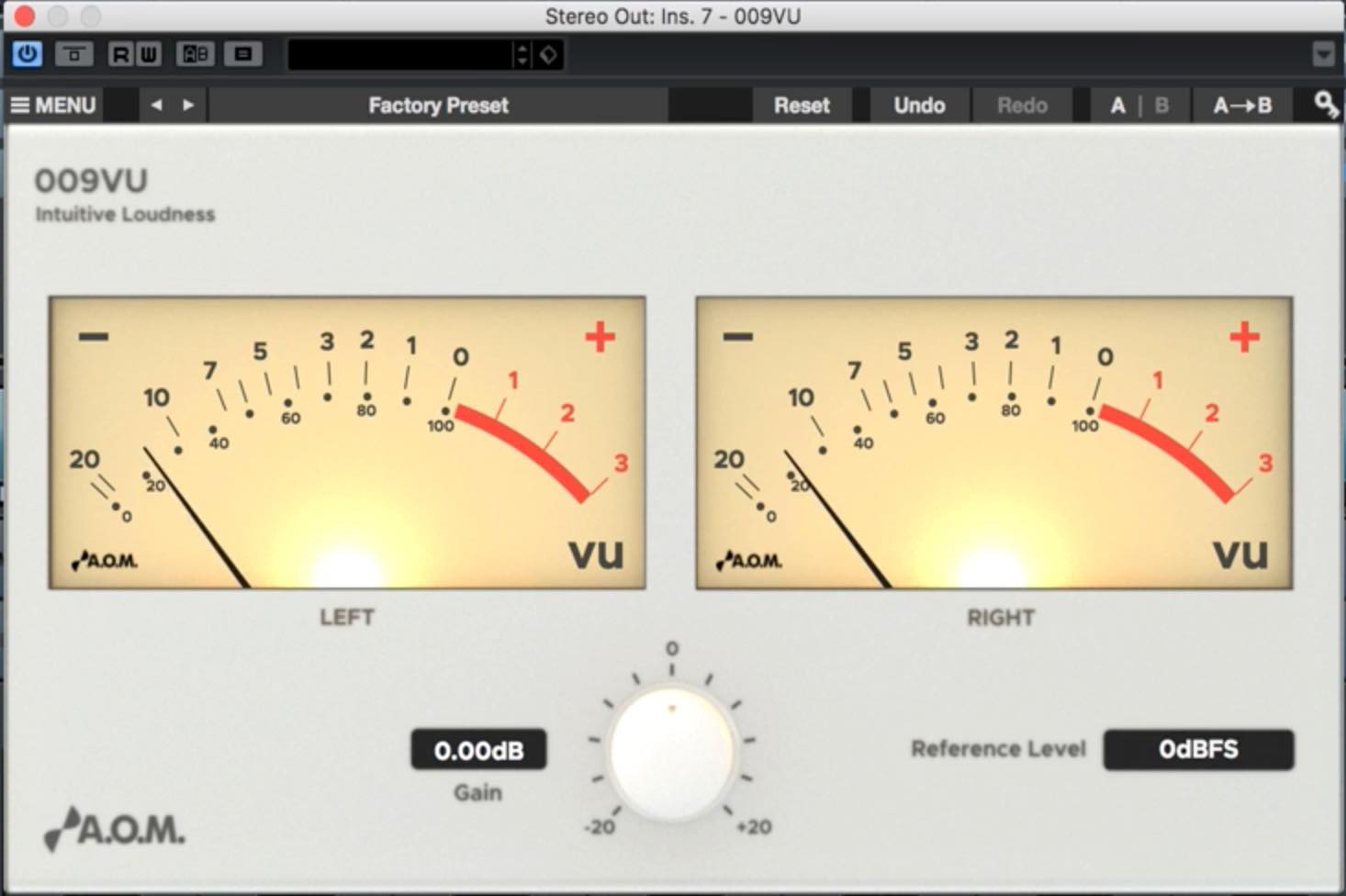
The needle moves only a little at the left, making level changes hard to read.
This relates to the VU scale.
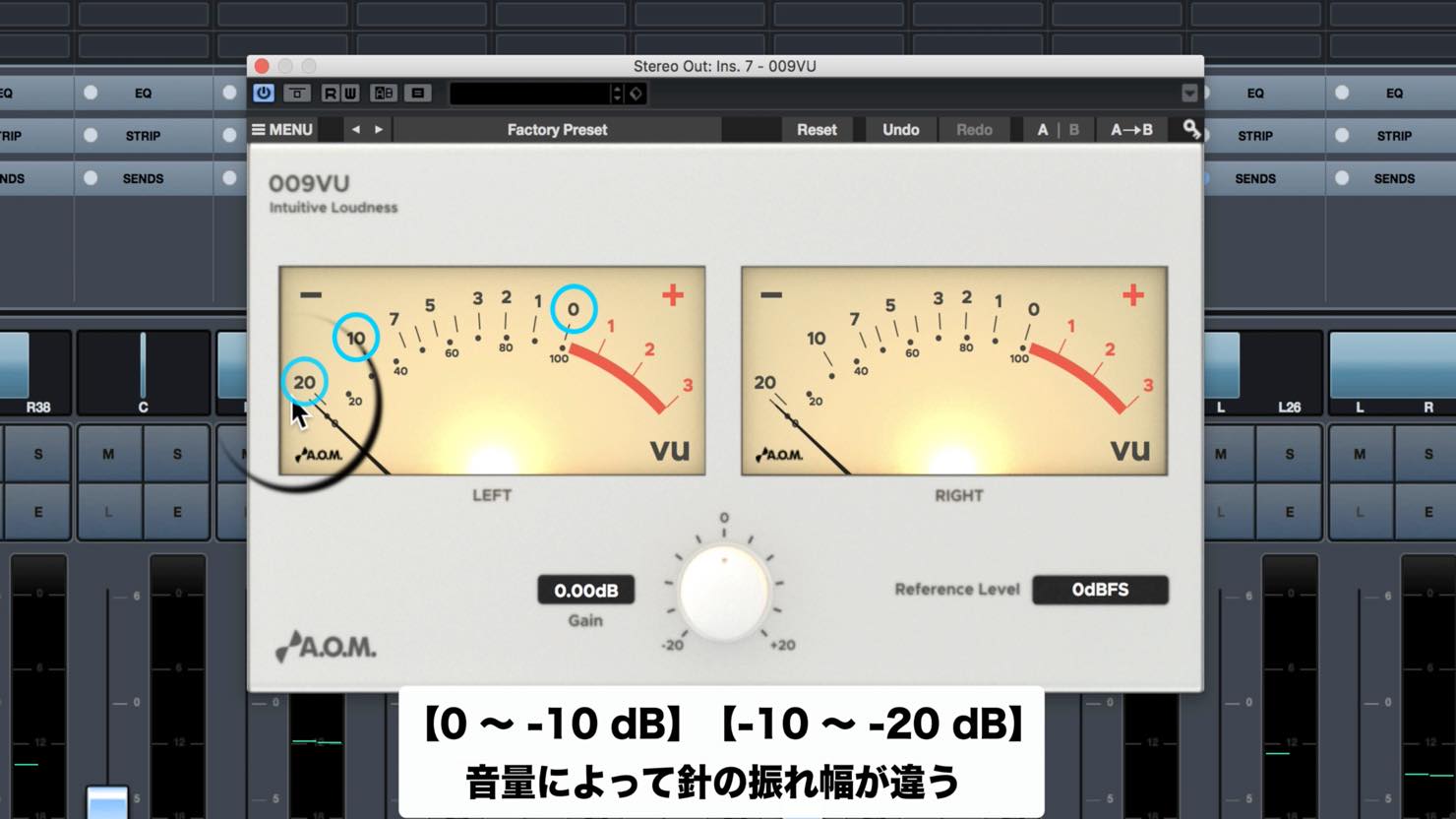
The scales from 0 to −10 and from −10 to −20 have very different spacing.
The Reference Level control at the lower right is useful here.
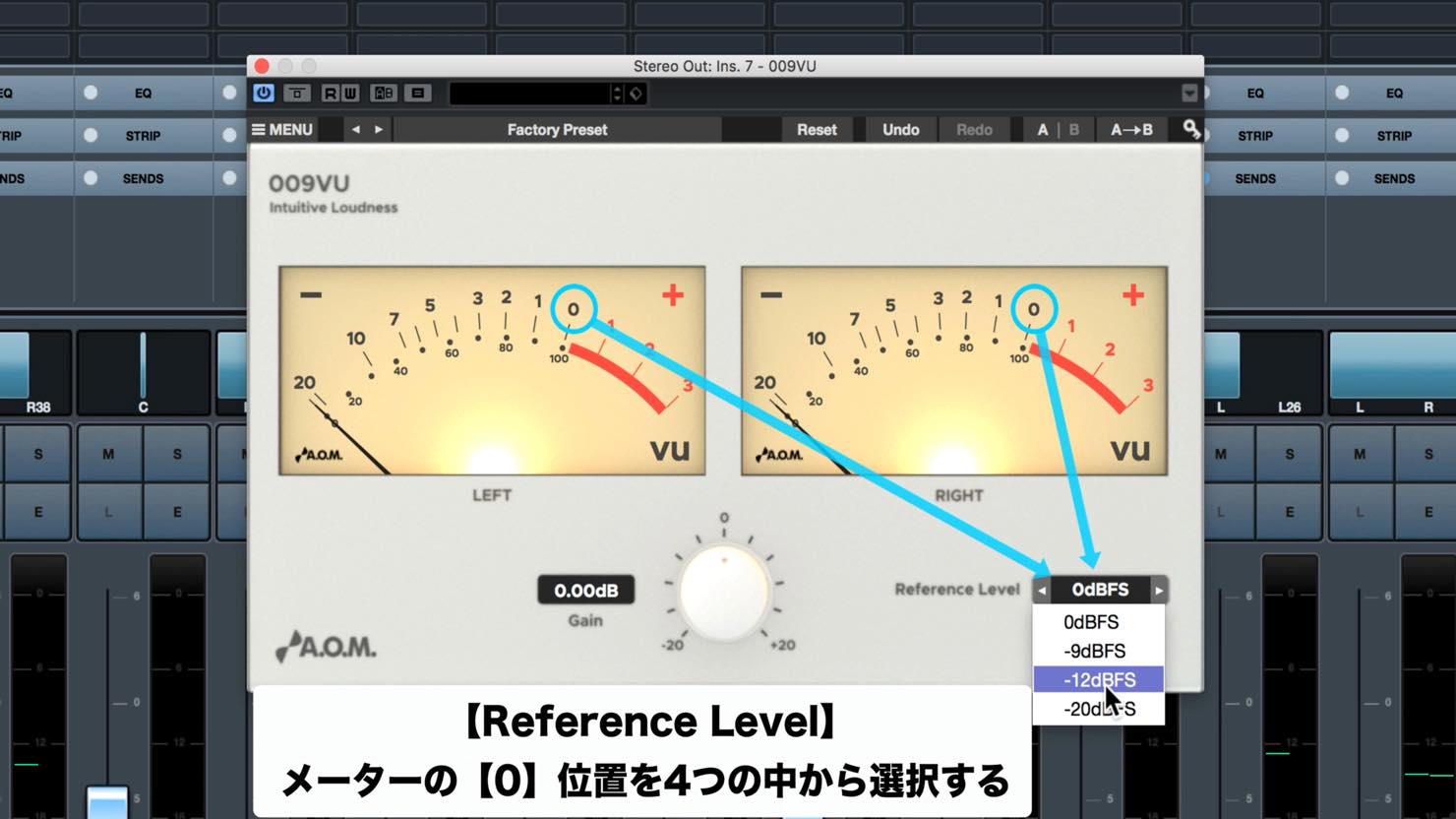
Choose the dBFS reference corresponding to 0 VU from the list. This makes movement around the level of interest easier to see.
Set it to suit the level you want to monitor.
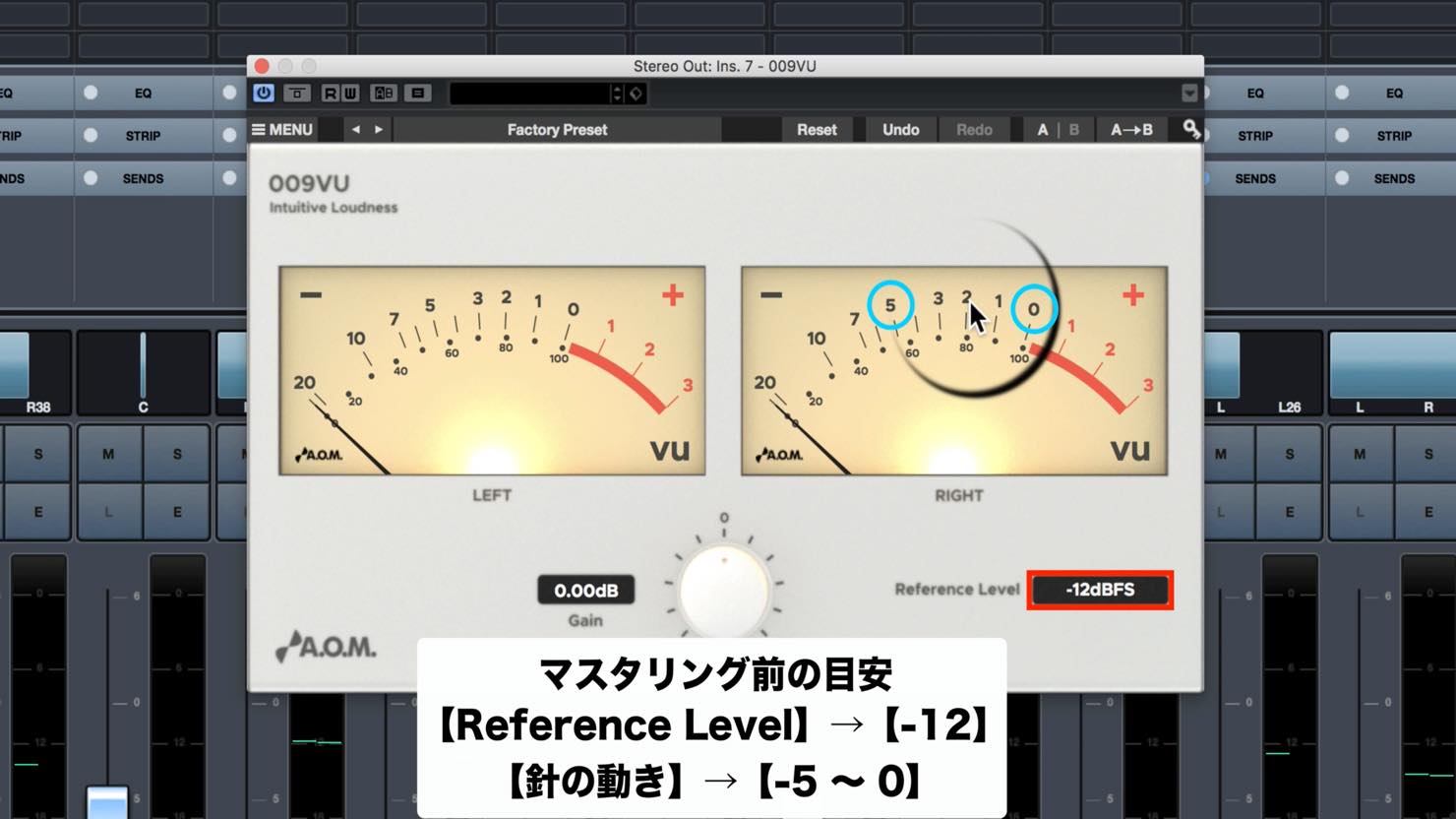
The article suggests −12 dBFS as a starting reference before mastering, with the needle moving between 0 and −15 VU. This is a viewing example, not a universal target for a correct mix. It can also make the movement of a soloed track easier to see.
Practical use of a VU meter
A VU meter can help when comparing levels.
For example, compare how levels move in your track and a reference during mastering.
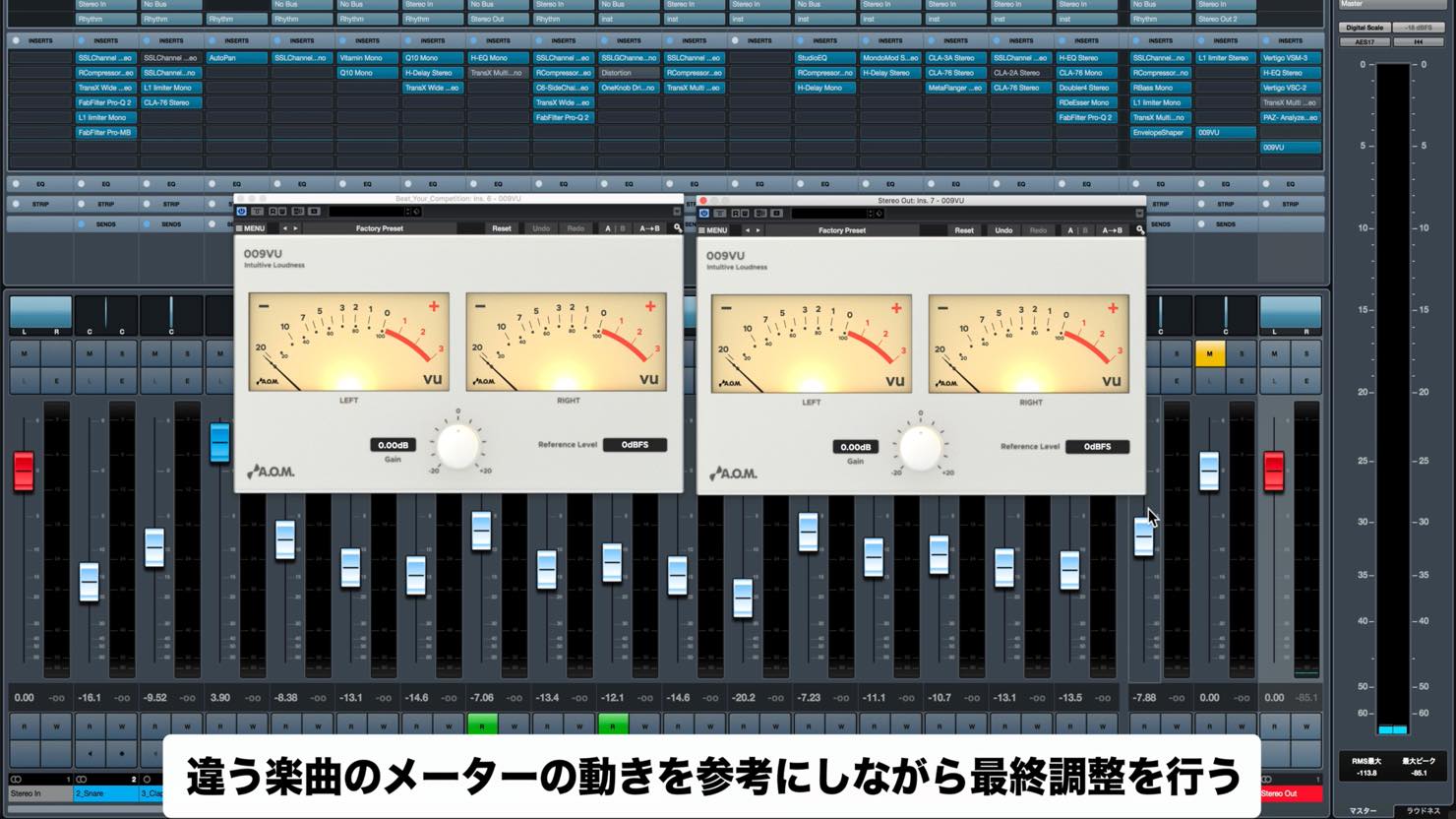
Because the reference in this example was already mastered and louder, the author set Reference Level to 0 dBFS.
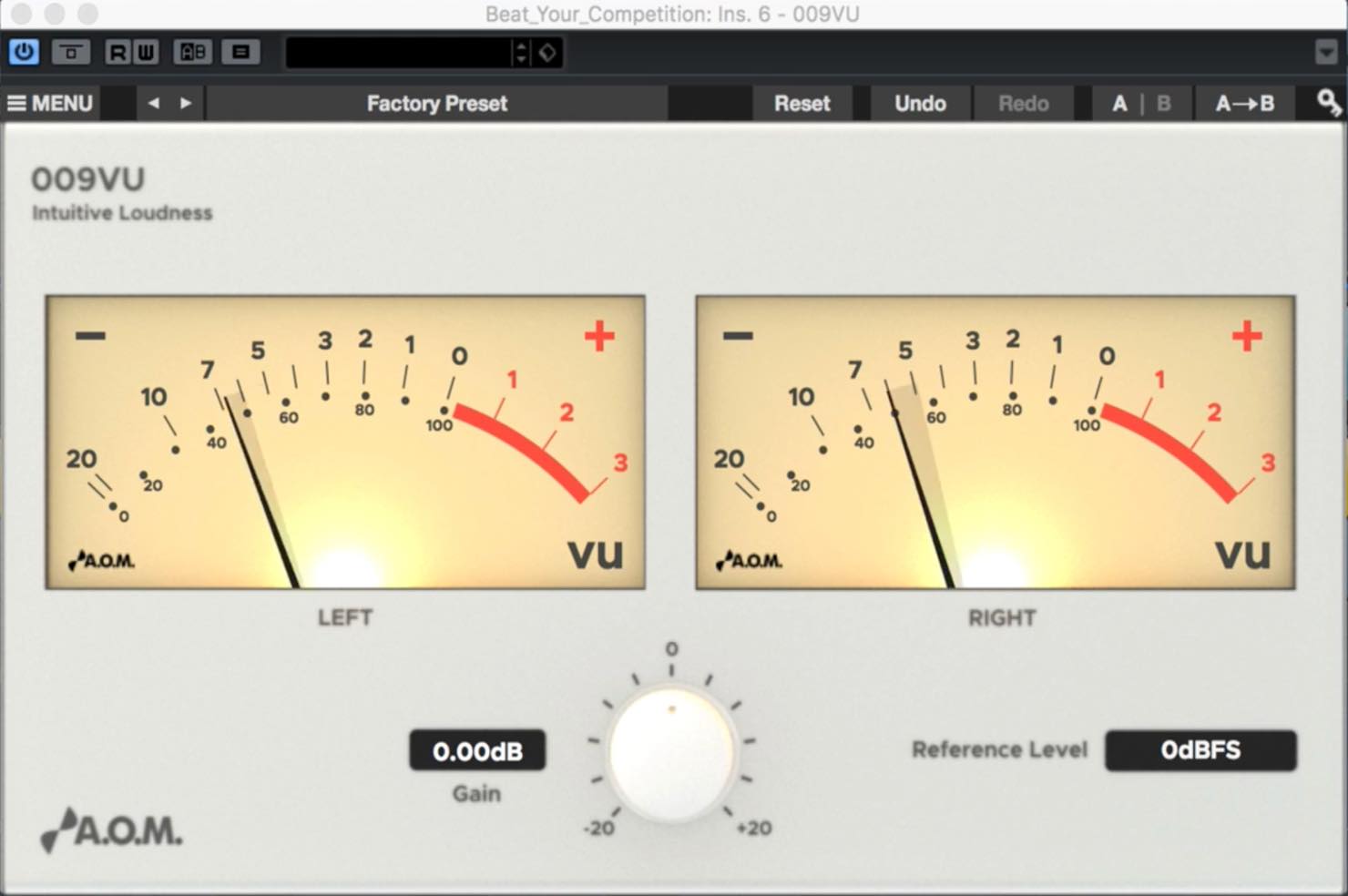
The reference track’s needle moved between −10 and −5 VU with that setting.
The author then increased the level of the track being mastered and suggested the following setup:
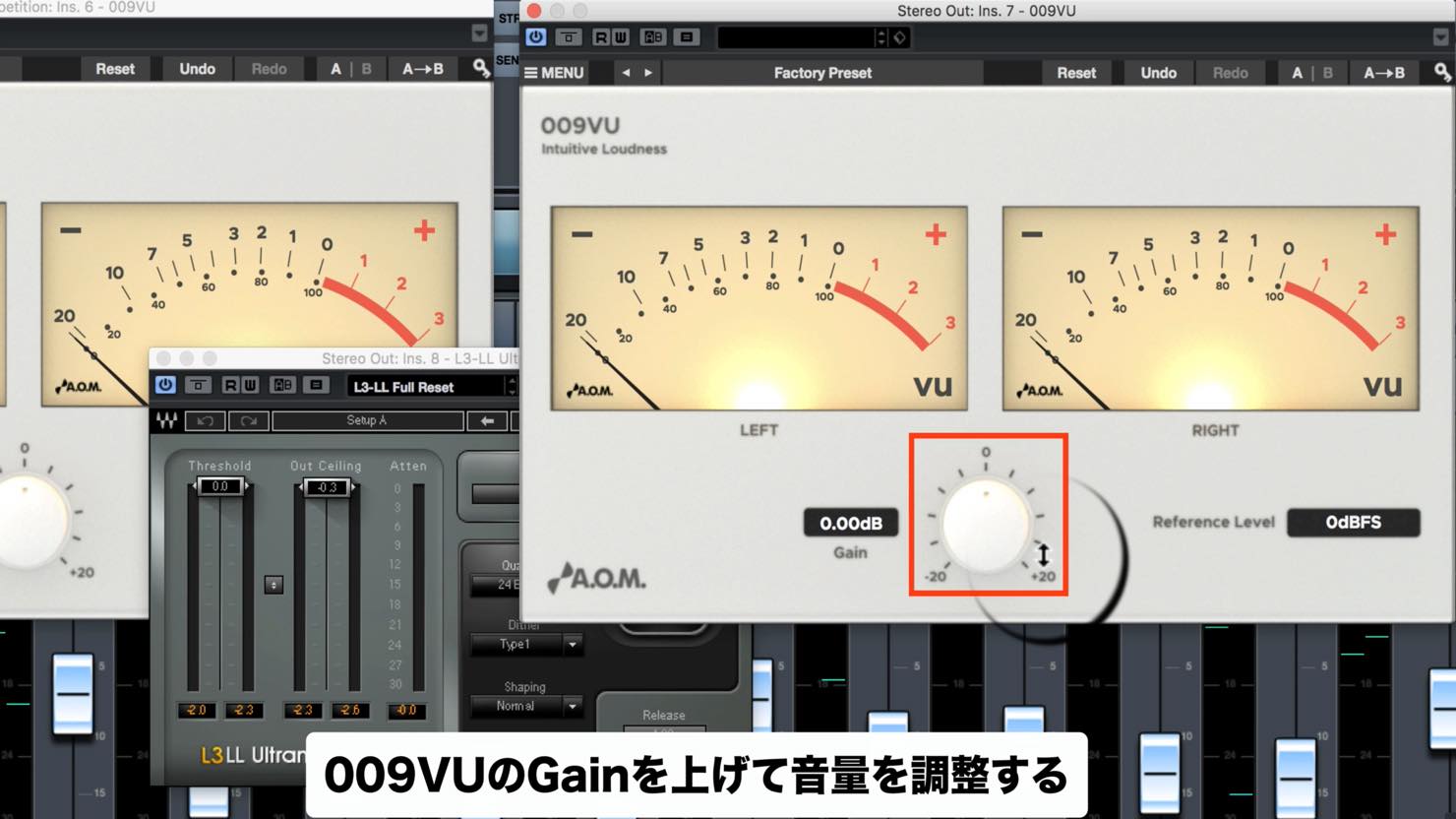
Insert 009VU on Stereo Out and place a maximizer after it as a limiter, then raise 009VU’s gain to drive the signal into the limiter.
In this example, leave the maximizer Threshold or Gain at 0.
After raising gain until the 009VU needle reached −5, the example produced the following result:
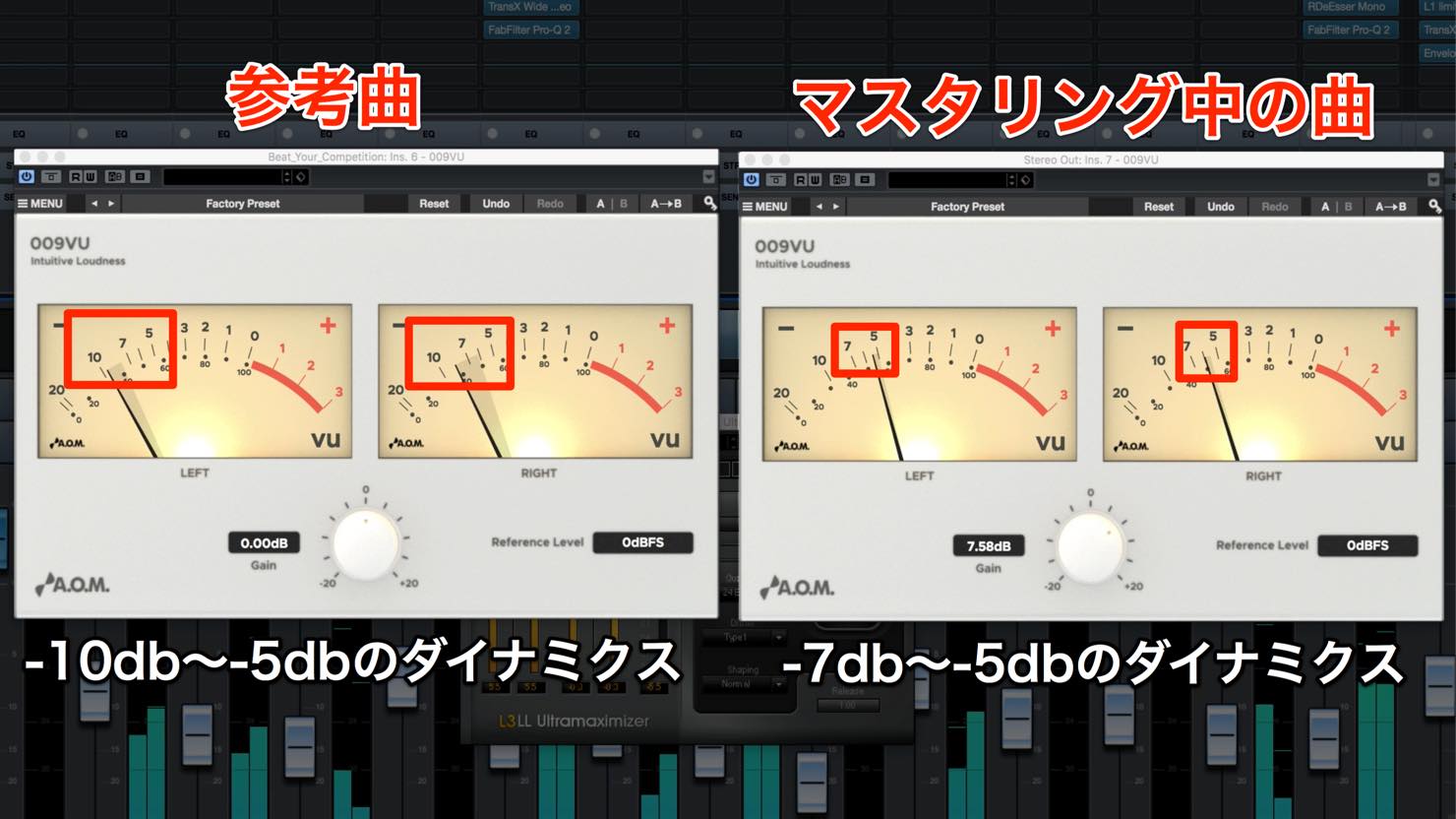
The needle moved over a narrower range than on the reference. This can be a clue to examine dynamics, but it does not by itself prove overcompression.
In the example, the author describes an overdriven, flat-sounding mix despite a high measured level. Listen and compare at matched loudness, and use suitable peak and loudness meters as well.
To improve the example, find the tracks that most affect its dynamics.
In this style of music, the kick is often one such track.
The author reduced 009VU gain slightly while raising the key track—in this case the kick.
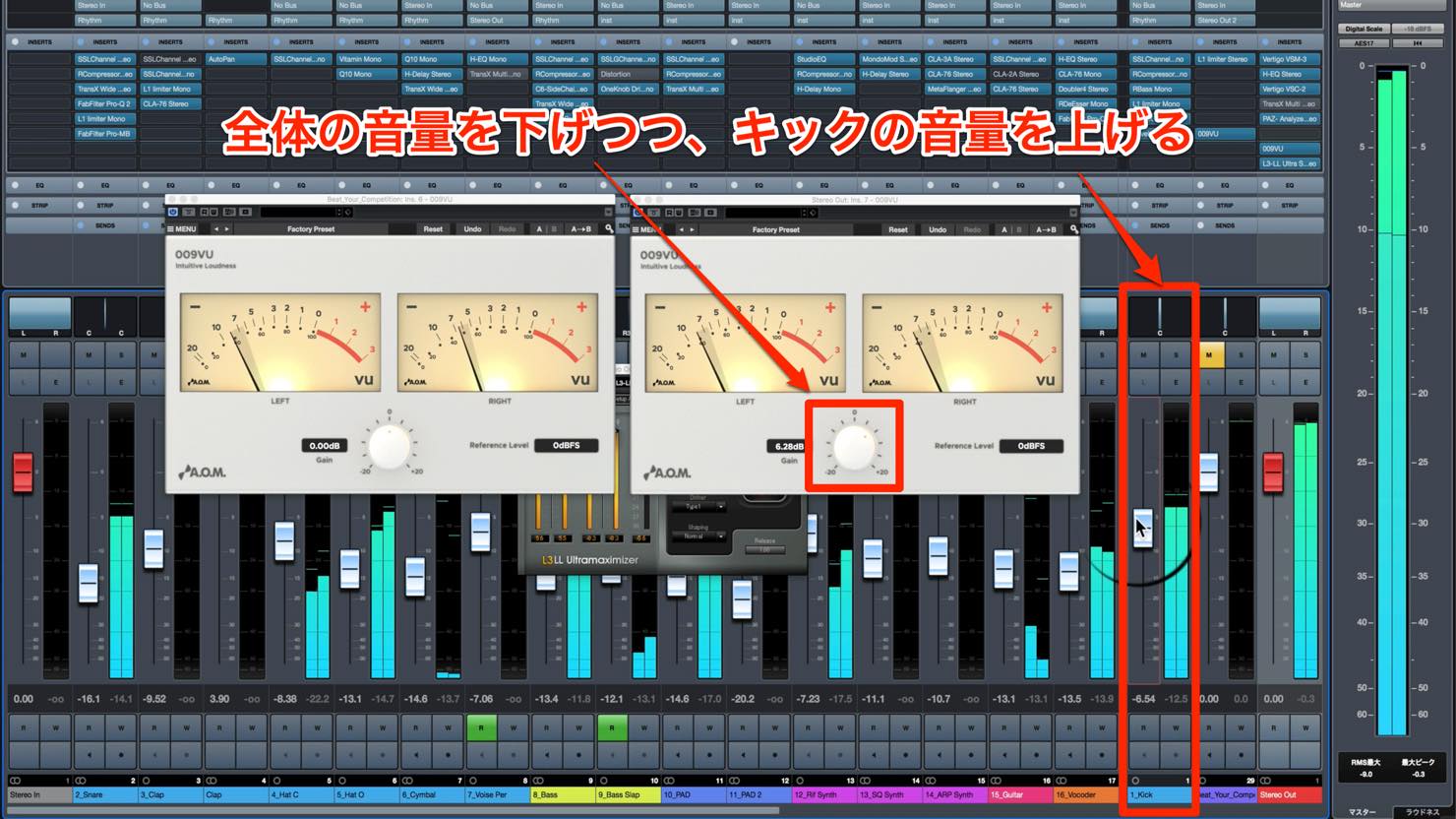
Adjusting toward the reference’s meter movement can be one useful comparison, alongside listening and other measurements.
What did you think?
A VU meter can help you visually follow level movement and identify areas of a mix worth investigating.
Try using 009VU in your own workflow.
- Campaign company websites
A.O.M.: http://aom-factory.jp/ja/
Steinberg: http://japan.steinberg.net/ - A.O.M. plug-in giveaway campaign page
https://japan.steinberg.net/jp/shop/aom_plugins_campaign.html
Frequently asked questions
Q1. What is a VU meter used for in music production?
A VU meter responds to average signal level over time; it does not accurately display instantaneous peaks. It can help you compare level movement and investigate a mix, alongside your ears and peak or loudness meters.
Q2. How should I set 009VU’s Reference Level?
The article uses −12 dBFS as a pre-master viewing example and 0 dBFS when viewing its mastered reference. Choose a reference appropriate to the signal and use the same calibration when comparing; these are not universal mastering targets.
Q3. How does the article use 009VU in mastering?
The example places 009VU on Stereo Out before a maximizer, raises its gain, and compares needle movement with a reference. The author then adjusts the kick and gain. Because the meter is before the limiter, also monitor the final output after limiting and listen at matched loudness.
Q4. Can a VU meter alone tell me that dynamics are insufficient?
No. A narrower needle swing can be a useful prompt to investigate, but the meter’s averaging and the material affect its movement. Compare matched levels, listen, and use additional measurements before judging compression or dynamics.
NEW ARTICLES
Latest English Articles


























































































































































































































































































































































