
Waves Greg Wells Signature Series brings producer Greg Wells’s mixing techniques into a set of plug-ins. It consists of Piano Centric, Voice Centric, Tone Centric, and Mix Centric, each offering intuitive control through a main knob so that even mixing beginners can quickly achieve polished sounds. EQ, compression, saturation, and other effects work together internally. By incorporating professional sound-shaping judgment into the setup, the series can substantially reduce the time spent on trial and error.
Polished Sounds with Almost a Single Knob
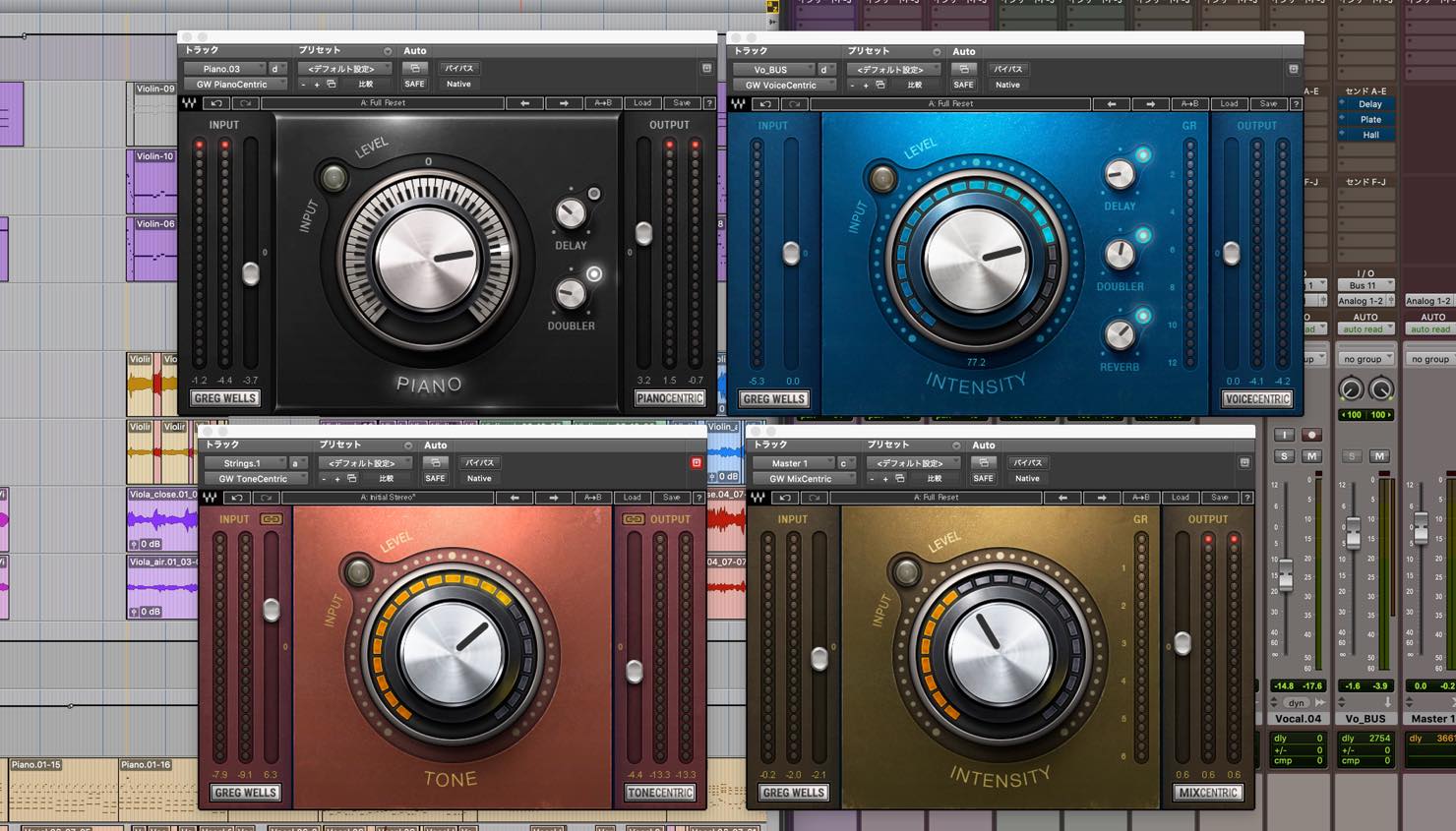
In this article, we will use Waves Greg Wells Signature Series to show you how to quickly shape the main tracks in a mix.
Greg Wells has worked on songwriting, mixing, and production for artists including Adele, Katy Perry, and MIKA. The original article reports that the recordings he has worked on had sold a combined 85 million units at the time. His achievements also include a Grammy Award as a producer.
The four plug-ins in this series—Piano Centric, Voice Centric, Tone Centric, and Mix Centric—distill Greg’s approach to mixing and sound design. They were developed for songwriters, producers, and engineers who want to create top-quality sounds quickly.
Here is a sample song with a fairly rough mix. Give it a listen.
There is still plenty of room for refinement.
Now listen to what happens when we add the four plug-ins in the series to just four tracks.
What do you think? The mix sounds much more finished.
These plug-ins can achieve this with very simple controls.
Let’s look at each plug-in in more detail.
Waves Greg Wells Signature Series: Video Tutorial
Buy the Product
Contains affiliate links.

Greg Wells Piano Centric
Let’s start with Piano Centric.
Turn the central knob to the right for a more open, clear sound. It seems capable of covering a wide range, from a slightly brighter piano to one with a hard, pronounced attack.
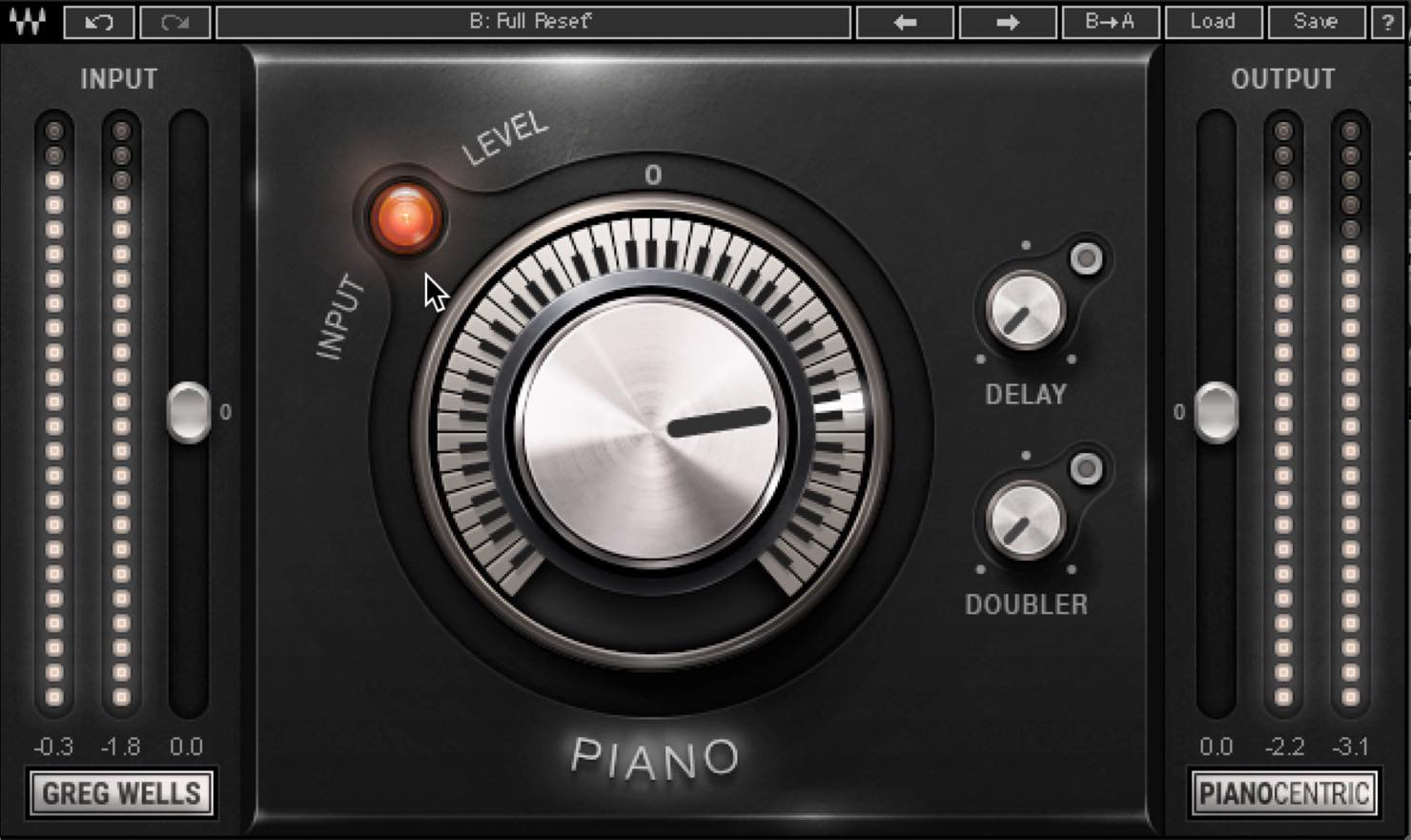
It sounds as though several processors, including EQ and compression, are working together internally.
If turning the knob to the right makes the compression feel too heavy, check the input level. A red indicator suggests that the input is hotter than intended. Of course, that can be a deliberate choice for some songs. Otherwise, try lowering the input and raising the output accordingly.
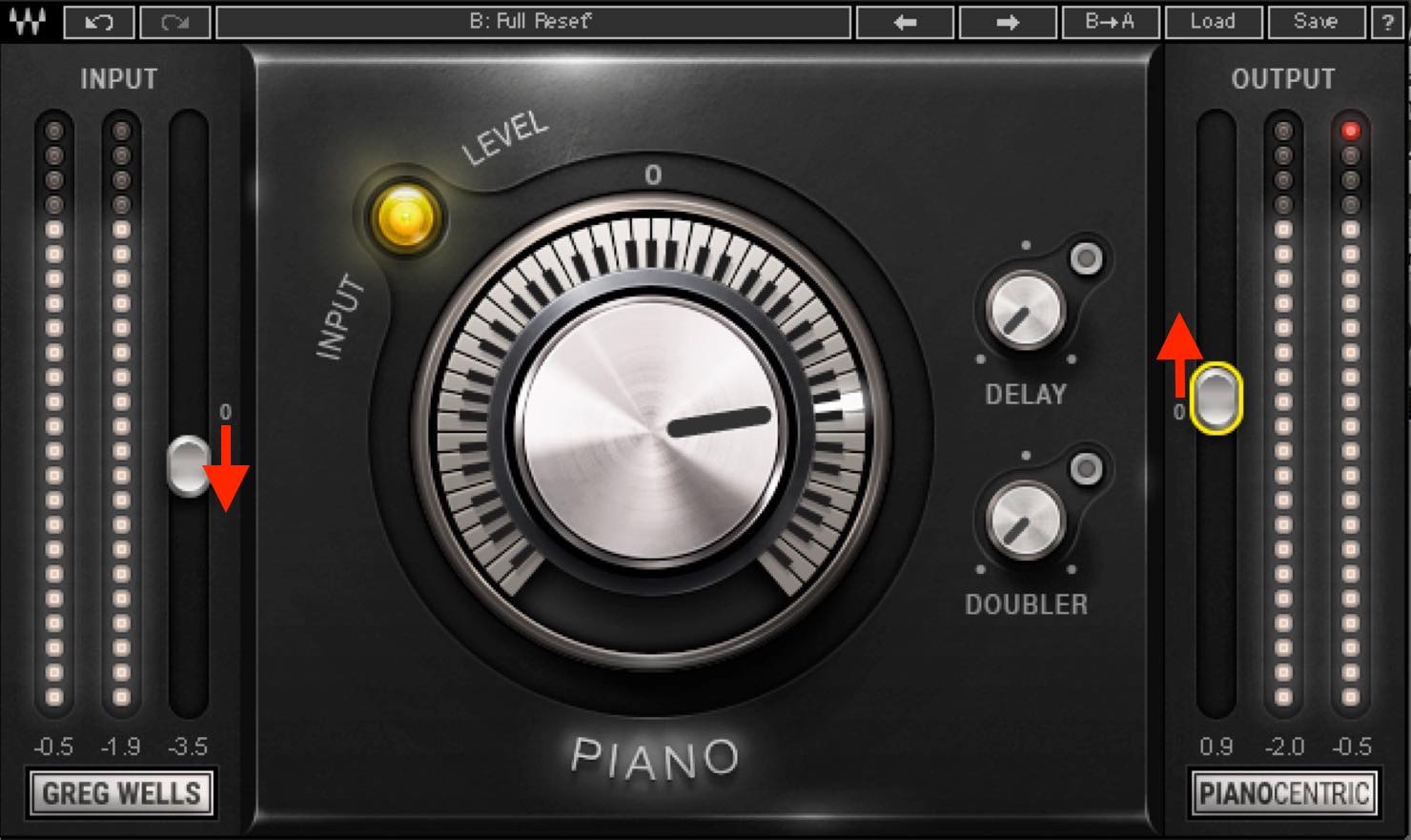
Turning the knob to the left of 0 has the opposite effect, moving toward a lo-fi, more mono-like sound.
With a single main knob, changes are easy to automate as well.
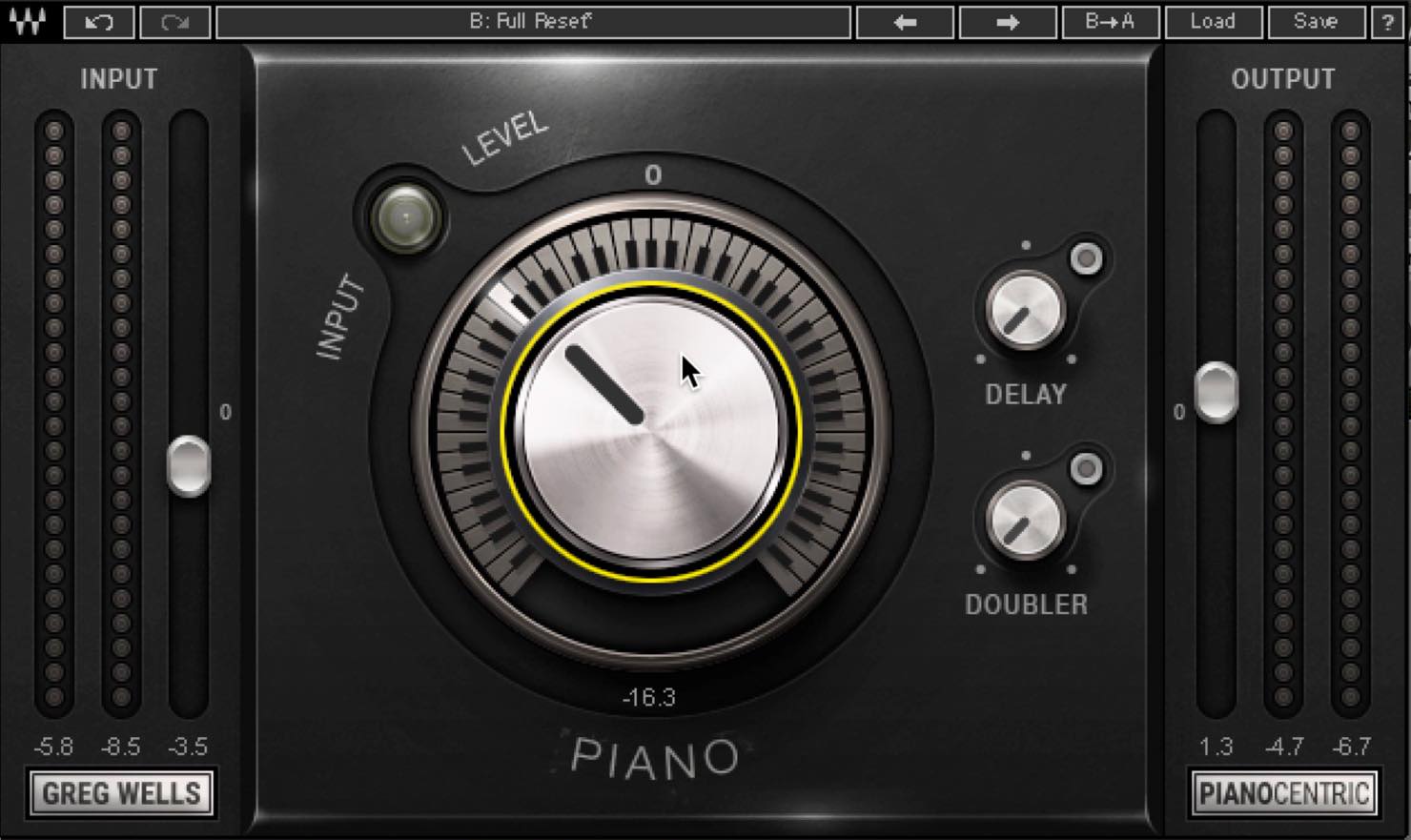
Delay and doubler effects are also included.
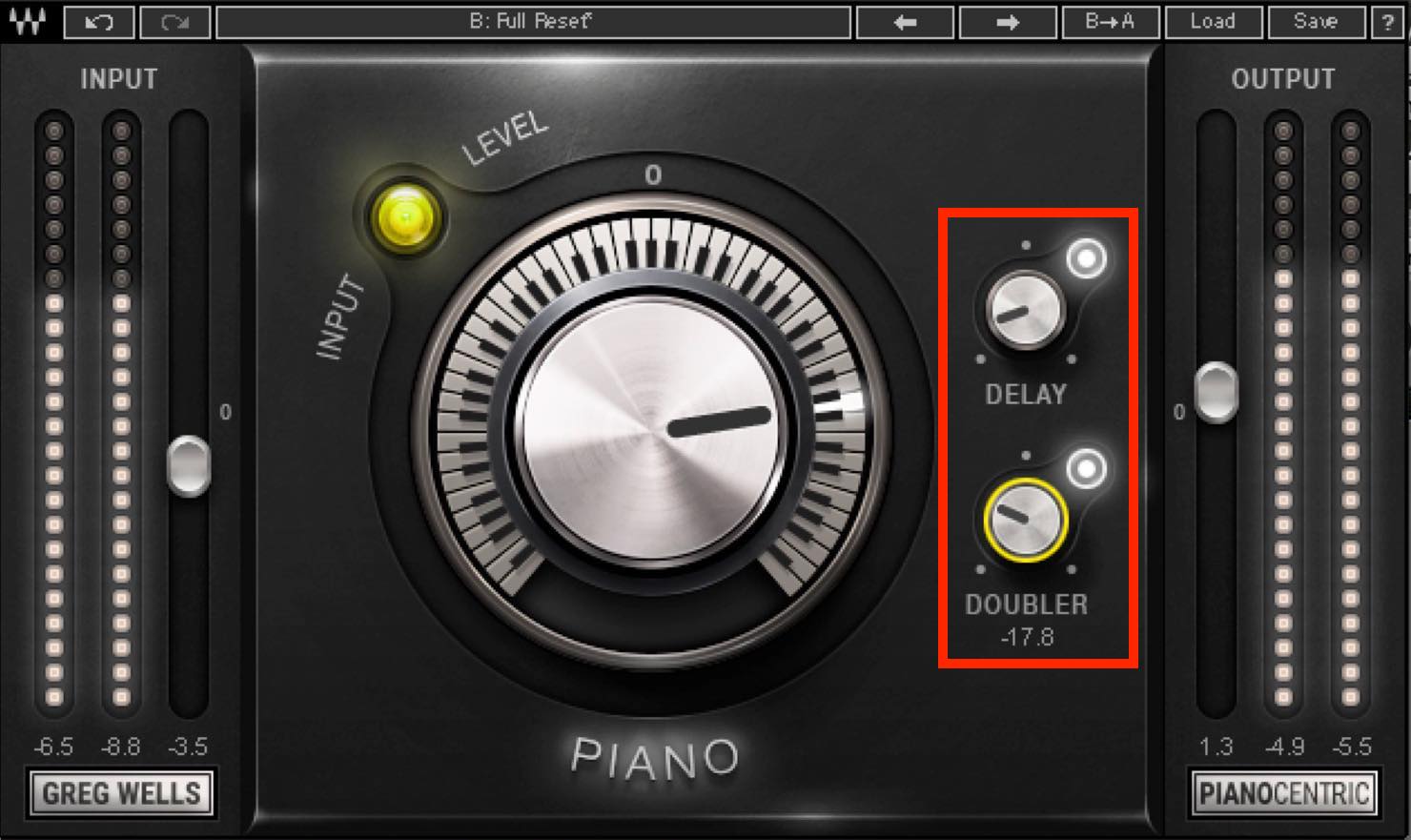
The delay has a fairly dark tone that stays out of the way of the original sound.
A doubler on piano may seem unexpected, but this one is said to be optimized for piano and is surprisingly useful. A subtle amount makes the resonance richer and more complex; a stronger setting can move toward an electric-piano-like sound.
Greg Wells Voice Centric
Next is Voice Centric.
Its basic design is similar to Piano Centric, with a large central knob controlling the sound. Turning it to the right generally increases the processing, but I also hear points along the way where the character changes.
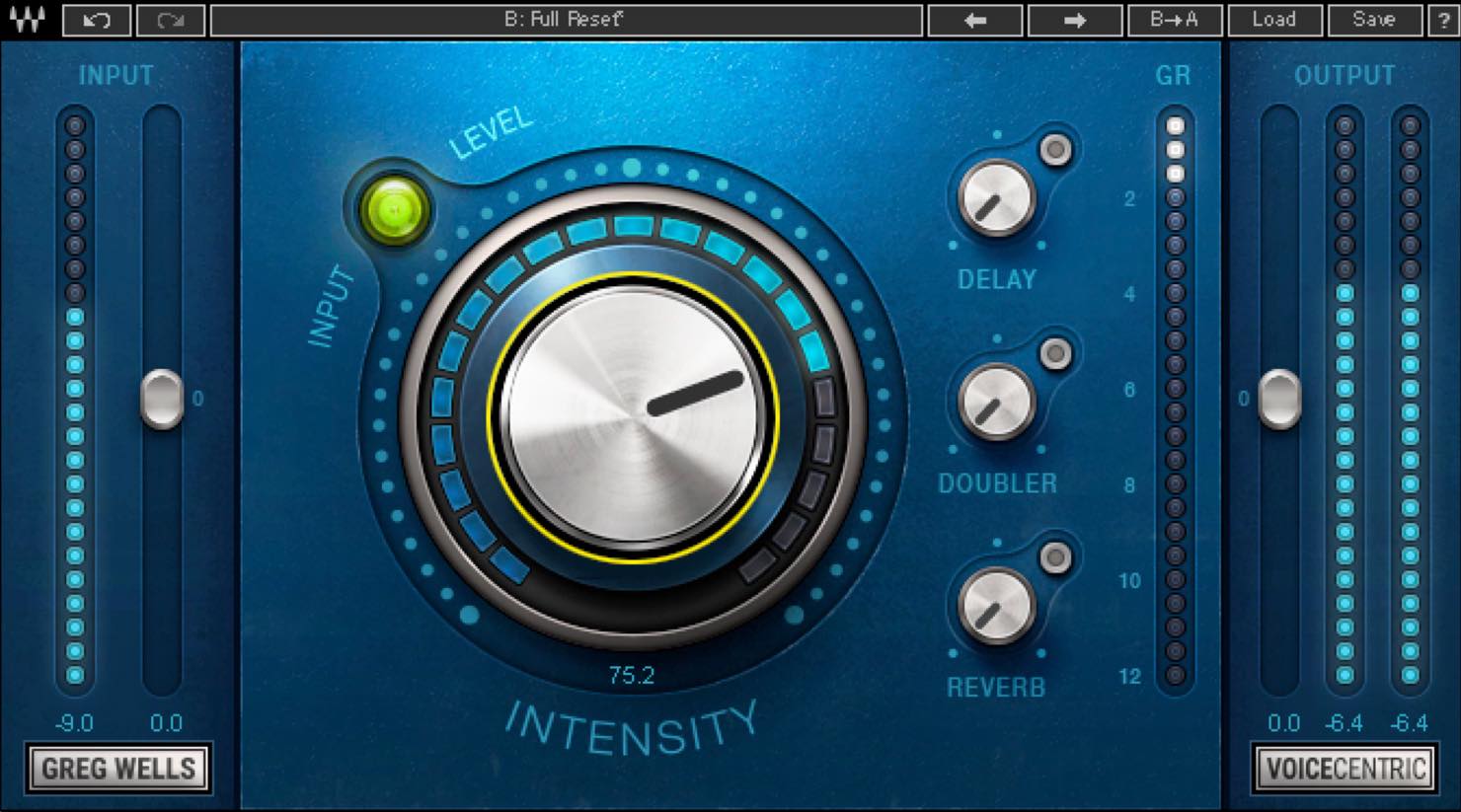
At lower settings, the EQ seems to add clarity. Beyond the middle, saturation and compression become more pronounced, and at the maximum setting the saturation stands out even more.
You could choose a setting to suit the genre or automate it for different sections of a song.
Here too, if you want substantial EQ and saturation with less compression, you can lower the input. The gain-reduction meter makes the compression easy to monitor.
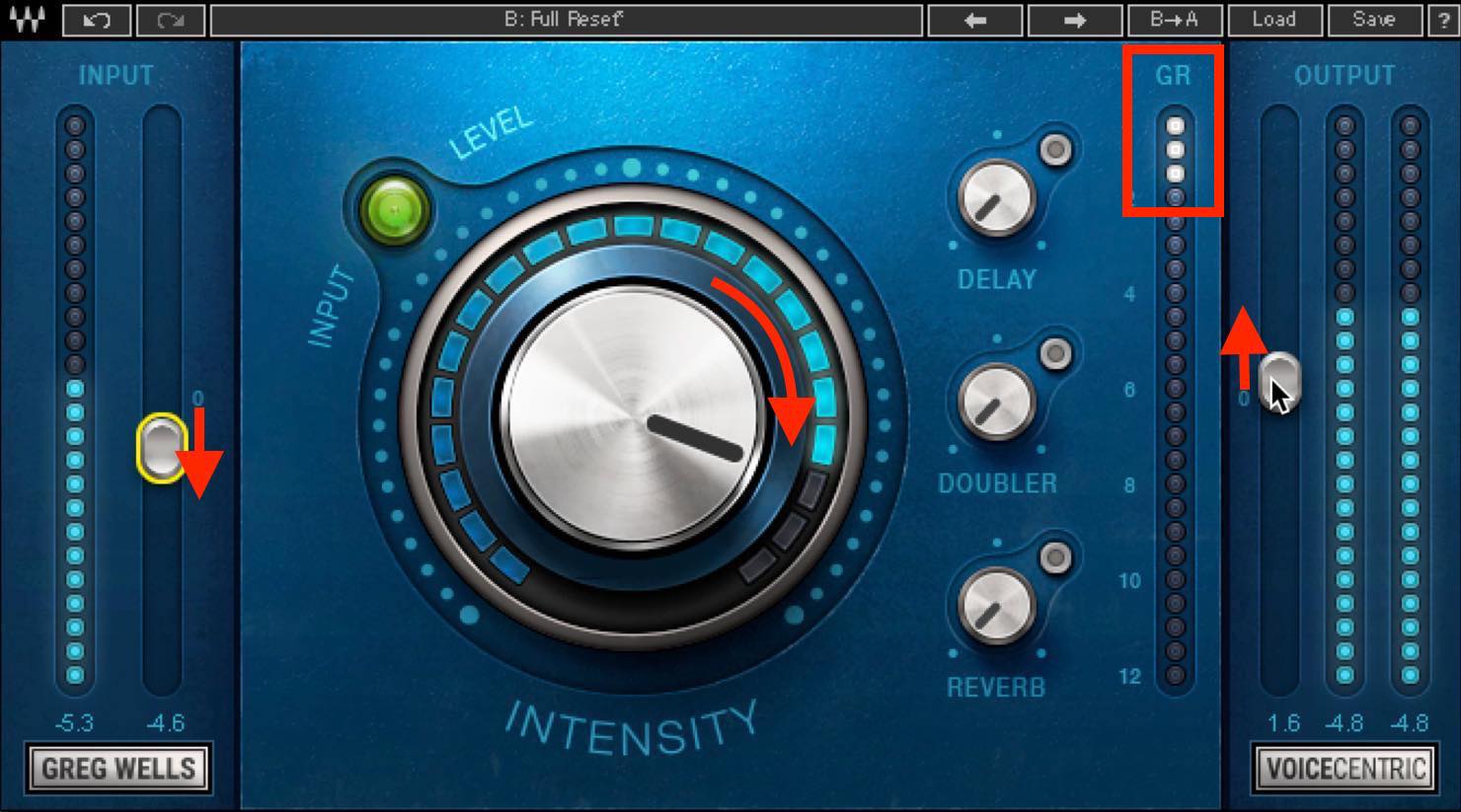
When adjusting it, set theory aside for a moment and focus on the sound. Find a sweet spot that suits the song and the voice. Because you are not relying on complex visual controls, this can also help train your ears.
For beginners, using a polished sound like this as an anchor while mixing the other tracks can also make it easier to keep the mix on track.
Now let’s add the three included effects: delay, doubler, and reverb, all familiar choices for vocals. Each has a single knob, so there is less flexibility, but the settings are well judged and can work very well when you need to shape a sound quickly.
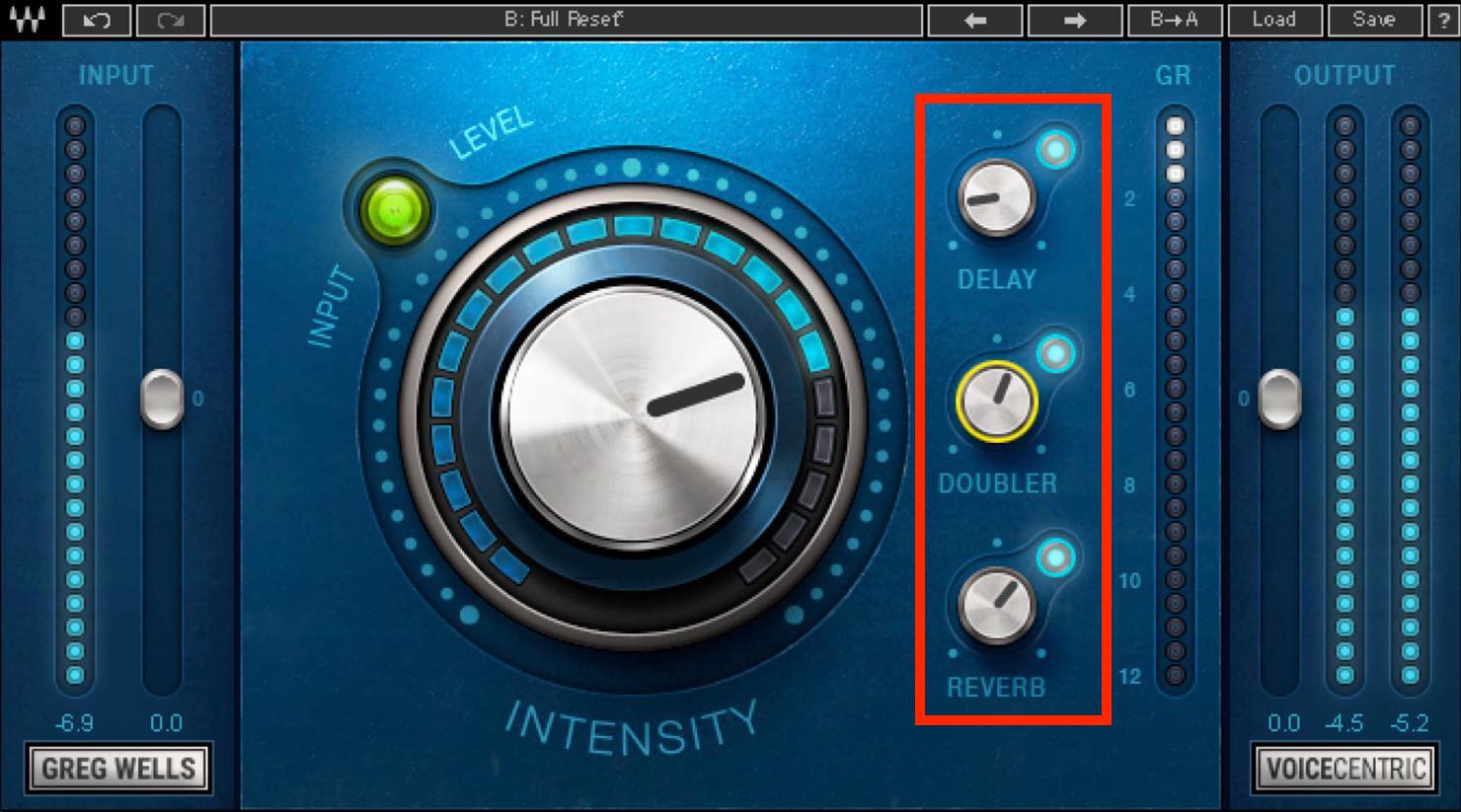
The reverb and delay again sound fairly dark, helping the source stand out. The doubler’s effect is subtler than I expected and is versatile. Turn it up further for more stereo width; it could also work well on backing-vocal tracks.
These preset-like effects give beginners a useful reference. As you gain experience, you can use other processors when you want more detailed control.
Greg Wells Tone Centric
Next is Tone Centric.
Despite its name, this is less about making a sound brighter or darker and more about a tube- or tape-saturation-like effect. It is described as being modeled on analog equipment that Greg himself uses.
Turning the central knob to the right adds analog character and harmonics. Rather than simply increasing the same effect, different knob positions seem to produce different characters.
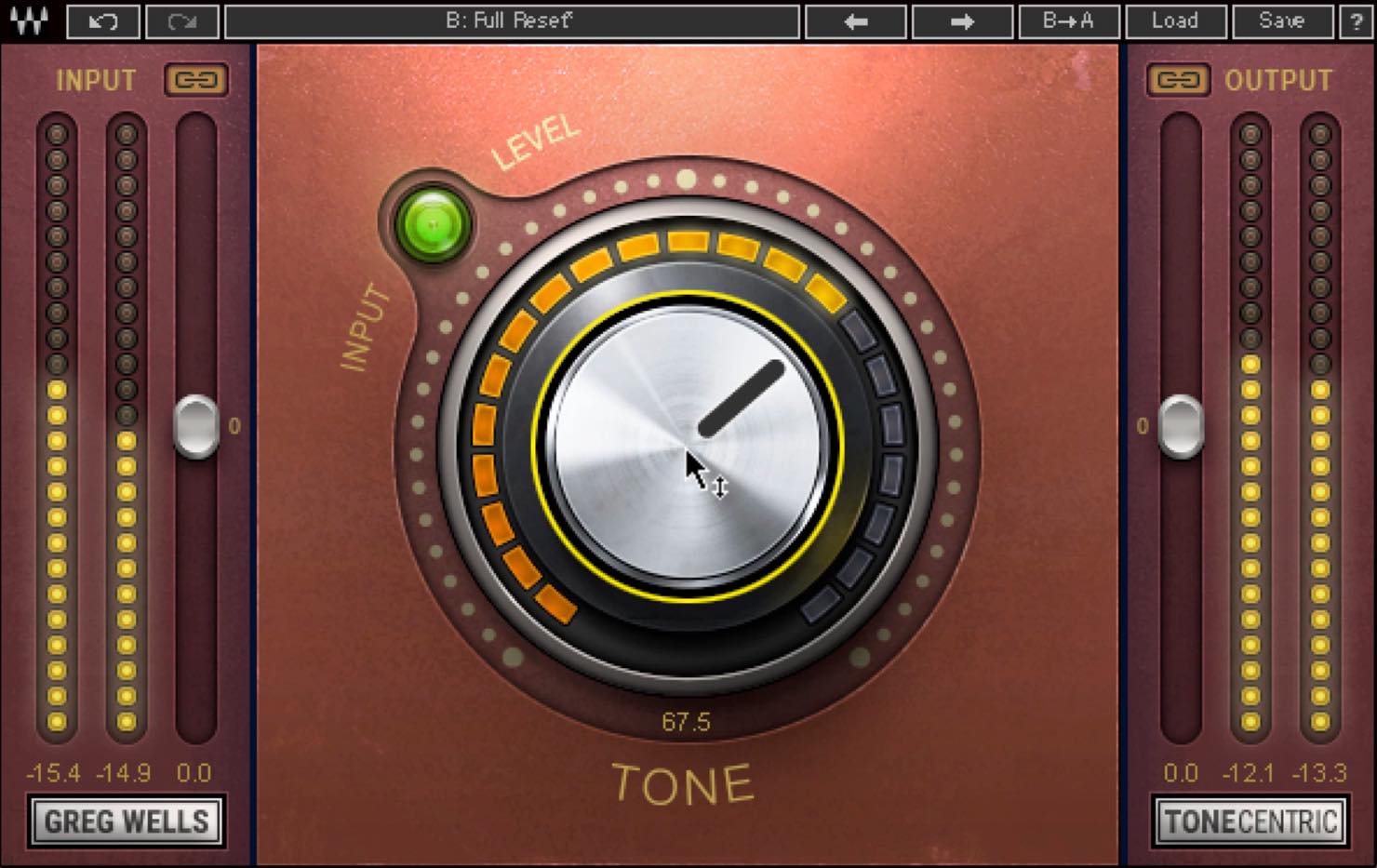
Up to around the middle, I hear more fullness in the low mids. Turn it further and the highs become more brilliant. Above about 90, an analog-like saturation character suddenly becomes apparent. Again, listen closely and find the sweet spot that suits the song.
Input adjustment is also important. If the indicator is green or unlit, try raising the input until it lights yellow. Linking input and output is useful here.
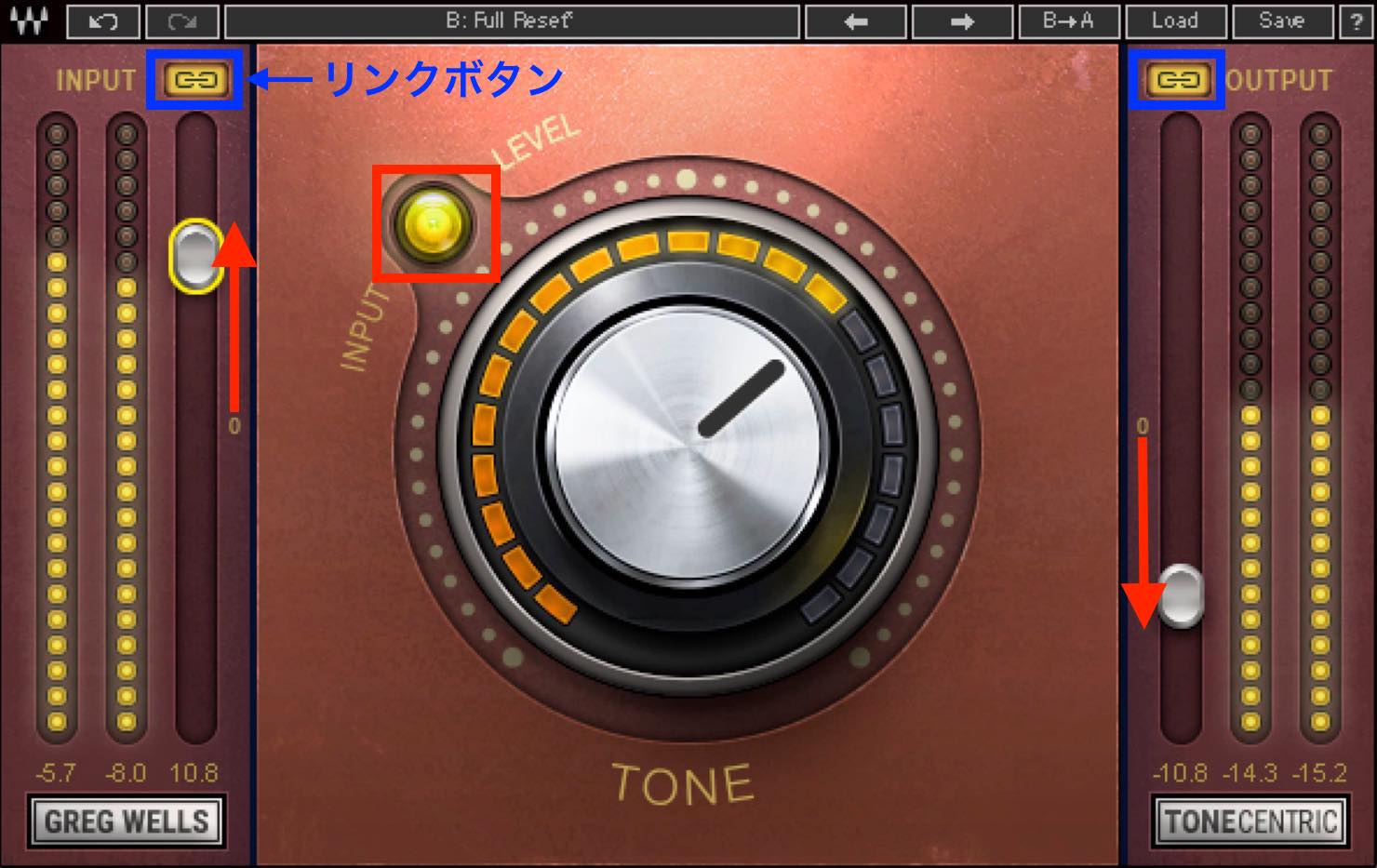
The effect seems more pronounced as the indicator changes from green to yellow. Choose the sound that best suits the song’s atmosphere and its relationship with the other tracks.
I find it a simple but surprisingly deep processor.
Greg Wells Mix Centric
For the finishing touch, we apply Mix Centric to the master track.
With one main knob, Mix Centric combines EQ, compression, and harmonic distortion to move the mix toward a modern mastered sound.
It would be an exaggeration to say that this one plug-in can solve everything. But when it suits the song, the results can be remarkably good for such a simple tool. It should be especially useful when speed is the priority or when mastering feels difficult.
Turn the central knob to the right to increase clarity and perceived loudness, with compression becoming more noticeable too. Keep an eye on the gain-reduction meter.
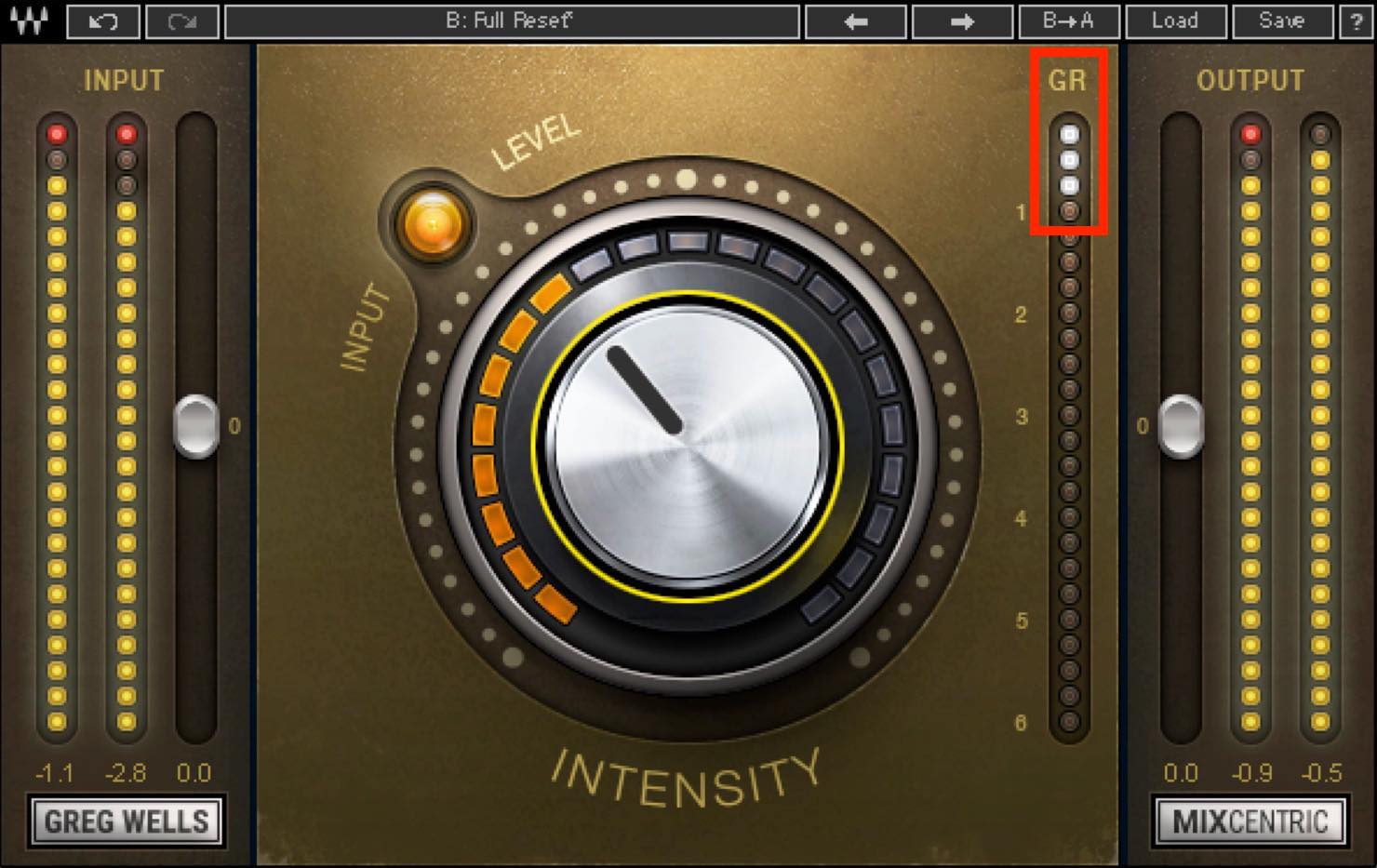
For stronger EQ and harmonic distortion with less compression, lower the input and raise the output accordingly.
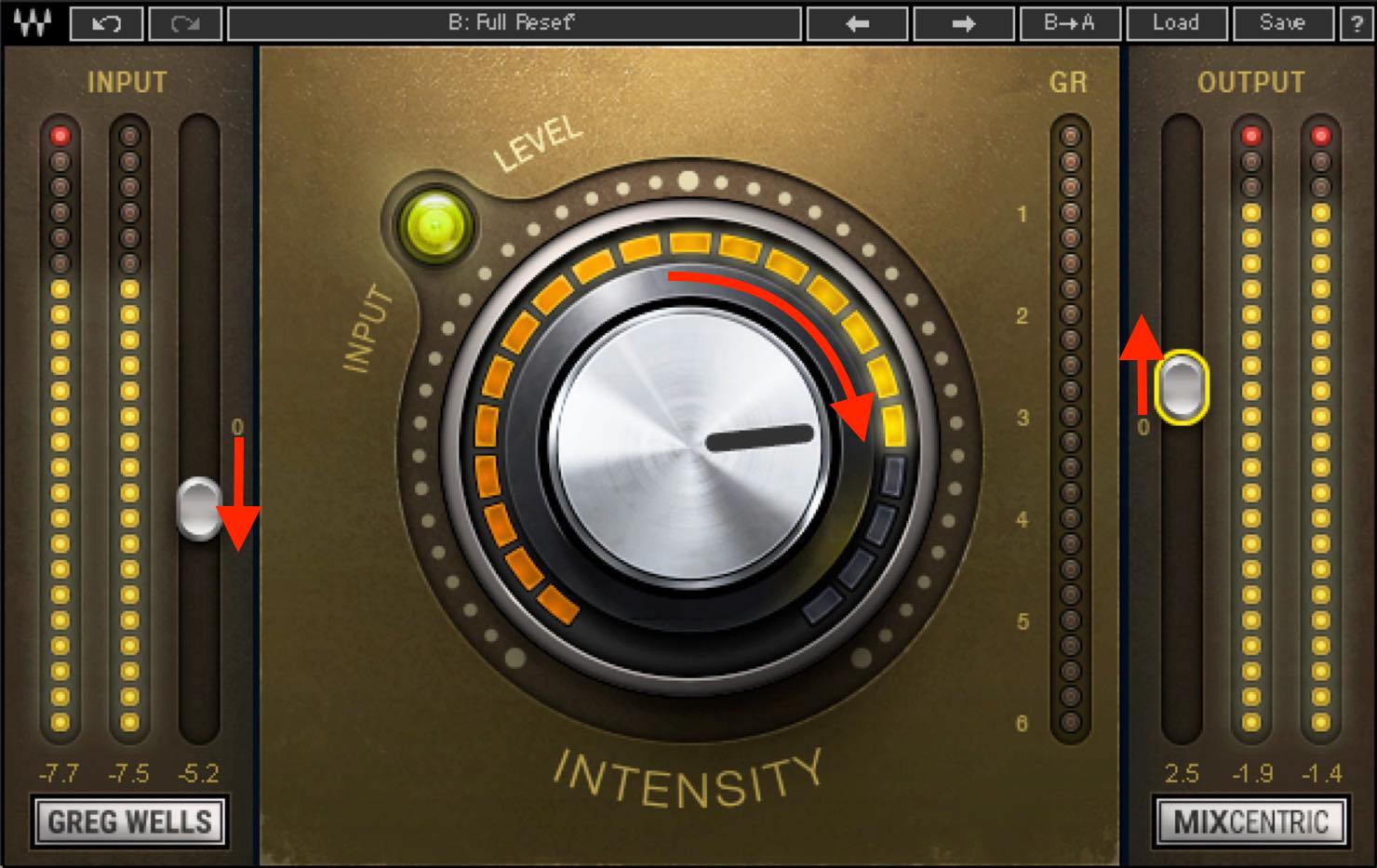
Conversely, if you want more compression without making the sound much brighter, turn the knob to the left, raise the input, and lower the output. The gain-reduction meter should respond even at a low INTENSITY setting.
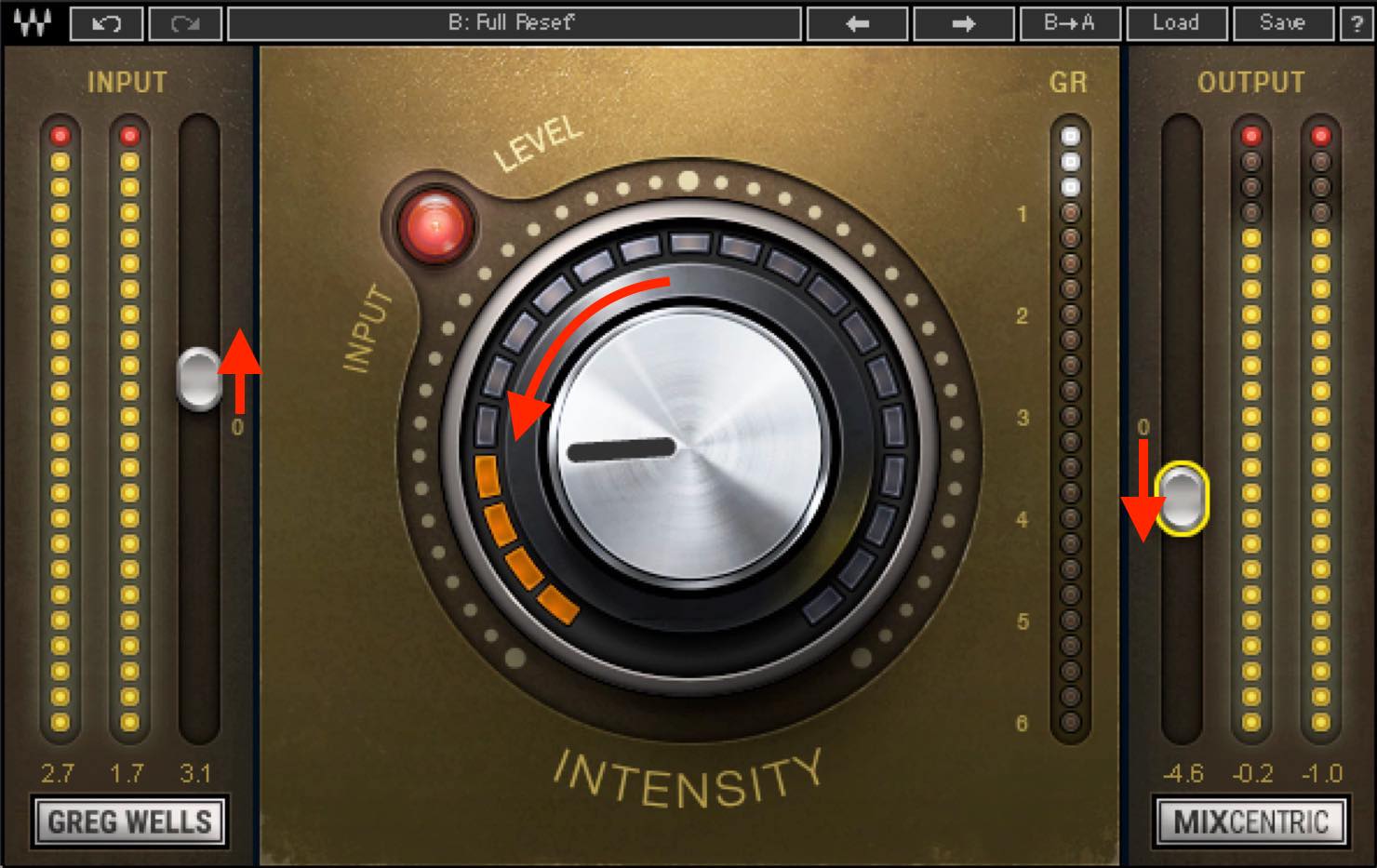
Although Mix Centric is simple, combining different knob, input, and output settings produces a surprising variety of sounds. Personally, I could also see using its character as one stage in a mastering chain.
That concludes our look at Greg Wells Signature Series. Trying it again for this article reminded me that these plug-ins are more versatile than I had expected.
When the processing fits, one plug-in may be all you need. You can also make a few adjustments with other plug-ins to finish the sound.
Getting familiar with these sounds as a reference may also help you develop your mixing and mastering skills.
If you are interested, try the demo as a starting point.
Buy the Product
Contains affiliate links.
Recommended if you want to work quickly or are struggling with your mix!
WAVES Greg Wells Signature Series✍️ Three Key Features
1. Developed jointly by Grammy-winning producer Greg Wells and Waves
2. Easy operation with a one-knob design
3. Four plug-ins for piano, vocals, and other applicationsDetails: https://t.co/LetjFaCu7x pic.twitter.com/3hgJV2vGdy
— SLEEP FREAKS (@SLEEPFREAKS_DTM) June 13, 2020
Frequently Asked Questions
Q1. Which Greg Wells Signature Series plug-in should I start with?
A basic approach is to use Mix Centric on the master track, Voice Centric on vocals, Piano Centric on piano, and Tone Centric on other tracks. Starting with the master track can help establish the overall sonic direction.
Q2. Can one knob really produce a professional-level sound?
The results depend on the song, but in this article’s examples, applying the four plug-ins to just four tracks makes the mix sound considerably more finished. Adjusting the input and listening for the sweet spot remain important.
Q3. What should I do if Voice Centric applies too much compression?
Try lowering the input level and raising the output accordingly. Watch the input indicator, particularly if it is red, as you adjust the amount of compression.
Q4. Can I use Voice Centric on sources other than vocals?
Voice Centric is optimized for vocals, but its combination of EQ, saturation, and compression also makes it worth trying on other instrument tracks. You will still need to find a sweet spot that suits the genre.
Q5. What sources suit Tone Centric?
Its tube- and tape-like harmonic saturation can add analog character to a variety of sources, including drums, bass, and guitar.
NEW ARTICLES
Latest English Articles

































































































































































































