
The equalizer in the Steinberg UR series Morphing Channel Strip lets you quickly shape a track using three intuitive EQ points: low shelf, bell and high shelf. Frequency (Hz) on the horizontal axis and gain (dB) on the vertical axis let you control low-end weight, midrange character and high-end clarity. The sidechain can also shape the signal sent to the compressor detector so that strong low frequencies do not dominate its response.
Shape your sound by adjusting a track’s frequency balance
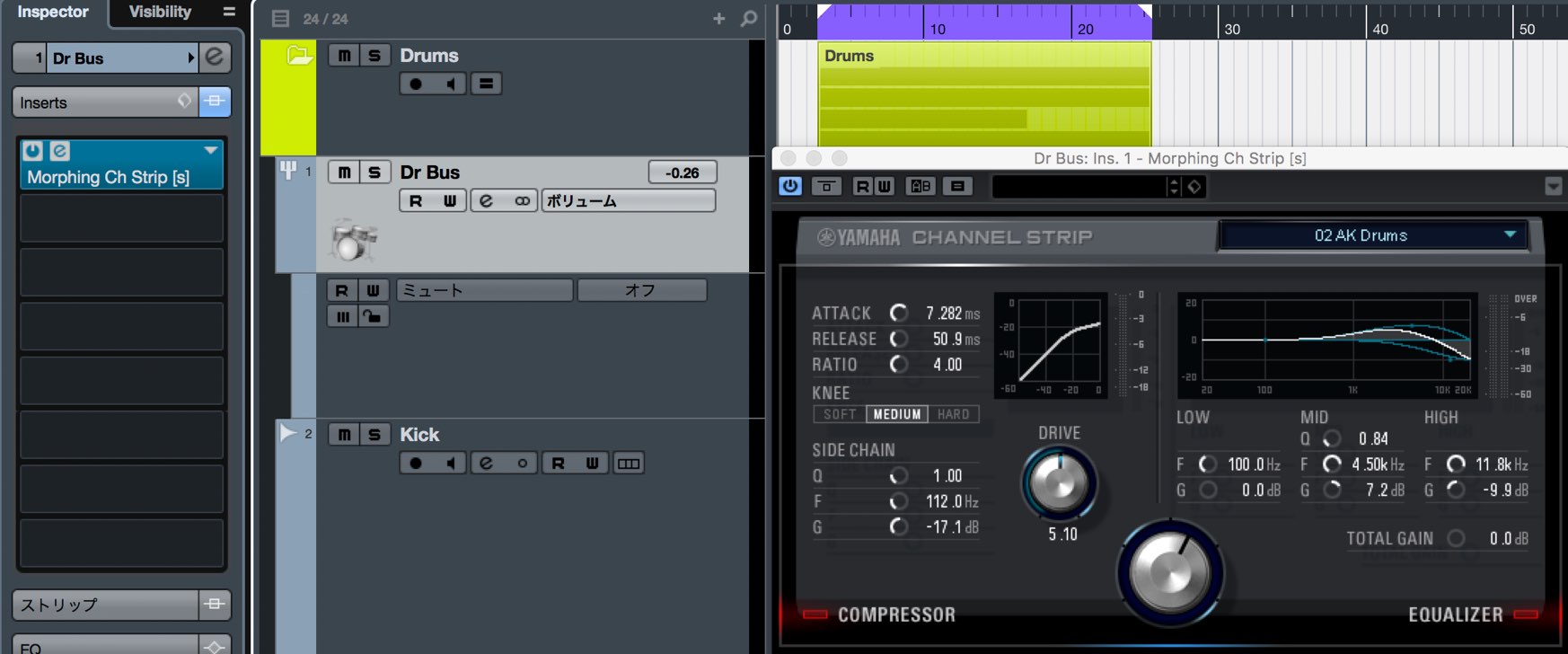
Following our look at the compressor section, let’s explore the equalizer section.
Morphing Channel Strip’s three EQ points let you quickly and intuitively shape the sound.
An equalizer shapes sound by adjusting a track’s frequency balance. It is indispensable for sound design and mixing, so let’s take a closer look.
Video: Morphing Channel Strip equalizer
- 1dspMixFx overview and setup
- 2Morphing Channel Strip: compressor
- 3Morphing Channel Strip: equalizer
- 4Guitar Amp Classics: guitar amp simulator
- 5REV-X digital reverb
Steinberg distributor — Access Yamaha Music Japan content
- Yamaha Music Japan MPP (YouTube) https://www.youtube.com/user/SteinbergJapan
- MPP (Twitter) https://twitter.com/SteinbergJP
- Music production program Sound Roster (Fresh!) https://freshlive.tv/ymjsoundroster
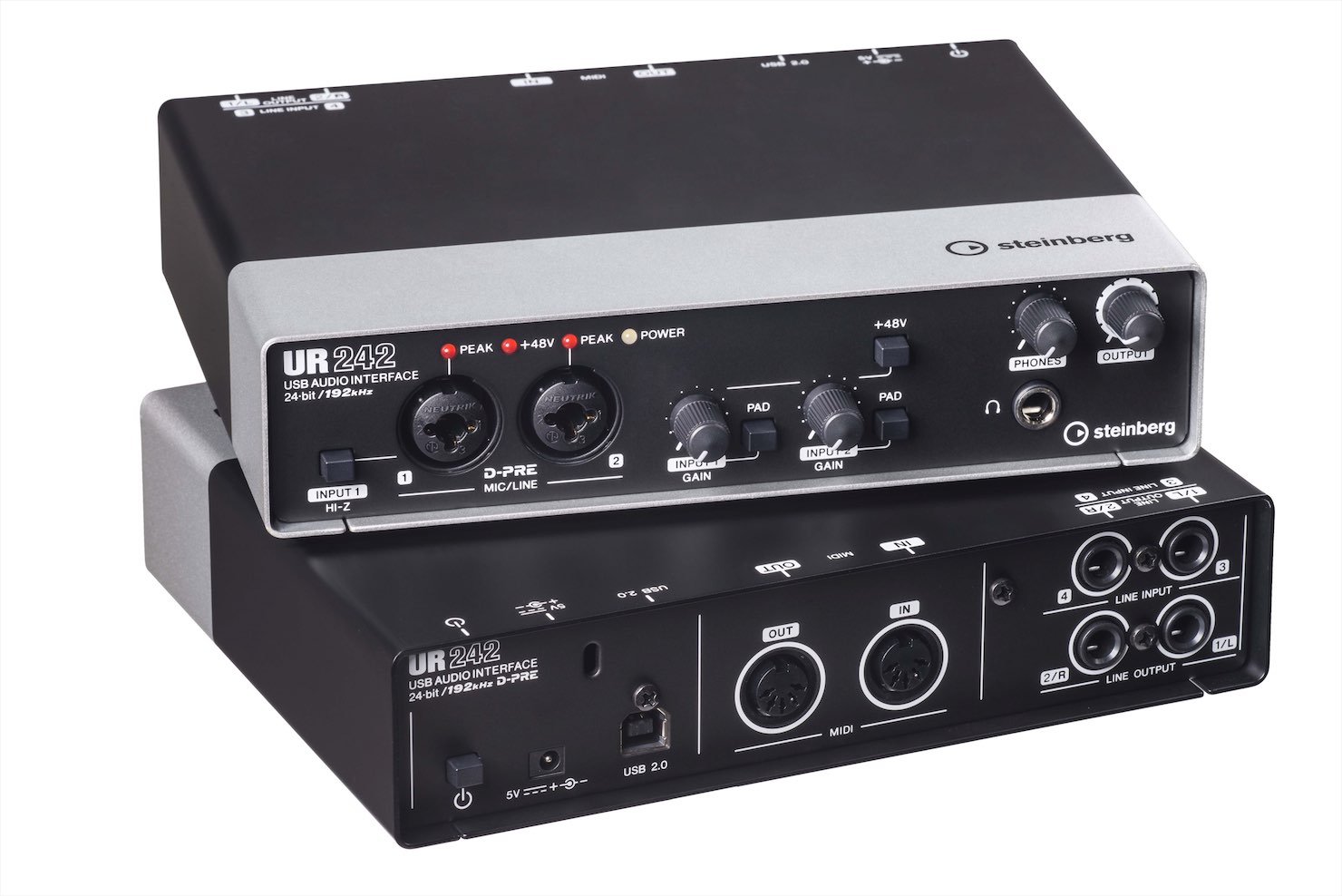
Purchase products: https://japan.steinberg.net/jp/products/hardware/ur_series/lineup.html The original article lists UR242, UR44, UR28M, UR824 and the UR-RT series as supporting dspMixFx.
Understanding the equalizer parameters
First, let’s understand what the equalizer display represents.

- Horizontal: frequency, measured in hertz (Hz).
The values increase from left to right, moving toward higher frequencies. - Vertical: level, measured in decibels (dB).
The center, 0 dB, is the reference. Raising a value increases that band’s level; lowering it reduces the level.
Adjust these two parameters to shape the tone.
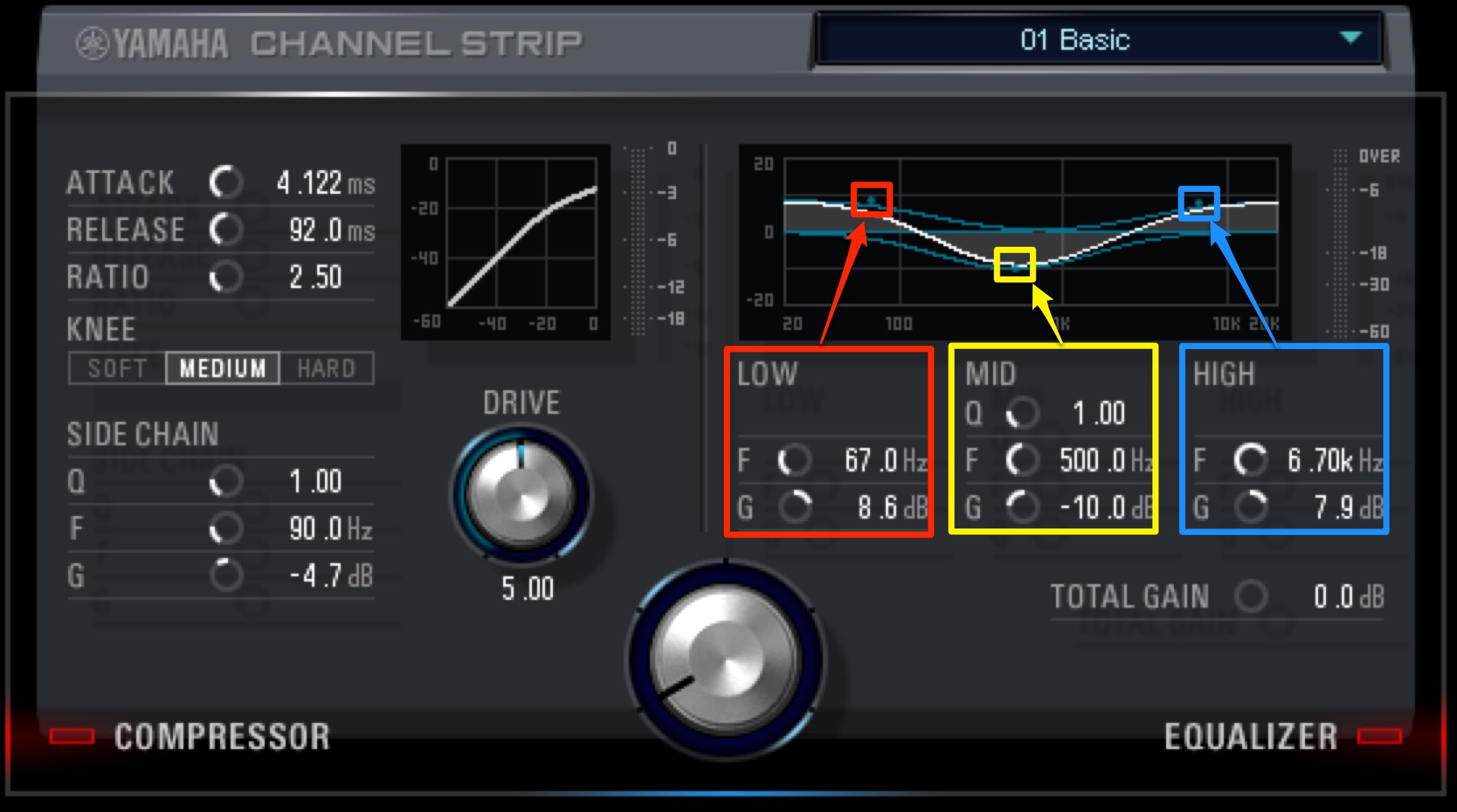
The equalizer has three EQ points.
- 1. Low shelf (left): boosts or cuts frequencies below the selected point.
Use it to adjust the low end. - 2. Bell (center): boosts or cuts a band centered on the selected point.
- 3. High shelf (right): boosts or cuts frequencies above the selected point.
Use it to adjust the high end.
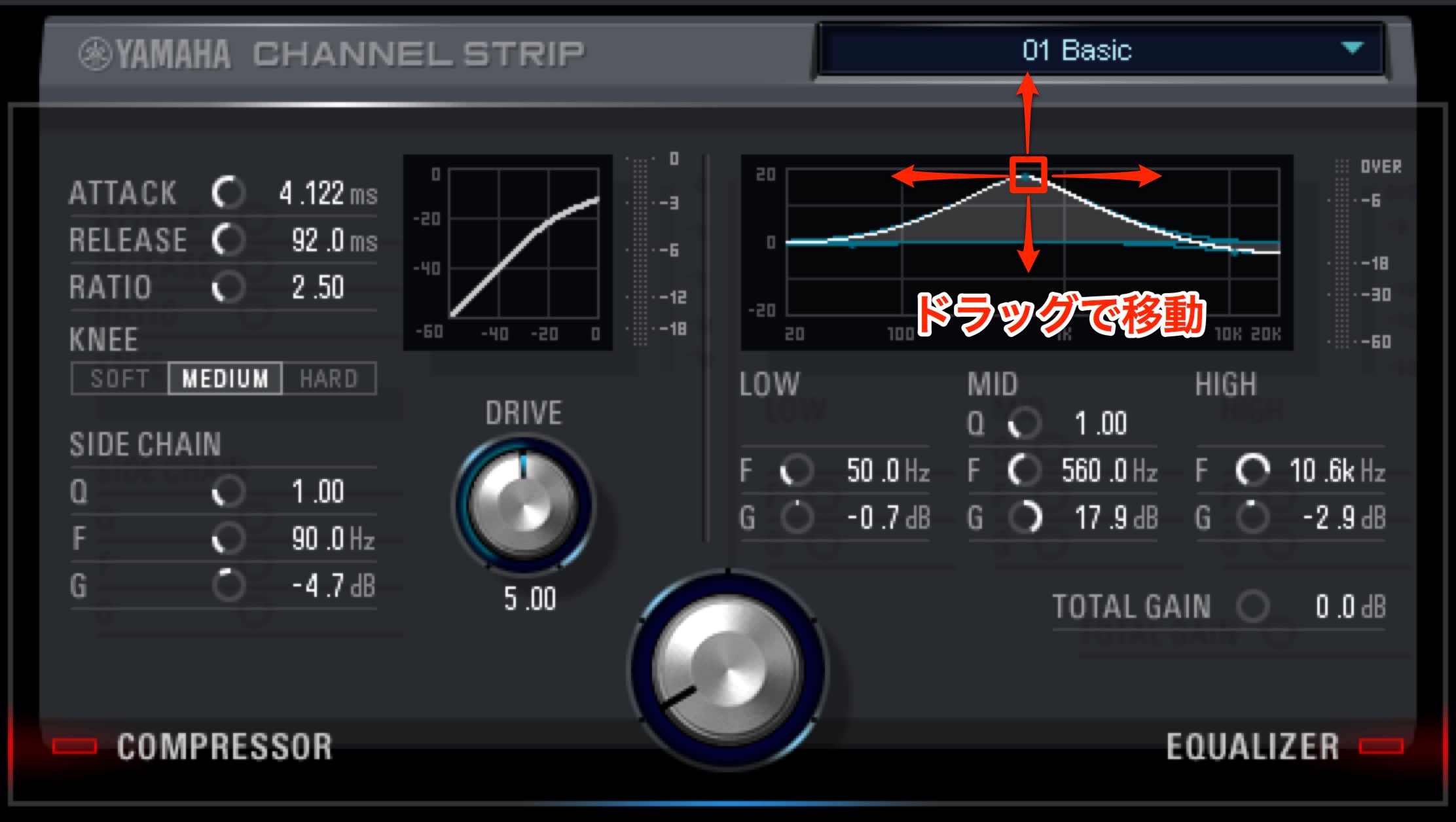
Drag an EQ point horizontally to change frequency and vertically to change gain.
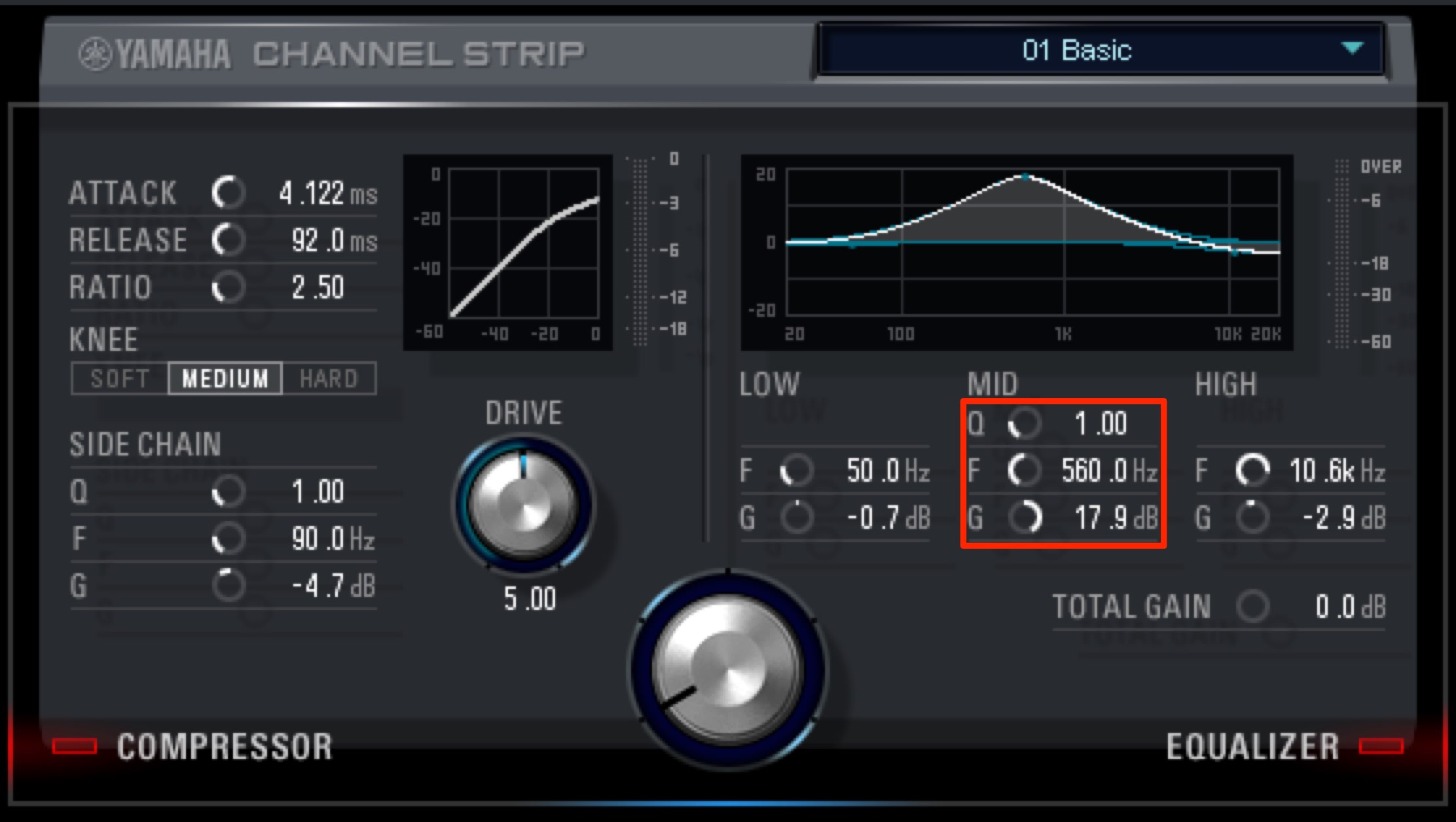
You can also make the same adjustments using the knobs below.
Because you can enter values, this is useful when you need precise settings.
- F: frequency, represented horizontally.
- G: gain, represented vertically.
- Q: controls the width of the band affected by the center bell filter.
To change the Q width by dragging,
hold Option on Mac or Alt on Windows and drag the point up or down.
Characteristics of each frequency range
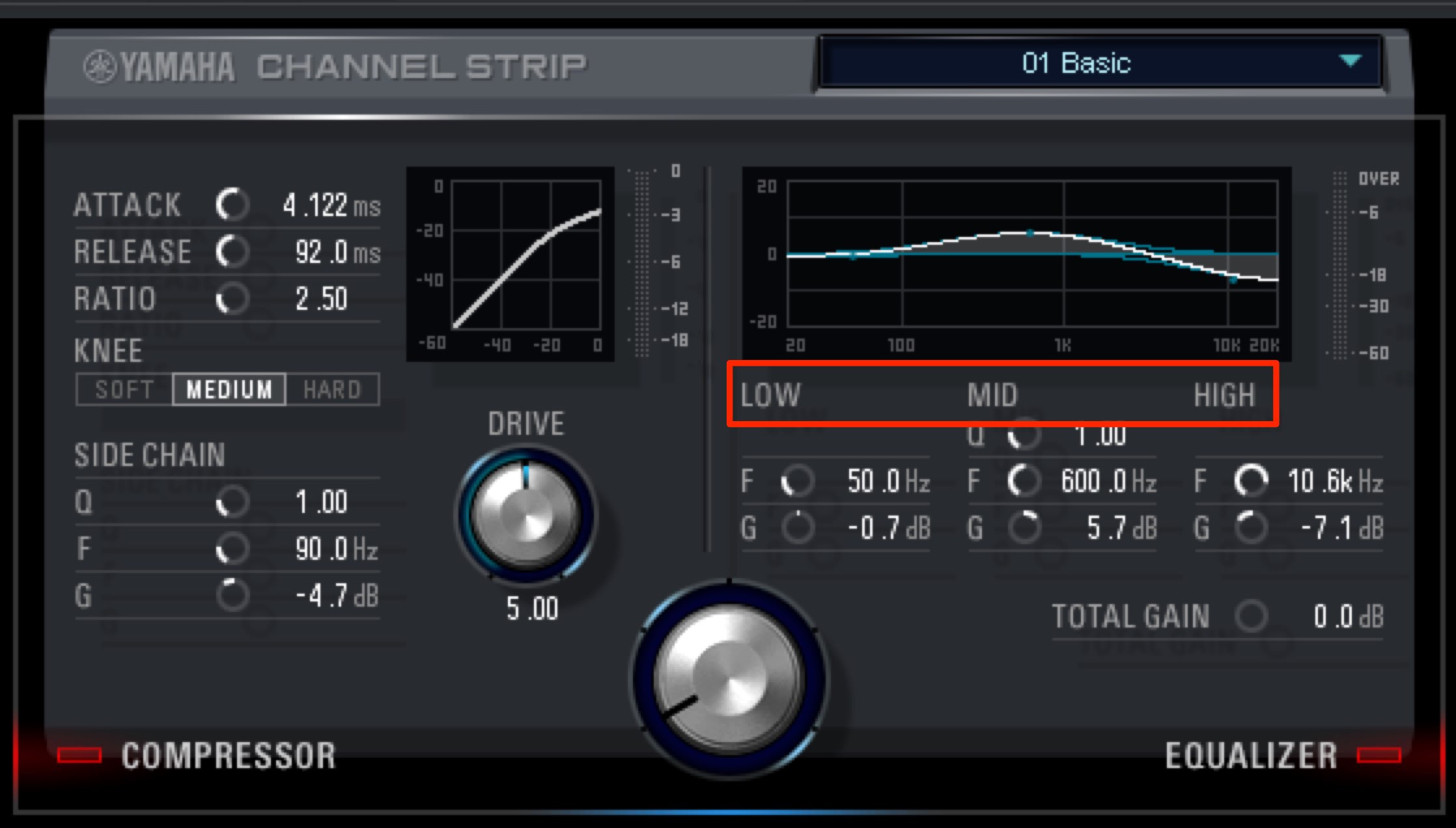
Frequencies are commonly grouped into low, mid and high ranges.
Knowing their characteristics can help you shape sounds more quickly and precisely.
- Low range: roughly 250 Hz and below.
This range contributes weight and power. Too many instruments concentrated here can make a mix muddy, so mixes often build around kick and bass while applying low cuts to other instruments. - Midrange: roughly 250 Hz–2,500 Hz. The original article labels the upper boundary “2,500 kHz”; 2,500 Hz is intended in this frequency-range context.
Many instruments occupy this range, which helps establish a sound’s character.
You may cut this range on other tracks to make a lead track such as a vocal easier to hear. - High range: roughly above 2,500 Hz.
This range contributes clarity and definition and can give an impression of higher fidelity.
Try boosting it if a sound is buried. Cutting it can produce a rounder, softer sound.
Using the sidechain
You can also apply Morphing Channel Strip to the master track to shape the frequency balance of an entire song.
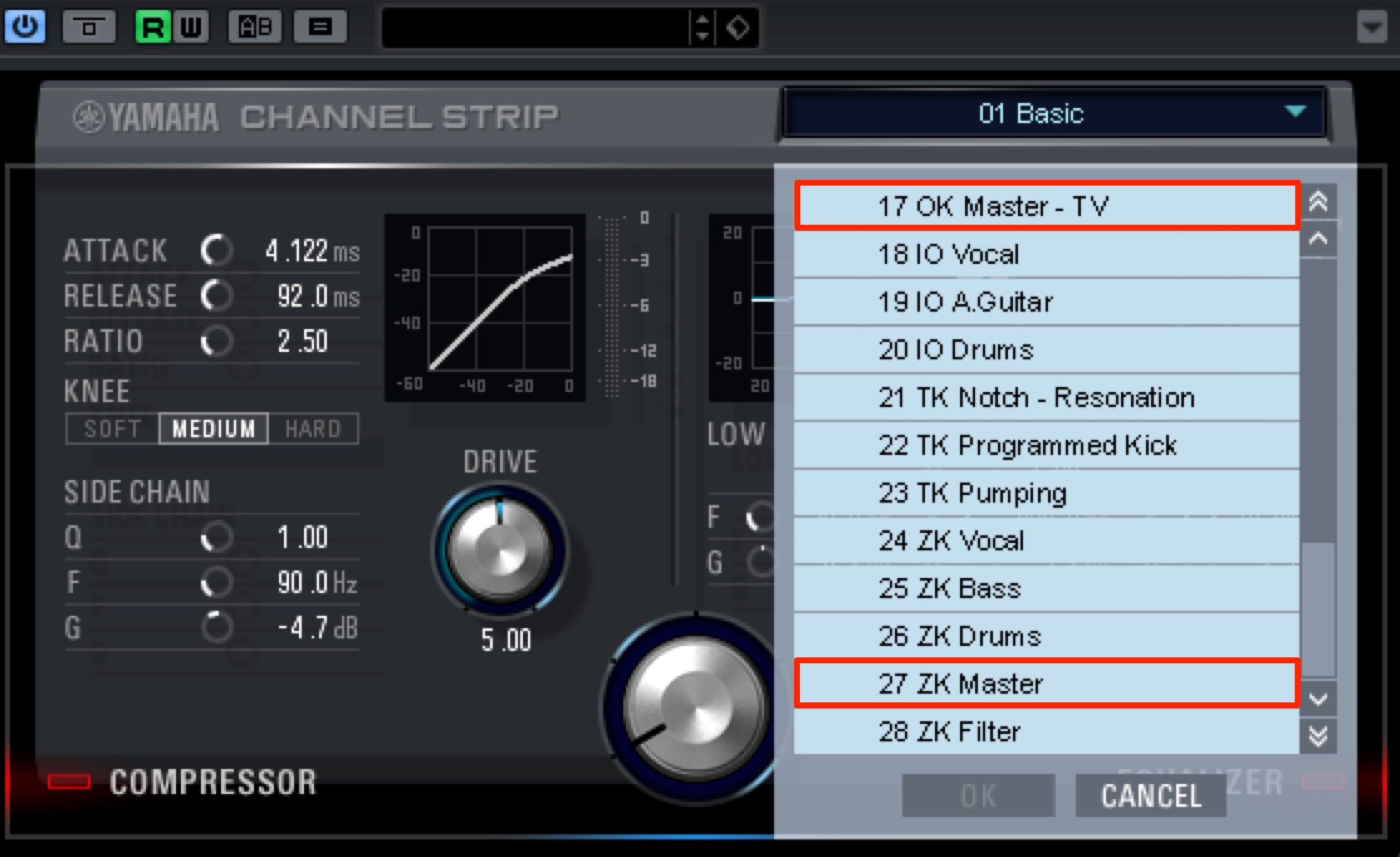
The plug-in includes dedicated mastering presets.
A useful feature here is sidechain.
With the sidechain, you can adjust the frequency balance of the signal sent to the compressor’s detector.
This helps optimize how the compressor responds.
A common application is managing low frequencies.
Low frequencies often carry more energy (level) than other ranges.
As a result, the compressor may respond disproportionately to the low end instead of reacting as intended to the rest of the signal.
Cutting low frequencies in the sidechain can reduce their influence on detection, allowing a more balanced overall compression response.
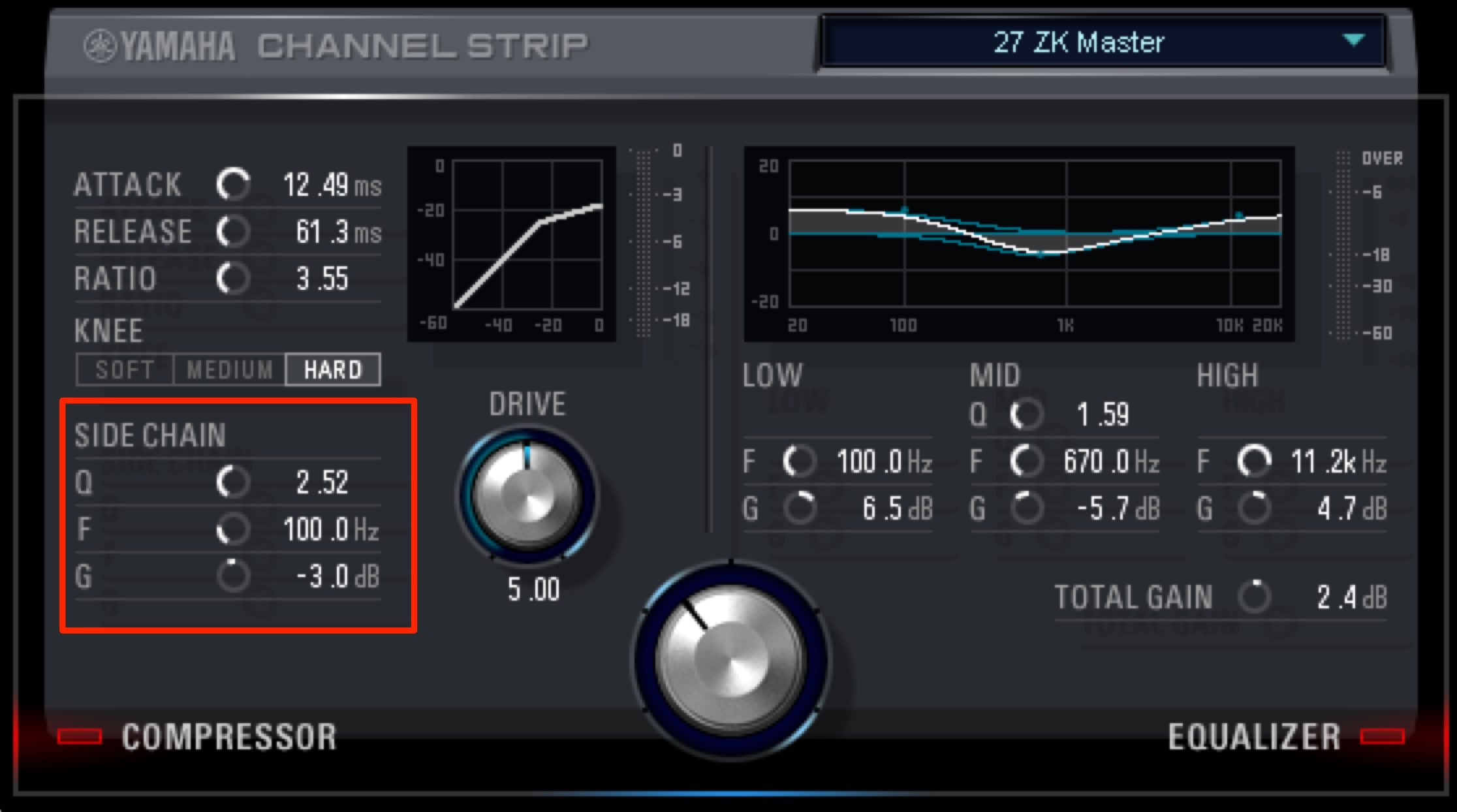
- F: selects the frequency.
- Q: sets the width of the affected band around the selected frequency.
- G: boosts or cuts that band.
At 0 there is no sidechain EQ effect; negative values cut and positive values boost.
Here we cut around 100 Hz by 3 dB to reduce low-frequency energy in the detector signal.
These simple controls make it easy to shape the sound of a track.
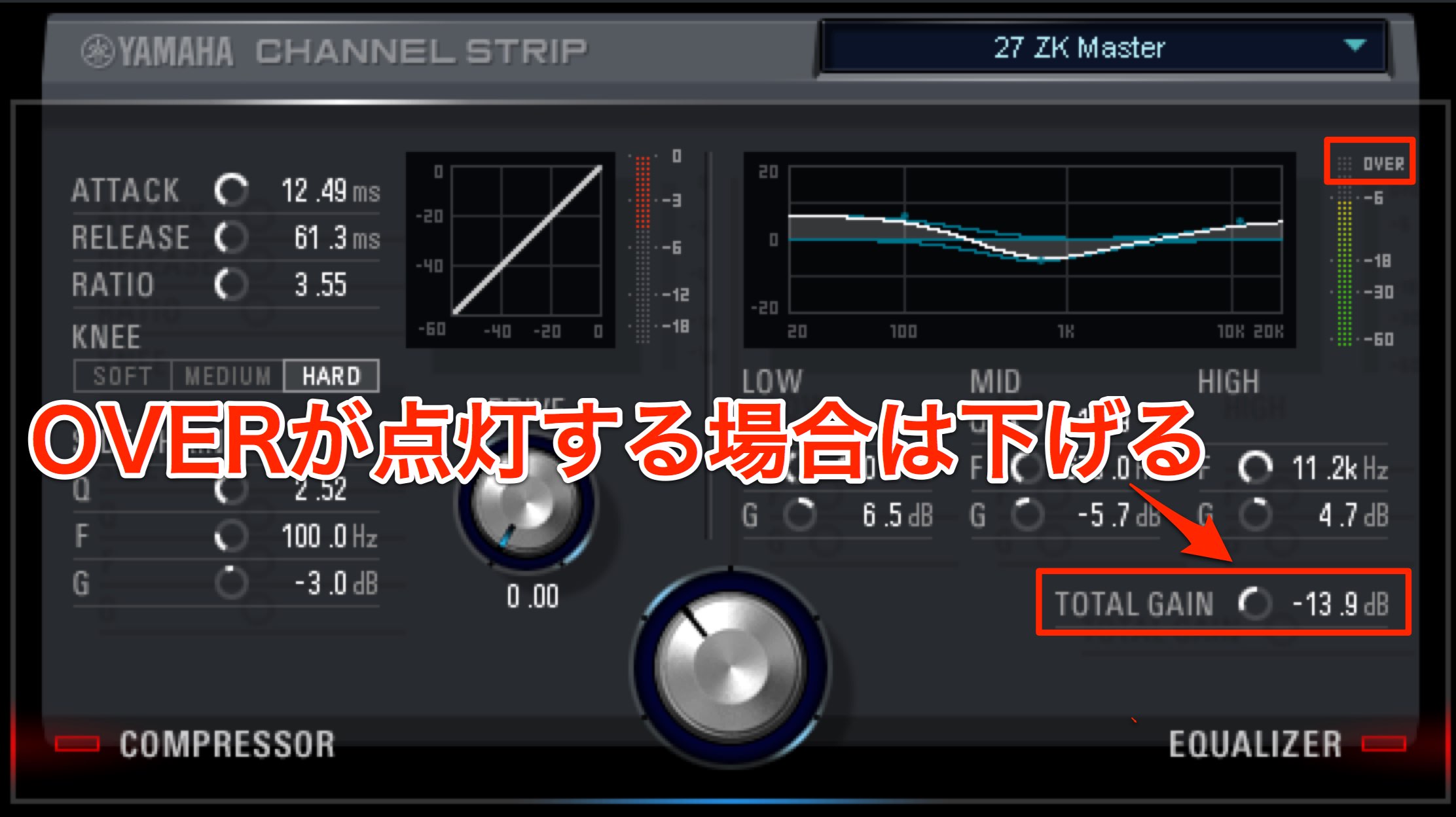
After making your settings, check the OVER indicator on the level meter.
If OVER lights up, the level is too high and the signal is clipping.
Lower TOTAL GAIN until OVER no longer lights.
What did you think?
Understanding these parameters also lets you refine a sound from a preset.
Try applying them to your own tracks and creating a sound you like.
Steinberg distributor — Access Yamaha Music Japan content
- Yamaha Music Japan MPP (YouTube) https://www.youtube.com/user/SteinbergJapan
- MPP (Twitter) https://twitter.com/SteinbergJP
- Music production program Sound Roster (Fresh!) https://freshlive.tv/ymjsoundroster
Purchase products: https://japan.steinberg.net/jp/products/hardware/ur_series/lineup.html The original article lists UR242, UR44, UR28M, UR824 and the UR-RT series as supporting dspMixFx.
Frequently asked questions
Q1. What is Q in the Morphing Channel Strip equalizer?
Q controls the bandwidth of the center bell EQ: a higher value affects a narrower range, while a lower value affects a wider range. Hold Option on Mac or Alt on Windows while dragging to adjust it.
Q2. What can I do if excessive low end makes a mix muddy?
Use a low-cut filter to reduce low frequencies below 250 Hz where appropriate. Build around kick and bass and cut low frequencies from other instruments to help clarify the mix.
Q3. What is the benefit of using Morphing Channel Strip on the master track?
It can adjust the frequency balance of the entire song. Dedicated mastering presets provide a starting point for shaping the overall sound.
Q4. Why use the sidechain to manage low frequencies?
Low frequencies can carry enough energy to dominate the compressor’s detection. Reducing them in the sidechain helps the compressor respond more evenly to the overall signal.
NEW ARTICLES
Latest English Articles





















































































































































































































































































































































